Asylum Reborn - HD Texture Pack
Intro
This guide aims to show fans and newcomers of the game how to get the very best experience with Arkham Asylum.
- Navigate with the sections list on the right. All downloads are kept in the Downloads section.
- This guide is focused on the Steam version of the game, but all mods work with the EGS version.
- Locate the game's File Explorer location on your system. Steam users can do this by right-clicking the game in the Steam library: Select 'Properties' > 'Local Files' > 'Browse...'
The game's directory will be revealed in File Explorer.
Upcoming Arkham Knight Gameplay Overhaul
DOWNLOAD

Steam users can navigate to the game's install directory by right-clicking the game on Steam, selecting Properties > Local Files > Browse.
Do not update Reshade or any shaders. Doing so may cause visual errors with this game
HD Texture Pack

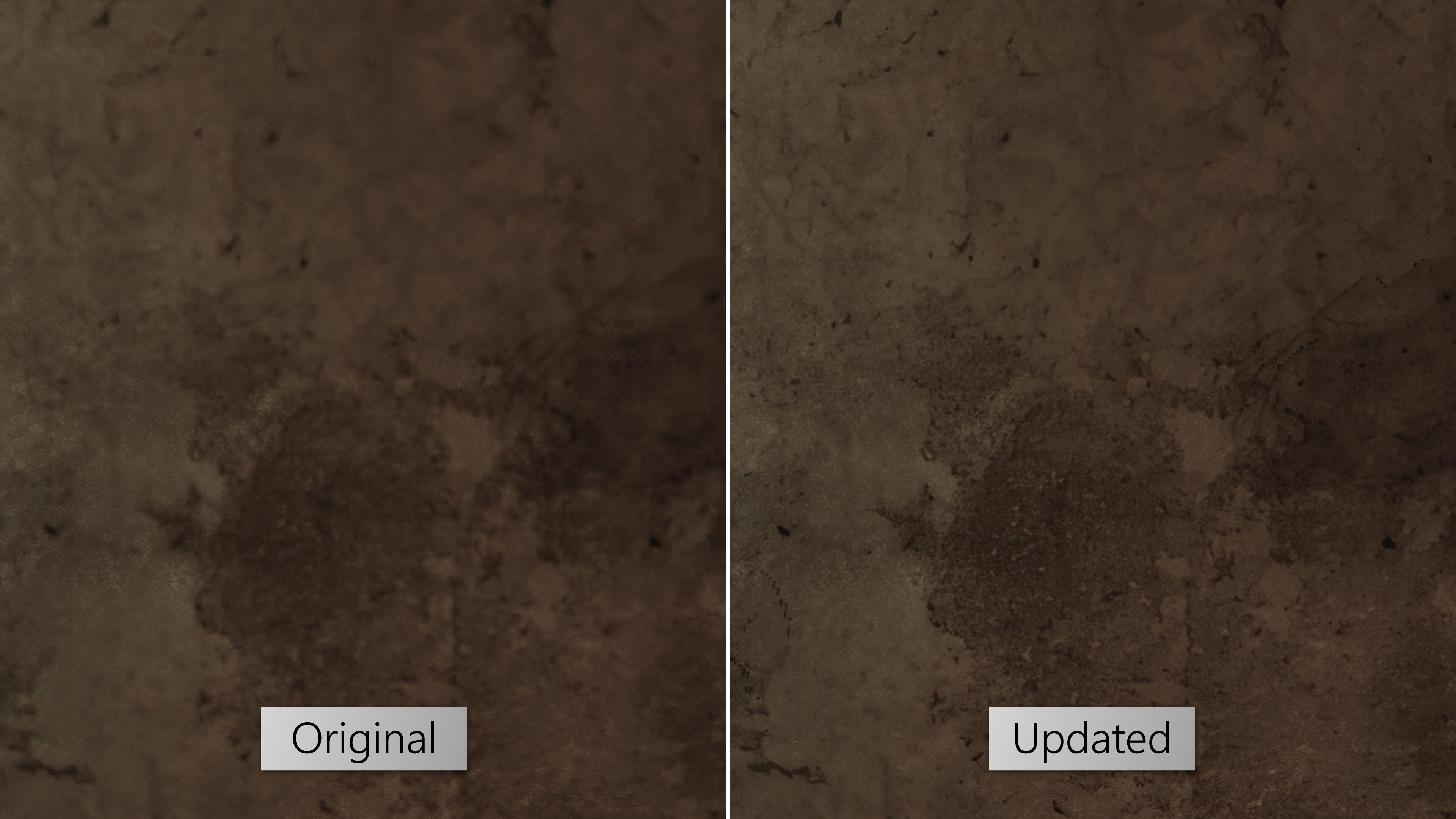 Explosive Wall surface
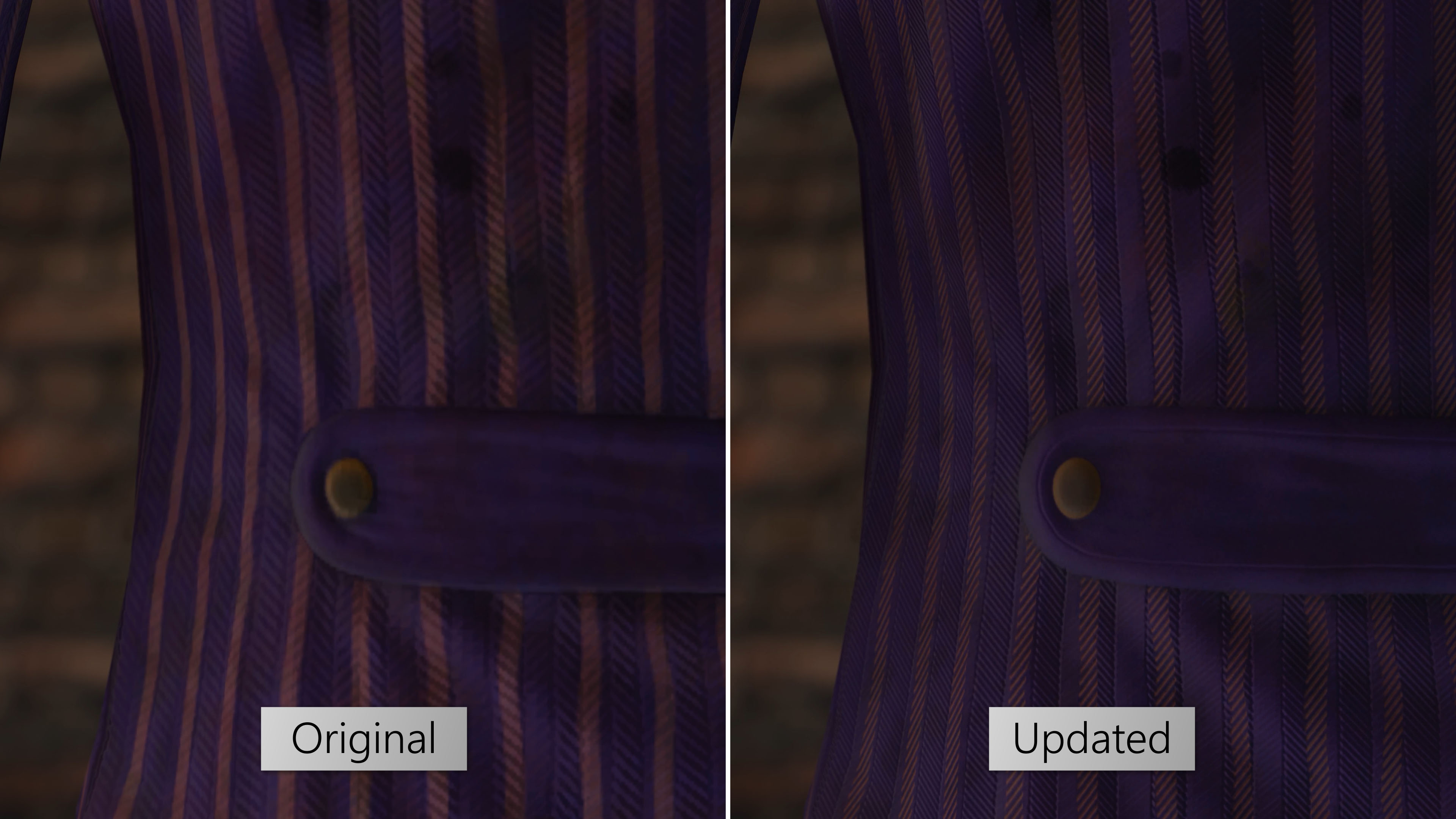 Recreated clothing materials from scratch
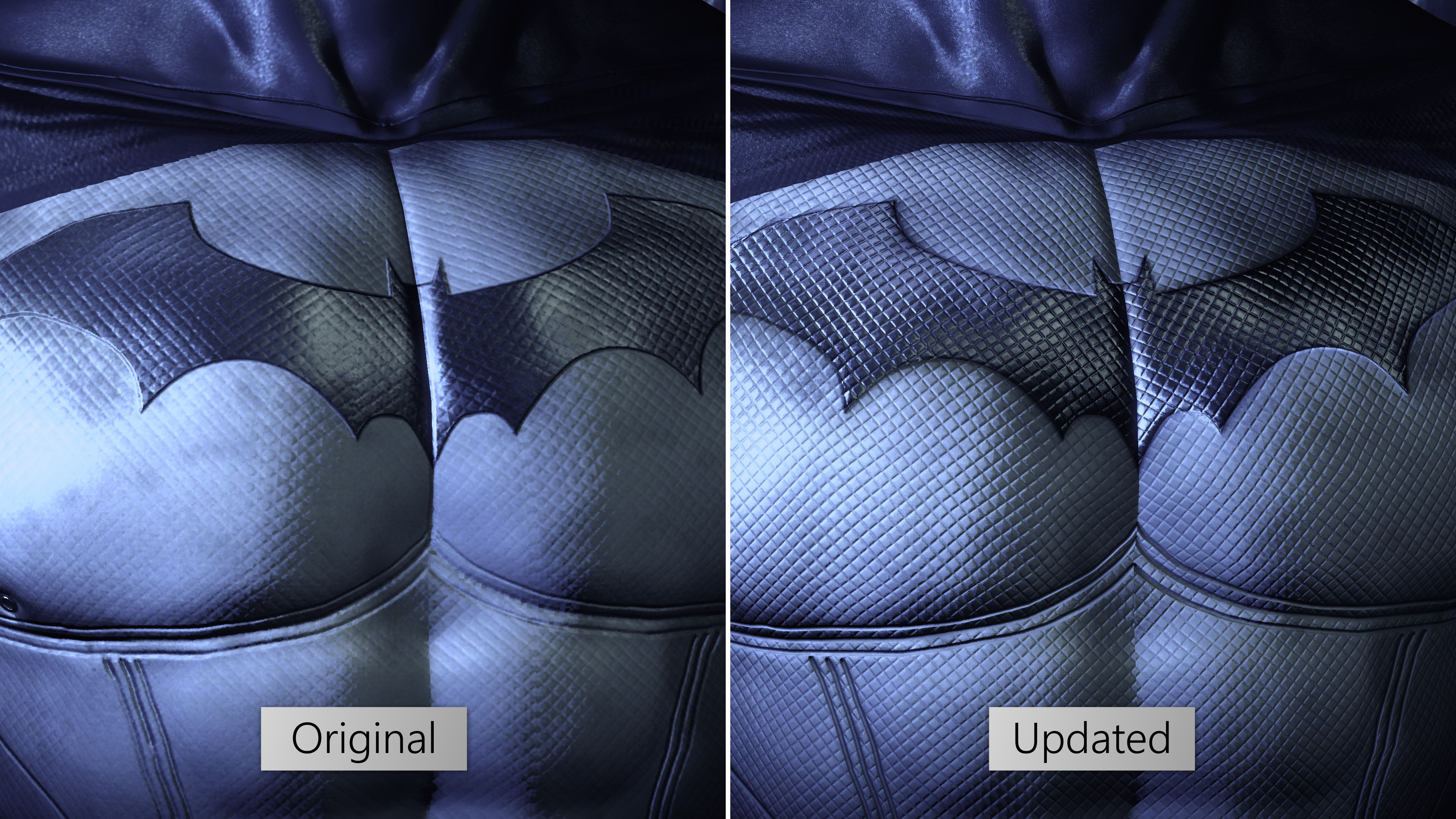 Batman faithfully redrawn from scratch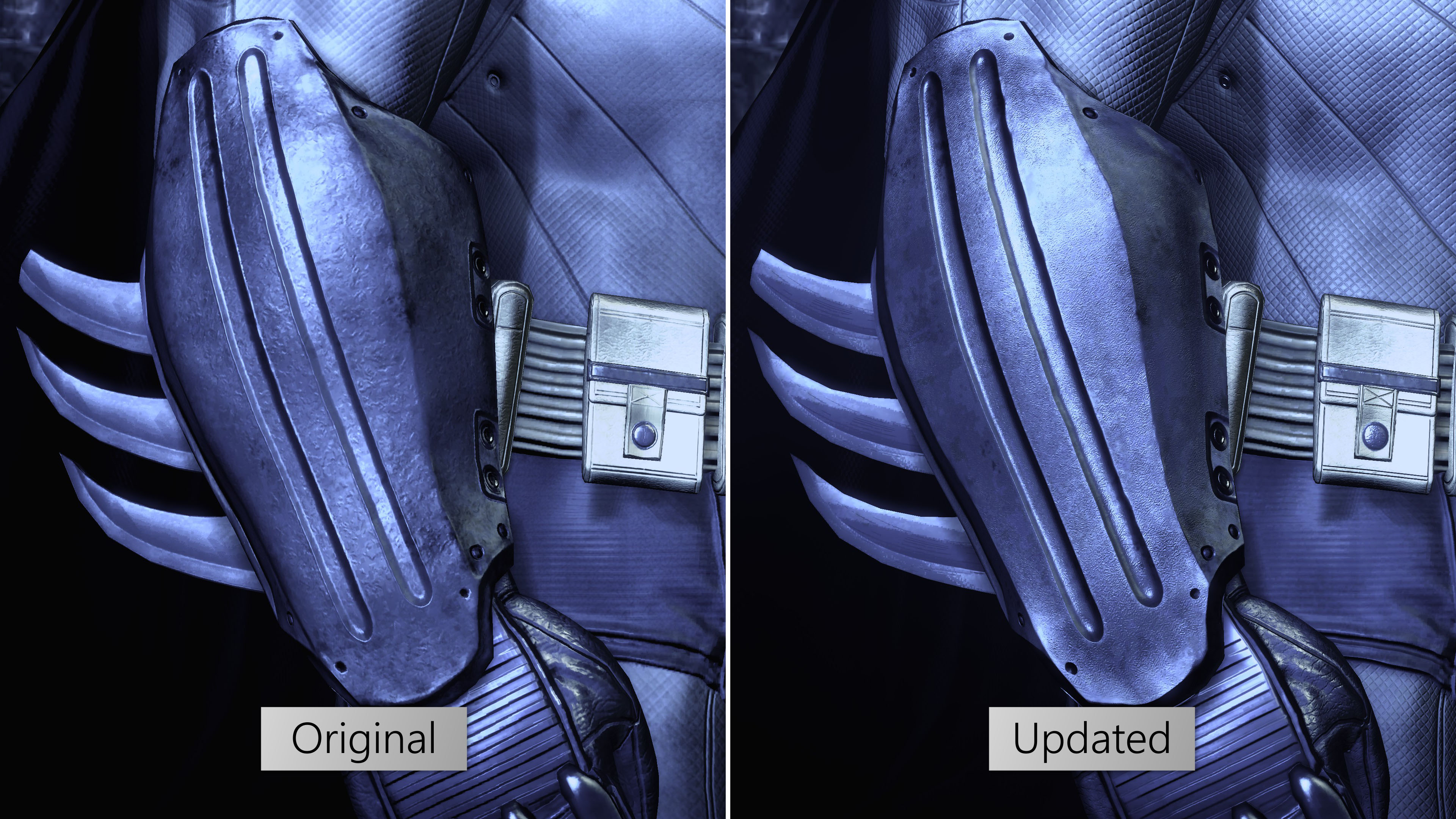
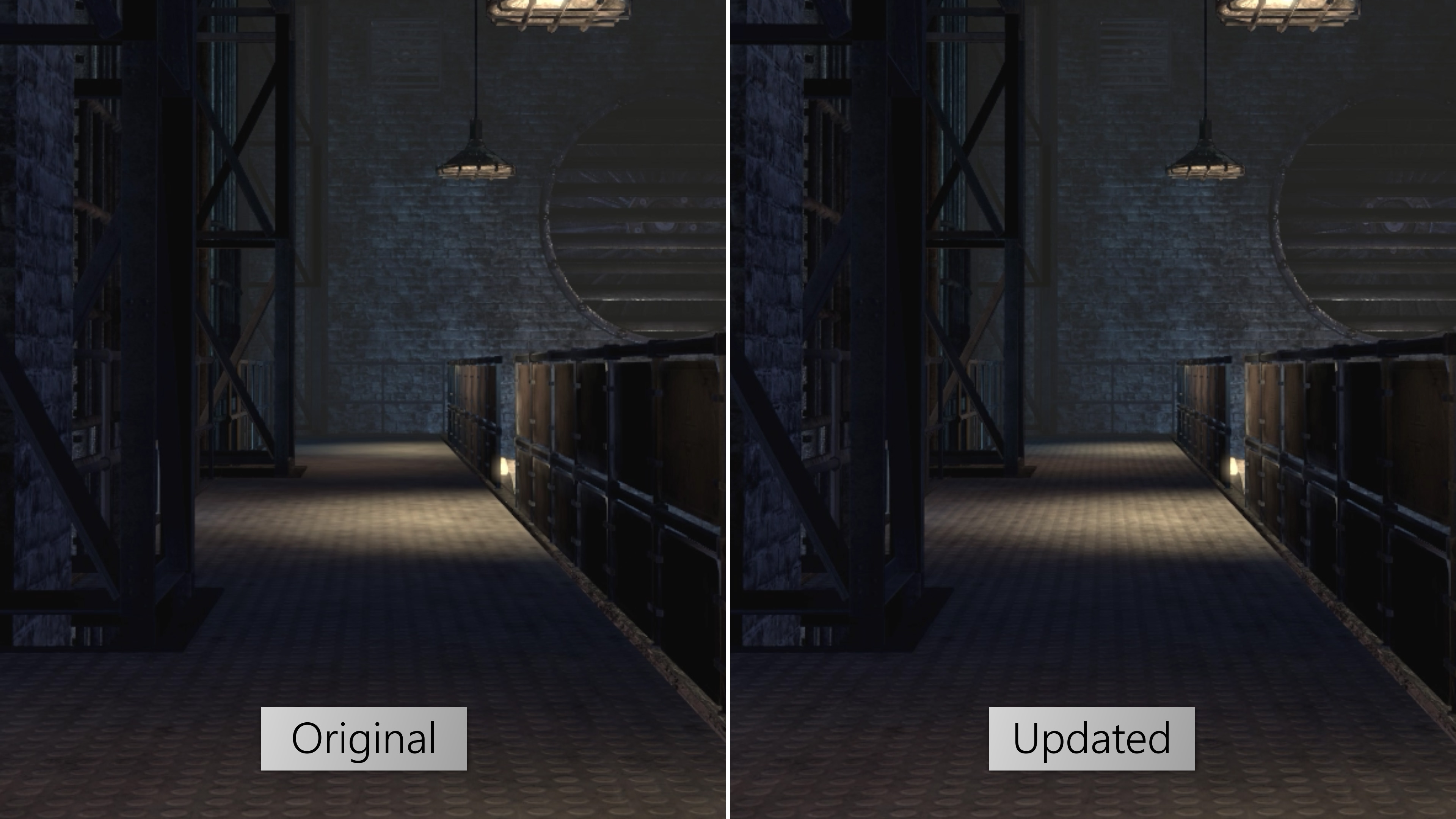 Improved texture filtering
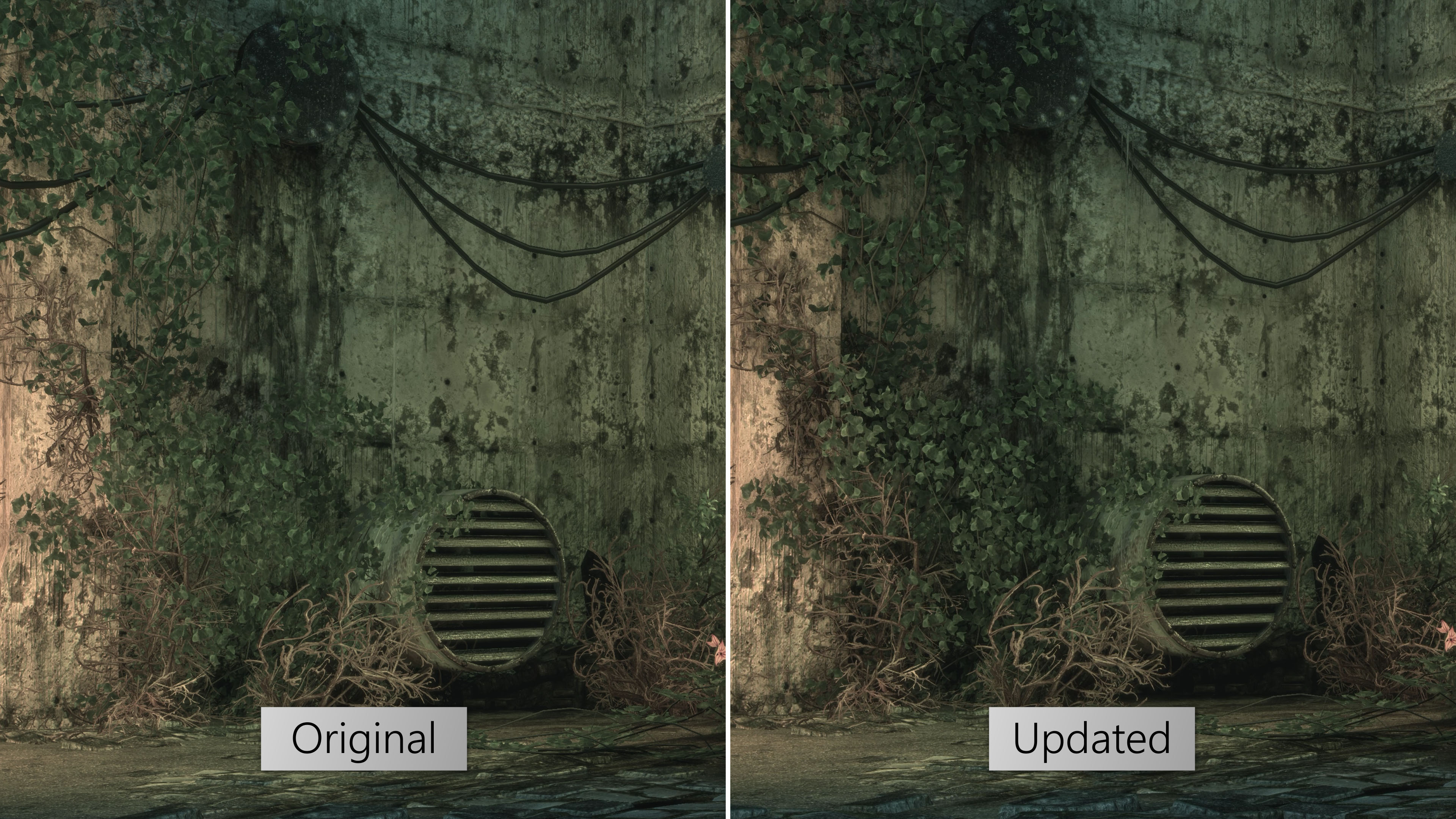 HBAO+ support for Nvidia GPUs
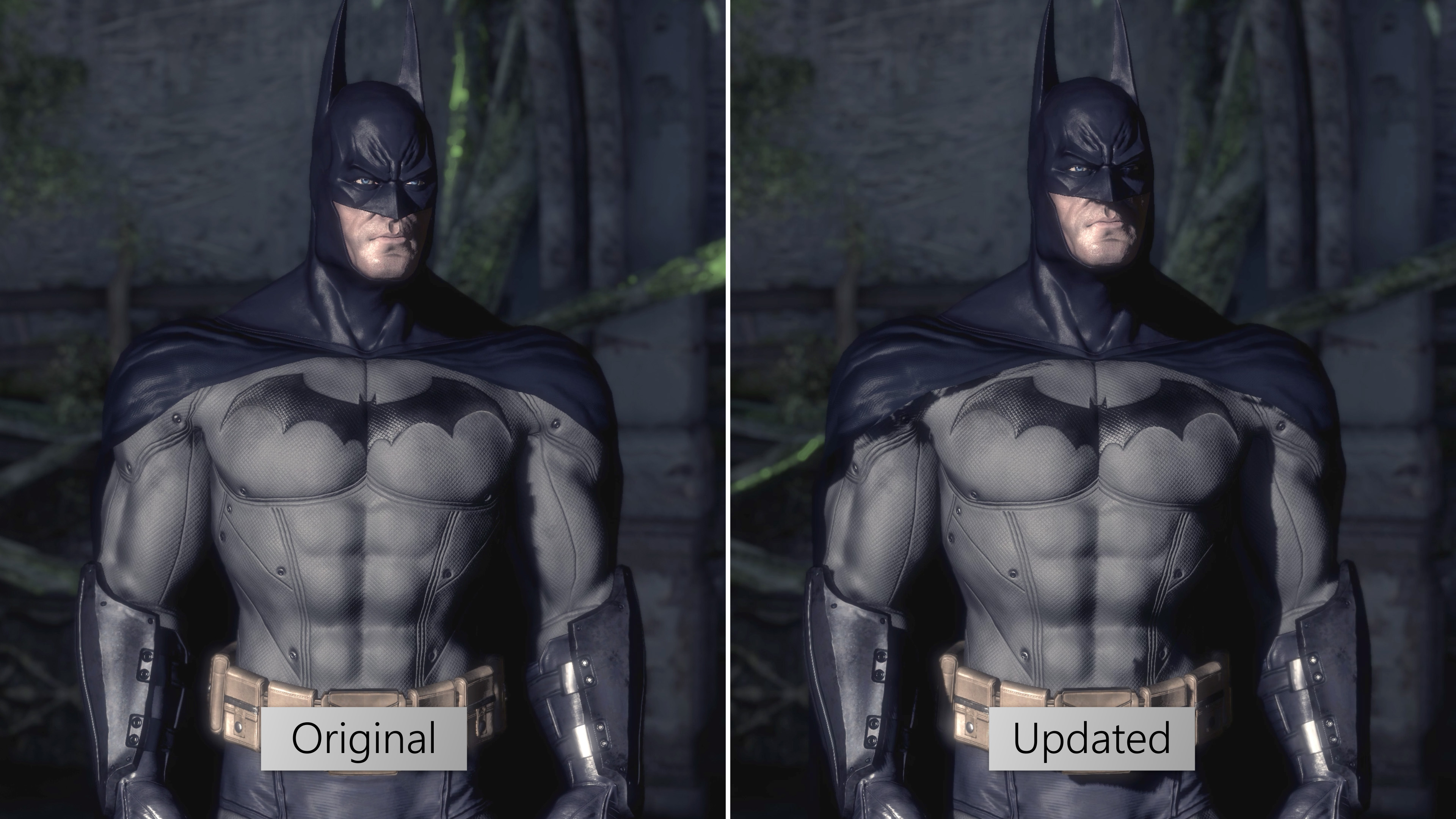 High definition shadows
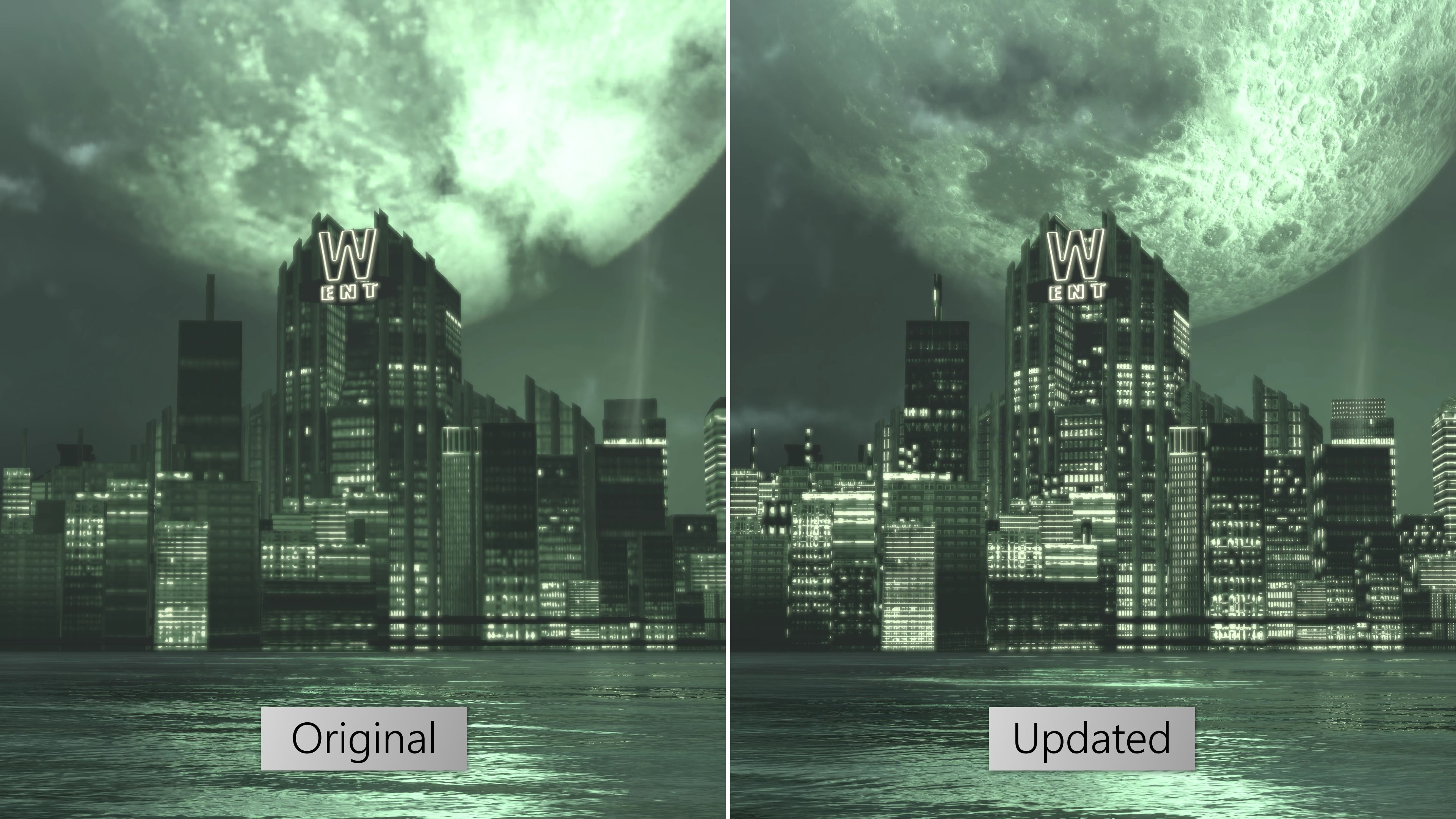 Updated skyline textures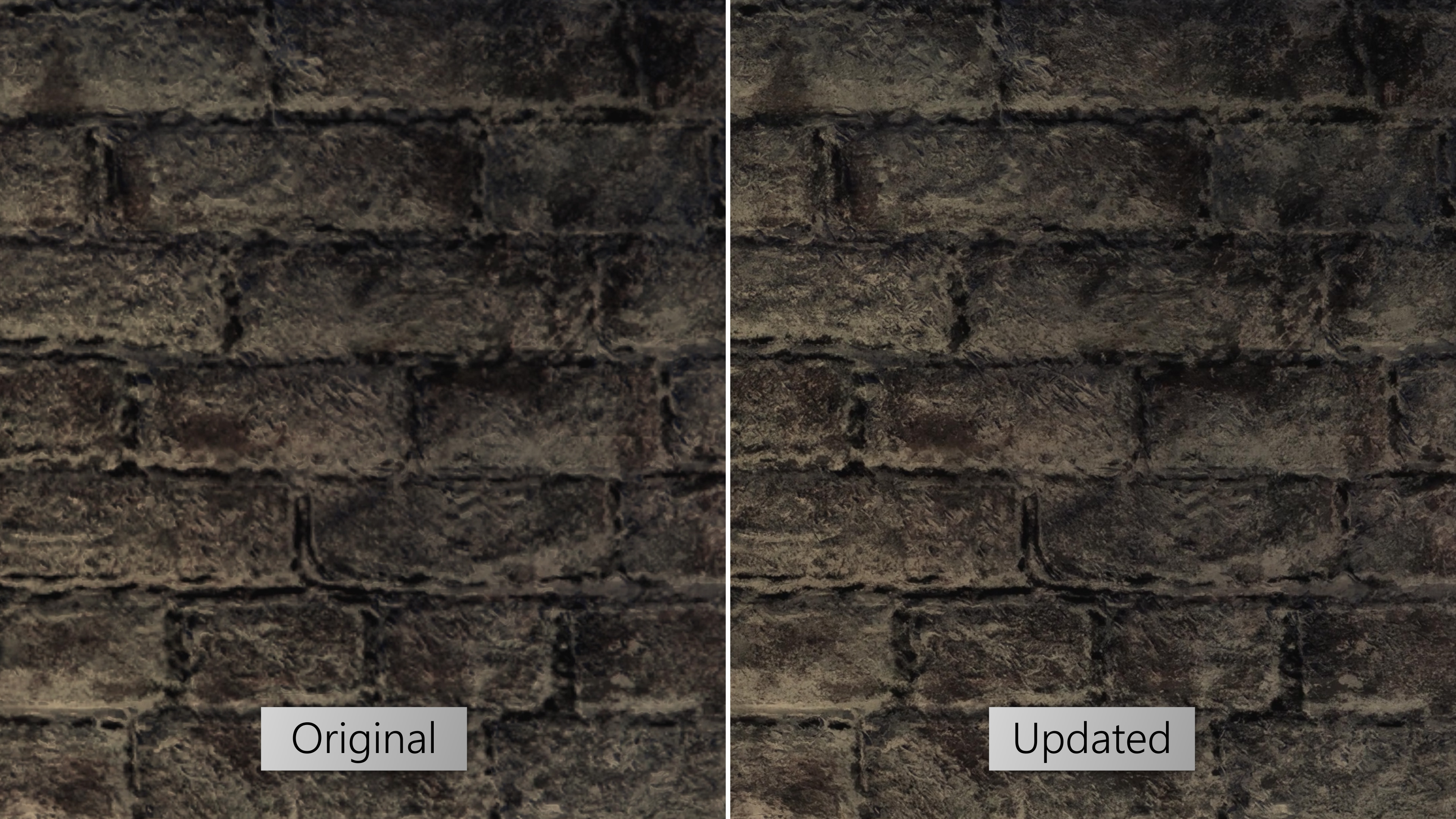

https://steamcommunity.com/sharedfiles/filedetails/?id=3352062379
¬ Texture Pack Installation
If interested in the Joker or Prey In The Darkness DLC, install it before installing anything else. Make sure the DLC runs properly before proceeding with texture pack installation.
Steam users can navigate to the game's install directory by right-clicking the game on Steam, selecting Properties > Local Files > Browse.
- Open TFC Installer and navigate to the game folder.
- Select "Mod Folder" and open "HD Texture Pack 2.0".
- Update Batman Arkham Asylum.
- Install the Advanced Launcher and enable "Texture Pack Support" in the settings. Users selecting the "UltraHD" option should install "AsylumHD by FCH823" or equivalent Texture Pack that covers all Texture Groups before installing Asylum Reborn HD Texture Pack. This will enable support for full 4K environment textures.
- Run the game.
- Optional alternate texture options such as different cape styles for Batman. After installing the HD Texture Pack, select any desired alternate texture options using TFC Installer.
- Open TFC Installer and navigate to the game folder.
- Select Uninstall.
- Set Texture Pack Support in the Advanced Launcher to "Disabled".
Advanced Launcher

Designed by Neato[next.nexusmods.com]. Adds more launch options.
- HD Texture Pack support, improved graphical adjustments, FoV hotkeys, increase FPS cap etc.
Refer to the Downloads section for Batman Arkham Asylum - Advanced Launcher - download BmLauncher.zip in the downloads link of the page.
Tooltips will appear when hovering the cursor over any settings.
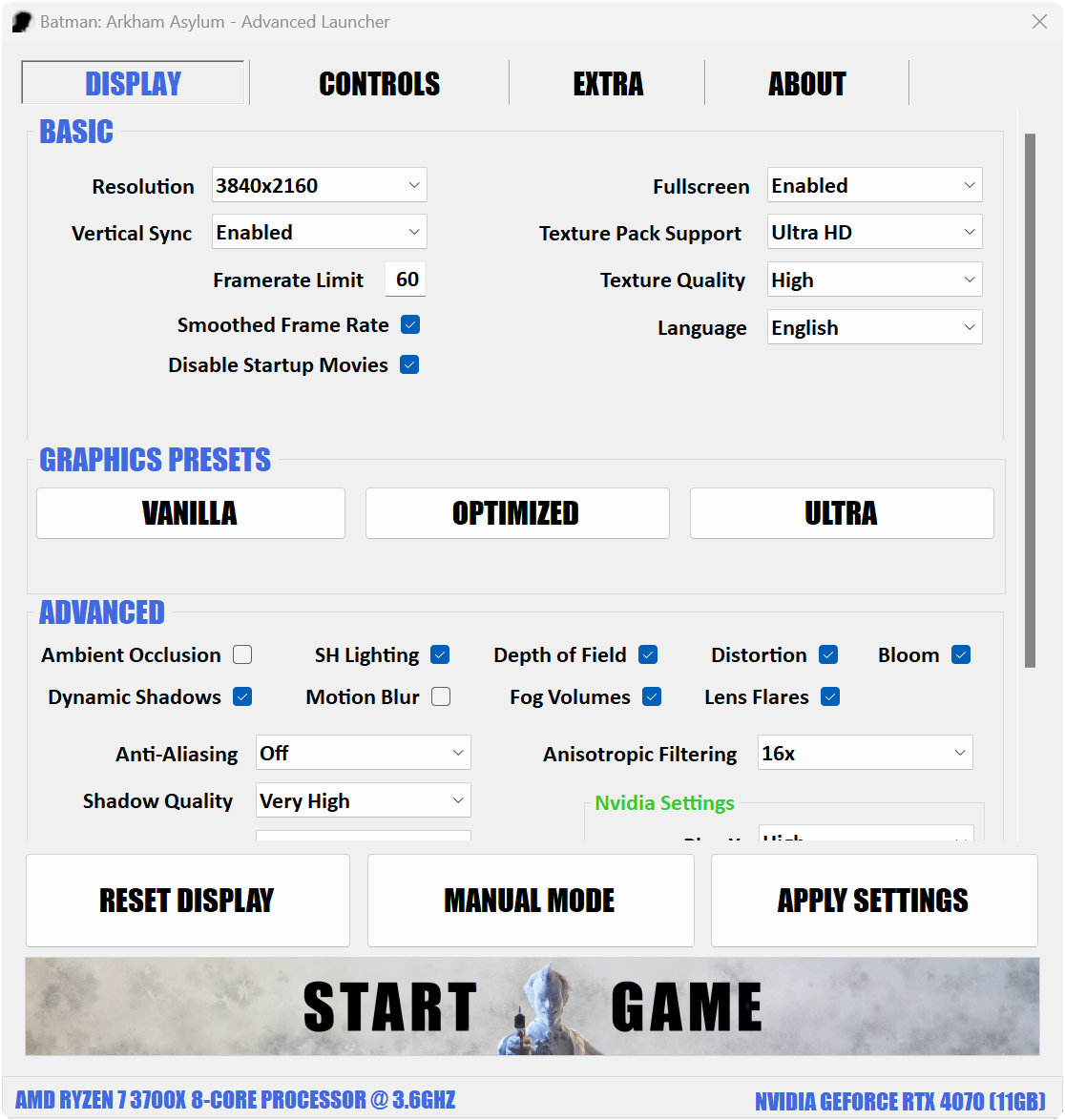
Advanced users can choose the "manual mode" option if they want to re-edit configs.
¬ Installation
Extract BmLauncher.zip - BmLauncher.exe & NLog.dll should appear.
Go to the game directory: Right click the game on Steam, and select Properties > Local Files > Browse Local Files. This will open the game directory in File Explorer. Open the "Binaries" folder.
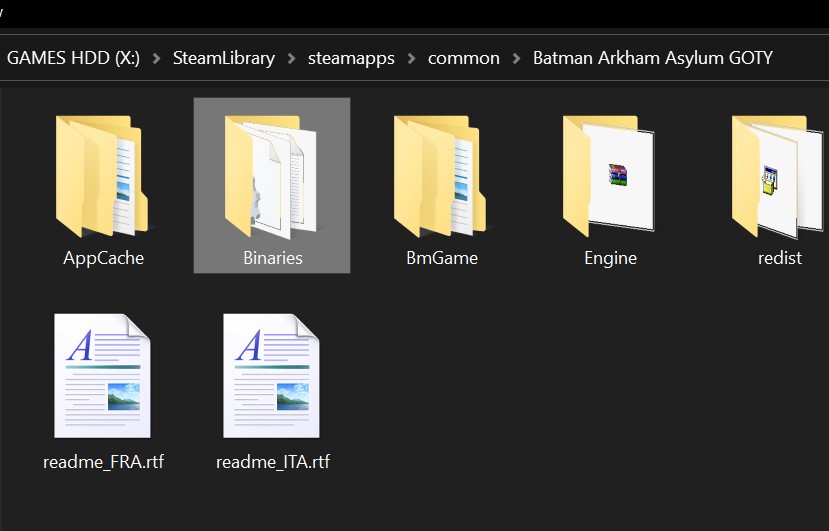
"BmLauncher.exe" is inside this folder - back it up if preferred. Transfer the downloaded files (BmLauncher.exe and NLog.dll) to this folder. Overwrite if prompted.
NLog.dll is used to help with troubleshooting any issues by creating a log document. - It's required for BmLauncher.exe to run.
The game can now be started directly from Steam, and will prompt the new launcher automatically.
Advanced BmLauncher - Source Code[github.com]
Advanced BmLauncher - Read Me[github.com]
Advanced BmLauncher - Report Issues[github.com]
¬ Basics

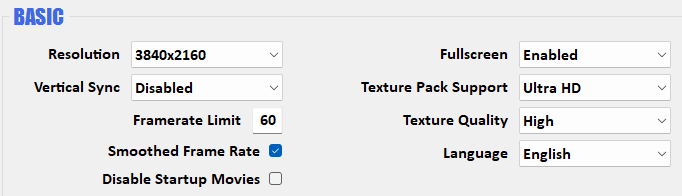
Asylum Reborn - 4K character textures and support for Asylum Reborn Texture Pack.
Ultra HD - 4K texture support for every texture group. Requires AsylumHD by FCH823 (or equivalent) to be installed or will result in crashes.
Compatible with Asylum Reborn Texture Pack.
Custom - Assign values for texture groups individually. Intended for advanced users and any subsequent texture packs requiring different values.
The rest of the display settings are self-explanatory.
¬ Additional Graphics Settings
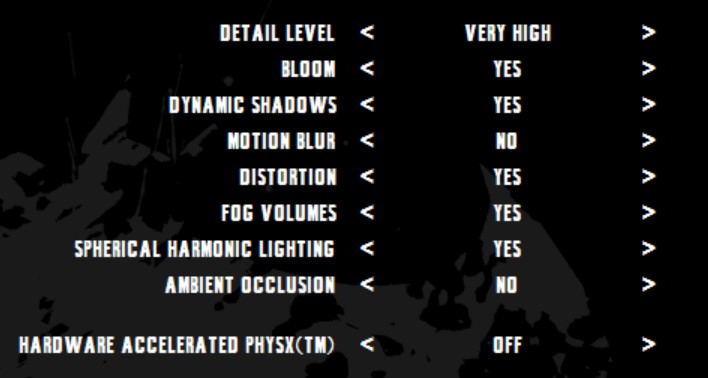
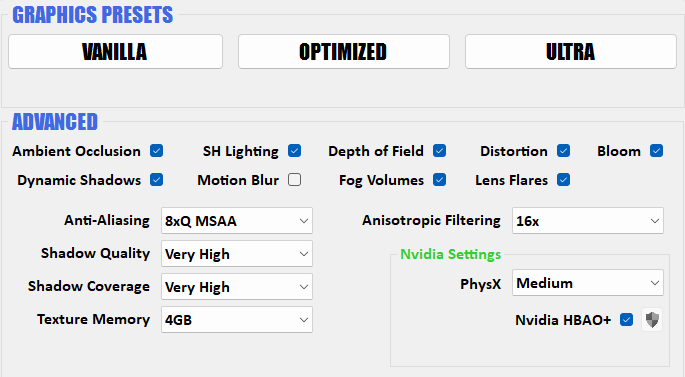
Use one of the preset options if overwhelmed by the number of settings. Tooltips appear when hovering over each setting.
This effect is always enabled by default in the vanilla game. DoF is tied to colour grading.
Disabling DoF will make the colours of the game appear more natural to life. No more strong tints (like blue or red or green, depending on the area). The colour tints are intentional as part of the game's art direction, but some will prefer it removed as it's rather strong and obscuring. Disabling DoF will boost performance, by a small amount.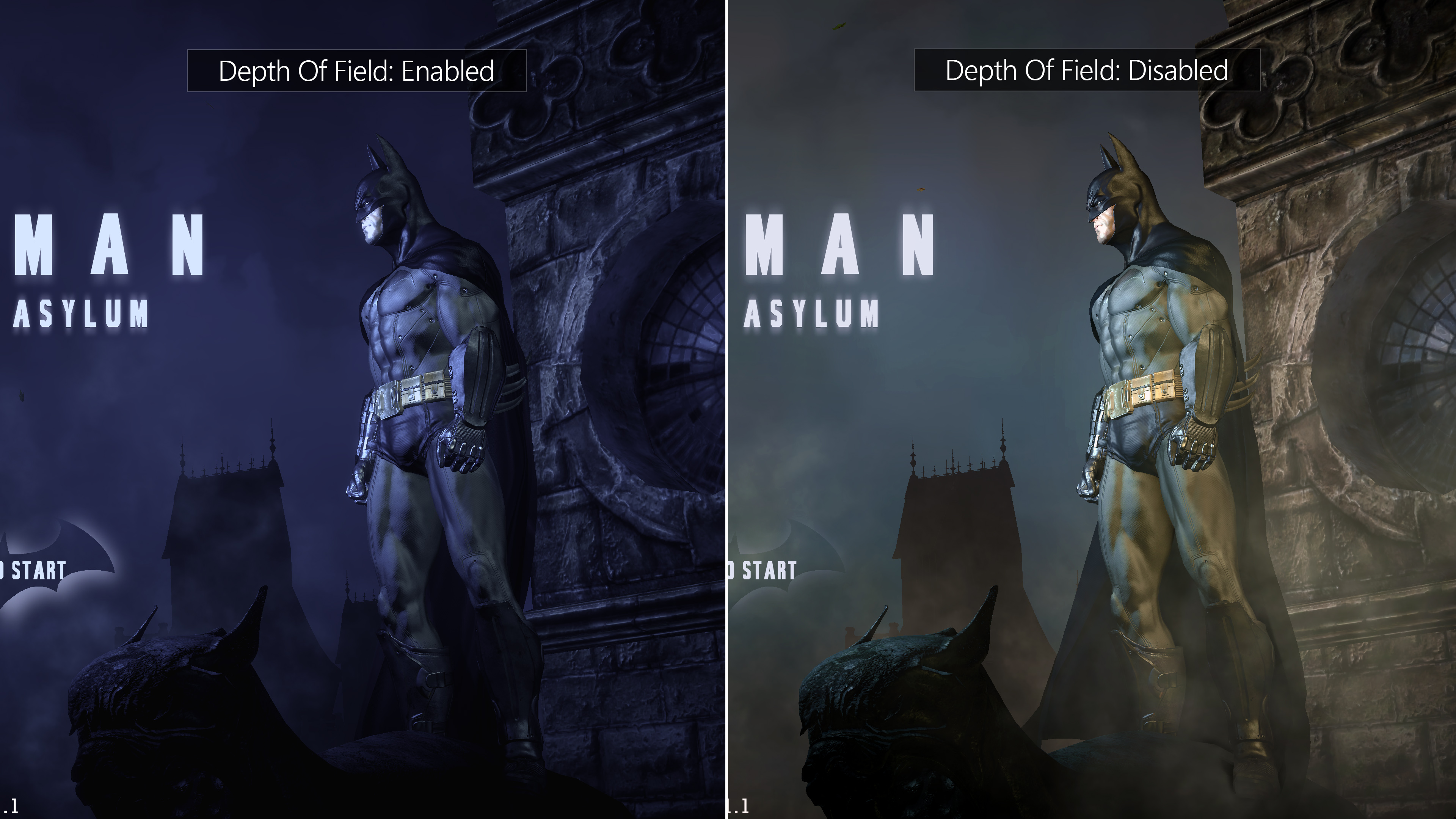
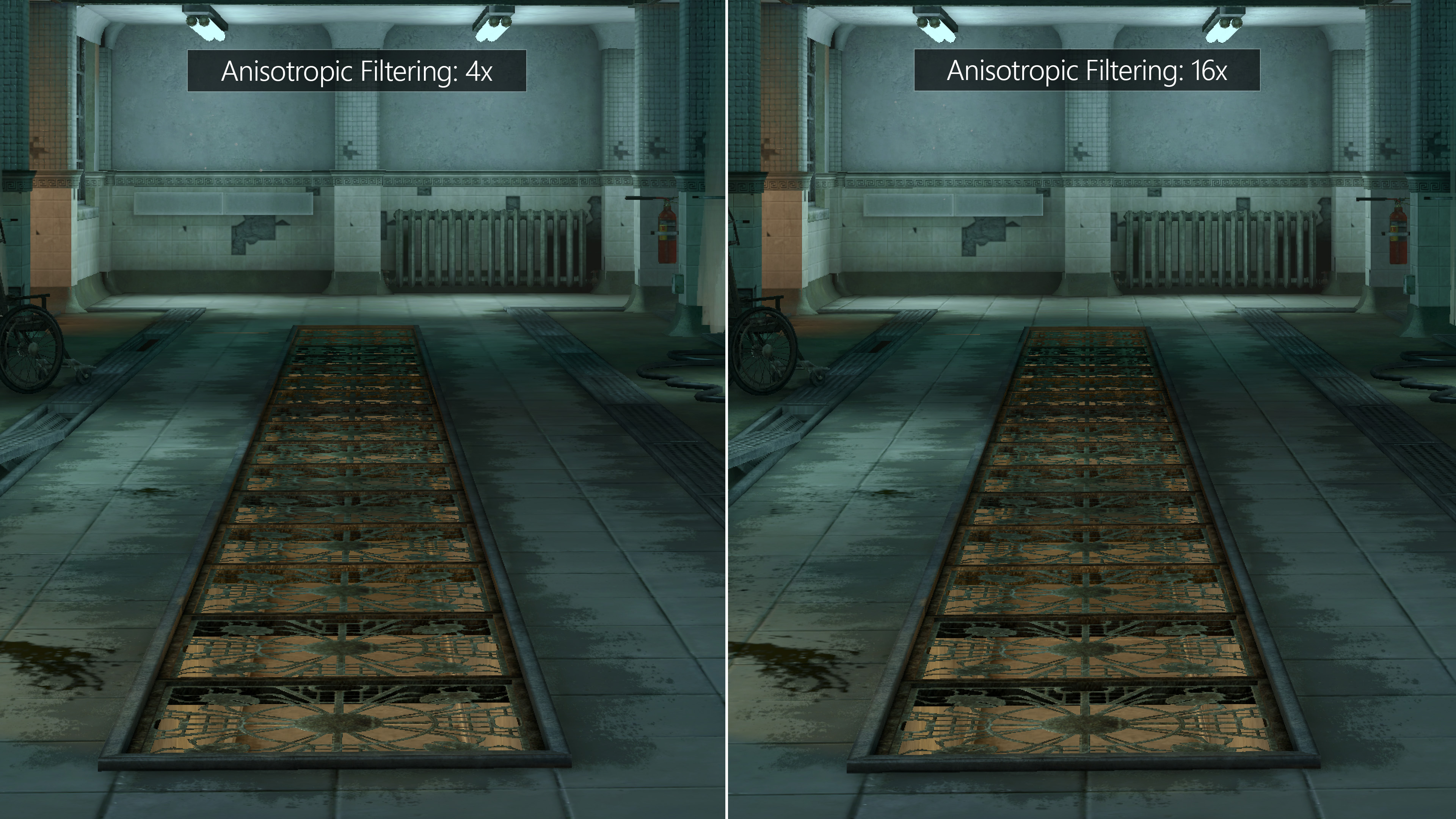
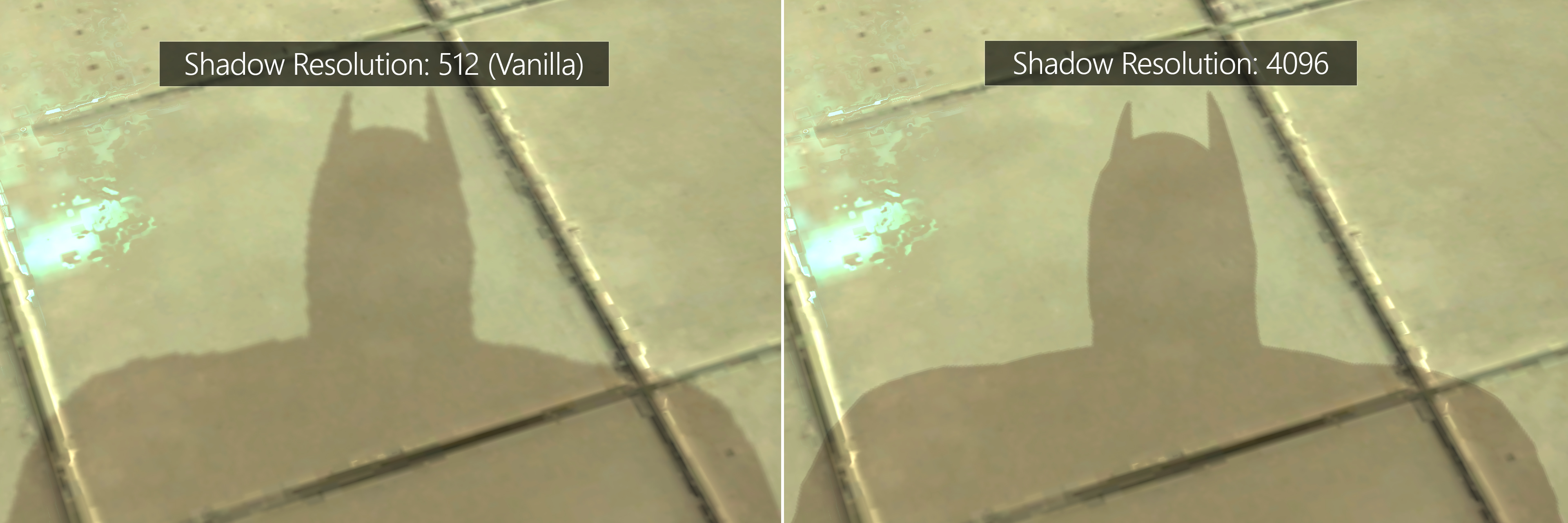
This setting is exclusive to Nvidia GPUs, as it relies on NvAPI. AMD users can use Reshade AO.
HBAO+ will not apply on character models, only environments. HBAO+ does not work in windowed mode. Flag used is "0x00000030".
¬ Extra options (HUD, FoV, Console, Colors, etc.)
The Advanced Launcher will automatically enable HUD & FoV toggling.
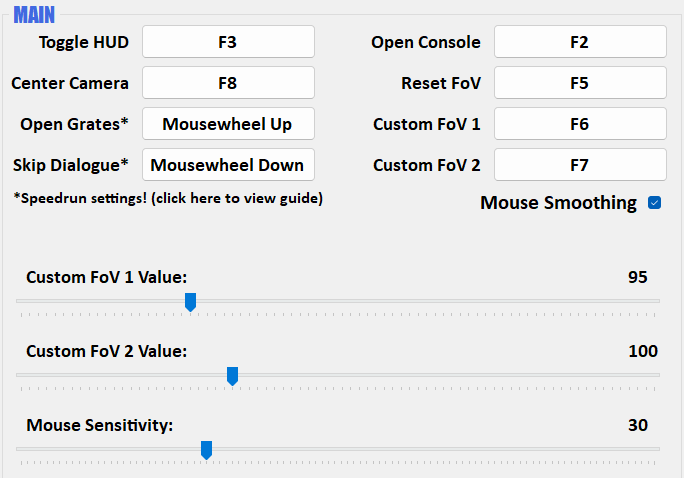
Disabling the HUD means the healthbar and other UI elements will disappear. Certain areas require HUD for progression - namely forensic scanning segments.
The bigger the FoV value, the wider the in-game view is. Will reduce first person zoom amount as a side effect. Change to default FoV if needed.
The rest of the main settings are self-explanatory.
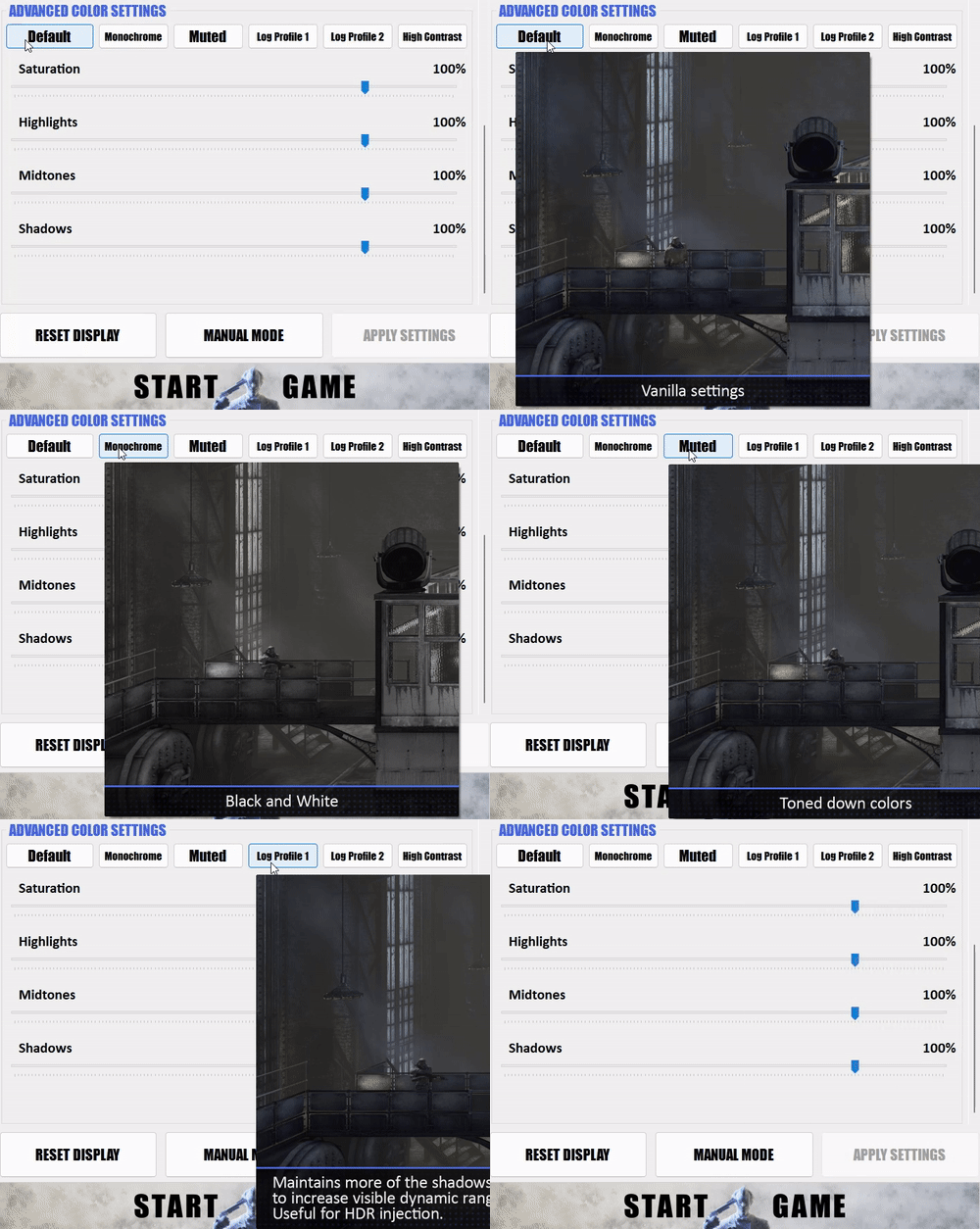
Additional
¬ Play as Joker + New Challenge Maps: Prey In The Darkness
Extract and copy the contents to the game directory: \Batman Arkham Asylum GOTY\
Overwrite when requested.
Run the Joker DLC Patcher to enable support for the DLC.
Test the DLC is installed correctly before proceeding with Texture Pack installation.
¬ 4k Cutscenes
https://steamcommunity.com/sharedfiles/filedetails/?id=1976626676
¬ Knightfall Overhaul - Difficulty Mod
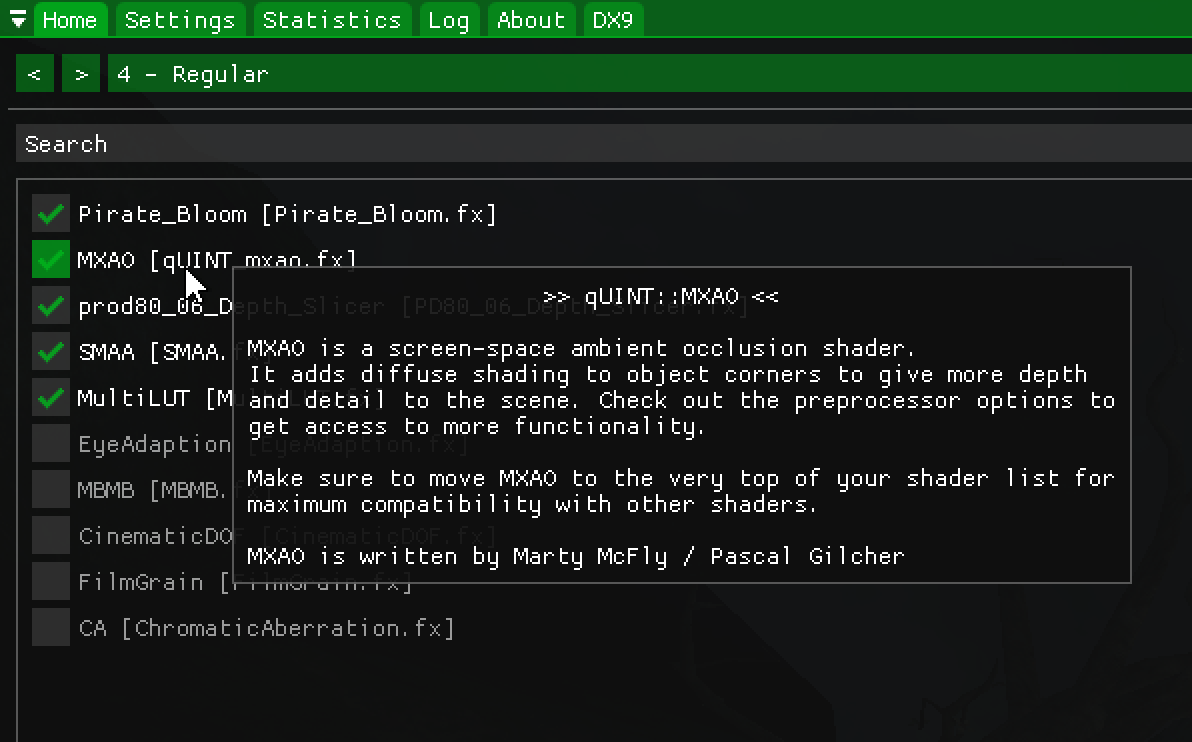
Reshade
Reshade[reshade.me] is a post-processing injector developed by Crosire for use in almost any game. It allows users to write and add custom post-processing shaders to adjust a game's visuals.
The Reshade presets designed for this game are very carefully tuned to improve visuals. No over the top contrast-y or reflection heavy presets.
Anti-Aliasing and Ambient Occlusion must be disabled in the launcher if using Reshade presets beyond "Light Mode". Different Anti-Aliasing solution is included with Reshade. Disabling Depth Of Field is suggested if using LUTs. HBAO+ can be used in conjunction with Reshade.
Launch the game. Reshade is now installed and ready. Initial load may be slow. Do not update Reshade version or edit Reshade depth settings as it may break the presets or shader support.
¬ LUTs
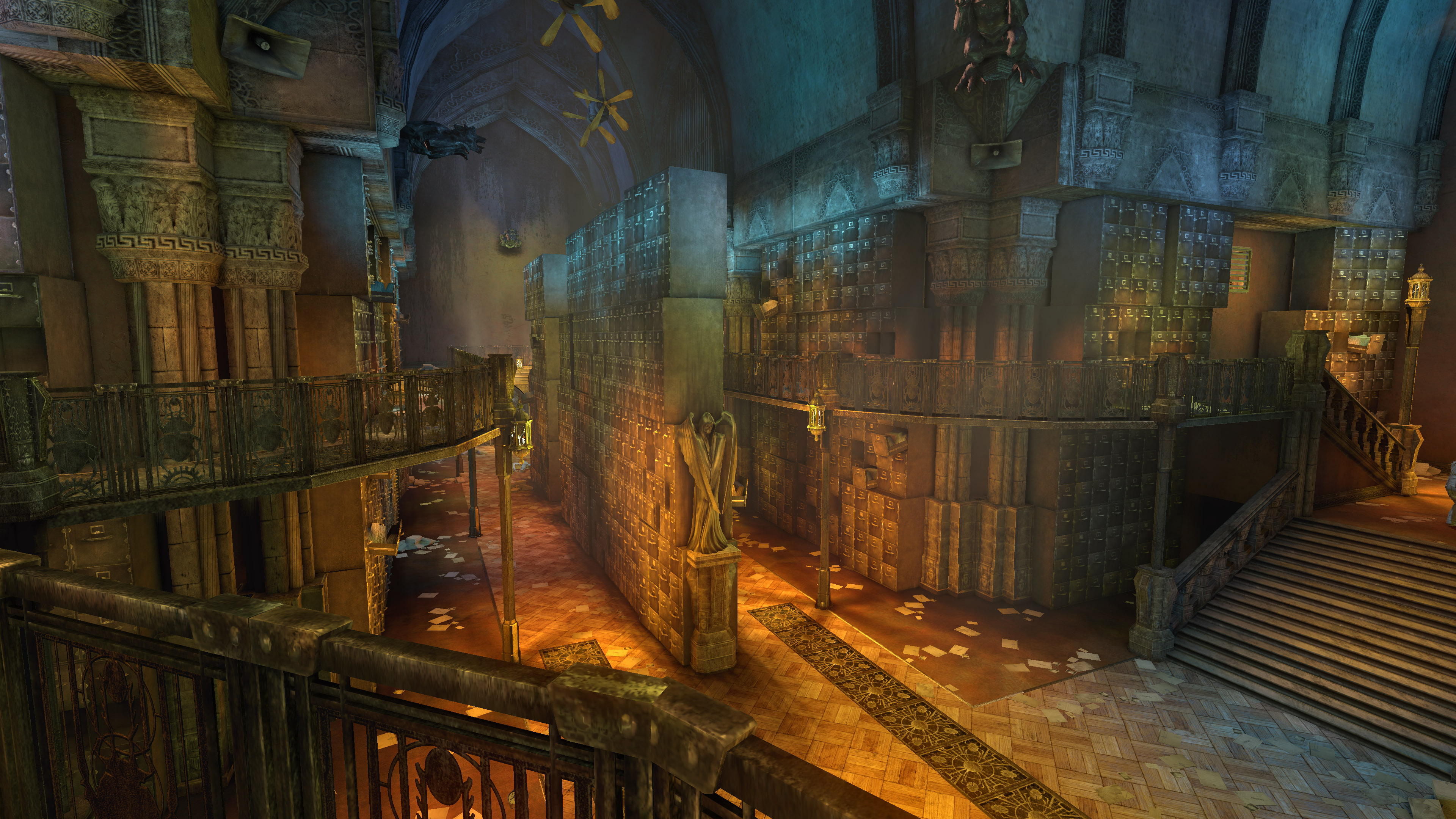
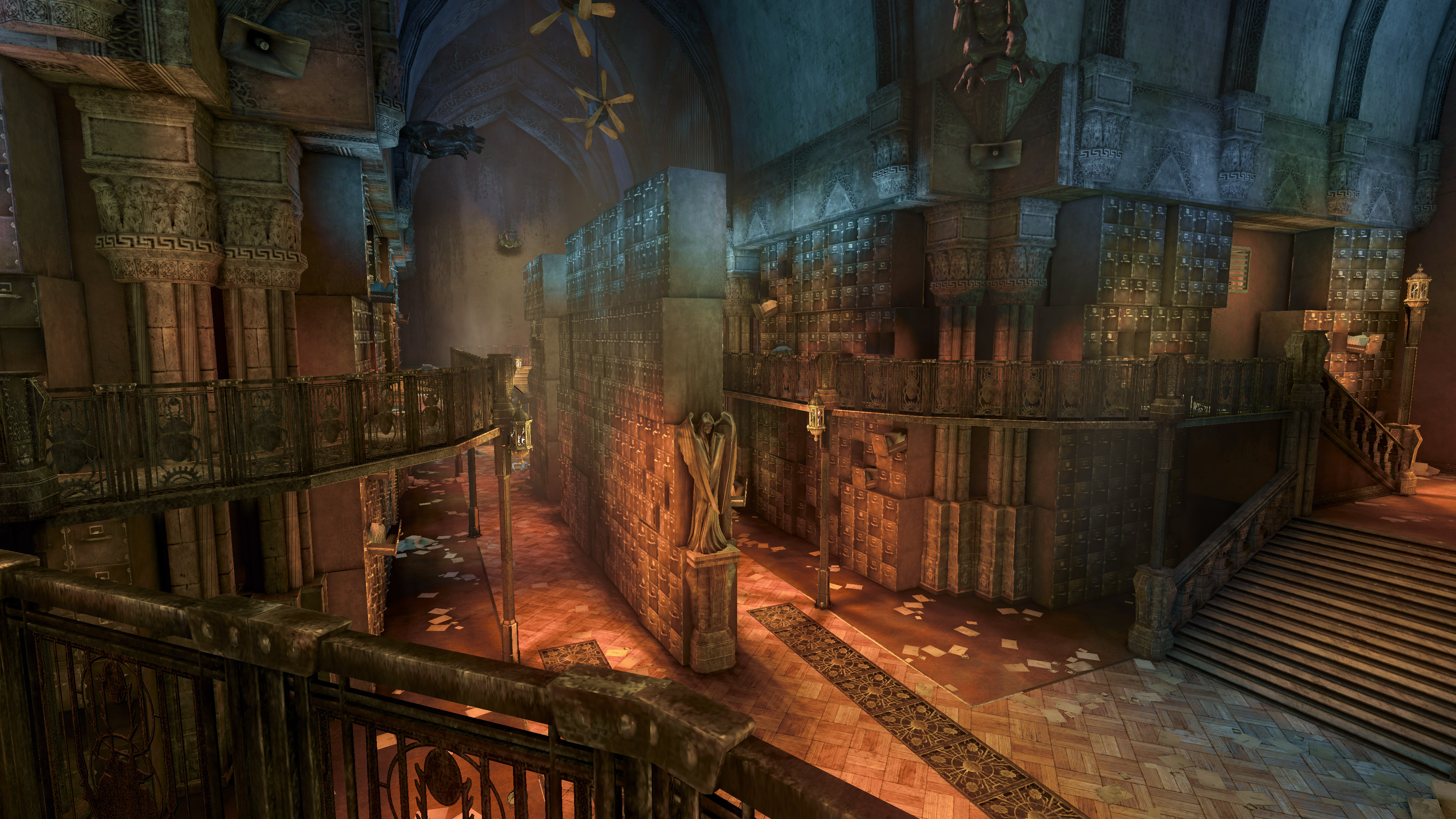
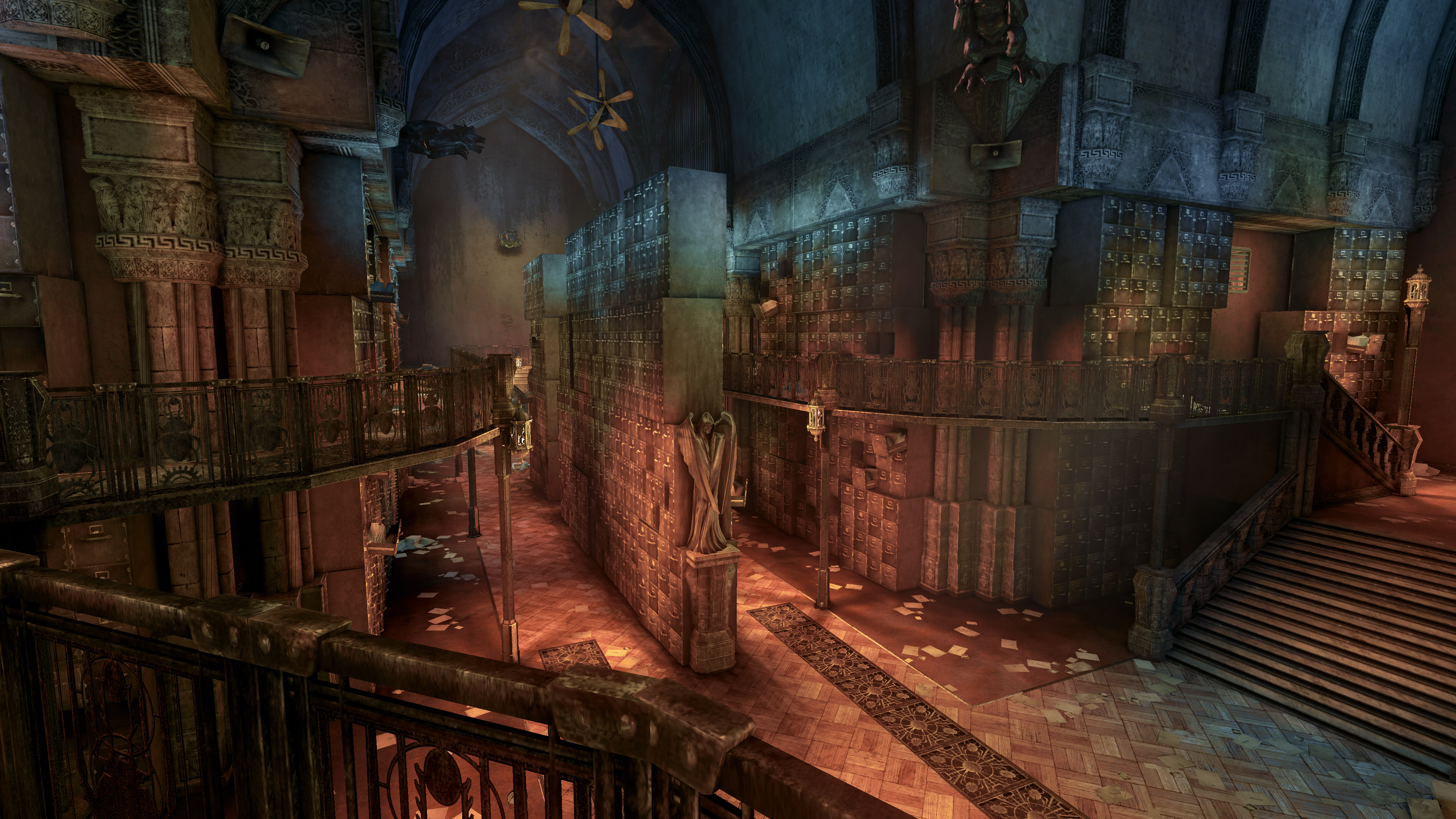
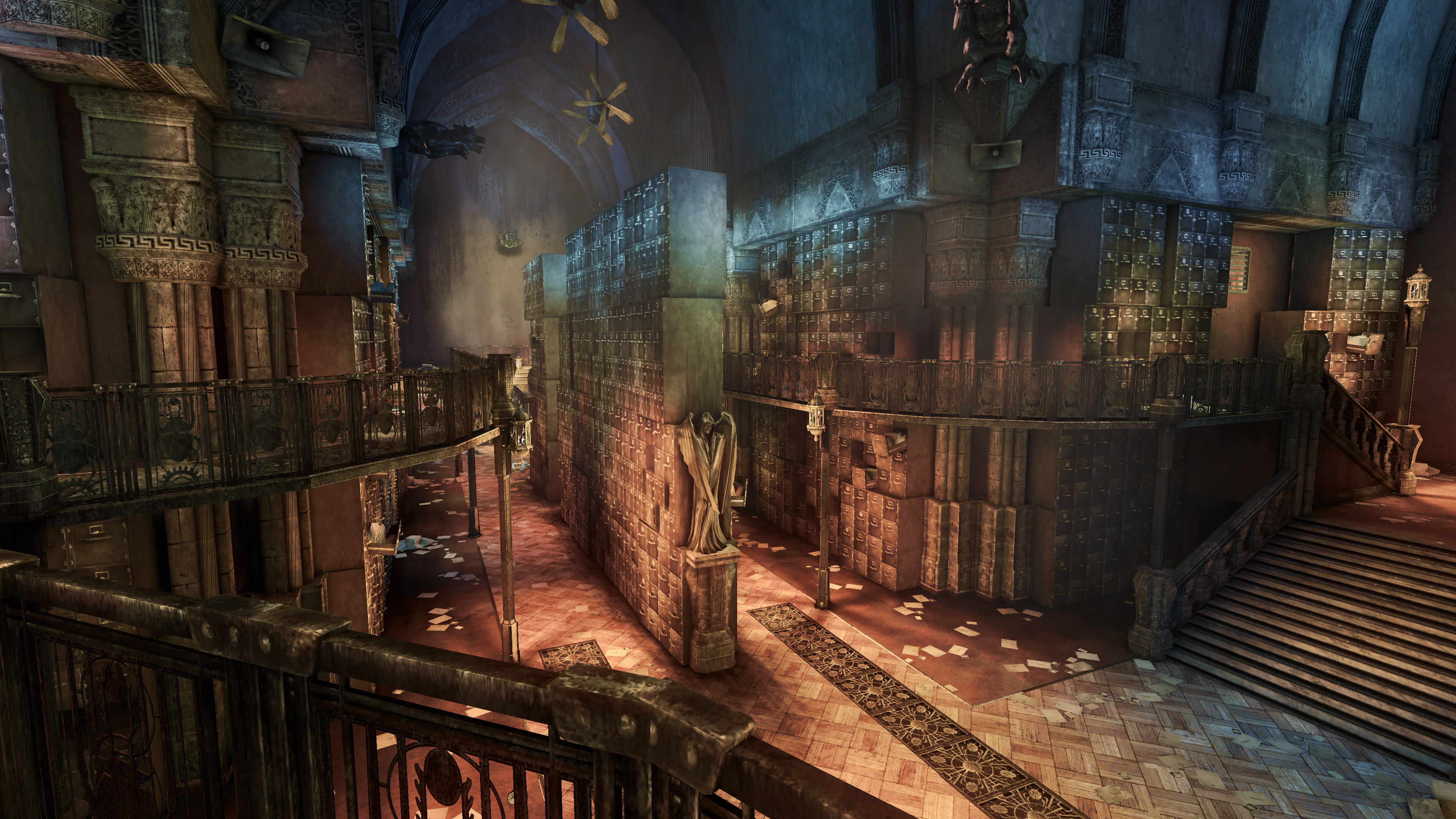
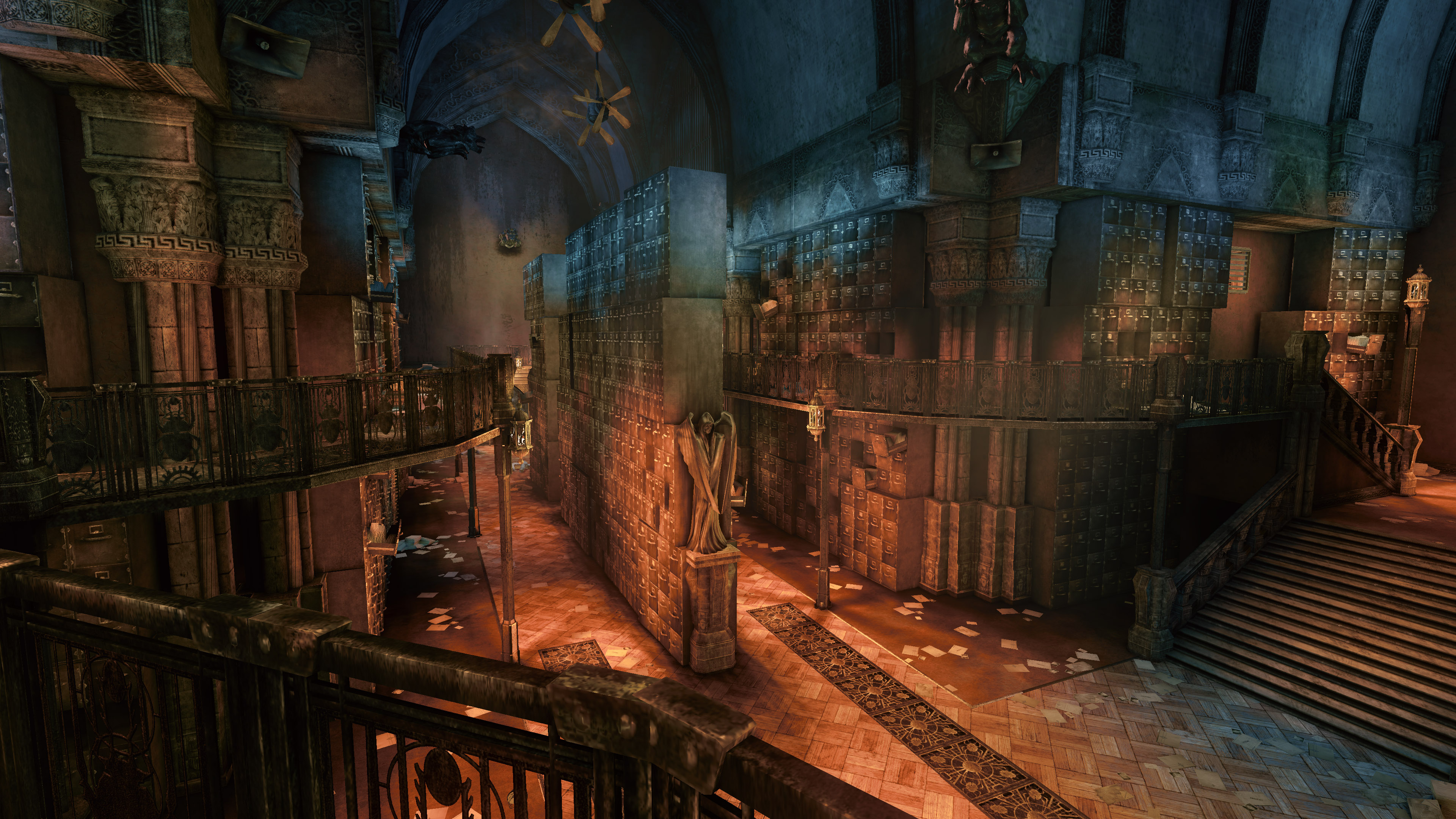
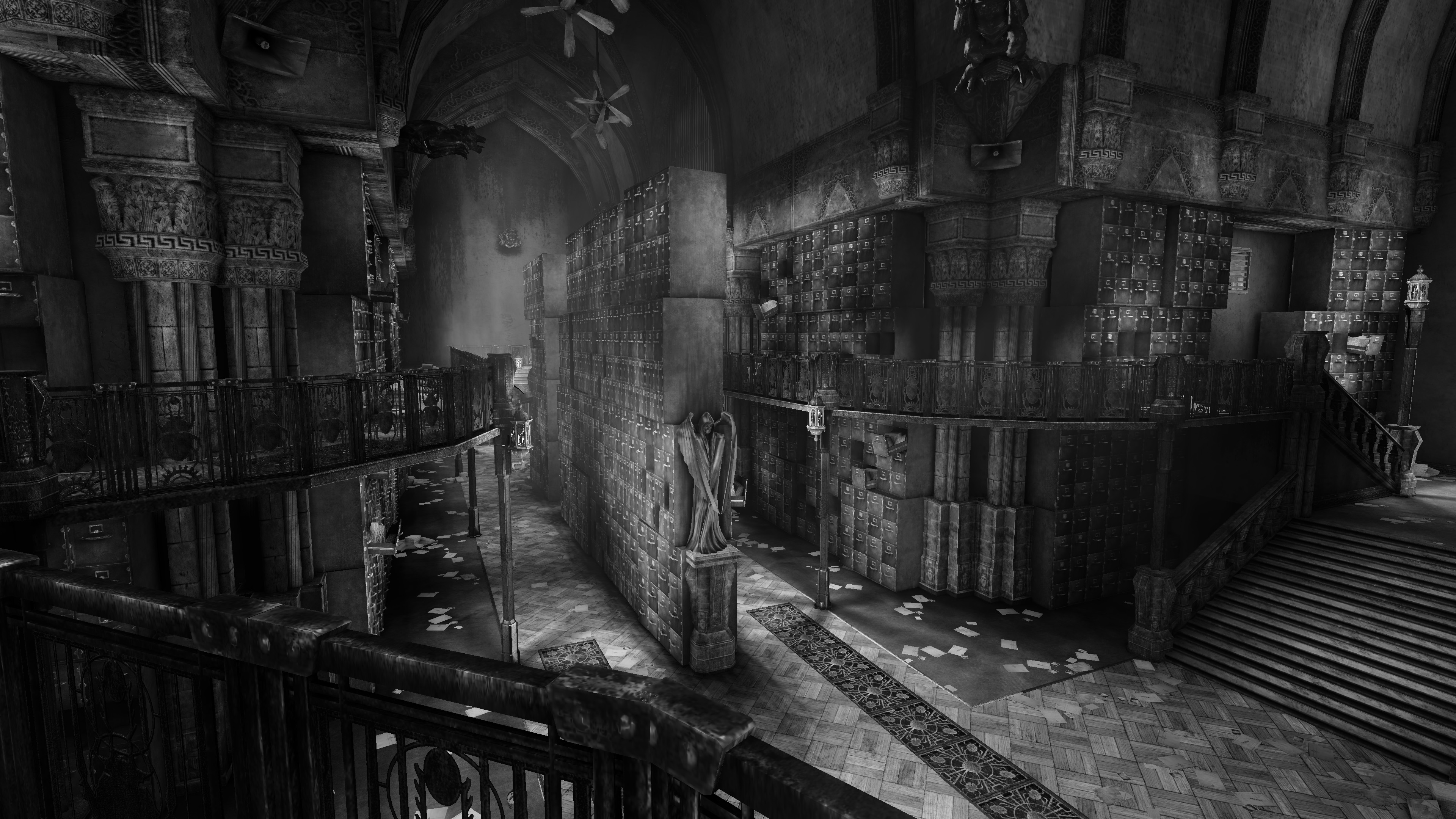
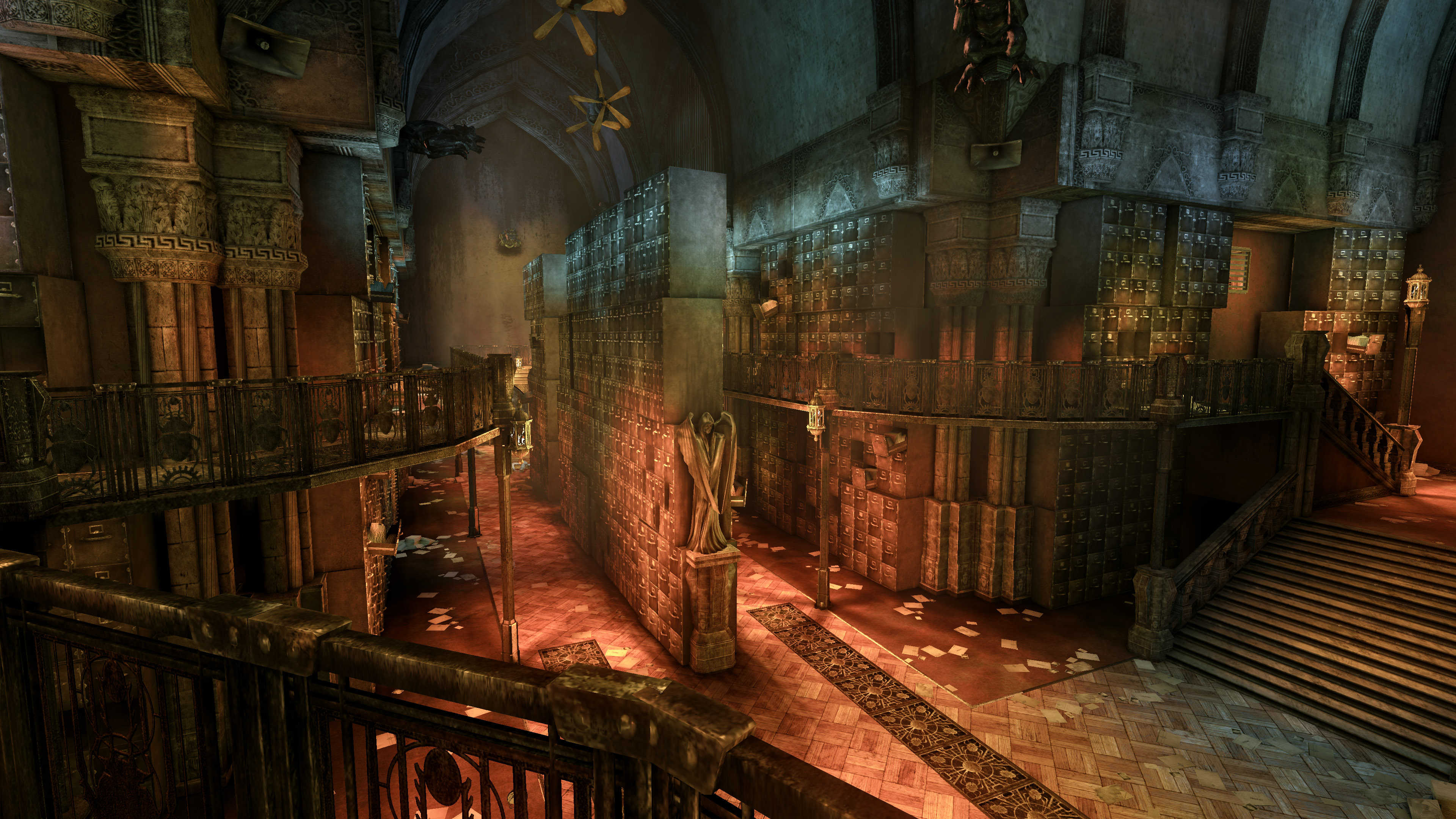
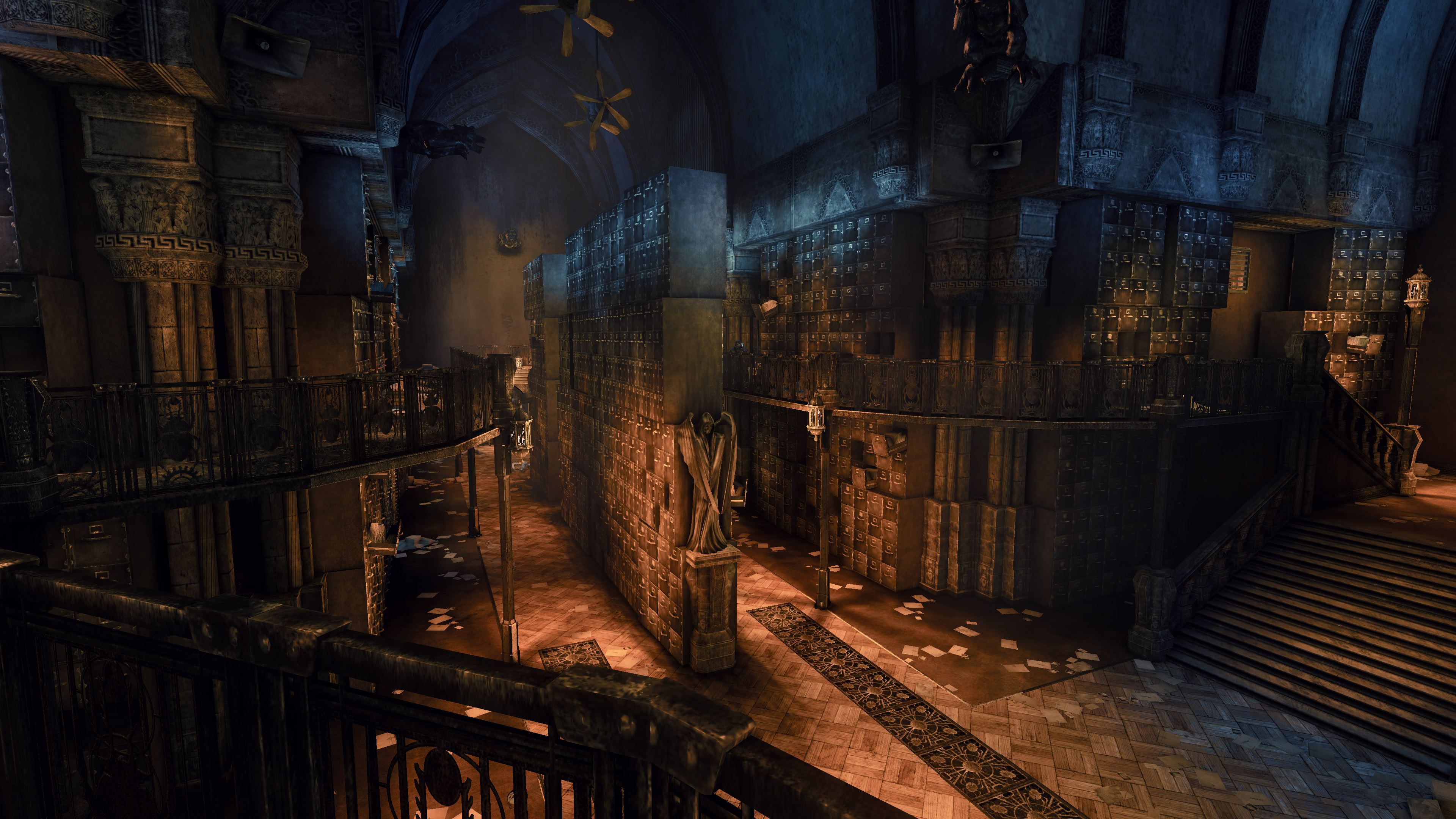
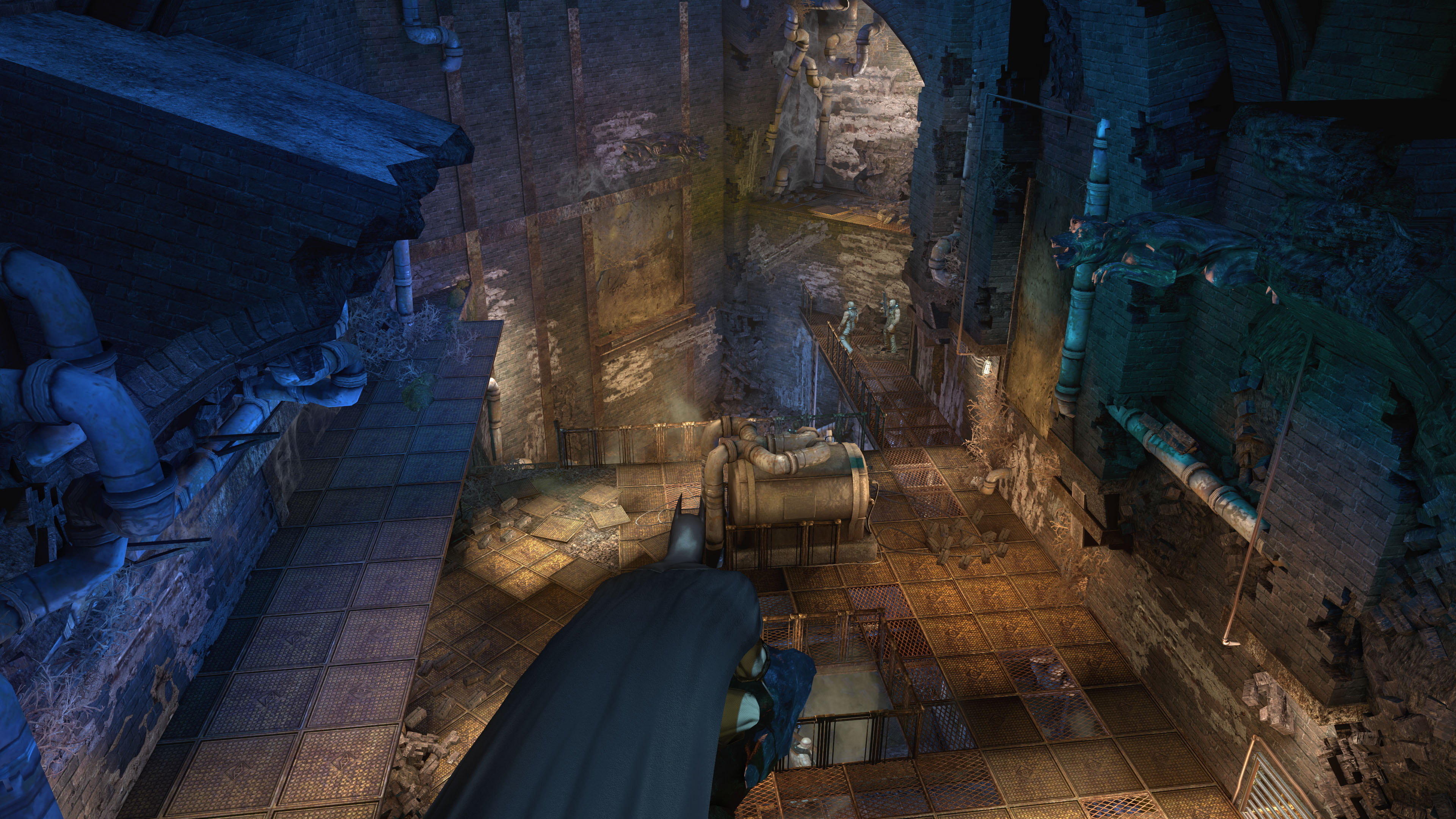
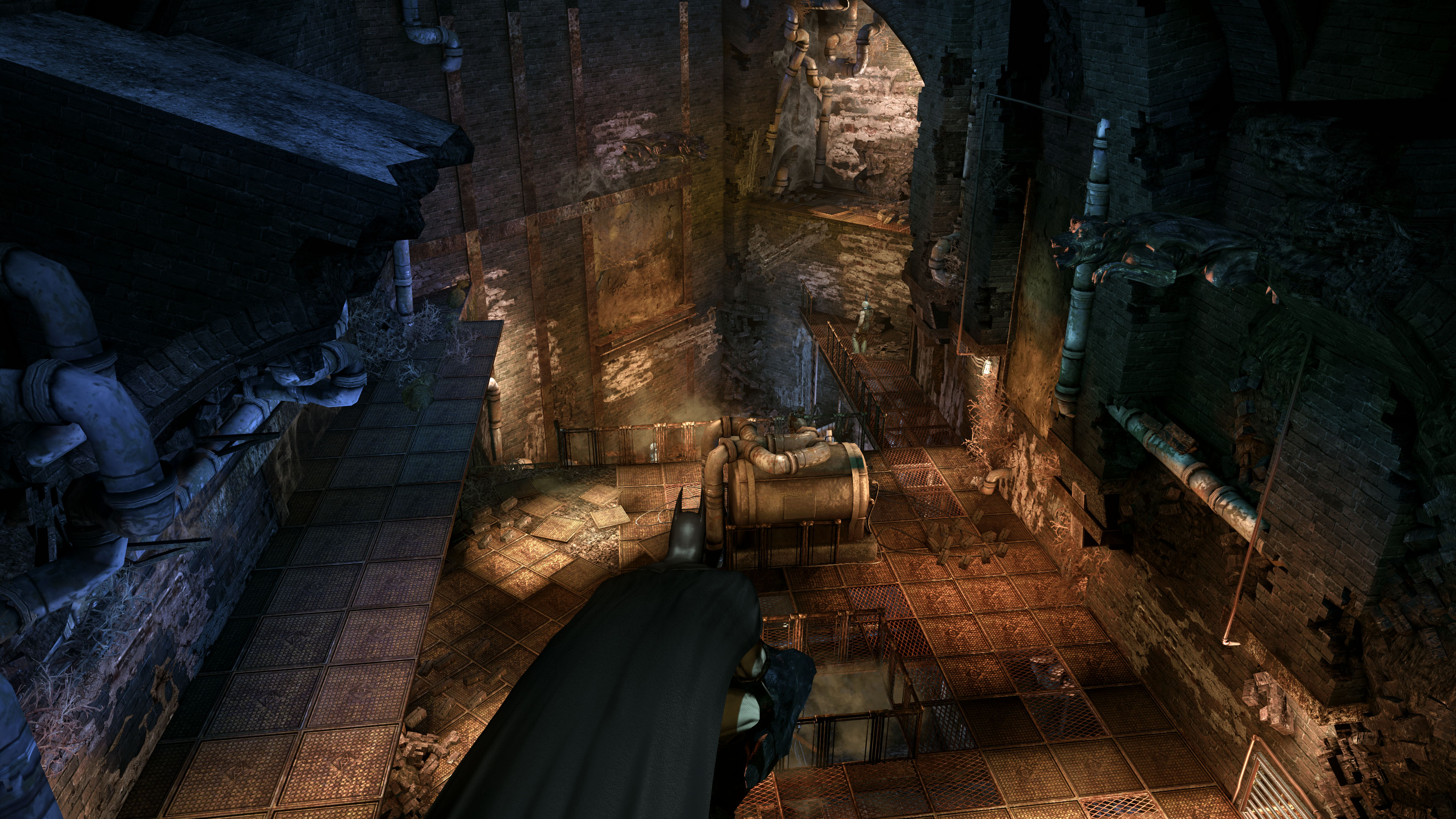
All comparisons are with DoF disabled, which removes the vanilla colour tints. Leave DoF enabled if preferred.
MultiLUT for colour grading:
The MultiLUT shader is used to rotate between multiple LUTs (Look Up Tables) - This is a colour reference chart used for professional colour grading. It's the definitive grading method in Reshade because it's light on performance. Adobe Premiere is the main software used when designing these LUTs.
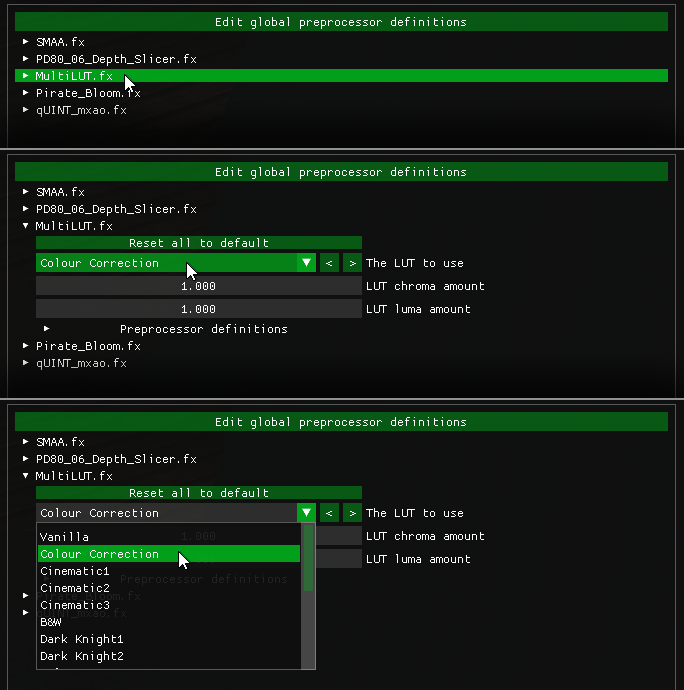
Performance Mode needs to be unchecked at the bottom of the Reshade window when changing LUTs.
MultiLUT.fx Shader by Otis

¬ Presets Chart
Scroll through the presets using "Page Up" and "Page Down". MultiLUT/Colour Grading changes will have to be made on a per preset basis.
Presets are ordered by performance impact, from the lightest preset to the heaviest.- Pushes AO intensity and range (visible bleeding through smoke and windows)
- Additional layer of Ambient Occlusion to cover smaller crevices
- Two layers of Global Illumination
- ReflectiveBumpMapping quality is improved
- Fog shader is ramped up in opacity to better simulate volumetric lighting (will bleed through UI and affect game-over screens)
vs. Return To Arkham
Advantages:
Rain
More shadows Disadvantages:
Changes to art style
Limited to 1080p rendering (even on PS5 & Series X)
Still uses original 720p cutscenes in some cases to save budget
Some graphical bugs
Inconsistent frame rates
Advantages:
Much higher resolution
HBAO+
4k cutscenes
60fps and beyond
Physx
Updated textures sometimes higher in resolution
Console Commands
Any controller or K+MDisadvantages:
Low quality distant island objects
No rain
Minimum Requirements*
* These are the minimum requirements that will let you enjoy this mod to its fullest extent.
The values we determined are very safe and you may still be able to run the mod without issues with lower specifications.
More Graphics Mods
http://steamcommunity.com/sharedfiles/filedetails/?id=1188257825
Alien: Isolation Tweaker[www.nexusmods.com]
https://steamcommunity.com/sharedfiles/filedetails/?id=2566111310
FAQ & Troubleshooting
If you've installed the Reshade presets, you can toggle Reshade's AO shaders with the "End" key. If you're using Launcher Anti-Aliasing, then stick to HBAO+, as the game's AA solution can interfere with Reshade's depth based shaders.
Troubleshooting:Dark Cutscenes with Reshade:This is a side effect of the MXAO shader. You can reduce the impact by lowering the MXAO ambient occlusion intensity (in the Reshade window) - or you can use Nvidia HBAO+ and disable MXAO.Advanced Launcher:"Unhandled Exception: NVAPI_ACCESS_DENIED" when using BmLauncher, how do I fix this?This may come from a faulty driver install or outdated drivers for Nvidia cards. Update your drivers to the latest version.
Donations
Donate to GPUnity's Paypal[www.paypal.com]
Credits

Neato[next.nexusmods.com] - Created the Advanced Launcher and processed 4k cutscenes which are featured in the Asylum Reborn trailer. Assisted with overall project.
DaviDuck - Testing the Texture Pack and sharing screenshots of findings.
FCH823[next.nexusmods.com] - Responsible for UPK Explorer which is used for the current version of Asylum Reborn.
Evergreen[www.nexusmods.com] - General assistance with some textures. Config experimenting and shared Unreal Engine 3 knowledge.
F4lc0[www.nexusmods.com] - General testing and feedback. Handled communications between servers and other modders.
Hecusoldier - Updated some environment textures such as dirt, clouds and skyline textures. Did a long play test of the HD Texture Pack. Check out their Assassins Creed Series Texture Packs!
VeryThickBoy - General testing and feedback. Created the tutorial video.
Wjavascript:ValidateEditSubSectionForm()astelander[www.nexusmods.com] - Engine researching and experimenting. Heavy testing and documenting findings.
Wasteland Ghost[www.nexusmods.com] - Created texture tools and made it possible to install HD textures directly to the game files. Check out their many amazing mods!
Thanks to MrJAG for their many useful findings and community support.
Reshade Shader Developers: BlueSkyDefender, Jacob Maximilian Fober, Luluco250, Martins Upitis, Otis_Inf, Pascal Gilcher, PirateKitty & Prod80
Additional:
Catspaw & Floobagop - for the Play As Joker mod (quote taken from forum) "Special thanks to catspaw for his outstanding modding work and to Floobagop for researching and documenting the Mac version of the game."
ChaotcelV3 - For noting compatibility with GOG version.
Crosire - Reshade lead developer
Thanks to the Arkham modding community and thanks to everyone for waiting patiently for this update!
- Русификация Batman: Arkham Asylum [ссылка пофиксена]★ 5 (990)74k views977 ♥1 minRussianUpdated Sep 20, 2015
- Русификатор «Batman Arkham Asylum GOTY Edition»★ 5 (728)50k views1.2k ♥1 minRussianUpdated Apr 13, 2025
- 100% Achievement Guide: Batman - Arkham Asylum★ 5 (1.8k)48k views4.2k ♥117 minUpdated May 8
- 100% Achievement Guide (by THN)★ 5 (1.4k)41k views2.1k ♥11 minUpdated Jan 7, 2021
- Исправленная русификация для Batman: Arkham Asylum GOTY★ 5 (610)34k views611 ♥1 minRussianUpdated Jul 17, 2025
- How to run Batman: Arkham Asylum on your Steam Deck★ 5 (249)30k views352 ♥1 minUpdated Apr 26


- Upgrading to PremiumTeam Fortress 2★ 5 (20k)1441k views11k ♥6 minUpdated May 11, 2022
- No More Room in Hell Official ManualNo More Room in Hell★ 5 (2.8k)569k views2.1k ♥29 minUpdated Apr 22, 2019
- NMRiH Community Hosting GuidesNo More Room in Hell★ 5 (526)351k views653 ♥1 minUpdated Aug 10, 2022
- ULTIMATE GUIDE FOR GAME DEV TYCOONGame Dev Tycoon★ 5 (5.8k)326k views10k ♥4 minUpdated 23 Jan, 2014
- How to 'Git Gud' Soon™MORDHAU★ 5 (2k)318k views3k ♥68 minUpdated Nov 16, 2024
- Лучшие кооперативные игры SteamPAYDAY 2★ 5 (1.5k)315k views2.1k ♥56 minRussianUpdated Apr 27, 2025






This guide was created by its original author on the Steam Community. Are you the author and want it removed? Request removal.