Claptrap DLC - Obtaining all achievement items without farming
Disclaimer
If you don't know how to make a backup, simply go to
Description
- What a party! (3 panties, 5 fish in a bag and 15 pizzas)
- The Lubricator (25 claptrap oil cans)
- Bobble-Trap (15 claptrap bobbleheads)
- It's so realistic! (5 3D glasses)
Requirements
- Notepad++
- HEX-Editor plugin for Notepad++ (installed via the plugin manager)
You’ll need a hex editor for this process. In my case, I’ll be using a plugin that can be installed directly within Notepad++.
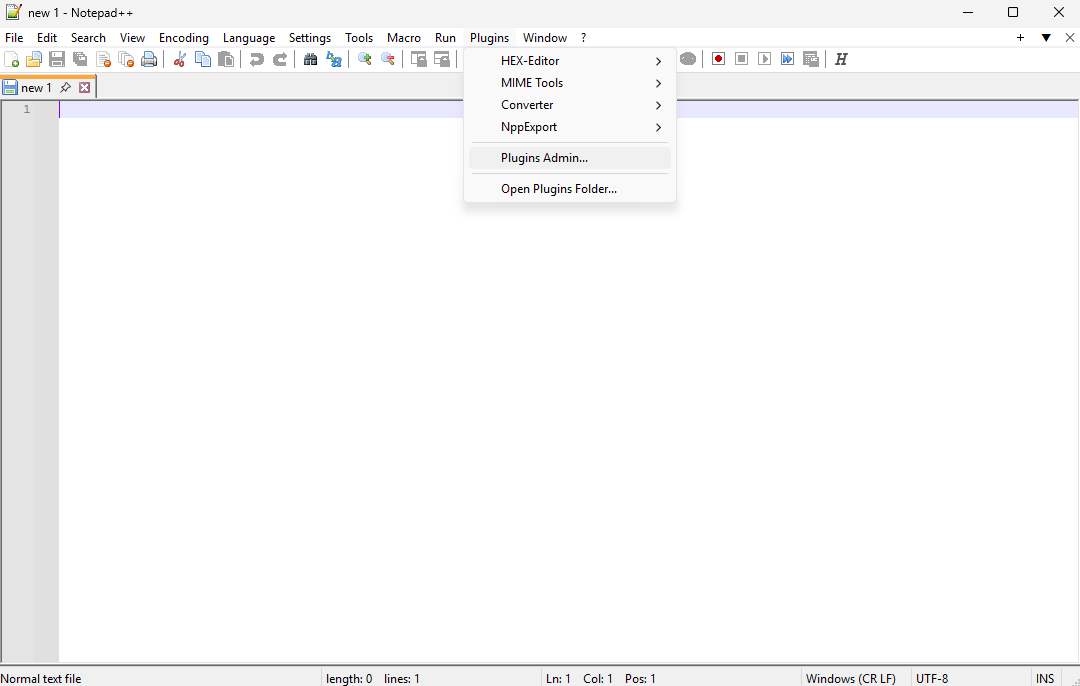
Once you have Notepad++ installed, go to Plugins > Plugins Admin.
 (Image 1)
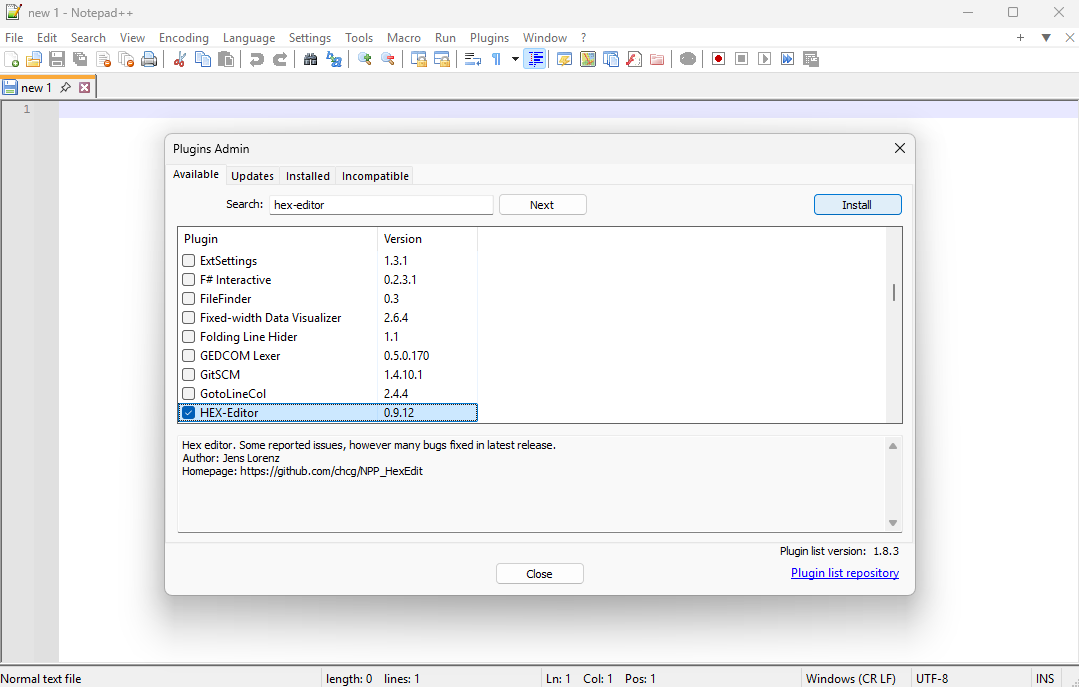
Use the search bar to look for HEX-Editor, tick the box next to it, and install it.
 (Image 2)
Opening file
Remember that the default save file location is:
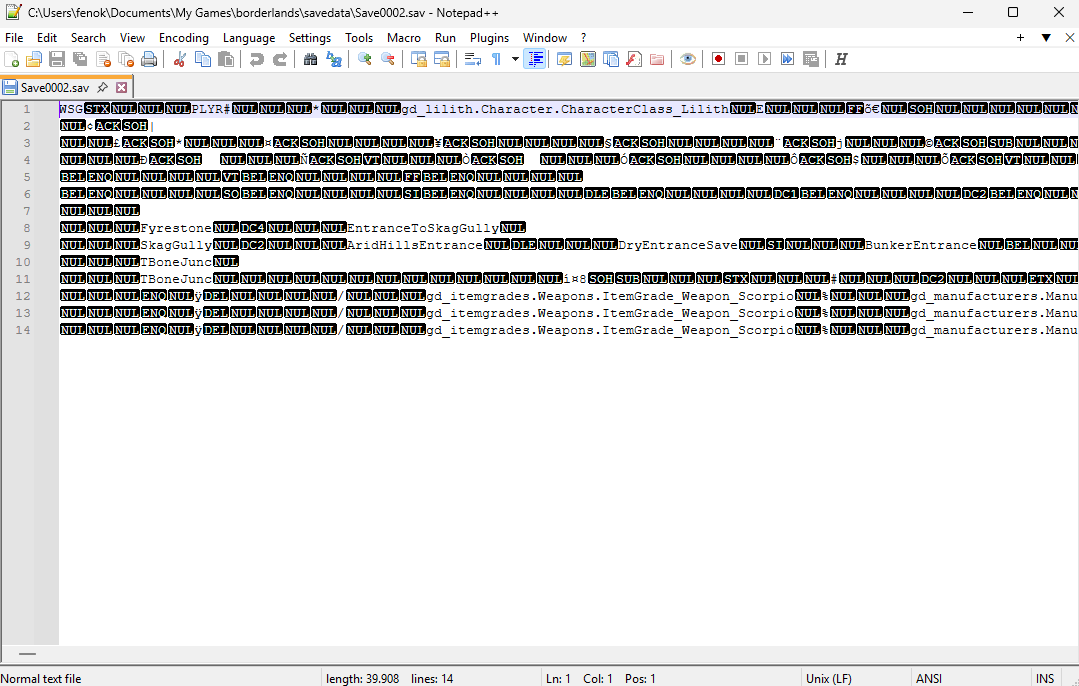
In my case, I’ll be opening my second character: Save0002.sav.
The program should now show you something like this:
 (Image 3)
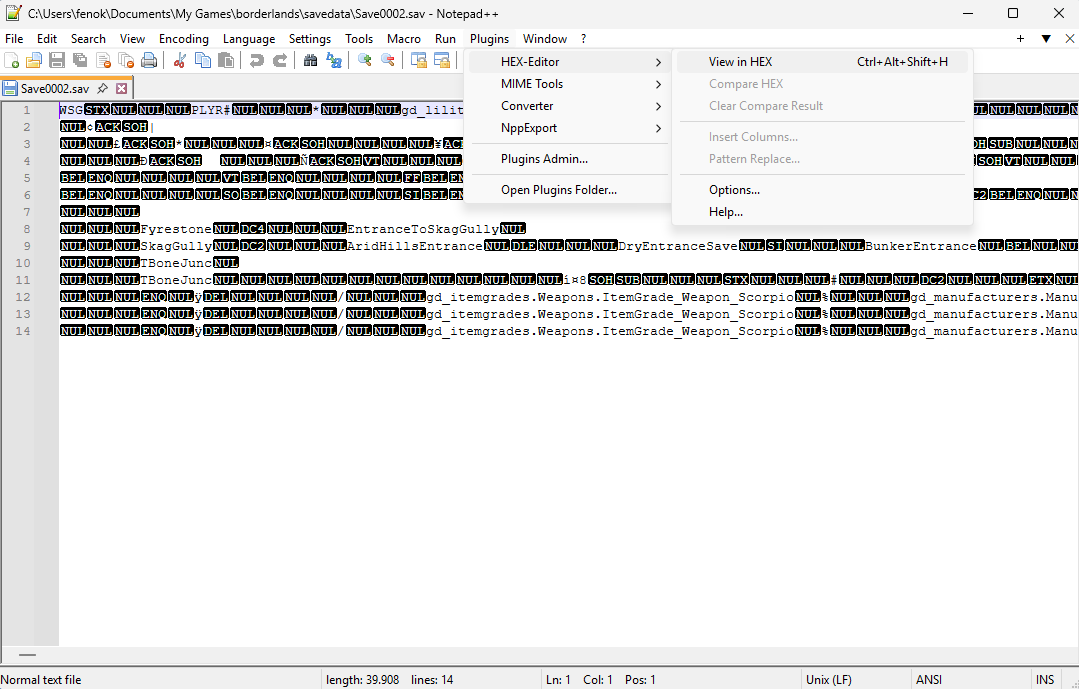
Once the save file is open, we’ll inspect it using the HEX-Editor.
Go to Plugins > HEX-Editor > View in HEX.
 (Image 4)
The program should display something like the following:
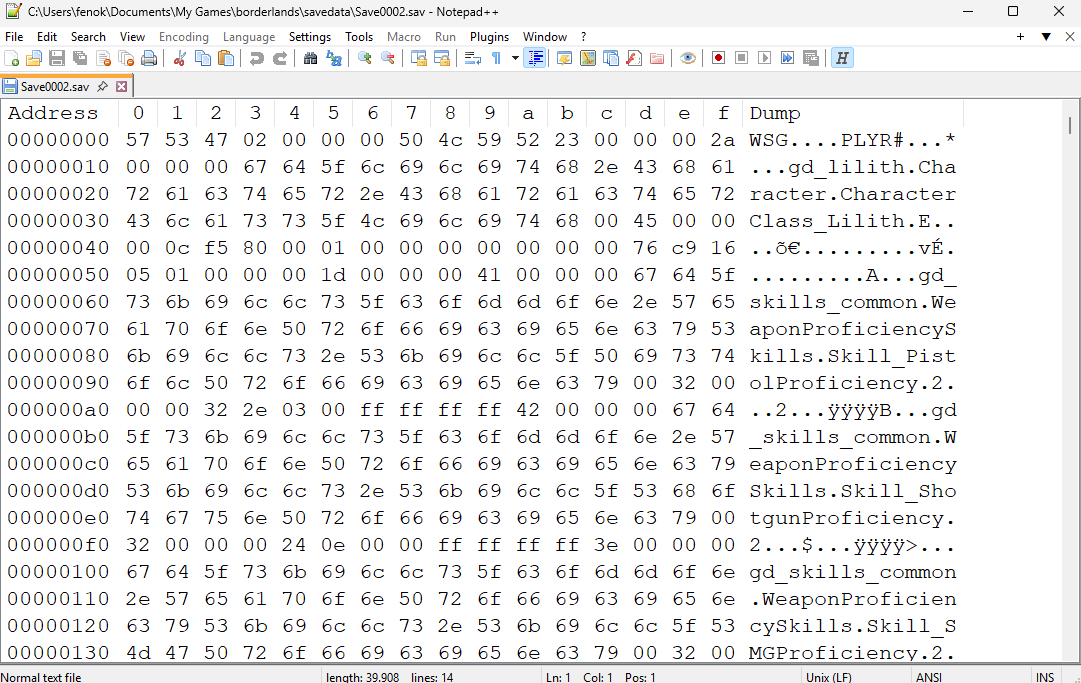 (Image 5)
Modifying variables
Now we need to find the memory location where the variables for the items we want to edit are stored. Use Ctrl+F to help locate them.
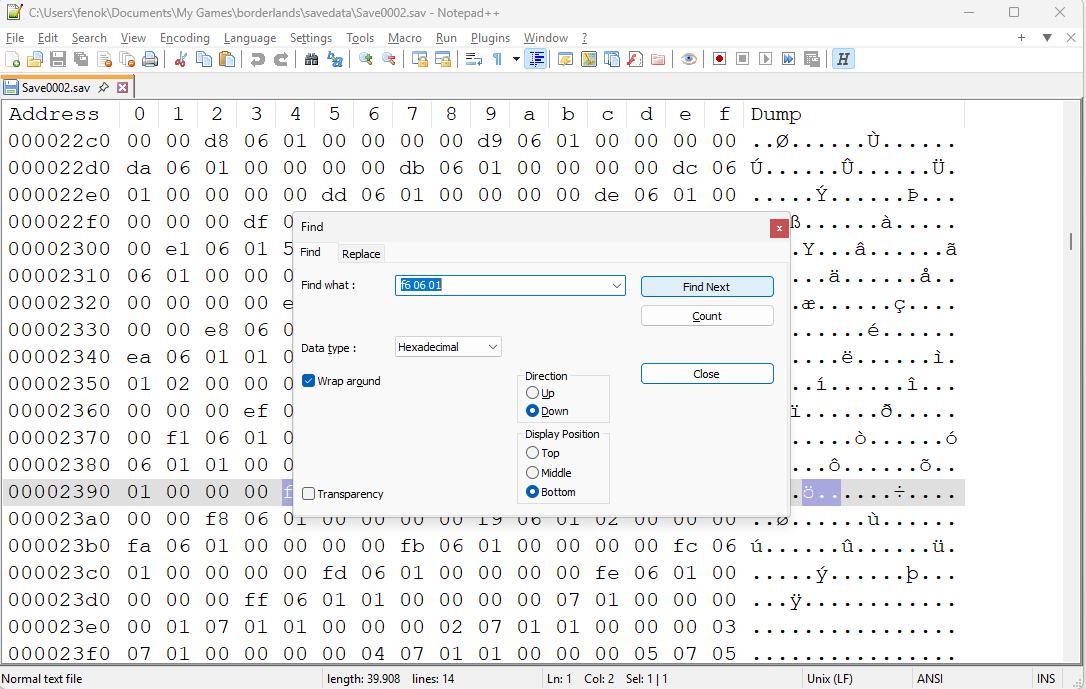 (Image 6)
The table below shows where the variables we need to modify are located.
(credit to MouseyPounds: https://sourceforge.net/p/willowtree/discussion/1117810/thread/88087bd9/ for finding them.)
The part you need to change is the hexadecimal number that comes immediately after the 01 in each reference.
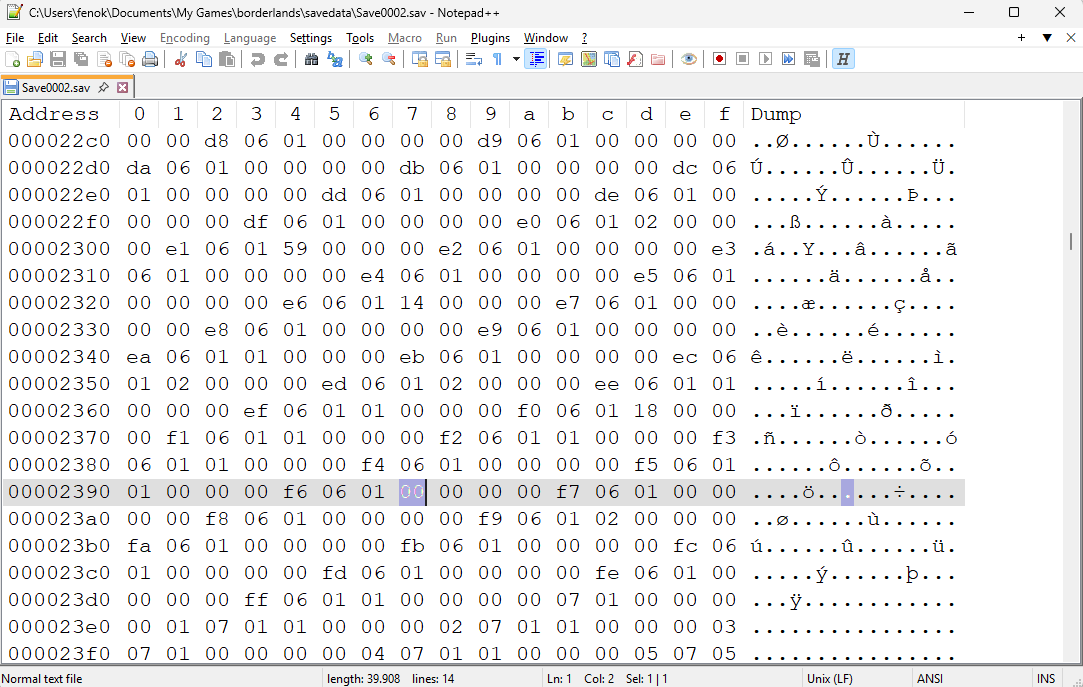 (Image 7)
Convert this value to decimal to find out how many of that item you currently have.
If the number is greater than or equal to the required amount for the achievement, you don't need to change it. Only modify those that are below the required amount. You can use the Windows calculator to convert decimal numbers to hexadecimal and viceversa.
Use the following table as a reference:
In this example, I’ll be changing the number of Claptrap bobbleheads. I go to reference f60601 and locate the two digits that follow, in my case, it's 00.
We need a total of 15 Claptrap bobbleheads, so I’ll change 00 to 0F.
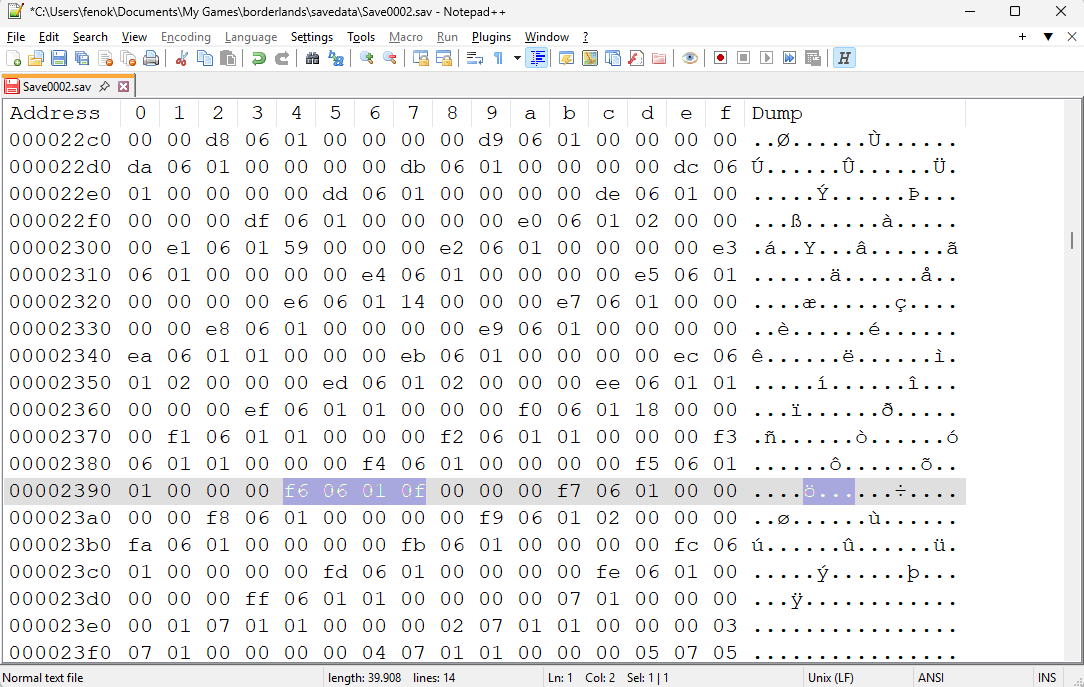 (Image 8)
Once you’ve edited all the necessary references, simply save the file.
Last step
After changing every value, the final step is to launch the game. If you followed the steps correctly, you should see that the corresponding achievements unlock when you load your character.
I hope this guide was helpful, if you have any questions, leave a comment and we’ll try to sort it out.
Thanks so much for reading.
Beat Borderlands GOTY's achievements?
Flex it — let your friends know you pulled it off.
- Русификатор Borderlands GOTY Enhanced (текст)★ 5 (1.7k)47k views1.5k ♥3 minRussianUpdated May 5, 2024
- Borderlands Skill Tree Plan For all 4 Classes.★ 5 (561)34k views1.3k ♥8 minUpdated Dec 24, 2018
- Русификатор Borderlands★ 5 (789)30k views676 ♥1 minRussianUpdated Jun 6
- How To Get The Max Inventory Space!★ 5 (515)26k views873 ♥6 minUpdated Sep 28, 2017
- Borderlands - FOV Tweak Guide★ 5 (279)24k views338 ♥1 min
- DLC Claptrap's New Robot Revolution - Easy way to Collect Achievement★ 5 (348)24k views349 ♥1 minBulgarianUpdated Feb 10, 2017



- Upgrading to PremiumTeam Fortress 2★ 5 (20k)1441k views11k ♥6 minUpdated May 11, 2022
- No More Room in Hell Official ManualNo More Room in Hell★ 5 (2.8k)569k views2.1k ♥29 minUpdated Apr 22, 2019
- NMRiH Community Hosting GuidesNo More Room in Hell★ 5 (526)351k views653 ♥1 minUpdated Aug 10, 2022
- ULTIMATE GUIDE FOR GAME DEV TYCOONGame Dev Tycoon★ 5 (5.8k)326k views10k ♥4 minUpdated 23 Jan, 2014
- How to 'Git Gud' Soon™MORDHAU★ 5 (2k)318k views3k ♥68 minUpdated Nov 16, 2024
- Лучшие кооперативные игры SteamPAYDAY 2★ 5 (1.5k)315k views2.1k ♥56 minRussianUpdated Apr 27, 2025






This guide was created by its original author on the Steam Community. Are you the author and want it removed? Request removal.