F-16 Fly And Shoot Something Down In Minutes
Introduction
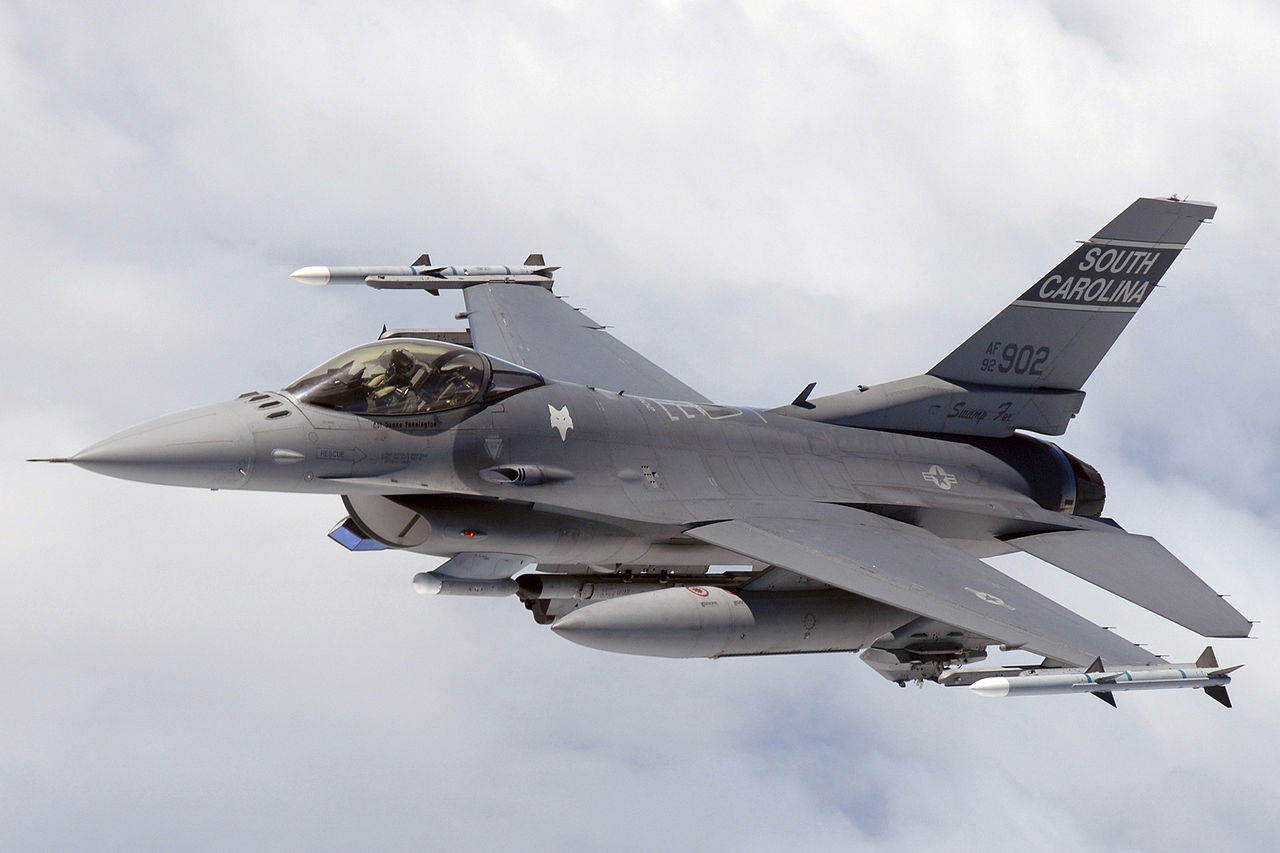
The legendary F-16 Viper is here to fly in DCS! Over 4,600 F-16 aircraft have been built since production was approved in 1976 - but they still cost a lot so try not to crash them :-)
If you are unsure how, I have a control setup guide as well.
It's fine to fly with a keyboard, but it is a bit tedious and you will have a lot more fun with even a basic joystick.
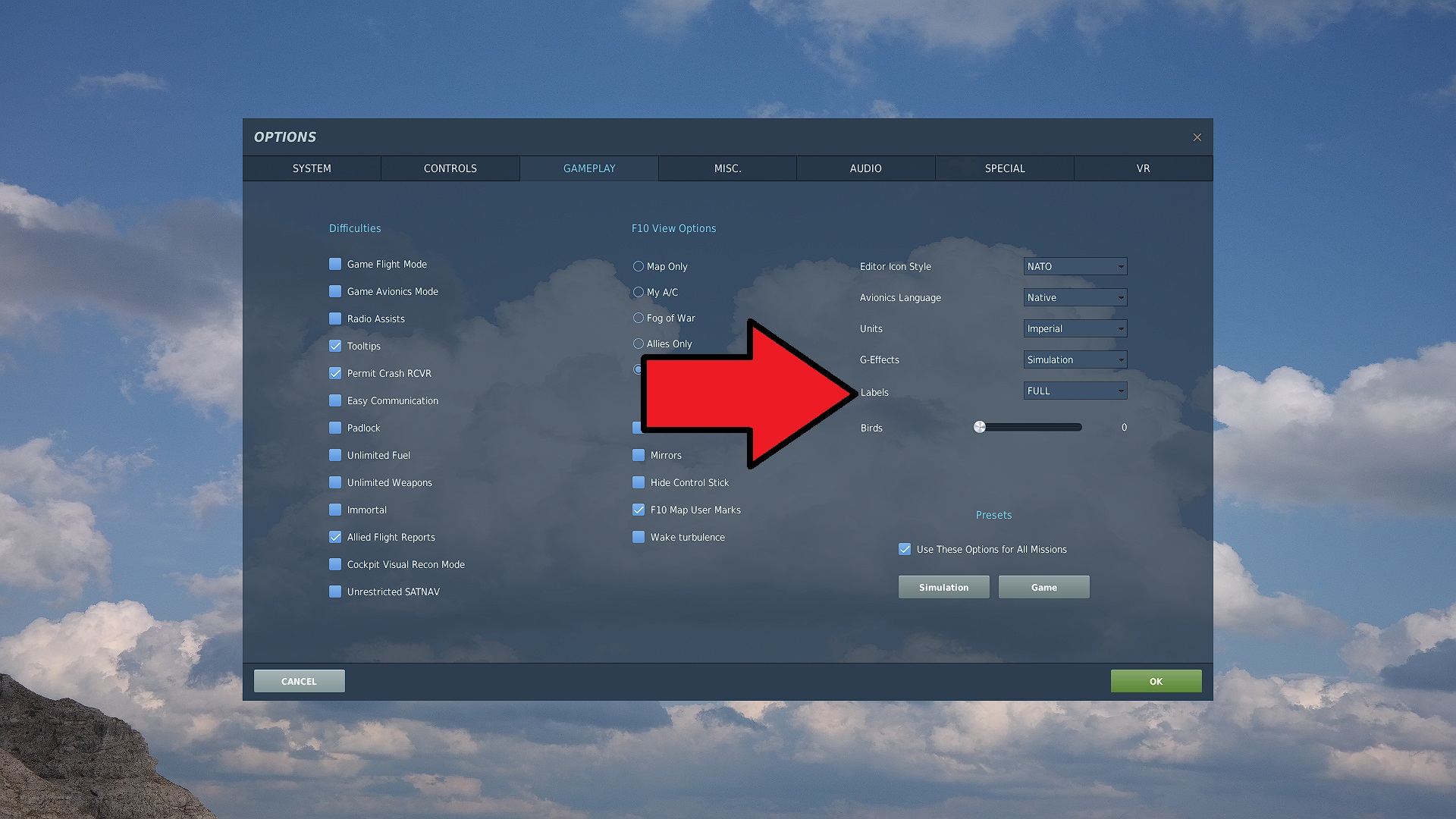 If you are new to DCS or flight simulators then you may want to enable Labels as FULL in the gameplay options. This will put labels on any nearby aircraft making them easier to see. I recommend this for first timers as you can focus on learning the aircraft systems rather than trying to make out tiny dots in the distant sky.
If this doesn't turn labels on, then once in the mission, you can press LShift + F10 to toggle labels on/off any time.
The Mission
The mission is simple:
- Start your F-16 Viper
- Fly towards Waypoint #1
- Destroy any targets of opportunity.
- Return to base when you are out of ammo or fuel.
The aircraft in this mission become progressively more challenging. Starting with a simple fuel tanker, to planes armed with only guns, all of the way to a formidable Su-27 armed with all manner of missiles.
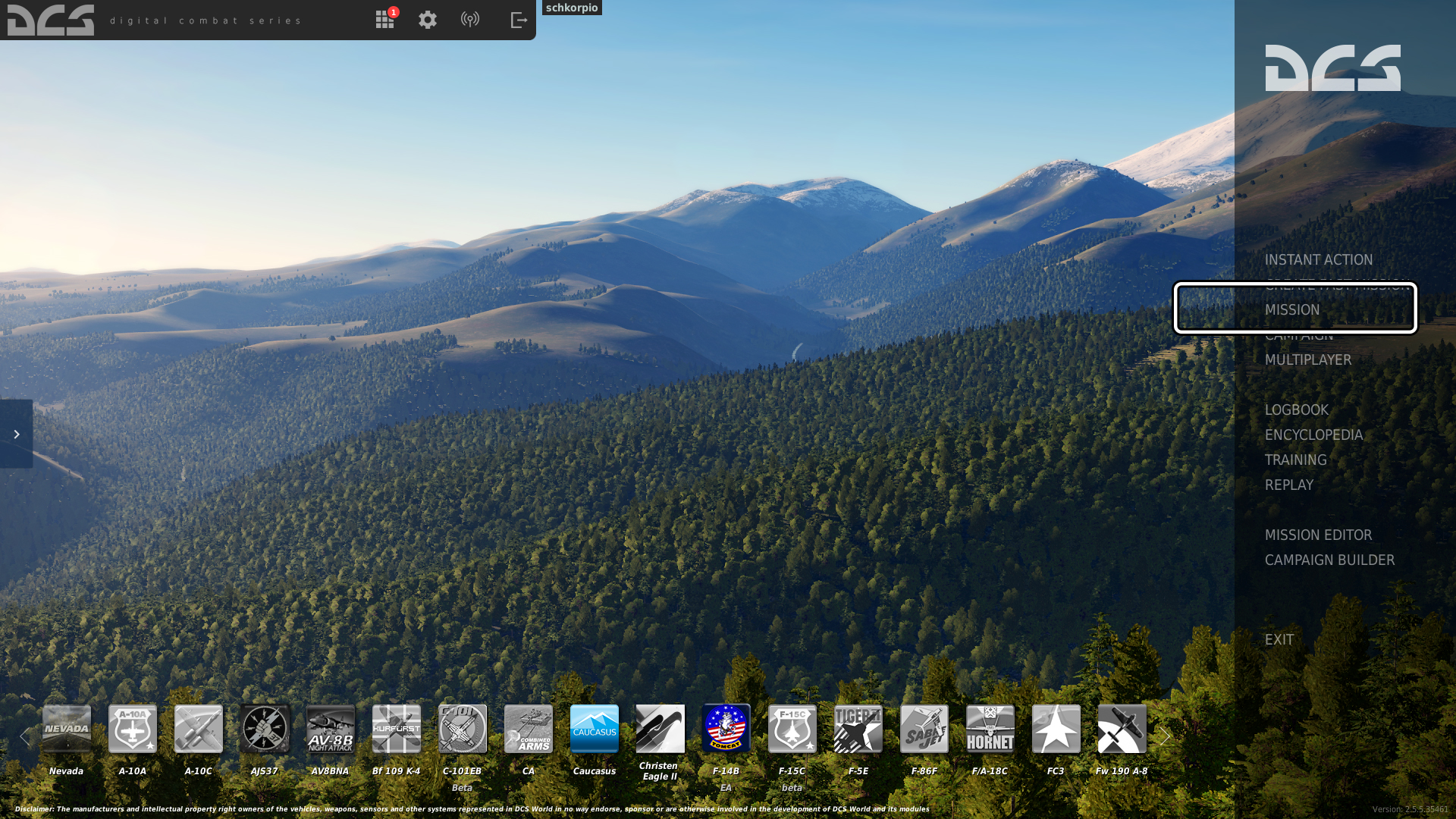
I've prepared a mission which can be played single or multiplayer. Please download this mission, and save it somewhere easy to access, as you'll need to load it up in DCS World.
https://www.dropbox.com/s/i79lfmbm2e72998/The%20Danger%20Zone.miz?dl=0
The mission file most likely ended up downloading into C:\Users\ X \Downloads folder. So browse to there thru the DCS menus. Double clicking the .. two dots will send you up one folder.
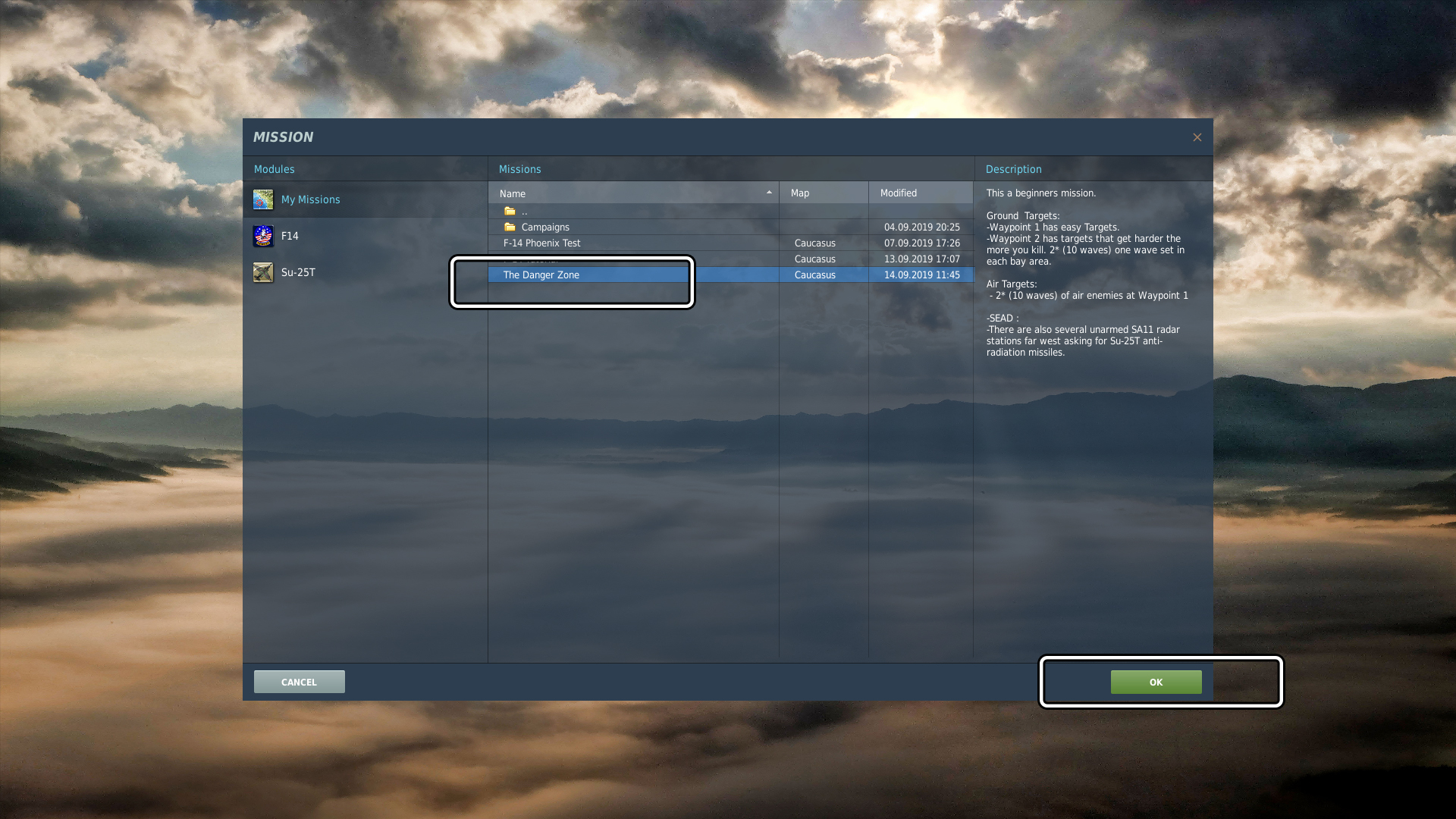
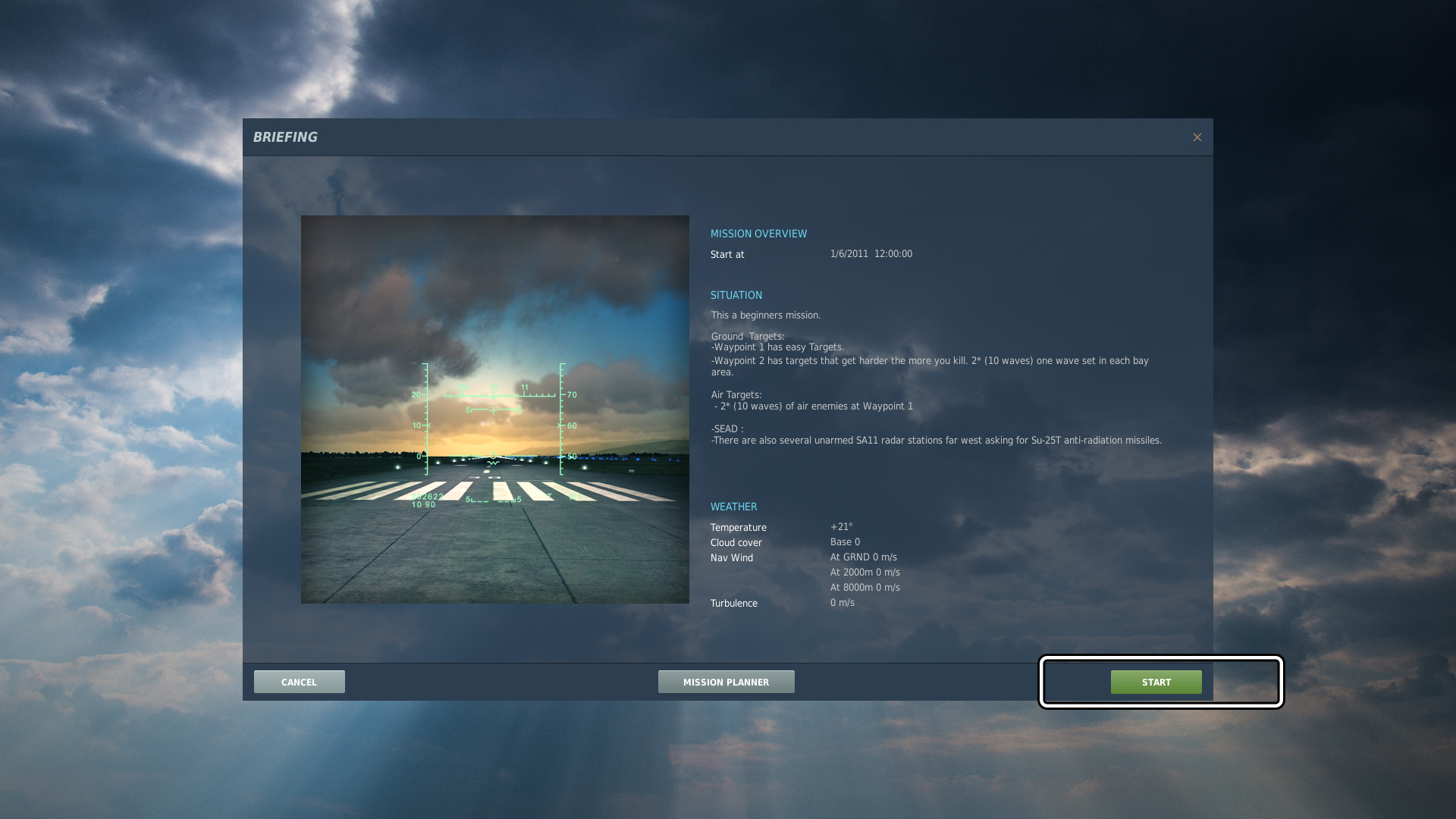
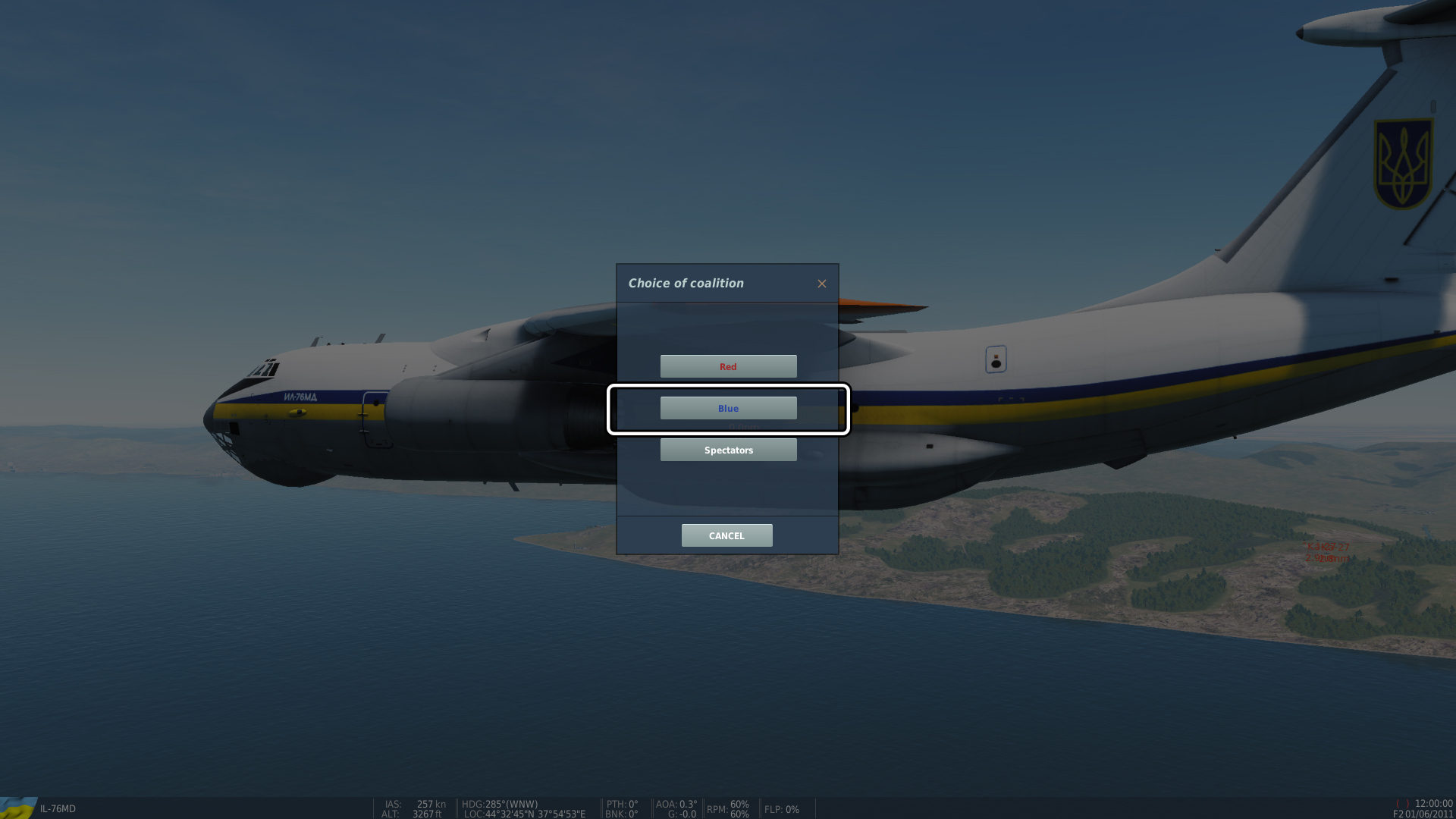 Once the mission loads, select Blue Coalition
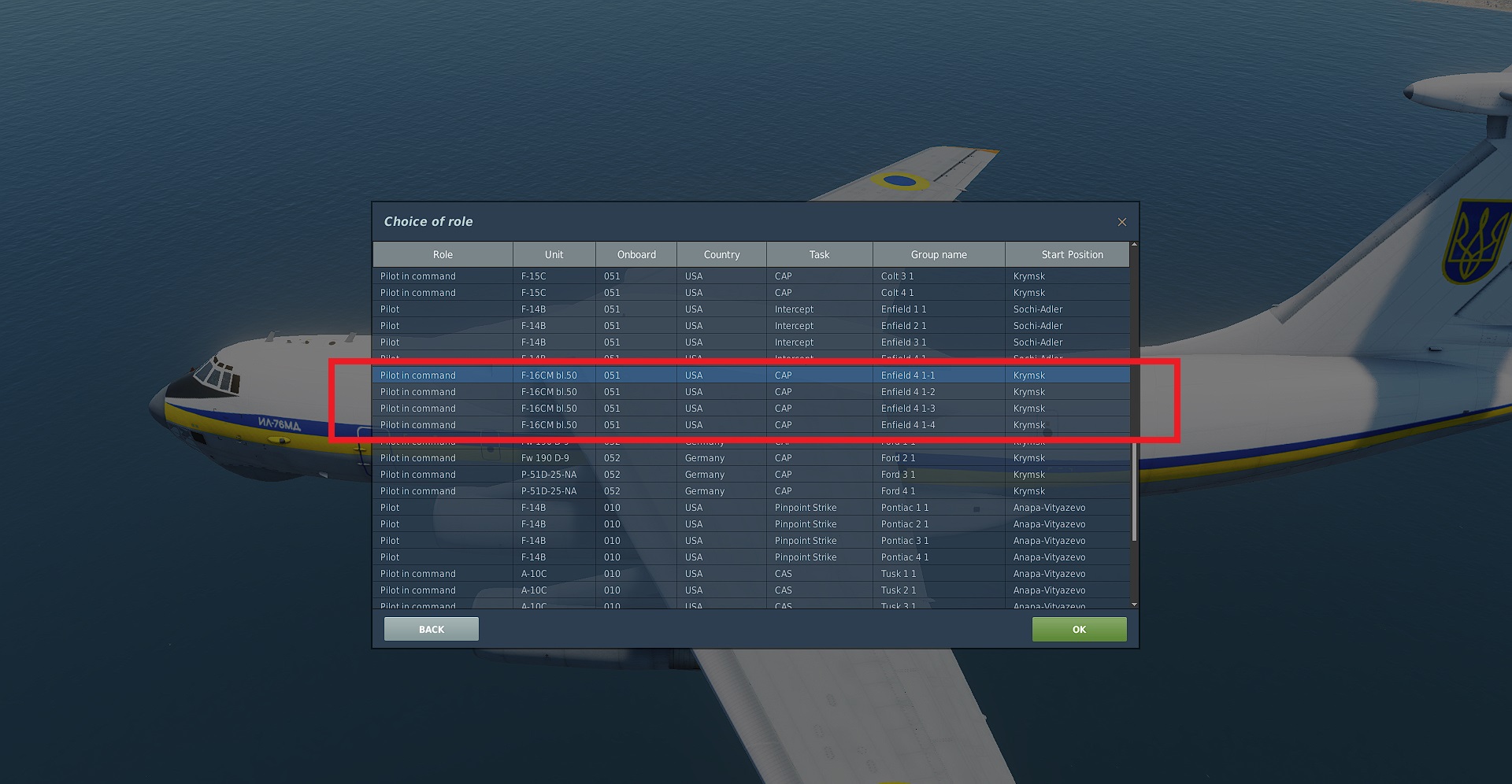 then select the any of F-16CM bl.50 CAP from the list of aircraft.
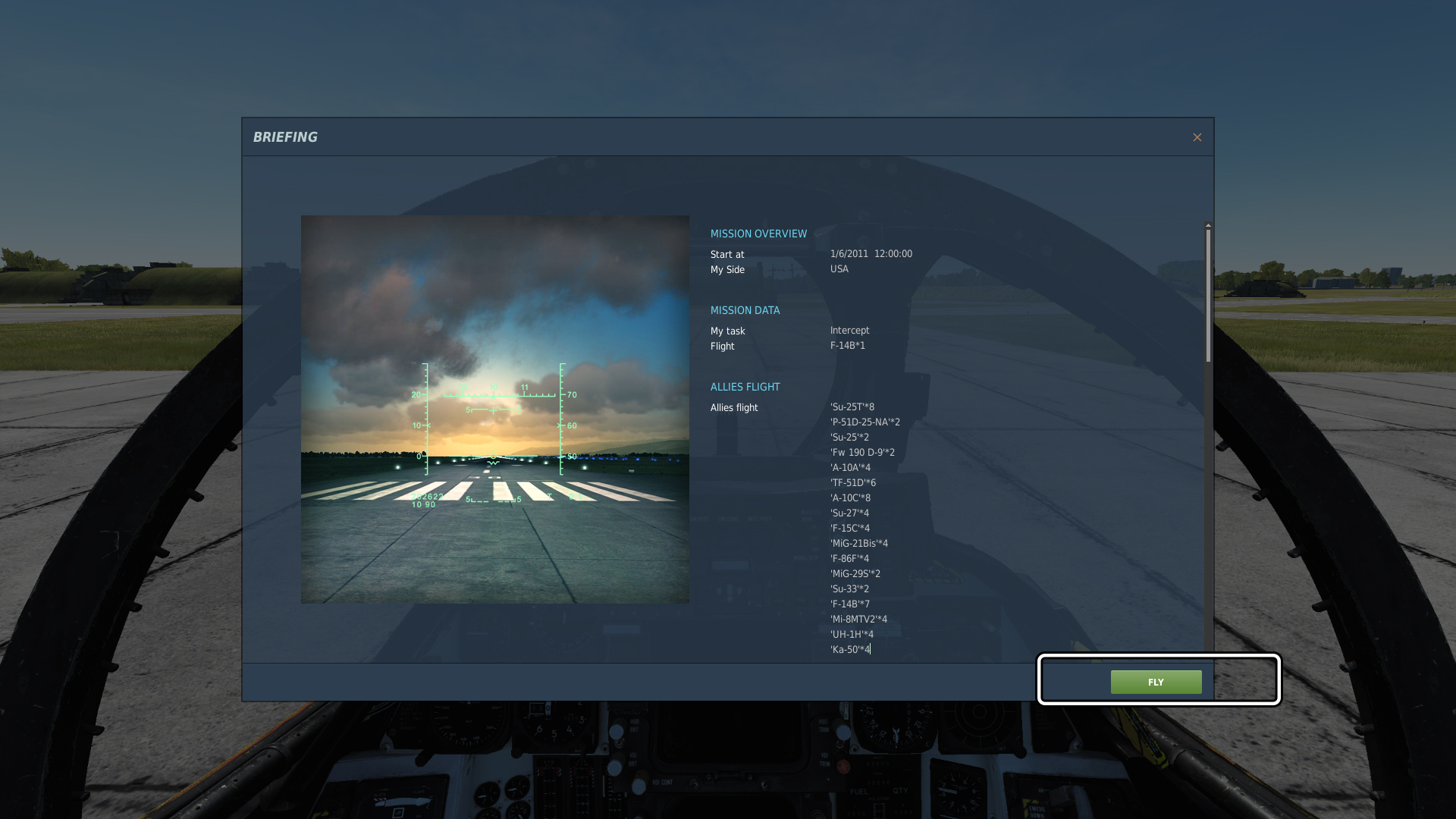
Feel free to pause the mission anytime (even in multiplayer if you are the host) with PAUSE-BREAK key on your keyboard (above PAGE UP / PAGE DOWN).
Start Up
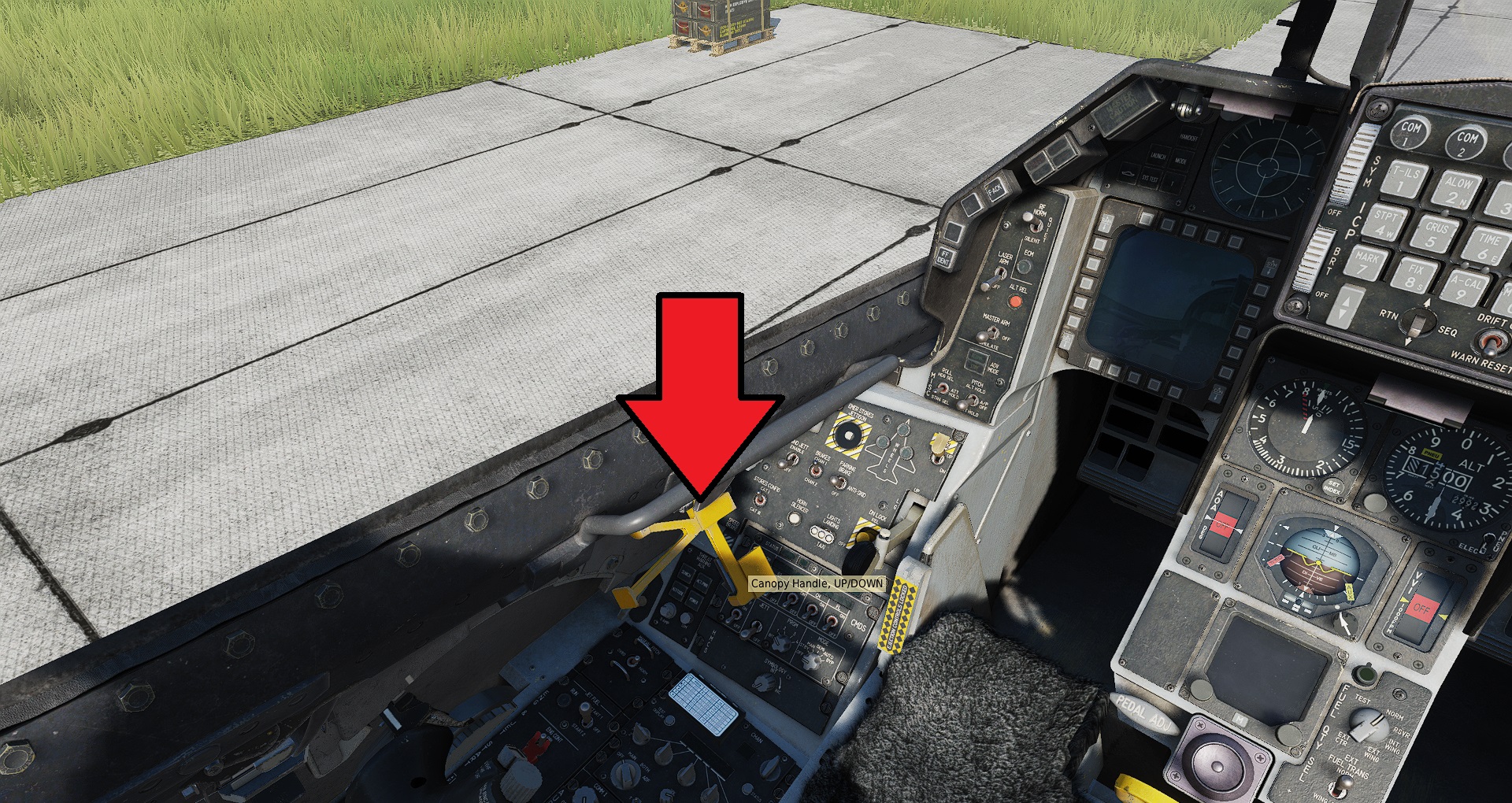 Lock the canopy with yellow handle on left side of the cockpit
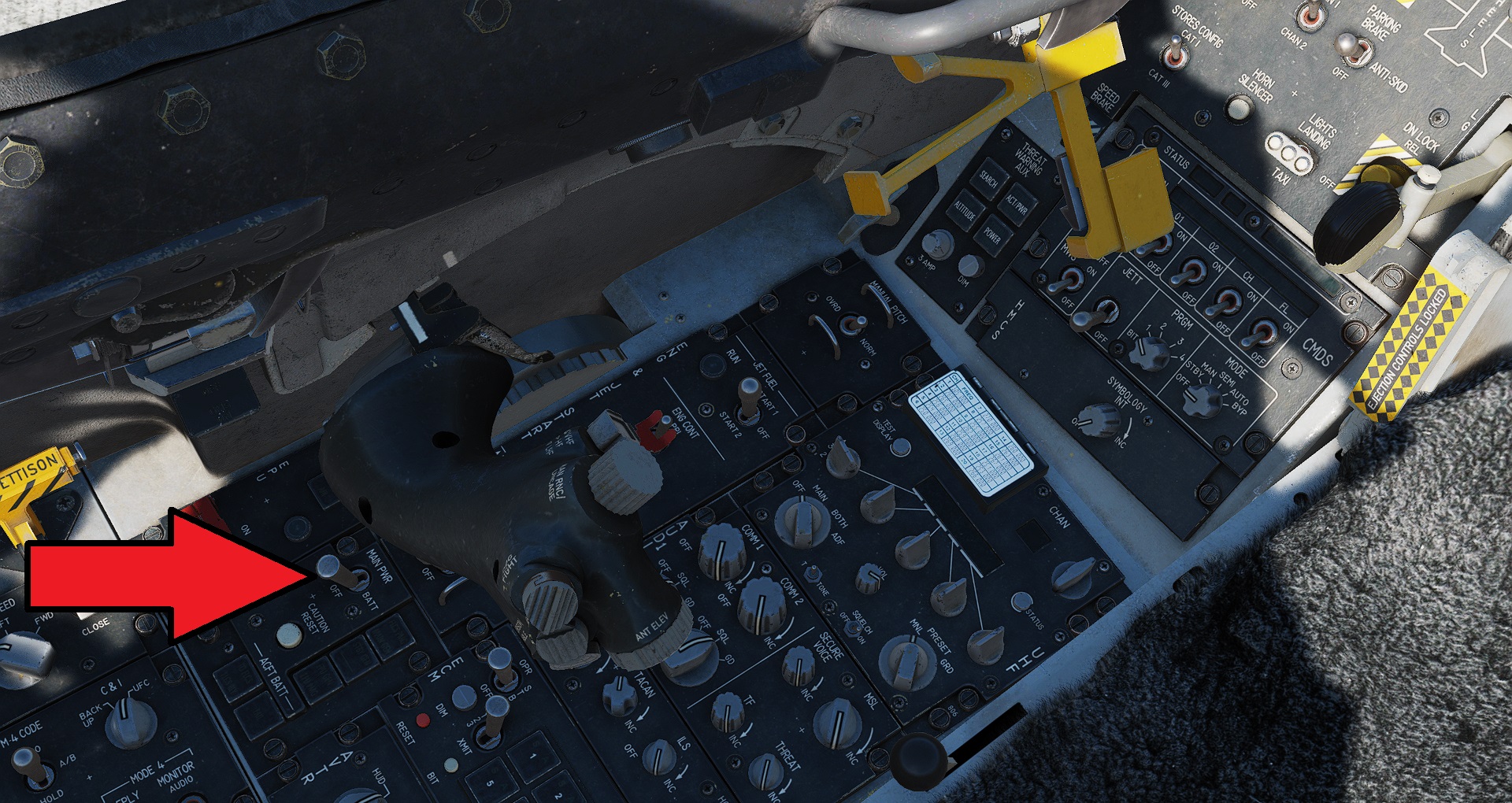 Set the Main Power switch to the MAIN PWR position
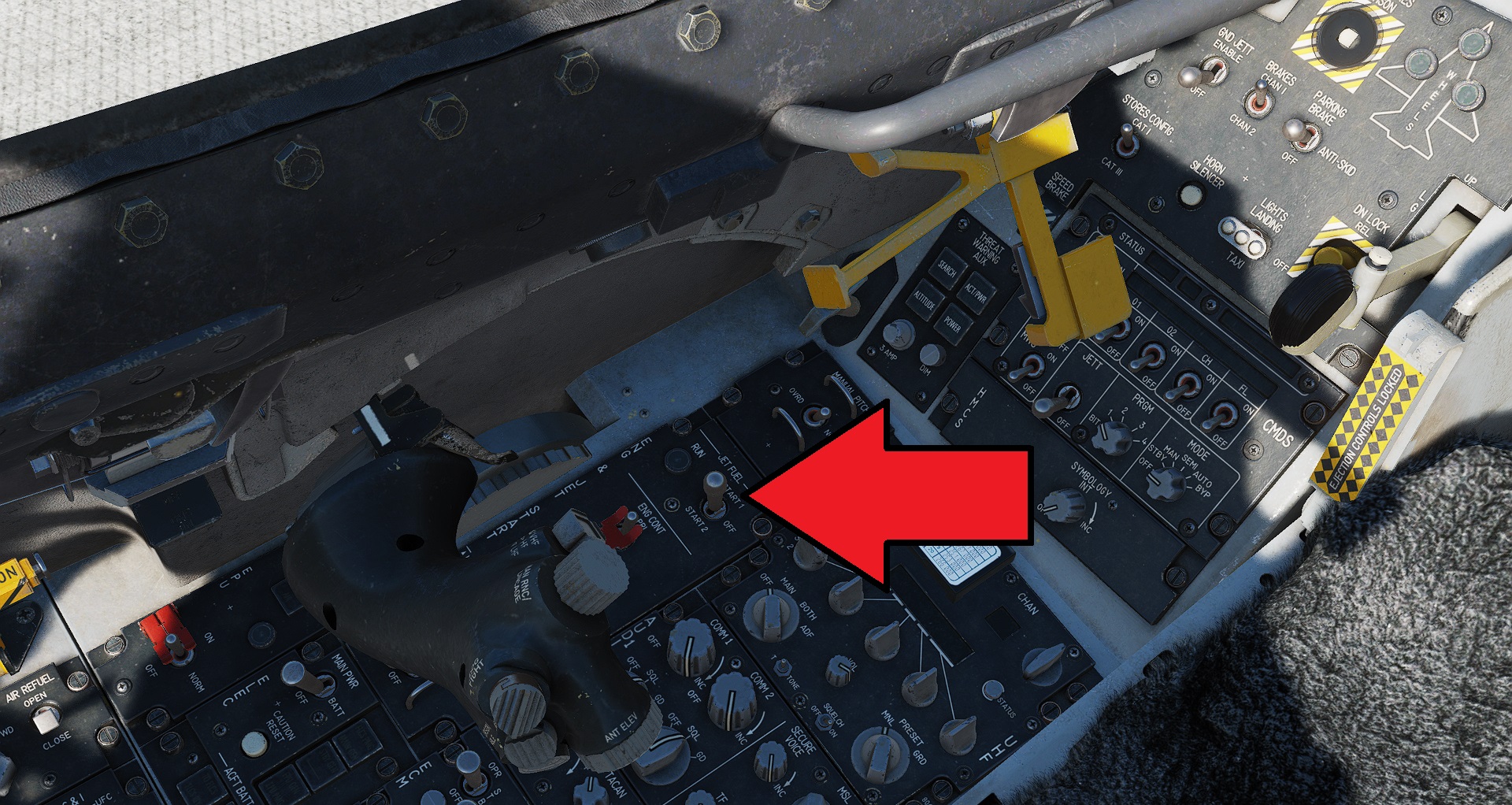 Set the Jet Fuel switch to the Start I position
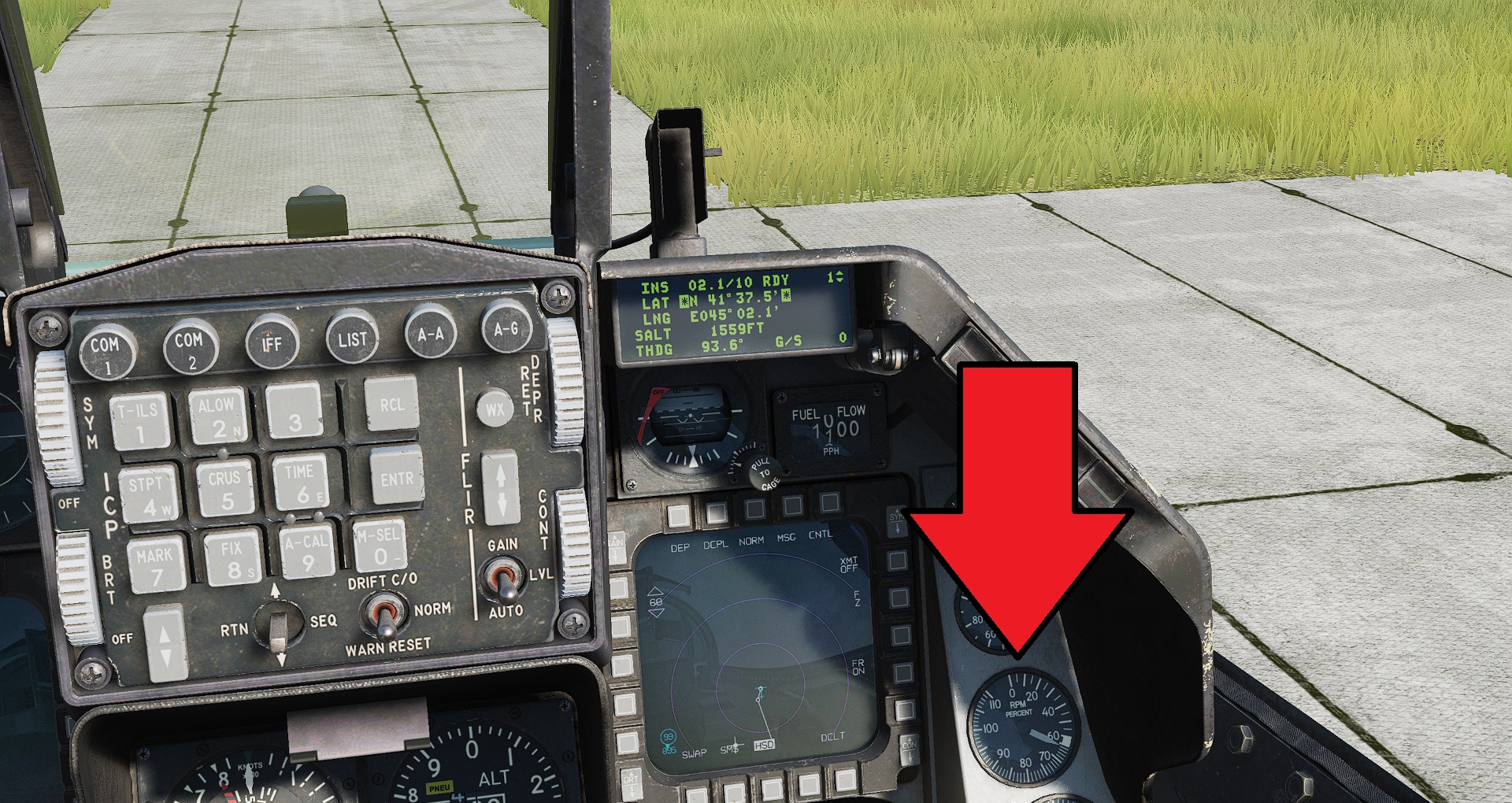 Wait for engine gauge on right side of front cockpit panel to reach 20% RPM
Bring throttle into idle (RIGHT SHIFT + HOME) and engine will spool to >60% RPM (idle)
Look at the Avionics Power panel near your right hip
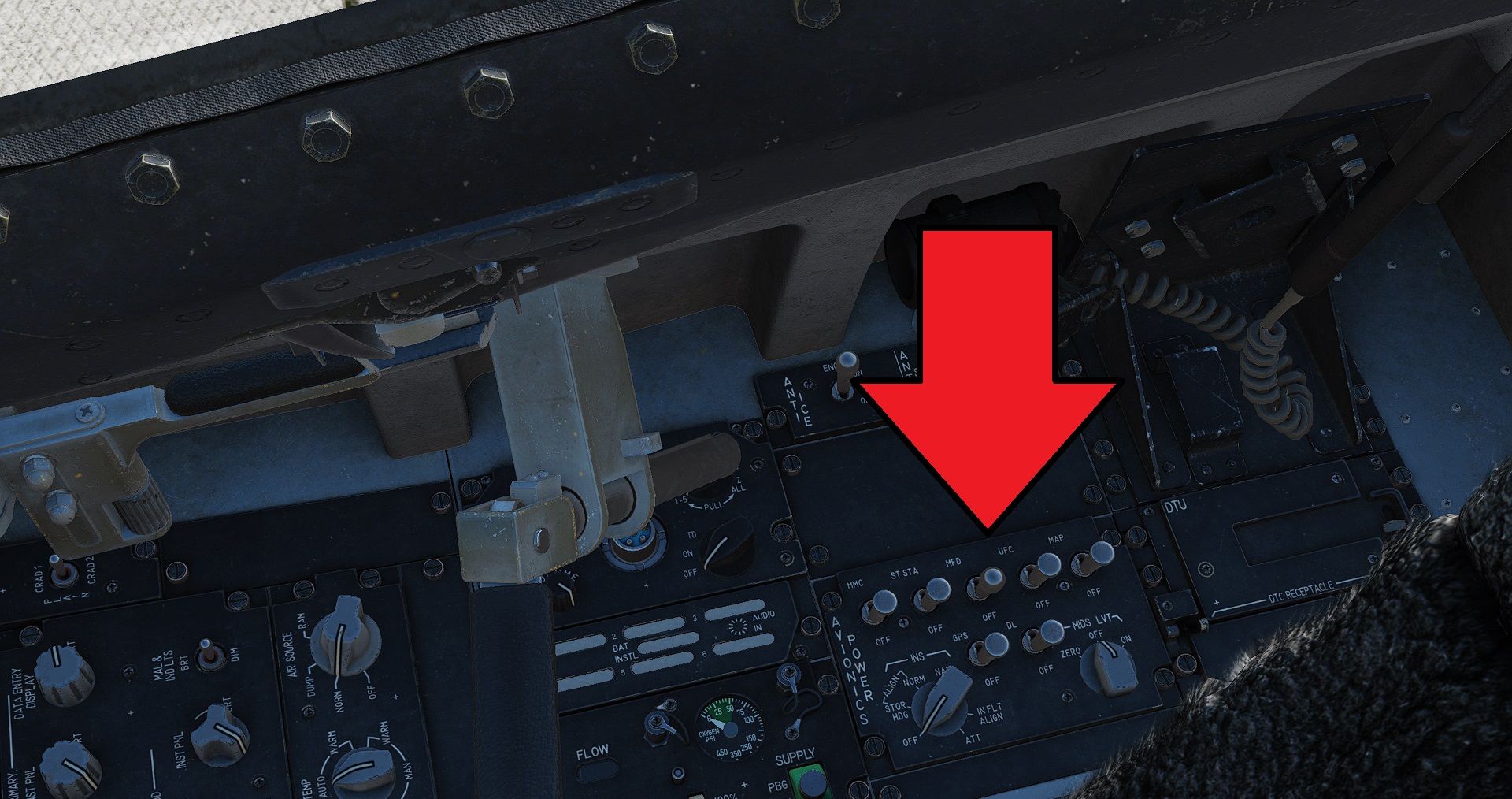 Set all switches to the ON position
Turn the MDS LVT knob to ON
Rotate INS knob to STOR HDG
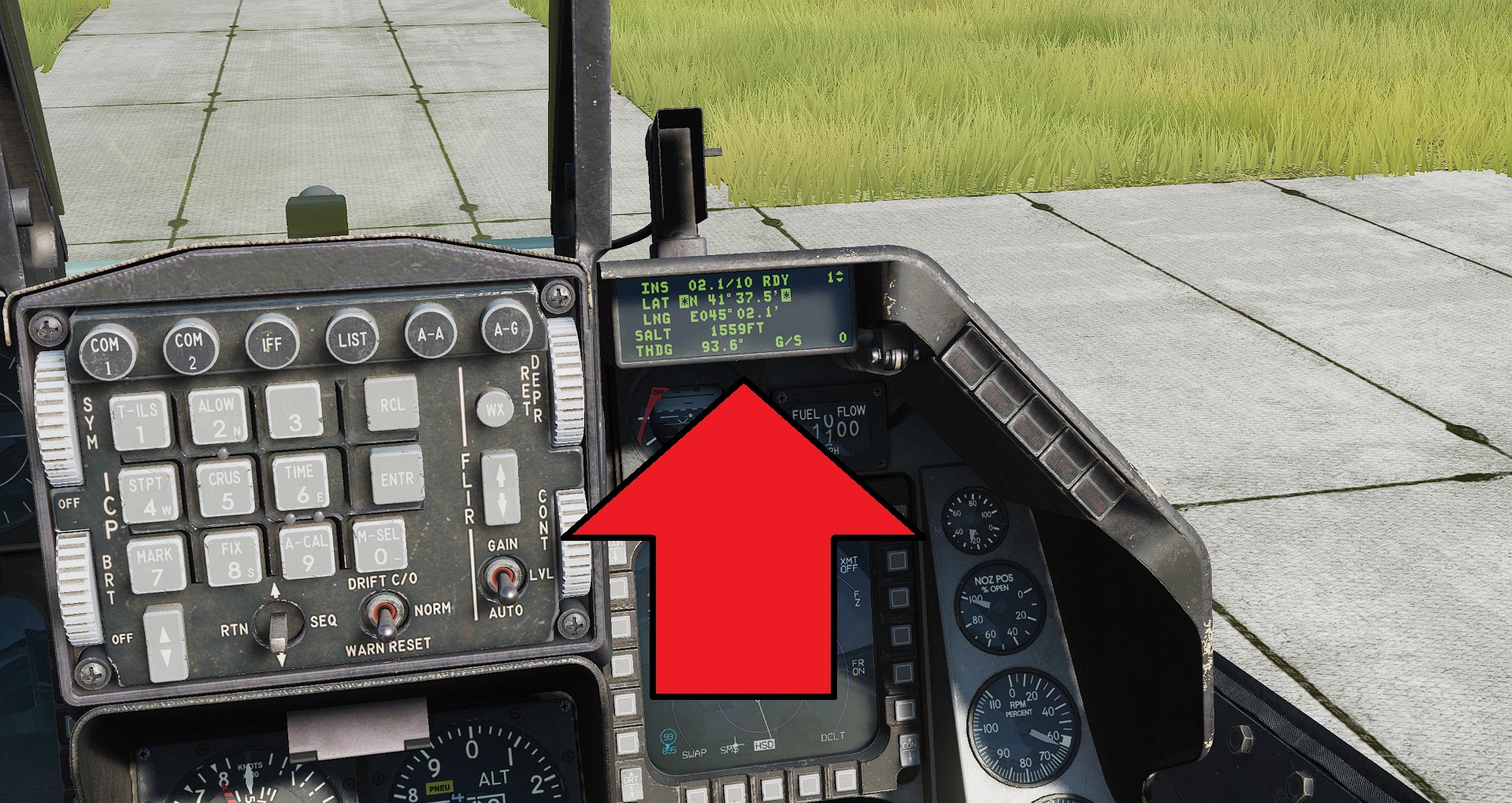 The small screen DED shows the INS count down time - this means the inertial navigation system is aligning itself. You must wait until countdown is finished and RDY is flashing.
Look back at the Avionics Power panel and now set the INS knob to NAV (make sure you RIGHT CLICK, not left-click, otherwise you'll have to perform the alignment again)
The small screen DED shows the INS count down time - this means the inertial navigation system is aligning itself. You must wait until countdown is finished and RDY is flashing.
Look back at the Avionics Power panel and now set the INS knob to NAV (make sure you RIGHT CLICK, not left-click, otherwise you'll have to perform the alignment again)
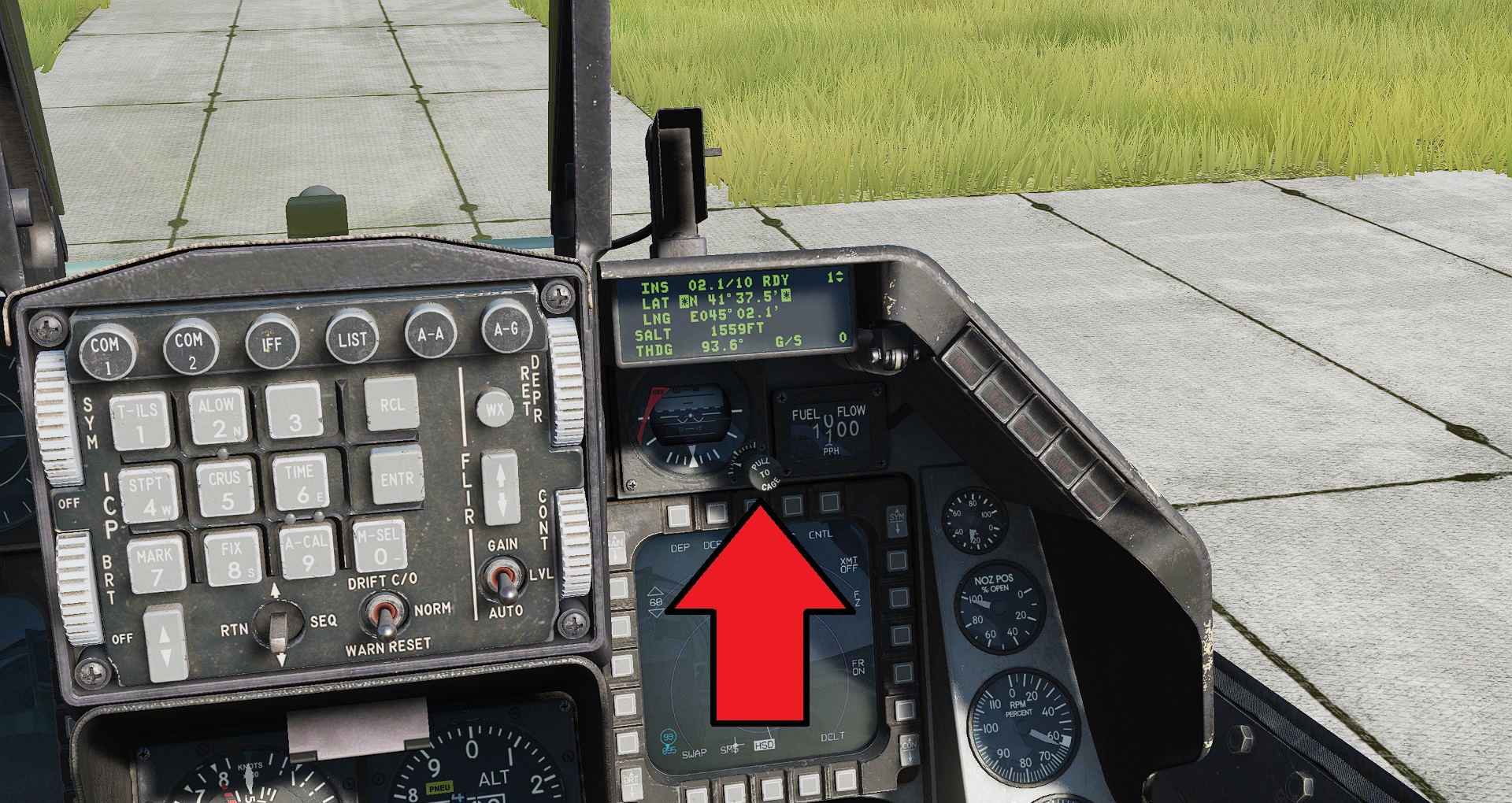 Just under the DED uncage the Standby ADI by rotating the little knob until the red flag disappears. Make sure you set the level to match the horizon line by adjusting the knob until correct.
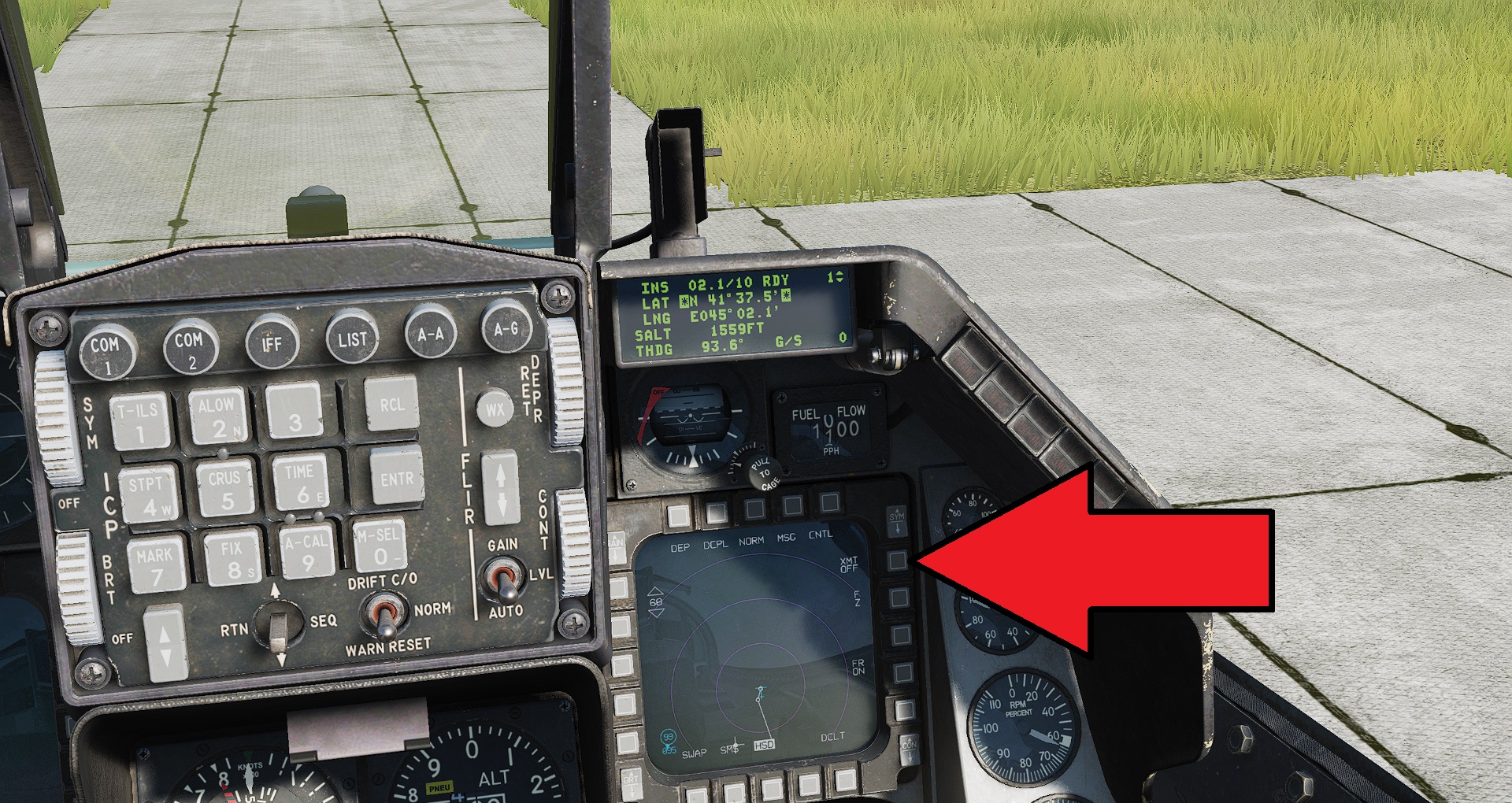 On the Right MFD screen click the XMT OFF button so that it changes to XMT L16
Look to the right side of your flight stick
On the Right MFD screen click the XMT OFF button so that it changes to XMT L16
Look to the right side of your flight stick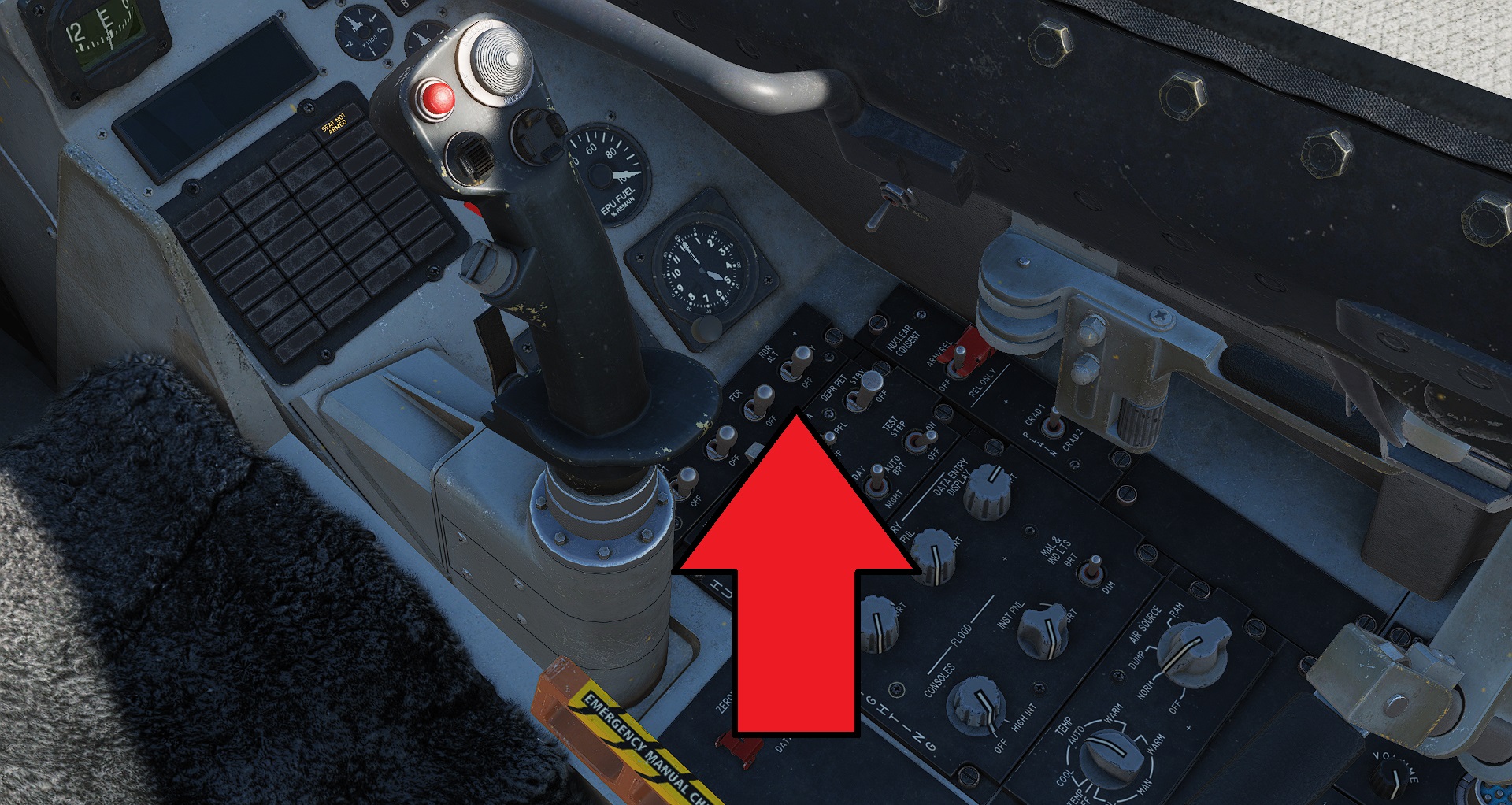 Set RDR to ON position (Radar altimeter)
Set F C R to ON position (Fire Control Radar)
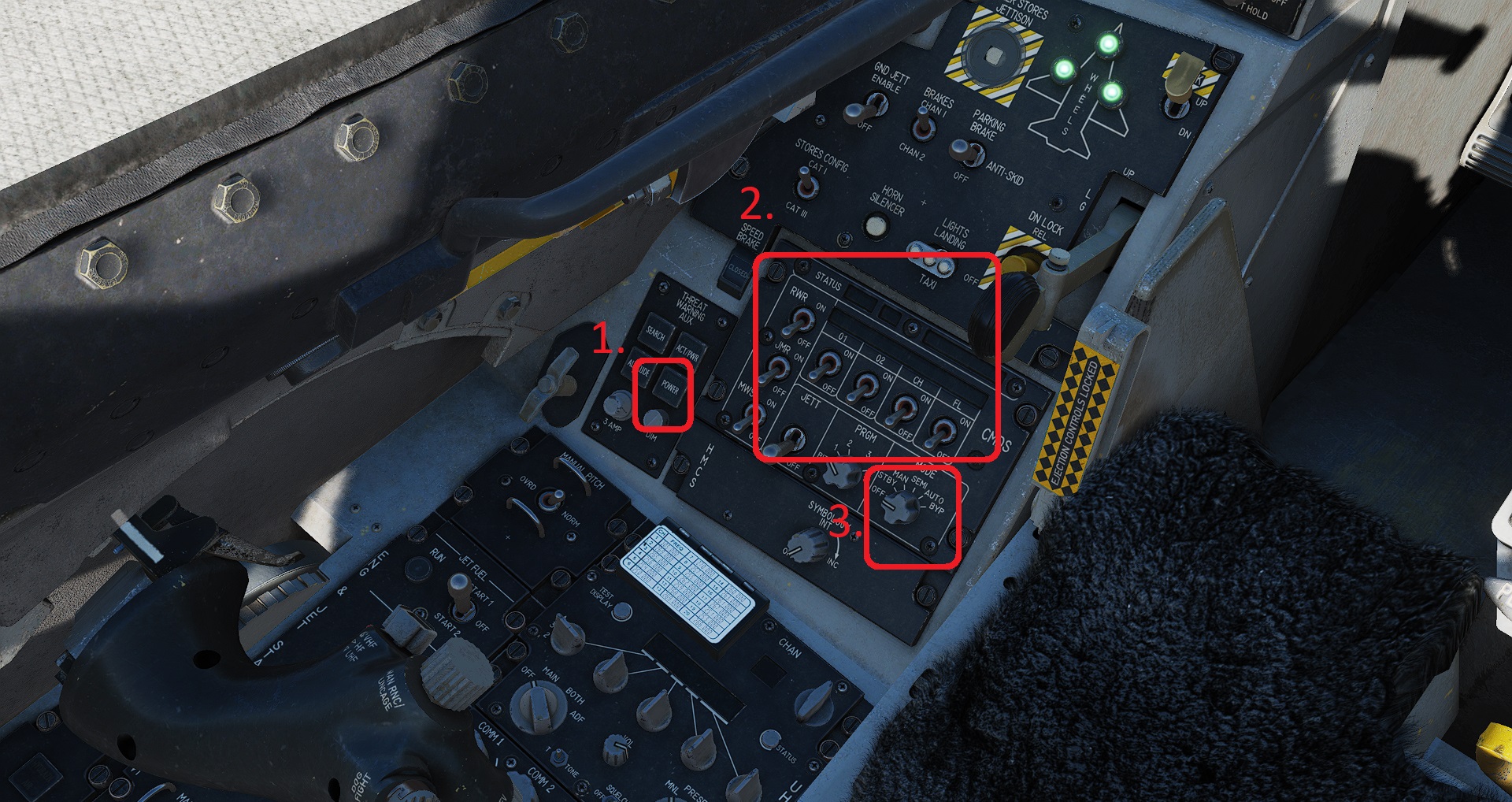 1. Press the POWER button to enable the power on the Threat Warning Aux panel
- Turn ON all of the sliver switches on the top row(DON'T TOUCH THE JETT SWITCH, this will jettison your flares and chaff) and turn ON the left side column of switches to enable the MWS and JMR (missile warning system, and jammer)
- Set the MODE knob to MANUAL position
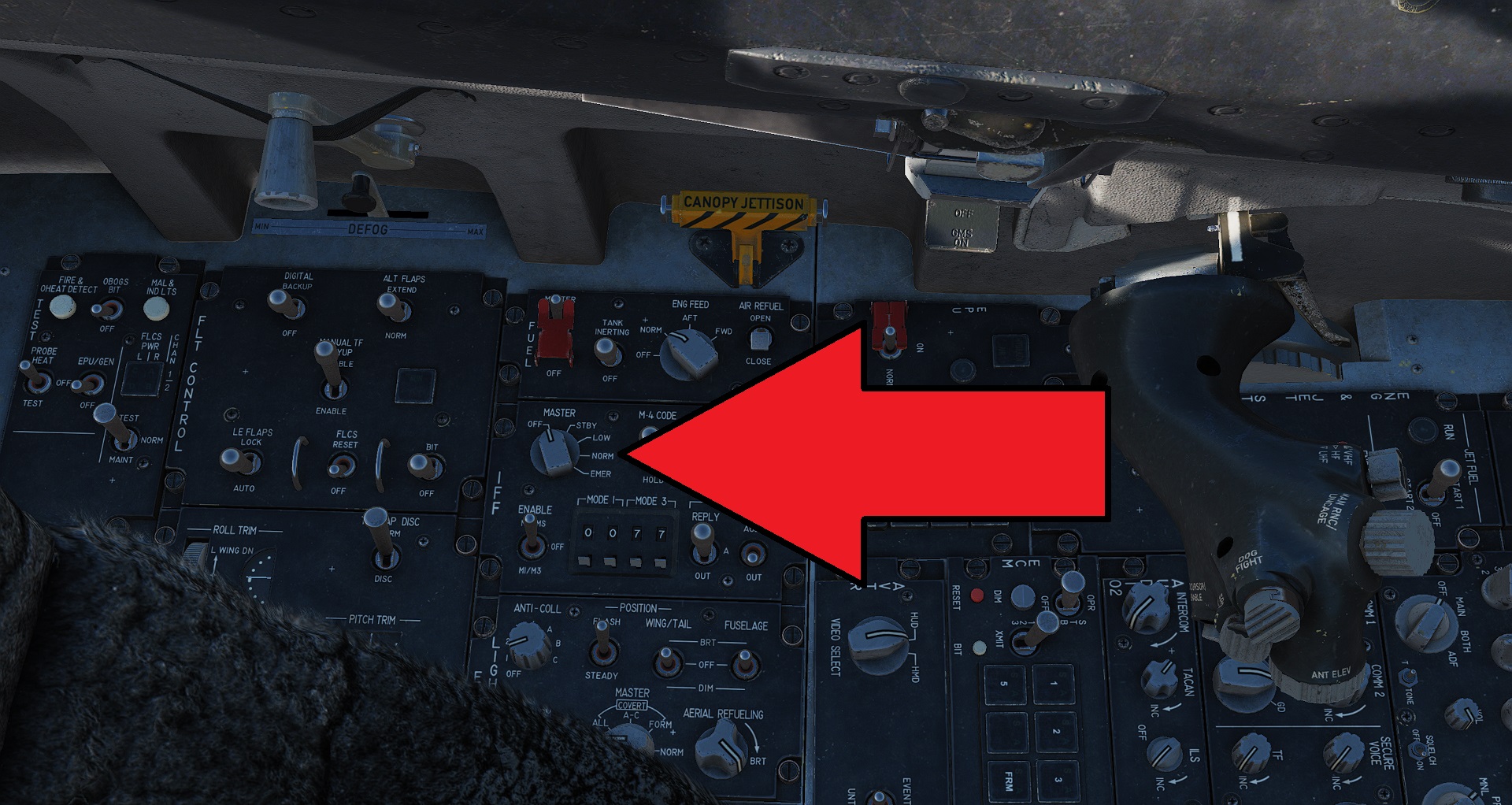 On the IFF panel rotate the MASTER knob to the NORM position
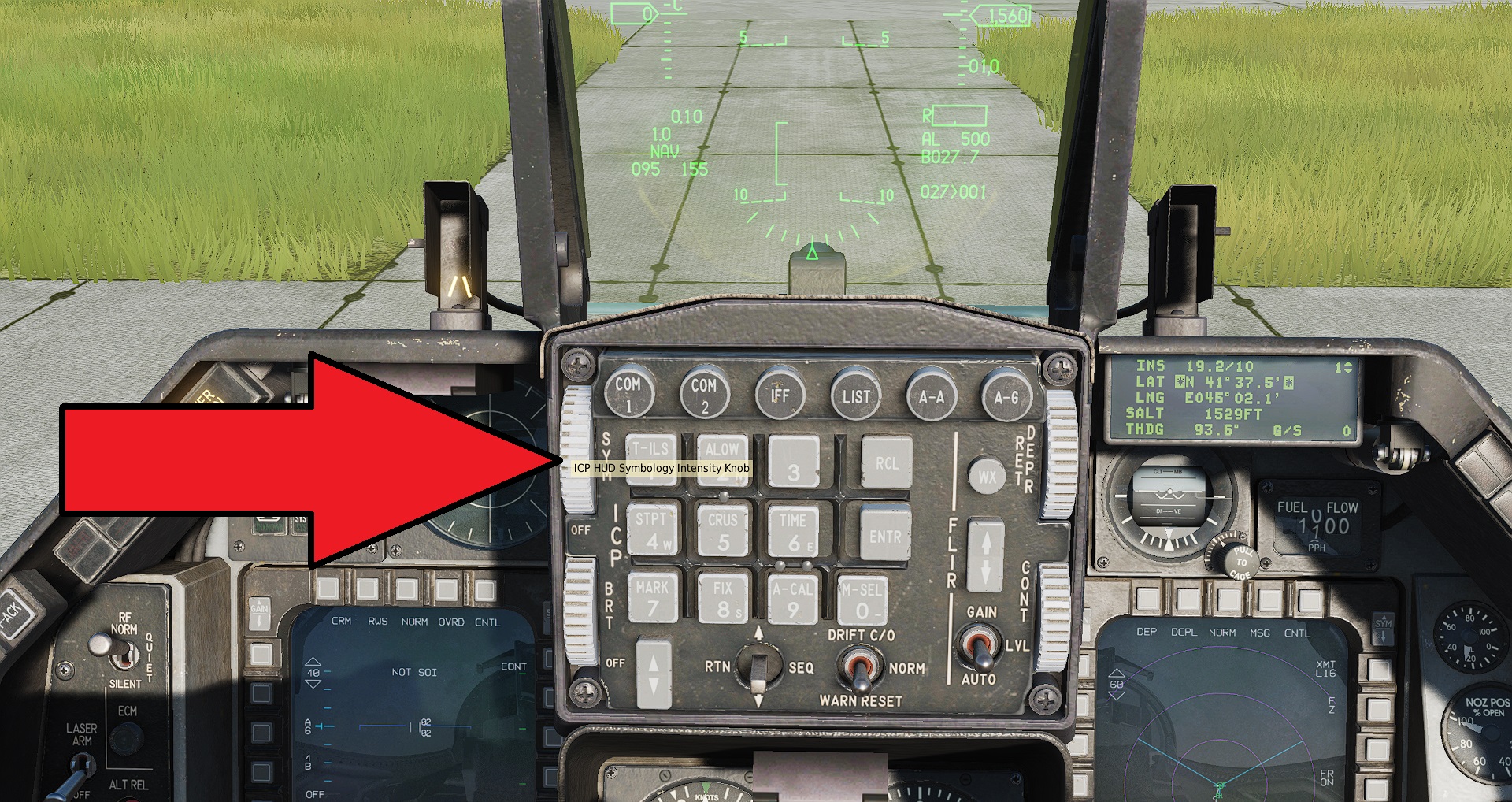 On the ICP just under the HUD use the top left rotary knob labelled SYM to increase the brightness of the HUD Symbology until you can see it clearly
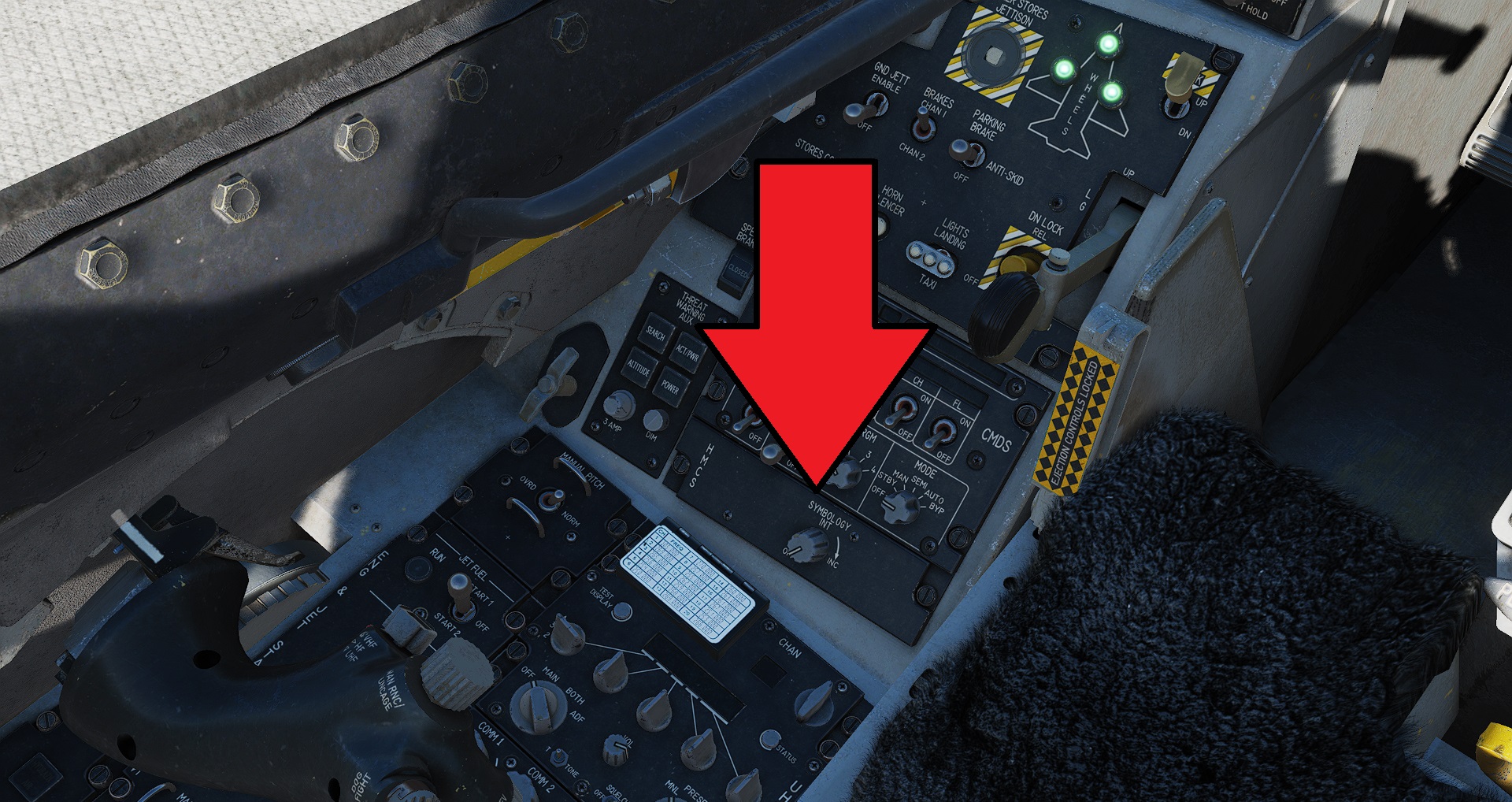 On the HMCS panel adjust the SYMBOLOGY INT knob to the maximum position to set the brightness of the Helmet Mounted Cueing System - look away from the HUD to see the results (i.e. look over your shoulder).
Near the flight stick
On the HMCS panel adjust the SYMBOLOGY INT knob to the maximum position to set the brightness of the Helmet Mounted Cueing System - look away from the HUD to see the results (i.e. look over your shoulder).
Near the flight stick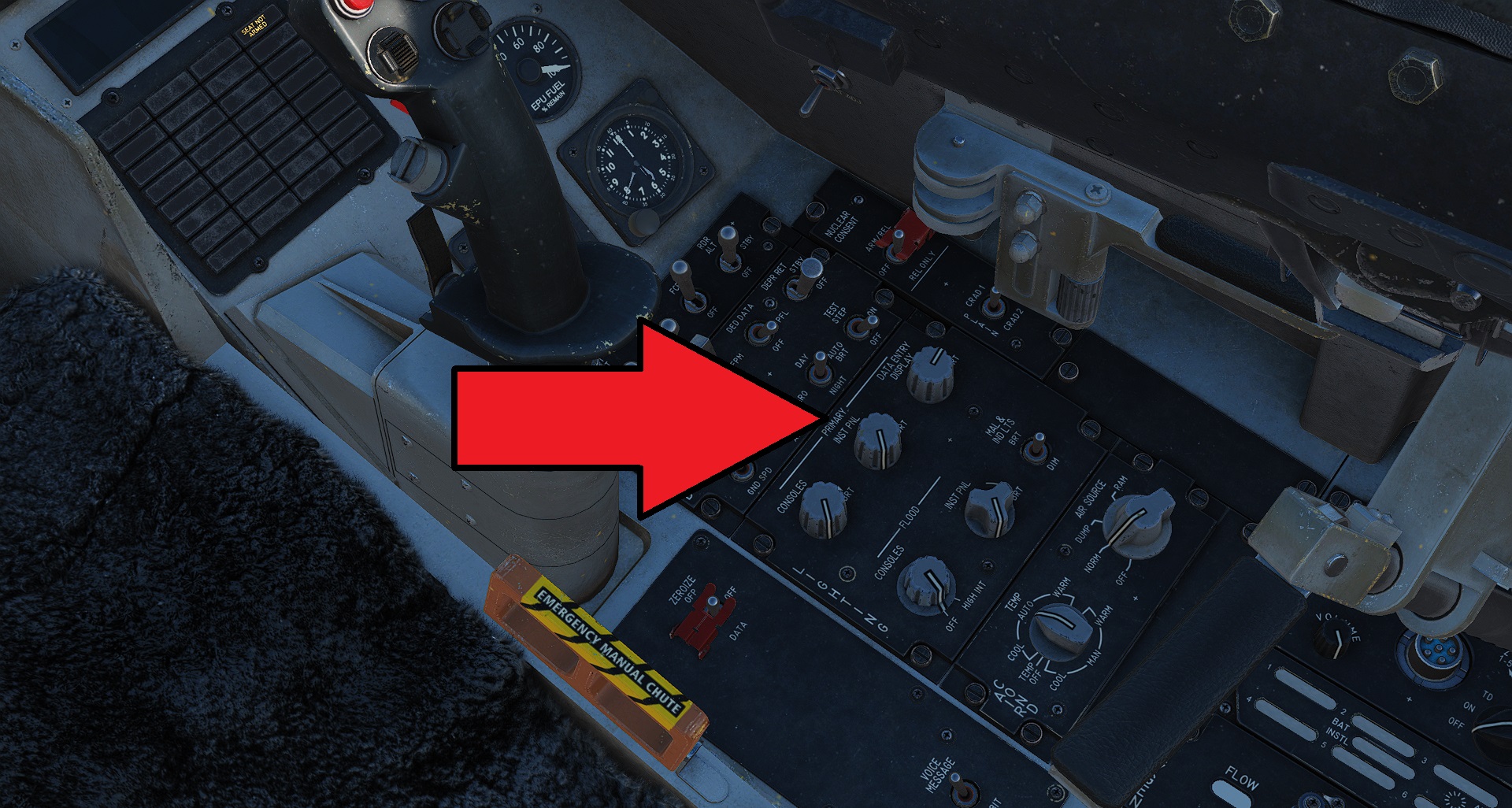 Adjust the interior lighting to suit conditions by changing the 3x Backlighting knobs and 2x Flood lighting knobs
At your left hip
Adjust the interior lighting to suit conditions by changing the 3x Backlighting knobs and 2x Flood lighting knobs
At your left hip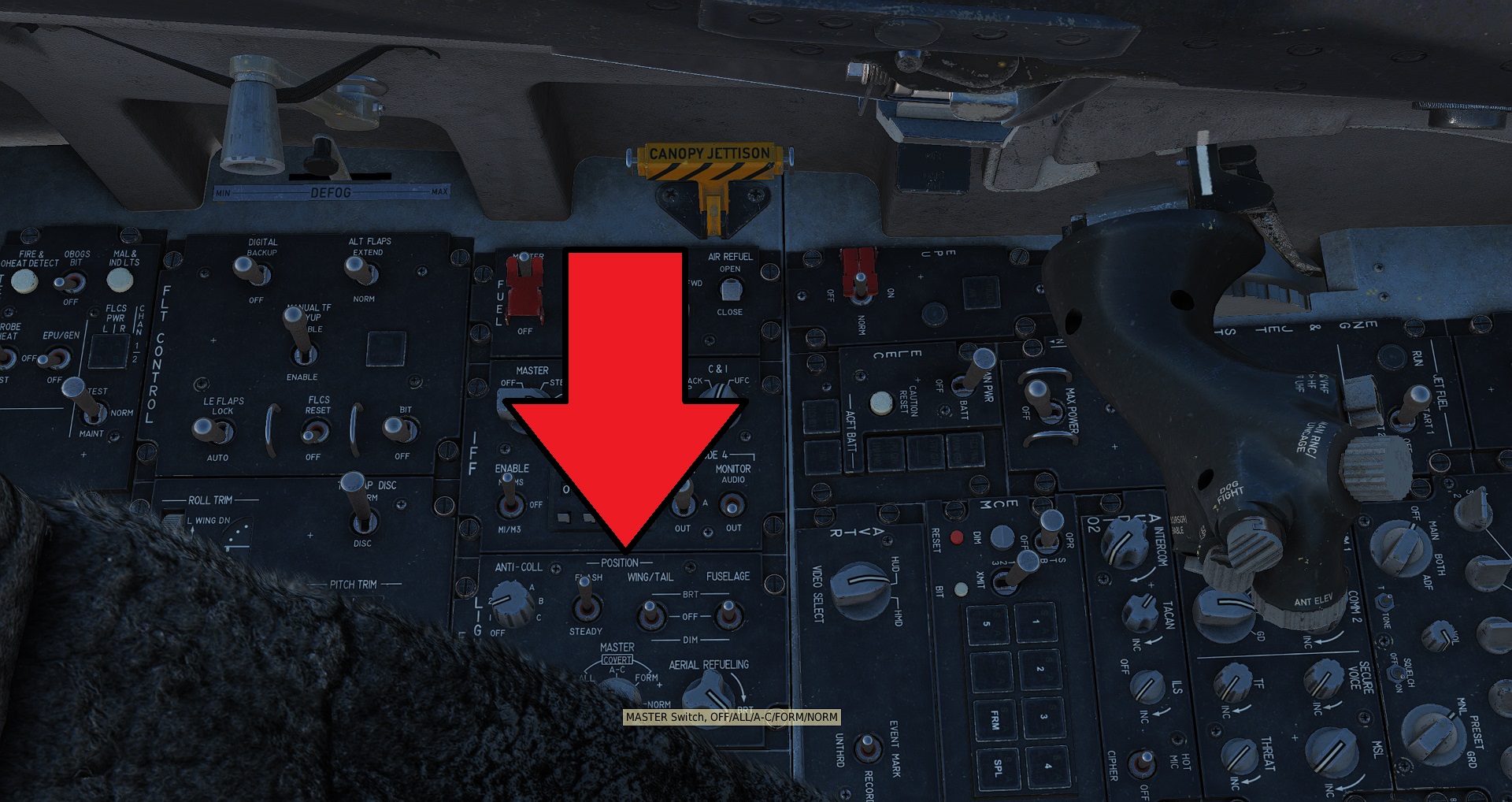 Enable the exterior lighting:
Set MASTER knob to NORM
ANTI-COLL knob to A
FLASH switch to STEADY
WING/TAIL to BRT
FUSELAGE to BRT
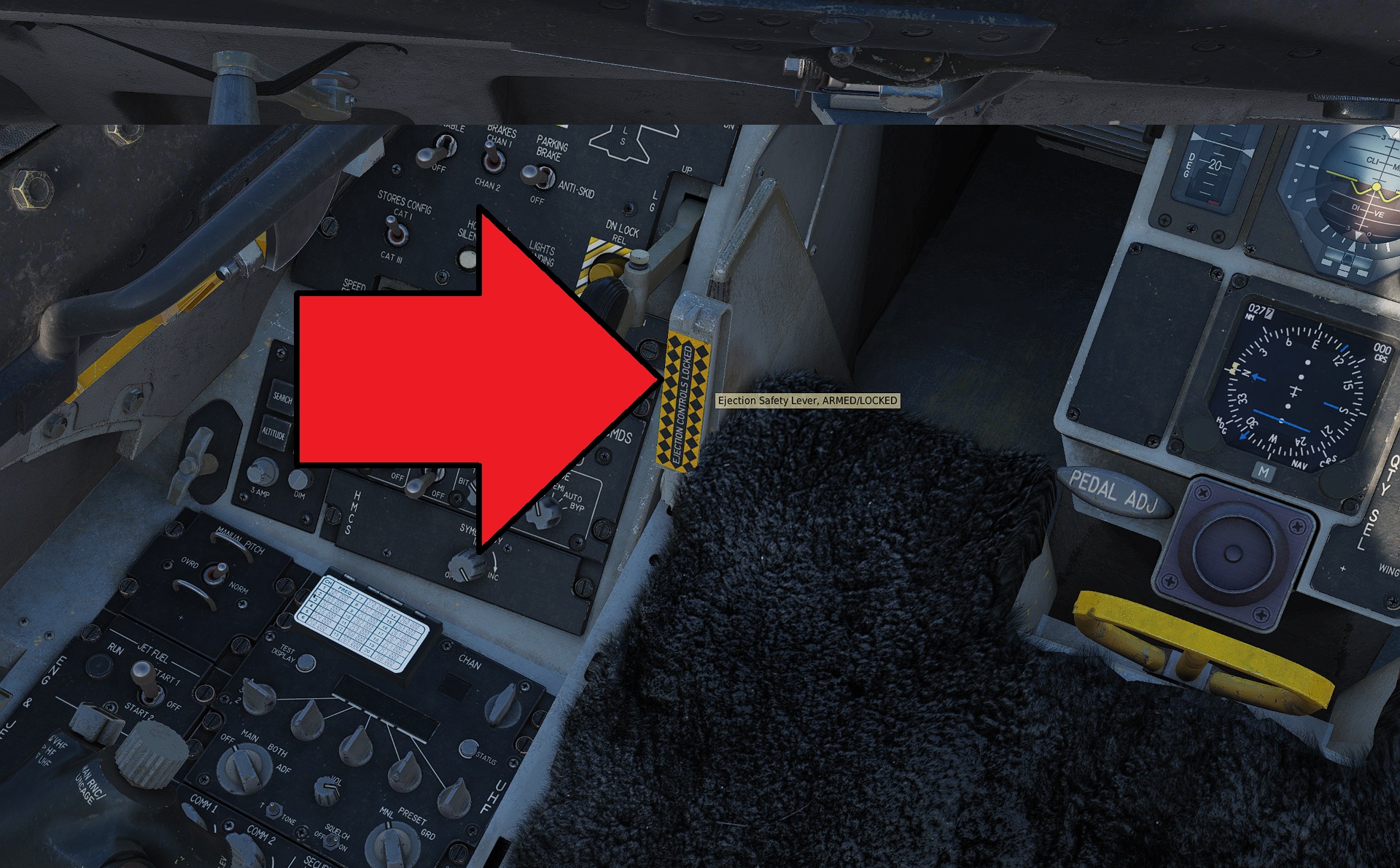 Arm the ejection seat by pushing down the sliver/yellow flap near your left knee
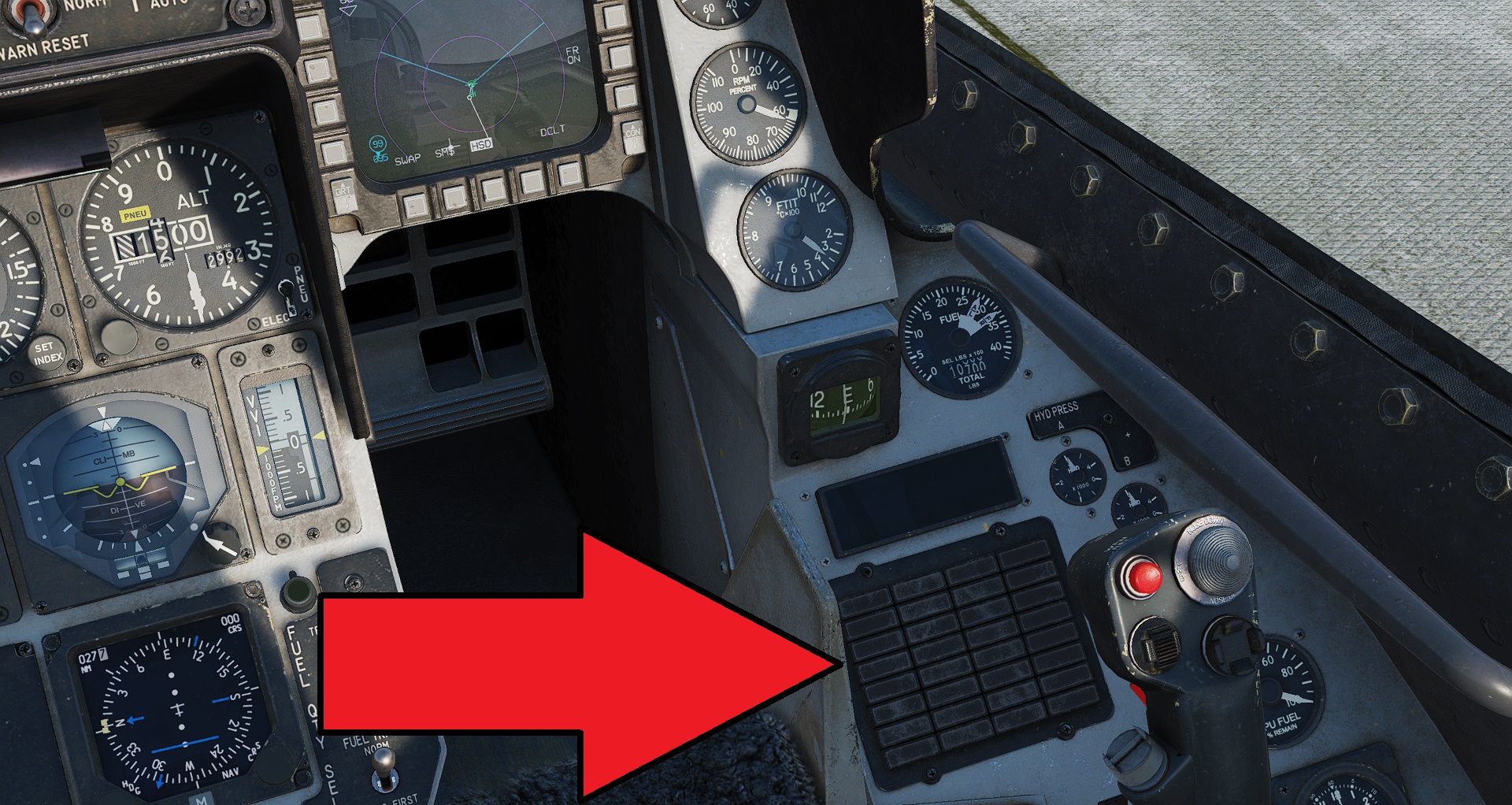 Make sure there are no errors showing on the warning lamps. If there are any warnings, then you may have missed a step. check what the warning is saying, and then go back thru the relevant step.
Taxi to the runway
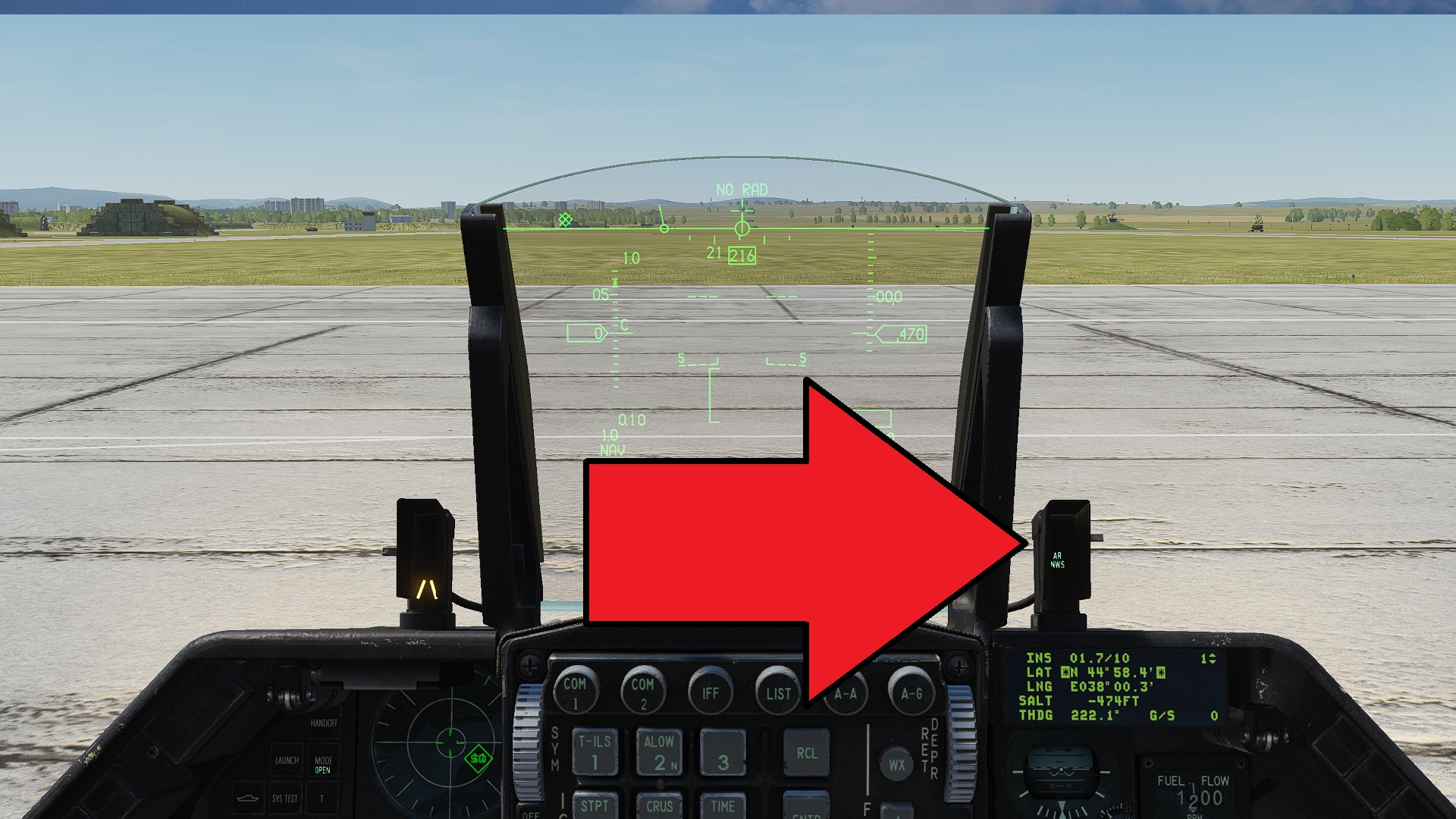 Before we start moving we will need to enable our nose wheel to steer (NWS) by pressing the S key. You will see that's enabled next to the HUD. Without this we cannot steer at low speeds.
Now slowly increase the throttle just enough to start moving. Then move it back to idle again. Take it slow, we will go fast soon enough. You don't want to tip the plane over after all of that work getting it started up! Add speed little at a time.
Brake with W
Steer Left and Right with Z and X
Turn right and follow the white line to the runway.
Stop just outside of the run way. Look left and right to make sure nobody is landing.
If it's clear enter the runway and park on the white line in the middle.
Take Off
Turn off the nose wheel steering with the S key. Will be gaining enough speed so that we can keep ourselves centred on the runway with our tail rudder. (it's still X and Z). With NWS turned ON, the plane can be too sensitive and dangerous at fast speeds.
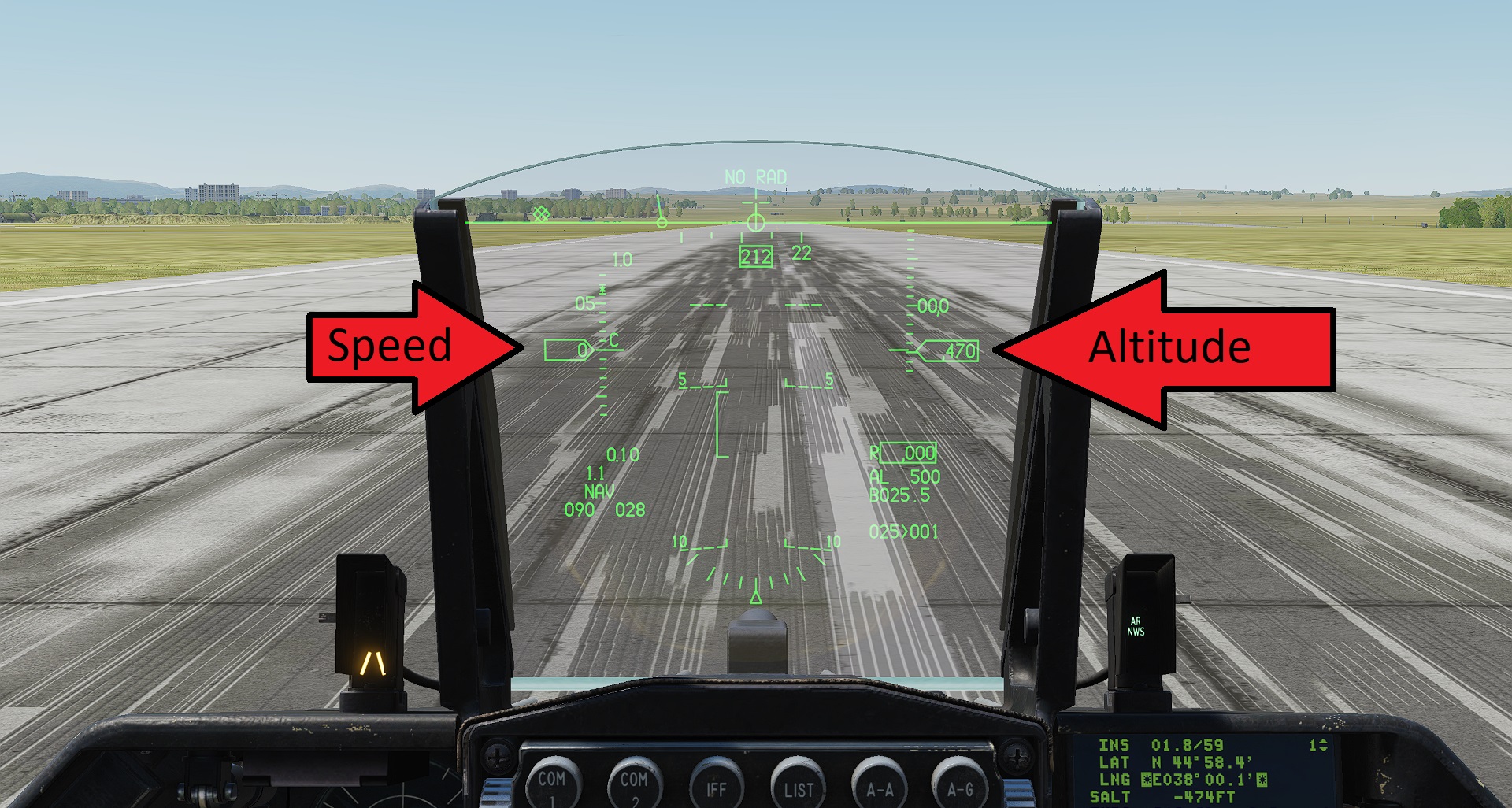
The next most important thing is to know where to see our speed and altitude. If either of these drops to zero in flight, then you're going to have a bad day.
During take off, we want to accelerate our plane so that the speed reaches about 200 knots. This will give us plenty of lift.
Give the plane maximum throttle, and let the afterburner loose! When the speed is >200 gently pull back on the stick, and let the plane lift itself into the air. A nice shallow angle is fine until we clear the runway.
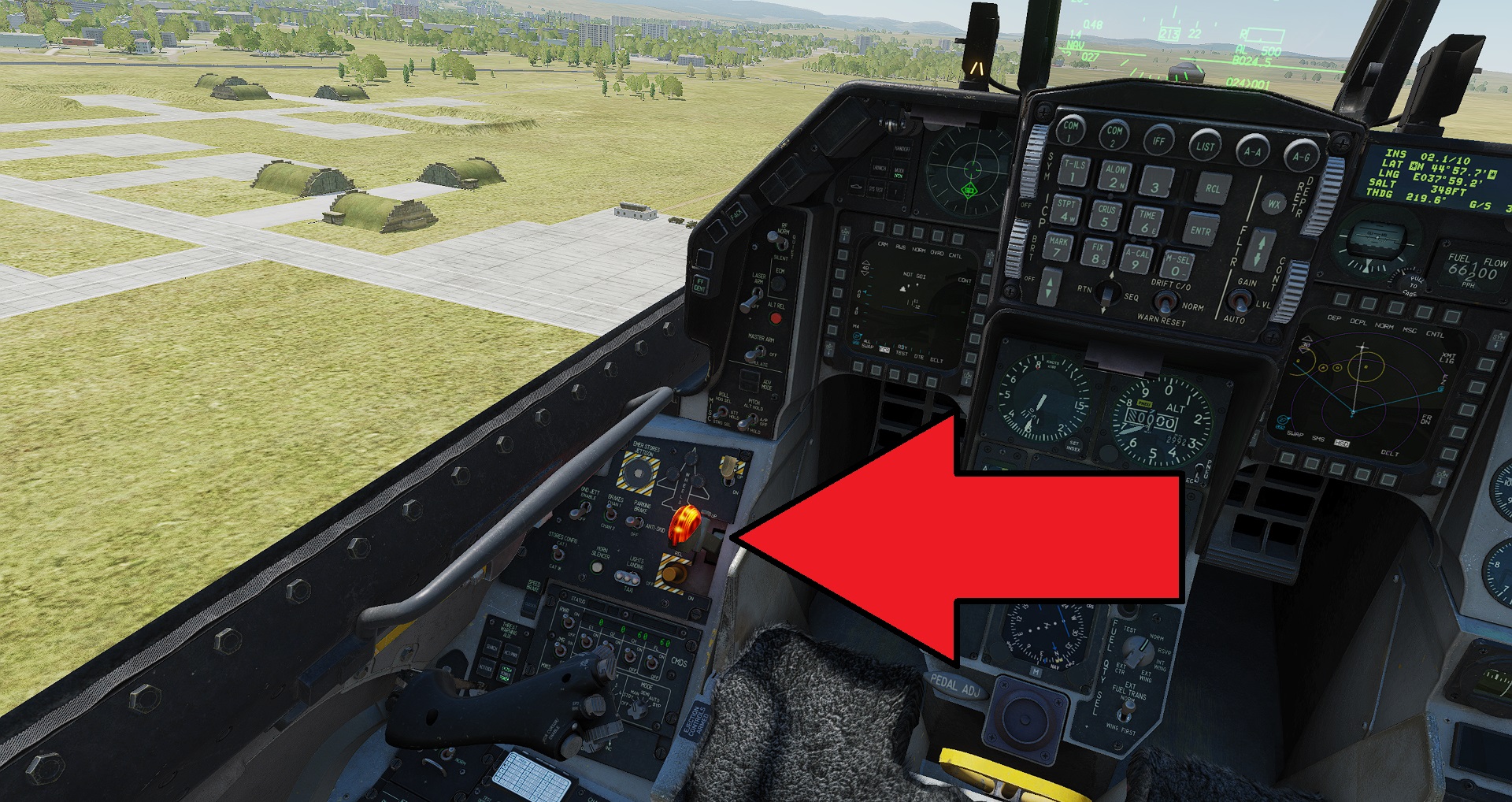 Once airborne, stow the landing gear with the big lollypop leaver. (or press G)
Reach about 3000 feet altitude.
Navigation
Now ease off on the throttle, or the afterburner will drink all of our fuel. Anywhere between 80% and 100% RPM will be fine. Add more or less as you need. Anywhere between 300 and 500 knots is a good cruising speed.
We want to fly to waypoint #1
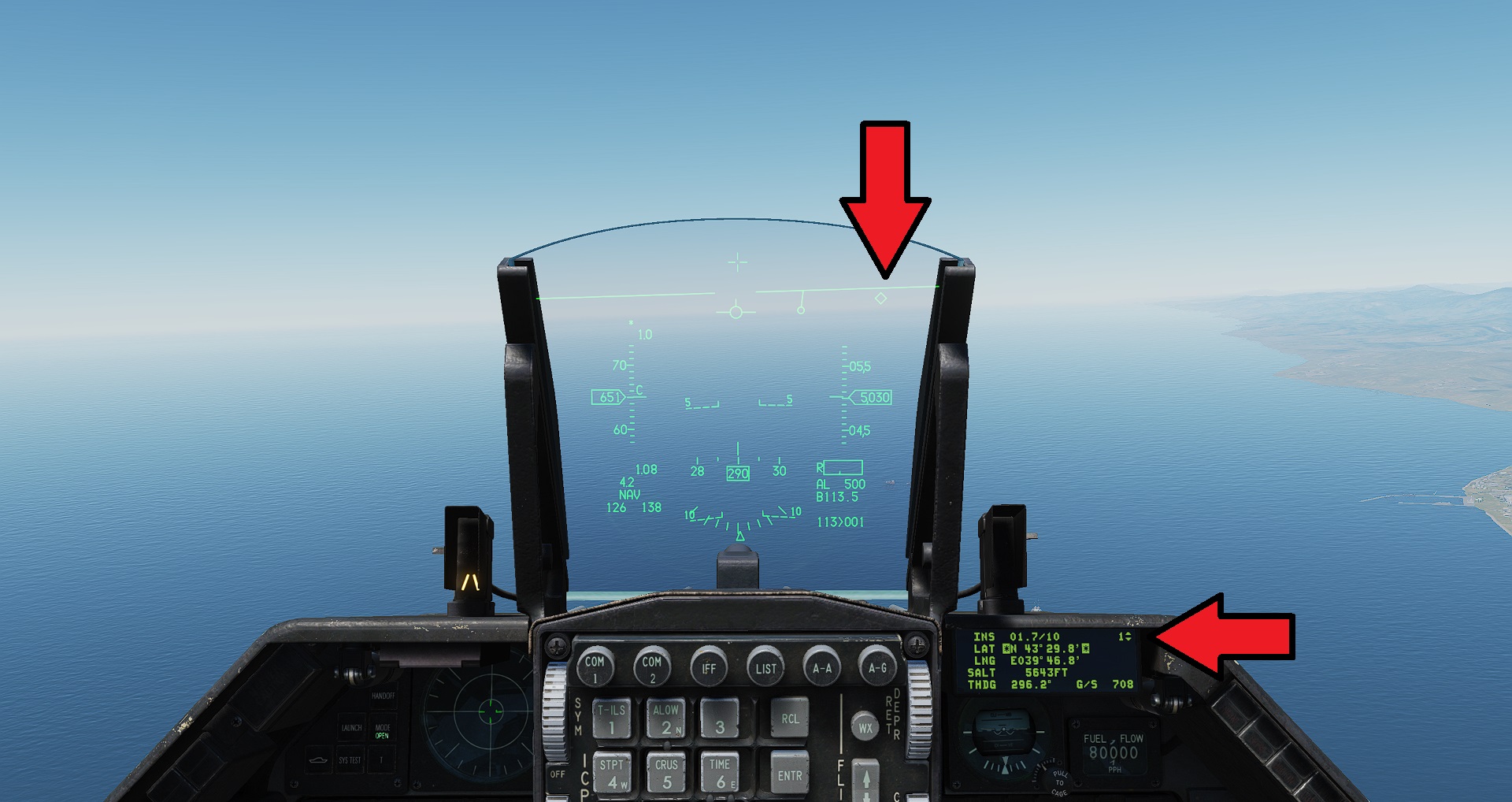 On the HUD we can see a small diamond showing where waypoint one is. If you can't see the diamond you are likely flying the wrong way, and instead will see a small tadpole symbol. Follow the tail of the tadpole as you turn and it will eventually lead you to the diamond.
The small DED display screen also shows that we have waypopint #1 selected
On the HUD we can see a small diamond showing where waypoint one is. If you can't see the diamond you are likely flying the wrong way, and instead will see a small tadpole symbol. Follow the tail of the tadpole as you turn and it will eventually lead you to the diamond.
The small DED display screen also shows that we have waypopint #1 selected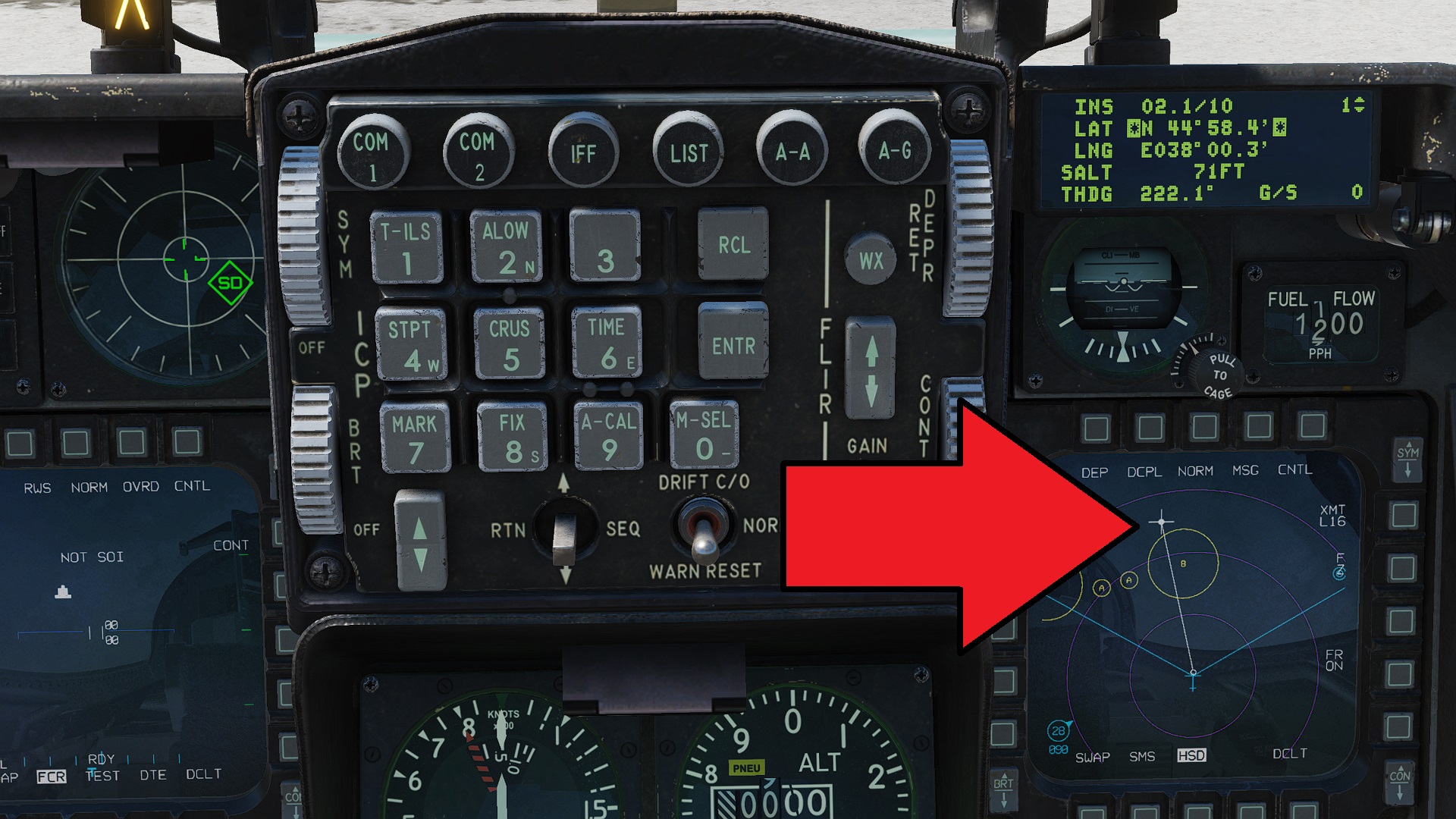
You can also see on the right MFD screen our plane and a line indicating which way to go. Just follow the line like you would with a GPS.
Once you get to waypoint #1 you should see some targets flying around. Some high up, some fairly low. They are invading our airspace, and they have been warned. We need to shoot them down.
Combat
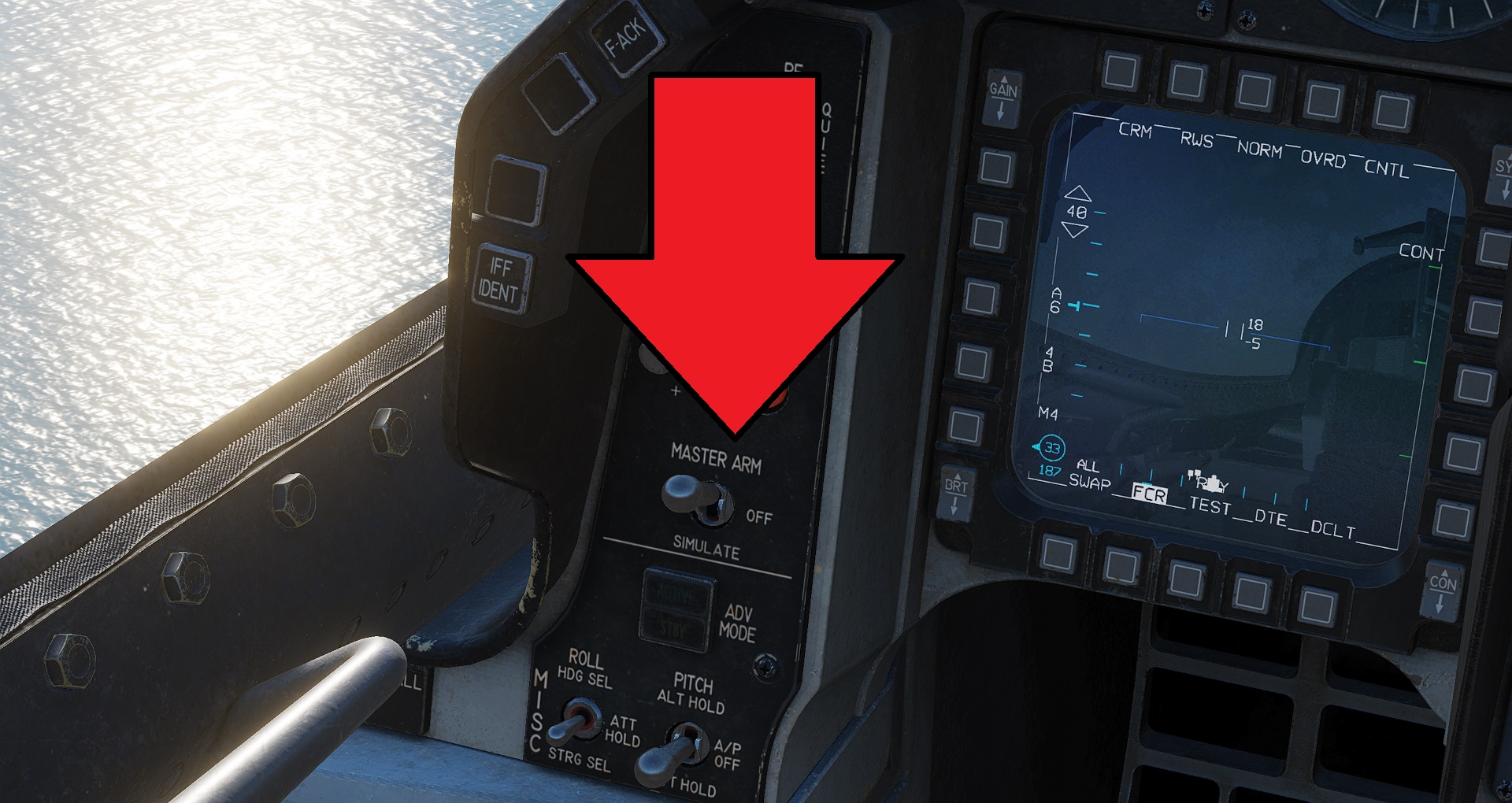 Put the MASTER ARM switch to the MASTER ARM position
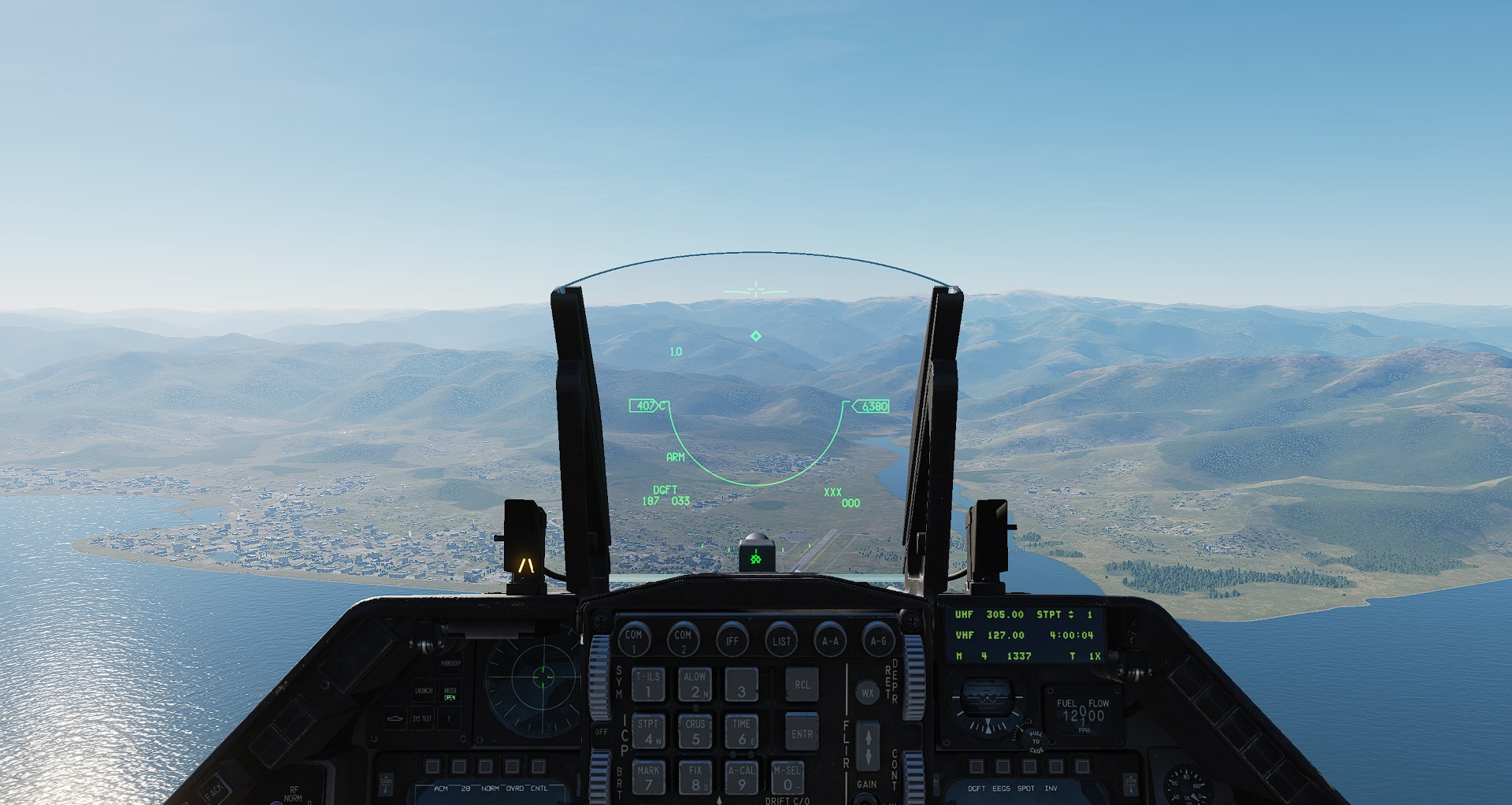 Press 3 on the keyboard (not keypad) to enable Close Air Combat mode
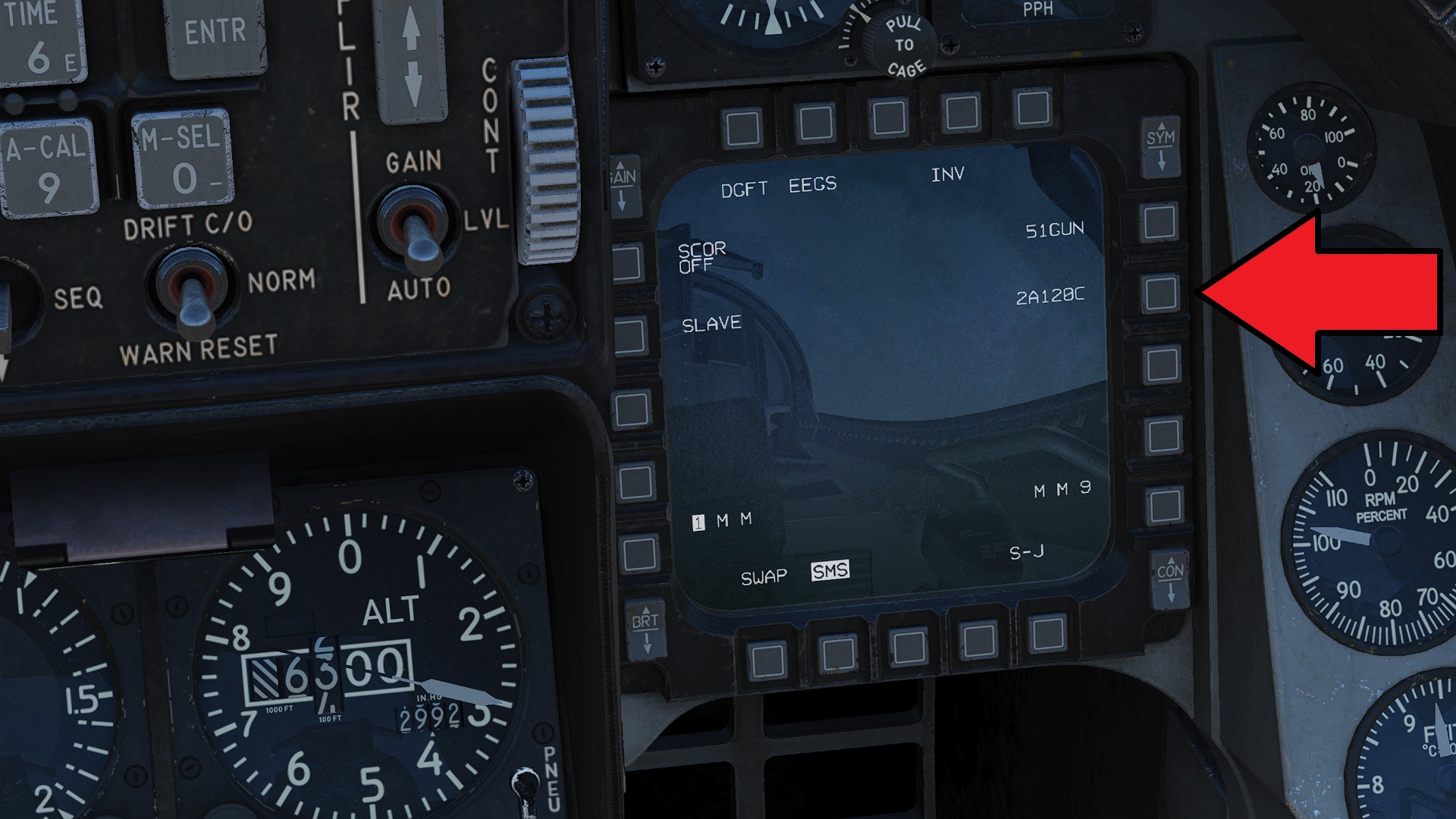 Click the button next to the missile name on the right MFD screen and it will switch to the next missile type - we want the AIM120C listed as 4A120C on the MFD (we have 4 of them equipped hence the 4)
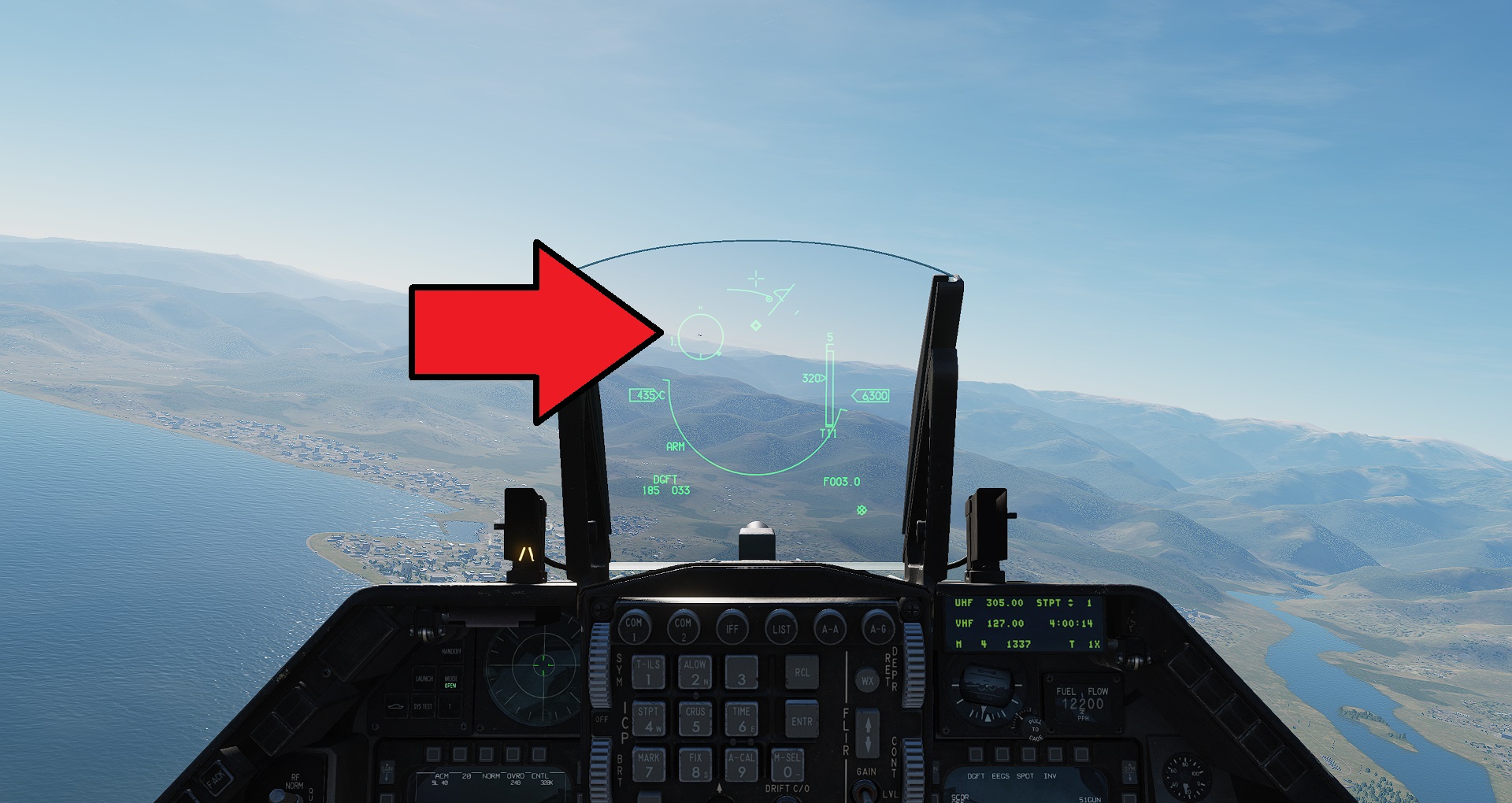 Fly so that you can place the enemy plane on your HUD and when you are within 10nm the enemy plane will be acquired and locked onto automatically as indicated by the big circle.
These have a very long range, so you can shoot right from the 10nm distance as soon as you have a lock. Fire a missile by holding SPACE + RIGHT ALT until a missile shoots.
FOX THREE!
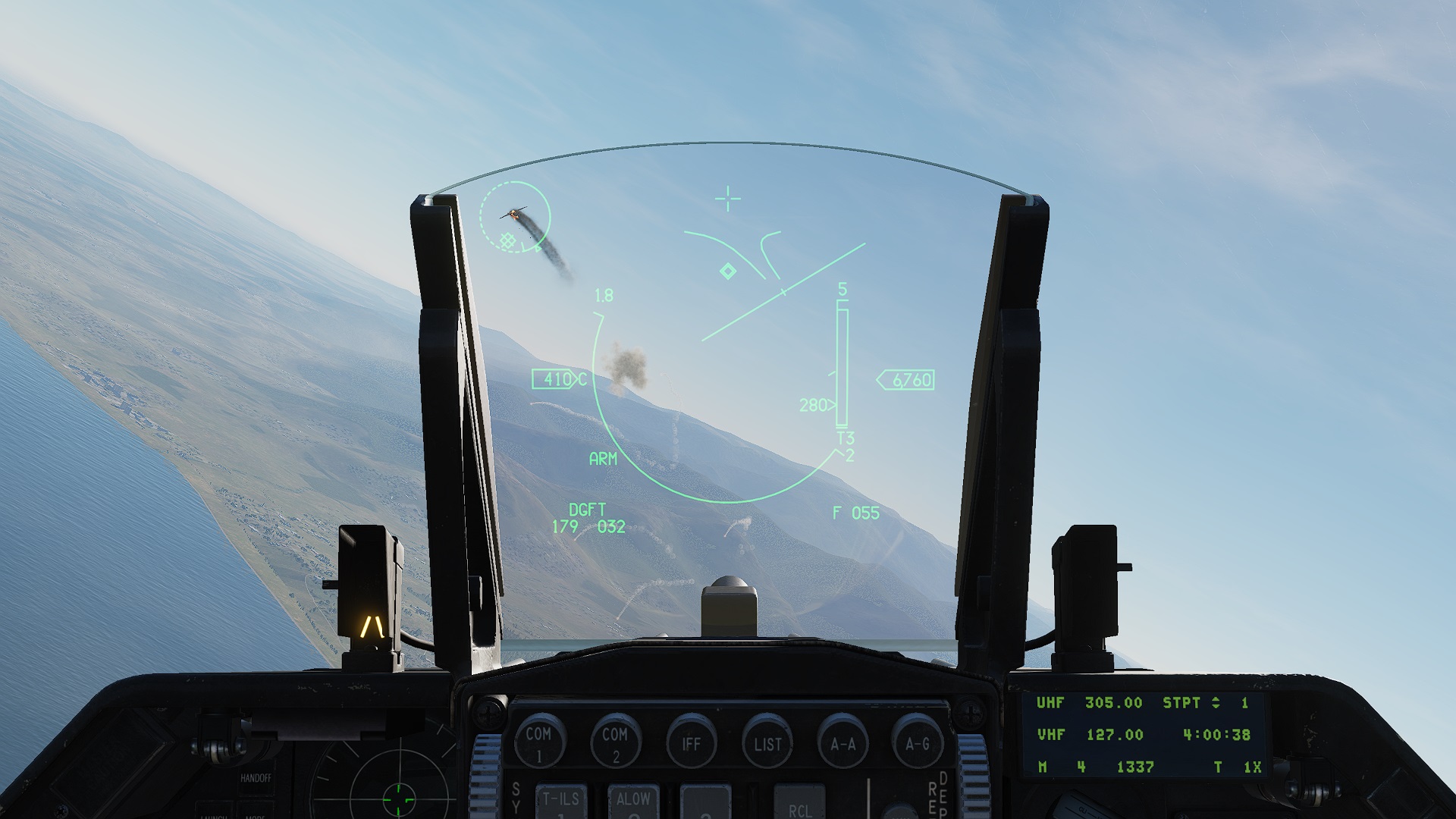 Splash One Bandit!
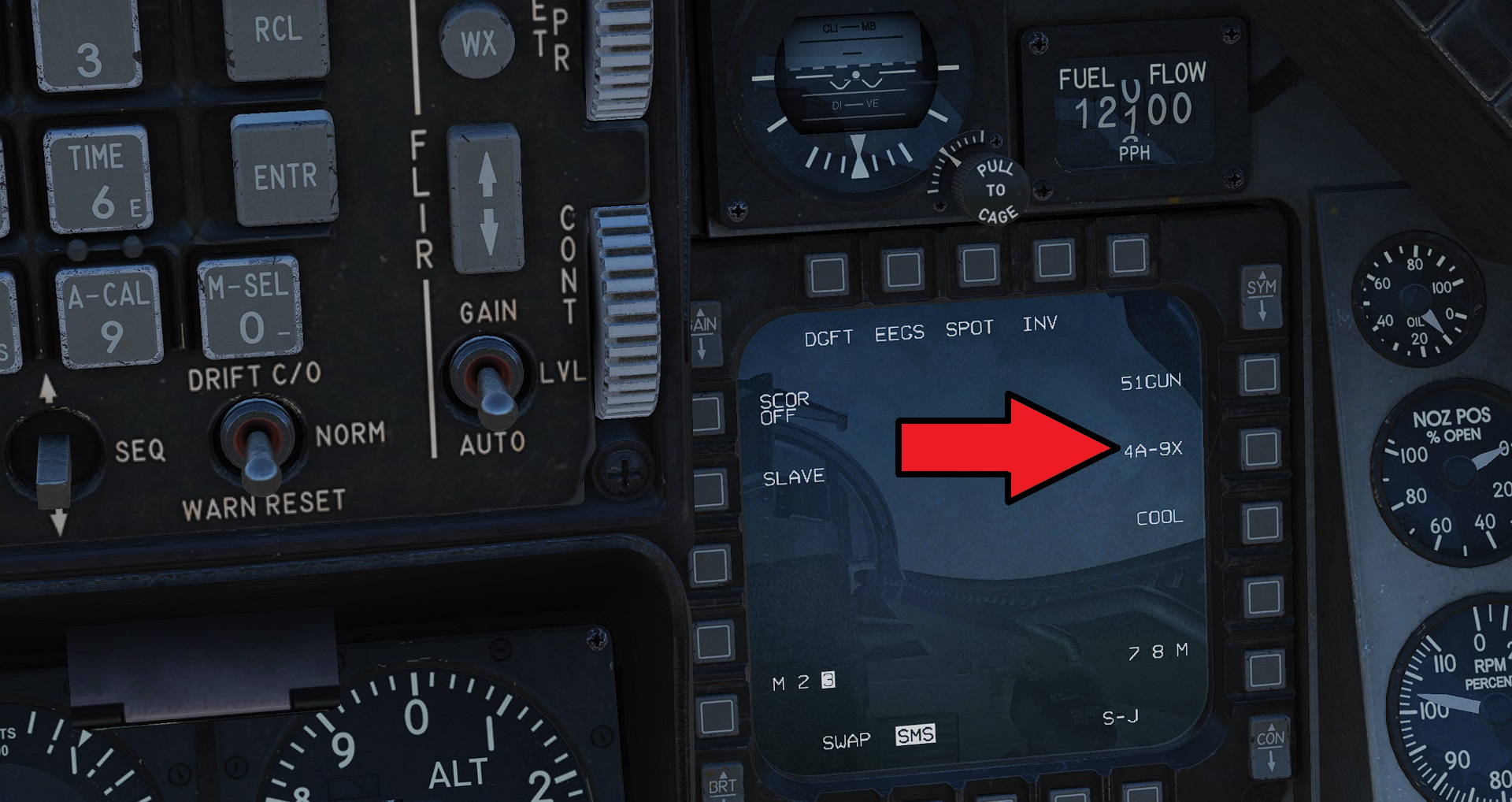 Let's try the AIM-9X heat seeker infrared guided missile (this is a close range, highly manoeuvrable missile).
Click the button next to the missile name on the right MFD screen and it will switch to the next missile type - we want to select the listing named 2A-9X (we have two of them hence the number 2 at the start)
Make sure you set the missile to COOL on the right MFD to prepare the missiles for firing (if set to WARM)
Fly so that you can place the enemy plane on your HUD and when you are within 10nm the enemy plane will be acquired and locked onto automatically as indicated by the big circle.
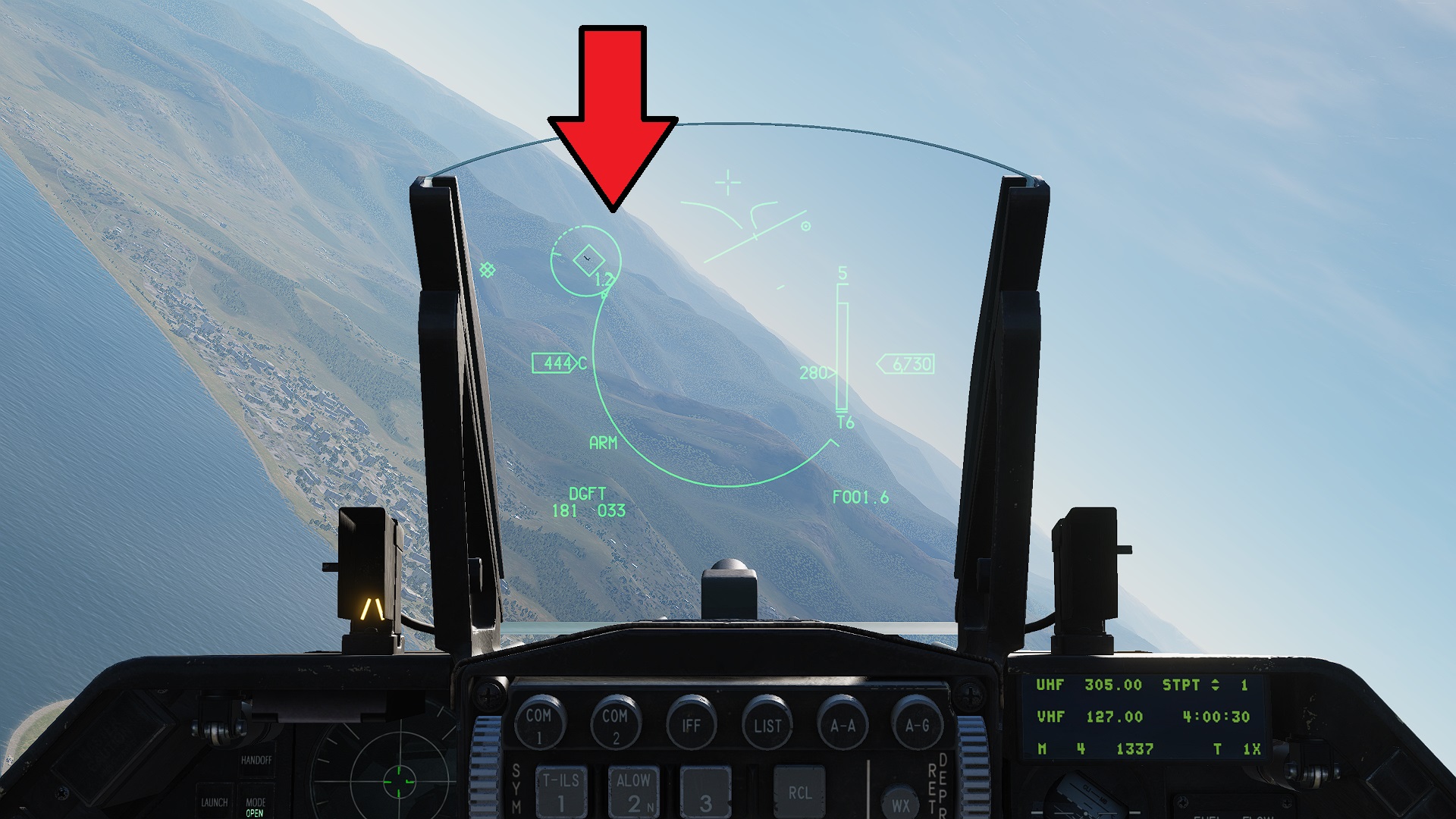 Press the C key on your keyboard to uncage the missile's seeker and it will track the current radar acquired target. You will see the diamond (representing where the missile is looking) move toward the big circle. And you will hear a constant high pitch tone to indicate a the missile itself is seeing the target.
Since the AIM-9X has a range between 2nm and 10nm (depending of whether the enemy is flying away or toward you) make sure you are at an appropriate distance before firing
Press the C key on your keyboard to uncage the missile's seeker and it will track the current radar acquired target. You will see the diamond (representing where the missile is looking) move toward the big circle. And you will hear a constant high pitch tone to indicate a the missile itself is seeing the target.
Since the AIM-9X has a range between 2nm and 10nm (depending of whether the enemy is flying away or toward you) make sure you are at an appropriate distance before firing
Press and hold SPACE + RIGHT ALT until your missile shoots. FOX TWO!
(to fire again, you must press C again to uncage the next missile's seeker)
Landing
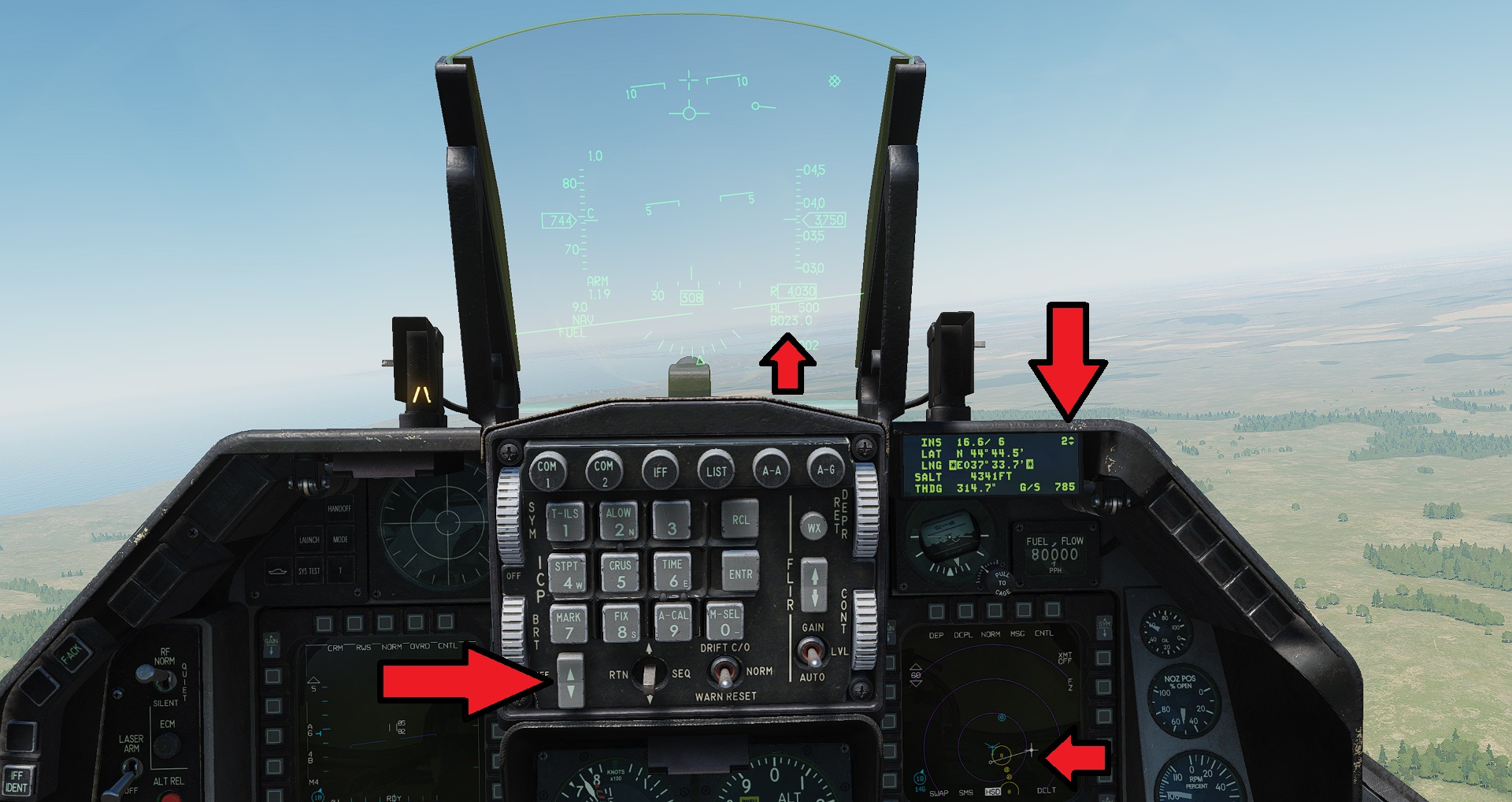 Press the 3 key to turn off Close Combat mode
On the ICP use the up and down rocker switch select waypoint #2
2 will be displayed on the corner of the DED
Distance to waypoint #2 will be displayed on the bottom right of the HUD
The right MFD screen will draw the line which you should follow - which is important to follow so that you don't approach the runway sideways.
Landing is worthy of a tutorial of it's own, but let's see if we can wing it.
When you are about 10nm miles from the destination, slow down to about 250 knots by throttling down, and using the speed brakes or air brakes. Hold Left Shift + B until the speed brakes are extended fully. You can hear the extra wind noise from them.
Descend to about 2000 feet.
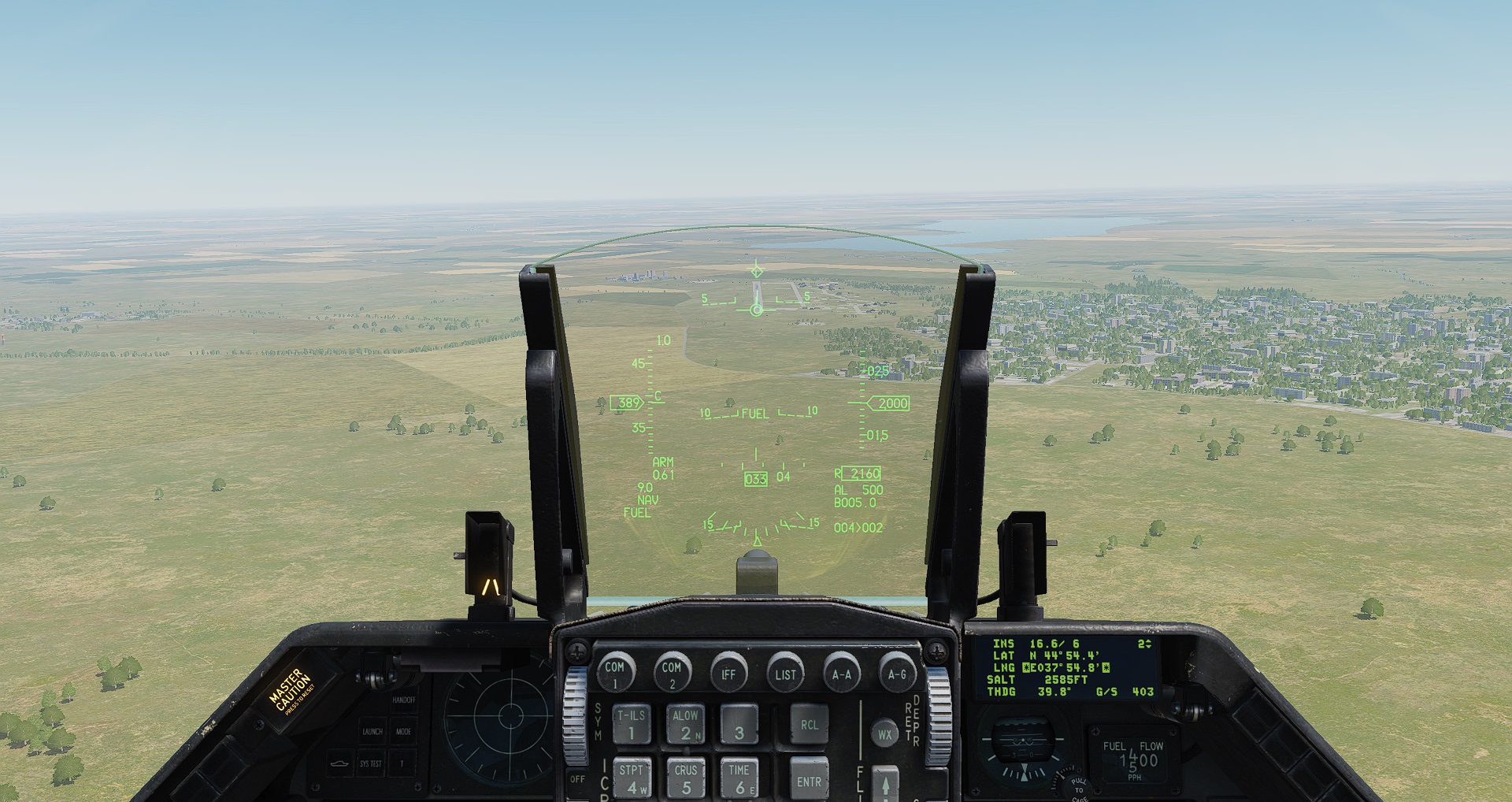 Once you can see the runway, place the velocity vector (the little plane symbol in the middle of the HUD). Try to keep your speed between 200 and 250. But also keep the velocity vector touching the start of the runway.
Press G to lower the landing gear.
You want to sail in nice and gently, and flare before touch down so that your back wheels touch first.
When you touch down hold W for wheel brake.
If you're still in one piece, then enable nose wheel steering again (S key), and park the plane somewhere appropriate. Well done. Hope you had fun :-)
- How To Setup Controls and Joystick★ 5 (505)39k views1.1k ♥12 minUpdated Aug 18, 2015
- F-15C Eagle Beginners Guide★ 5 (921)29k views1.6k ♥12 minUpdated Sep 13, 2019
- Xbox One Controls for DCS: World★ 5 (359)22k views757 ♥6 minUpdated Sep 12, 2022
- Su-25T : Weapon Specifications List / Other useful information★ 5 (615)18k views1k ♥10 minUpdated Jul 11, 2015
- How To: DCS World Beginner Basics★ 5 (167)13k views389 ♥16 minUpdated Feb 22, 2021
- DCS: A-10C Easy Guide and Basic Concepts★ 5 (296)13k views633 ♥11 minUpdated Sep 4, 2014



- Upgrading to PremiumTeam Fortress 2★ 5 (20k)1441k views11k ♥6 minUpdated May 11, 2022
- No More Room in Hell Official ManualNo More Room in Hell★ 5 (2.8k)569k views2.1k ♥29 minUpdated Apr 22, 2019
- NMRiH Community Hosting GuidesNo More Room in Hell★ 5 (526)351k views653 ♥1 minUpdated Aug 10, 2022
- ULTIMATE GUIDE FOR GAME DEV TYCOONGame Dev Tycoon★ 5 (5.8k)326k views10k ♥4 minUpdated 23 Jan, 2014
- How to 'Git Gud' Soon™MORDHAU★ 5 (2k)318k views3k ♥68 minUpdated Nov 16, 2024
- Лучшие кооперативные игры SteamPAYDAY 2★ 5 (1.5k)315k views2.1k ♥56 minRussianUpdated Apr 27, 2025






This guide was created by its original author on the Steam Community. Are you the author and want it removed? Request removal.