Have multiple savefiles at the same time
・Downloading 'Fluffy Manager 5000'
Long ago we had DDDA Save Manager to do the job but since 2025 it stopped working. Now we'll try with a very known name in the Modding scene: Fluffy Manager 5000.
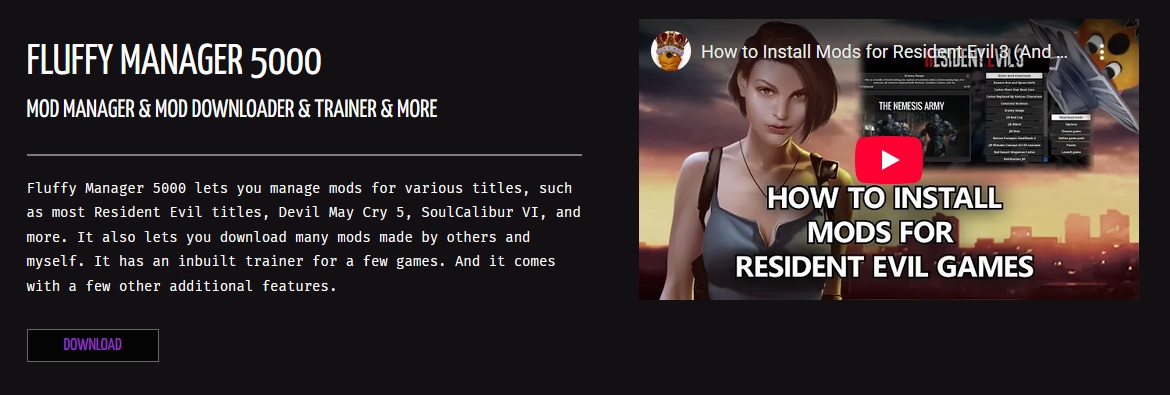
You can get it from here:
You'll obtain a .rar file called 'modmanager.rar'. Open and extract it anywhere.
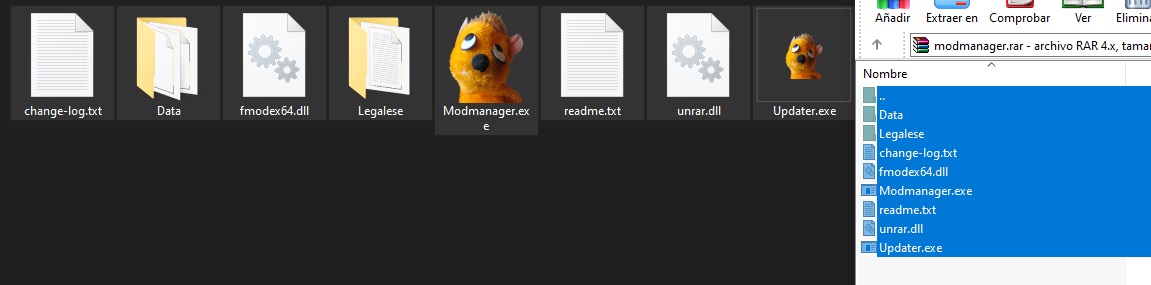
・Using 'Fluffy Manager 5000'
Fluffy Manager 5000 is traditionally a Mod Manager popular in Capcom and RE Engine games. For now we'll just focus on its Save Manager function.
Run 'Modmanager.exe', search for 'Dragon's Dogma: Dark Arisen' and click on it.
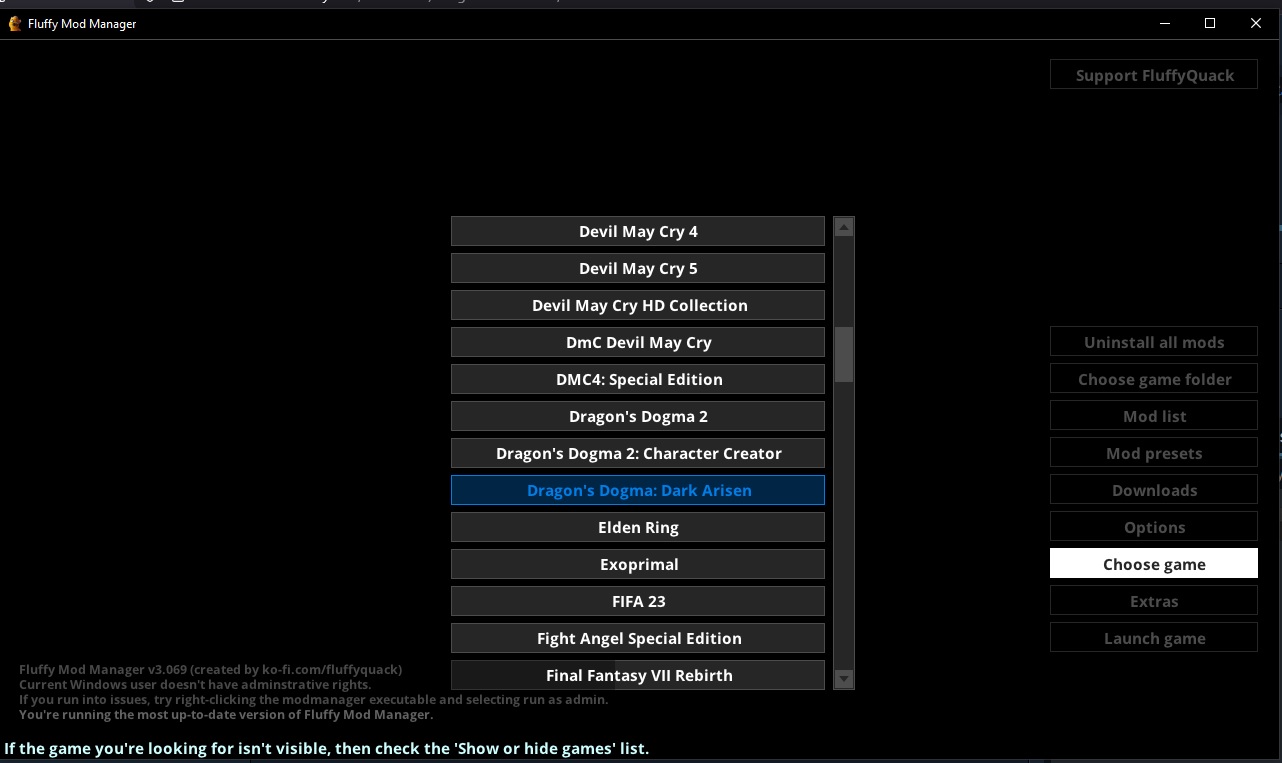
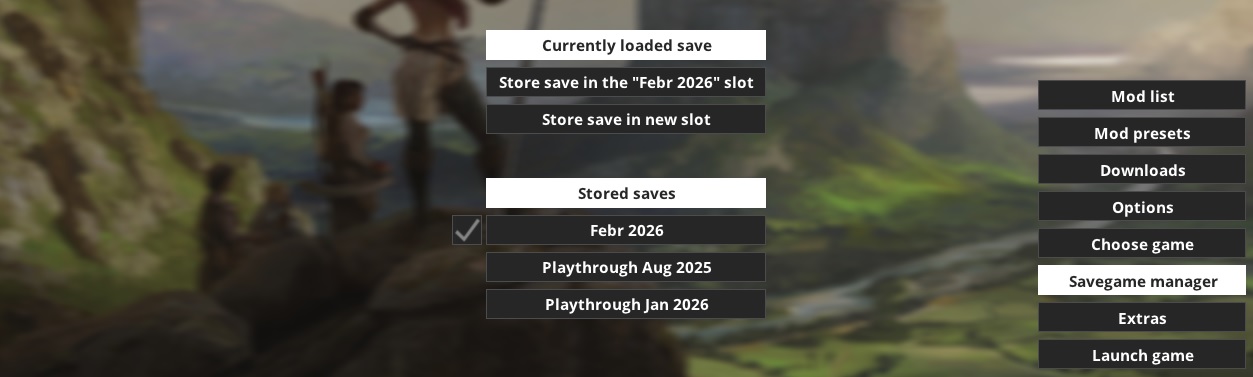
On your right you'll see an option called 'Savegame manager', click on it.
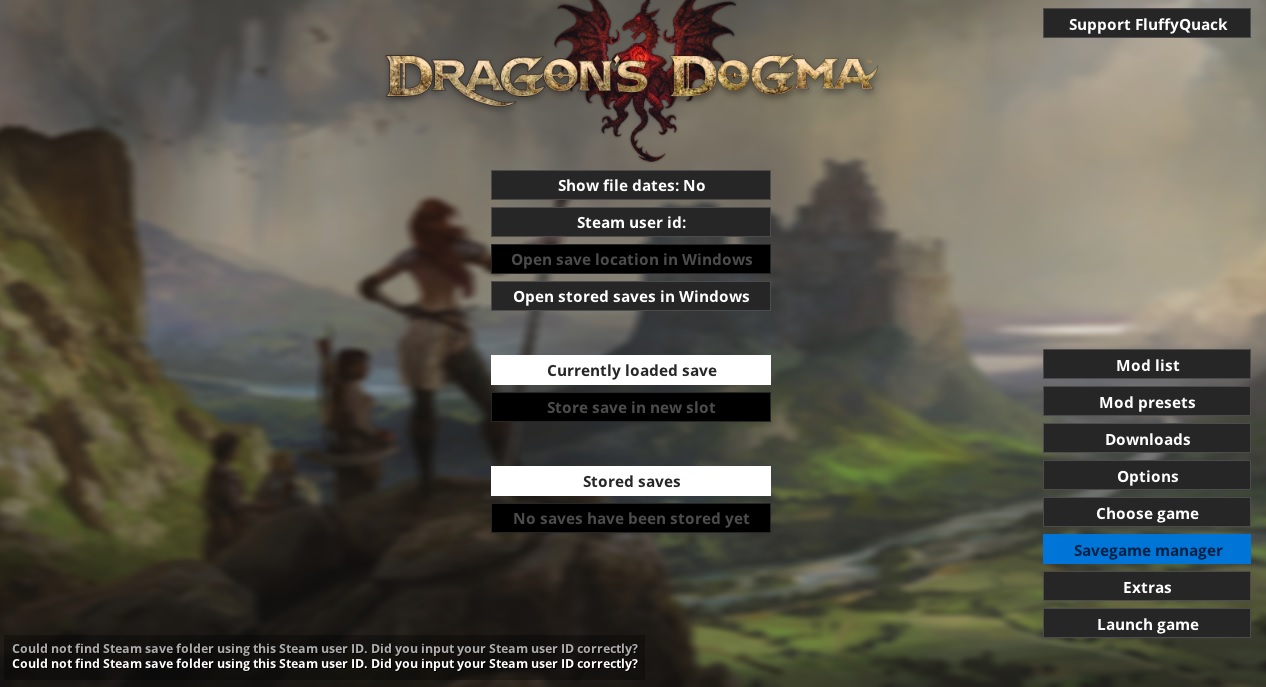
Now click on 'Steam User ID' and insert your SteamID.
If you don't know your SteamID, there's various ways to find it.
The easiest is just searching online for a 'SteamID Finder' like steamid.io or a database like SteamDB's Calculator[steamdb.info].
- For steamdb.info/calculator, search for your username and you'll see a lot of public data about your account. On 'Steam3 ID' you'll see a text like '[U:1:XXXXXXX]', the required SteamID you're looking for are the numbers between the : and the ]. For example: If your Steam3 IDis '[U:1:123456789]', then you just need to copy '123456789'.
- For steamid.io you just do basically the same with the only difference that 'Steam3 ID' is called 'SteamID3'.
Now with your SteamID copied and pasted into Fluffy Manager 5000, click on 'Store save in new slot' and you'll be asked to add a name to your new save. Do it and press Enter.
You'll see that your newest saved games have a checked box on their left. This means this is essentially identical to your current loaded game.
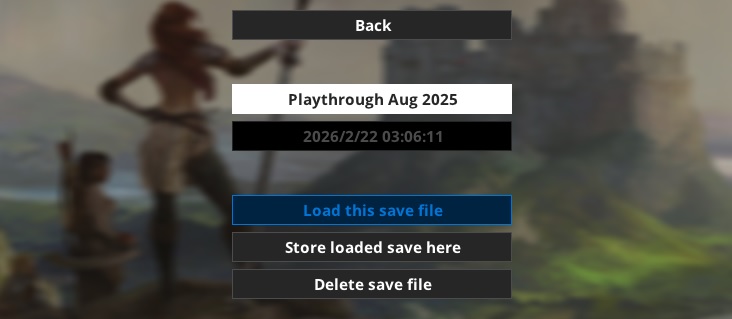
You can select a previous savefile and click on 'Load this save file' to, well, load said save file (...duh). Make sure to have the game closed before doing this.
・Now enjoy!
Fluffy Manager is a very popular tool that's being actively updated, so I don't think it'll become useless anytime soon.
- Hero Achievement and Missable Quests Guide★ 5 (3.5k)58k views7.1k ♥30 minUpdated Aug 2, 2016
- Dragon's Dogma: Dark Arisen. Getting started 101 and "did you know's?"★ 5 (918)53k views1.1k ♥17 minUpdated Jan 20, 2016
- The Arisen's Handbook: A Guide to Adventuring in Gransys★ 5 (1.7k)42k views3.4k ♥91 minUpdated Oct 8, 2023
- The Guide to Vocations and Skills★ 5 (806)42k views1.9k ♥86 minUpdated Jan 1, 2020
- Chronological Quest Guide for dd:da★ 5 (779)33k views2k ♥54 minUpdated Jul 5, 2023
- Vocations, Strengths and Weaknesses, all Part of a Whole - Writings of an Aged Arisen★ 5 (575)32k views873 ♥33 minUpdated Jan 3, 2021



- Upgrading to PremiumTeam Fortress 2★ 5 (20k)1441k views11k ♥6 minUpdated May 11, 2022
- No More Room in Hell Official ManualNo More Room in Hell★ 5 (2.8k)569k views2.1k ♥29 minUpdated Apr 22, 2019
- NMRiH Community Hosting GuidesNo More Room in Hell★ 5 (526)351k views653 ♥1 minUpdated Aug 10, 2022
- ULTIMATE GUIDE FOR GAME DEV TYCOONGame Dev Tycoon★ 5 (5.8k)326k views10k ♥4 minUpdated 23 Jan, 2014
- How to 'Git Gud' Soon™MORDHAU★ 5 (2k)318k views3k ♥68 minUpdated Nov 16, 2024
- Лучшие кооперативные игры SteamPAYDAY 2★ 5 (1.5k)315k views2.1k ♥56 minRussianUpdated Apr 27, 2025






This guide was created by its original author on the Steam Community. Are you the author and want it removed? Request removal.