How To Change FOV In Both Single & Multiplayer
Changing FOV In Singleplayer
To change the FOV in singleplayer, you need to download a tool called "MedalOfHonorFOVChanger". The tool is completely safe and free to use, there are no VAC bans or Viruses.
Download Link: MedalOfHonorFOVChanger [community.pcgamingwiki.com]

Then you'll see the application, so before you run it, you need to copy and paste this application into your EA Games > Medal of Honor folder, which is in Documents.
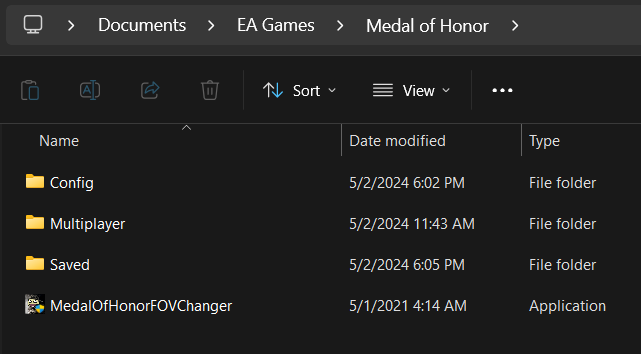
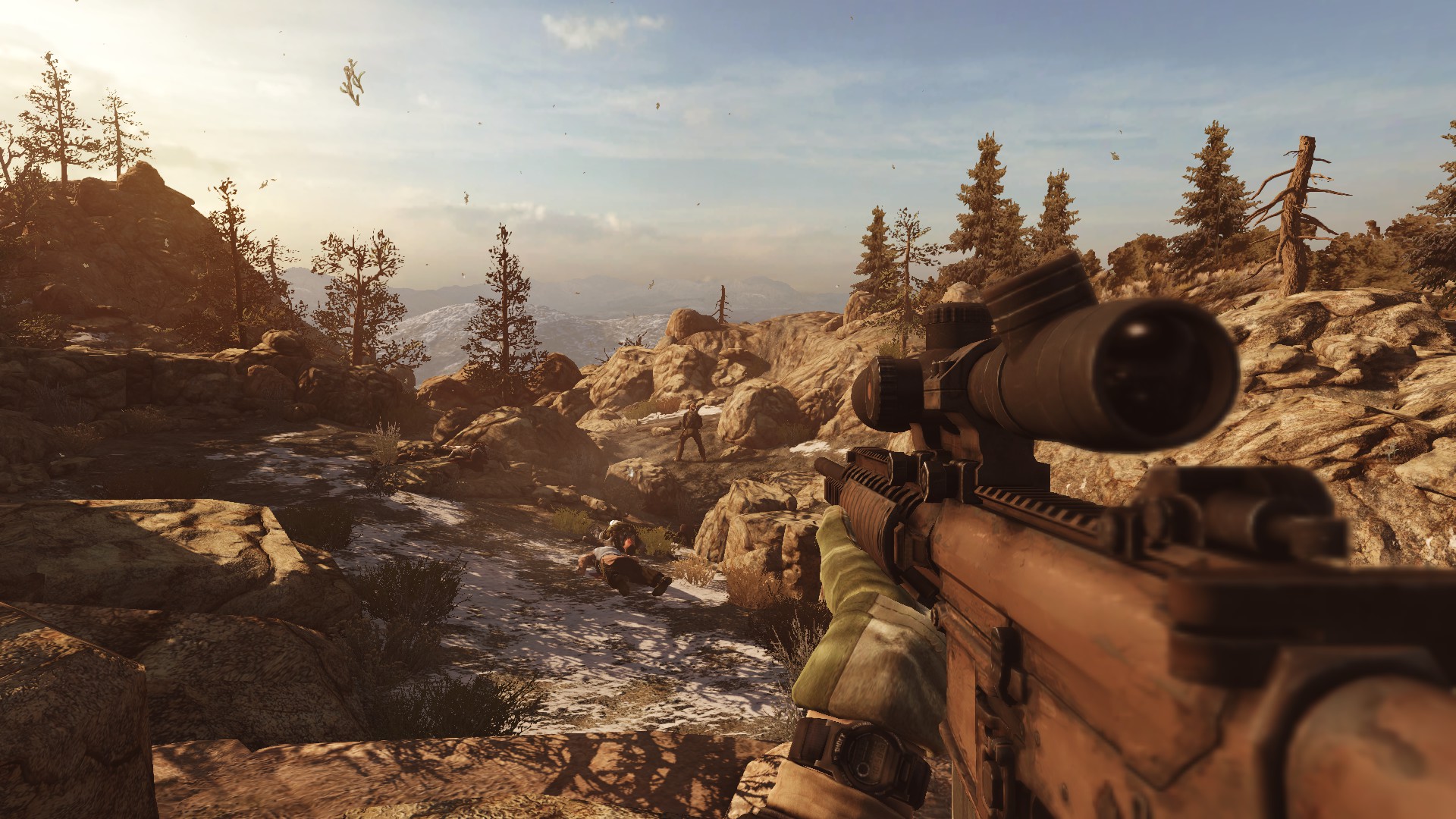
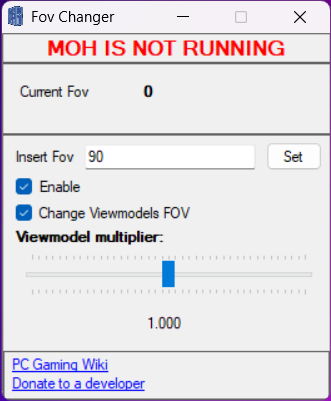 Now double-click on the application, tick the Enable box, type the FOV to anything you like, FOV 90 will be the best-looking one. After that, click on "Set" and Launch the game. You can change the FOV at anytime while you are in the game. Make sure to click Set if you're changing to a different one.
You can also try changing the Viewmodel by sliding the Viewmodel multiplier. However 1.000 is the best-looking one.
If you want to remove the program, simply right click on it and click Delete.
NOTE!
You need to run this program every time you play the game.
Changing FOV In Multiplayer
For this, you don't have to use the MedalOfHonorFOVChanger application, we can configure it through the cfg file.
Then right-click on the Settings configuration file and open it with Notepad.
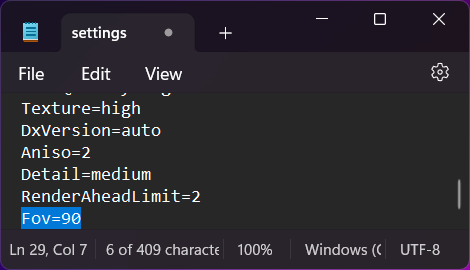
Once you have done that, press "Ctrl + S" together to save the changes, and you are good to go.
NOTE!
You can't change the FOV while in the game, you need to close the game and relaunch it if you need a different FOV.
Results (BEFORE & AFTER)
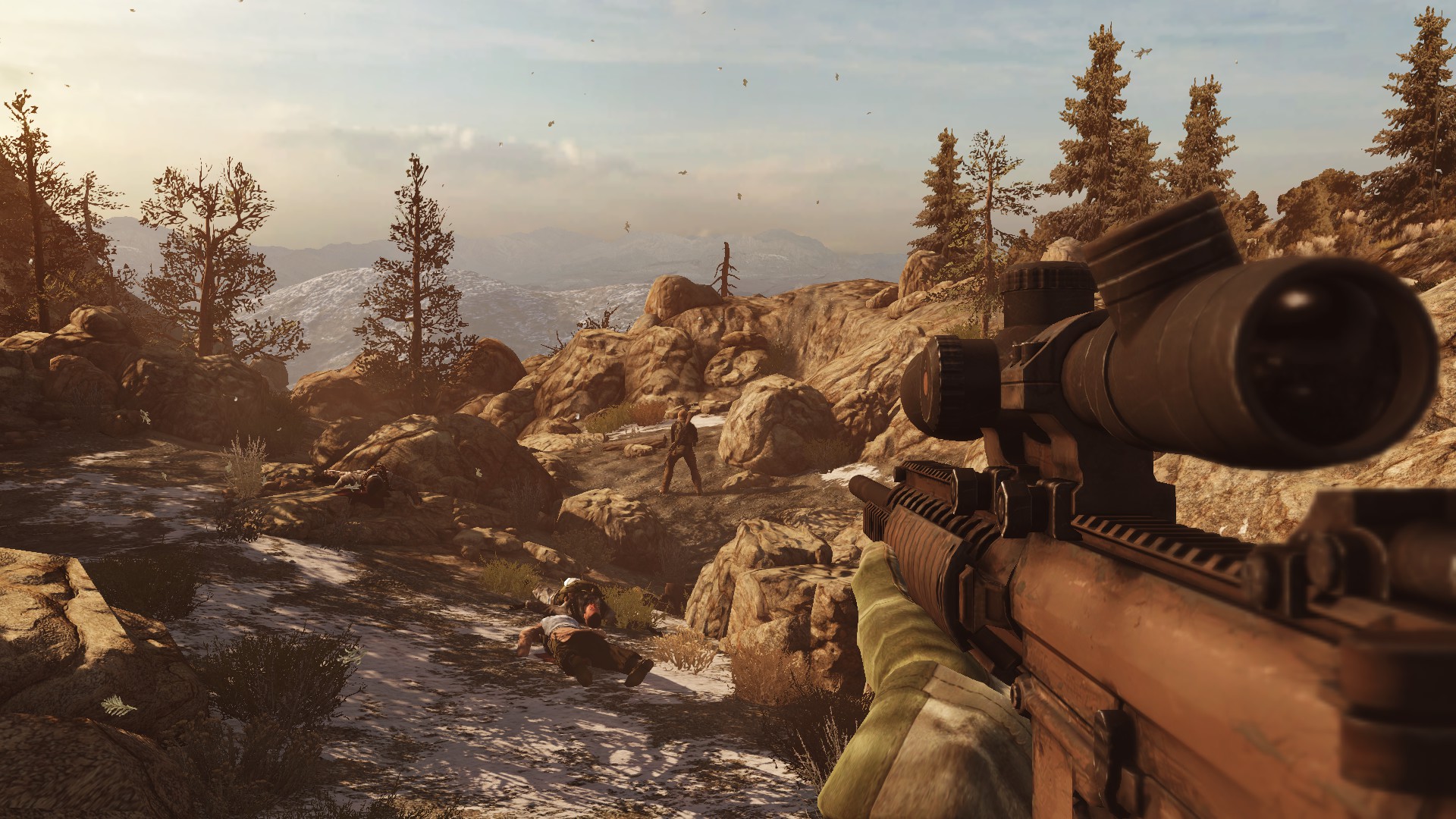
AFTER (90 FOV)
C L O S I N G N O T E S

- Medal of Honor - Fixes Guide★ 4 (141)18k views114 ♥3 minUpdated Feb 6, 2015
- How to unlock FPS and disable Mouse Acceleration★ 5 (259)11k views210 ♥2 minUpdated Jan 4, 2021
- Encontre CD KEY na STEAM - Find CD KEY on STEAM★ 4 (59)7.8k views33 ♥1 minUpdated Feb 27, 2025
- How to activate this game under 5 STEPS+1 OPTIONAL★ 4 (32)3.9k views28 ♥1 minUpdated Oct 25, 2025
- Полное прохождение Medal of Honor (2010)★ 4 (55)3.1k views24 ♥30 minRussianUpdated Oct 2, 2022
- FOV changer for SP★ 4 (33)3k views32 ♥1 minUpdated Apr 26, 2017





- Upgrading to PremiumTeam Fortress 2★ 5 (20k)1441k views11k ♥6 minUpdated May 11, 2022
- No More Room in Hell Official ManualNo More Room in Hell★ 5 (2.8k)569k views2.1k ♥29 minUpdated Apr 22, 2019
- NMRiH Community Hosting GuidesNo More Room in Hell★ 5 (526)351k views653 ♥1 minUpdated Aug 10, 2022
- ULTIMATE GUIDE FOR GAME DEV TYCOONGame Dev Tycoon★ 5 (5.8k)326k views10k ♥4 minUpdated 23 Jan, 2014
- How to 'Git Gud' Soon™MORDHAU★ 5 (2k)318k views3k ♥68 minUpdated Nov 16, 2024
- Лучшие кооперативные игры SteamPAYDAY 2★ 5 (1.5k)315k views2.1k ♥56 minRussianUpdated Apr 27, 2025






This guide was created by its original author on the Steam Community. Are you the author and want it removed? Request removal.