How to create a simple Flight Plan for default aircraft and load it into FSX.
What are Flight Plans on default aircraft?
What sites can you use to get flight plans?
There are many sites/programs in which can give you flight plans, here is one I suggest you use which is free and easy to use.
http://onlineflightplanner.org/
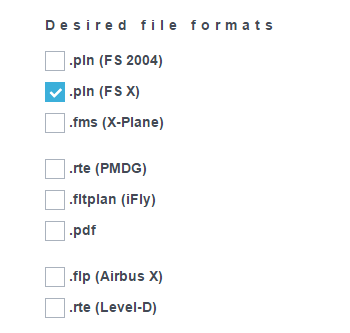
Step 1.
Deselect .pln (FS 2004)
and select .pln (FS X)
Step 2.
Scroll down to where you see "Departure" and enter in your ICAO for which airport you are starting in.

To find your ICAO code go to.
ICAO Codes [www.flugzeuginfo.net]
Just hit CTRL + F and search the name of your airport, and once you found it copy the second box which is your ICAO code.

Once you've completed that go back to your onlineflightplanner and enter the ICAO code on the departure section, I got John F Kennedy Airport or the ICAO which is KJFK.

The site will automatically tell you if the airport ICAO is correct and gives you a box which explains where the airport is located etc. If you see no blue box, then it is clear that you have the wrong ICAO code.
Now scroll down, ignore "Country Code" and enter your Destination ICAO (Airport which you are going to be landing)

Do the same thing with
ICAO Codes [www.flugzeuginfo.net]
Once you've entered it go down until you see "Create Flight Plan" and click on it.

Step 3.
Once the site has loaded your flight plan you should see a large list of airways.
Dont worry about these, scroll down until you see the map printed on google maps, scroll out and see if your plan looks good enough and not too long. I suggest not going on long flights when you're a beginner, if your plan is bad and the points are scatters very badly, I suggest choosing a smaller flight.
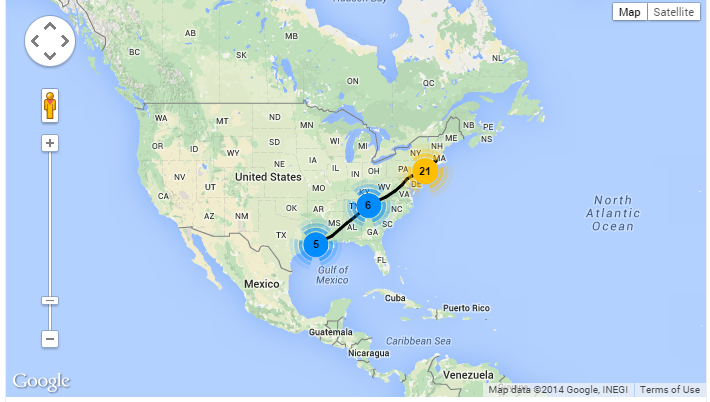
If you're happy with your plan, underneath you should see "Go to Files" click on it and you should see a file.
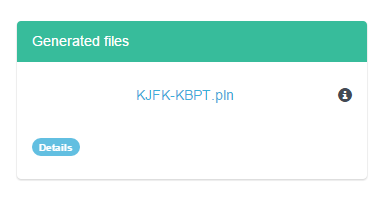
Click on the blue file in the middle and it should download.
And thats it, you've successfully downloaded your flight plan.
Go on the next section to see how to import it into FSX.
How can I import these files into FSX?
Simply go into FSX, go onto Free Flight, Select your aircraft weather, you dont need to select your aiport since its going to automatically do it for you when you select your flight plan.
Once thats done click on Flight Planner on the main screen.
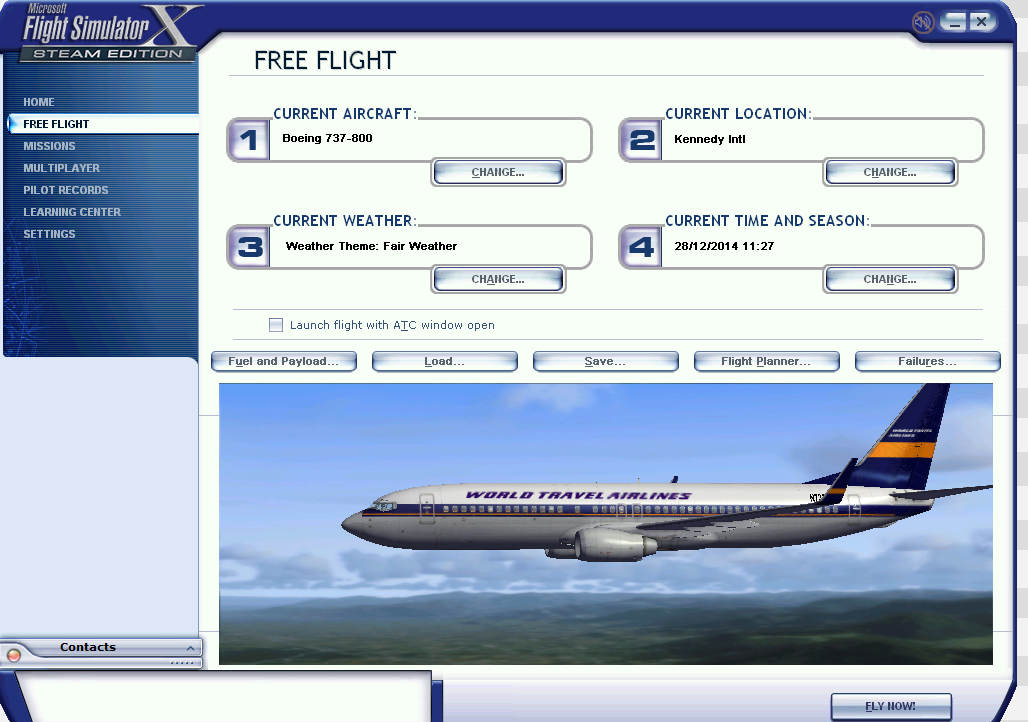
You will see a box show, firstly, instead of VFR make it IFR, by selecting IFR.

Once completed, click "Load" underneath.

Then select the .pln file you downloaded from online flight planner.
Once done click "Edit" On the top.

Here you can see a box which gives you an image of your flight plan.
If you see something in the wrong place, go to the right box and search for the waypoint which is causing it to be in the wrong place. I suggest not messing with this, but if you have the skill, go ahead.
Once its done, click ok at the bottom right, then you have successfully loaded in a Flight Plan for your flight.
- How to fly the airliners (vanilla)★ 5 (734)30k views1.4k ♥22 minUpdated Sep 3, 2024
- How to increase the field of view on FSX: Steam Edition★ 5 (348)25k views421 ♥1 min
- How to Install Addons + Payware/Freeware Recommendations★ 5 (399)23k views906 ♥6 minUpdated Jul 31, 2016
- Path to installed manuals★ 4 (114)13k views132 ♥1 minBulgarianUpdated Mar 3, 2016
- Полная русификация Microsoft Flight Simulator X★ 5 (428)12k views641 ♥2 minRussianUpdated Feb 11
- FTX Trees HD & Natural Tree Environment X Add-Ons★ 4 (96)9.4k views56 ♥1 min


- Upgrading to PremiumTeam Fortress 2★ 5 (20k)1441k views11k ♥6 minUpdated May 11, 2022
- No More Room in Hell Official ManualNo More Room in Hell★ 5 (2.8k)569k views2.1k ♥29 minUpdated Apr 22, 2019
- NMRiH Community Hosting GuidesNo More Room in Hell★ 5 (526)351k views653 ♥1 minUpdated Aug 10, 2022
- ULTIMATE GUIDE FOR GAME DEV TYCOONGame Dev Tycoon★ 5 (5.8k)326k views10k ♥4 minUpdated 23 Jan, 2014
- How to 'Git Gud' Soon™MORDHAU★ 5 (2k)318k views3k ♥68 minUpdated Nov 16, 2024
- Лучшие кооперативные игры SteamPAYDAY 2★ 5 (1.5k)315k views2.1k ♥56 minRussianUpdated Apr 27, 2025






This guide was created by its original author on the Steam Community. Are you the author and want it removed? Request removal.