How to Obtain Microsoft Flight 2012
Introduction
Microsoft Flight is an aviation game from Microsoft Studios created as a successor to the discontinued Microsoft Flight Simulator series. The game is offered "free-to-play"; charging gamers for downloading extra content, aircraft or scenery. In This guide I will show you how to obtain the extra content for FREE, This isint the STEAM Version but the Version you could use to download from their website.
The sky's the limit! Now anyone can enjoy the fun, freedom and adventure of flight. Feel the power at your fingertips as you take to the skies and launch into thrilling missions and exciting challenges over the free-to-play Big Island of Hawaii. Take off today and fly into the ever-expanding world of Microsoft Flight.
Take the Controls
Customize flight controls to match your skill level, choose exciting missions or just take off and explore the sky. Immerse yourself in the thrills and challenges of an ever expanding adventure, where each new plane soars with the power and handling of its real world counterpart.
Got a Mouse? You Can Fly!
Jump into the adventure of flying with no special hardware or past experience. With just a click of the mouse, you can see all available missions and locations, view the planes, track and share accomplishments, or take to the skies!
There is No Feeling Like it
Whether you’re at 20,000 feet or just inches above the surface, you’ll experience visually stunning and realistic real-word landscapes with authentic weather patterns, terrain, landmarks and flight physics. See the world from inside a highly detailed and accurate cockpit, or zoom out and fly using the exterior airplane view.
MINIMUM HARDWARE REQUIRED
MINIMUM HARDWARE:- CPU: Dual Core 2.0 GHz
- GPU: 256 MB card capable of shader 3.0 (DX 9.0c compliant)
- HD: 10 GB hard drive space
- OS : WinXP SP3 or newer
- RAM: 2.0GB
RECOMMENDED HARDWARE:
- CPU: Dual Core 3.0 GHz
- GPU: 1024 MB ATI Radeon HD 5670 or 1024 MB NVIDIA GEFORCE 9800 GT or equivalent
- HD: 30 GB hard drive space
- OS : Win7 SP1 64-bit operating system
- RAM: 6.0GB
How to download the game
1. You can either go on the website and click offline installer Ok soo since I couldint place the website here because it says [LINK REMOVED] so heres the link: https://archive.org/details/com.microsoft.msflight
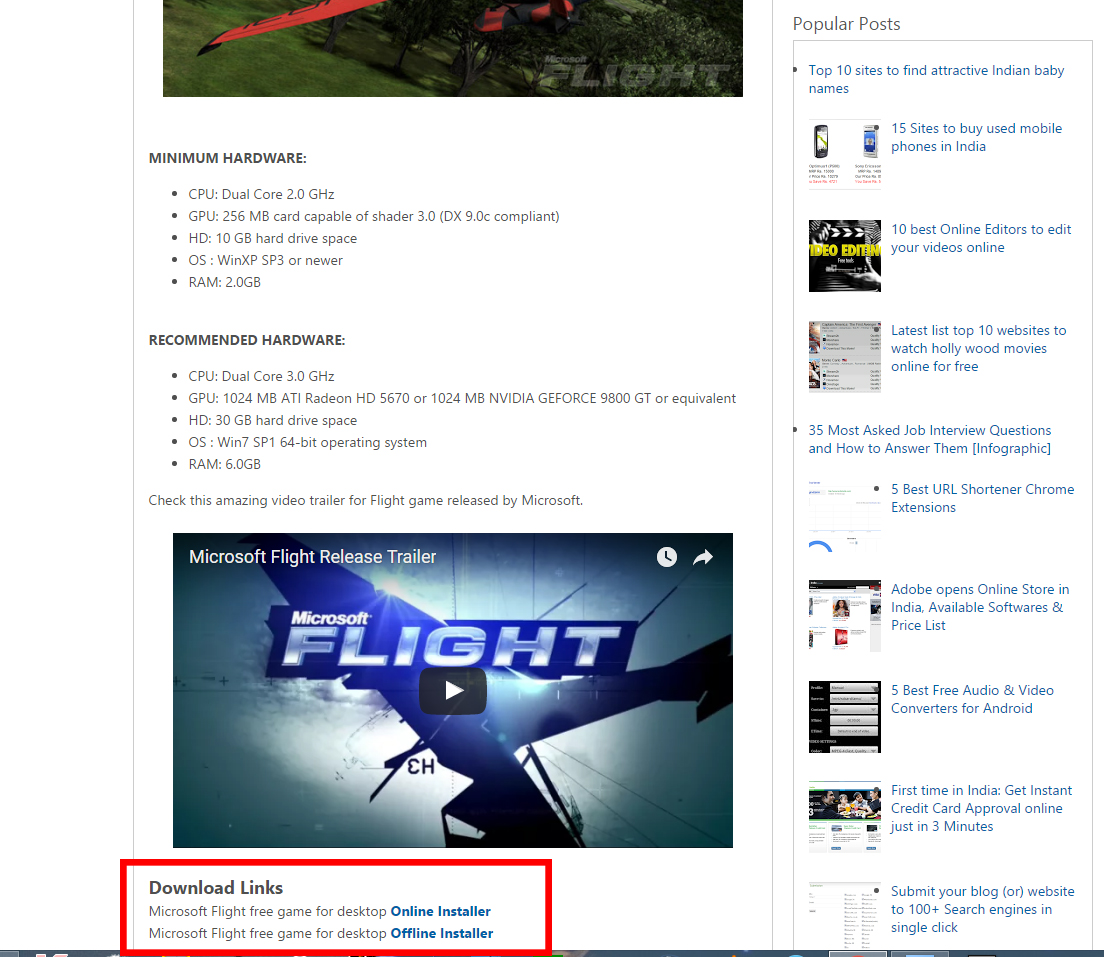
Make Sure to click ONLINE INSTALLER As the Offline one does not work, Dont worry you will download the game, trought the Installer
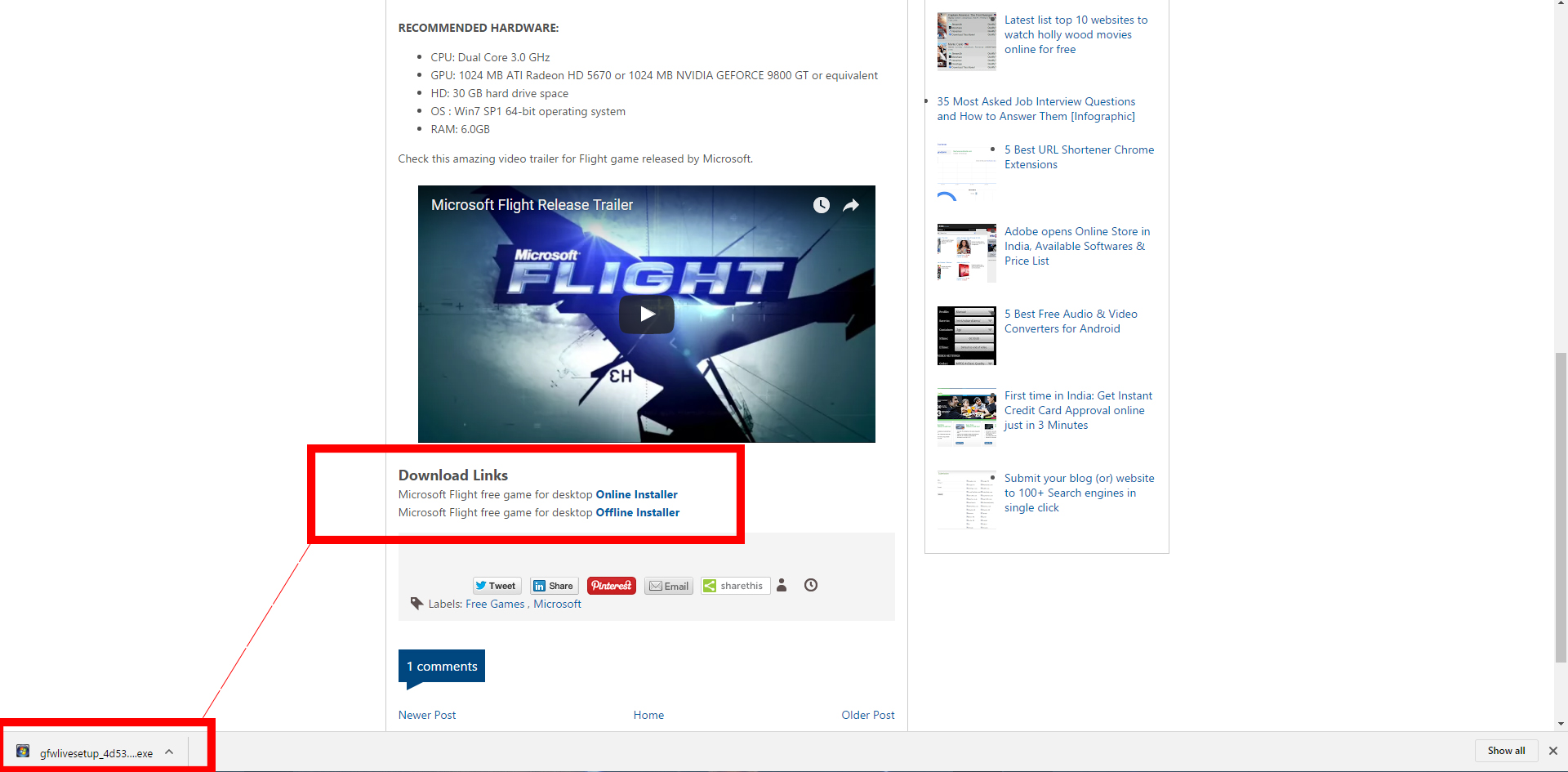
You have sucsesfully downloaded the installer it should be named
gfwlivesetup_4d5308d2e0000001_DIR.exe
Well Done!!
Installing the game
- Now that you have Downloaded the installer, go to your downloads folder mine is C:\Users\Lukasz\Downloads and look for the installer
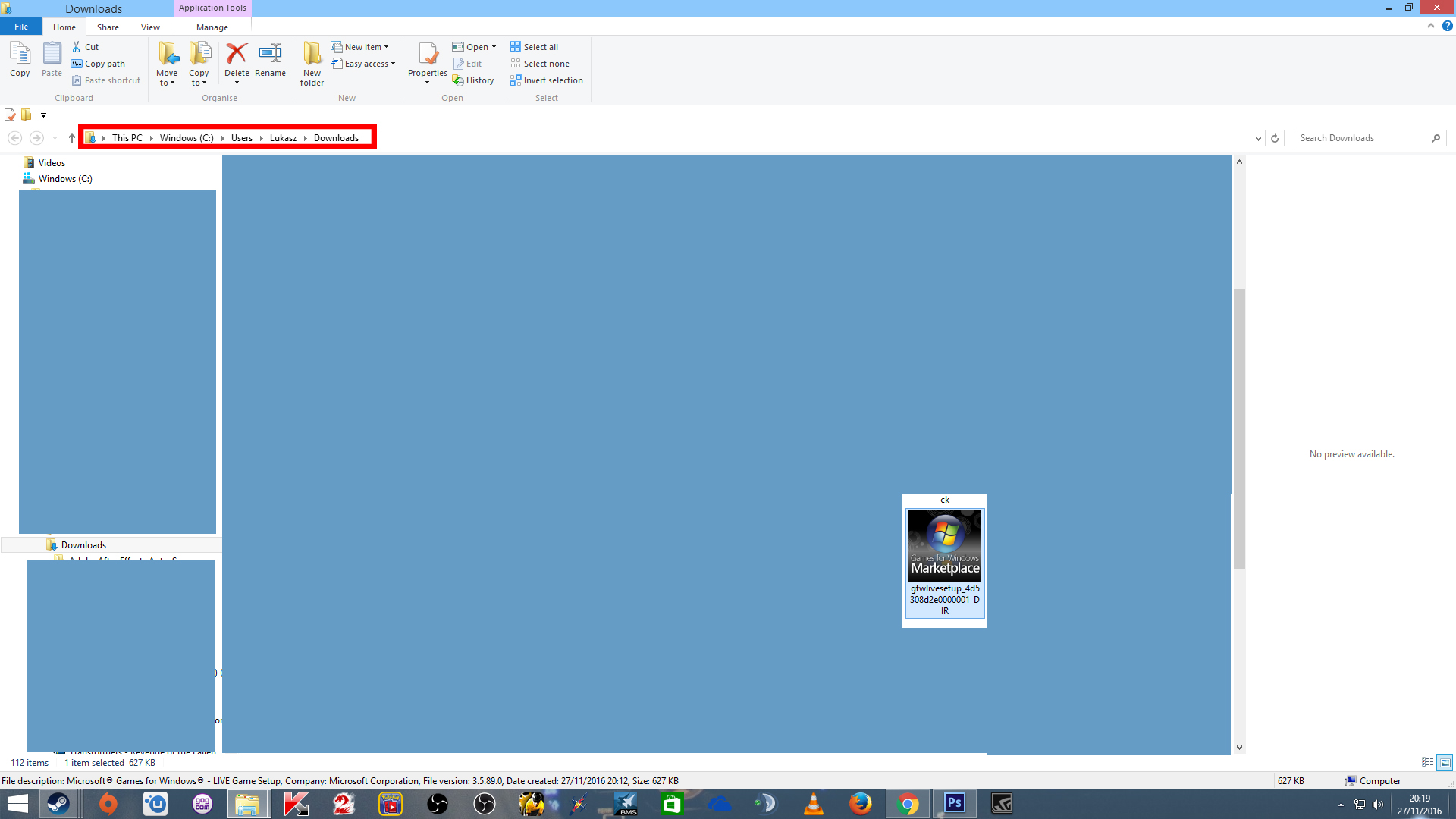
Double click on the installer.
And follow the screen shots.
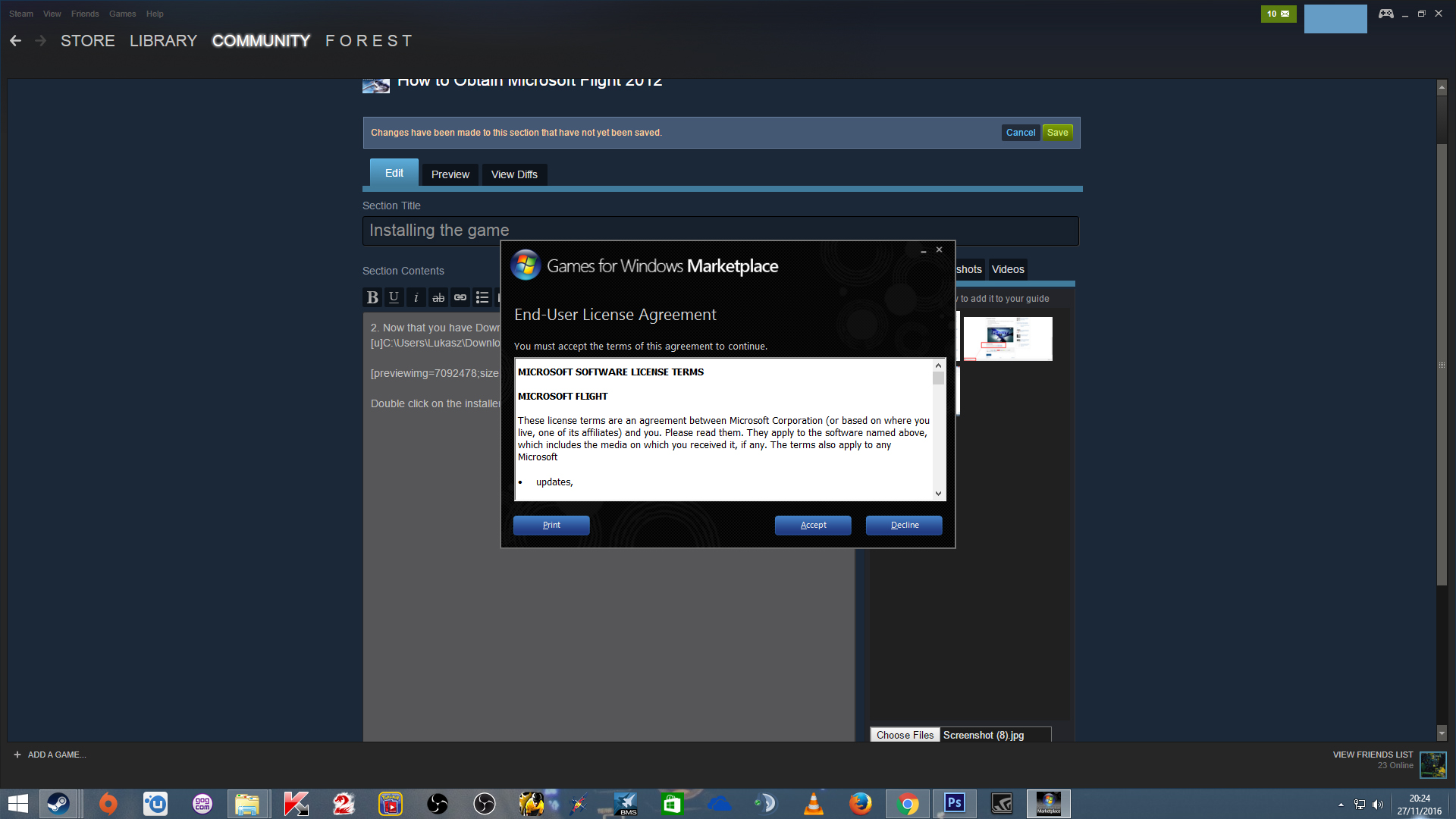
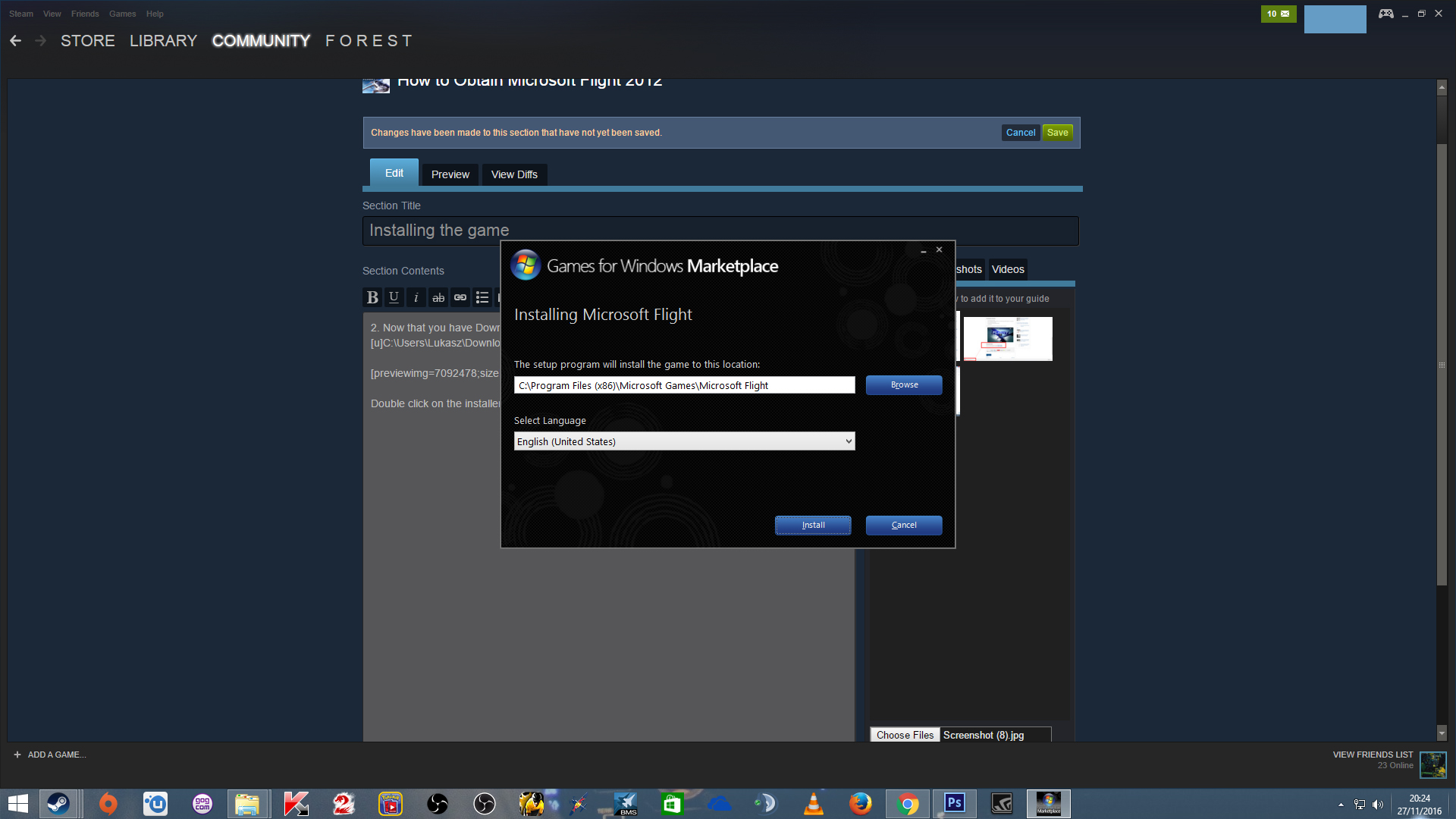
Select the install directory
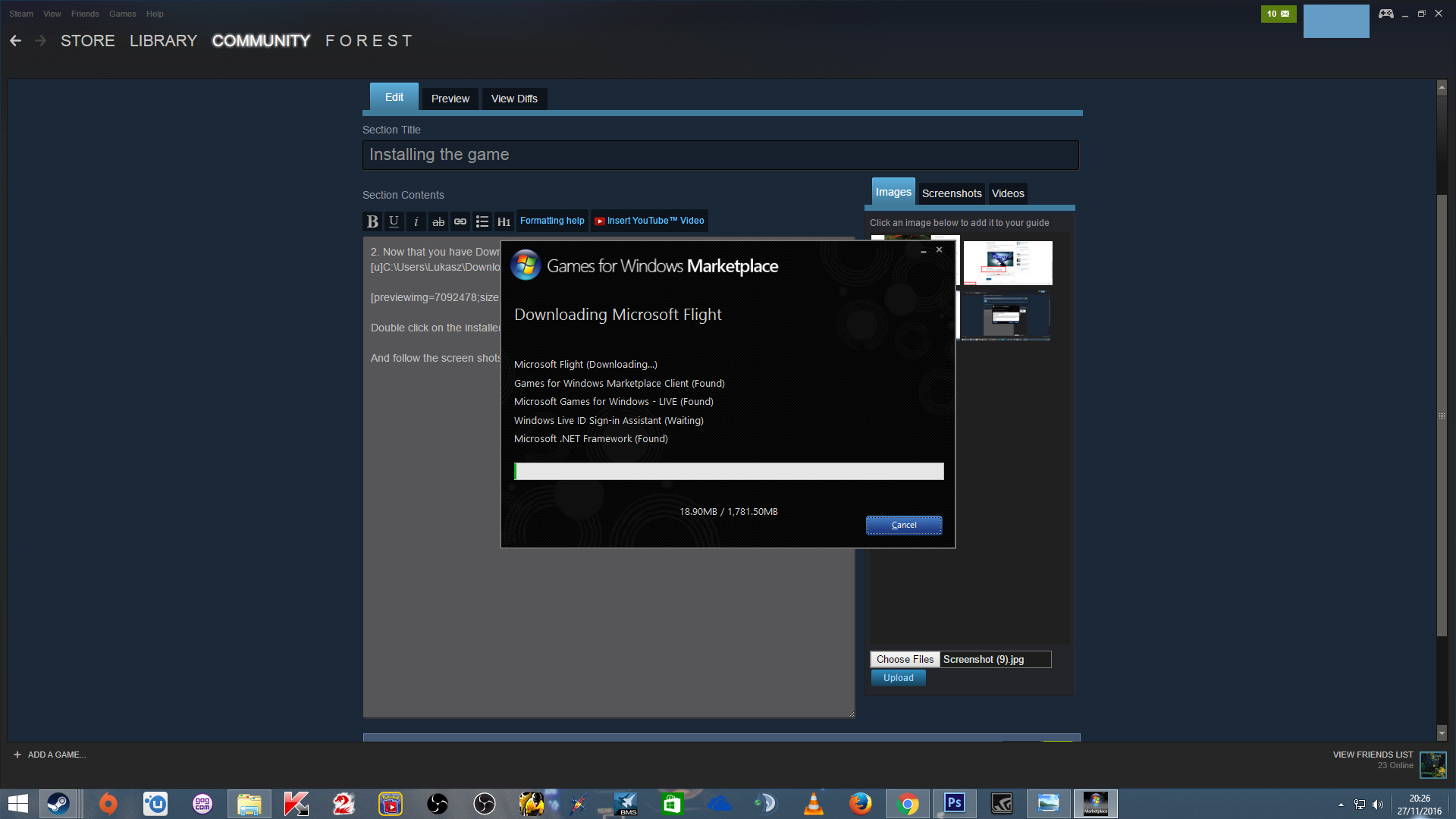
Nice, now its downloading the game.
Congratulations You are now an owner of MS Flight
The Game Should install automaticly after downloading and it should say installation successful
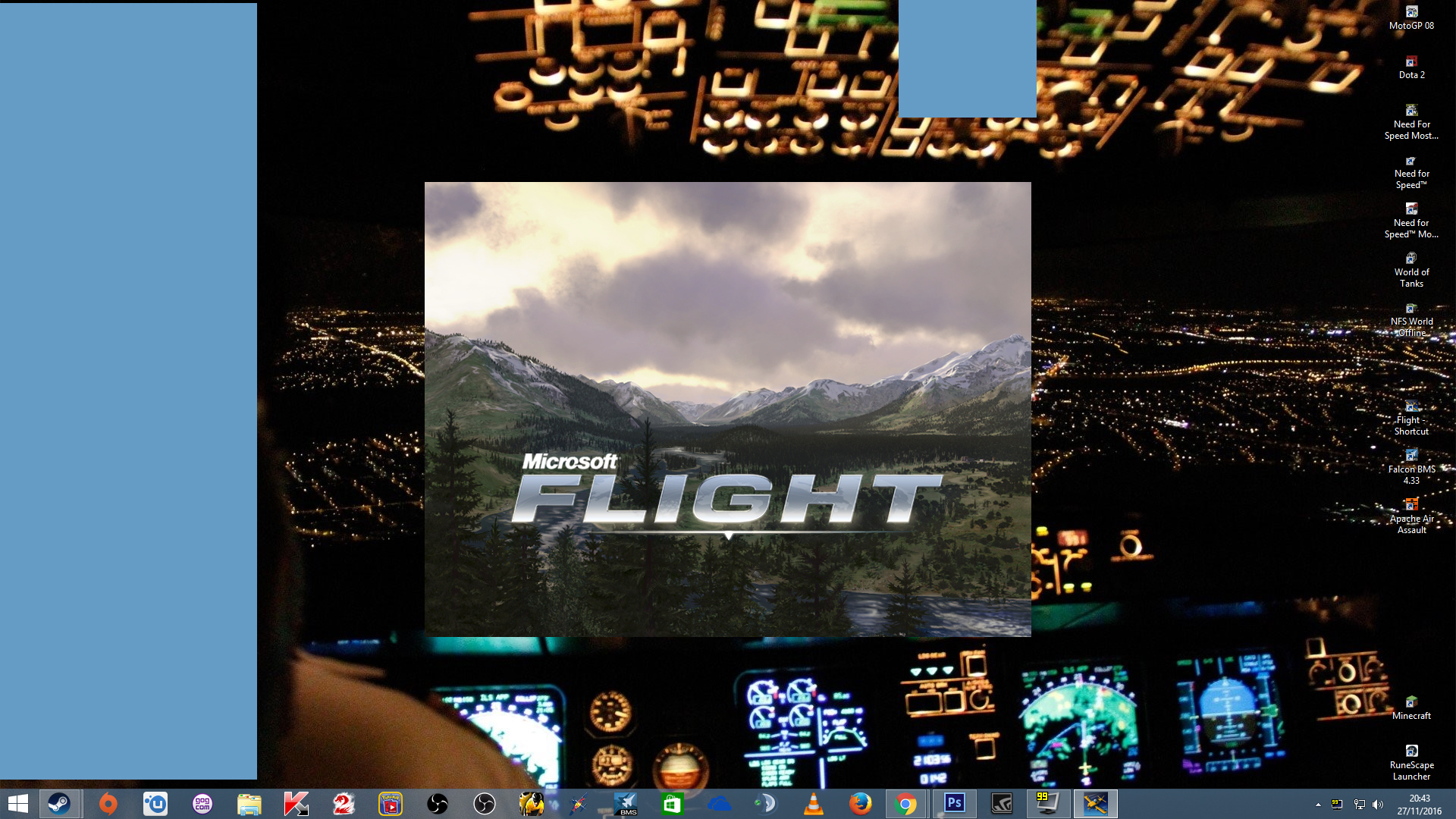
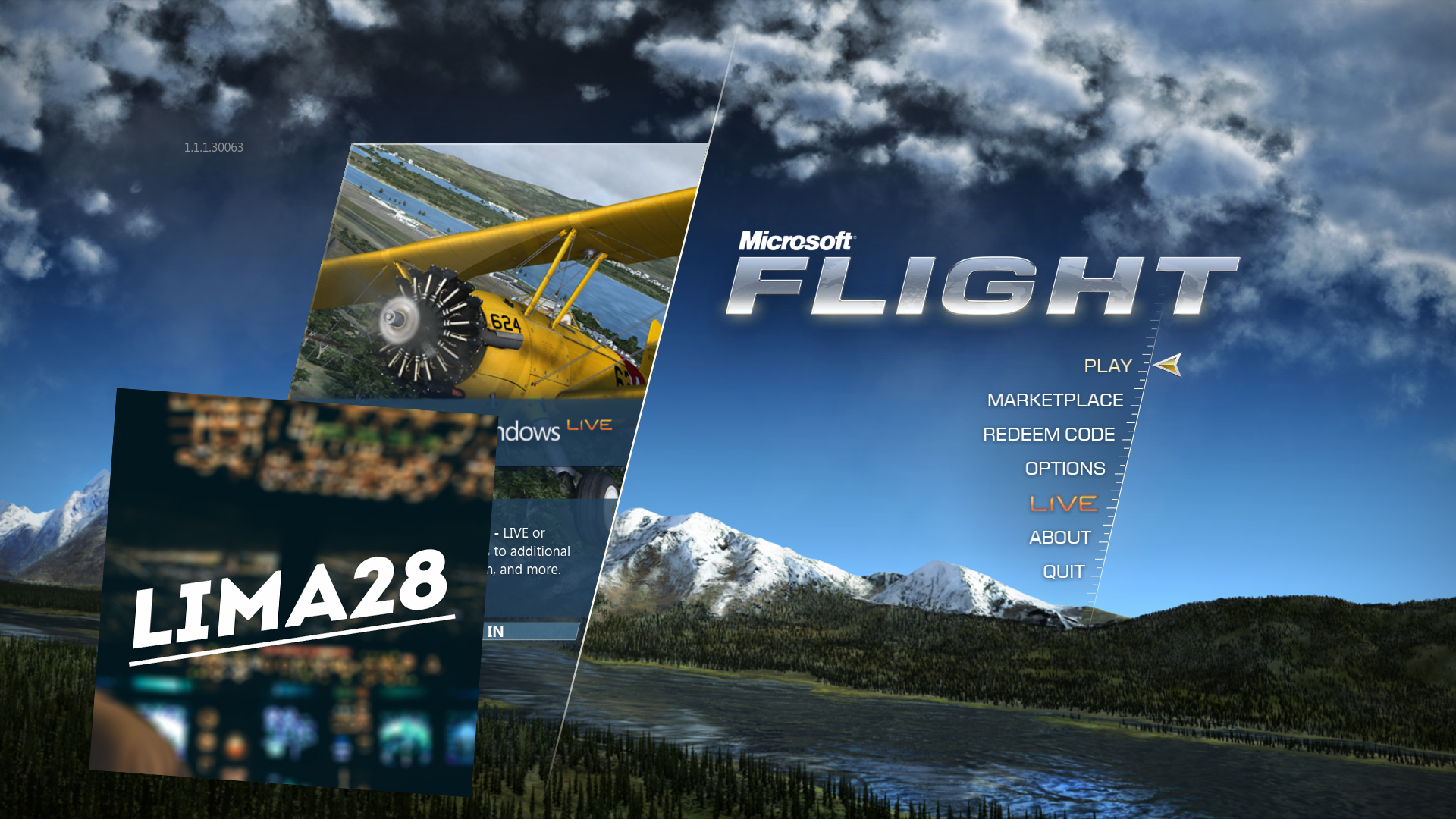
The Game Should Start and you should be a happy pearson
Thank you!!
Thank you! for reading this guide on how to Download Microsoft Flight 2012 for free
I will make a video and update this guide (On how to get all the DLC for FREE) once I get more time.
Please be sure to subscribe to my YouTube Channel for more Microsoft Flight Videos
YouTube Link
If I am OFFLINE, please comment on my profile and I will add you as soon as possible.
Please be sure to rate this guide, add it to your favorites and comment if something dosent work I will try to help as much as I can :)
- How to fly the airliners (vanilla)★ 5 (734)30k views1.4k ♥22 minUpdated Sep 3, 2024
- How to increase the field of view on FSX: Steam Edition★ 5 (348)25k views421 ♥1 min
- How to Install Addons + Payware/Freeware Recommendations★ 5 (399)23k views906 ♥6 minUpdated Jul 31, 2016
- Path to installed manuals★ 4 (114)13k views132 ♥1 minBulgarianUpdated Mar 3, 2016
- Полная русификация Microsoft Flight Simulator X★ 5 (428)12k views641 ♥2 minRussianUpdated Feb 11
- FTX Trees HD & Natural Tree Environment X Add-Ons★ 4 (96)9.4k views56 ♥1 min


- Upgrading to PremiumTeam Fortress 2★ 5 (20k)1441k views11k ♥6 minUpdated May 11, 2022
- No More Room in Hell Official ManualNo More Room in Hell★ 5 (2.8k)569k views2.1k ♥29 minUpdated Apr 22, 2019
- NMRiH Community Hosting GuidesNo More Room in Hell★ 5 (526)351k views653 ♥1 minUpdated Aug 10, 2022
- ULTIMATE GUIDE FOR GAME DEV TYCOONGame Dev Tycoon★ 5 (5.8k)326k views10k ♥4 minUpdated 23 Jan, 2014
- How to 'Git Gud' Soon™MORDHAU★ 5 (2k)318k views3k ♥68 minUpdated Nov 16, 2024
- Лучшие кооперативные игры SteamPAYDAY 2★ 5 (1.5k)315k views2.1k ♥56 minRussianUpdated Apr 27, 2025






This guide was created by its original author on the Steam Community. Are you the author and want it removed? Request removal.