How to play Multiplayer / Spec Ops with your friends without errors
1. Downloading LogMeIn Hamachi
 1. Go to Official Hamachi website https://www.vpn.net/
- Download it
- Follow the instructions on installer
- Skip unnecessary options
- Restart your PC
2. Connect with your friends
NOTE: Free version of Hamachi is capable to have maximum amout of 5 people in one LAN network.
- Run Hamachi
- Run Hamachi with power button
- Register or Login to your account
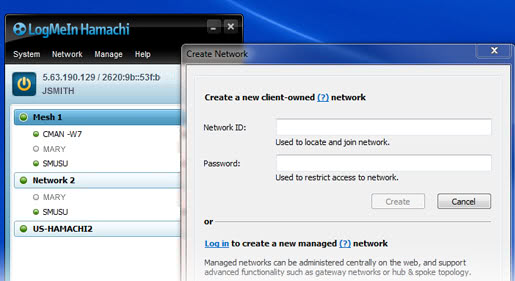
- Create network
Give your network name and password to your friend to join it.
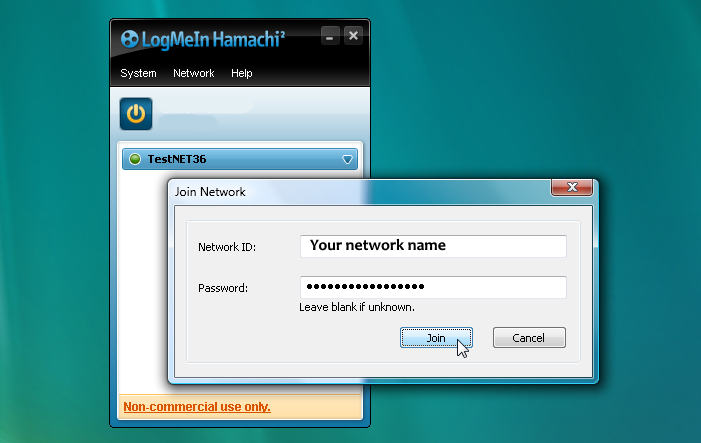
- Join network
Get a network name and password from your friend to join it.
 5. You are now in one LAN network!
3. Join or Host and Play!
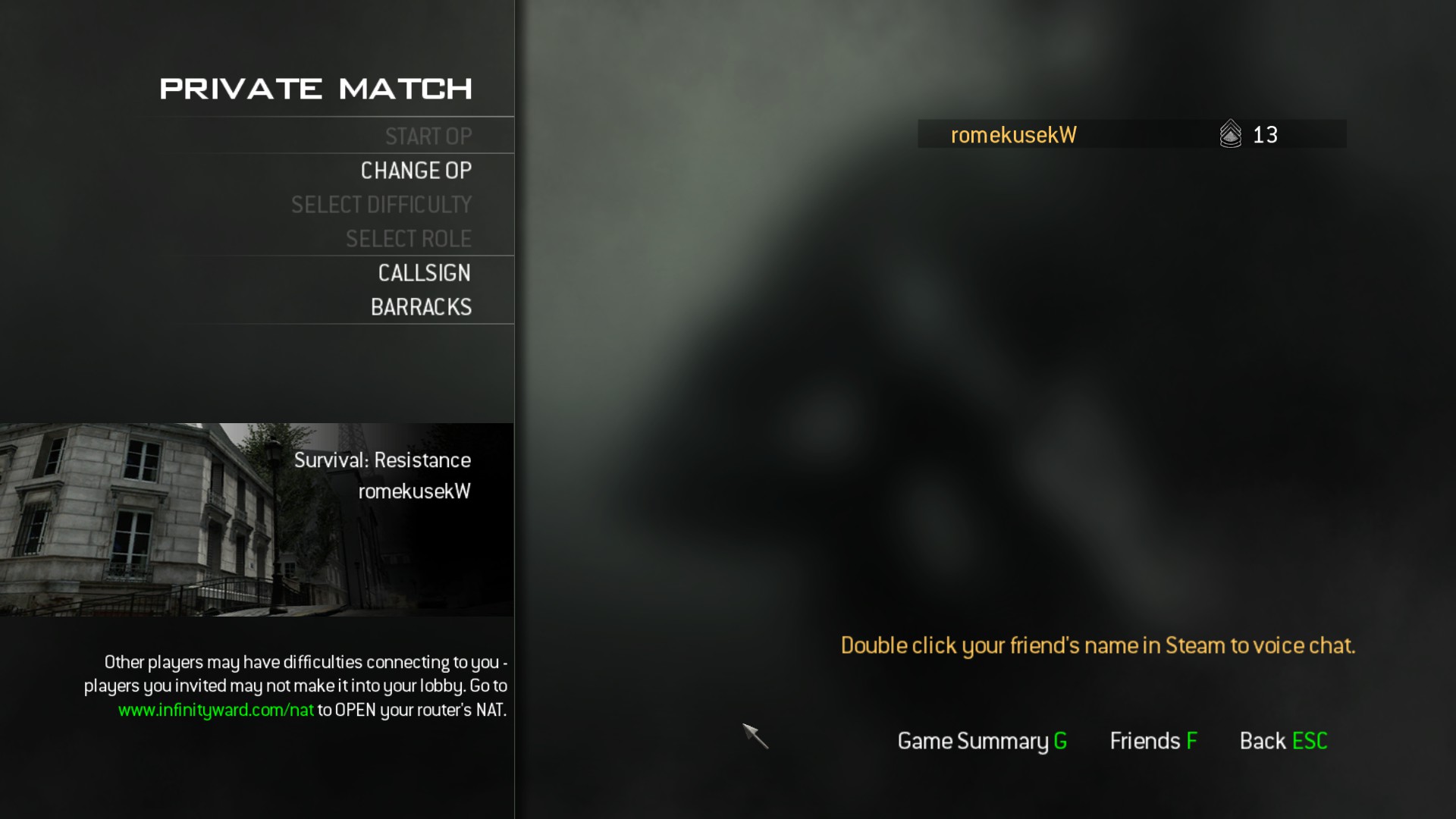 1. Open MW3
- Run Hamachi
- Turn on Hamachi
- Make sure your network is online (same with your friend)
- Go to Spec Ops or Multiplayer
- Invite your friend via Steam or via Friends tab in Call of Duty
- Done!
Thank you for reading this tutorial!
I hope it helps a lot of people who are struggling with this problem!
If you have any questions writ them in the comments and I can try to help you!
More Call of Duty®: Modern Warfare® 3 (2011) guides
- Русификатор Call of Duty: Modern Warfare 3 [v.1.9.461]★ 5 (472)25k views888 ♥2 minRussianUpdated May 7, 2024
- Modern Warfare 3 Singleplayer Veteran Walkthrough, Intel Locations + Special Ops★ 5 (483)23k views513 ♥1 minUpdated Jan 20, 2013
- how to tricksgote★ 5 (488)20k views92 ♥1 minBulgarian
- CoD MW3 Achievement Guide SP/SO★ 5 (724)20k views1.1k ♥8 minUpdated Dec 28, 2016
- How to change FoV in MW3 Singleplayer / Spec Ops★ 4 (118)19k views182 ♥2 minUpdated Mar 18, 2017
- a bit of bs don't read★ 4 (205)14k views209 ♥2 minUpdated Sep 24, 2024


🔥 Popular guides
- Upgrading to PremiumTeam Fortress 2★ 5 (20k)1441k views11k ♥6 minUpdated May 11, 2022
- No More Room in Hell Official ManualNo More Room in Hell★ 5 (2.8k)569k views2.1k ♥29 minUpdated Apr 22, 2019
- NMRiH Community Hosting GuidesNo More Room in Hell★ 5 (526)351k views653 ♥1 minUpdated Aug 10, 2022
- ULTIMATE GUIDE FOR GAME DEV TYCOONGame Dev Tycoon★ 5 (5.8k)326k views10k ♥4 minUpdated 23 Jan, 2014
- How to 'Git Gud' Soon™MORDHAU★ 5 (2k)318k views3k ♥68 minUpdated Nov 16, 2024
- Лучшие кооперативные игры SteamPAYDAY 2★ 5 (1.5k)315k views2.1k ♥56 minRussianUpdated Apr 27, 2025






This guide was created by its original author on the Steam Community. Are you the author and want it removed? Request removal.