KOTOR II: The Sith Lords - Go-To Essential Mods
Introduction
KOTOR II: The Sith Lords - Go-To Essential Mods is a guide built with carefully selected mods and easy installation instructions for those looking for a definitive KotOR II: The Sith Lords experience that remains faithful to its original vision. Suitable for both newcomers and returning players alike.
While the TSL Restored Content Mod (TSLRCM) is widely considered a must-have, KOTOR II's rushed development left it with many remaining issues such as graphical and gameplay bugs, as well as some odd changes introduced by TSLRCM itself. I feel that in order to have the most definitive KOTOR II experience, some additional mods are required to bring the game closer to the complete state it deserves.
The goal of this guide:
- Quick and easy to setup: Stable mods with easy to follow install instruction that shouldn't make you spend more time on modding the game than playing it.
- Pure essential and lore-friendly: The mods I picked were carefully selected and tested, I make sure the following standard must be met: Changes should remain consistent with original gameplay design and visual style, no wild drastic changes so mods shouldn't feel out of place.
I will also provide information on why I consider these mods as essential, of course you don't have to read all of my rambling and can skip straight to the download steps!
Mod Installation Method
Mods for KOTOR can be simply installed by drag and drop the files, most mods also provide its own installer. This guide is made with manual installation method in mind, and I encourage users to use this method as I've found it to be ideal for maintaining a stable mod setup.
1. Drag and Drop:
Most mods are installed by dragging their files to the following path:
Steam\steamapps\common\Knights of the Old Republic II\Override
Note: You might see mods that will point direction to other folders such as Modules or Movies. This guide doesn't not contain such mods, but if you need to install them, simply drag it to the corresponding folders.
2. Patcher:
Most mods made by the community are often provided with an installer, mainly a utility called TSL Patcher. This provides an easy installing and patching method where you just need to run the installer and direct it to your KOTOR's folder direction.
Note: TSL Patcher will often give you warnings during or after installing a mod. These warnings are harmless as long as it's not "errors" message.
On Steam Workshop and using mod managers:
I do not recommend using Steam Workshop or any mod manager for KOTOR due to how this game handle its files and Steam Workshop is known for causing crashes and mod incompatibilities for this game. Most mods intentionally provide their own installer for a good reason.
I. Engine Fixes (Windows Only)
IMPORTANT: Utilities in this section are currently only work with Windows OS. Please skip this section if you are on other operating systems.
DOWNLOAD[deadlystream.com]
How to install:
- Drag the patch to your KOTOR II folder (where swkotor2.exe is) and run it there.
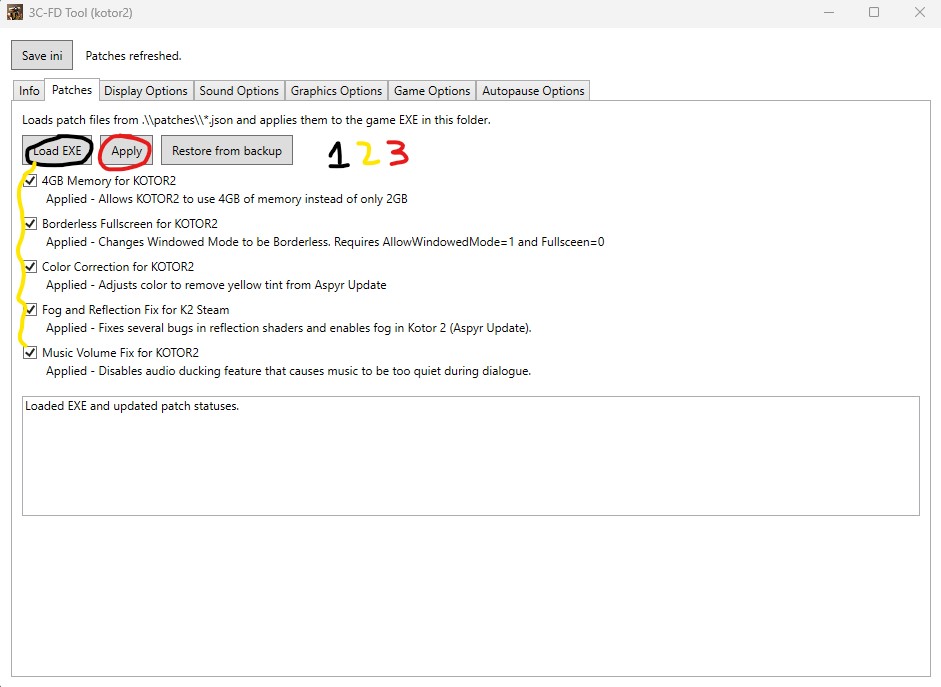
- In the Patches tab, choose Load EXE, direct it to your kotor2.exe, tick all the options then press Apply.
DOWNLOAD[deadlystream.com]
How to install:
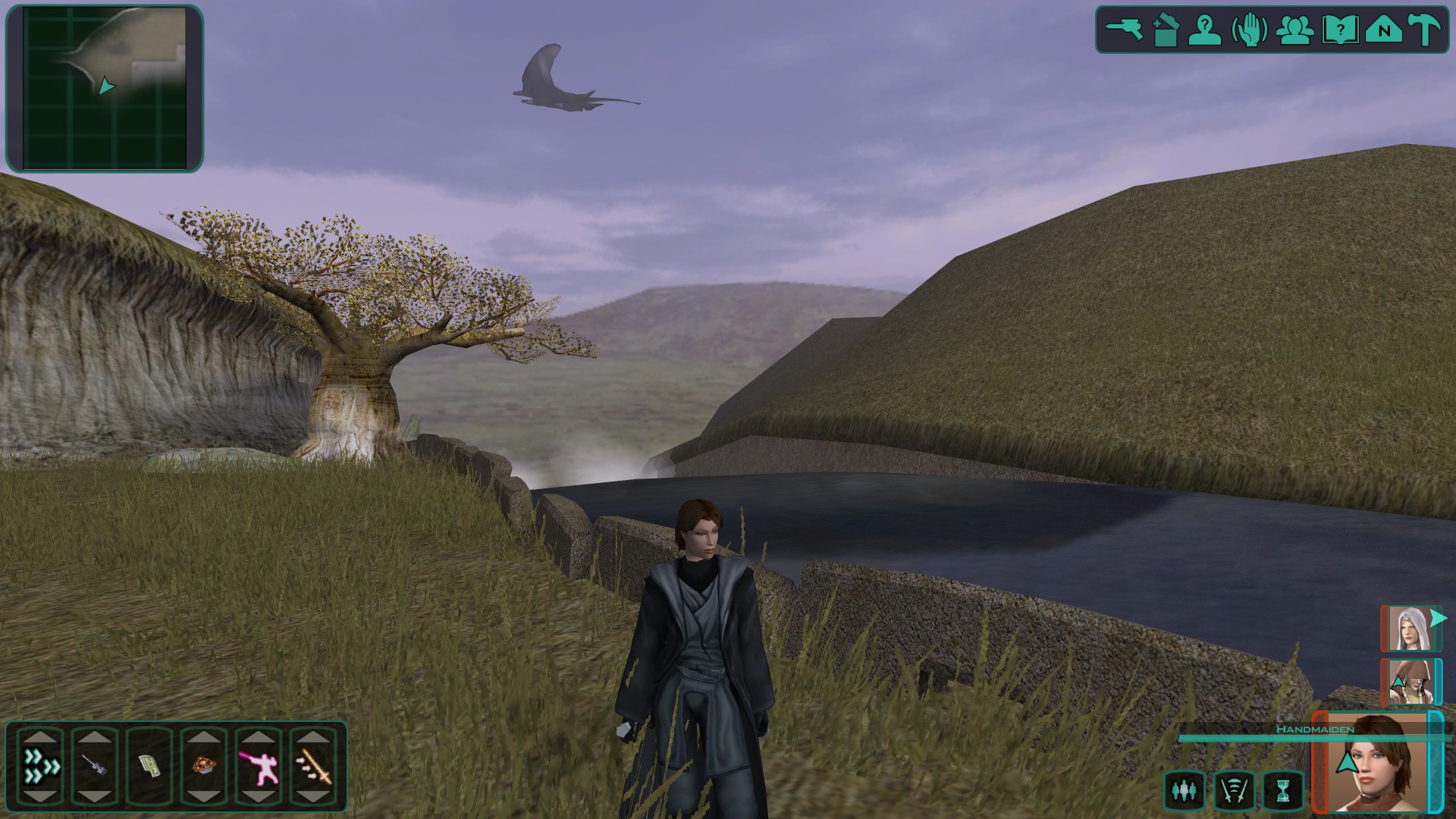
- Drag the files to Override folder.
II. The Sith Lords Restored
Why it is essential:
KOTOR II had a rushed development history that led to its incomplete state, with many cut and unfinished contents that hurt its narrative the most. TSLRCM fixed and restored most of these contents, making the narrative more coherent. Chris Avellone (who wrote KOTOR II) personally commended this mod and cited it as having brought the game closer to what Obsidian would have intended. And while there are some questionable changes made by the mod, you can trust me when I say playing KOTOR II without TSLRCM is really not worth the pain.
DOWNLOAD[deadlystream.com]
How to install:
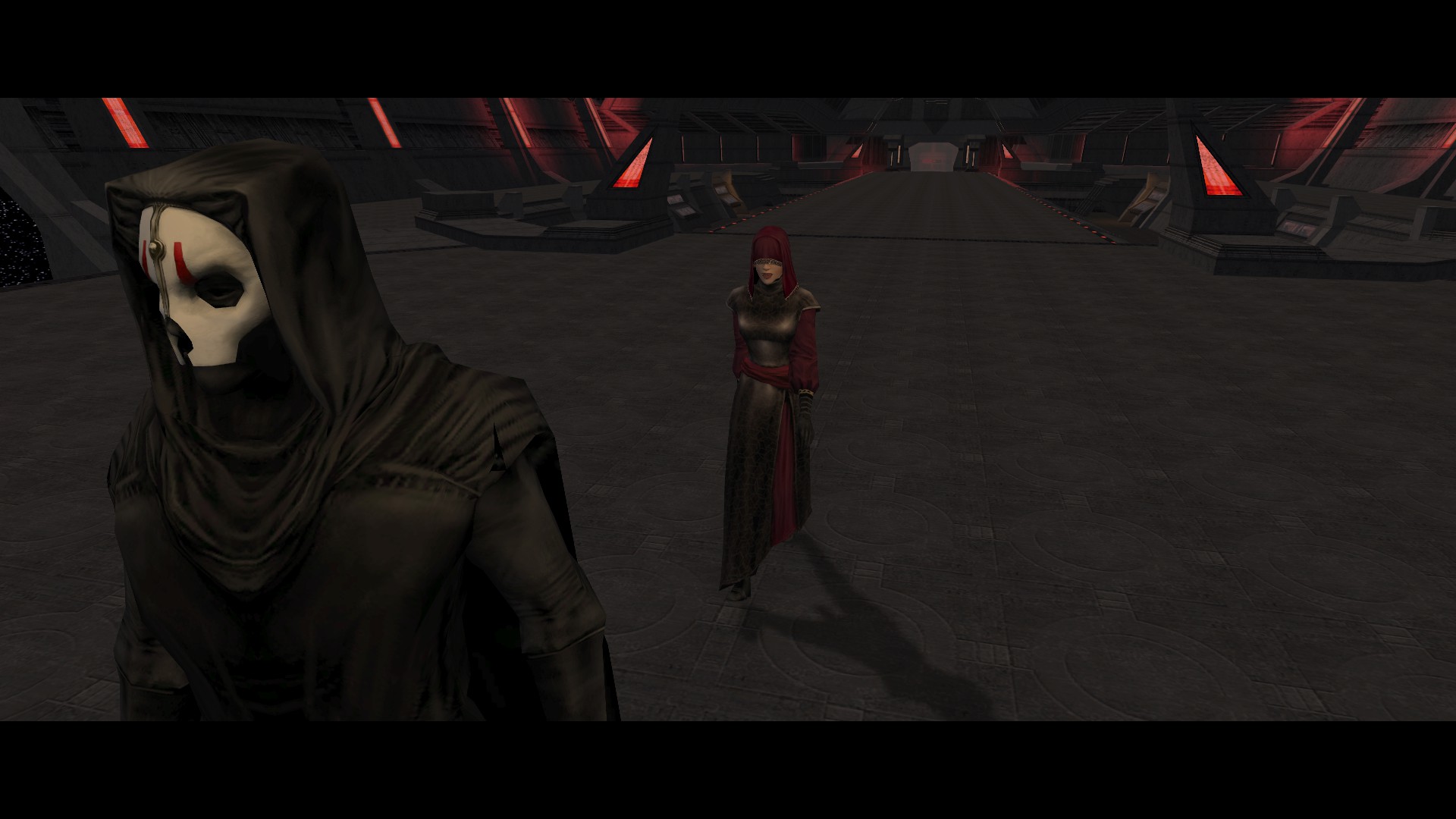
- Use the installer and direct it to your KOTOR II's folder.
IMPORTANT: Make sure this is the FIRST mod you install before other mods because many mods rely on its files as dependencies.
Why it is essential:
As previously mentioned, there are some questionable changes made by TSLRCM that aren't well received by the community. Unofficial TSLRCM Tweak Pack redeems some of those changes by tweaking or getting rid of it entirely. Most of these changes are story related so it can be confusing to handpick if you haven't played the game before. Unless you understand what each component does, I would recommend most users to just use the complete installer to simplify this process.
DOWNLOAD[deadlystream.com]
How to install:
- Use the installer in the Complete Installer folder.
Note: If you want to use the Individual component installer, you must run the installer again each time you finish installing a component in order to install another one. Personally I prefer not to install the No Mandalore falling on Ravager bridge component because I think that scene is amazing and it ties the narrative together.
Why it is essential:
TSLRCM restores a playable HK-47 segment involves the HK series factory that become rather important to the grand KOTOR narrative. While I think the team did an amazing job on restoring this level, most people can find this segment tedious due to being forced to suddenly play a different solo character build against a lot of ridiculously high HP enemies, especially in consequent playthroughs. This mod makes this segment trigger through dialogue for better pacing and gives you an option to skip it entirely. A tip for getting through this level (if you decide not to skip it) is to simply run past the enemies and head straight to your objectives.
DOWNLOAD[deadlystream.com]
- Use the installer.
Why it is essential:
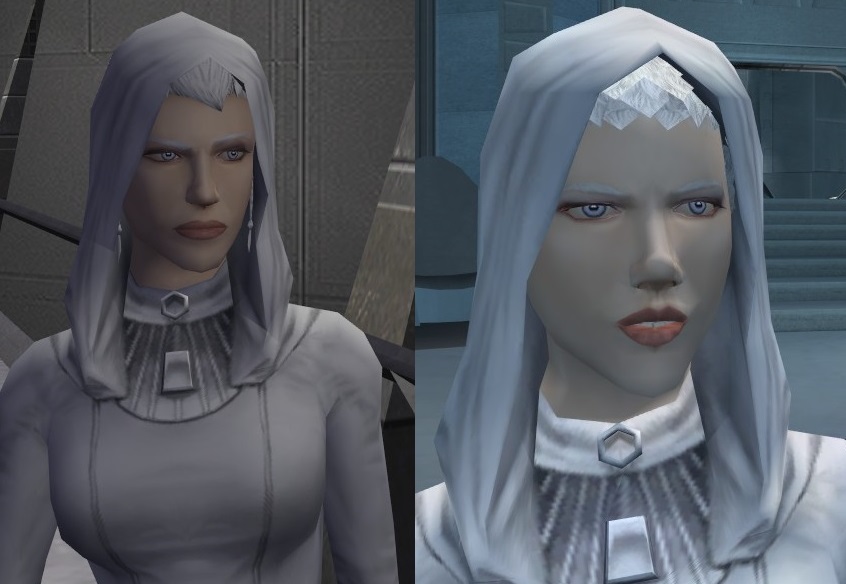
In the dialogue, the character Handmaiden is said to have a different face from her sisters, but this is not the case in-game as they all use the same face model. TSLRCM tried to fix this by restoring a lock of hair to Handmaiden to make her more distinct. This mod however, has a better approach by applying an unused Handmaiden face model to her sisters, making their faces actually look different from Handmaiden, and the dialogue finally makes sense.
DOWNLOAD[deadlystream.com]
How to install:
- Use the installer and choose the TSLRCM-Compatible Installer option.
III. Bug Fixes
Why it is essential:
This patch is carefully curated by the community and by using this one you don't have to install a dozen or more bug fix mods that are already included in this patch.
DOWNLOAD[deadlystream.com]
How to install:
- Use the installer.
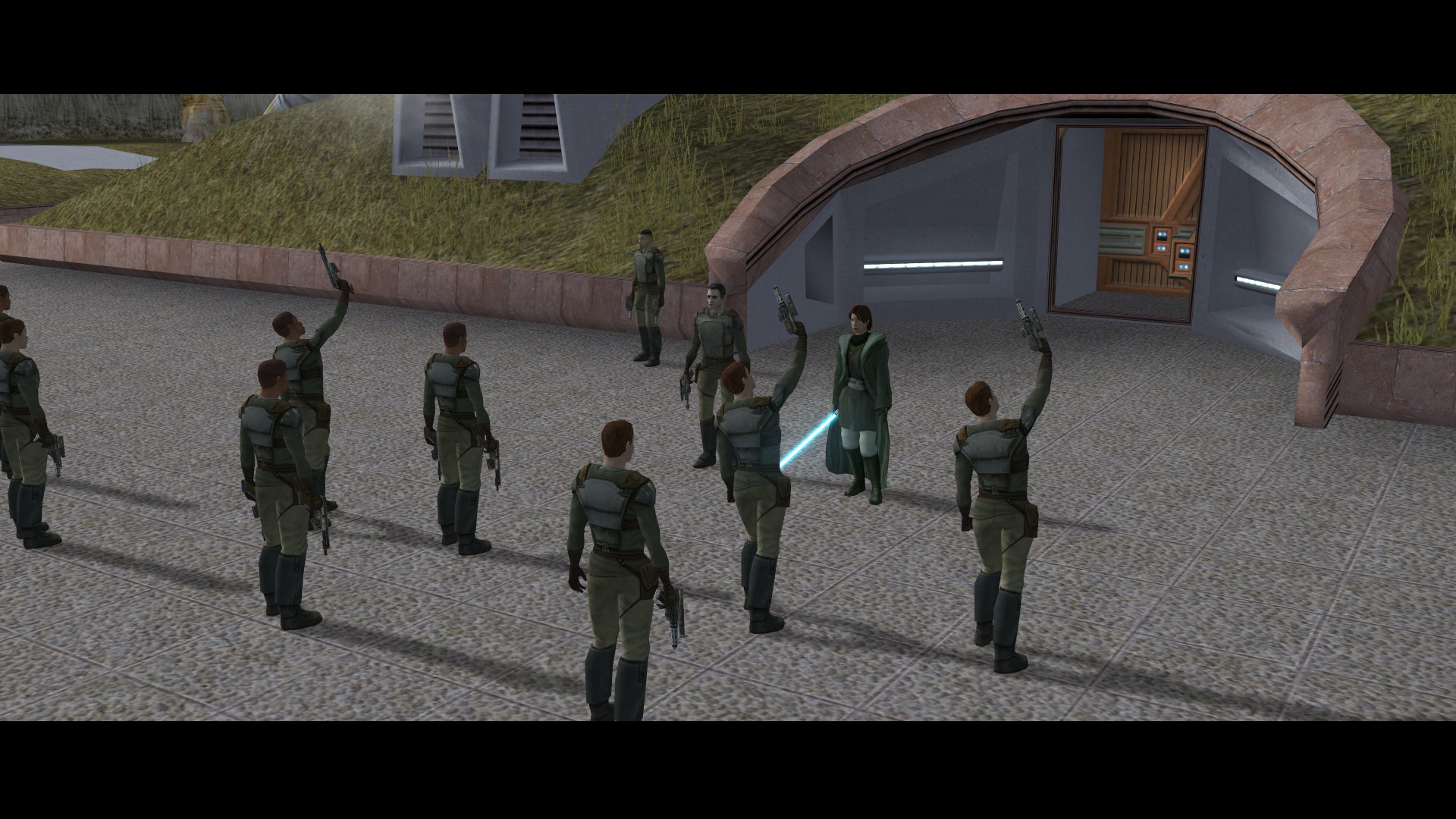
DOWNLOAD[deadlystream.com]
How to install:
- Drag the files to Override folder but DO NOT drag the files from K1 Style Running folder.
DOWNLOAD[deadlystream.com]
How to install:
- Run the installer. (Make sure TSLRCM is already installed.)
- Select the default Base Installation option.
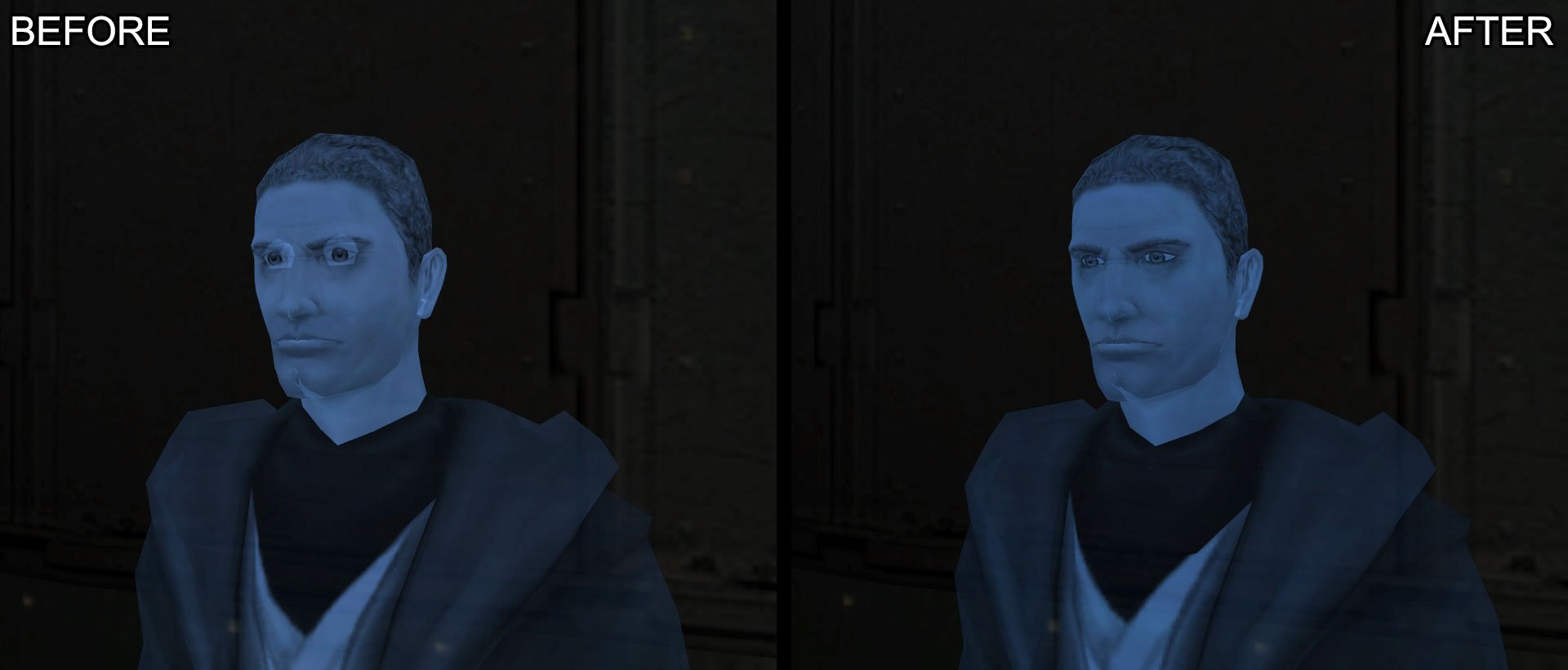
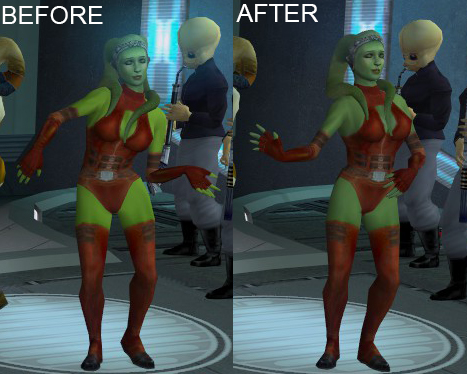
- PC version of creatures texture from KOTOR 1 ported.
- Fixed mis-match skin tone for green Twilek.
- Better compressed textures for: Peragus's asteroid fields, Chodo Habat, Onderon male commoner clothes and masked officers. (Taken from Optimized and Upscaled Textures[deadlystream.com] by J but resized to match original resolution)
- Fixed shader for Sullustan. (Taken from Textures Improvement Project[deadlystream.com] by danil-ch)
- Fixed shader for Mandalorians (Taken from JC's Shader Fixes for K2[deadlystream.com] by JCarter426)
DOWNLOAD[drive.google.com]
How to install:
- Drag the files to Override folder.
IV. The Not-So-Essential
This section is for some mods that aren't truly essential, but you might find them a welcome addition regardless.
DOWNLOAD[deadlystream.com]
How to install:
- Use the installer, choose the Default option.
Note: Since this mod overwrites a lot of files, it is recommended to install this mod last to ensure the best compatibility.
DOWNLOAD[deadlystream.com]
How to install:
- Use the installer, select the MAIN INSTALL - 16:9 Display option unless you are using 4:3 aspect ratio.
Note: If you are using PartySwap, make sure to install this mod AFTER PartySwap to ensure compatibility.
DOWNLOAD[deadlystream.com]
How to install:
- Use the installer.
DOWNLOAD[deadlystream.com]
How to install:
- Drag the files to Override folder.
Conclude
- It's recommended to set the refresh rate to 60 Hz. Going higher could cause problems such as freezing after combat and audio desync, this is due to old engine.
- Memory leak can occur the longer the game runs. It is recommended to restart the game after an hour or two.
- Save frequently and keep backups whenever possible. While a modded setup can provide a more stable experience, there's no telling when an unexpected crash or bug might occur.
- People often ask me why the M4-78 restoration mod is not recommended: While I respect the people who worked on it, much of its content is based on fan interpretation and the overall experience is too tedious to be worth playing.
With these mods installed, I can guarantee that you will have a definitive experience with KOTOR II: The Sith Lords. While there are still unresolved issues with the game itself, the people who worked hard on the game and the modders who spent years on improving it have did their utmost best to bring the game to its current state. This guide will be updated if there are any oversights on my part or if there are mods to add or remove, I'll keep you posted in the changelog.
If you have trouble using the guide or want to provide feedback, leave a comment!
Thank you for using the guide and I wish you an amazing experience with KOTOR II: The Sith Lords
Thanks Obsidian Entertainment for creating one of the most unforgettable Star Wars games of all time
Also, a special thanks to all the fine modders of KOTOR scene who have maintained the game with love and passion
Other Guides
Also check out my similar guide for Dragon Age: Origins if you plan on playing or revisit the game!
https://steamcommunity.com/sharedfiles/filedetails/?id=2415314405
Changelog
- Removed Jedi Malak Mouth Fix and Khoonda flag fix as these are now included in the latest update of KOTOR 2 Community Patch.
- Removed Better Male Twi'lek Heads due to possible incompatibility issue if using with NPC mods.
- Merged Bug Fixes into one section.
02/12/2025:
- Removed Kreia's Fall due to many users having trouble with it.
19/01/2026
- Added Engine Fixes section with utilities that fix graphic issues introduced by Aspyr update.
- Removed Side Opening Doors on Malachor as it is now included in KOTOR 2 Community Patch.
- Removed Head Model Fixes since the issue is not really noticeable and some fixes are already included in KOTOR 2 Community Patch.
20/01/2026
- Added 221tel Recut and Companion Starting Armors.
- Clear up instructions.
28/01/2026
- Removed Ultimate Character Overhaul -REDUX- because there are now better upscales available. Currently I don't include a better upscale in this guide because it would (and previously did) complicate the installation process for some people. I decided it's best that this guide remains true to its essential spirit.
29/01/2026
- Updated my KOTOR 2 Various Texture Fixes pack with better textures and renamed to KOTOR 2 Go-To Fixed Textures.
14/02/2026
- Added TSL Expanded Ending.
- Updated KOTOR 2 Go-To Fixed Textures with fixed mandalorians shader.
- KotOR II Cheat Codes★ 5 (1.6k)116k views4.4k ♥17 minUpdated Jul 20, 2017
- Character and Party Optimizing Guide - Archival★ 5 (1.1k)56k views2.7k ♥51 minUpdated Apr 24, 2024
- KotOR II Steam Workshop Modding Guide★ 5 (499)46k views1.1k ♥9 minUpdated Dec 20, 2015
- KOTOR: Tips and Tricks★ 5 (386)42k views756 ♥5 minUpdated Jun 12, 2023
- Ultima Pearl (Code)★ 5 (329)32k views749 ♥1 minUpdated Nov 25, 2025
- Ultimate Companion Influence Guide (W.I.P)★ 5 (561)31k views1.8k ♥26 minUpdated Jul 5, 2022


- Upgrading to PremiumTeam Fortress 2★ 5 (20k)1441k views11k ♥6 minUpdated May 11, 2022
- No More Room in Hell Official ManualNo More Room in Hell★ 5 (2.8k)569k views2.1k ♥29 minUpdated Apr 22, 2019
- NMRiH Community Hosting GuidesNo More Room in Hell★ 5 (526)351k views653 ♥1 minUpdated Aug 10, 2022
- ULTIMATE GUIDE FOR GAME DEV TYCOONGame Dev Tycoon★ 5 (5.8k)326k views10k ♥4 minUpdated 23 Jan, 2014
- How to 'Git Gud' Soon™MORDHAU★ 5 (2k)318k views3k ♥68 minUpdated Nov 16, 2024
- Лучшие кооперативные игры SteamPAYDAY 2★ 5 (1.5k)315k views2.1k ♥56 minRussianUpdated Apr 27, 2025






This guide was created by its original author on the Steam Community. Are you the author and want it removed? Request removal.