Left 4 Dead Ultimate Solo Achievement Guide (Developer Console Method)
0. Introduction
There are some guides out there already that you can follow without downloading anything which makes this guide focus on other hard to obtain achievements.
Here are the guides that will help you on the other achievements that i wont be explaining how to get here:
https://steamcommunity.com/sharedfiles/filedetails/?id=3010503028
https://steamcommunity.com/sharedfiles/filedetails/?id=894028894
OPTIONS > Keyboard/Mouse > ALLOW DEVELOPER CONSOLE > Enable
And also rate me if you find this guide helpful so the others can know!
1. Legendary Survivor
Legendary Survivor is one of the hardest achievement to obtain in L4D1 because the game is dead and we sometimes have no friends to help us, so to set things up you will need to do these steps:
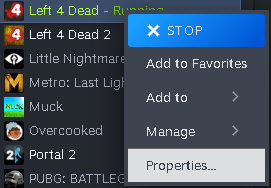
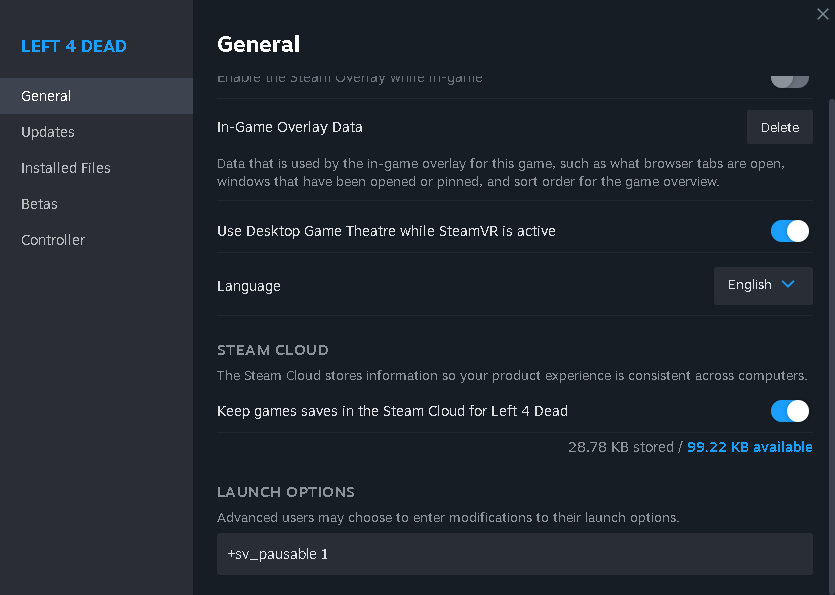
- Go to LIBRARY and find Left 4 Dead right click to open manage
- Click Properties
- In General scroll down and you will see LAUNCH OPTIONS
- Put in LAUNCH OPTION +sv_pausable 1
(this will let you pause the game in Survival) - Launch the game
put in sv_cheats 1; noclip; sv_cheats 0
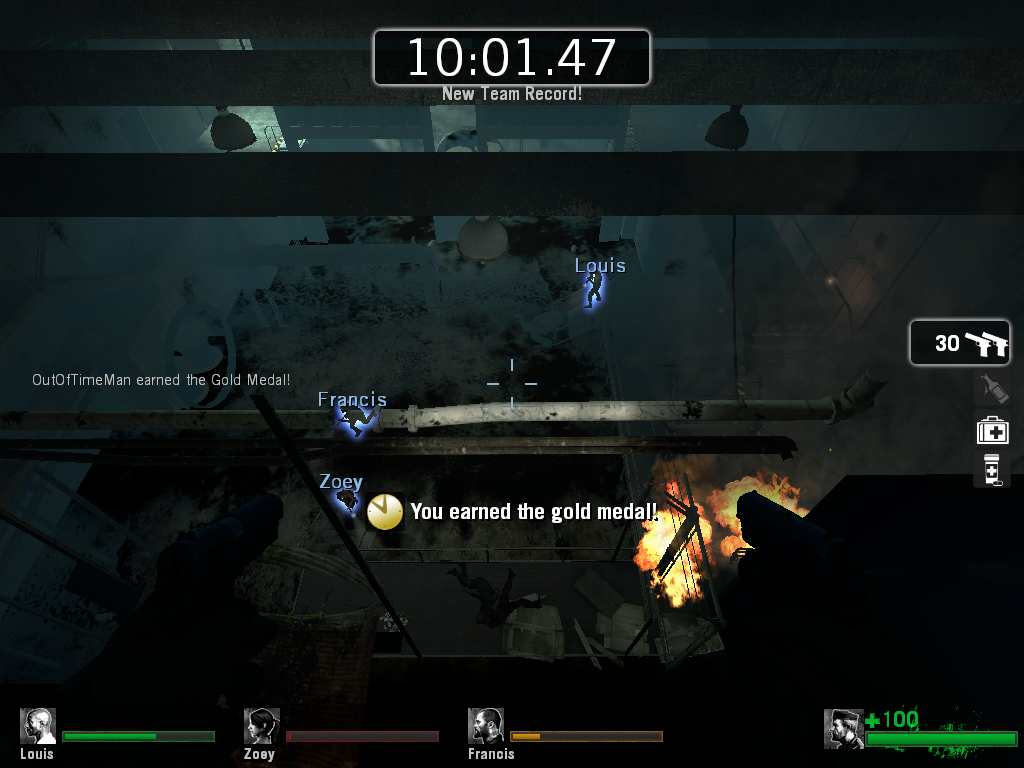
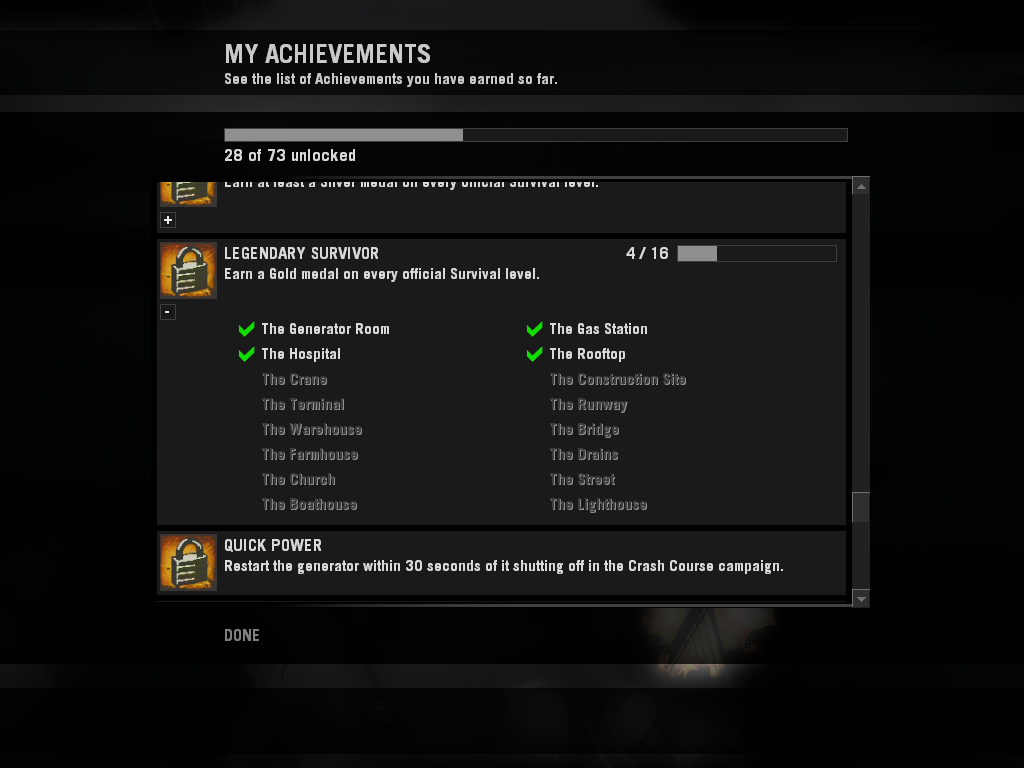
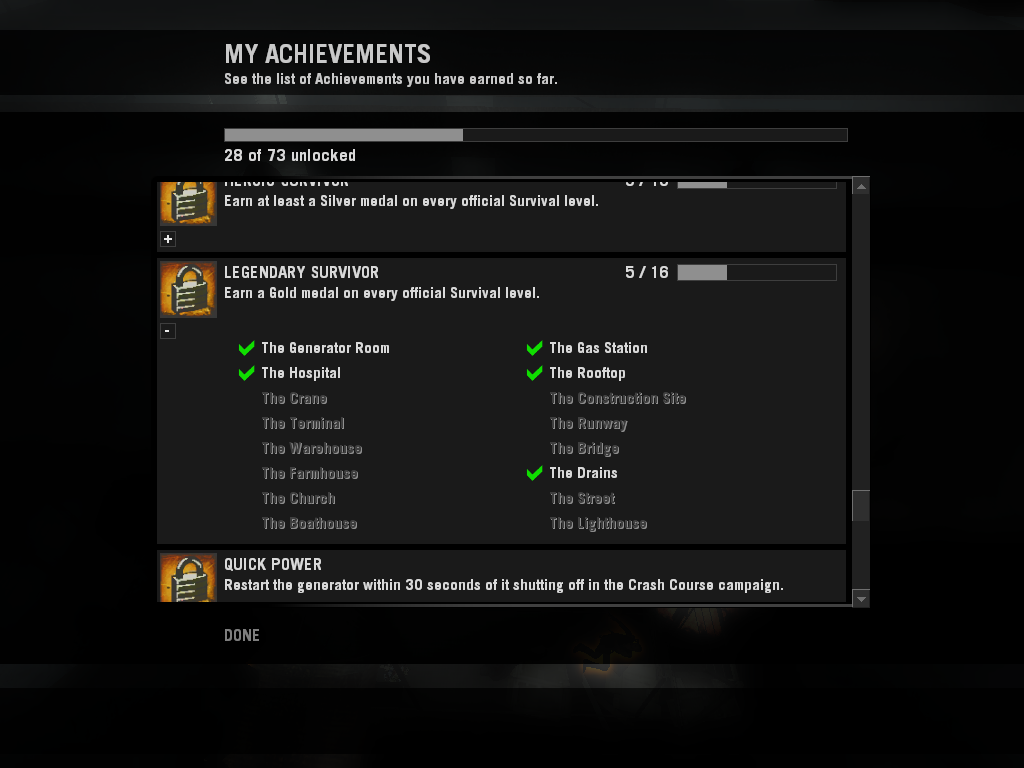
p.s: your time wont be registered but it will be counted on the MY ACHIEVEMENTS that you got a gold medal.
2. Something to Prove
by typing this command in developer console:
bind "MOUSE1" "+attack;kick Boomer; kick (1)Boomer; kick Hunter; kick (1)Hunter; kick Smoker; kick (1)Smoker; kick Tank; kick (1)Tank; kick (2)Tank; kick (3)Tank"
What it does is remove the special infected only in campaign mode, eliminating the need to download infinite kick script add-ons from sketchy websites. This method is much safer and easier.
You don't have to enable sv_cheats just paste it in on command console and BAM no more special infected!
what it does is every time you click the shoot button it will remove the special infected so you have to constantly click and not hold to remove the special infected, this takes practice and you will get the hang of it.
Or you can replace the bind key with any other keys for your own preference by doing this for example:
bind G "kick Boomer; kick (1)Boomer; kick Hunter; kick (1)Hunter; kick Smoker; kick (1)Smoker; kick Tank; kick (1)Tank; kick (2)Tank; kick (3)Tank"
(To restore it back to normal go to Menu (ESC) > OPTIONS > Keyboard/Mouse >
EDIT KEYS/BUTTON > Use Defaults (This will reset the keys back to default so if you have custom keybinds keep note of it before you put it back to default) then > Ok > Apply)
This is all for this Guide, good luck achievement hunters!
Beat Left 4 Dead's achievements?
Flex it — let your friends know you pulled it off.
- Field of View (FOV)★ 5 (752)33k views945 ♥1 minUpdated Sep 23, 2022
- Left 4 Dead Achievement Guide★ 5 (1.2k)23k views1.8k ♥22 minUpdated Jul 7, 2020
- Получаем все достижения в игре Left 4 Dead 1 [73/73]★ 5 (1.2k)17k views1.7k ♥54 minRussianUpdated Sep 21, 2025
- The Ten Commandments of Left 4 Dead★ 5 (900)16k views743 ♥3 minUpdated Dec 13, 2015
- How to CORRECTLY install mods★ 5 (321)13k views644 ♥4 minUpdated Mar 30, 2024
- Jacob's Left 4 Dead Solo Achievement Guide★ 5 (643)12k views1.3k ♥40 minUpdated Aug 4, 2022


- Upgrading to PremiumTeam Fortress 2★ 5 (20k)1441k views11k ♥6 minUpdated May 11, 2022
- No More Room in Hell Official ManualNo More Room in Hell★ 5 (2.8k)569k views2.1k ♥29 minUpdated Apr 22, 2019
- NMRiH Community Hosting GuidesNo More Room in Hell★ 5 (526)351k views653 ♥1 minUpdated Aug 10, 2022
- ULTIMATE GUIDE FOR GAME DEV TYCOONGame Dev Tycoon★ 5 (5.8k)326k views10k ♥4 minUpdated 23 Jan, 2014
- How to 'Git Gud' Soon™MORDHAU★ 5 (2k)318k views3k ♥68 minUpdated Nov 16, 2024
- Лучшие кооперативные игры SteamPAYDAY 2★ 5 (1.5k)315k views2.1k ♥56 minRussianUpdated Apr 27, 2025






This guide was created by its original author on the Steam Community. Are you the author and want it removed? Request removal.