[Mod Guide] Weapons, Armour, Mounts, Accessories and Followers
Introduction
 UPDATES:
 ACCESSORY, FOLLOWER, AND ITEM SET BONUSES ADDED 8/20/19
MOUNTS ADDED 8/11/19
HOW TO WIELD ALL WEAPONS ADDED 8/7/19
WEAPONS ADDED 8/5/19
ARMOUR ADDED: 8/1/19
Hi there. I'm someone of no repute within the modding community and just make custom mods for myself without uploading them to steam to create a more fun, customized gaming experience for myself. With that said, I am here to show you how to make custom ancillaries. Please note that we will be modifying ceo data so this mod will not be compatible with other mods that do the same UNLESS you apply the same update commands, which you would have to get from the author. I will however explain in this guide how to make this compatible with the gift from heaven mod.

Zades, the author of the Dynasty Warriors mod, has already created a guide to create a custom character. That guide can be found here:
https://steamcommunity.com/sharedfiles/filedetails/?id=1798650568
This guide will help you create custom armour, weapons, mounts, accessories, and followers for your character.
Here is an example of one that I made for my character:
 And Another
 1 more:
Requirements
If you are organized, hopefully you have filtered tables in Dave but here is a list of tables we will be editing in Dave. I put them in the exact order we will be editing them so it should be pretty easy to follow along:
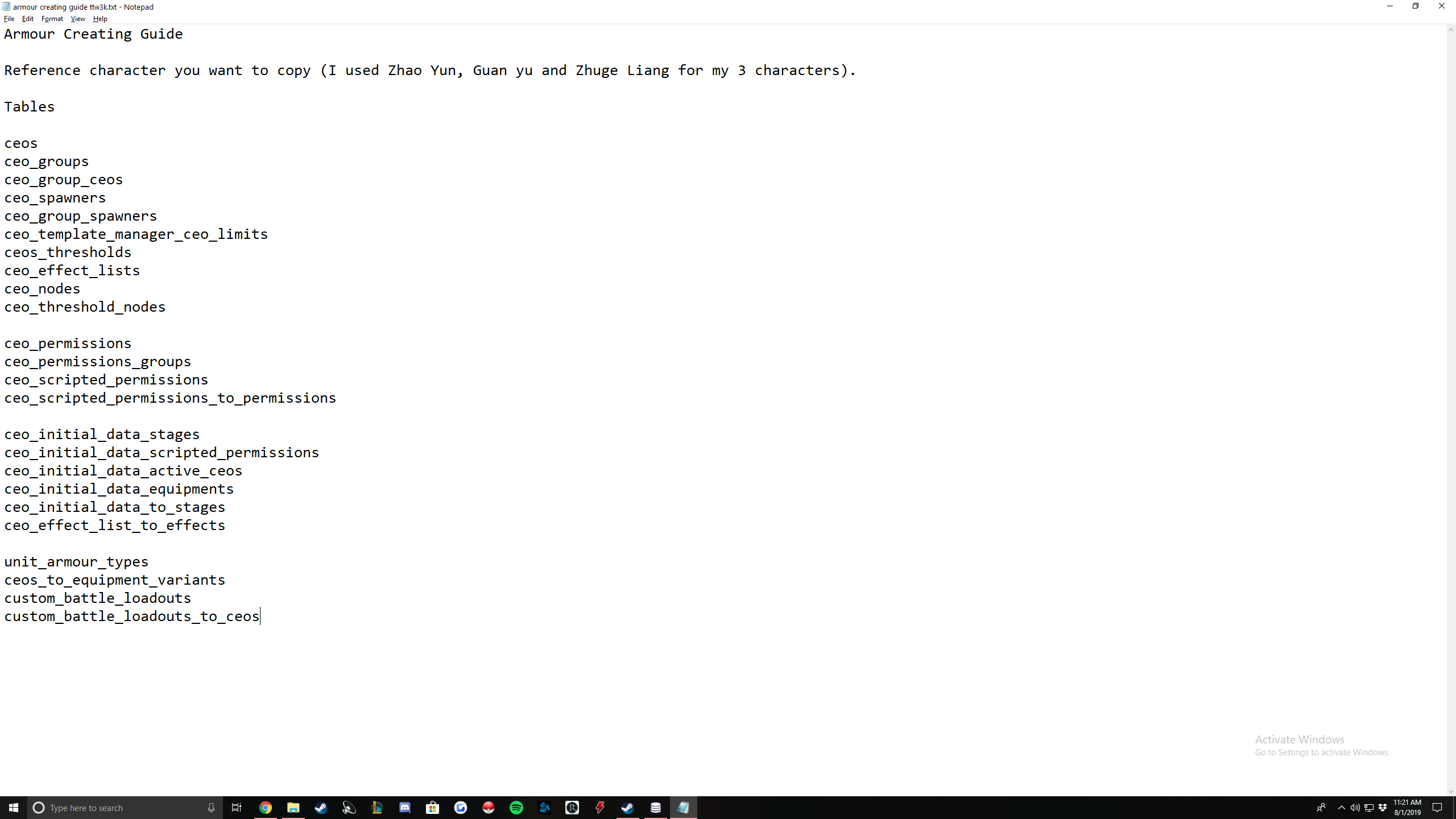
Custom Armour Dave Table Changes
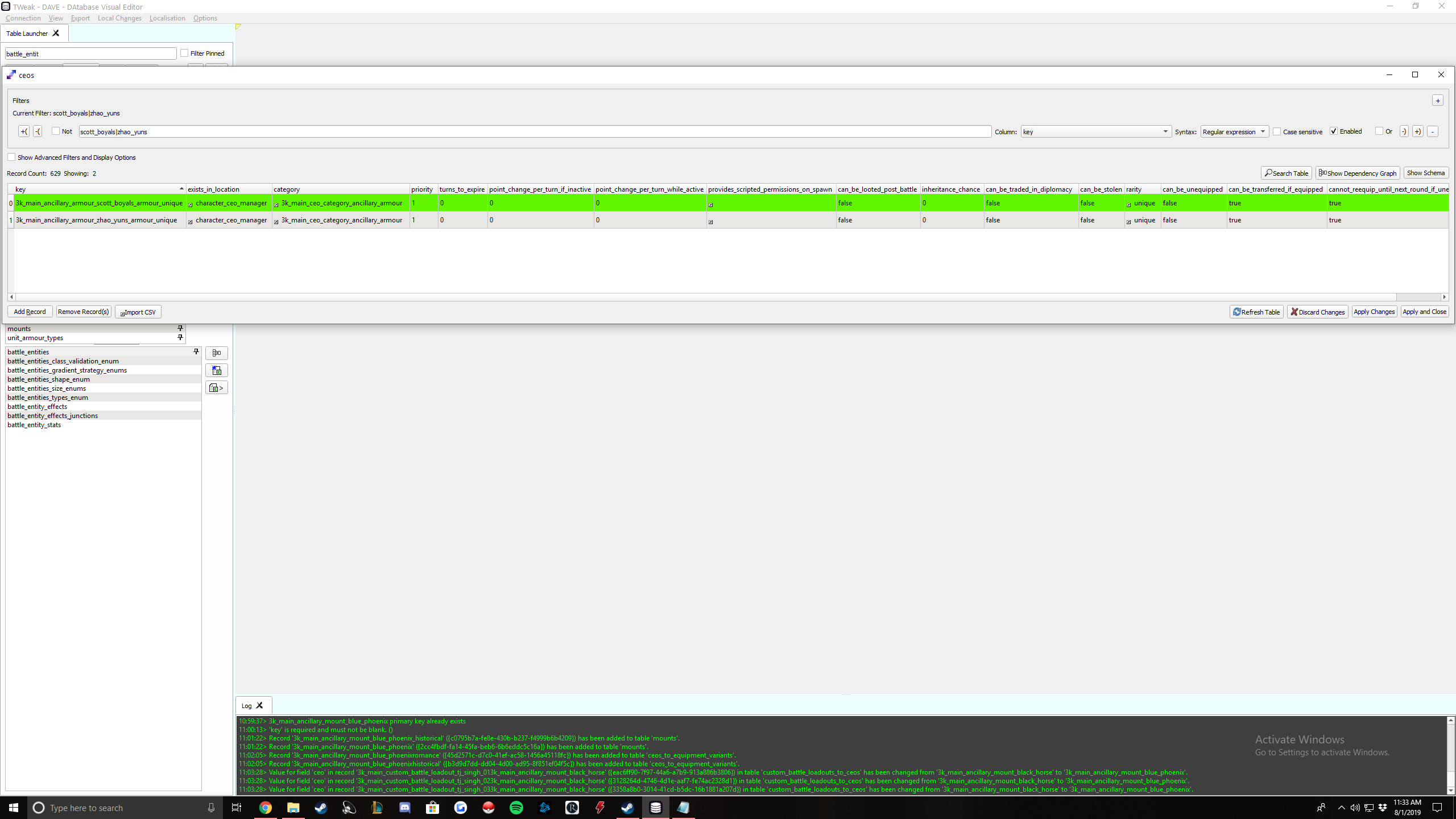
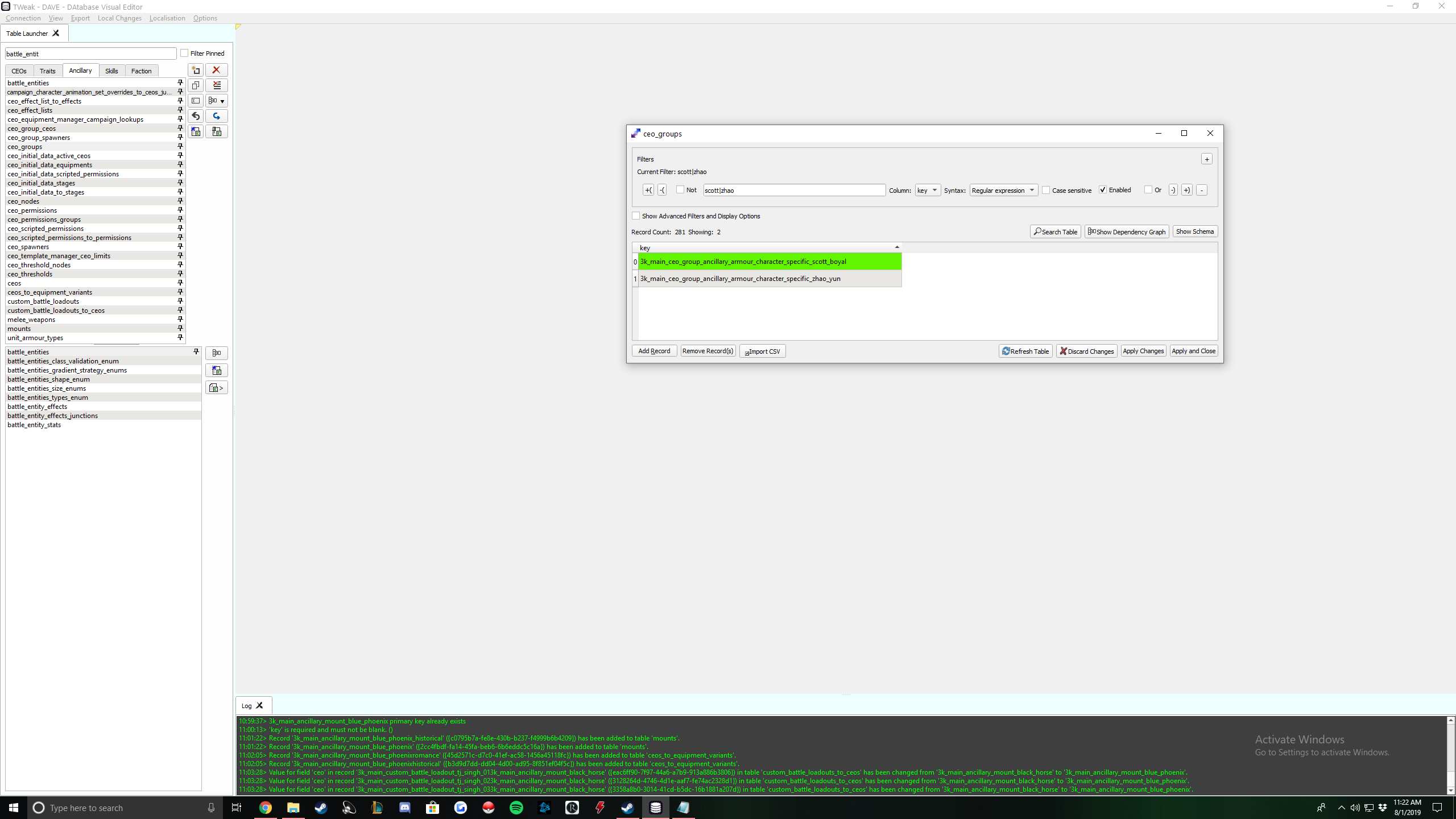
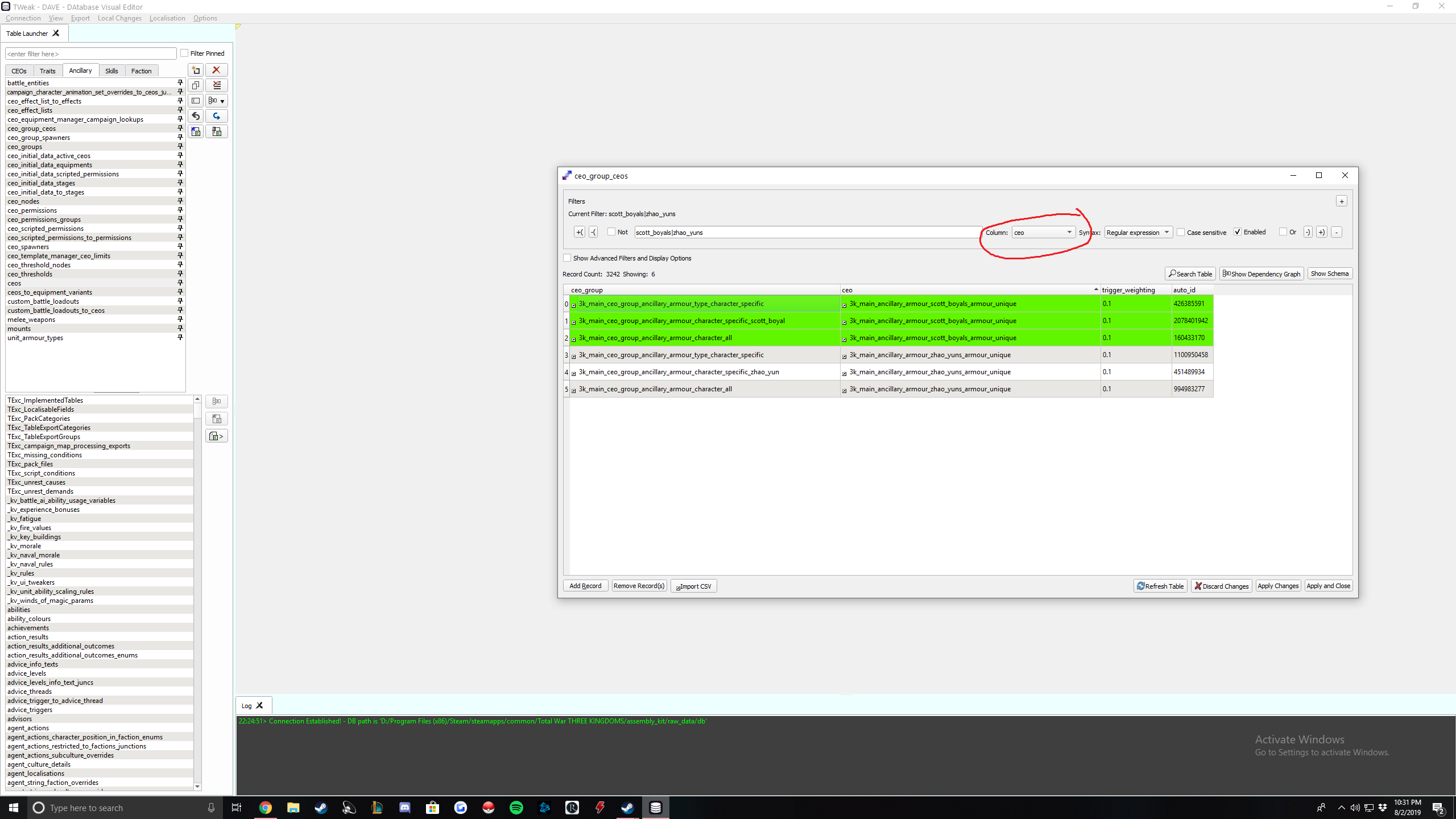
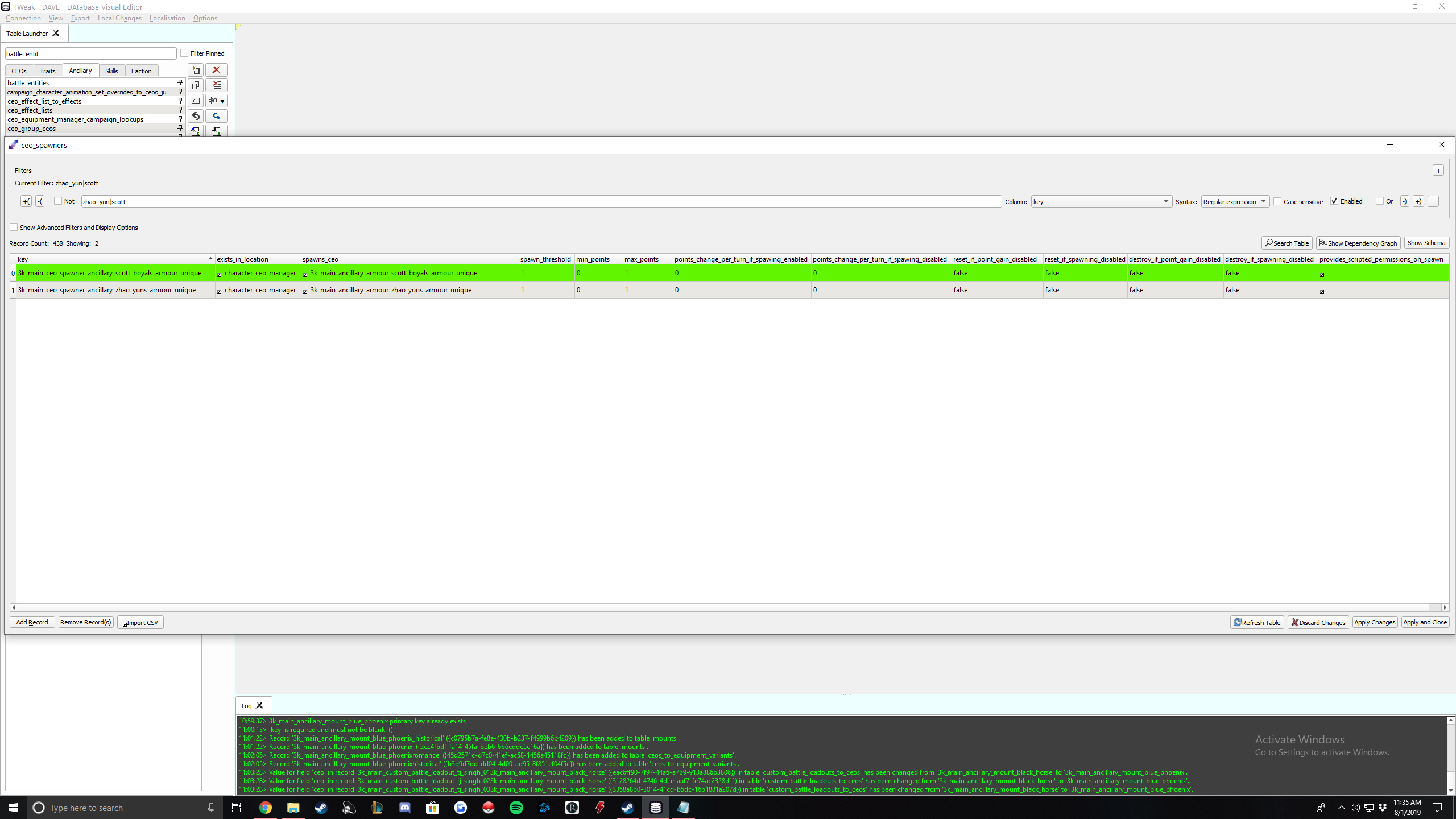
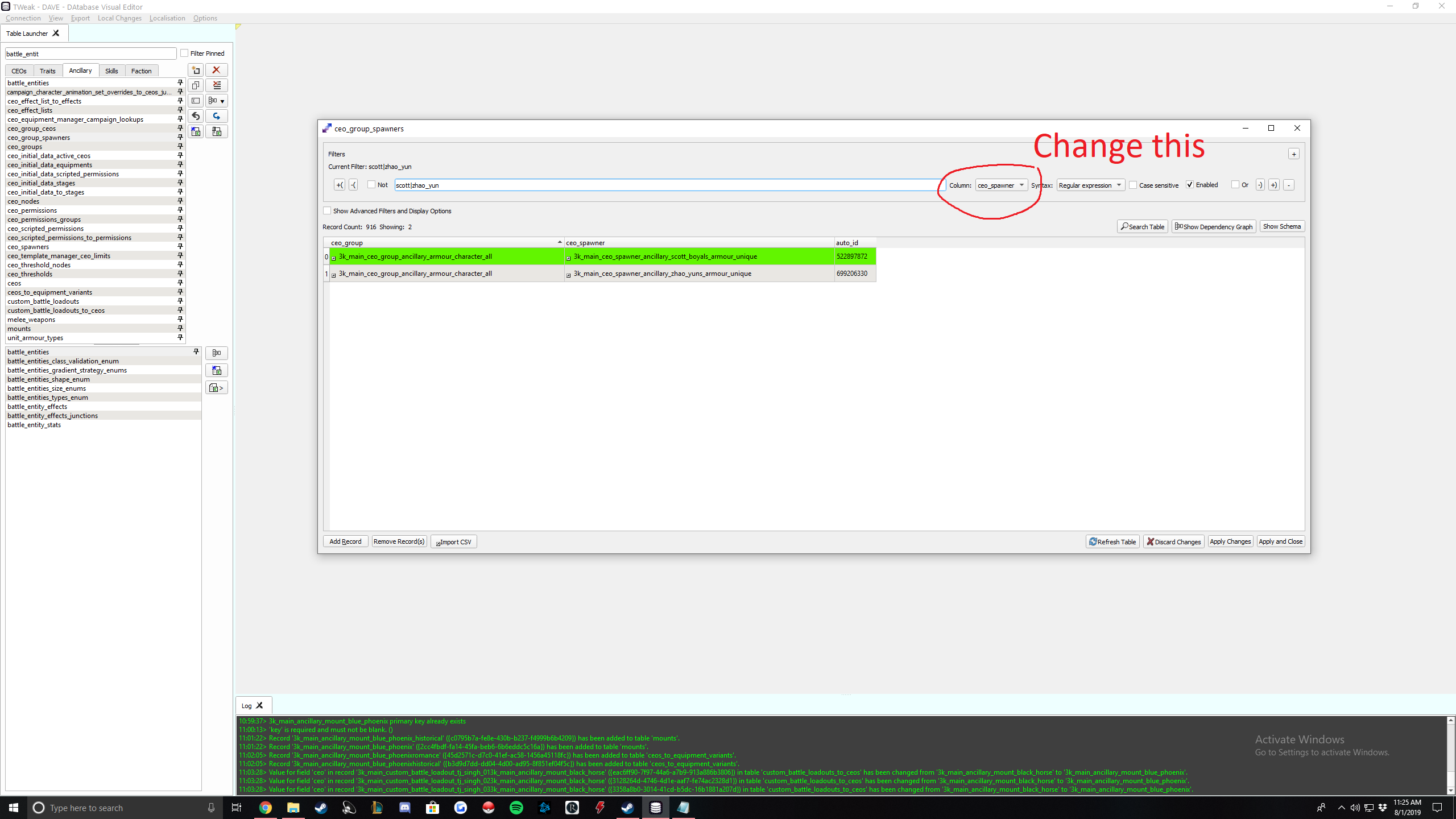
NOTE If you want this mod to be compatible with the gifts from heaven mod, this is where you would. What you would do is look up all the unique ancillaries (table isn't that big, just sort by "template manager." All items will be under 3k_main_ceo_template_manager_world_generic. Under max_limit_that_can_exist_at_once, change the value to however many of that item you want to exist at once. I just put 99 for all, but you can make it 11 if you want so that you get 10 through gift of heaven 10x and then the 11th one is given to whoever is supposed to get it in game.
Ok back to the guide.
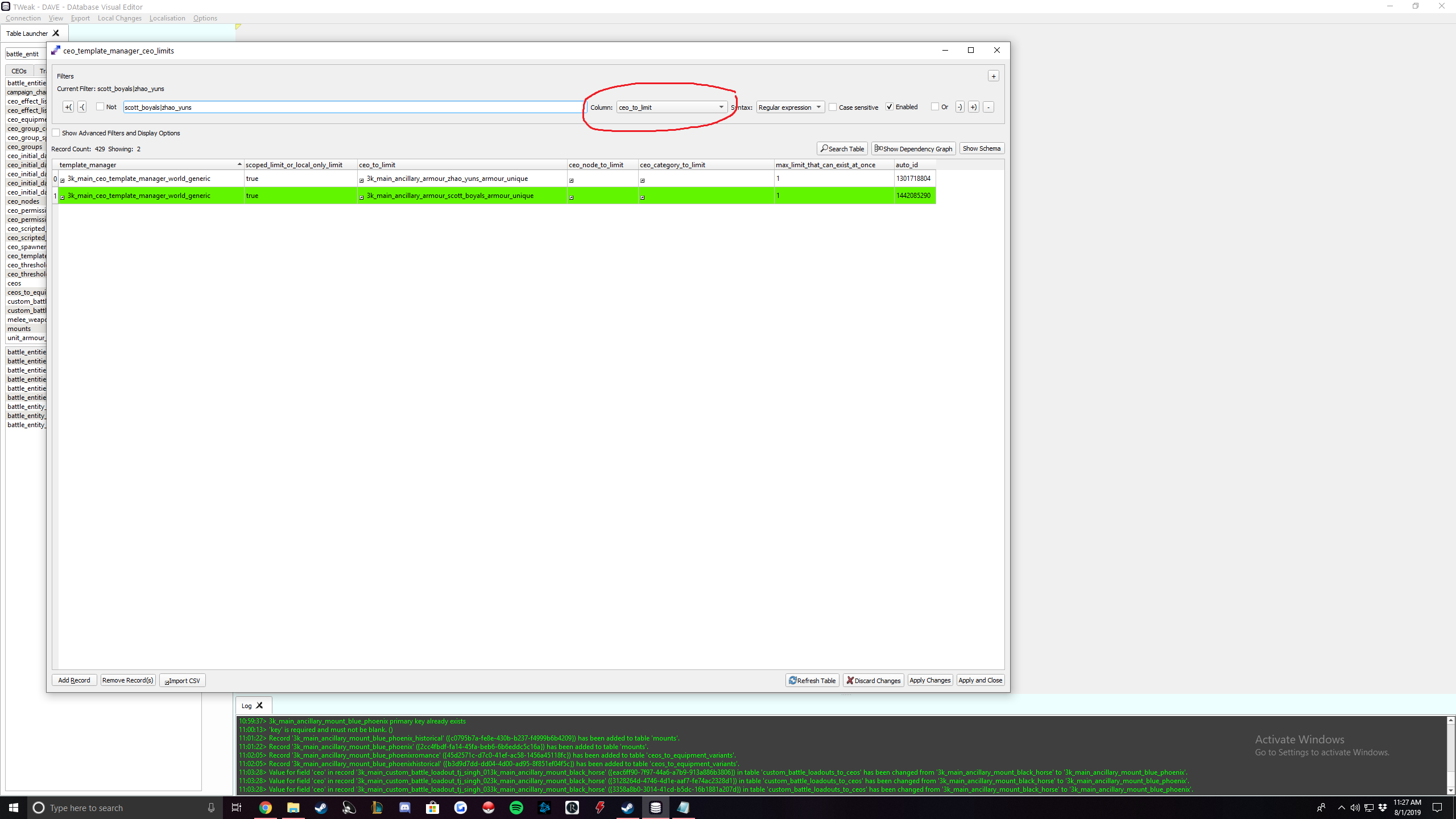
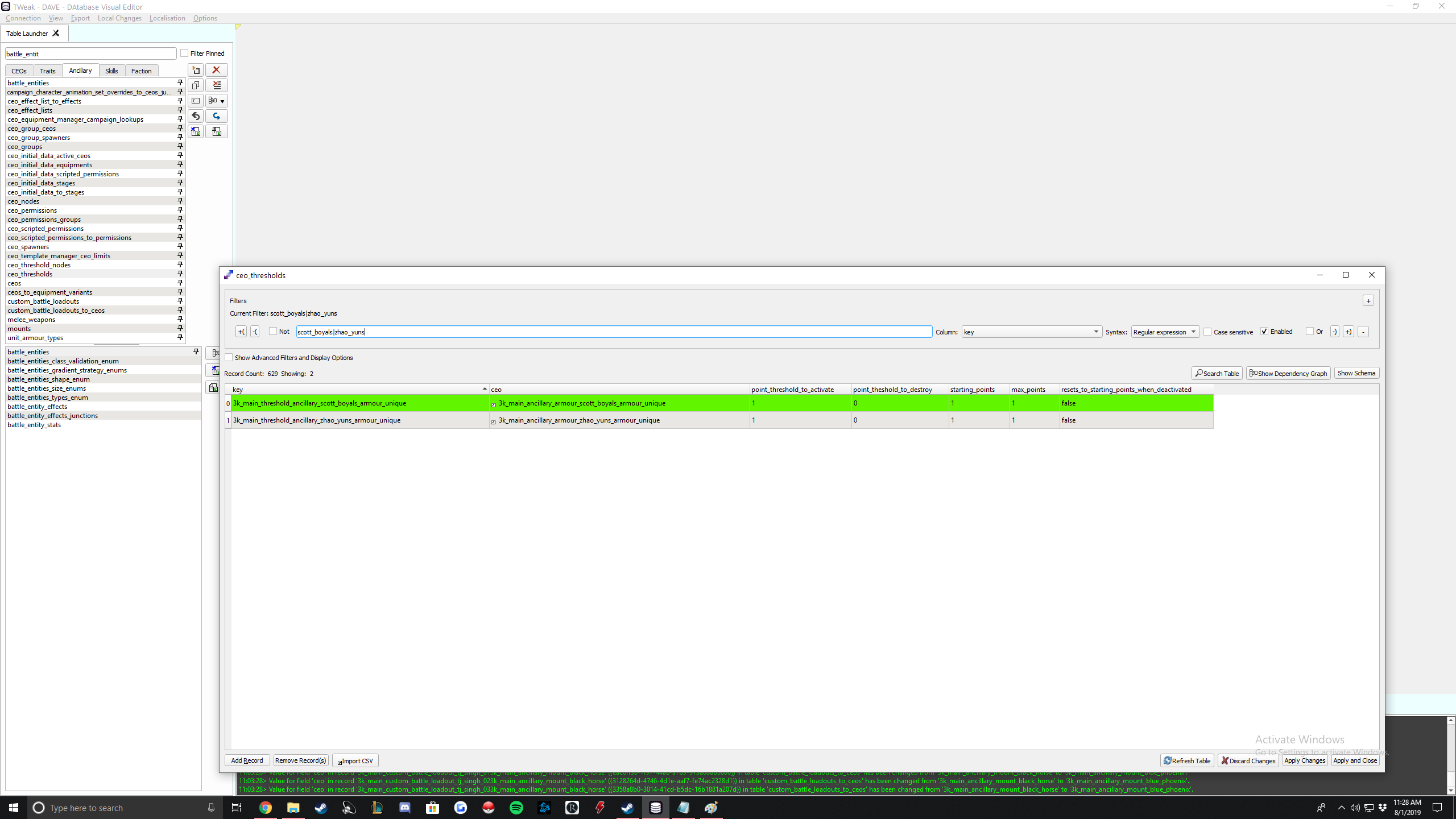
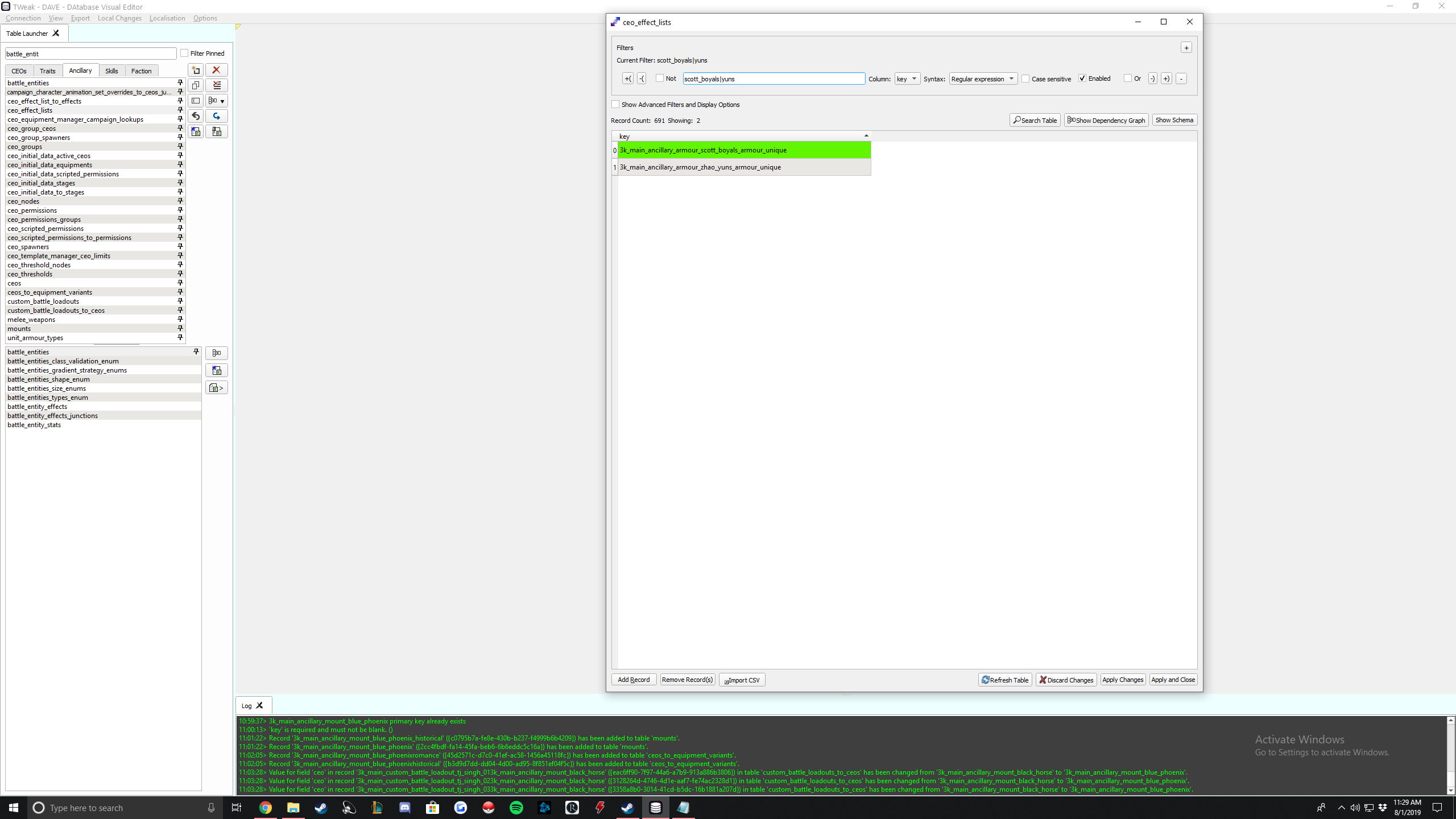
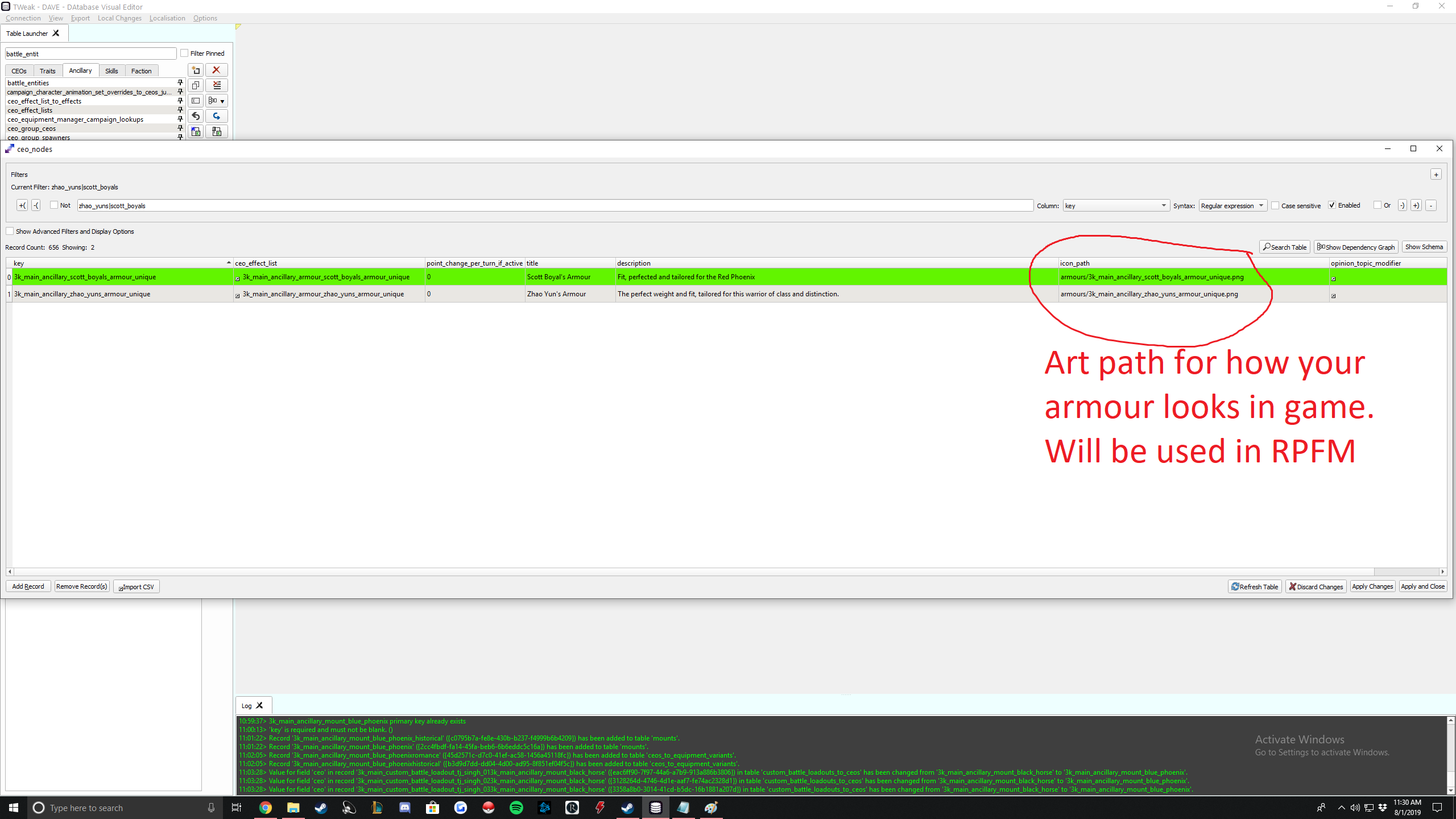
Icon path is how your item will look in game. Copy Zhao Yuns but replace his name with yours. You will have to create a folder in ui > ancillaries > armour (just like what you had to do for your character art).
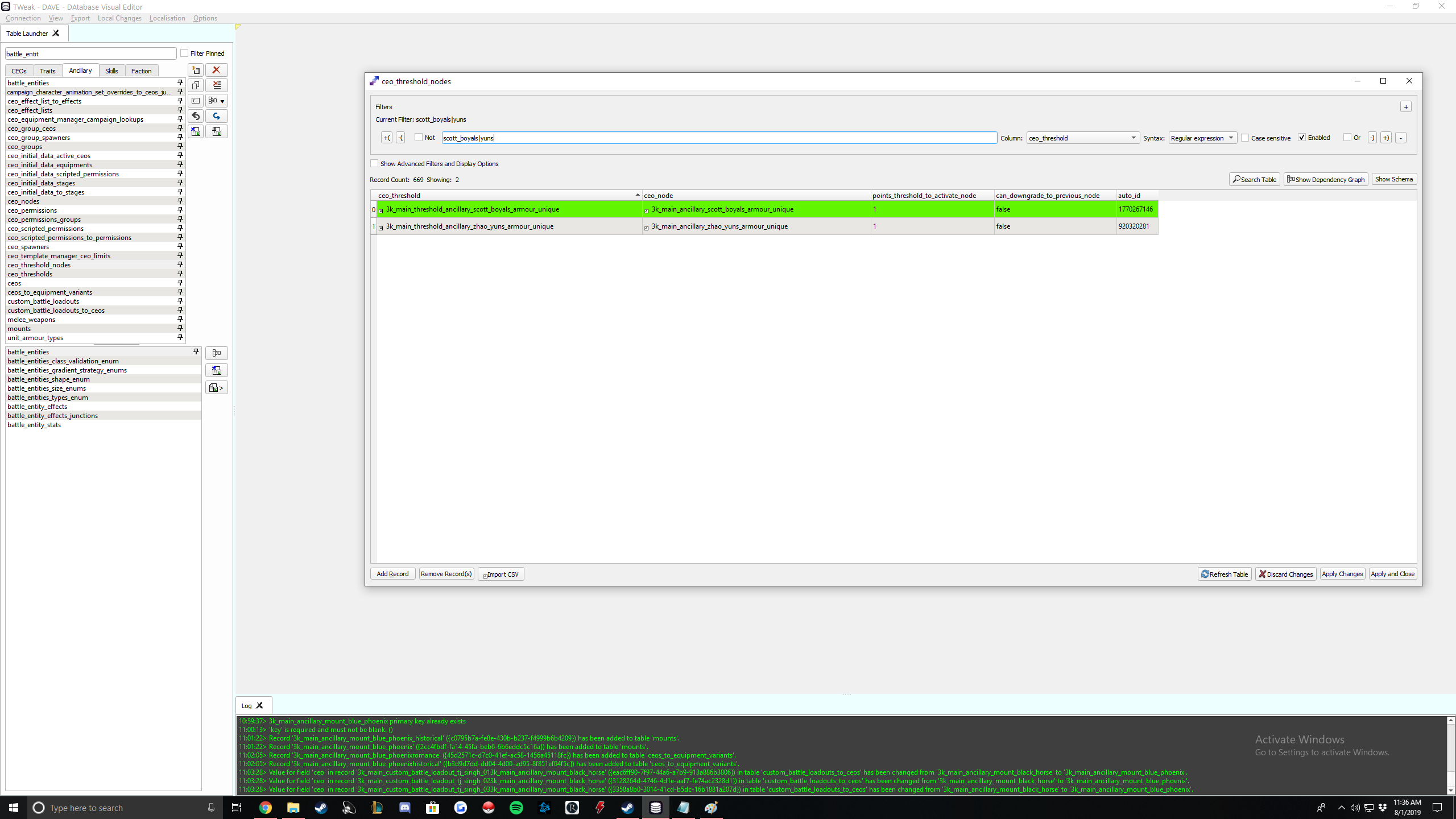
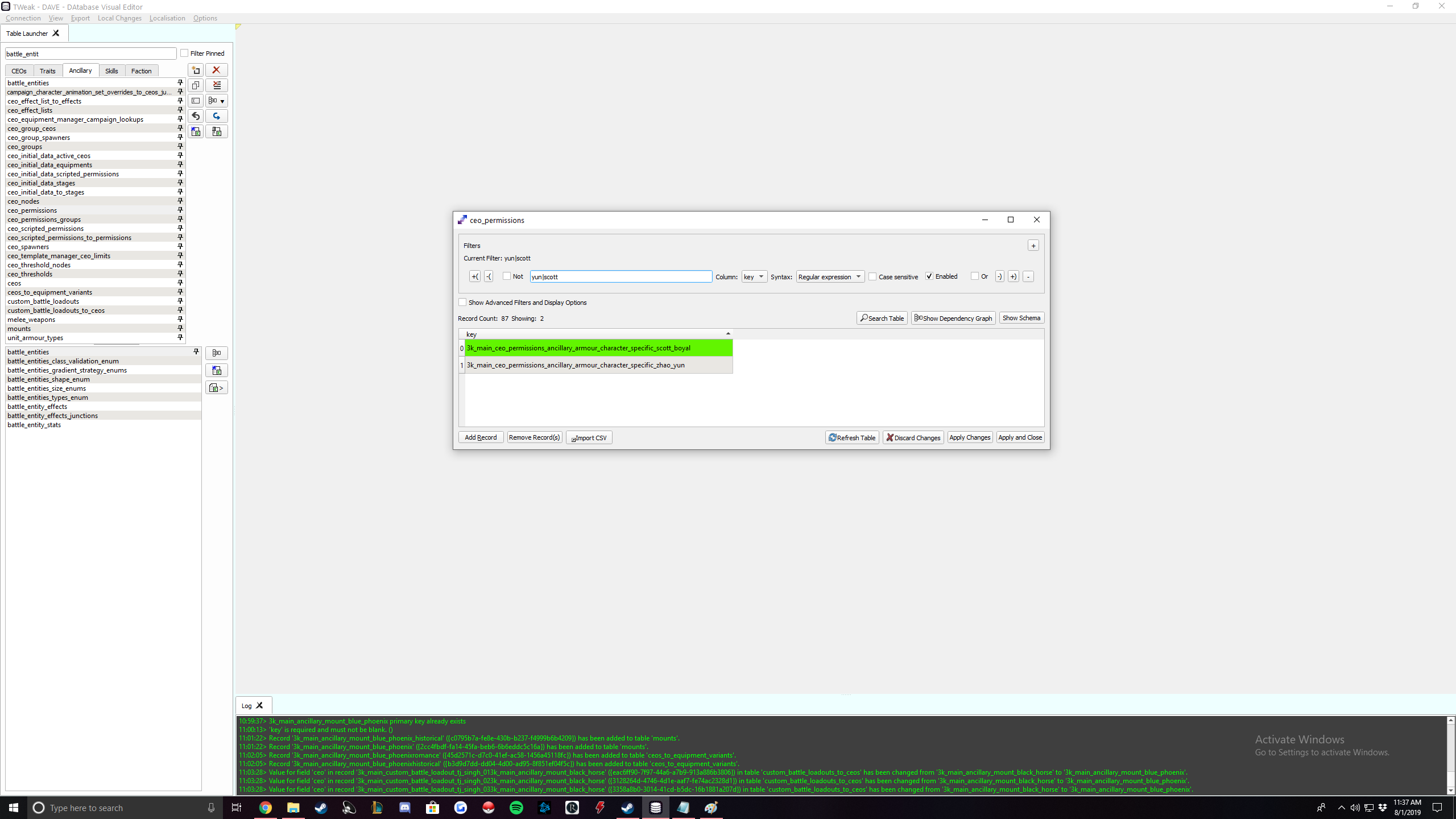
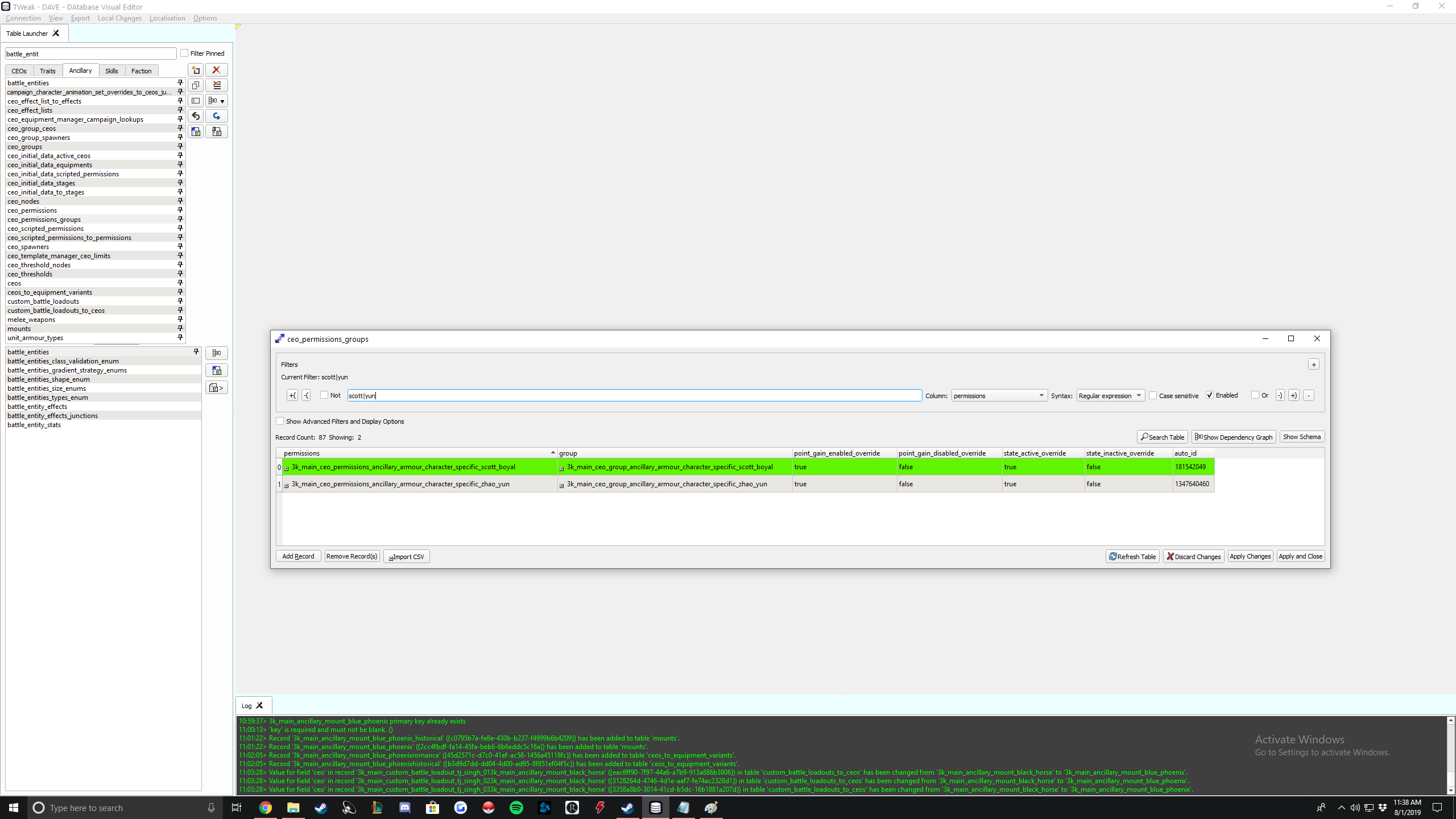
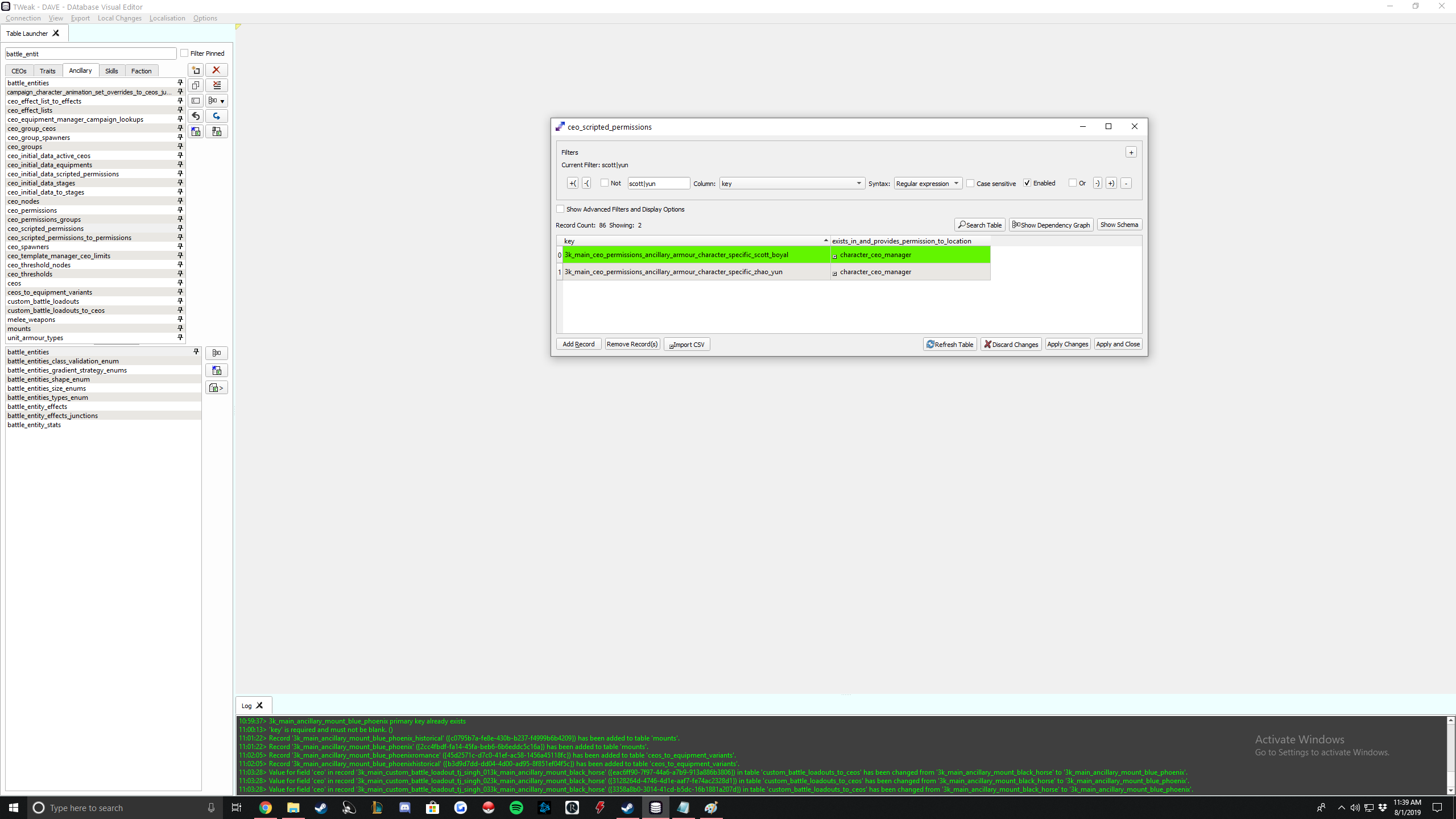
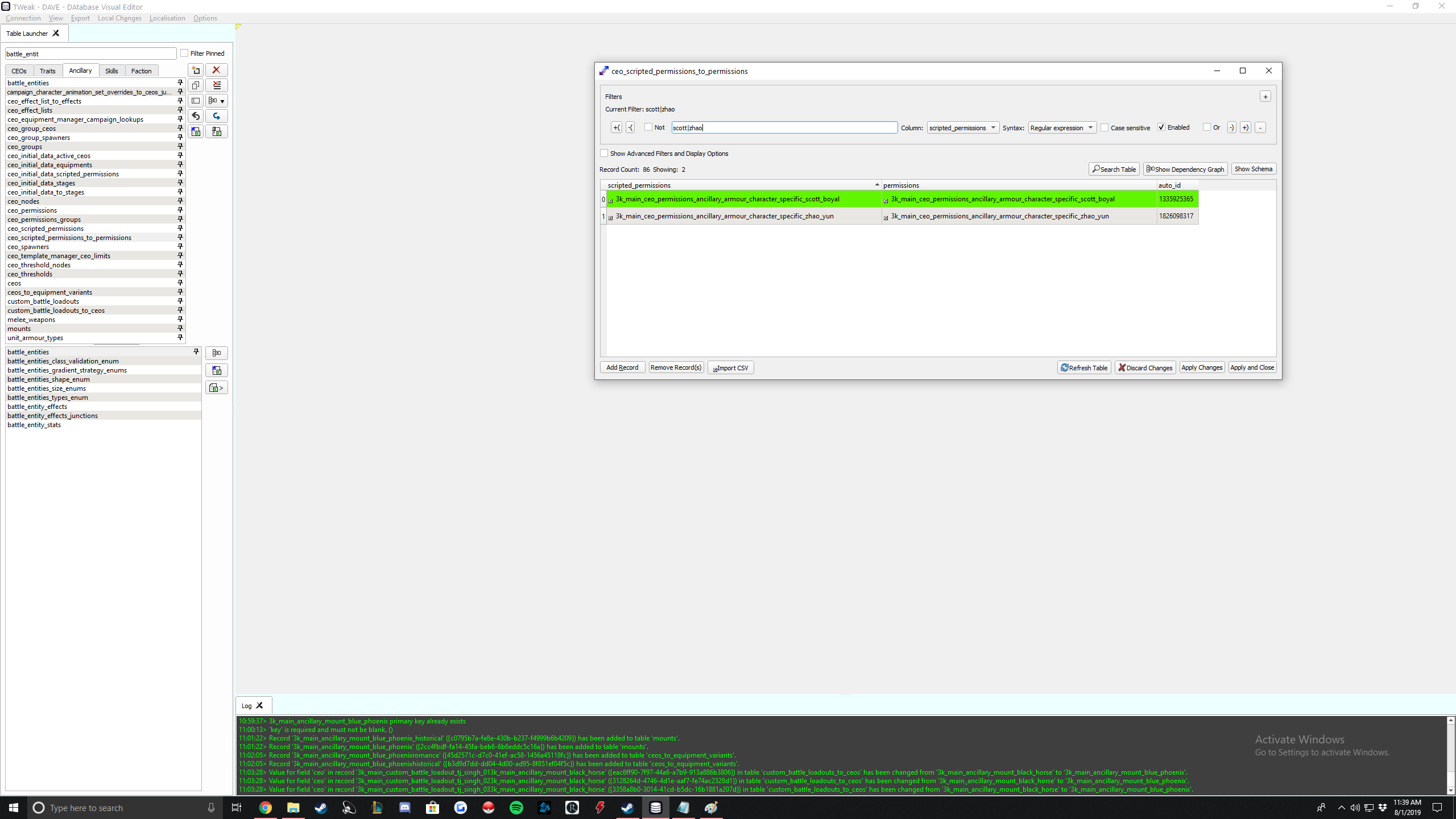
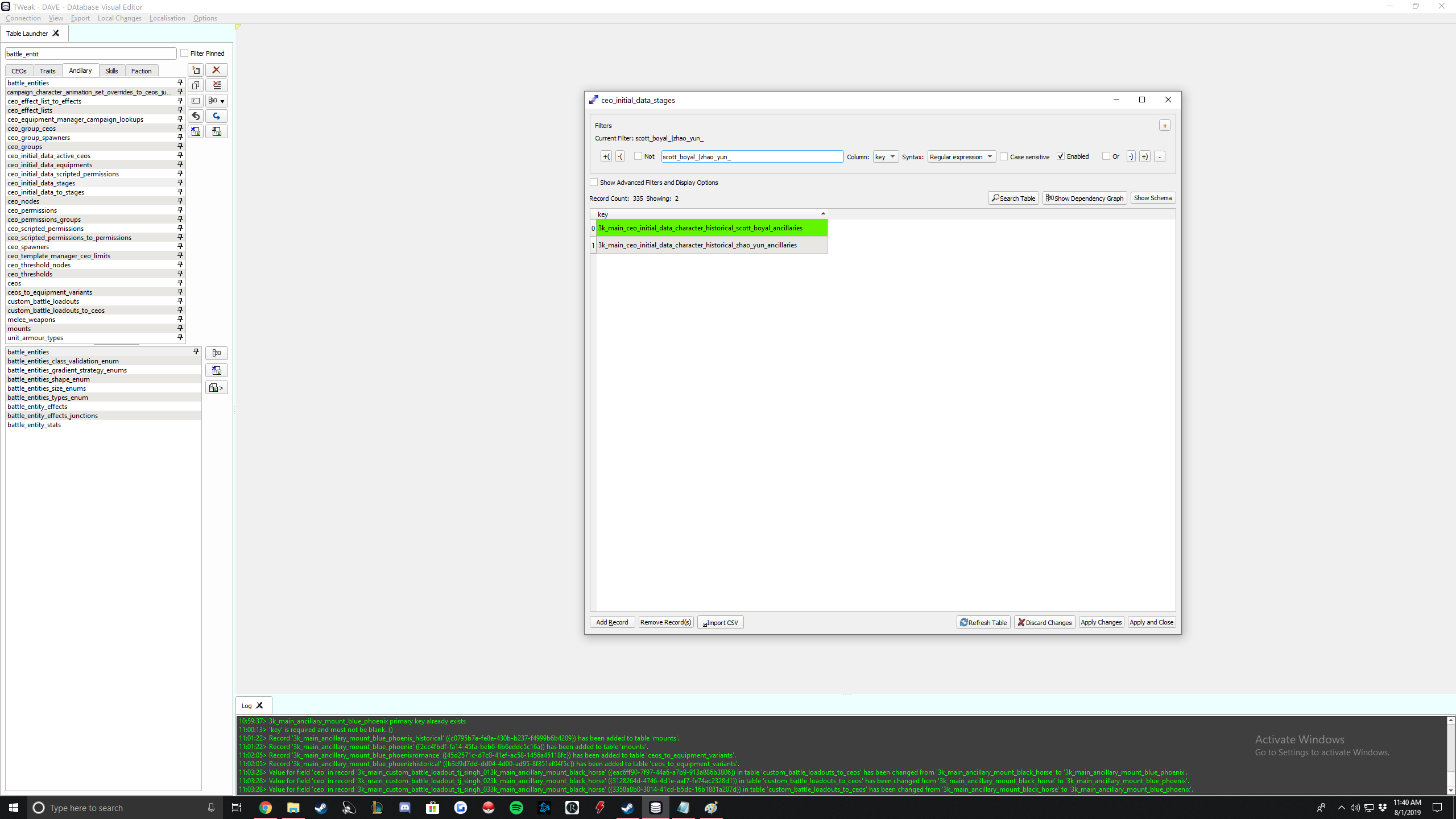
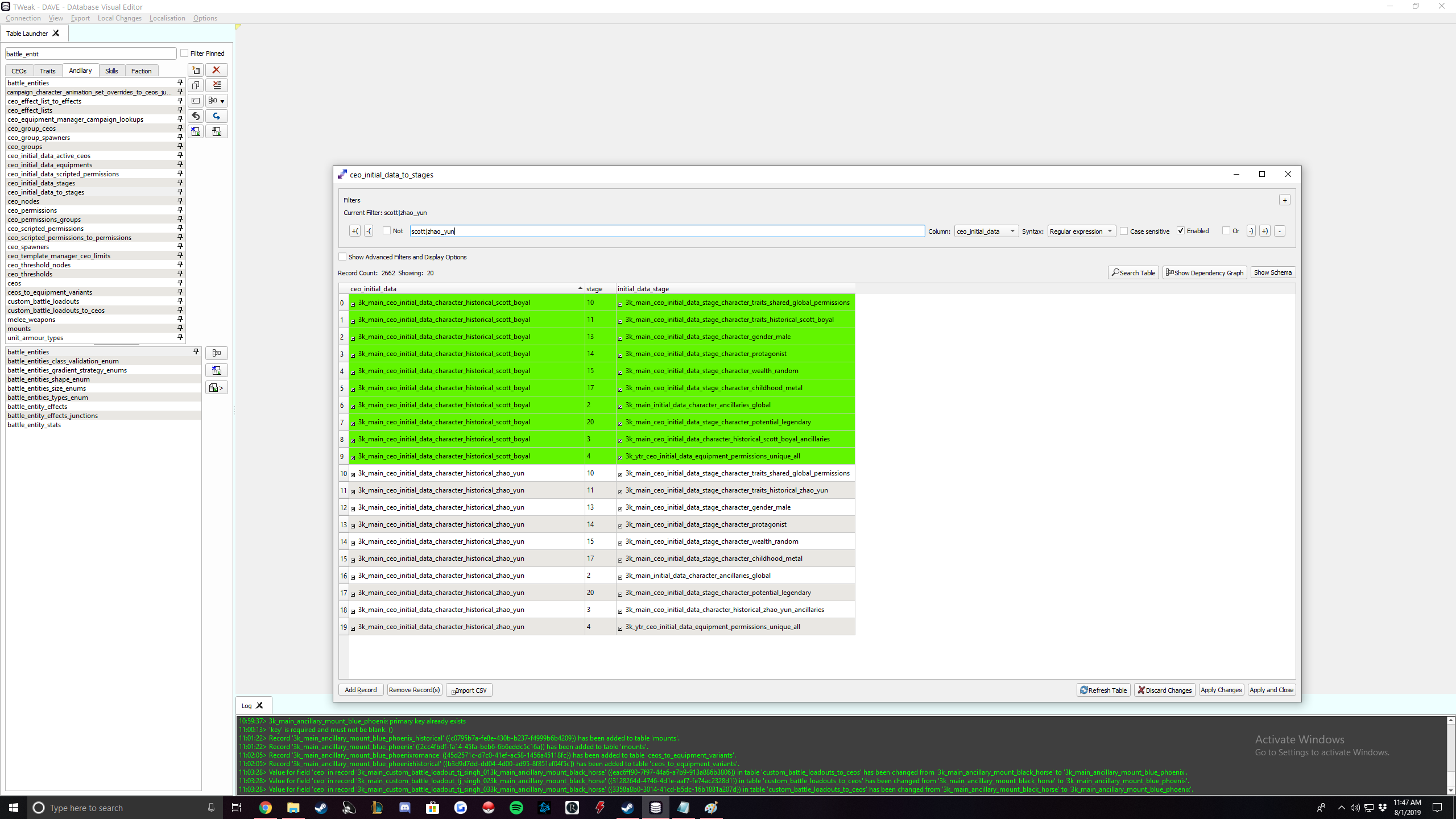
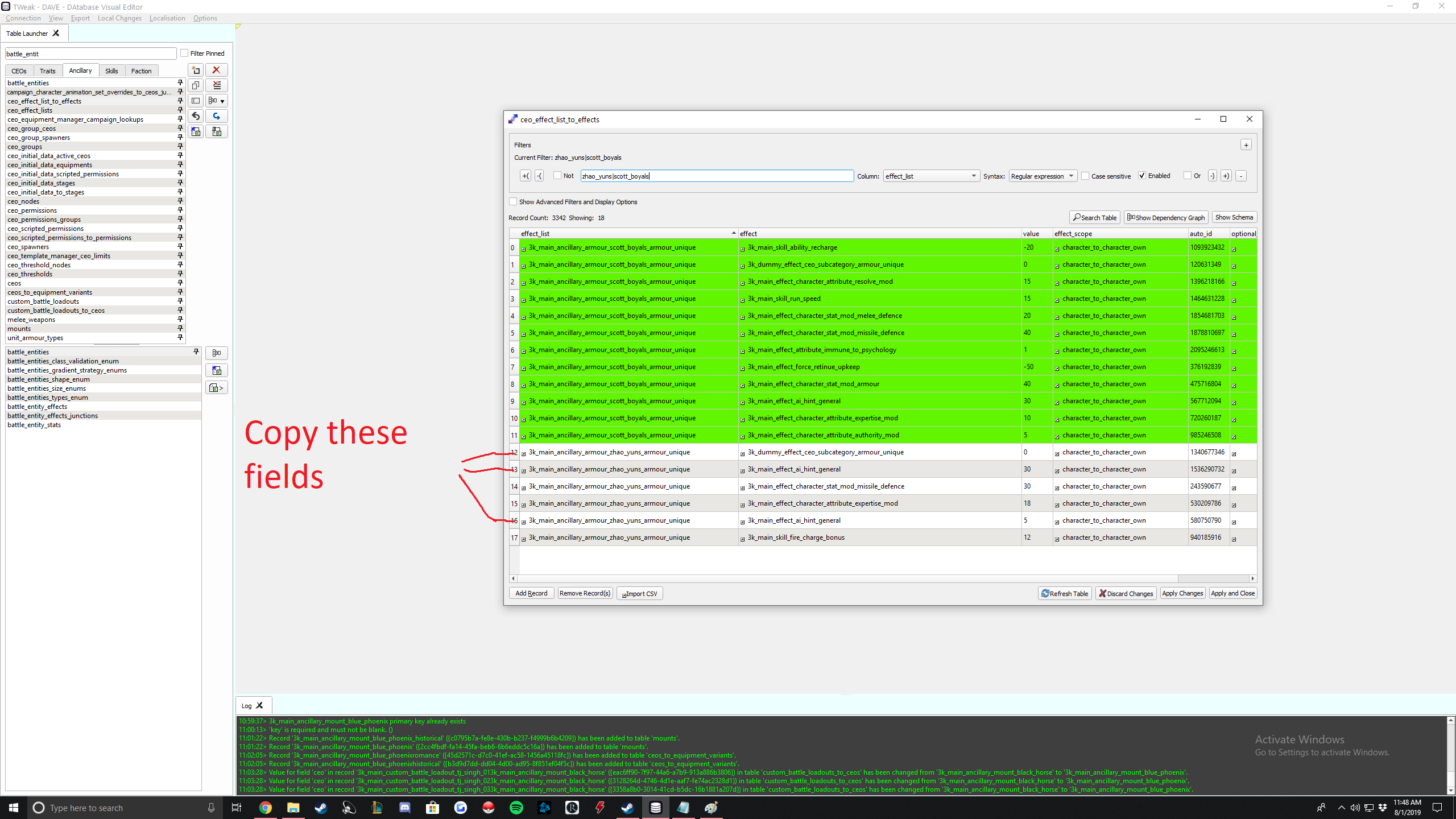
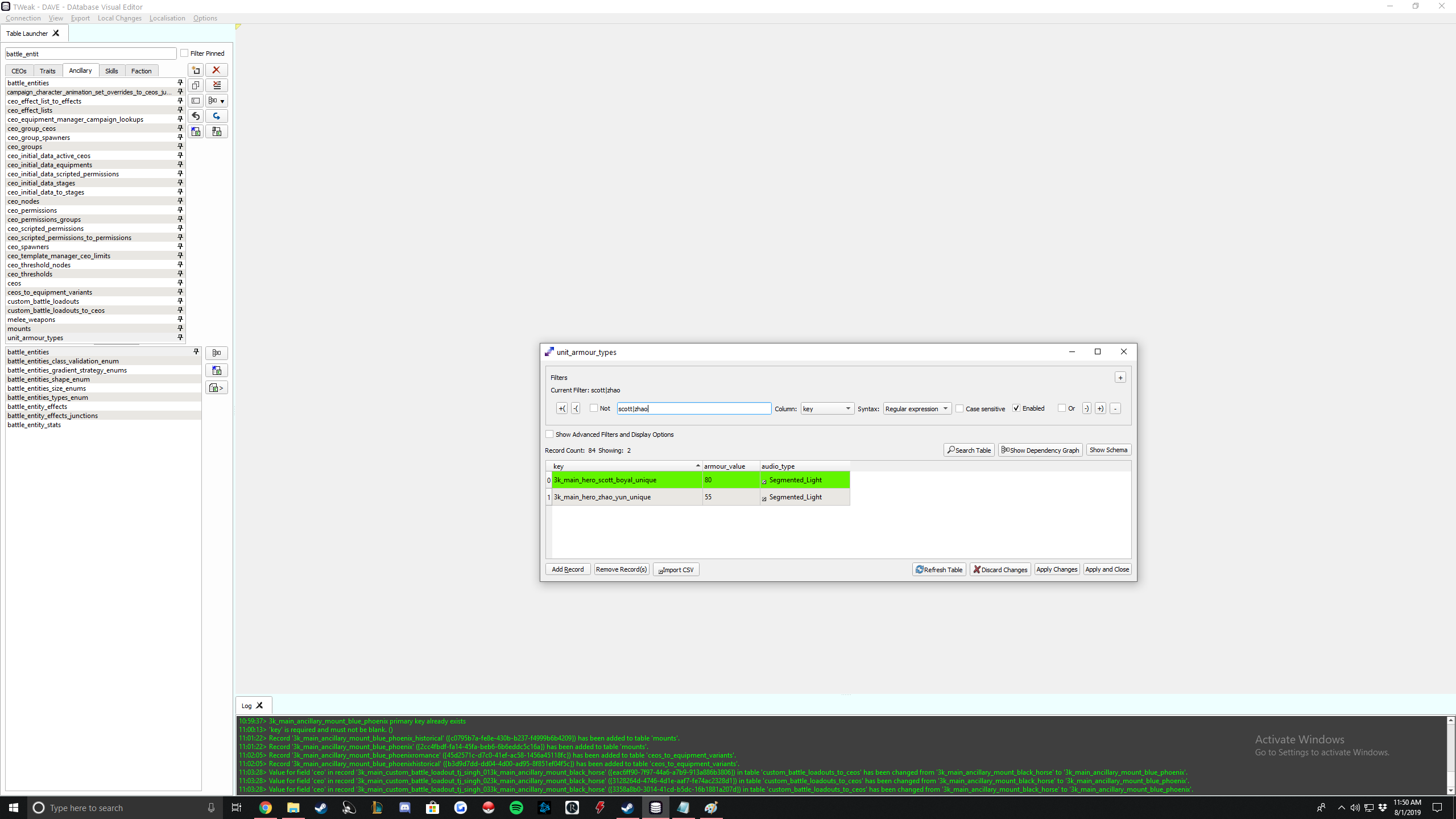
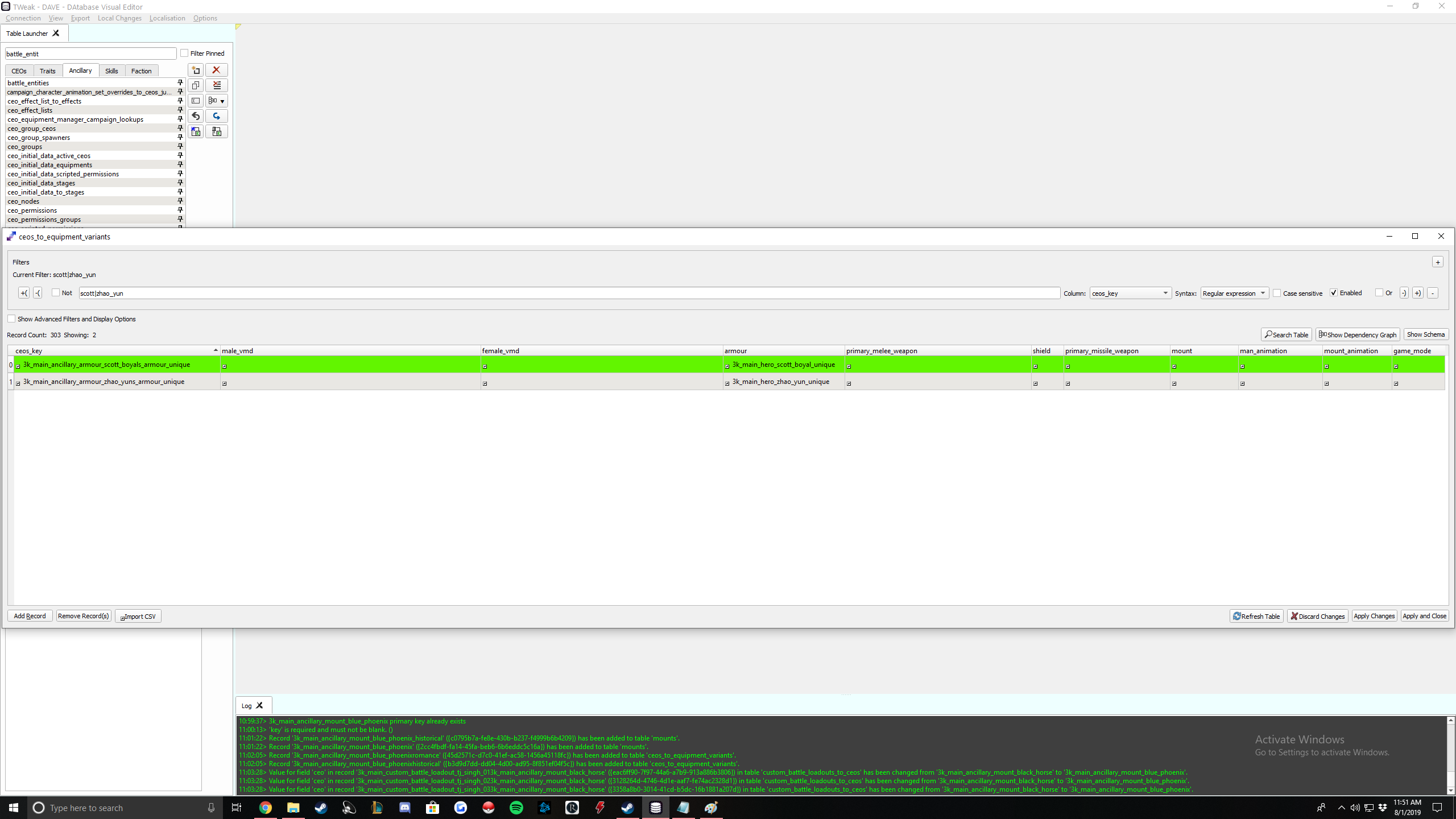 Note: if you are experiencing the glitch where when your hero is the commander of an army and you have floating body parts with no torso, Me and Zades figured it out. You need to variants through male_vmd in the same table. Here is an example: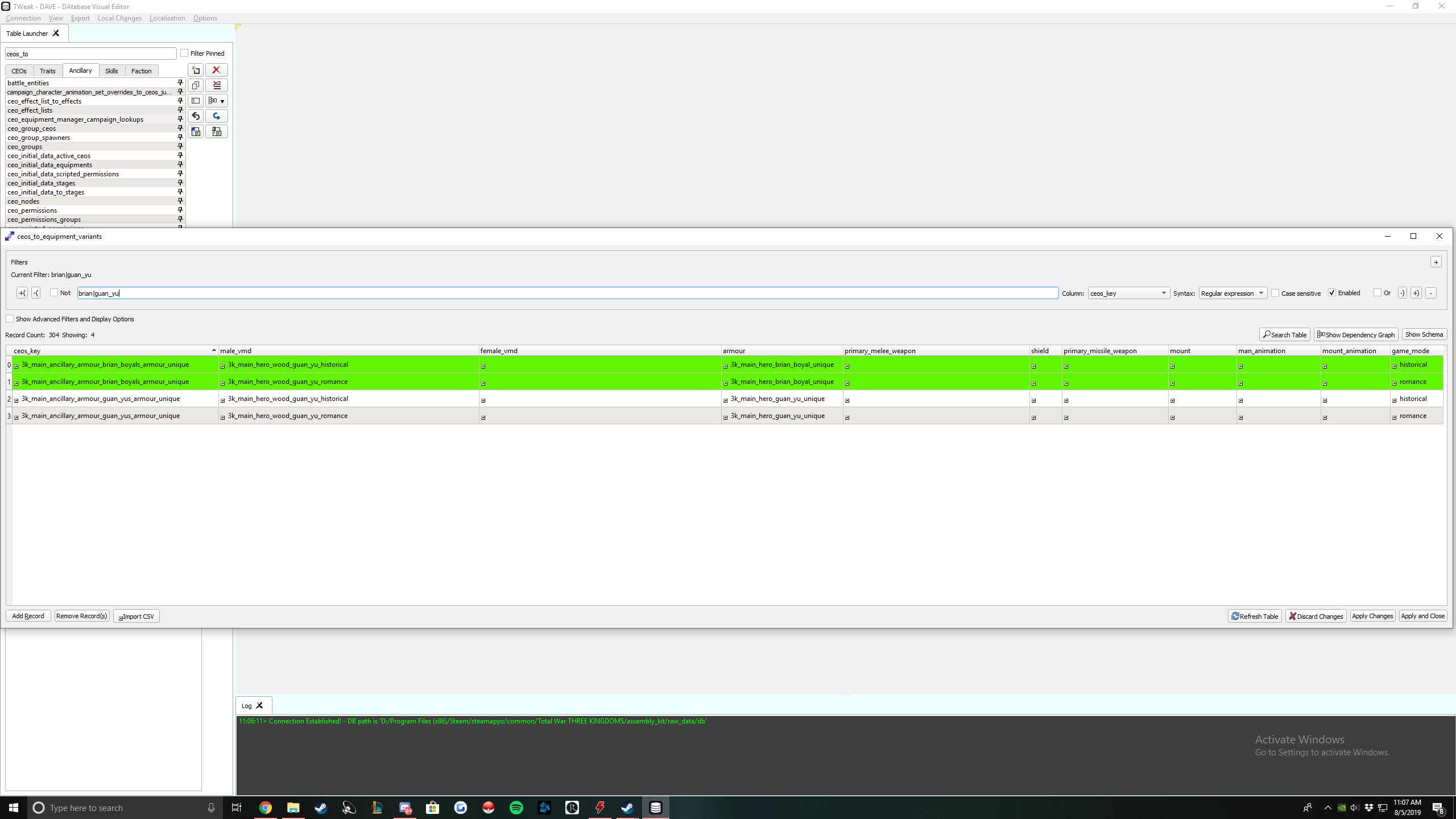
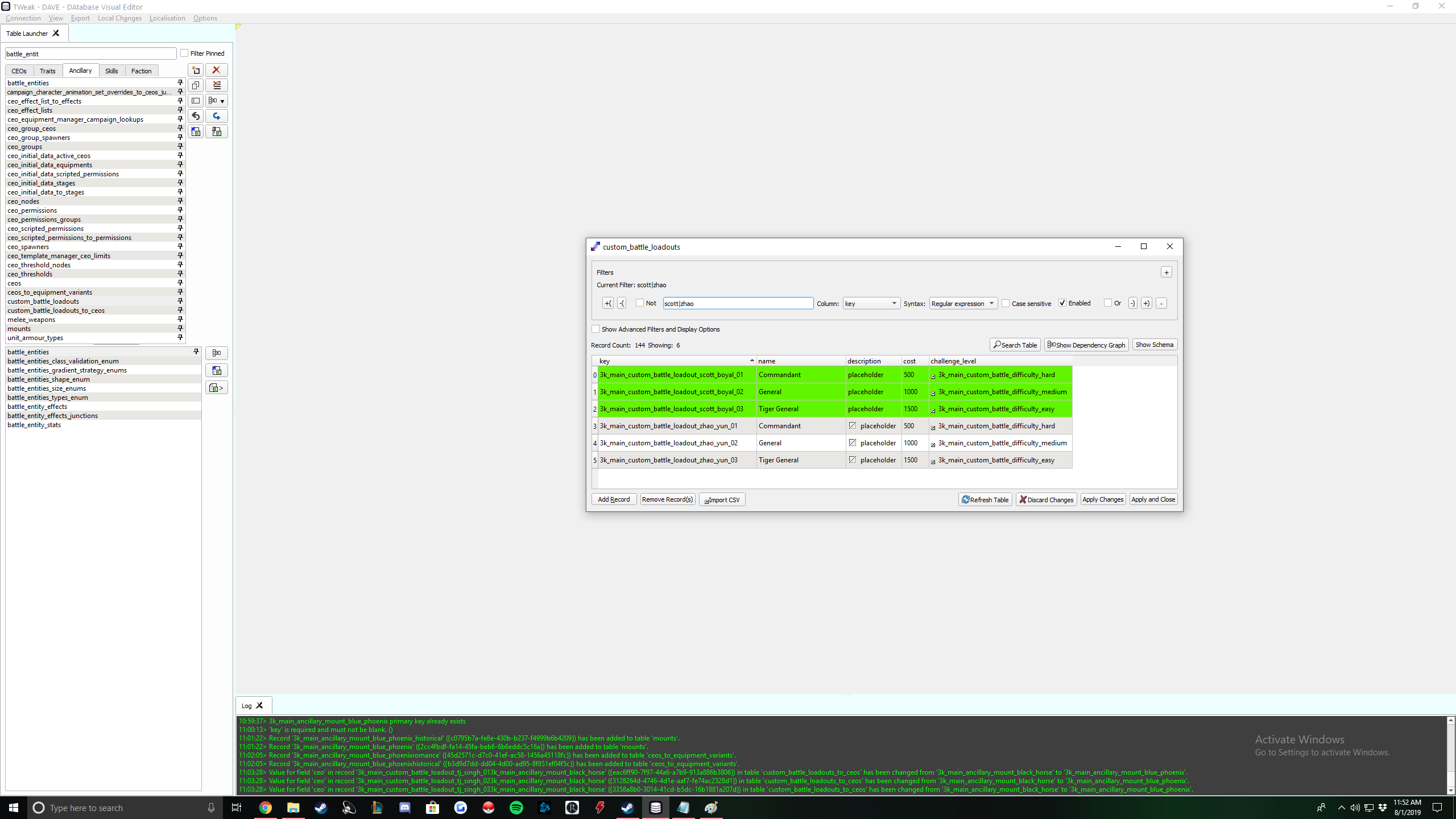
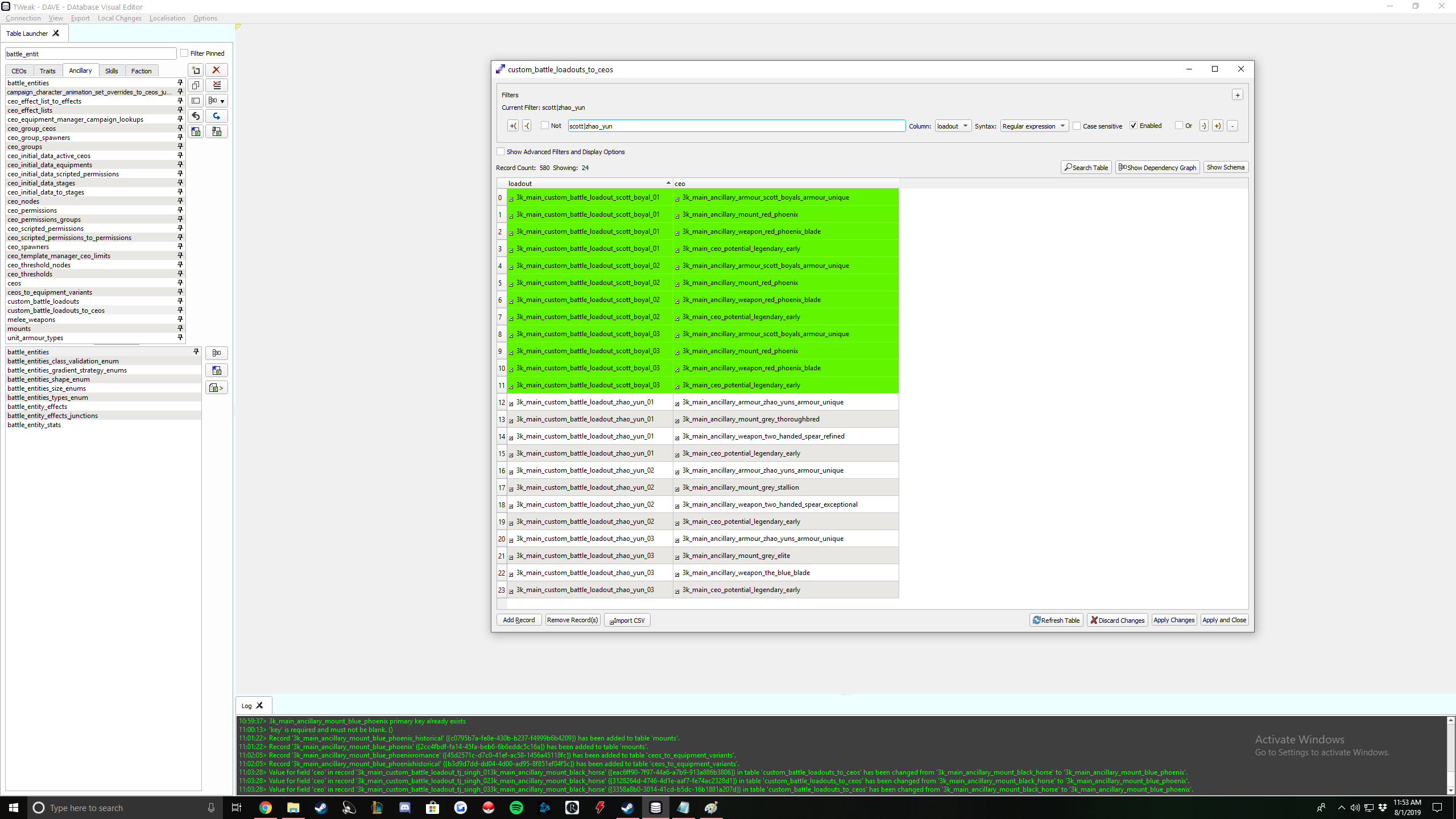
Your armour should be done. To verify, make sure it has the following 12 references:
Once you have completed all of these, export your ceo and make sure it exports without errors.
Adding changes to RPFM
ceos_to_equipment_variants_tables
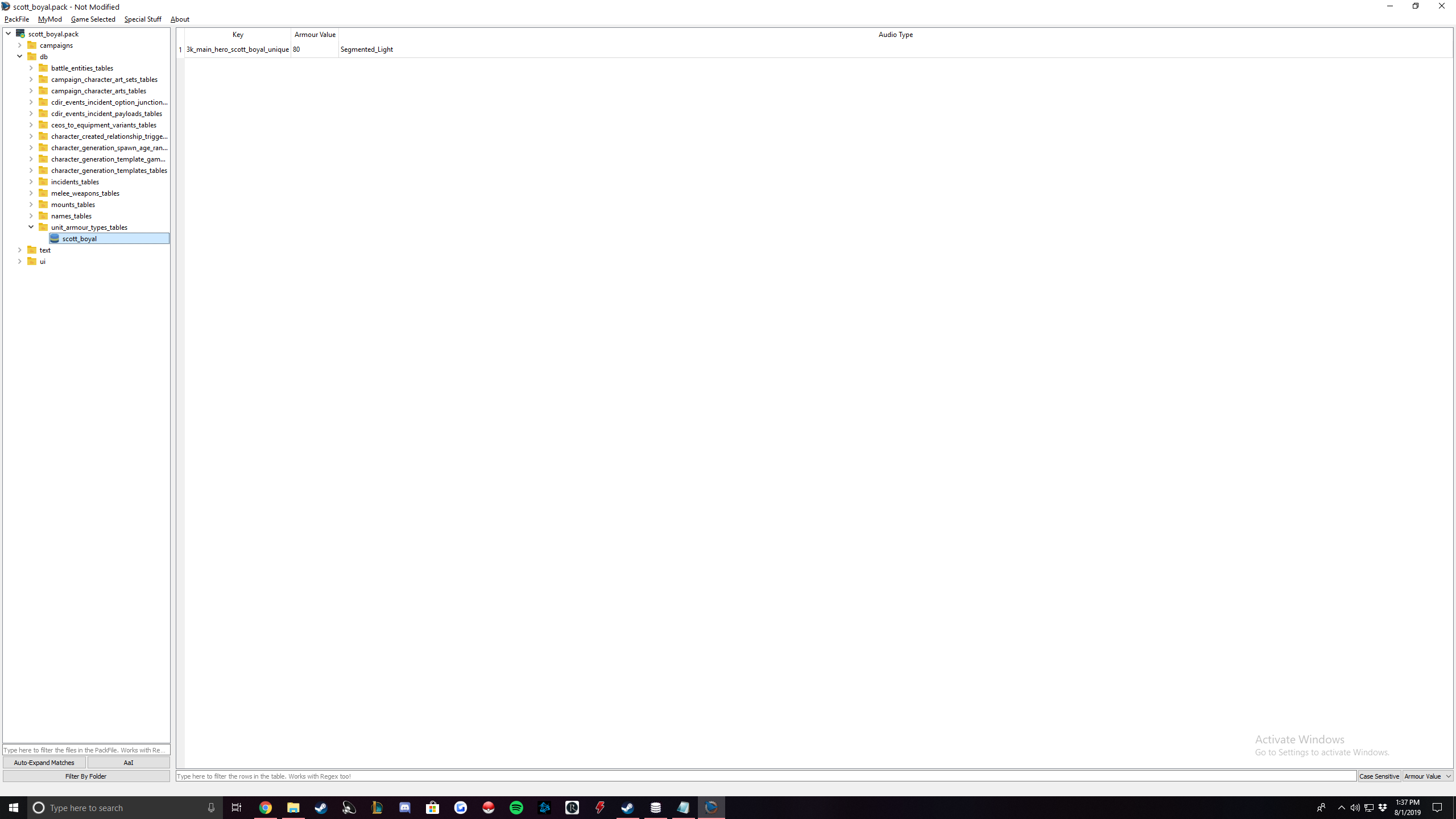
unit_armour_types_tables
Those tables with all values in the database will be added. Delete everything within those tables and then you will be ready. You can rename the tables to whatever, I just renamed it to my character's name. Add the following rows:
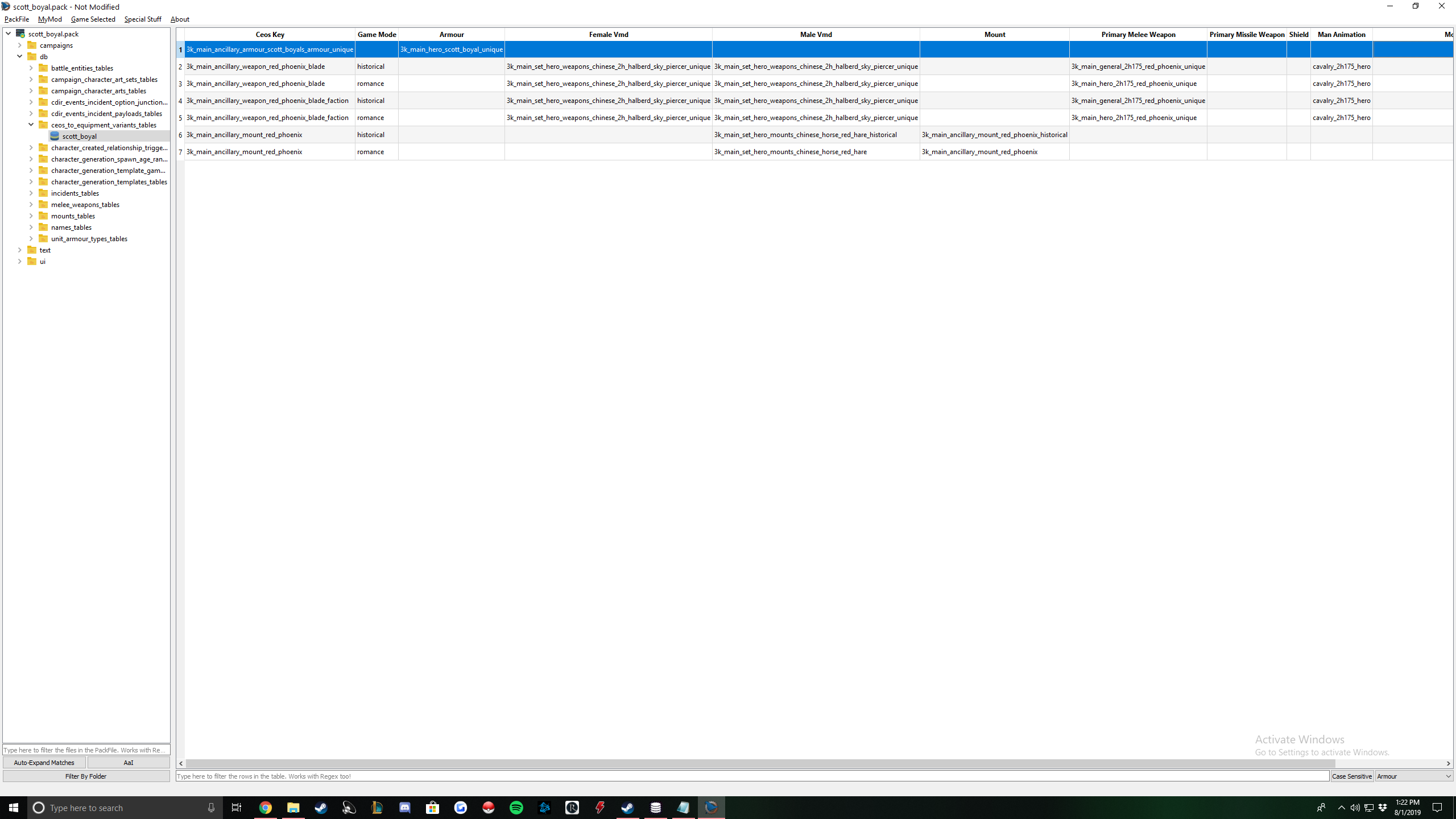
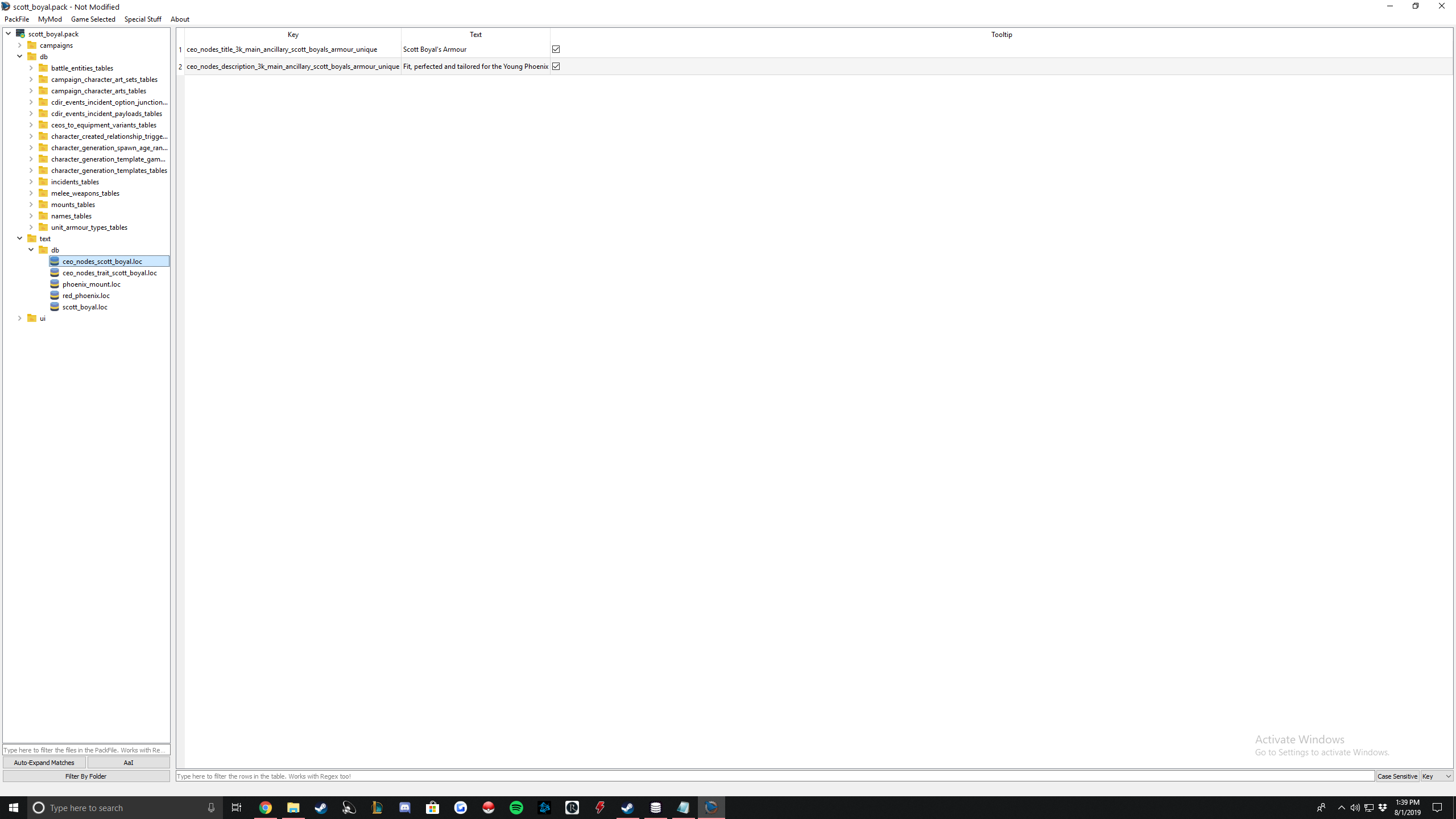
To make it easy for yourself on this table, go to Dave, open up ceo_nodes, search for your armour and just copy the data in your Title/Description to you .loc file.
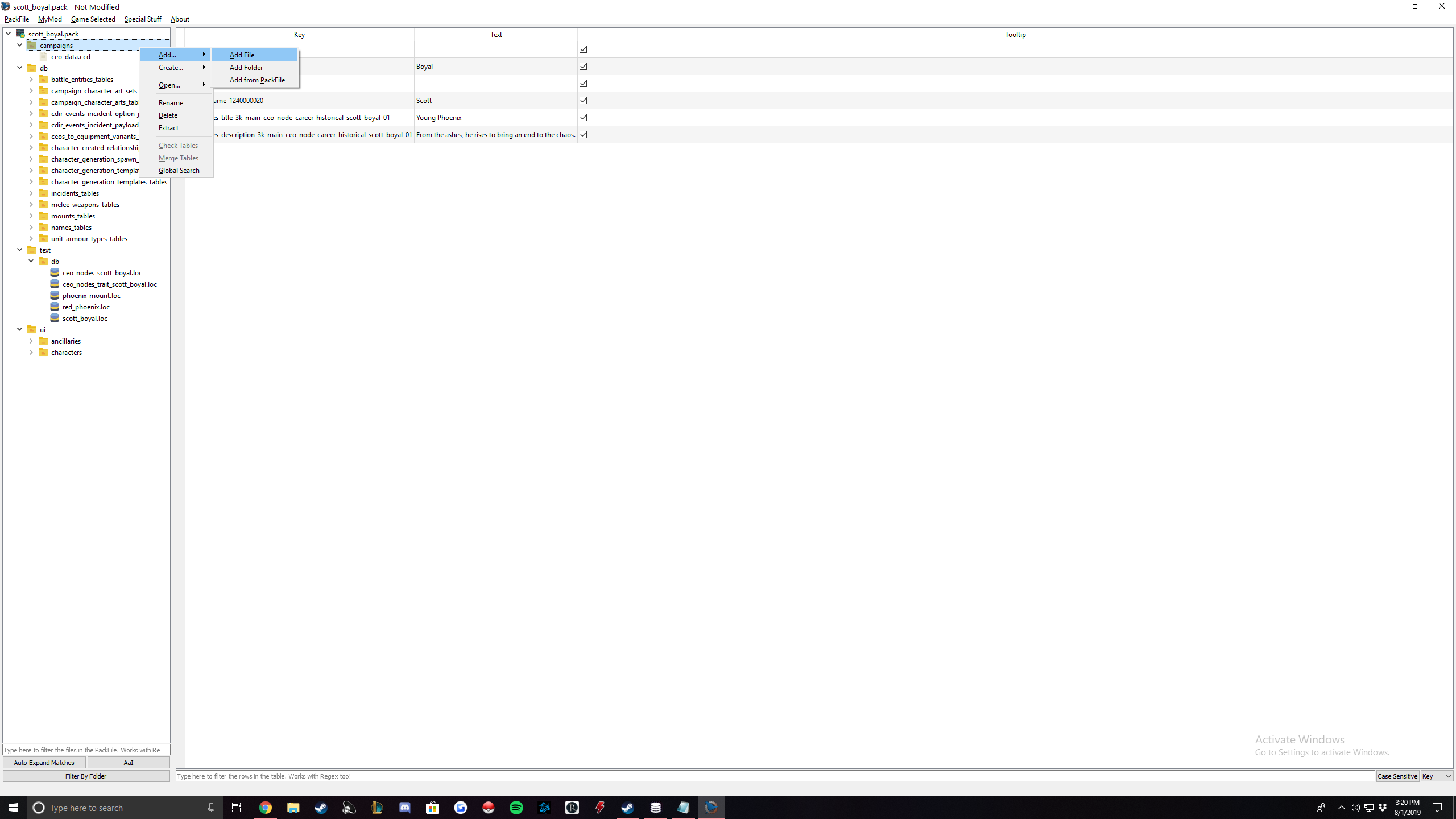
You have now added your armour to the game and bound it to your character.
Armour Art
I am not gonna spend much time here but I'll tell you what I did. All I did was I took the armour art of Zhao Yun's armour and copied it. I'm not good at creating art for this game so I didn't even try. But Zades has an art section in his guide and the same principles apply. Where will it go? In your ceo_nodes, you should have specified a directory under the icon_path section.
If you just copied Zhao Yun's and just replaced his name with yours that is simplest. It should be something like this: armours/3k_main_ancillary_characters_names_armour_unique.png.
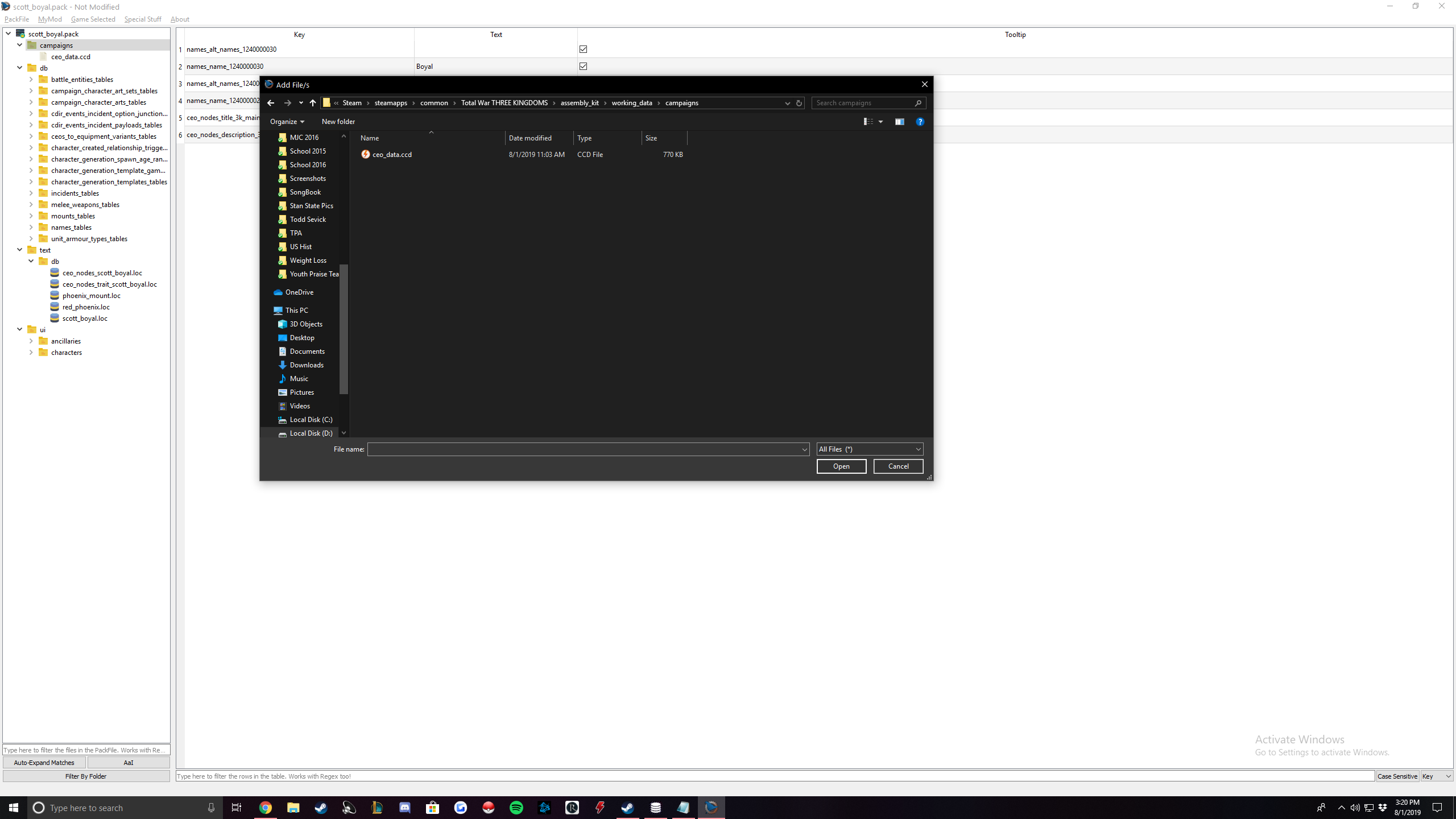
Go to your data folder and open up the data packfile with RPFM. Go to ui > ancillaries > armours. Right click and click extract. Extract that file somewhere. Look through it and find Zhao Yun's armour (or whatever armour your want). There should be 2 in the main armour folder. Copy them.
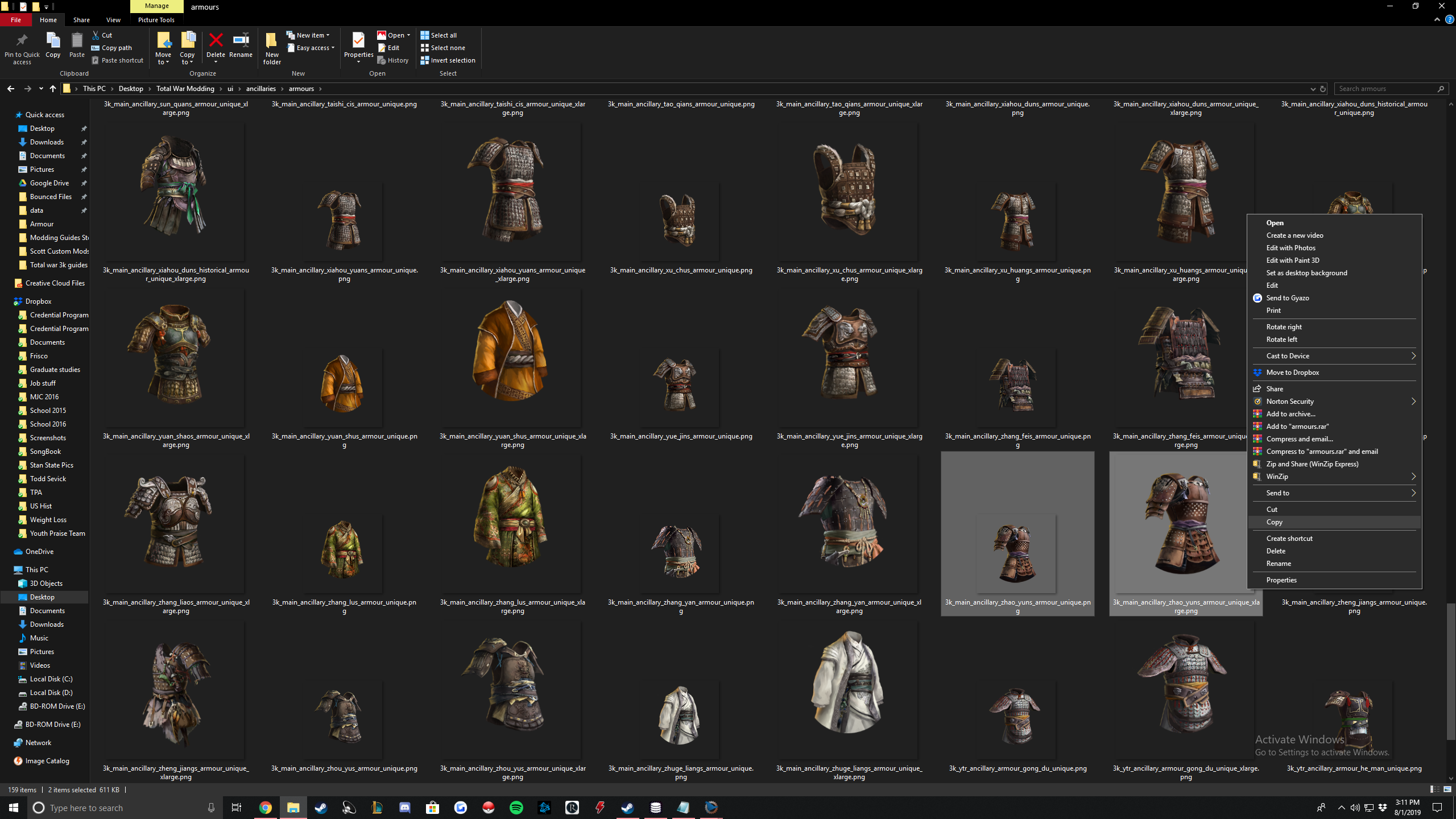
Now go to your data folder > ui > ancillaries > armours
Note, if that path does not exist, create it just like it is in the next picture. Paste the 2 armours there and rename it to whatever you set it to (found above and in Dave ceo_nodes).
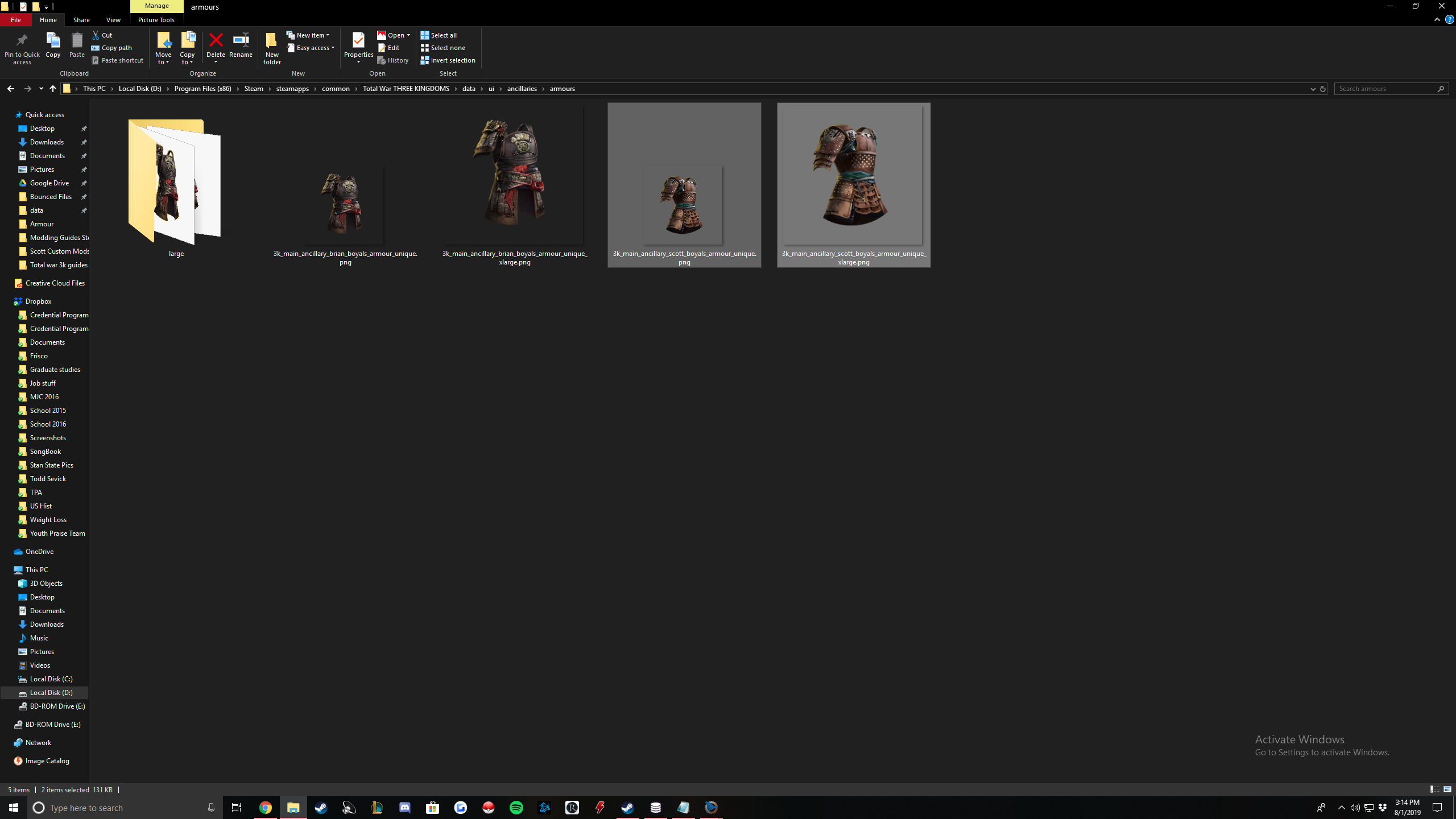
You will then go back to the extracted folder and open up the "large" folder. Find the two Zhao Yun armours and copy them, paste them into data > ui > ancillaries > armours > large and rename them to whatever you named them to in the previous step.
Boom you're done with the art, quick and easy. If you want to create your own armour art, I believe it has to be png and you can follow those steps in Zades guide in the art section.
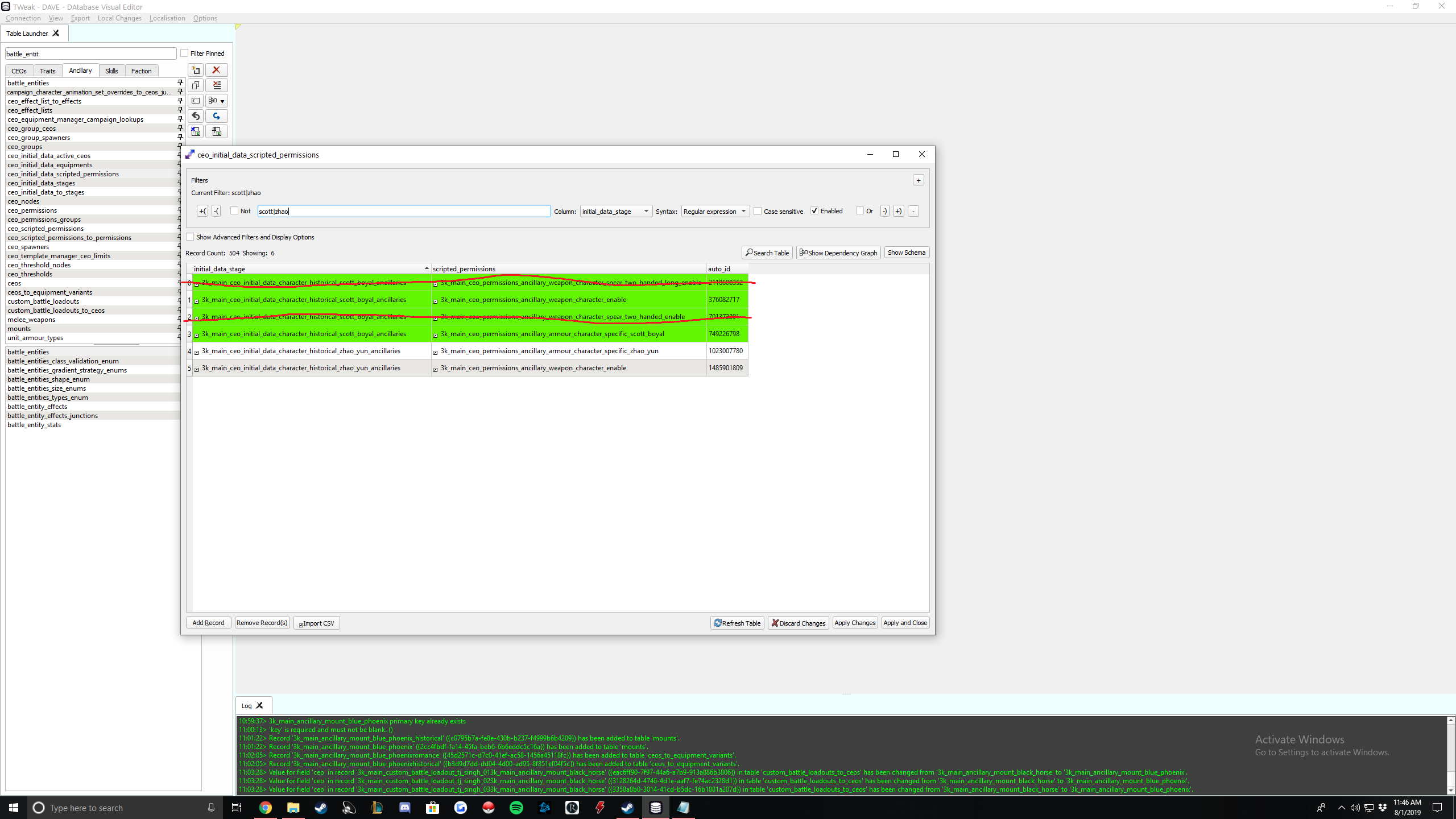
How to wield all weapons
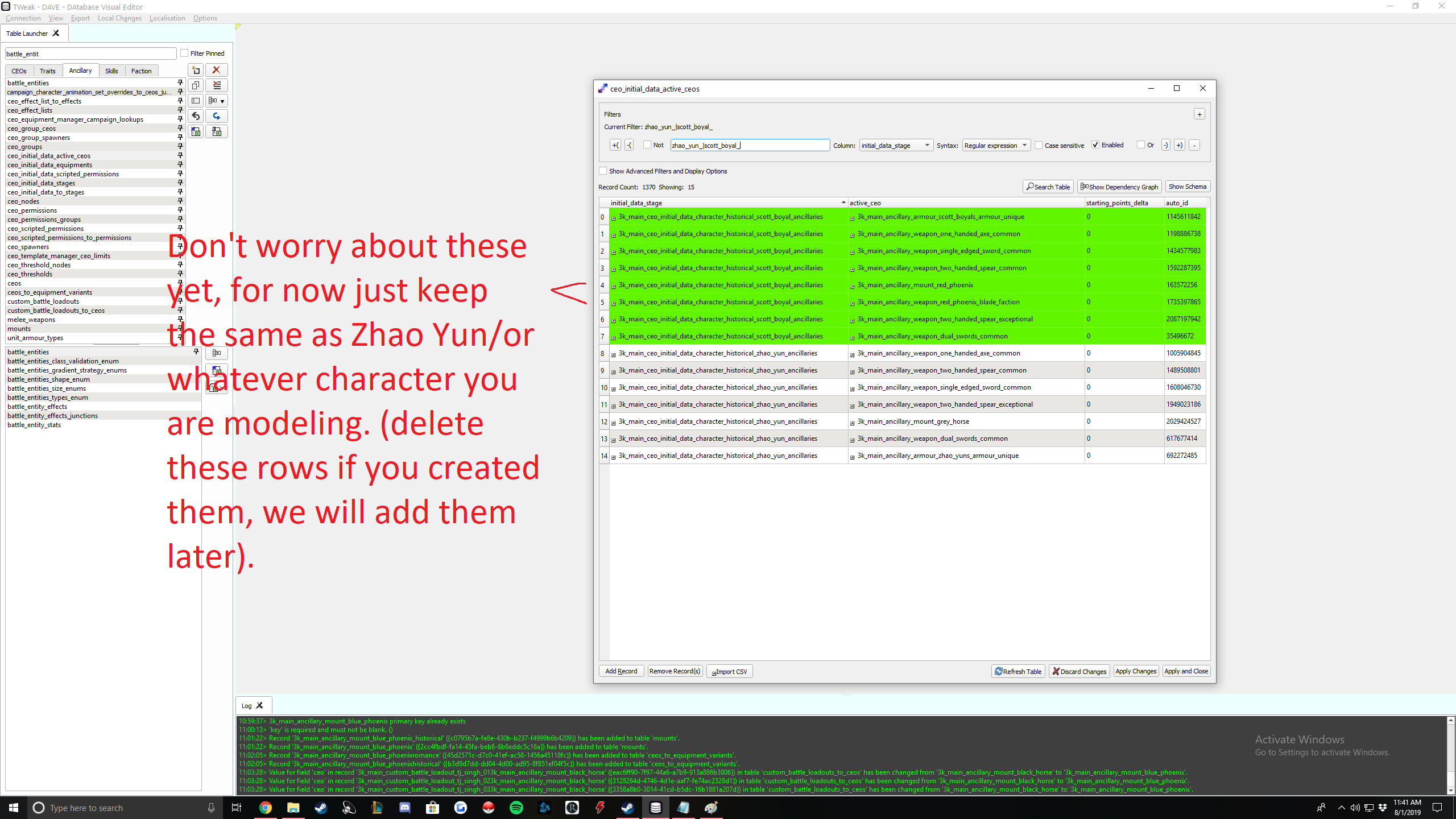
But if you are a die hard Zhao Yun fan like me, and you want your character to be like Zhao Yun, able to wield all weapons, then I will show you how to do that. You can do this step before or after making your weapon, it doesn't matter.
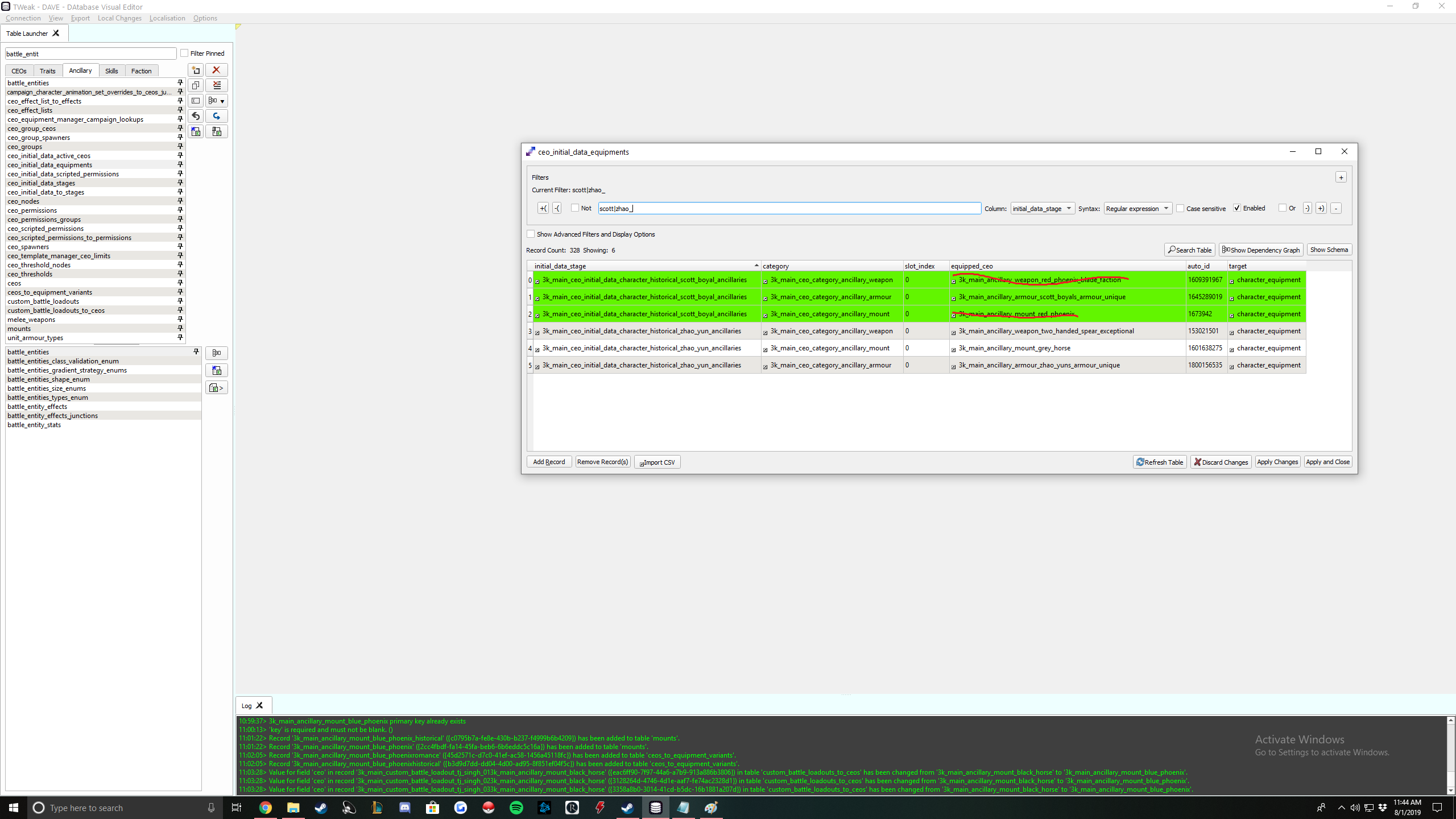
Here are the tables we will edit in Dave:
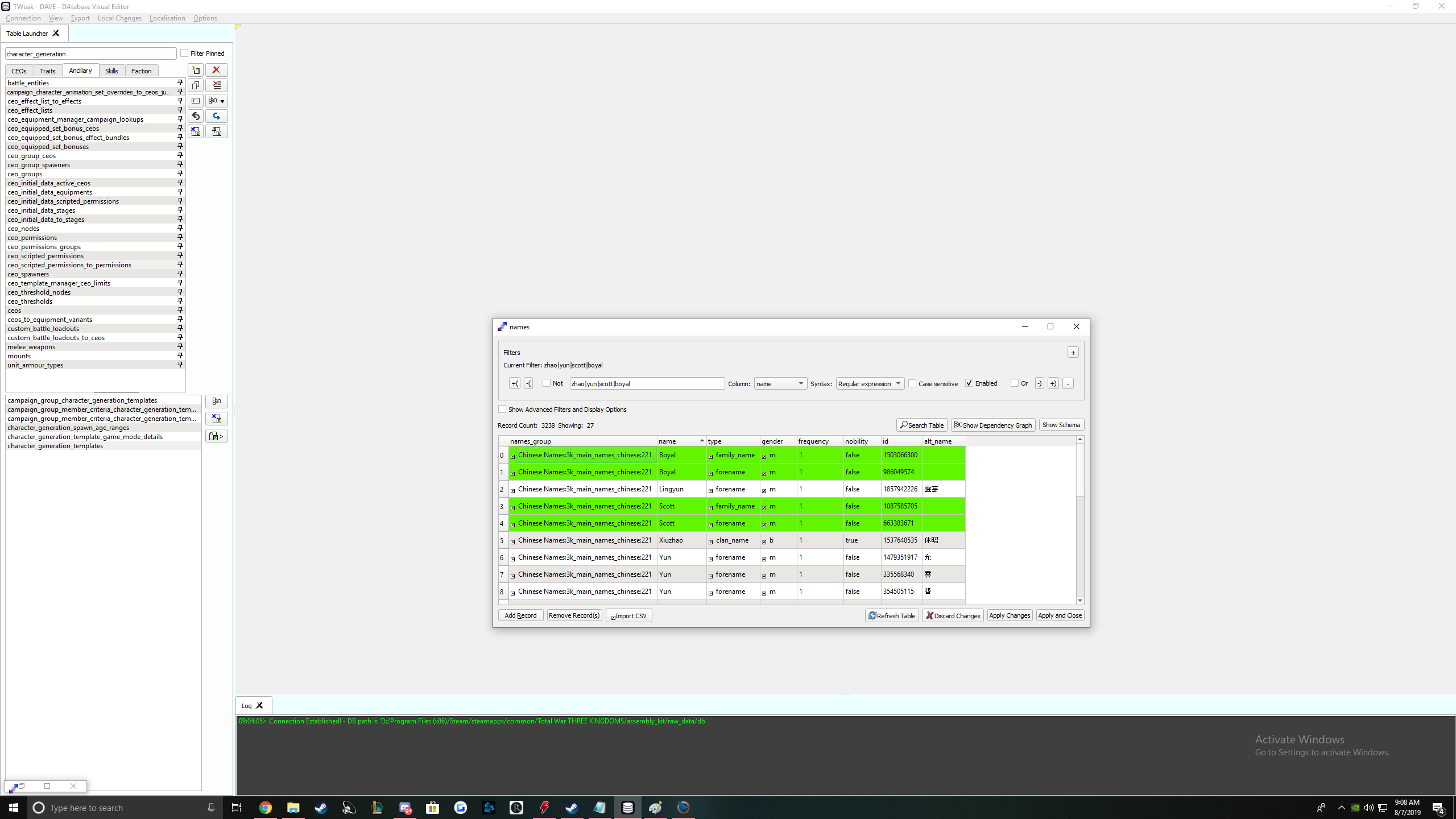
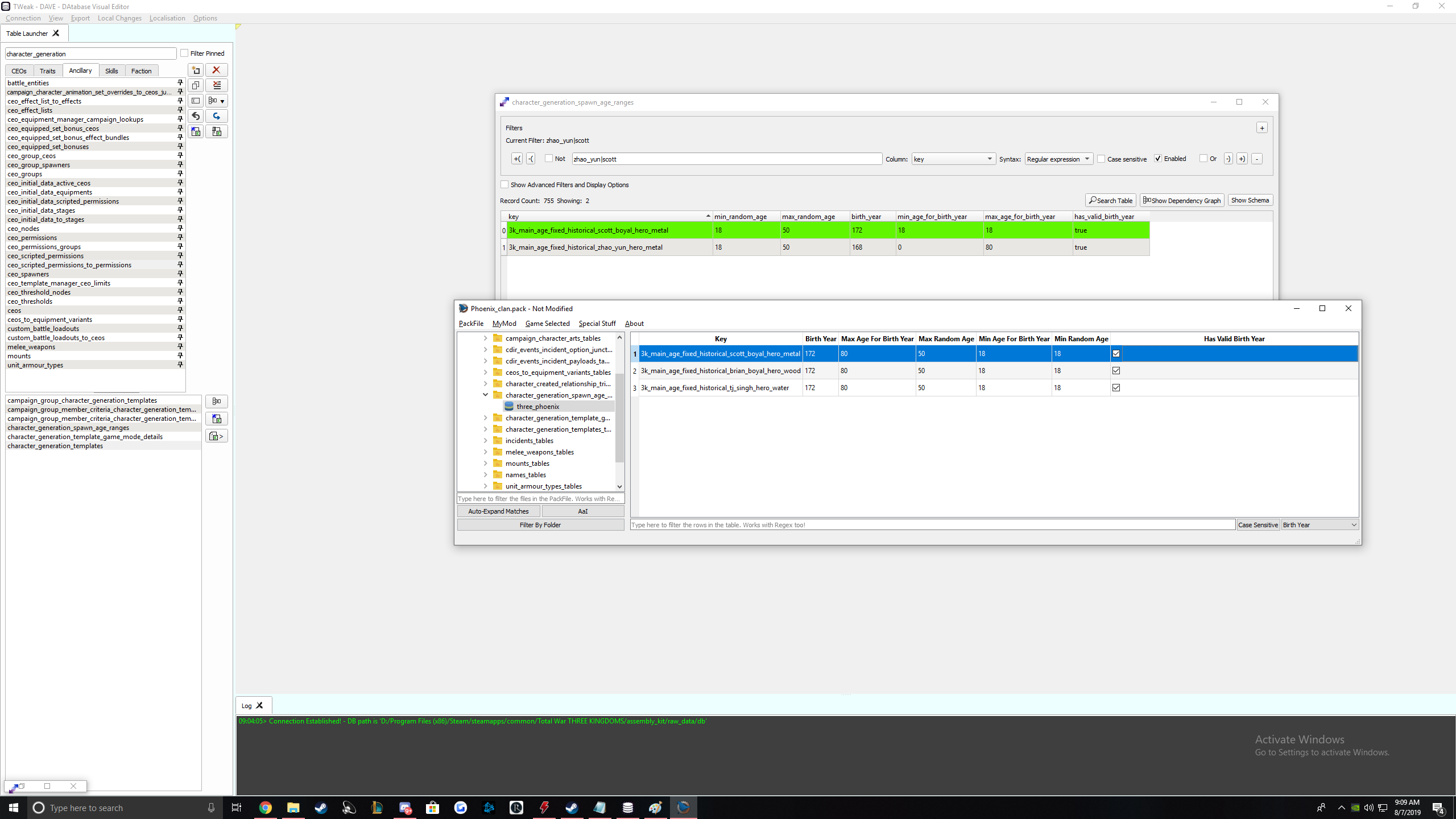
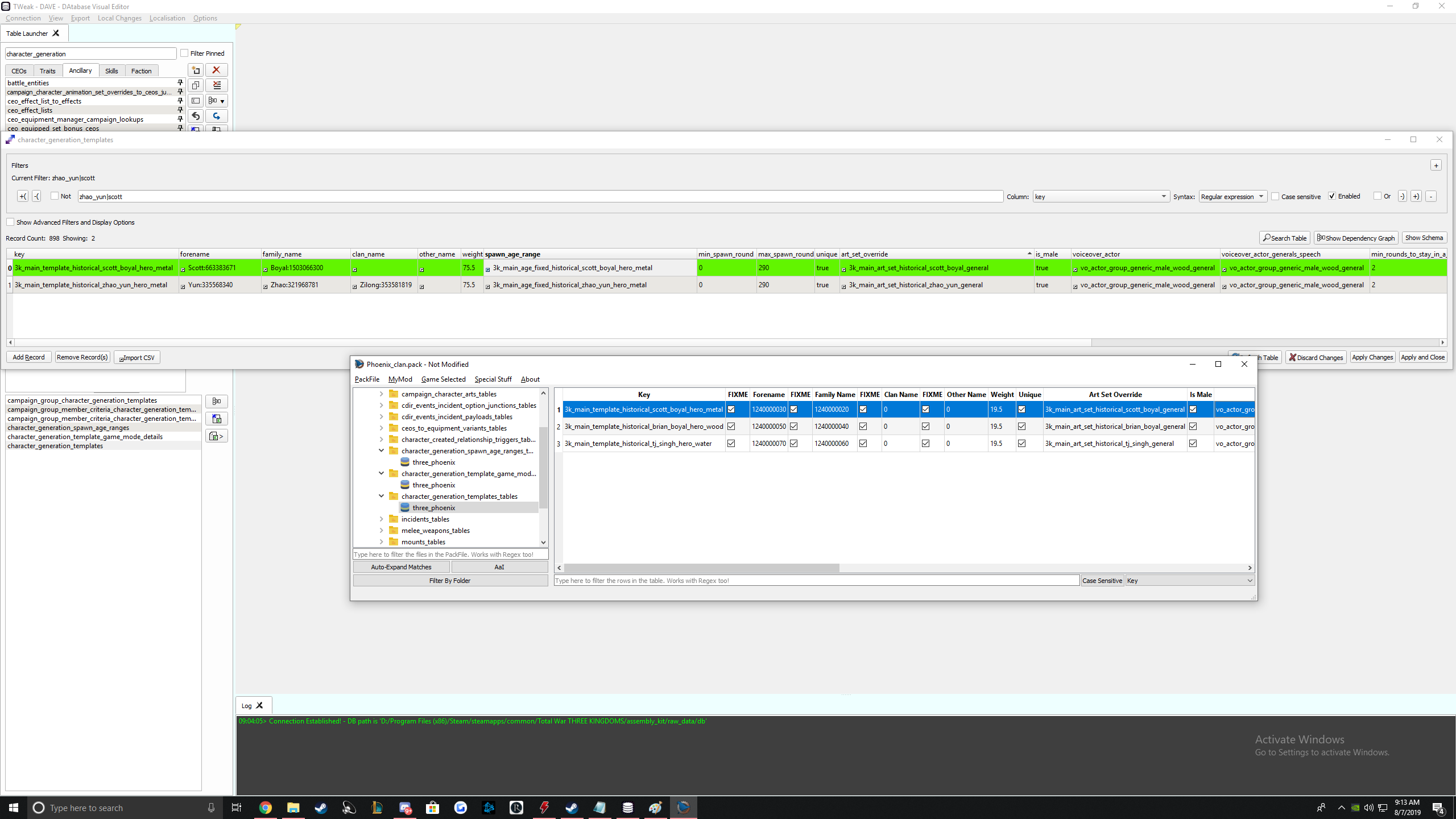
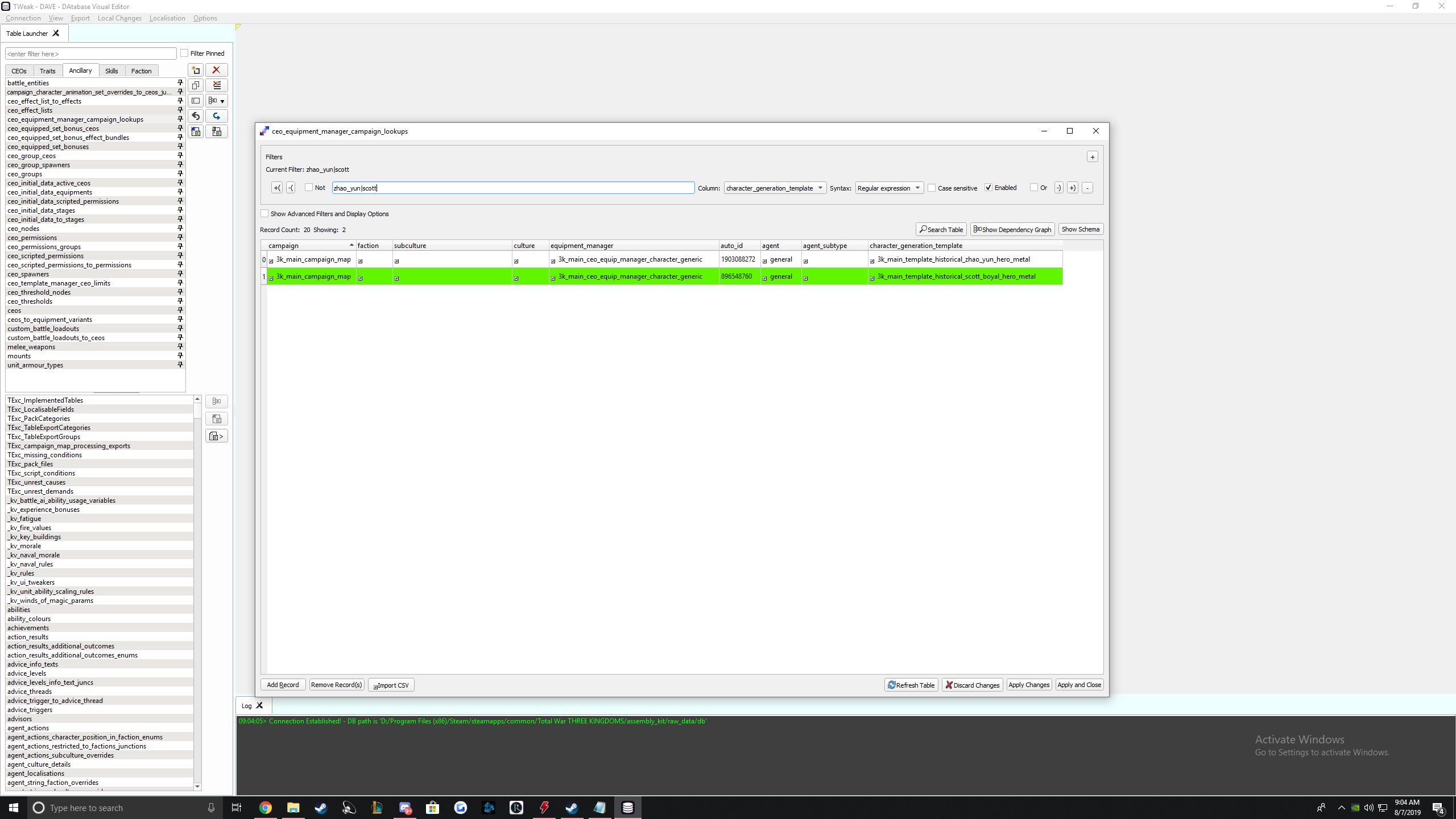
Weapon Guide


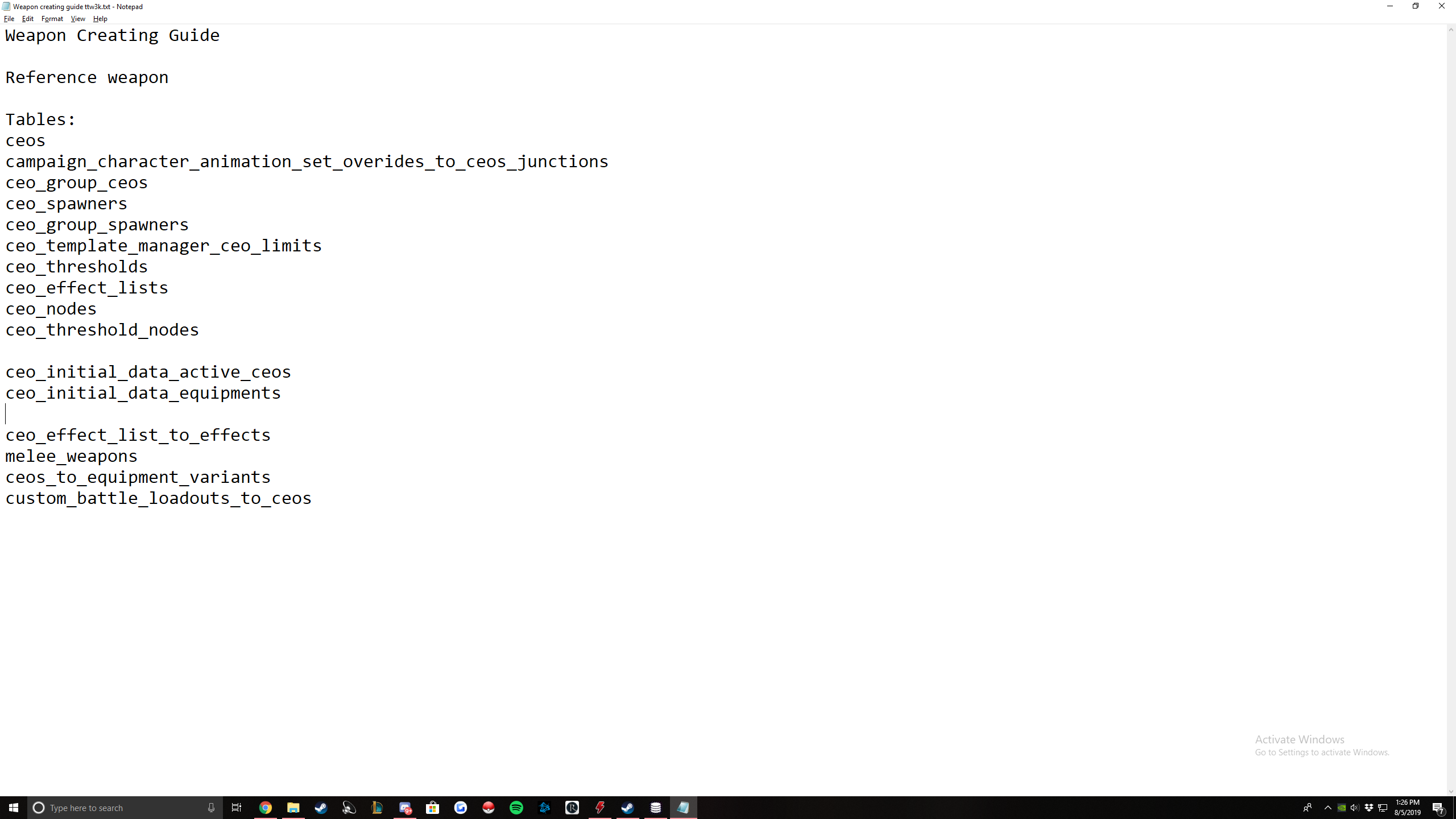
Let's get into it. Here are the tables we will be editing in DAVE in this order:
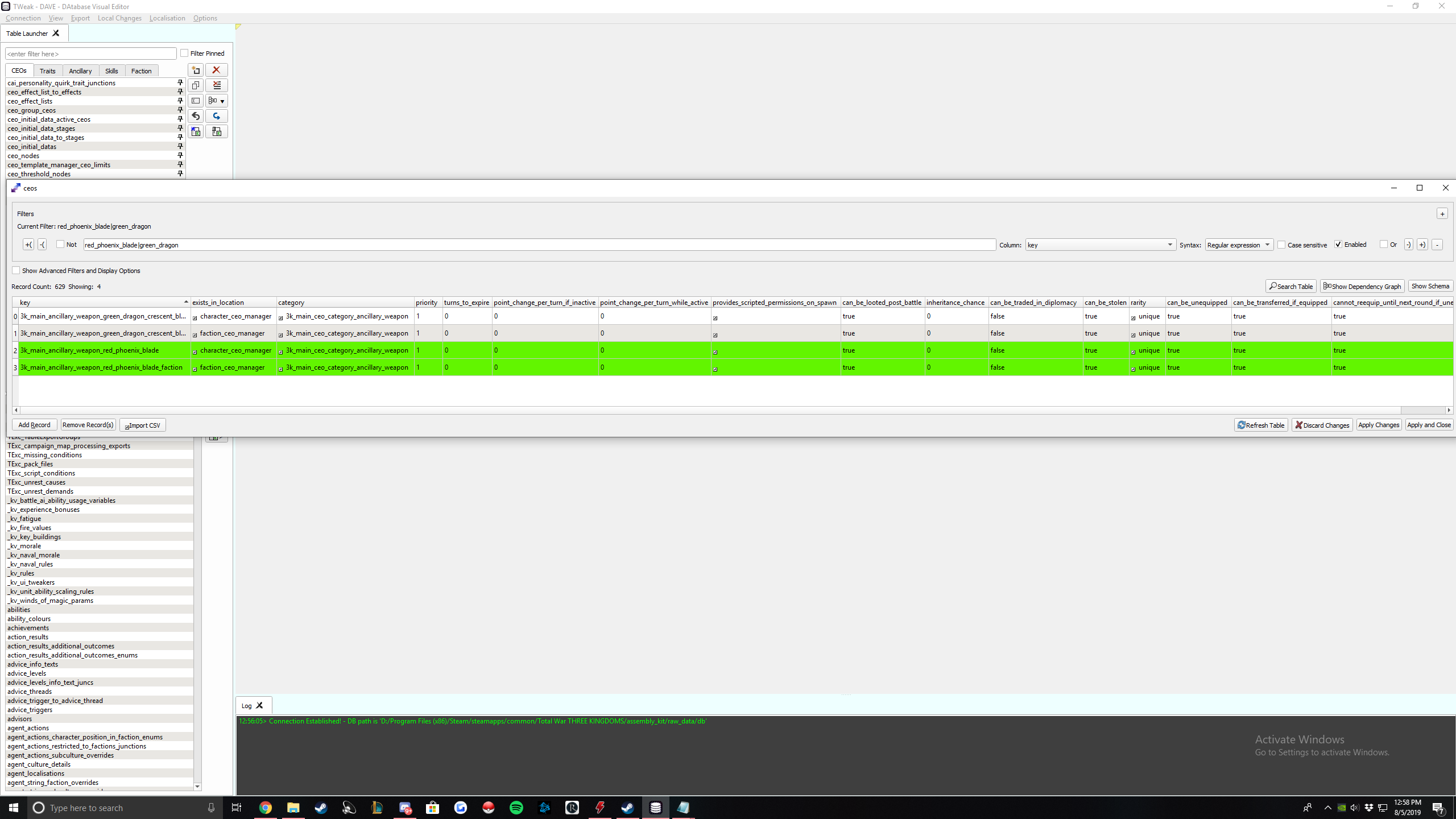
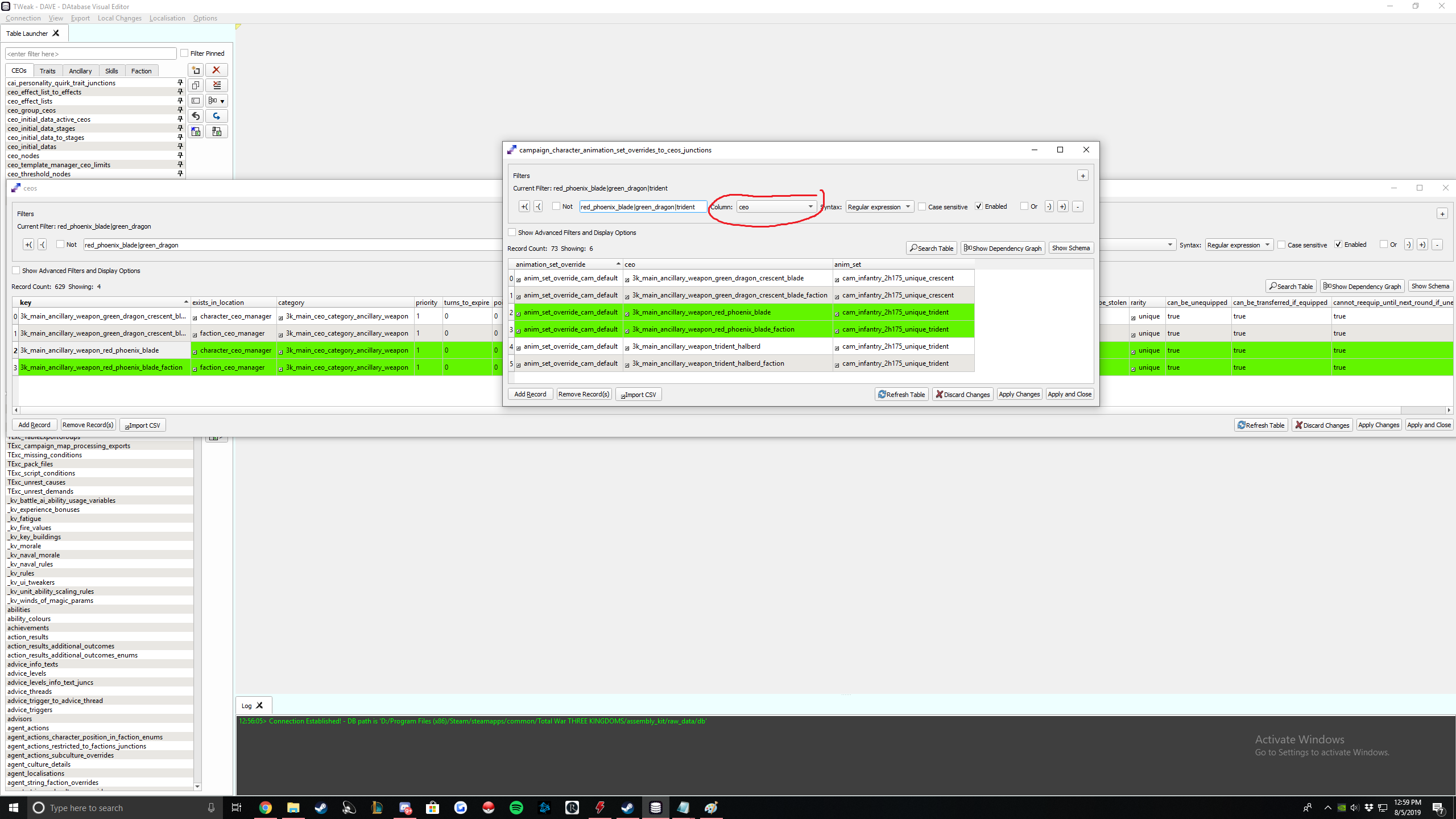
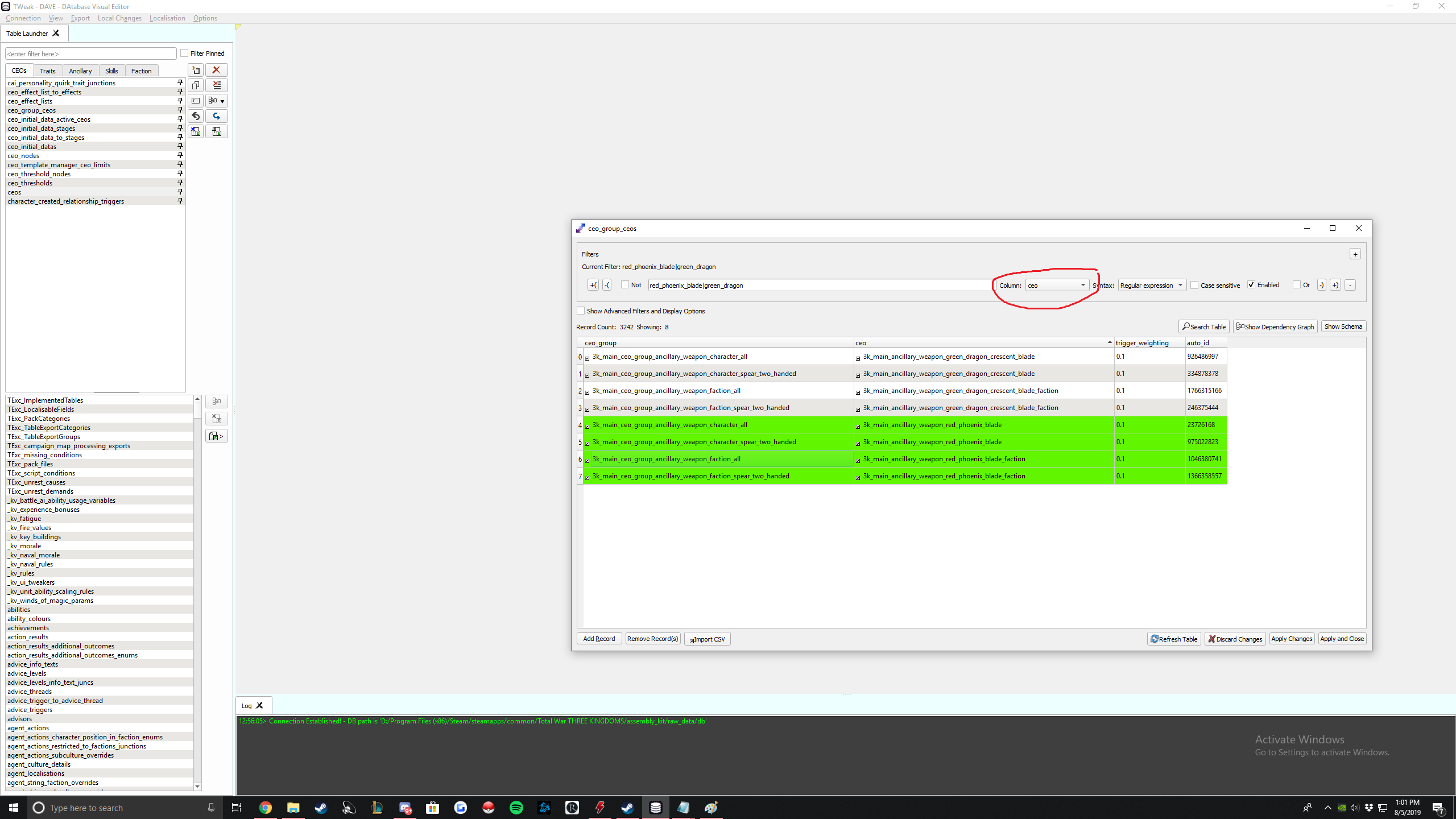
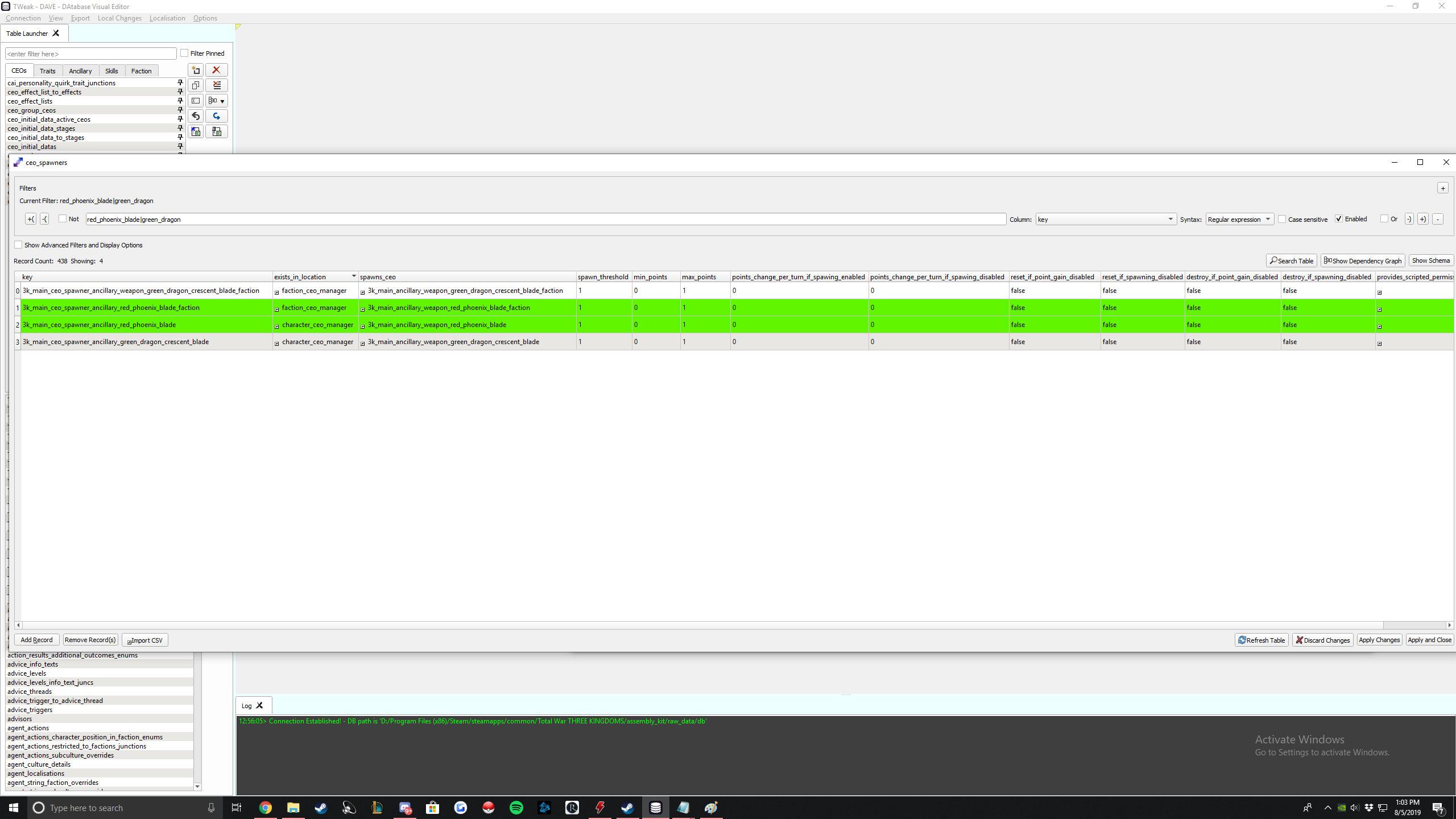
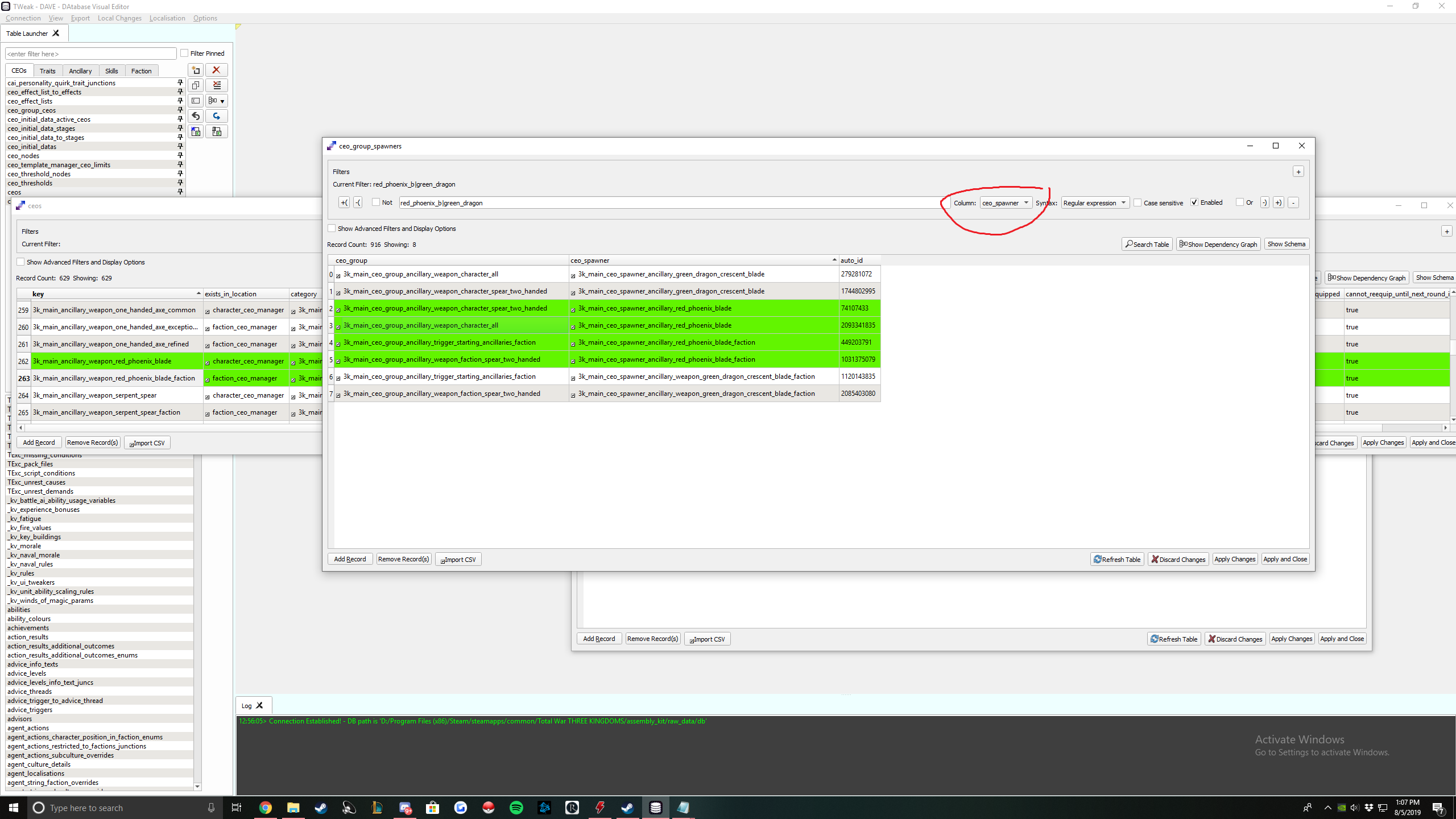
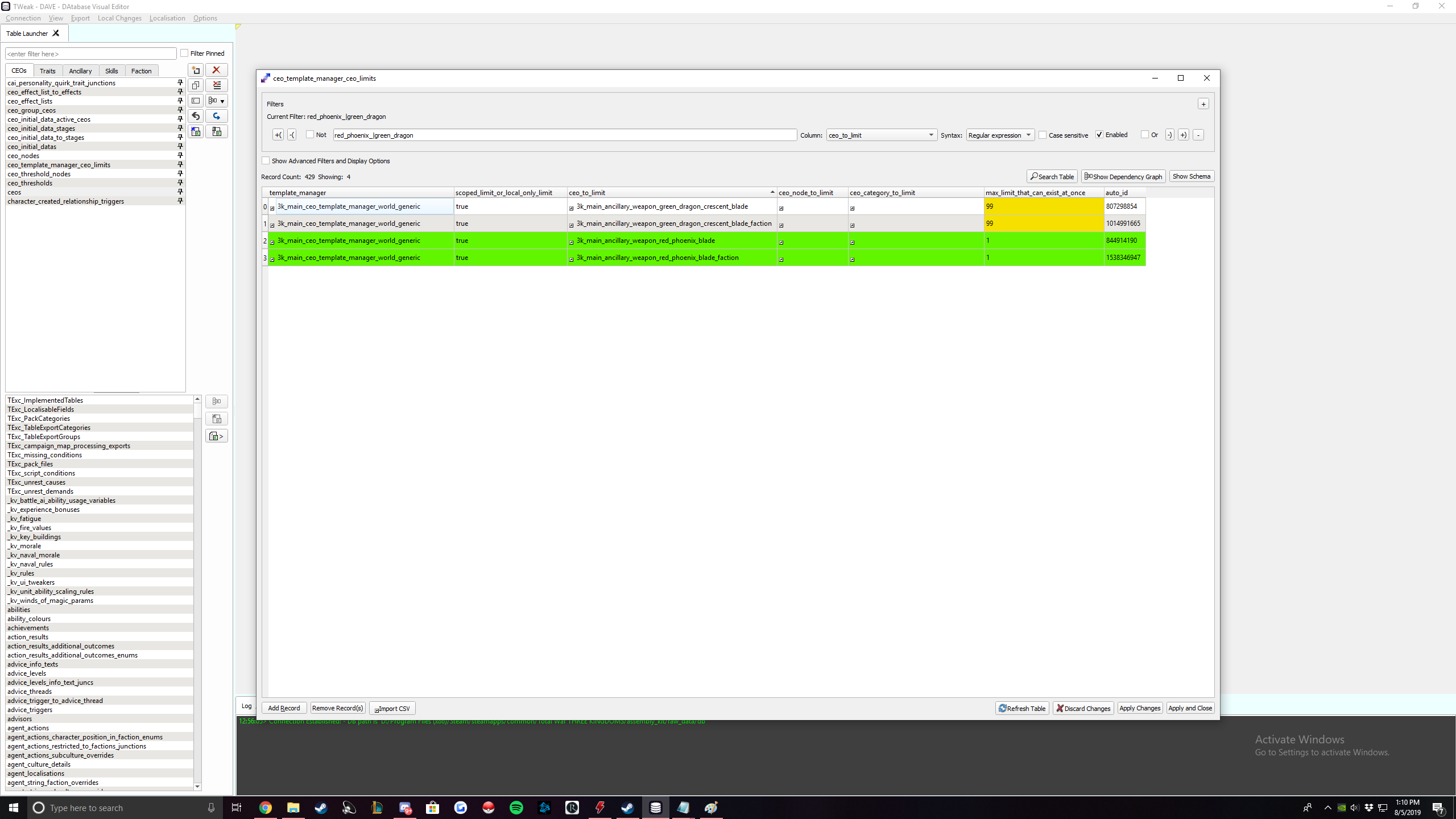
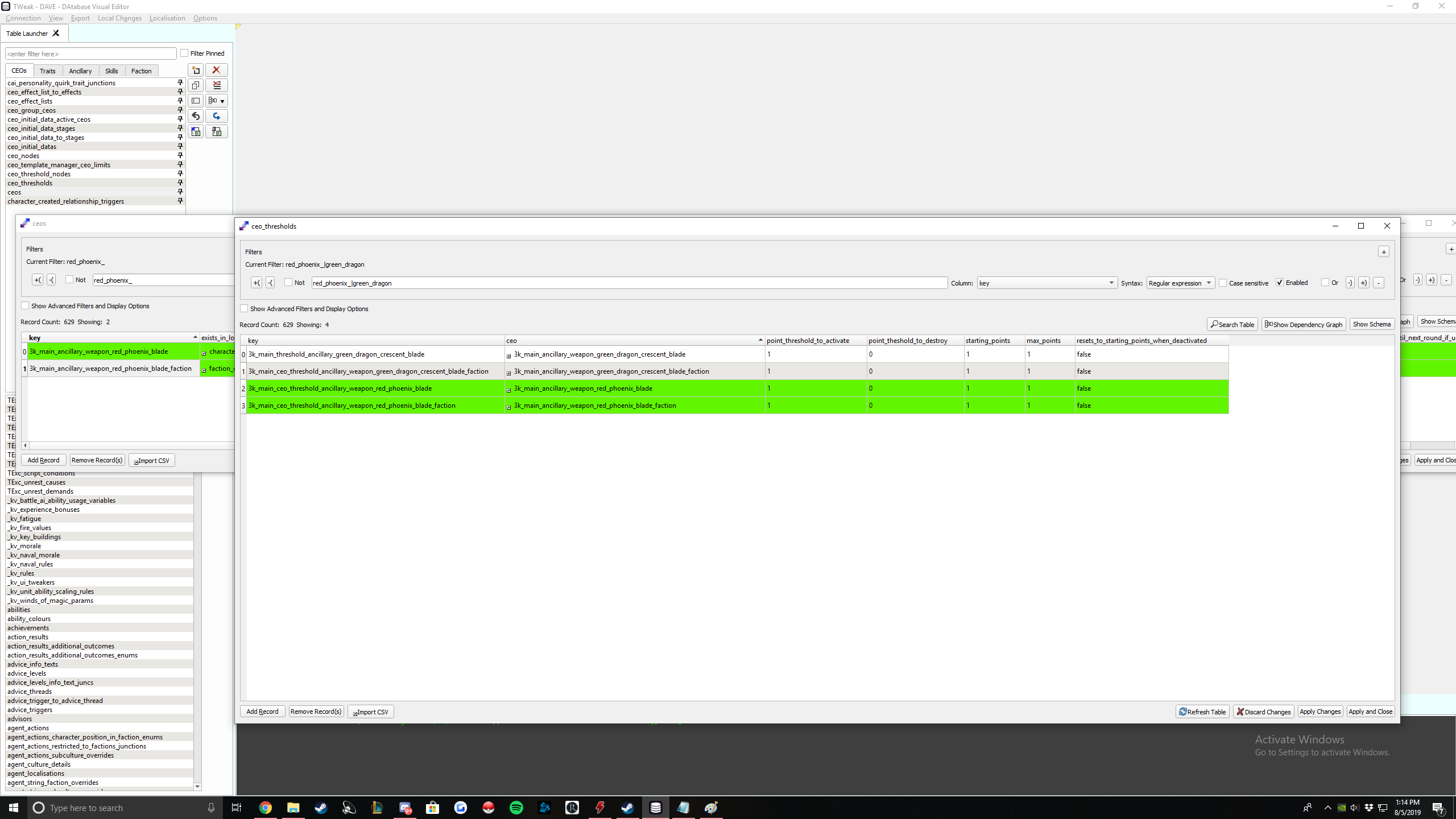
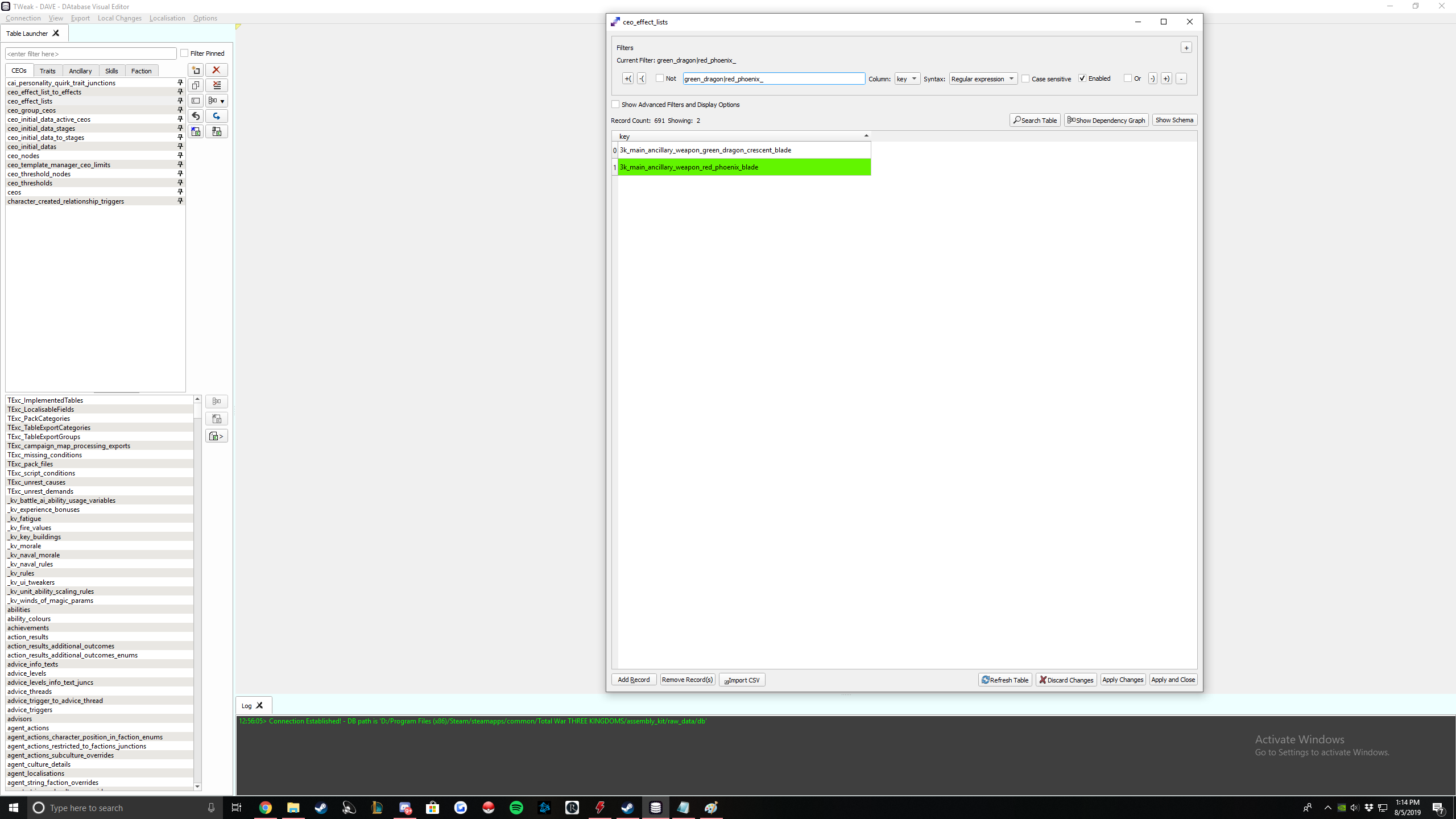
Icon path is how your item will look in game. Same principles as before.
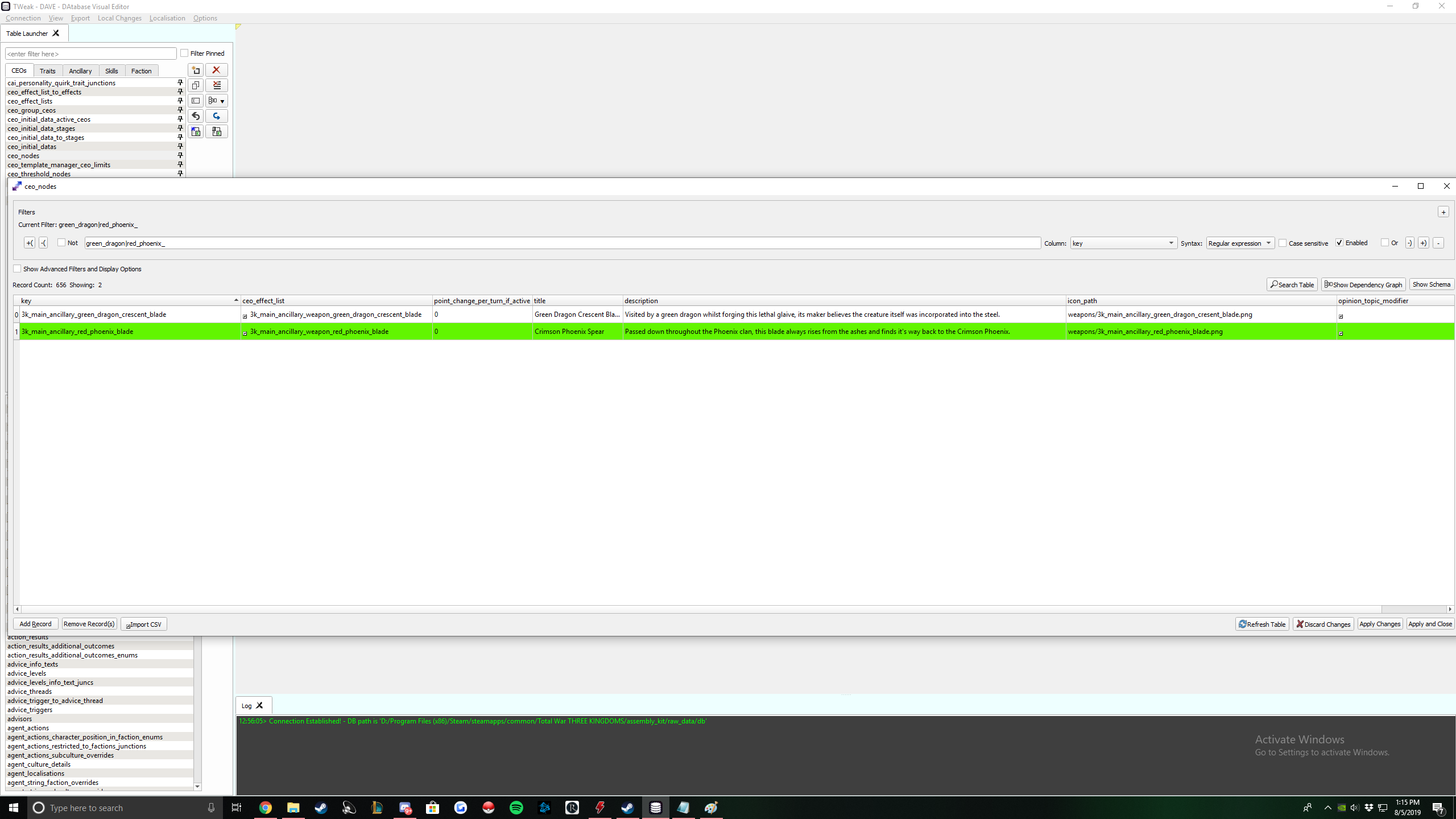
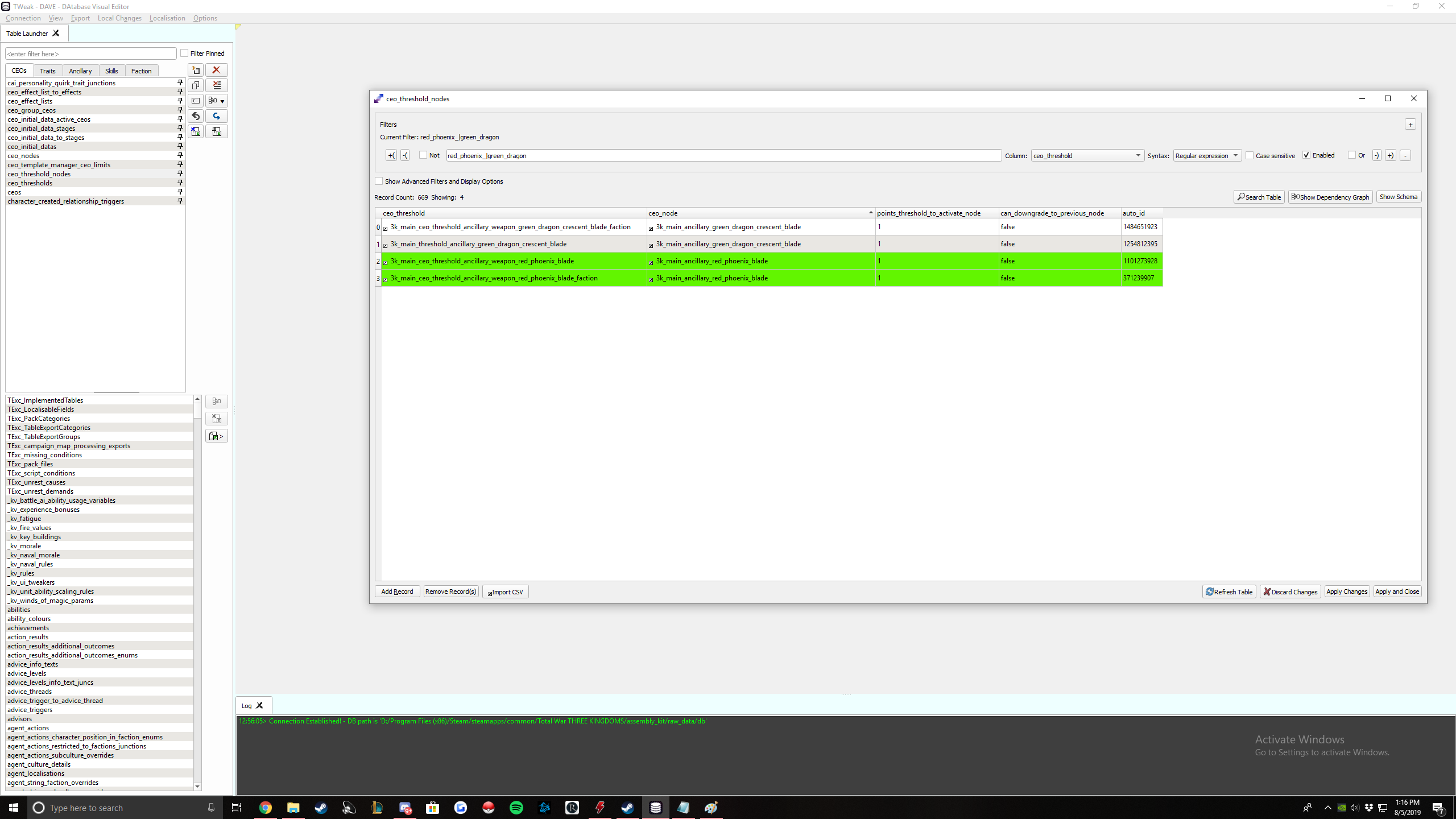
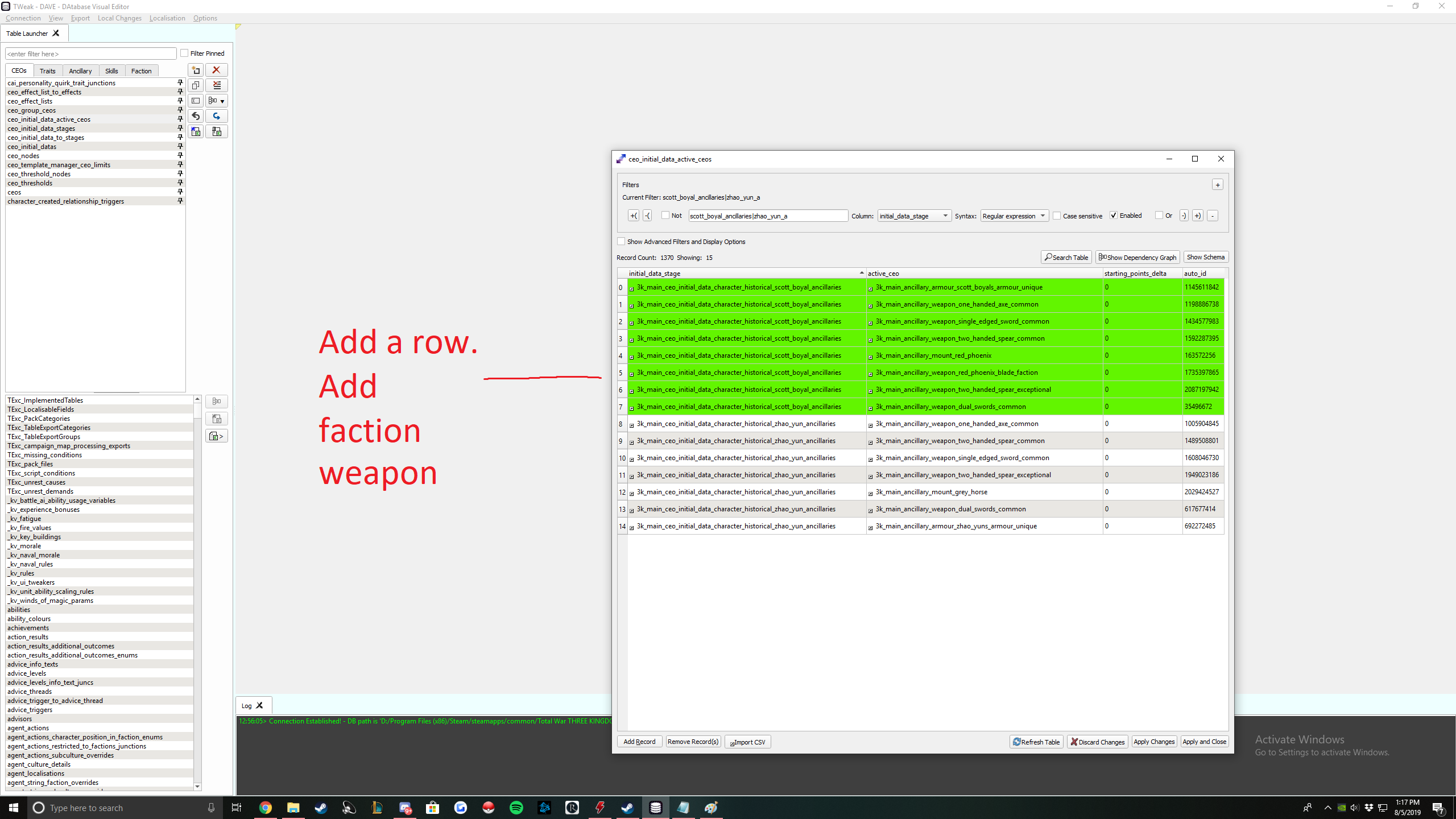
Add a row and add the faction weapon of your created weapon.
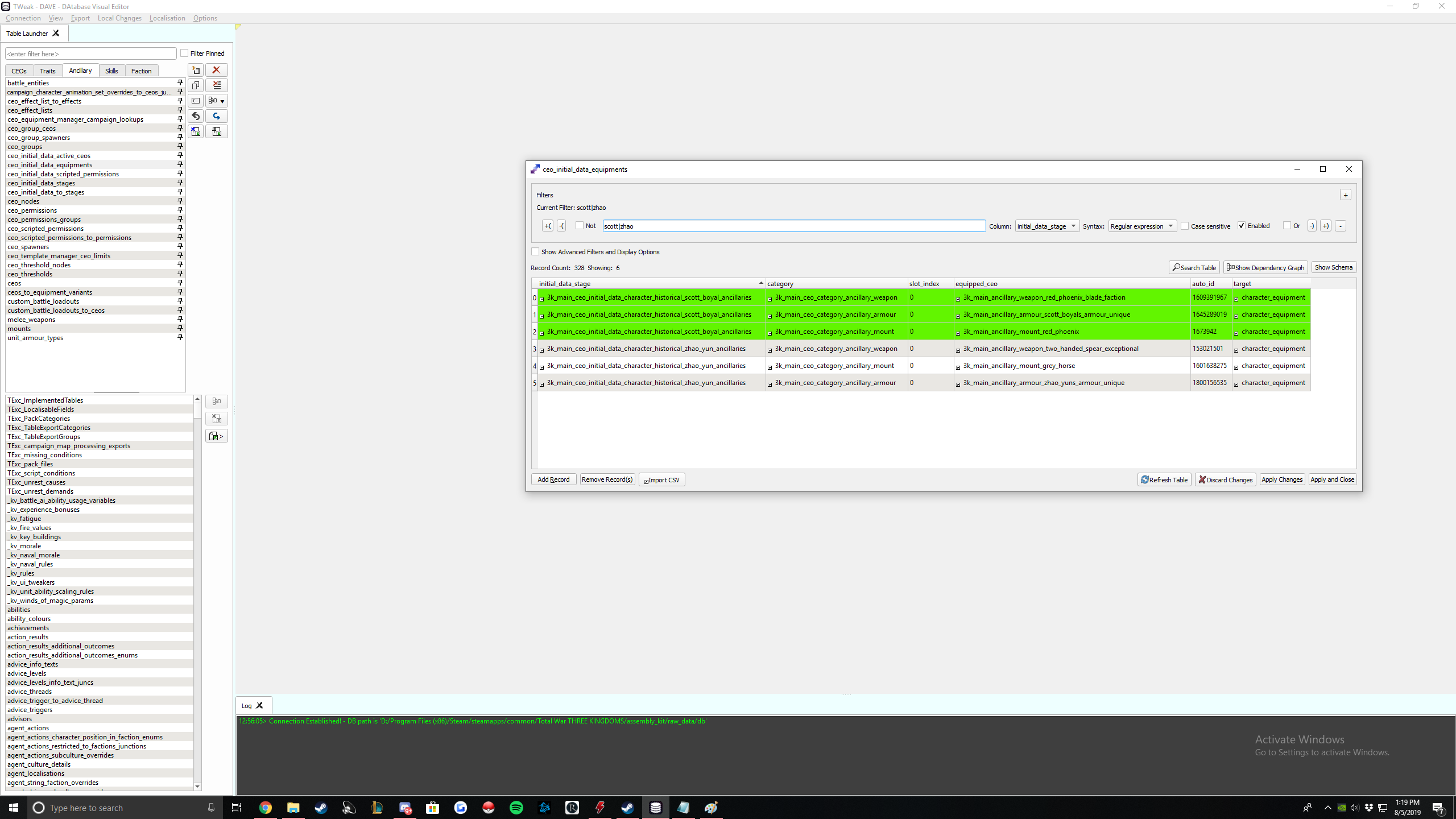
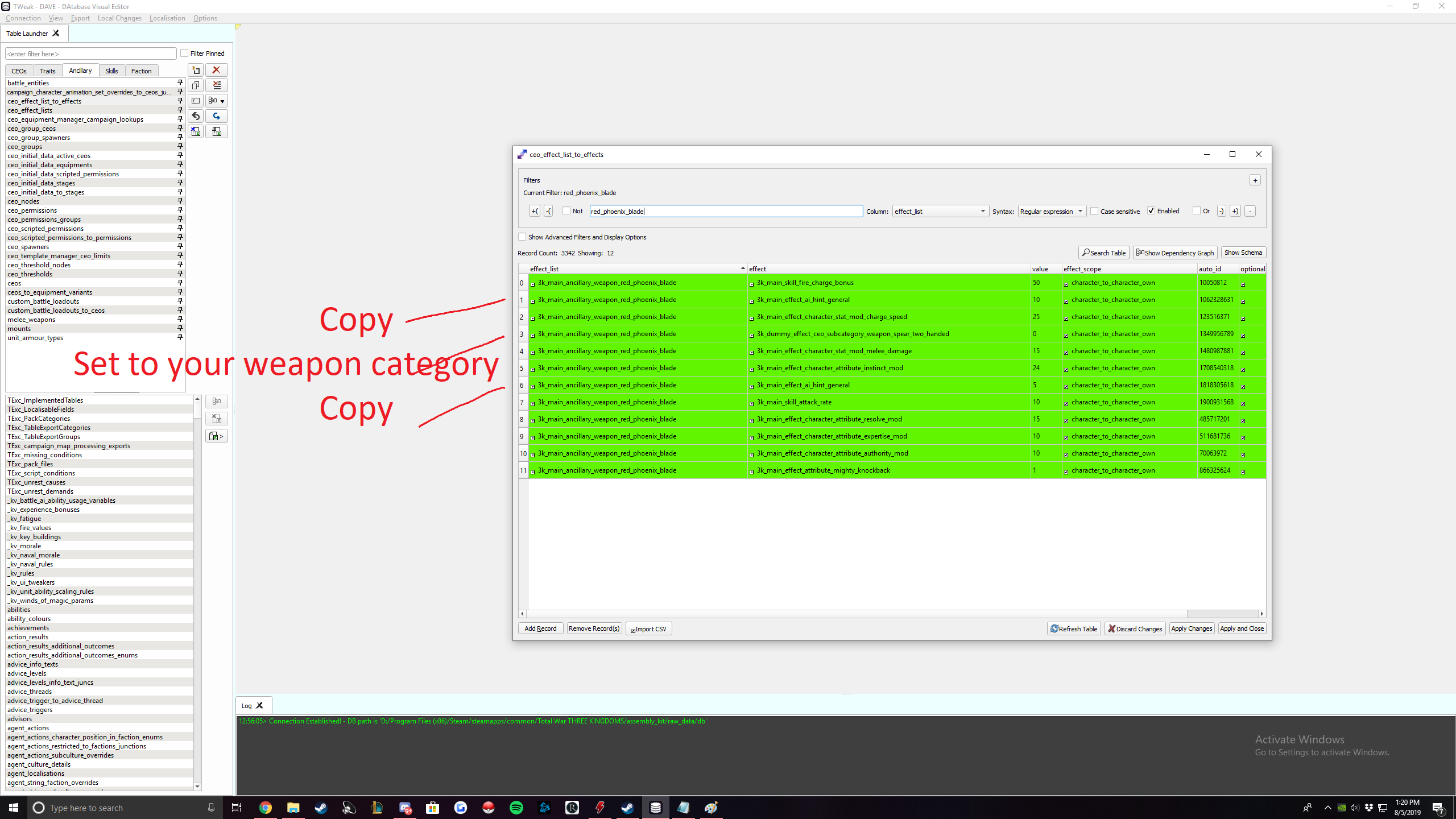
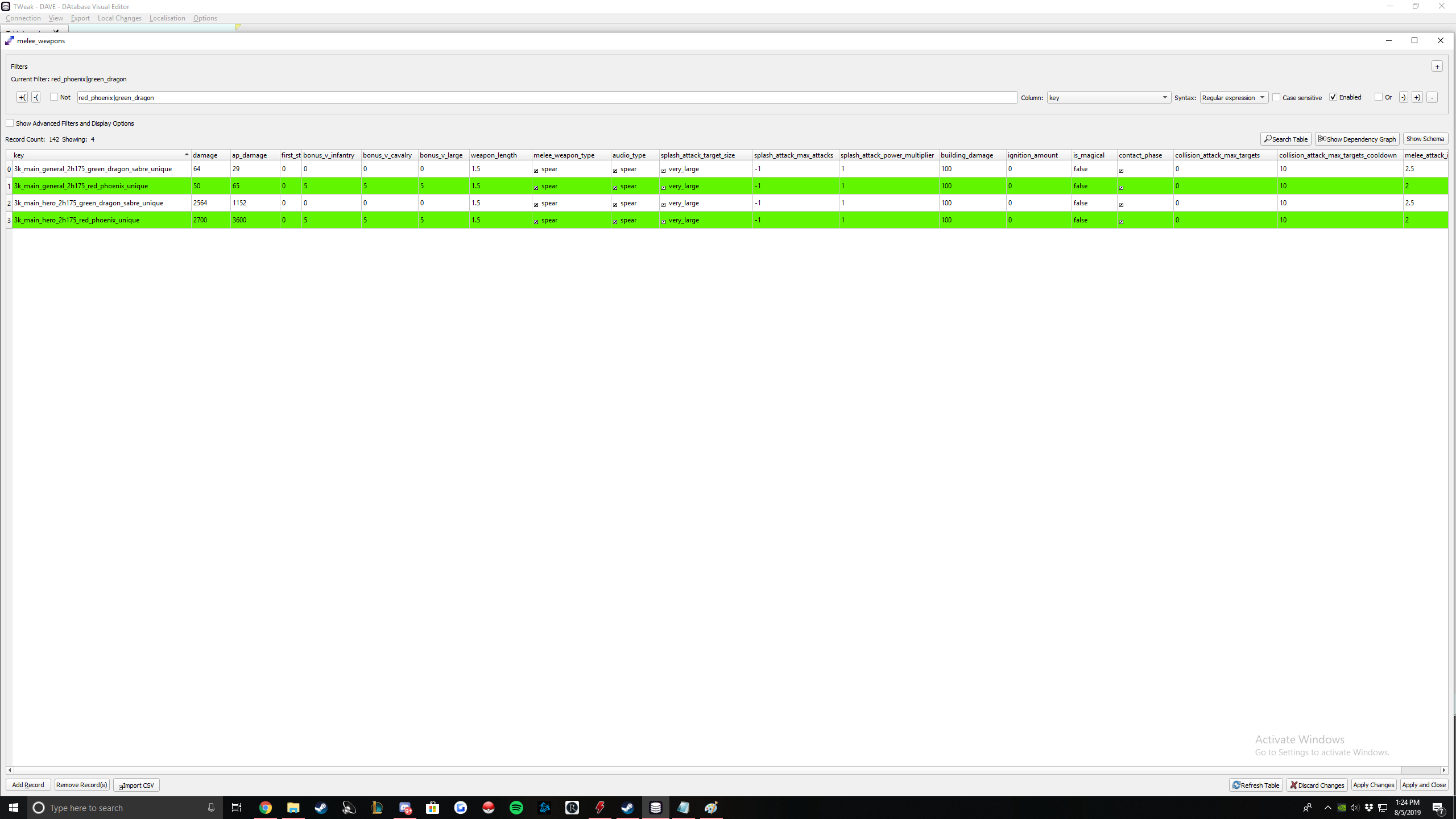
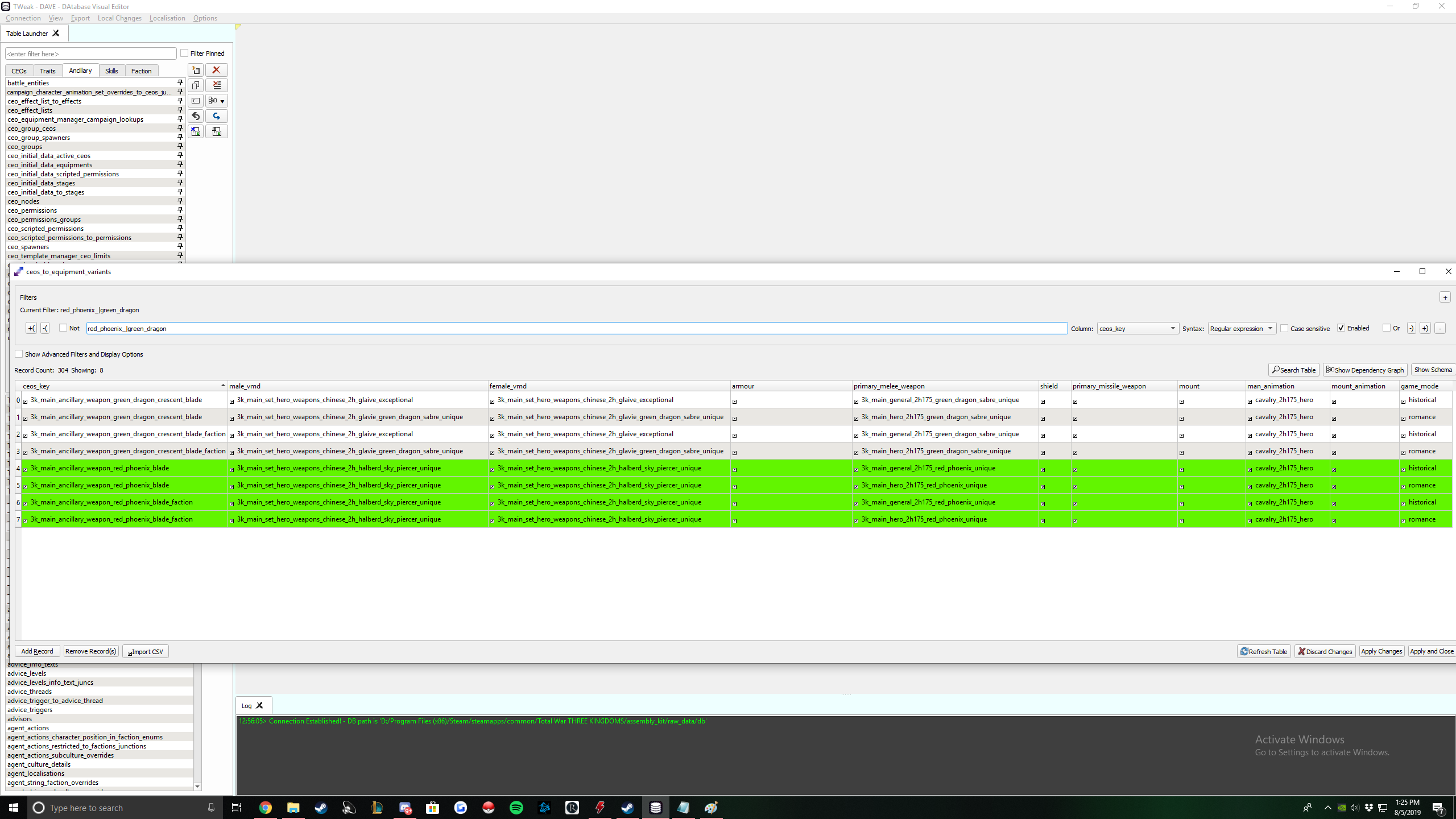
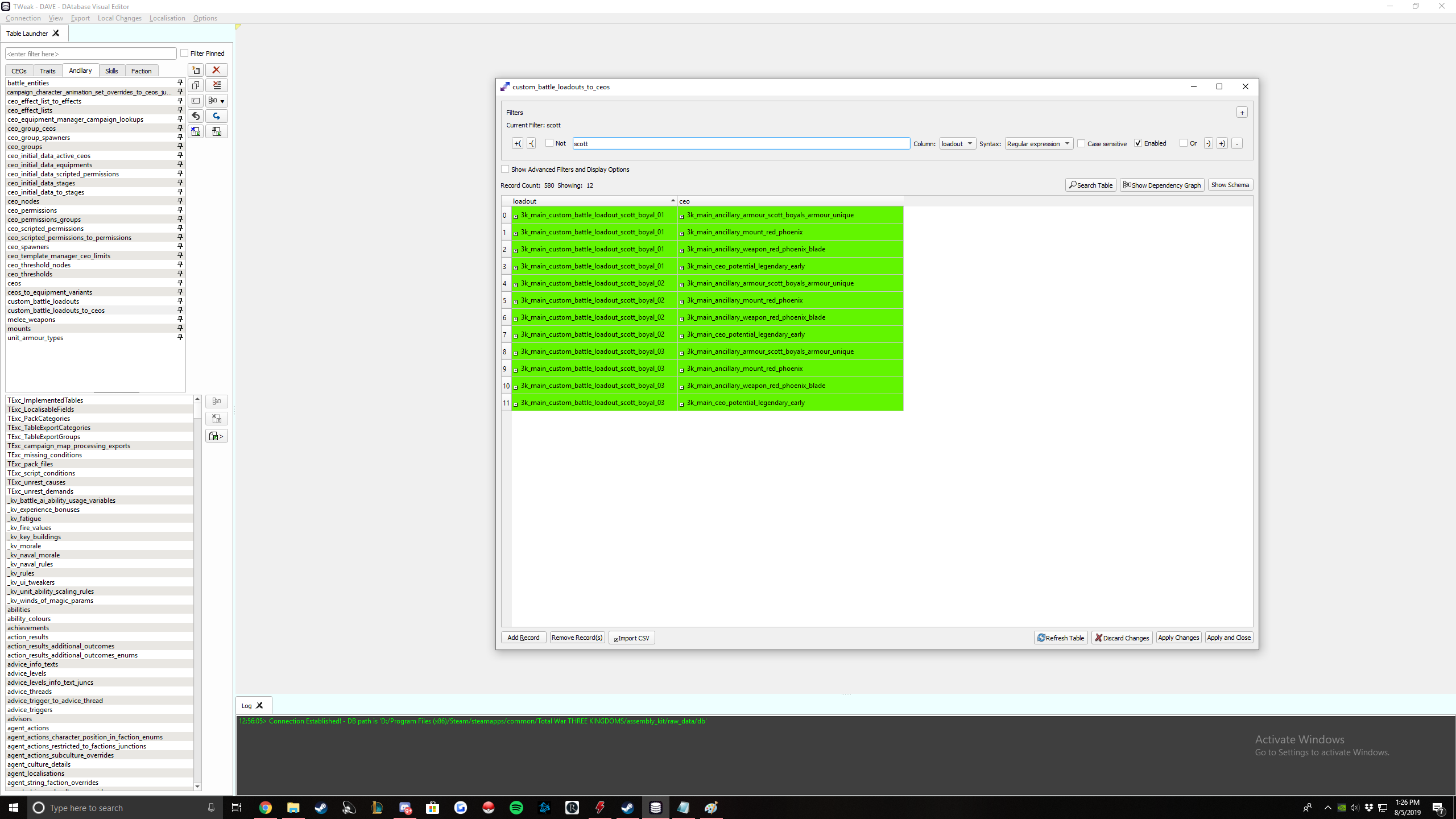
Your weapon is created. To verify, make sure your blade has 11 references and your faction blade has 10 references.
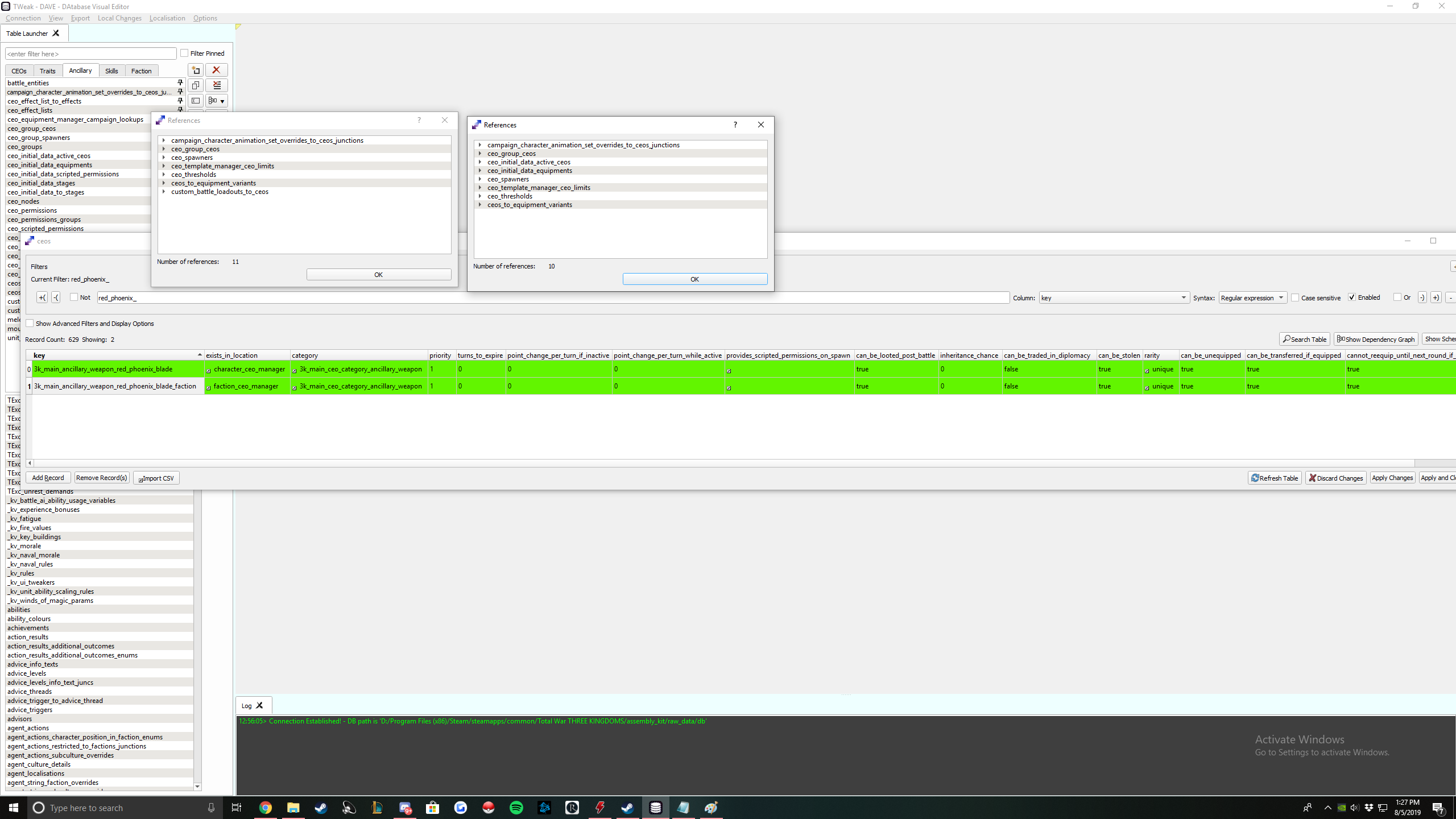
Don't forget to export your ceos.
RPFM Weapon Changes
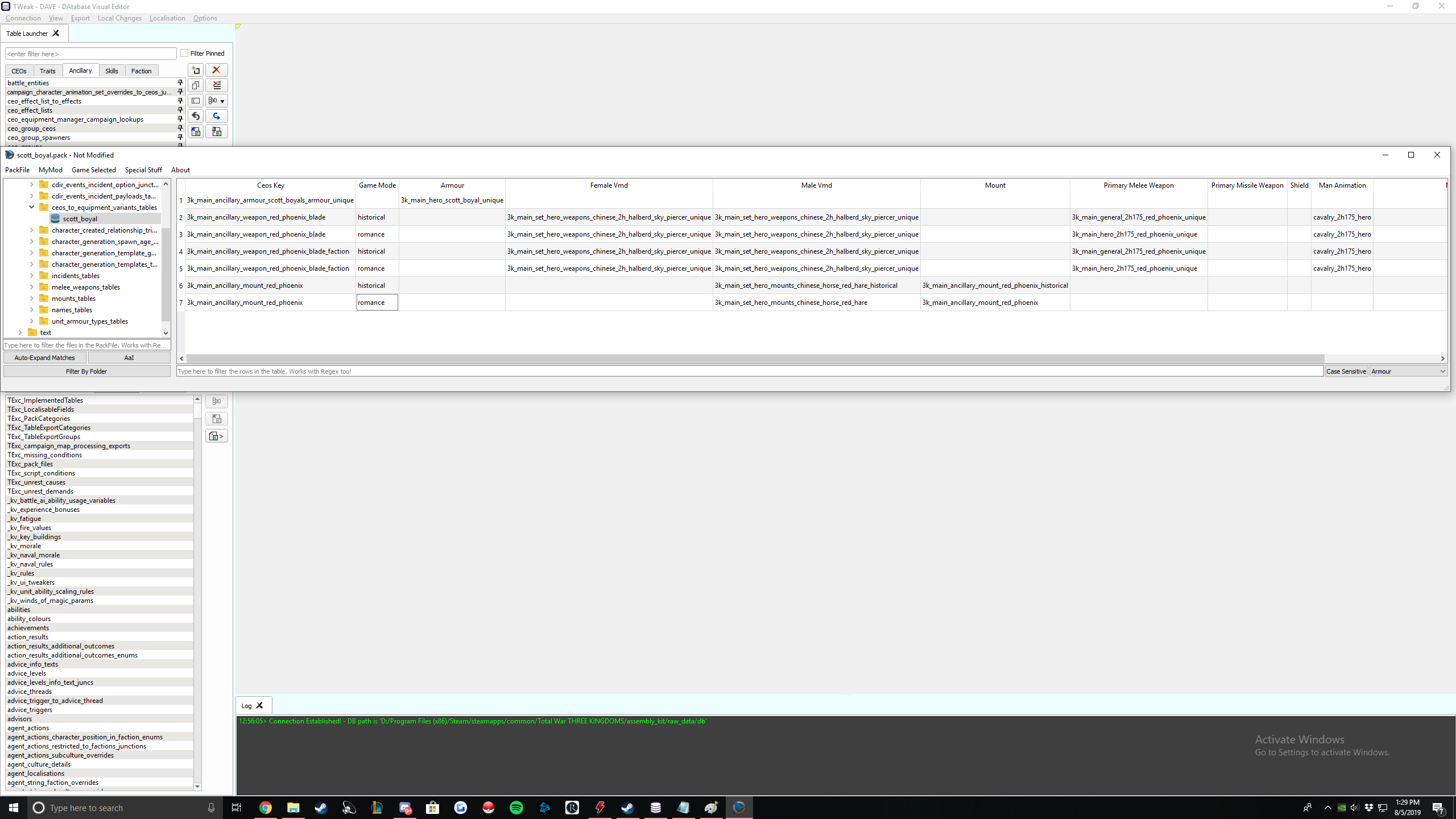
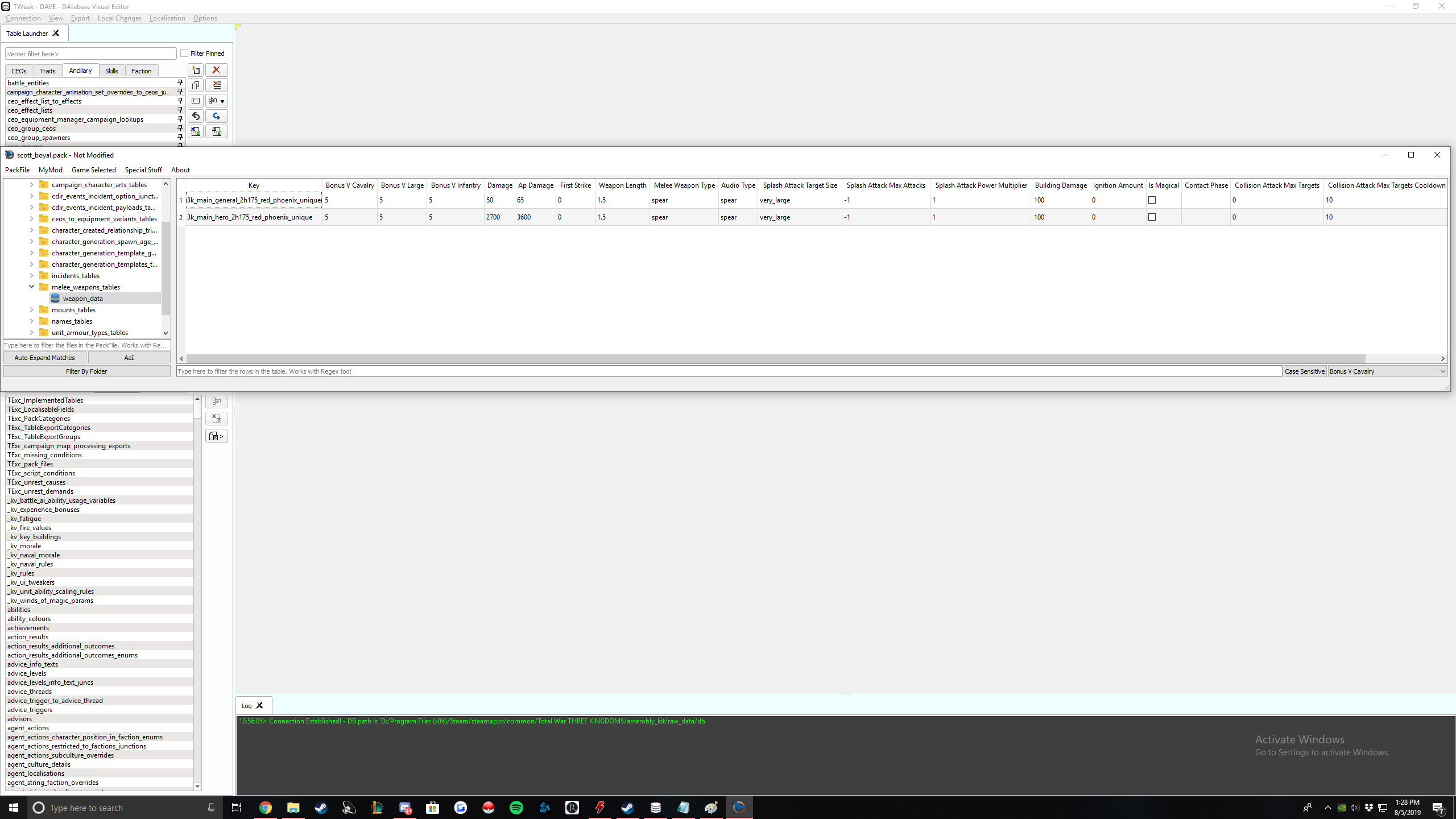
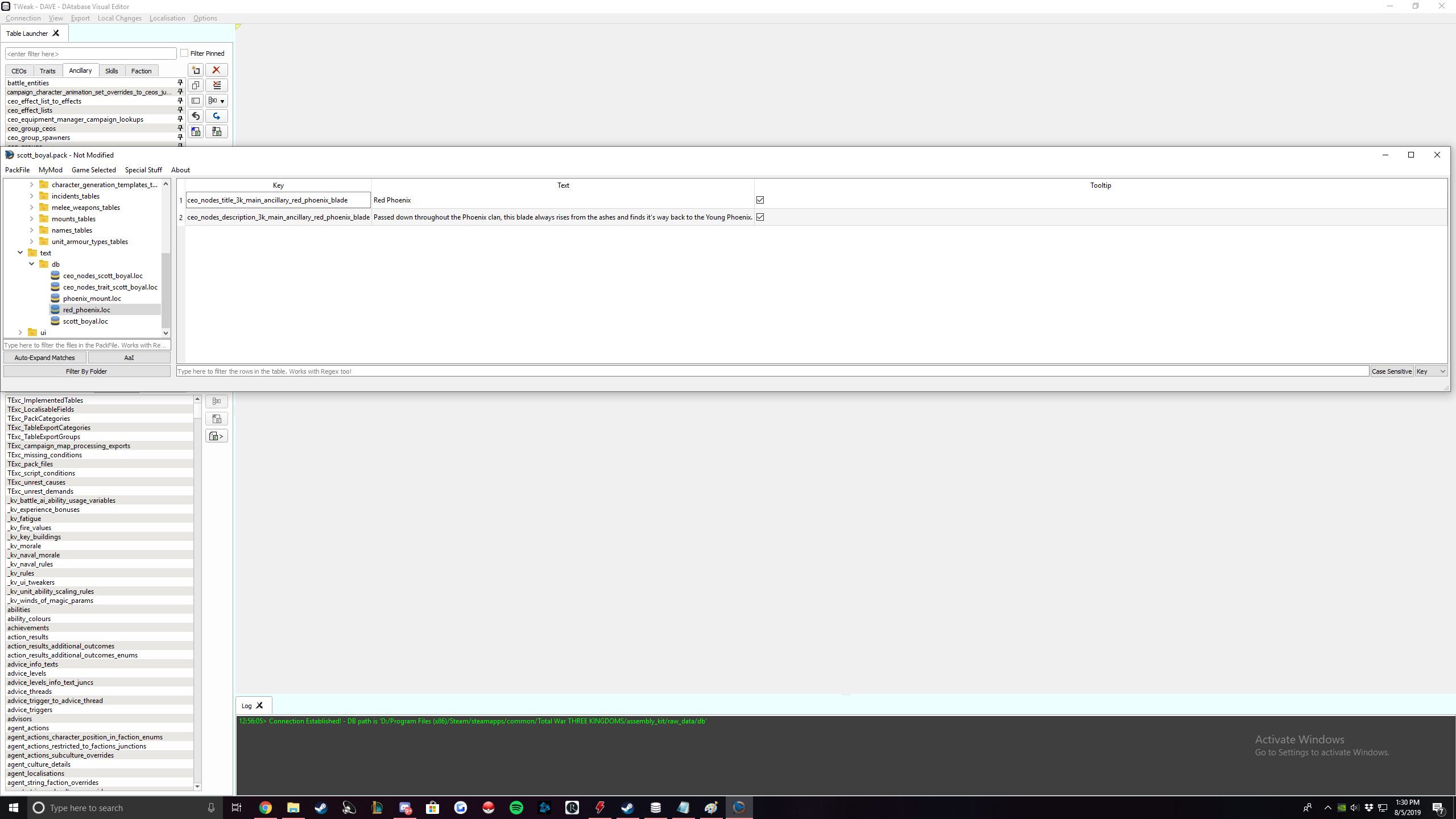
You're done with everything now except for art.
Weapon Art
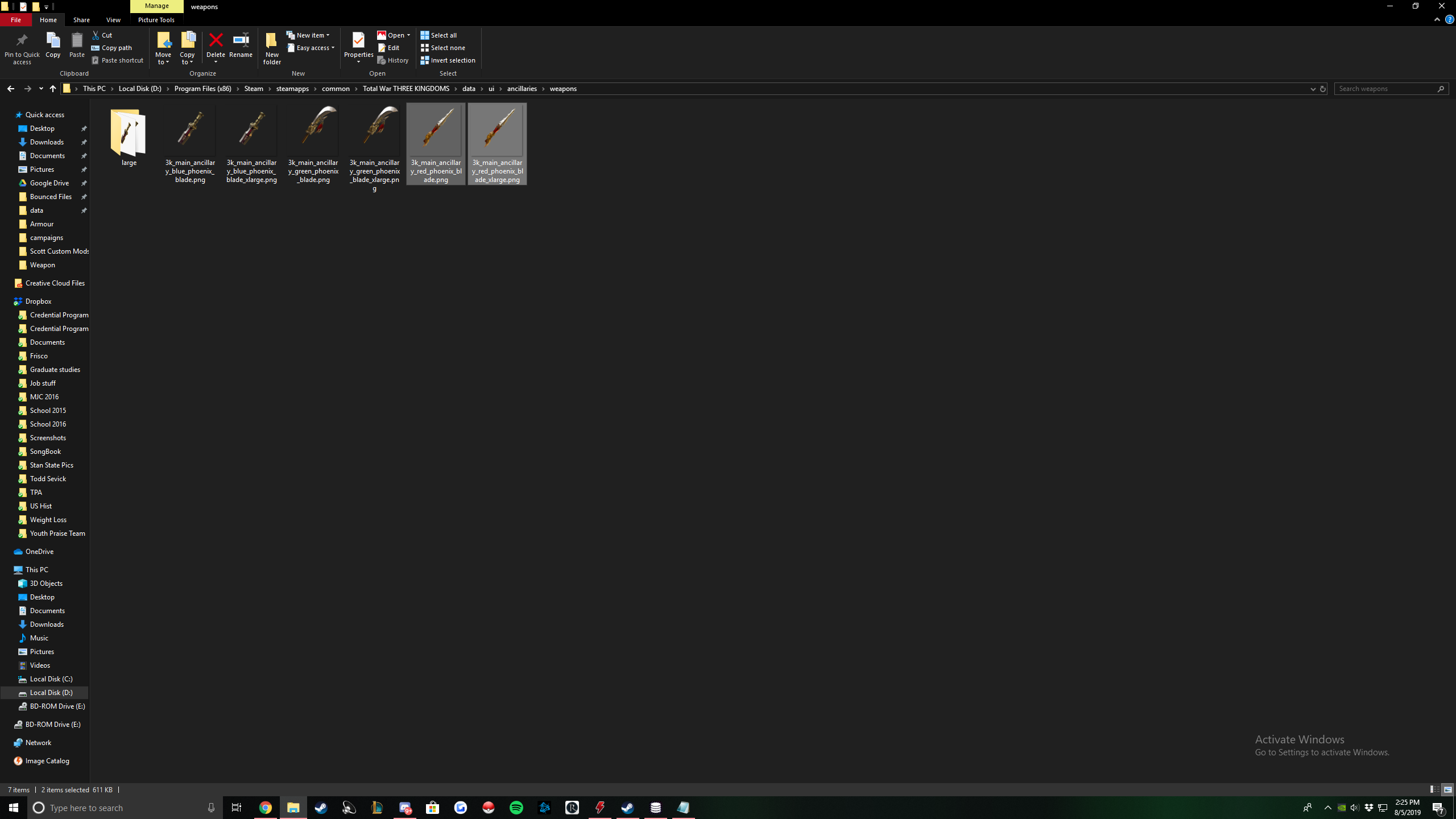
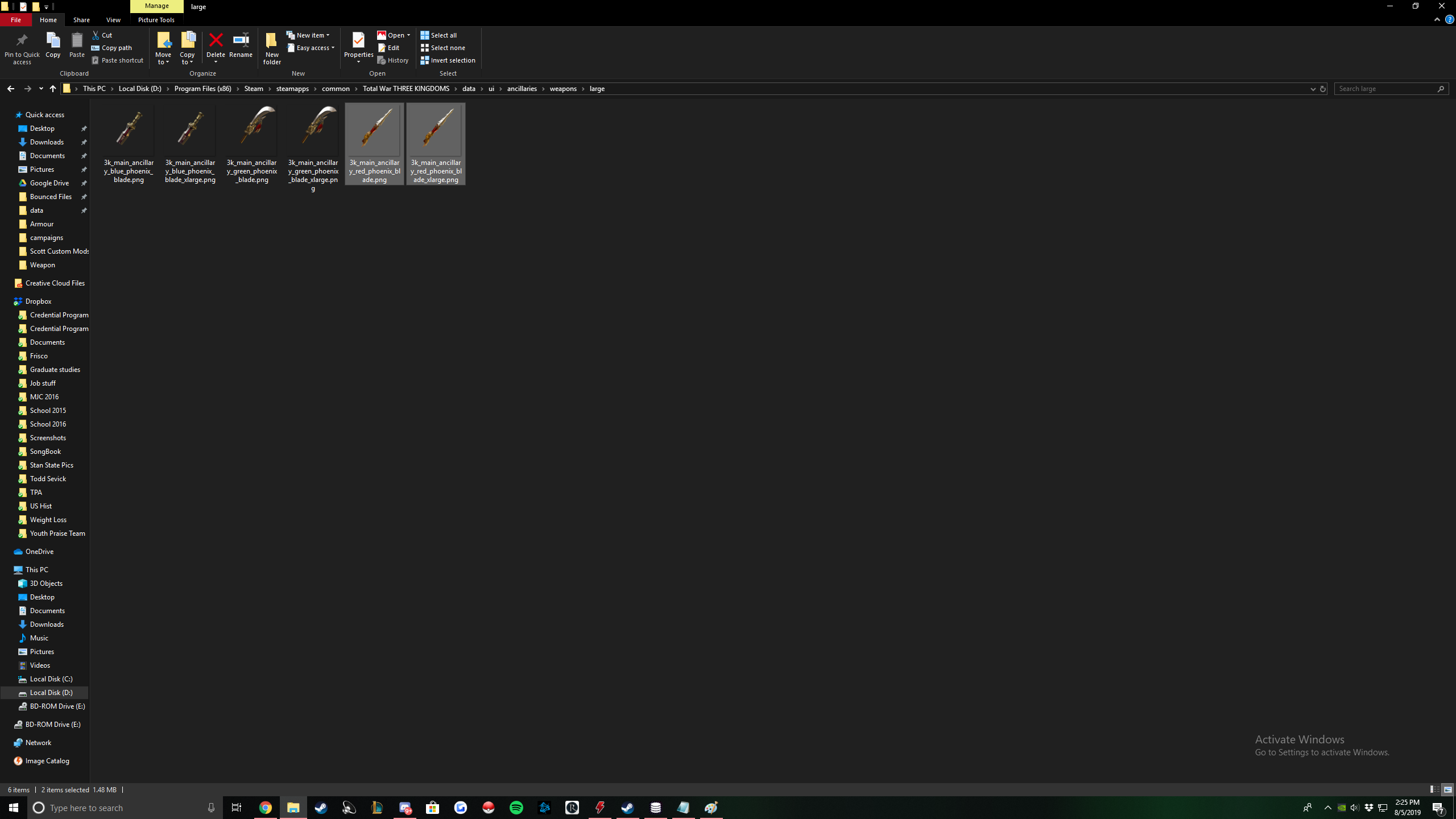
There you go! Your weapon is completed!
Mount Guide


Let's get into it. Here are the tables you will edit in order:
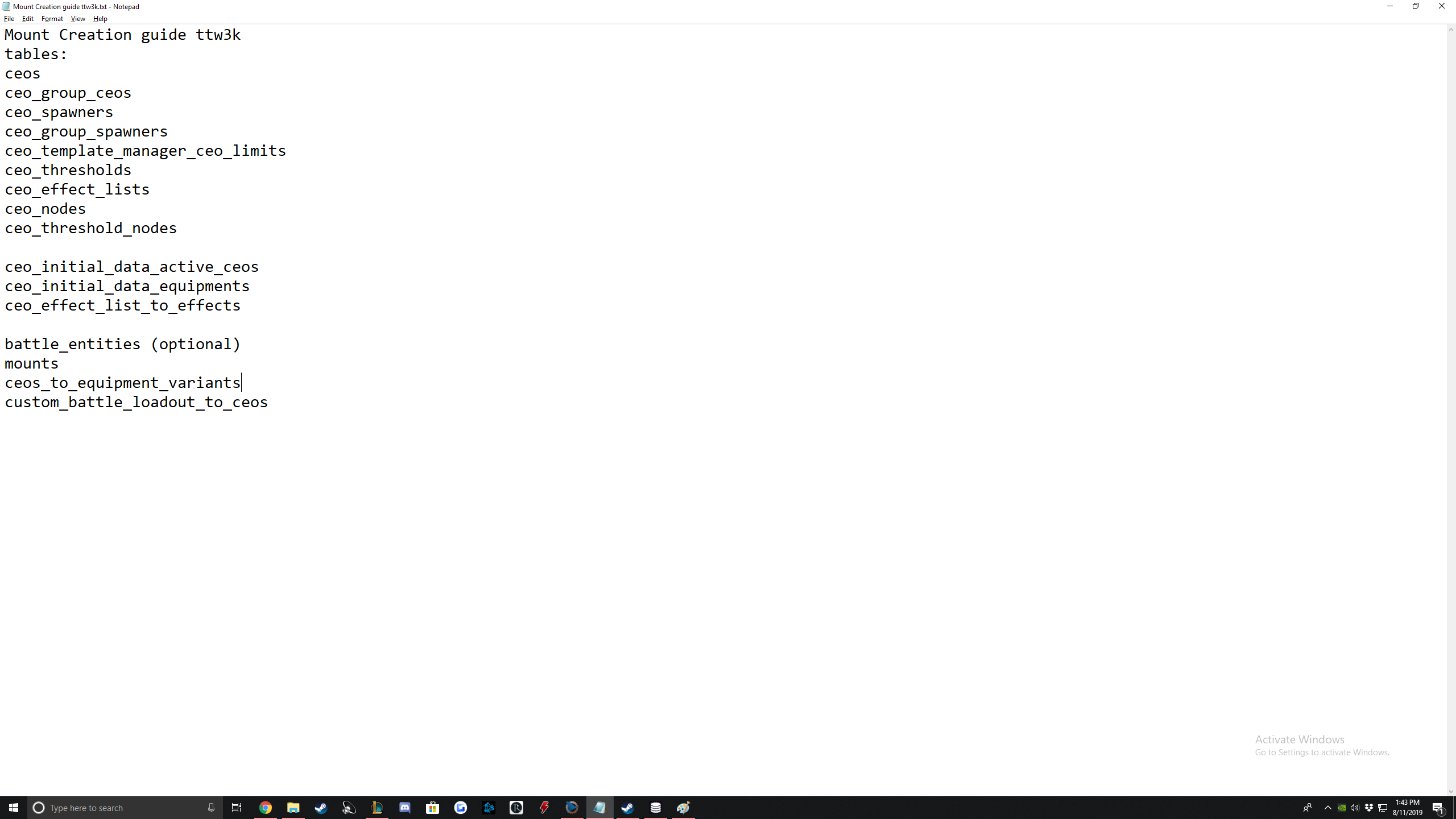
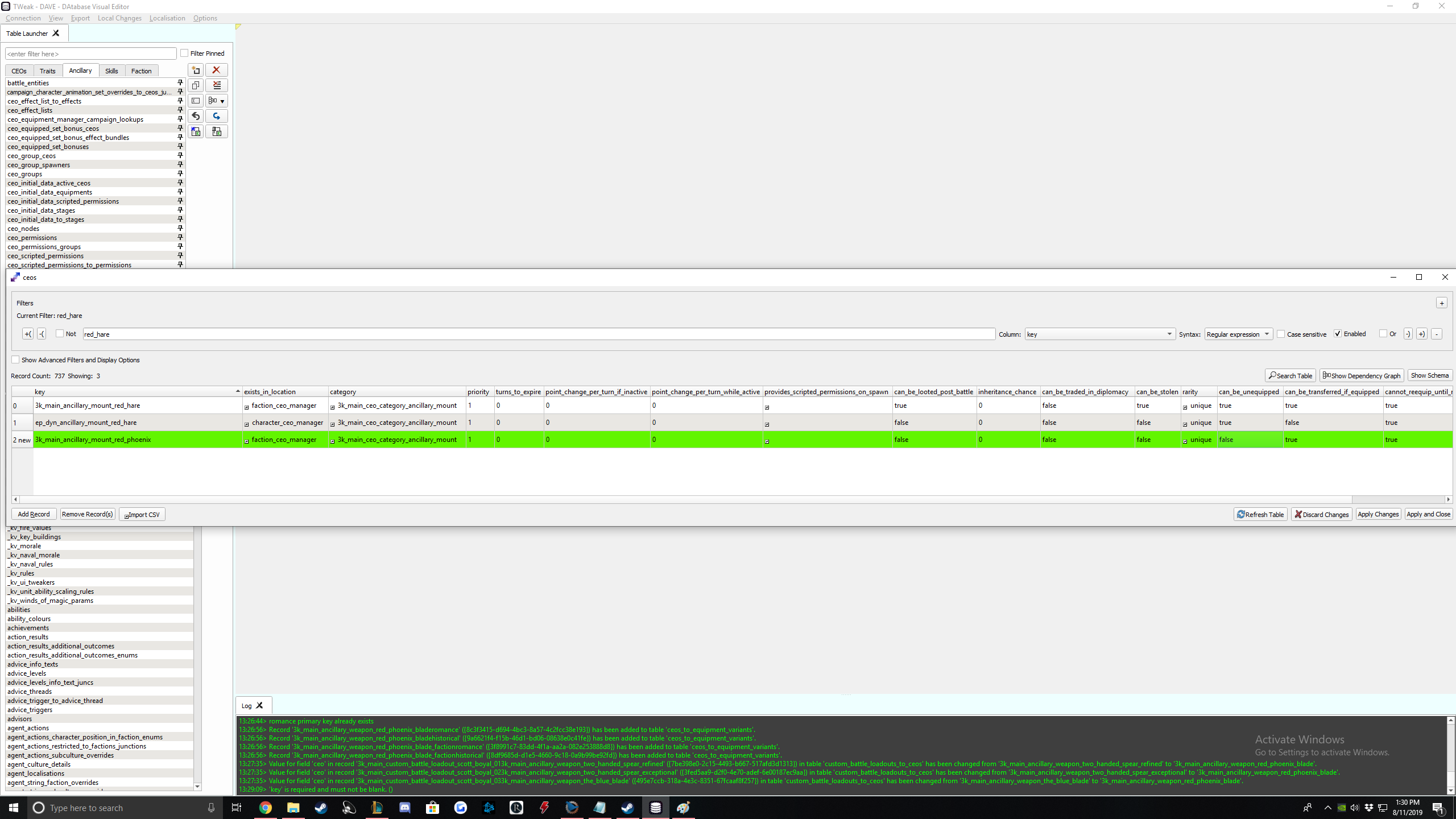
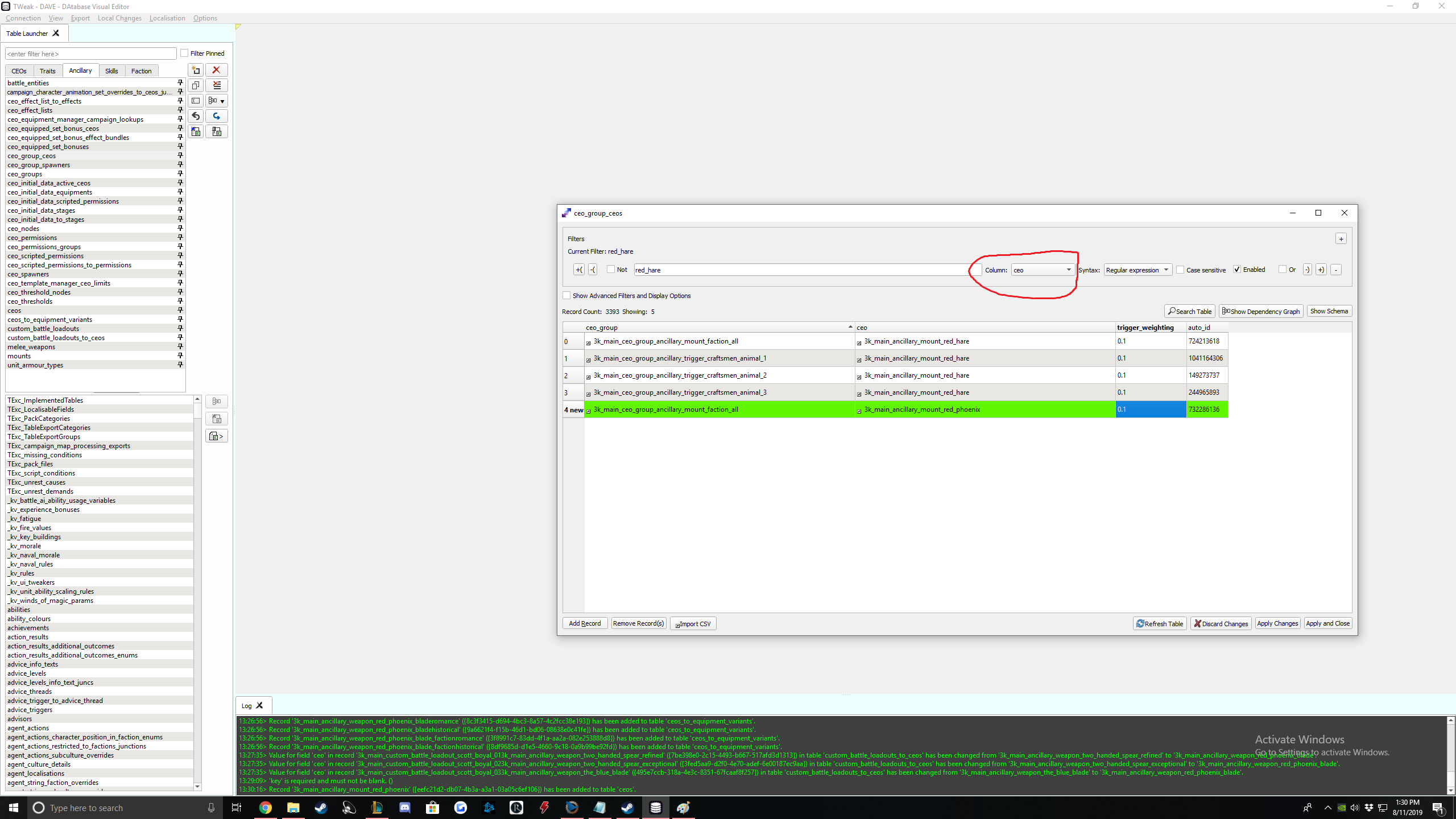
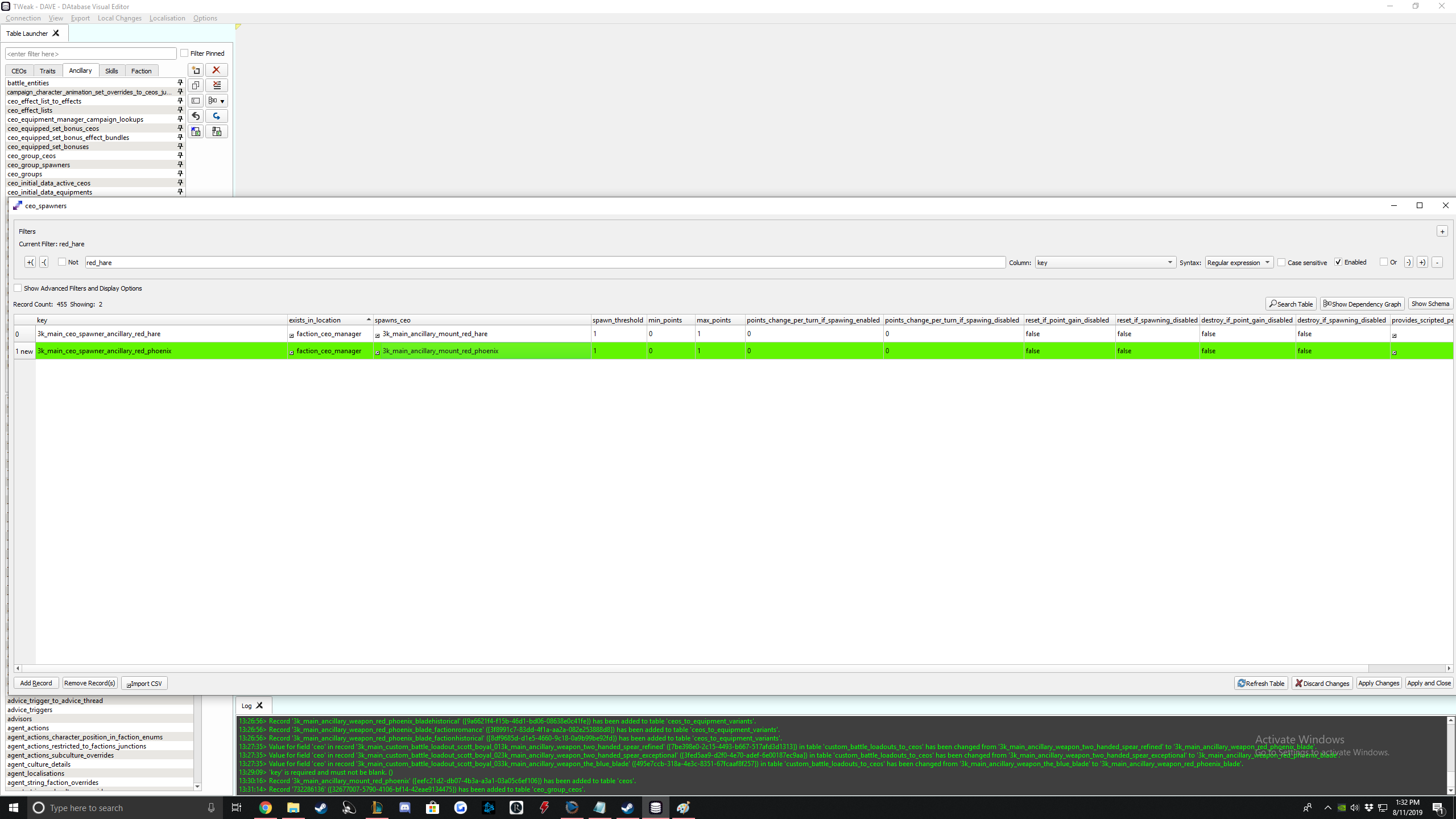
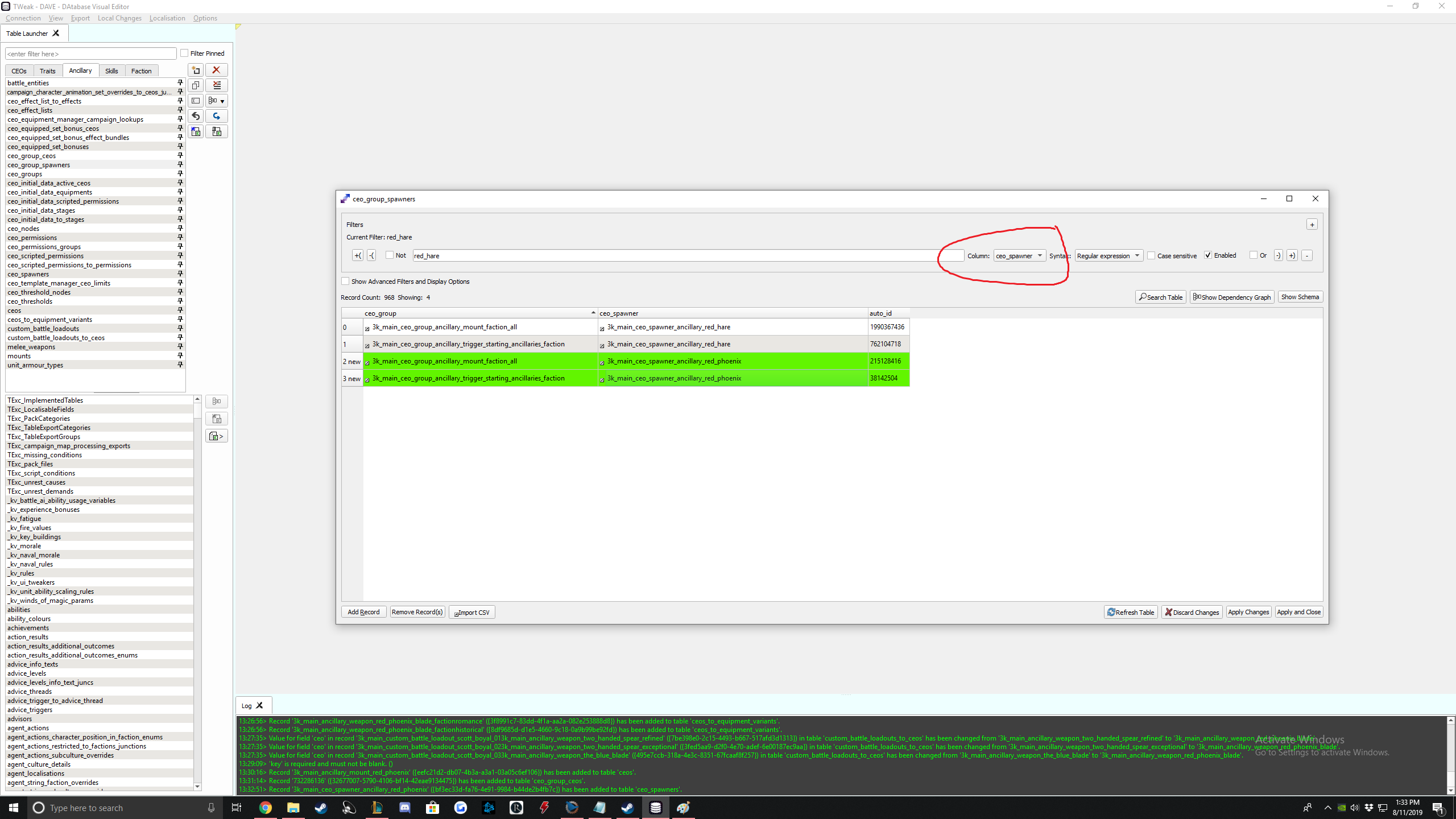
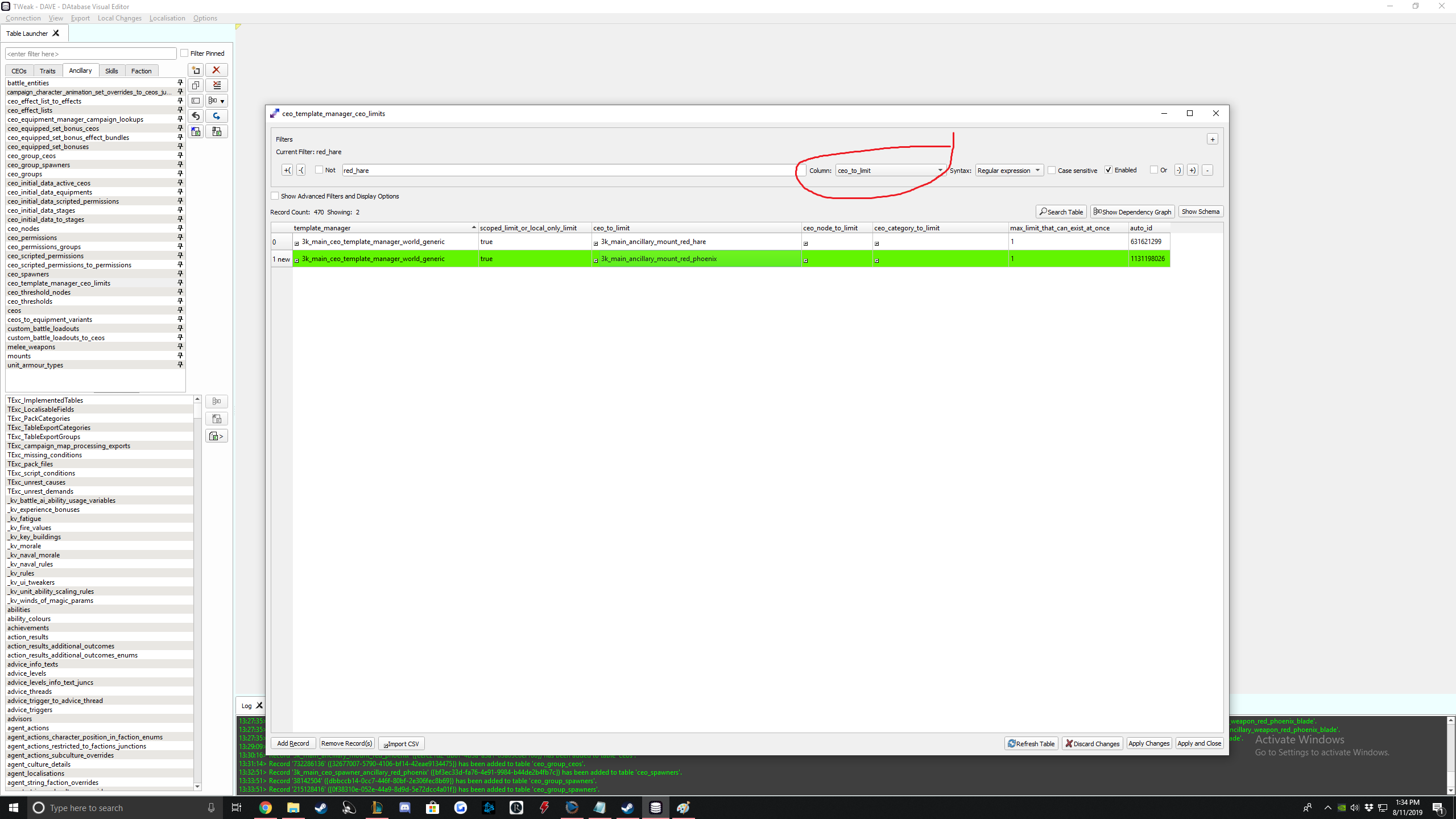
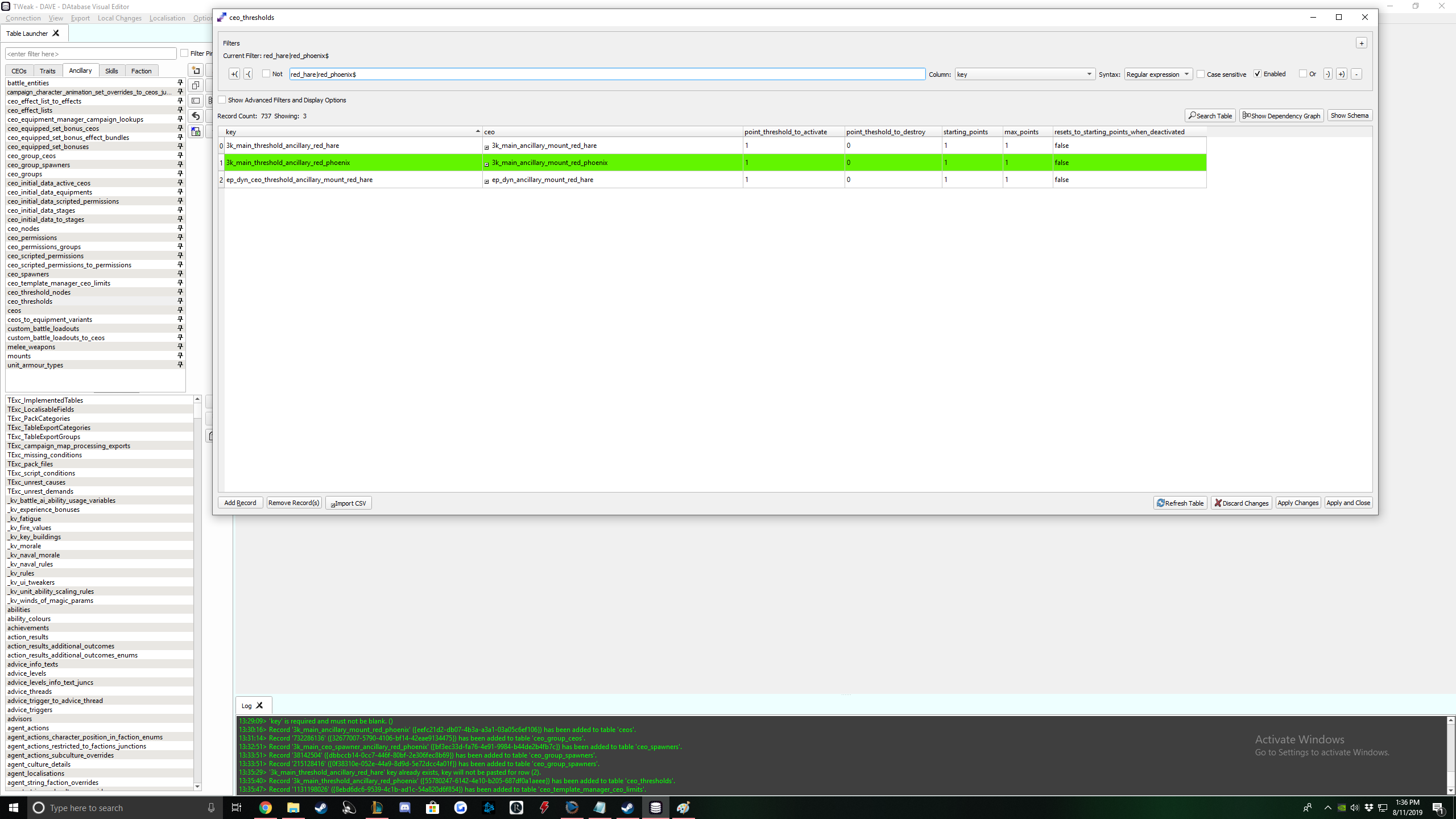
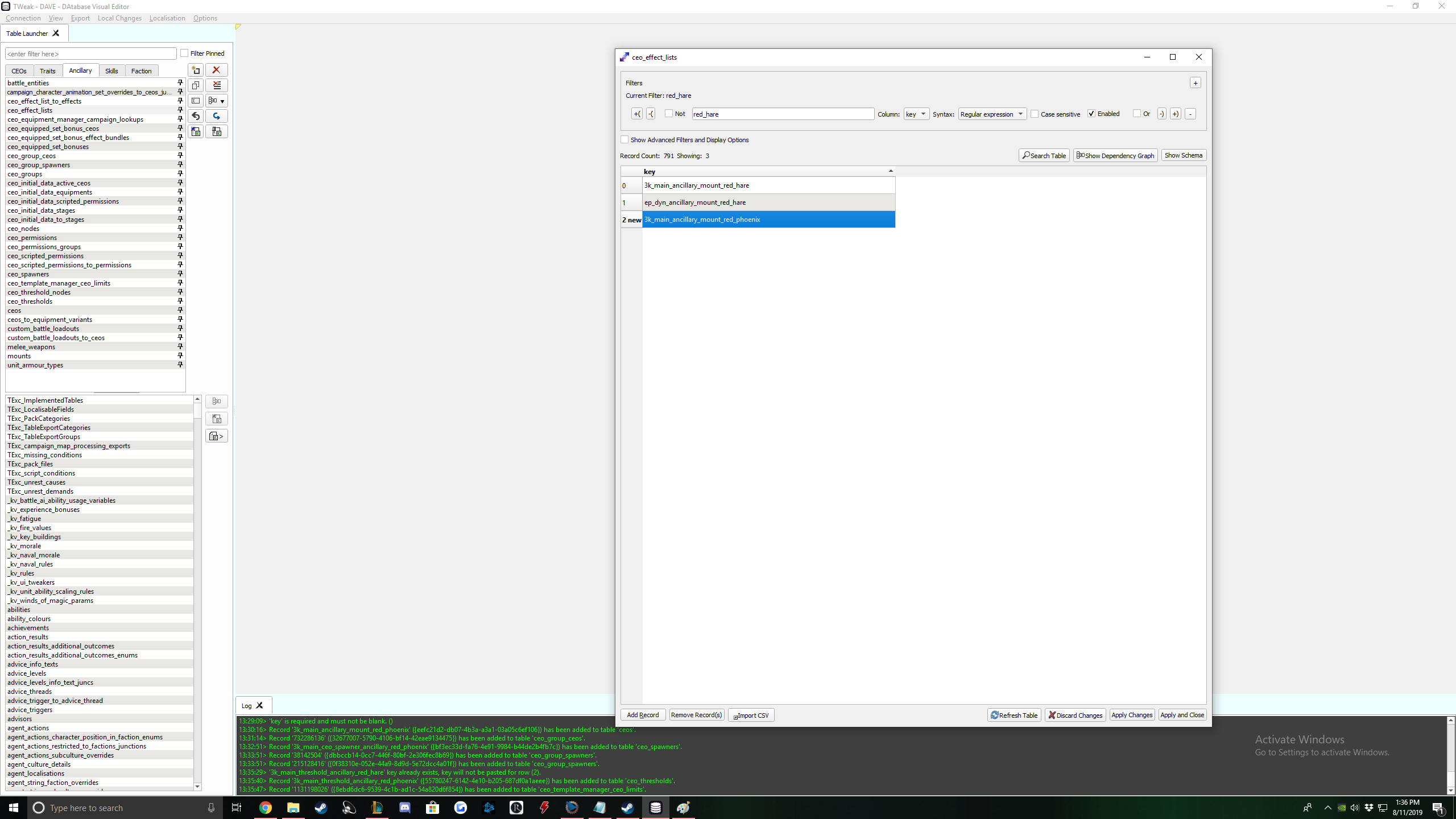
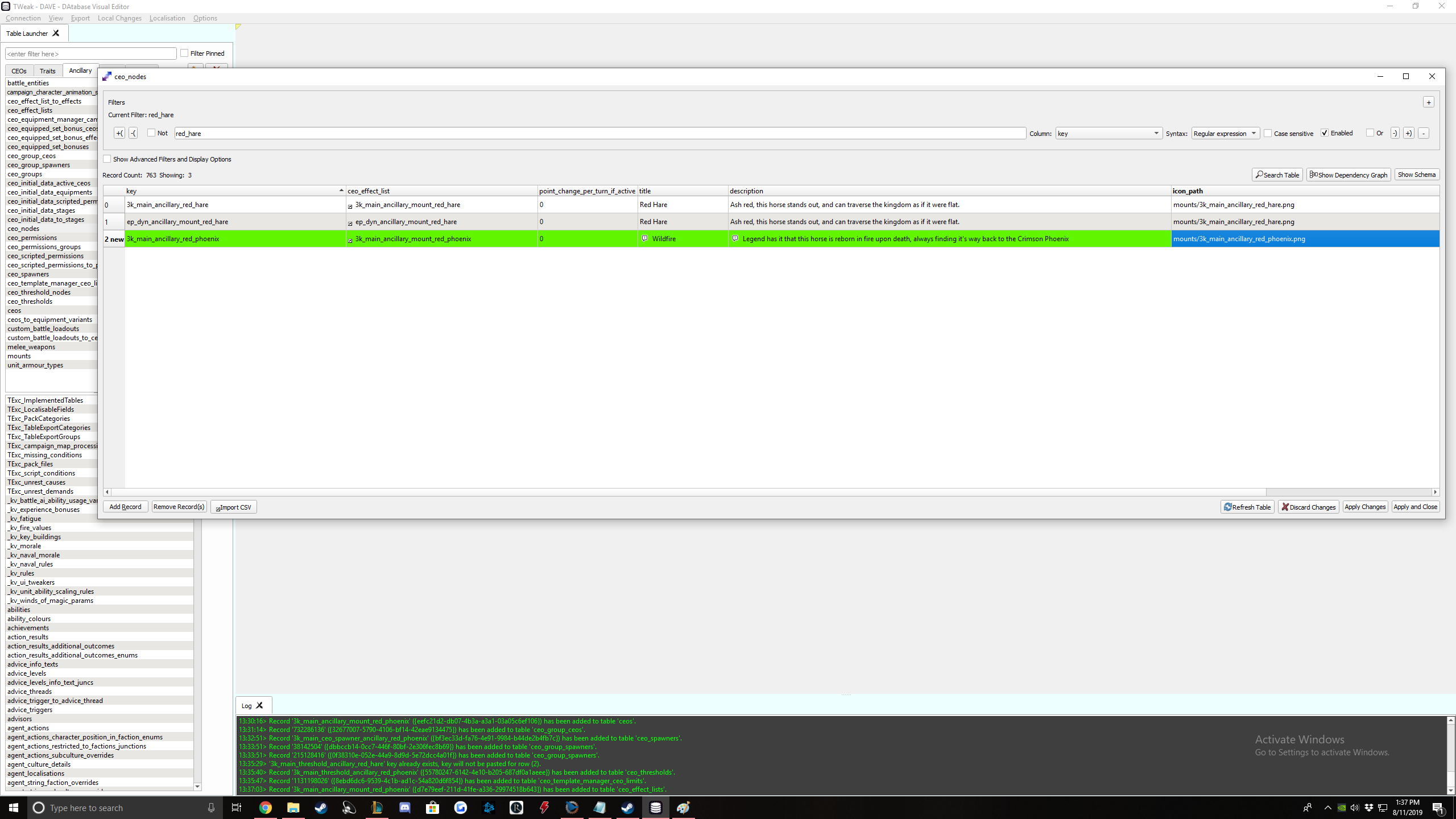
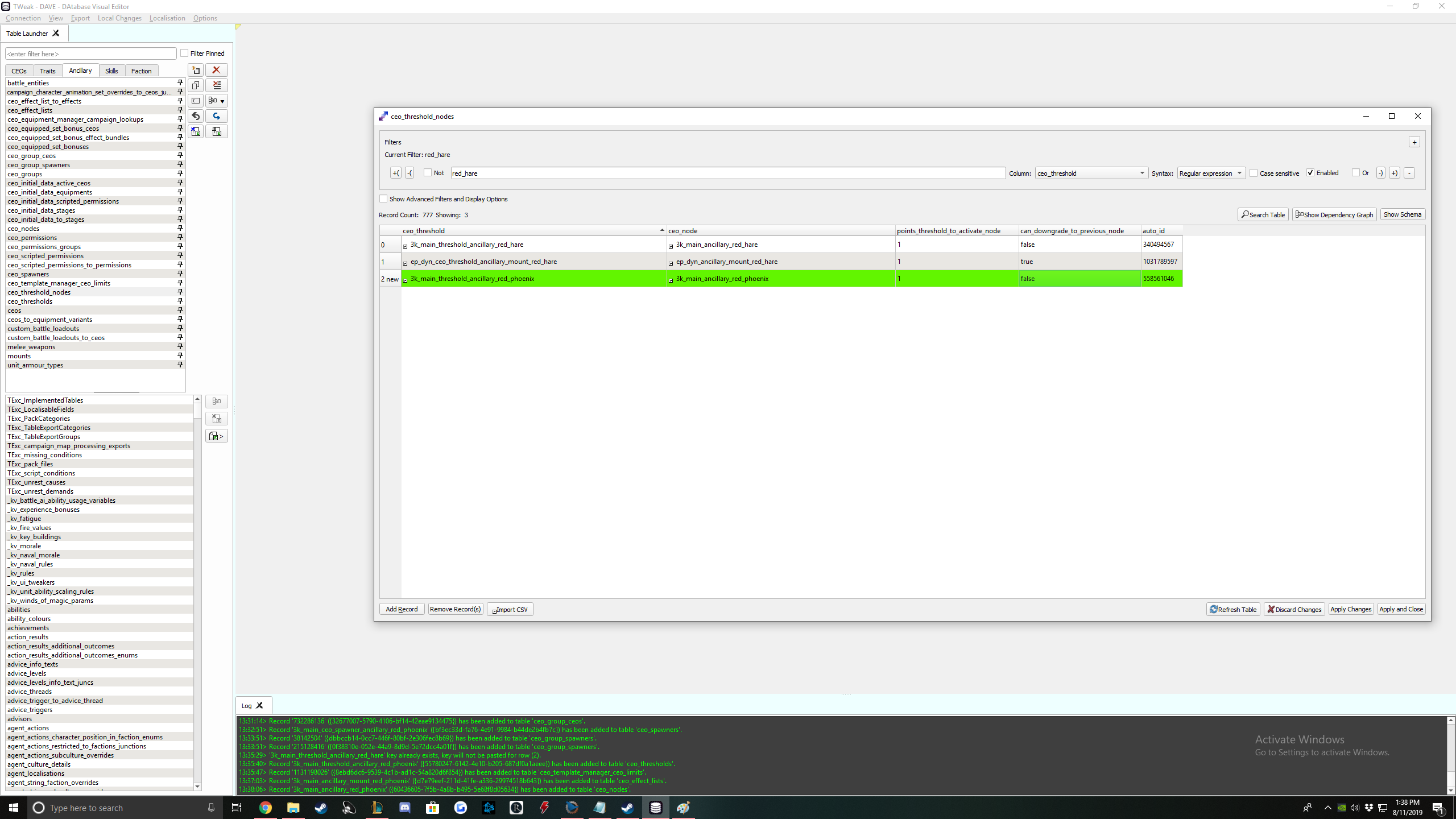
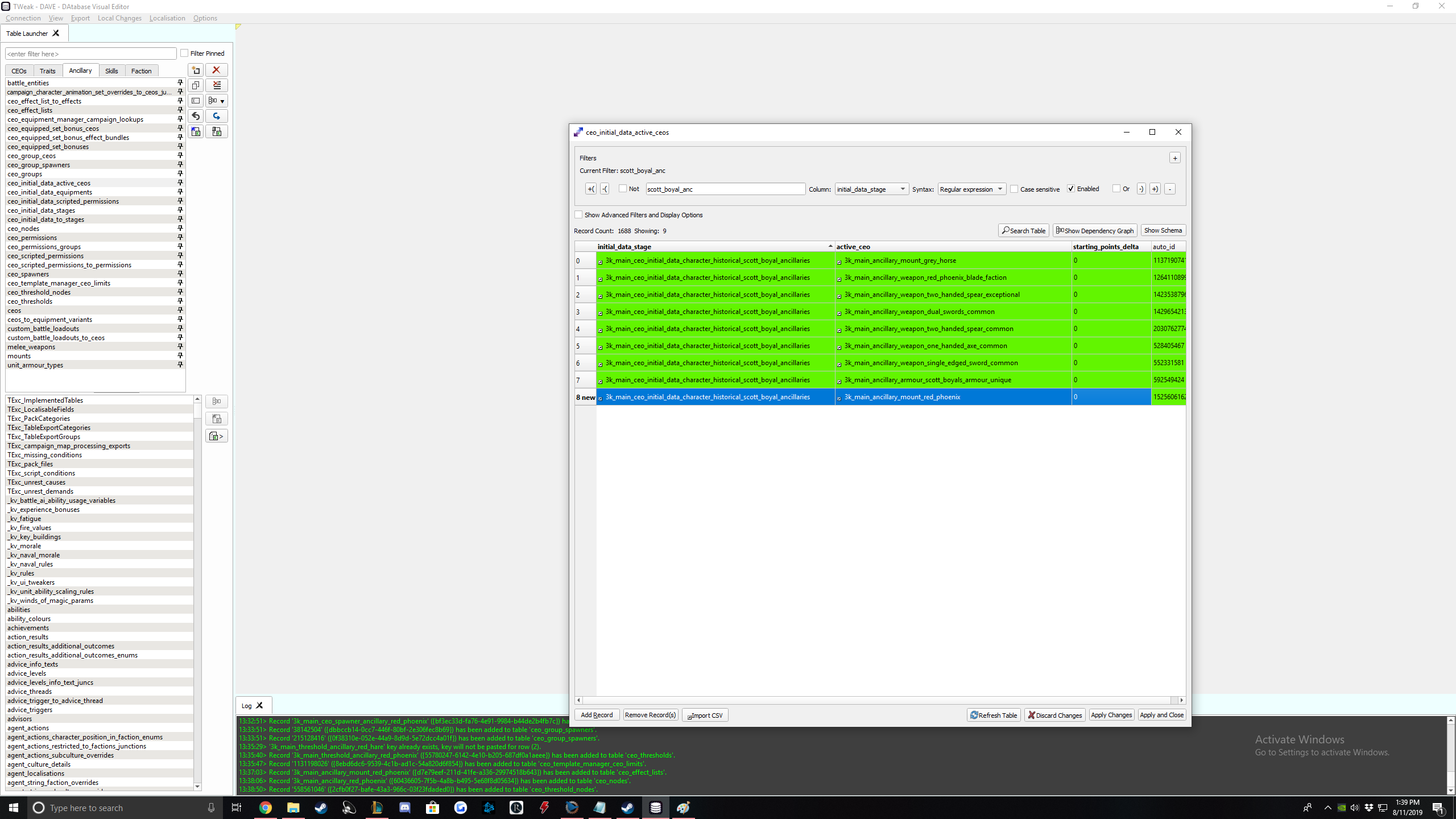
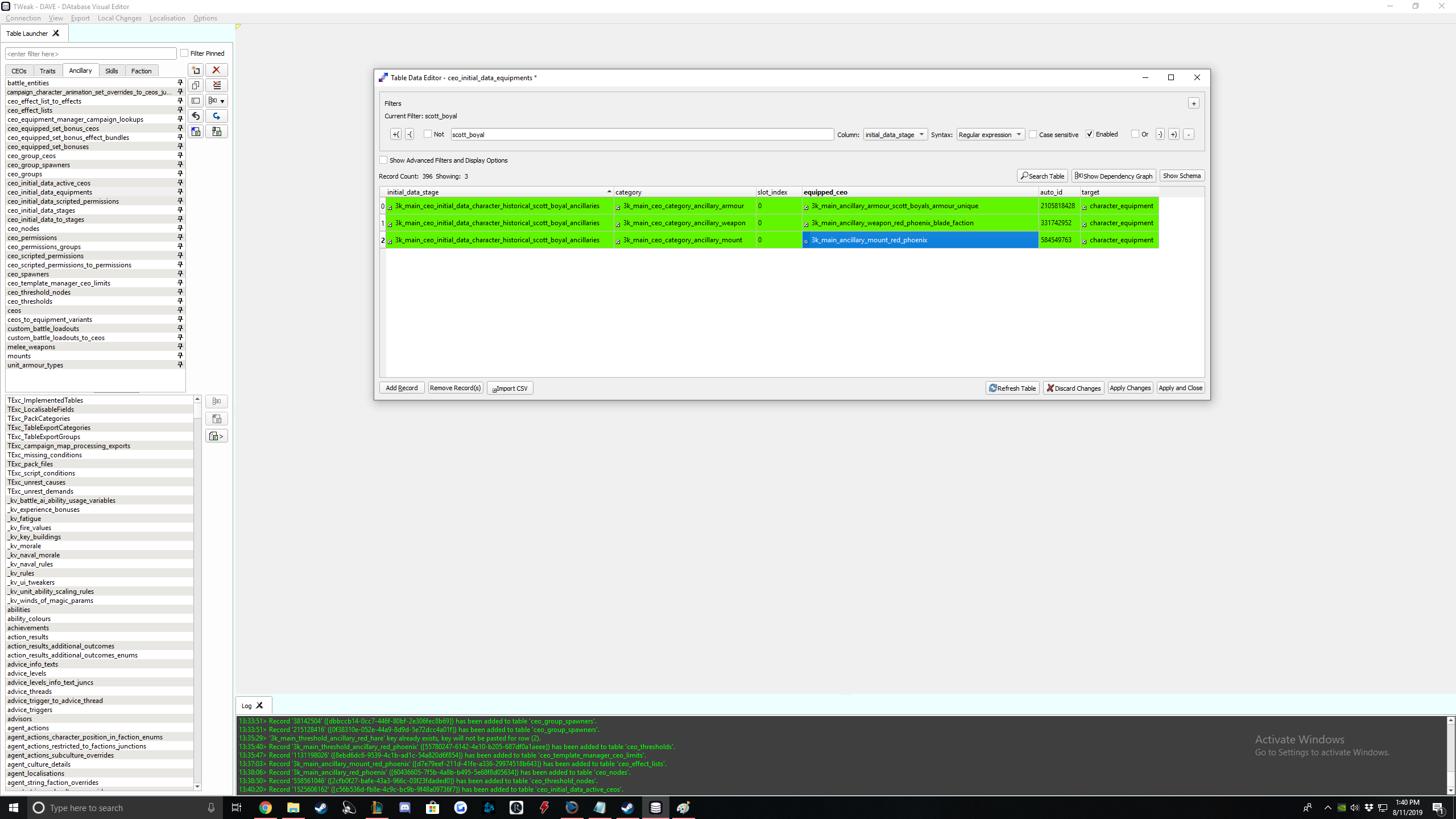
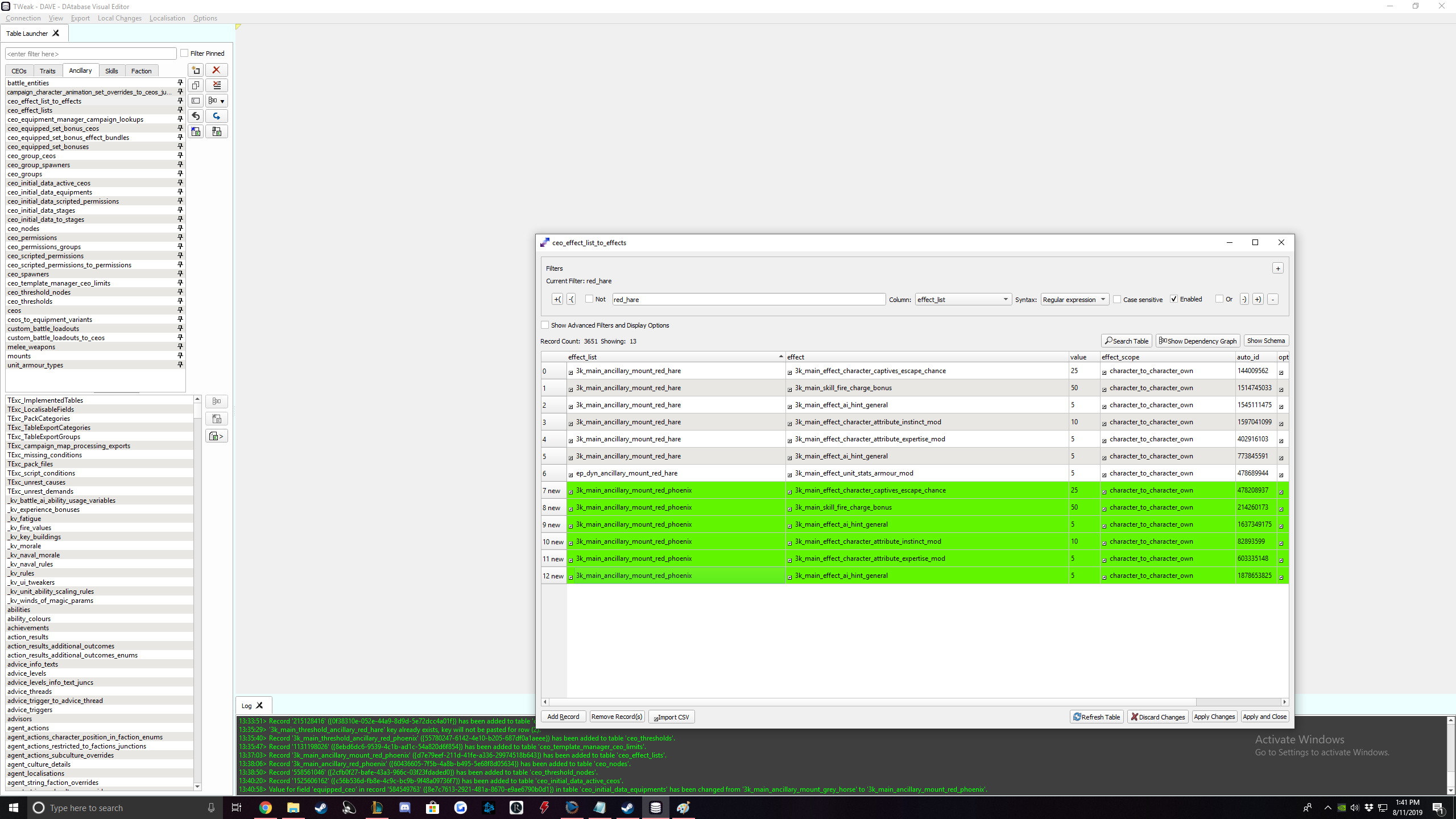
This table will be copied into RPFM.
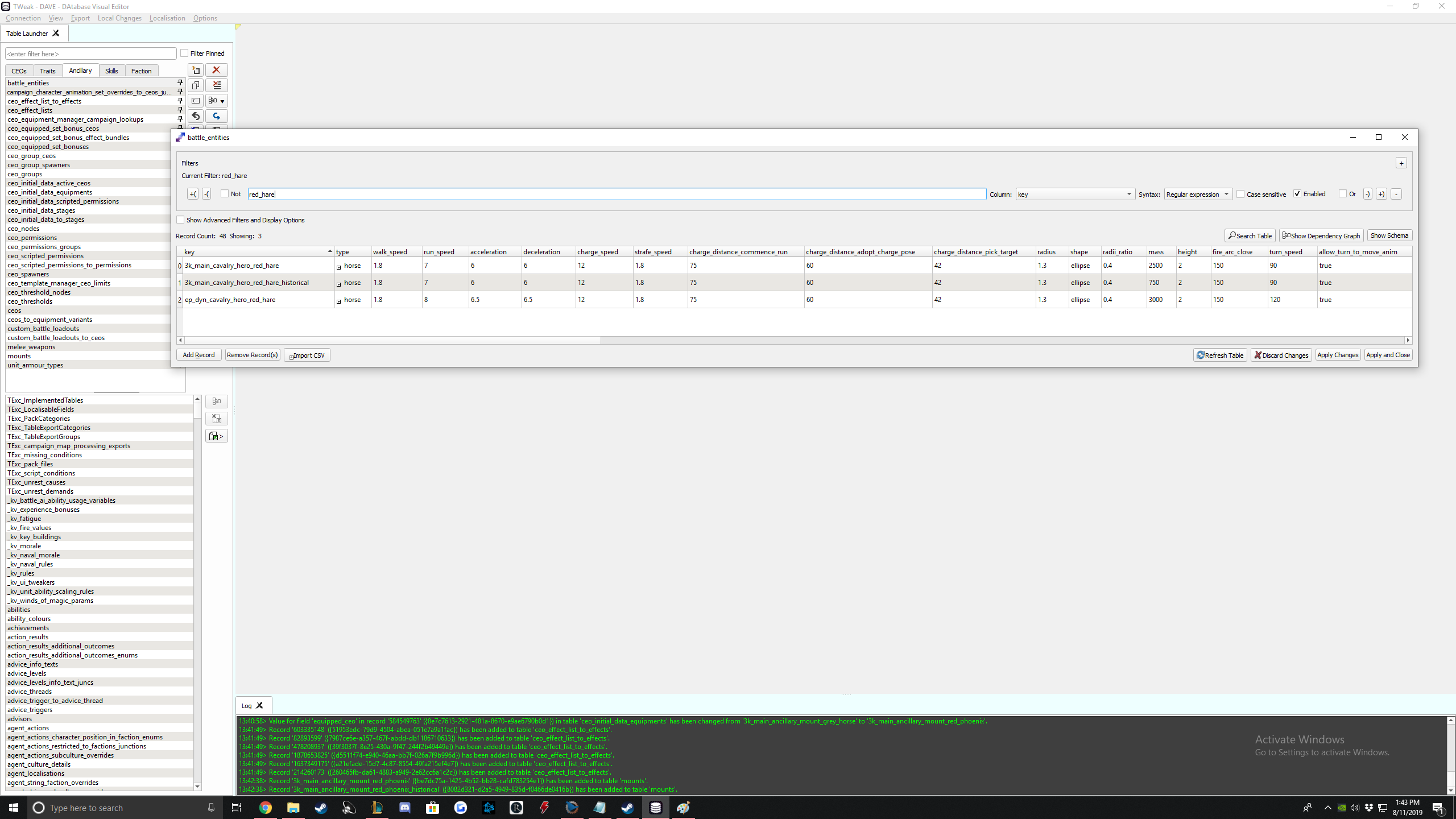
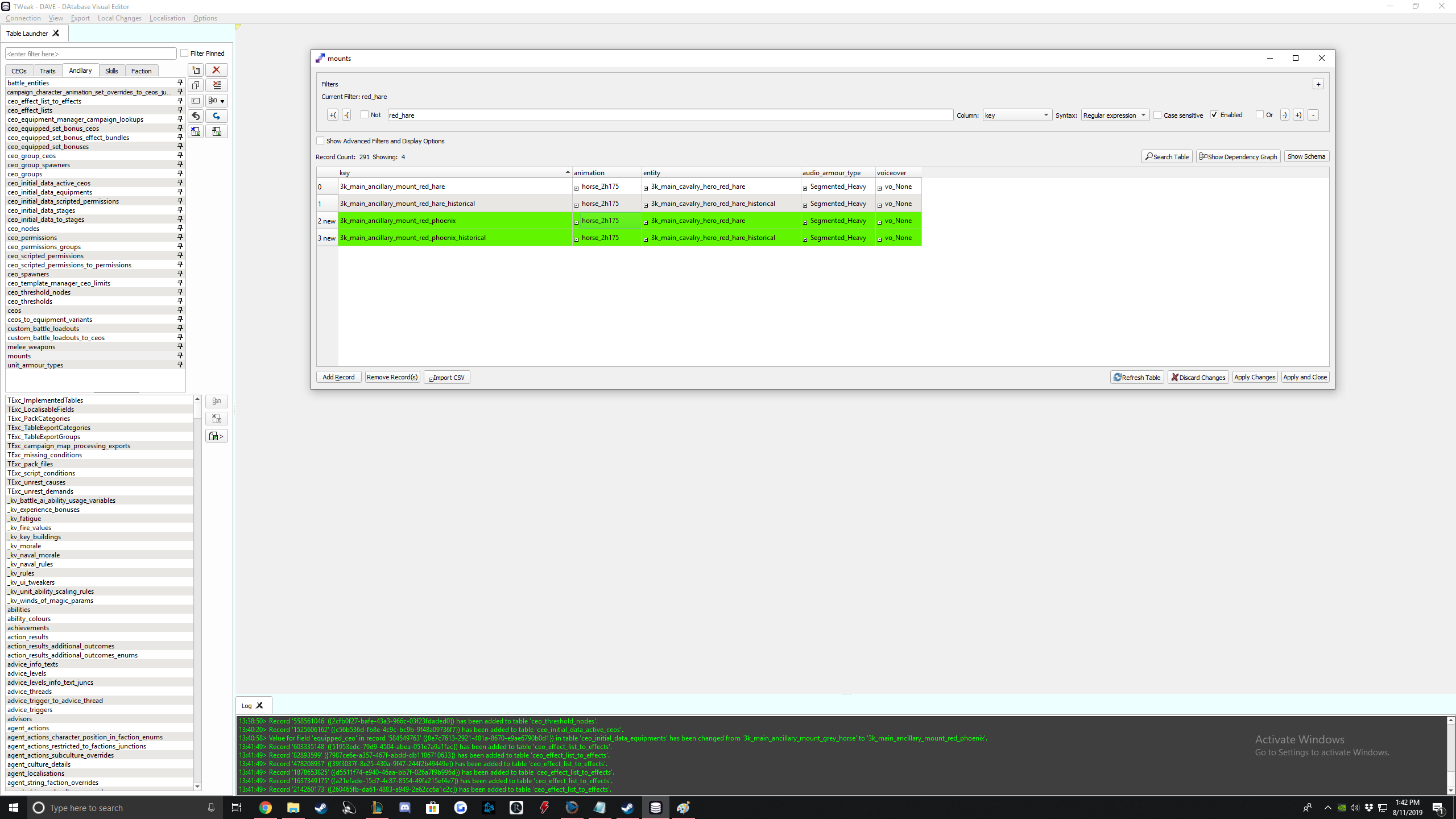
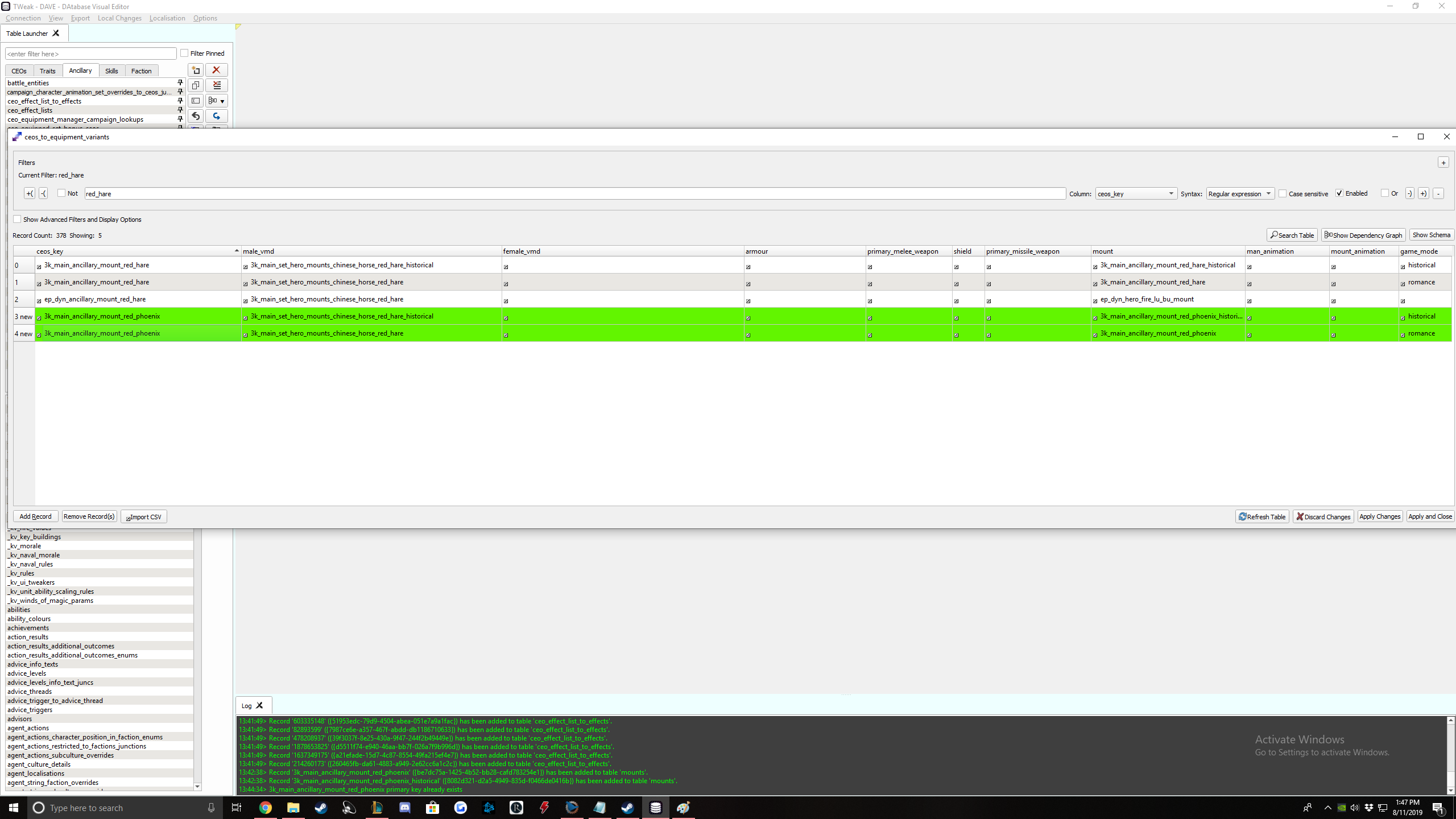
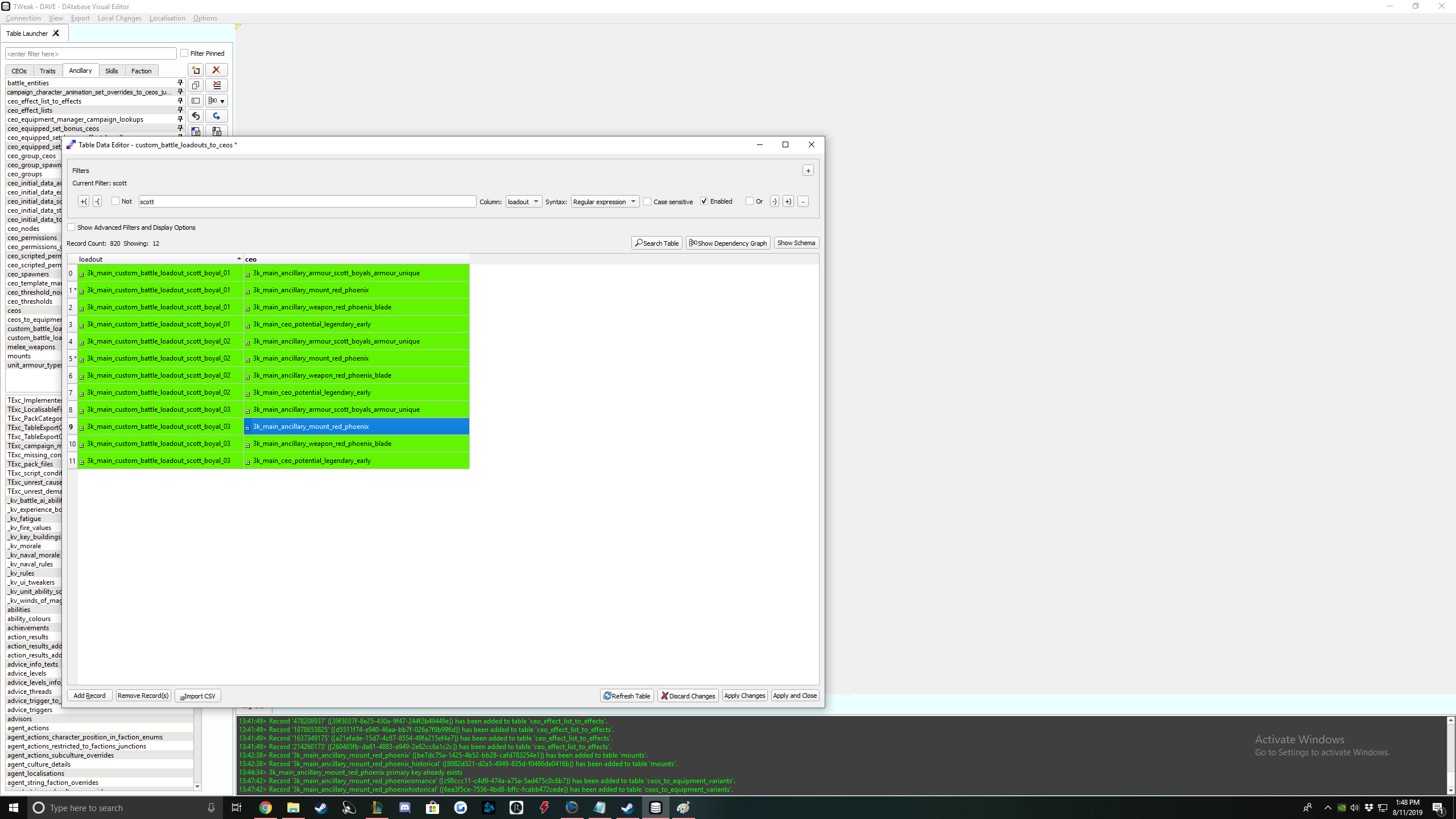
Alright your mount is done in DAVE. On to RPFM
RPFM Mount Tables
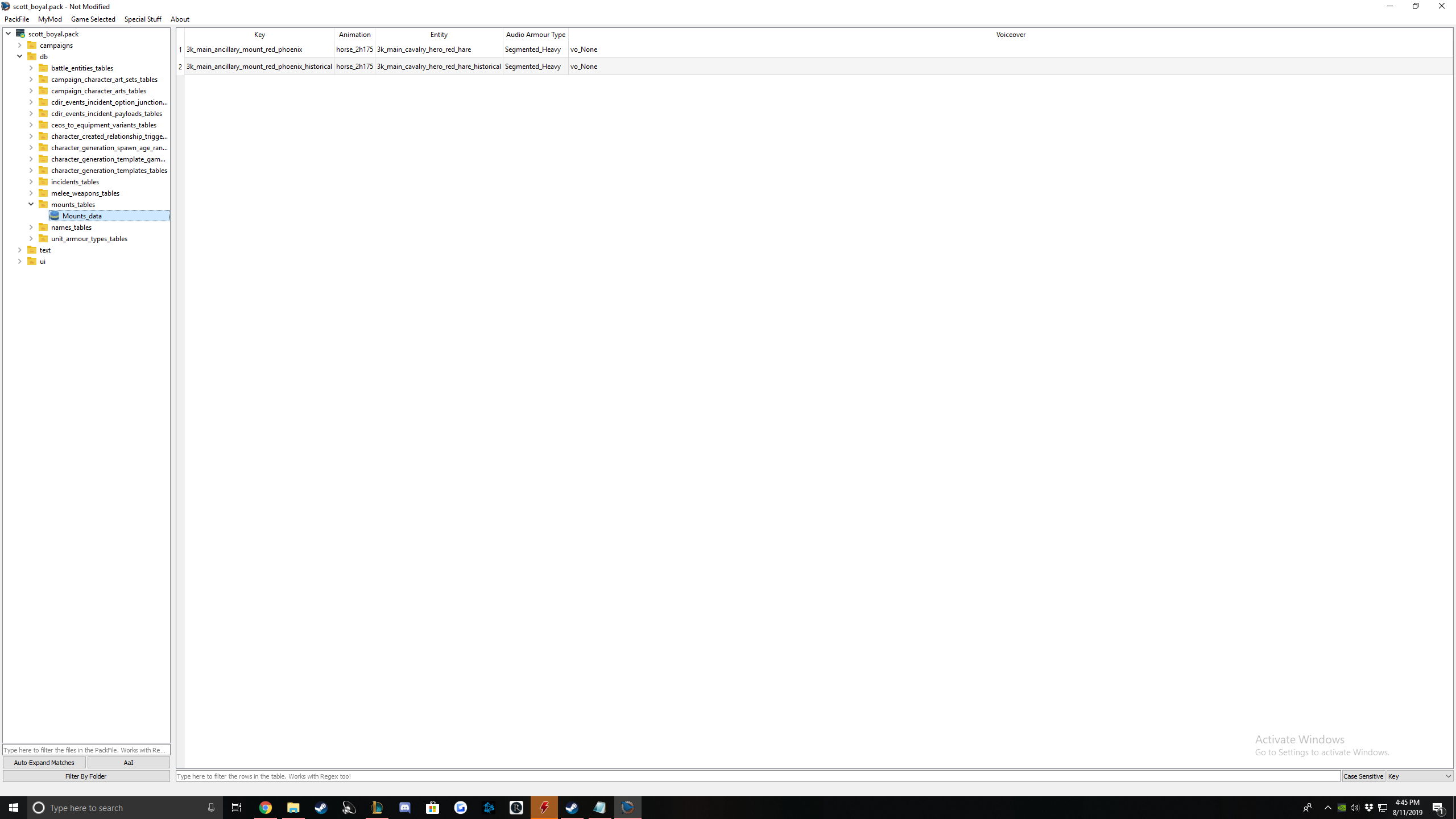
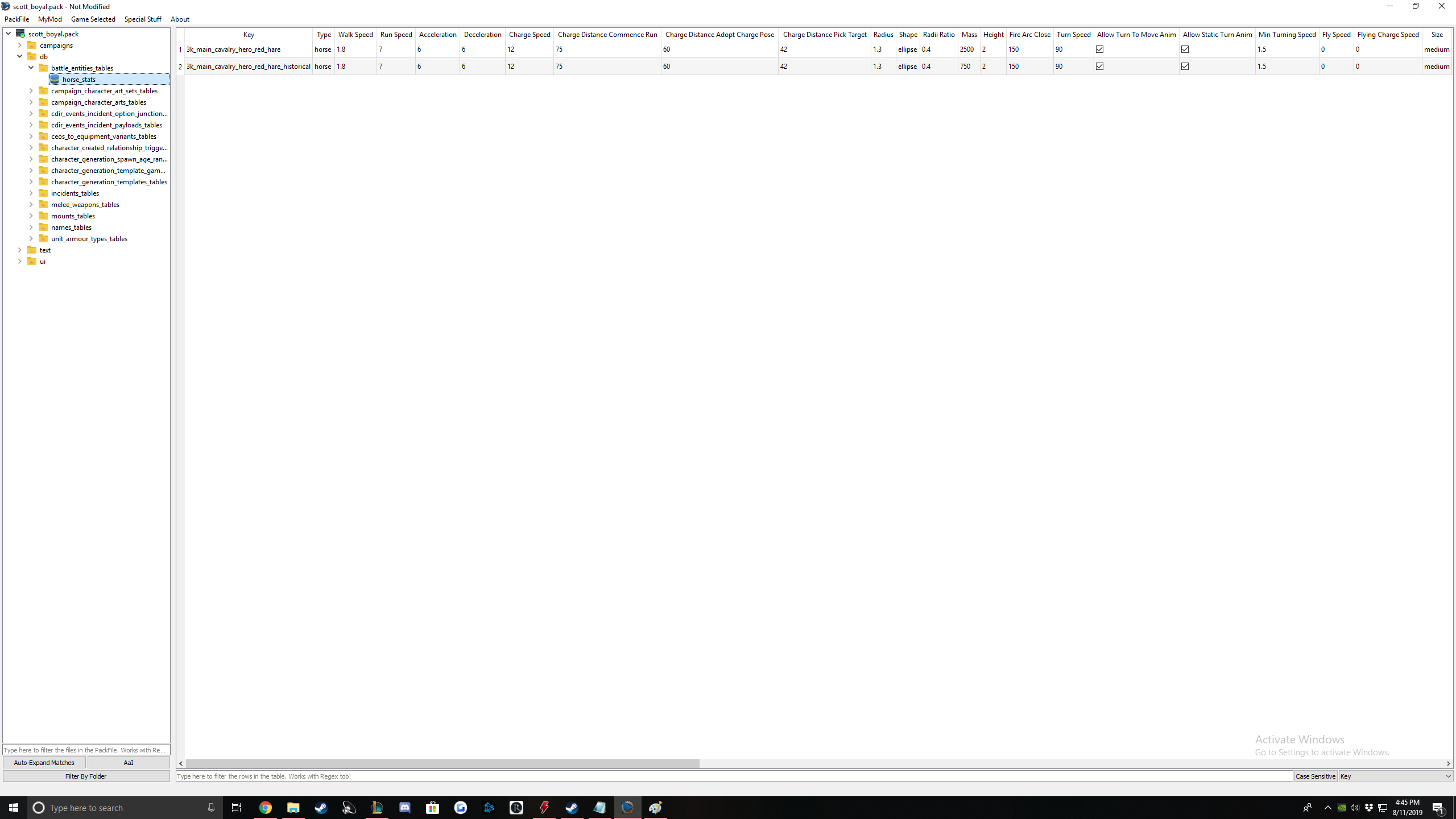
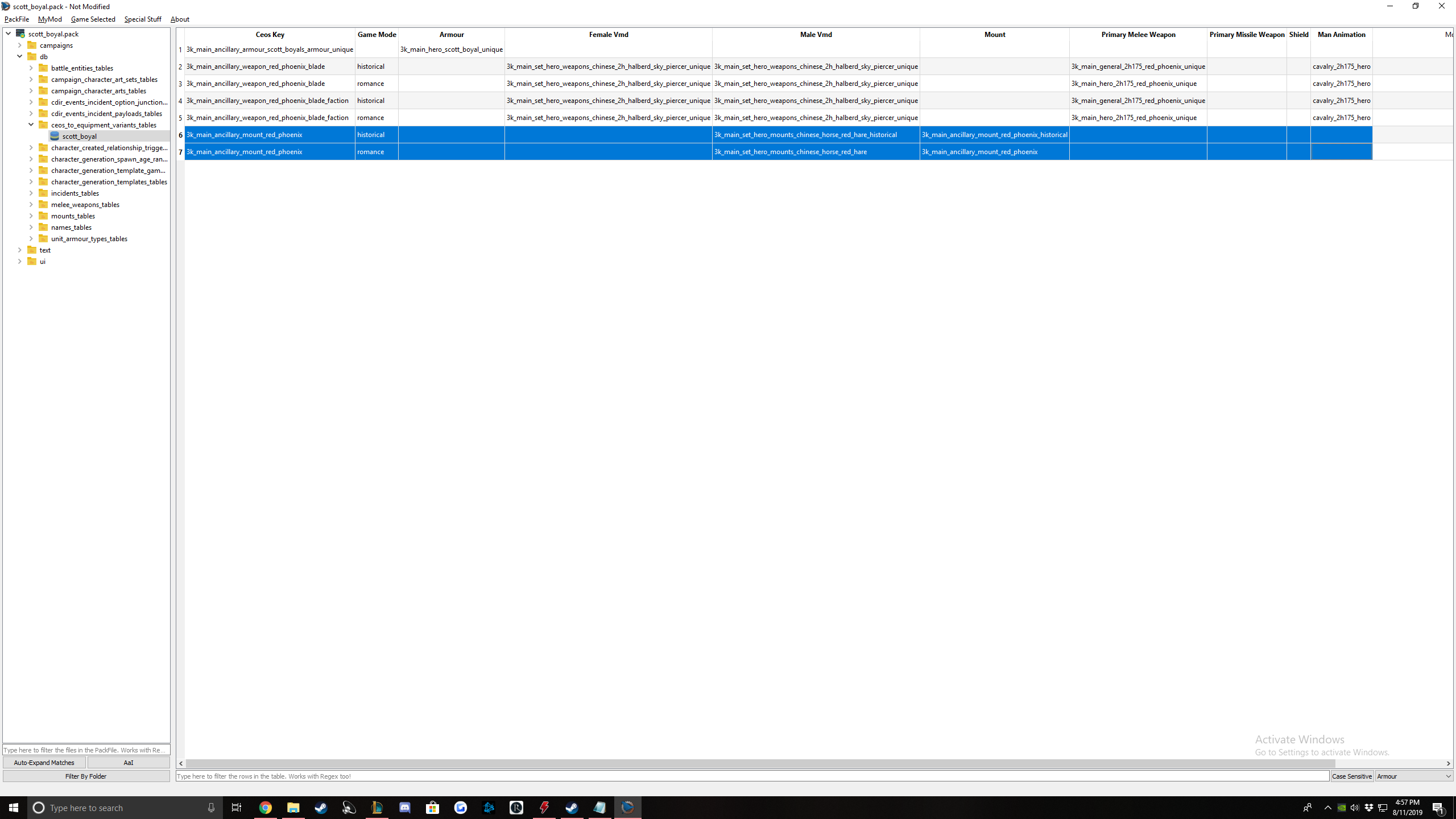
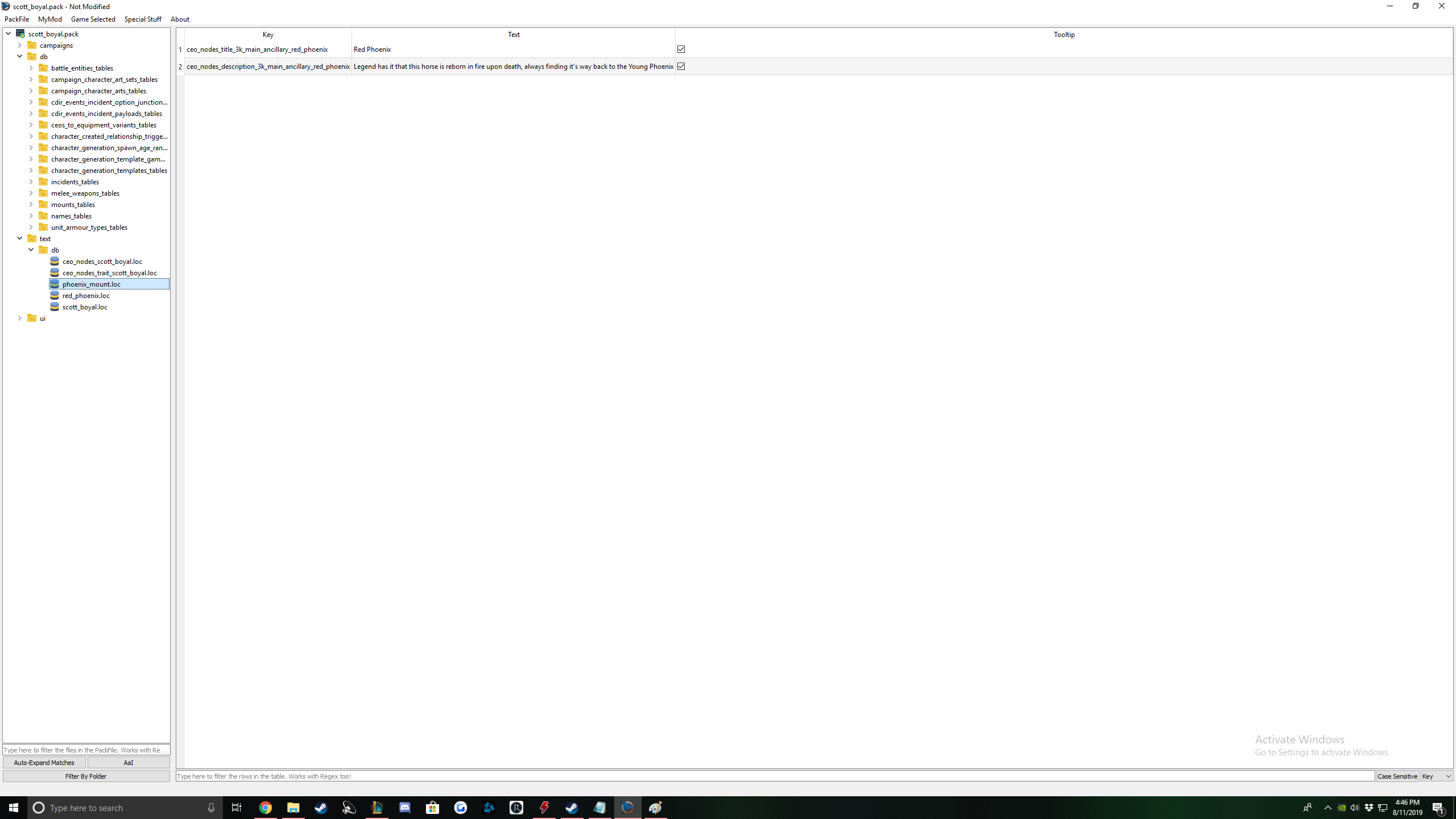
And voila, you're done!
Mount Art
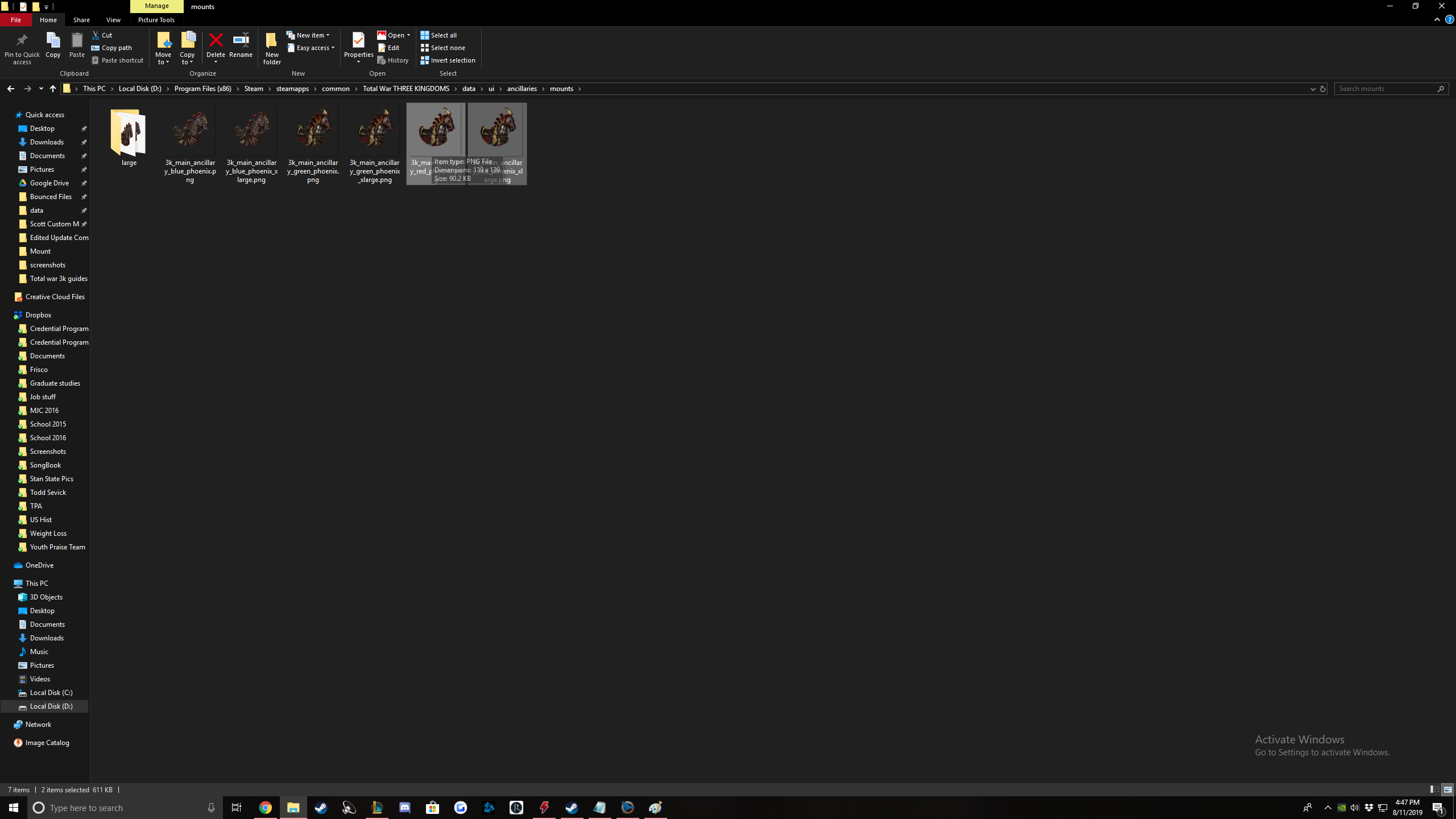
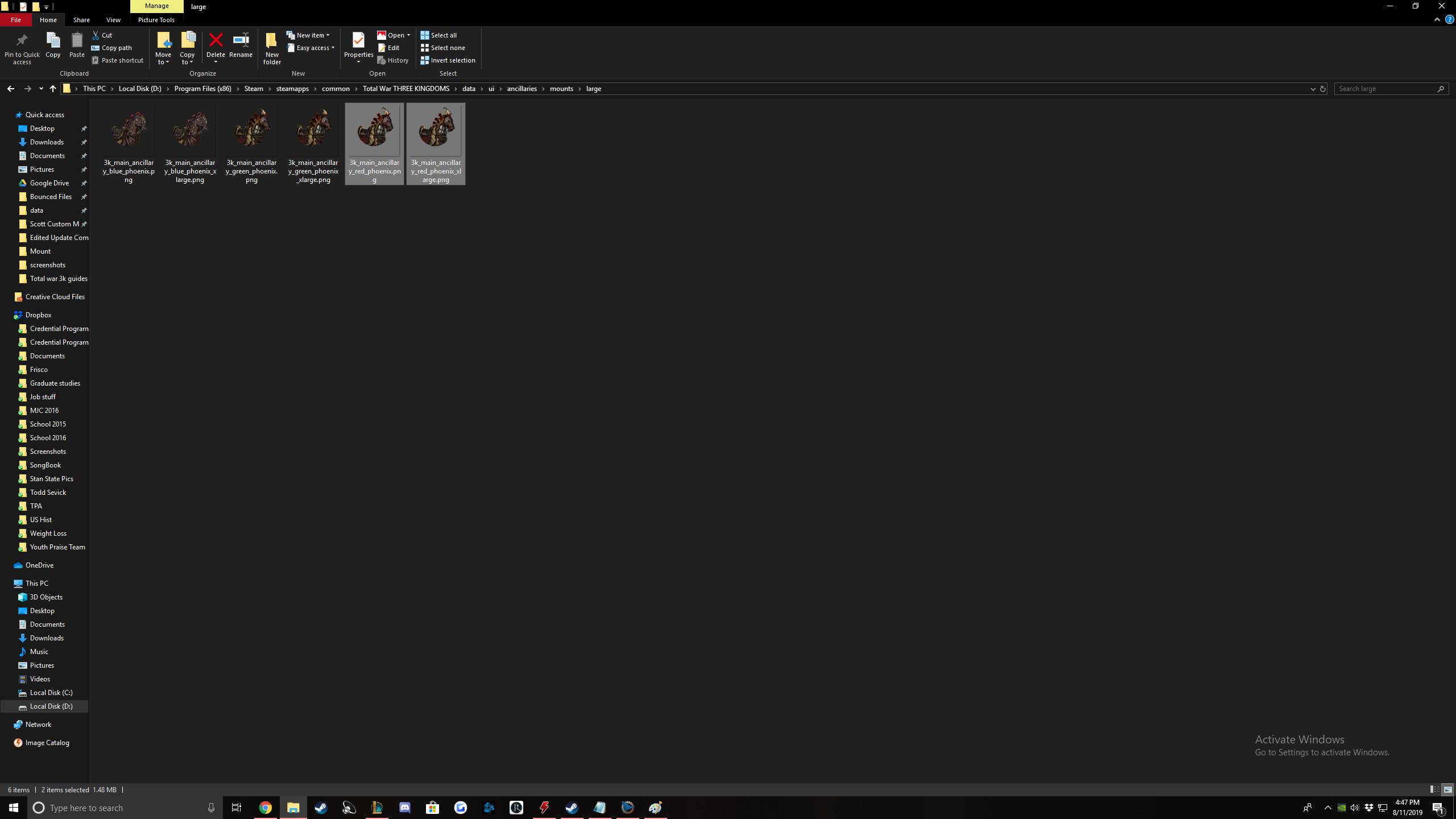
Enjoy your mount! :)
Accessories, Followers, Item Set Bonuses


Let's get into it: Here is the list of tables we will edit in order. We will create an accessory, follower and item set bonus all at once.
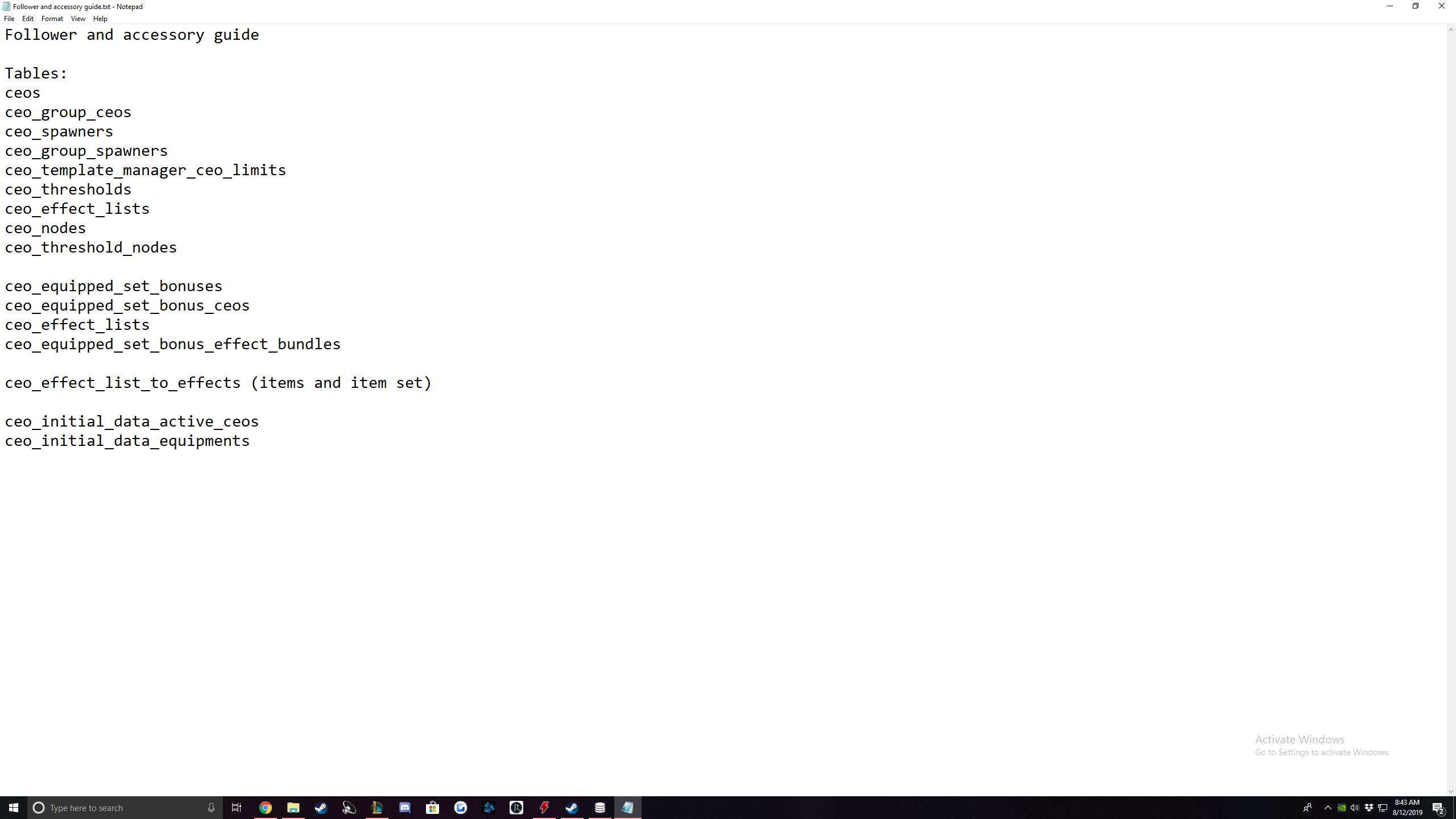
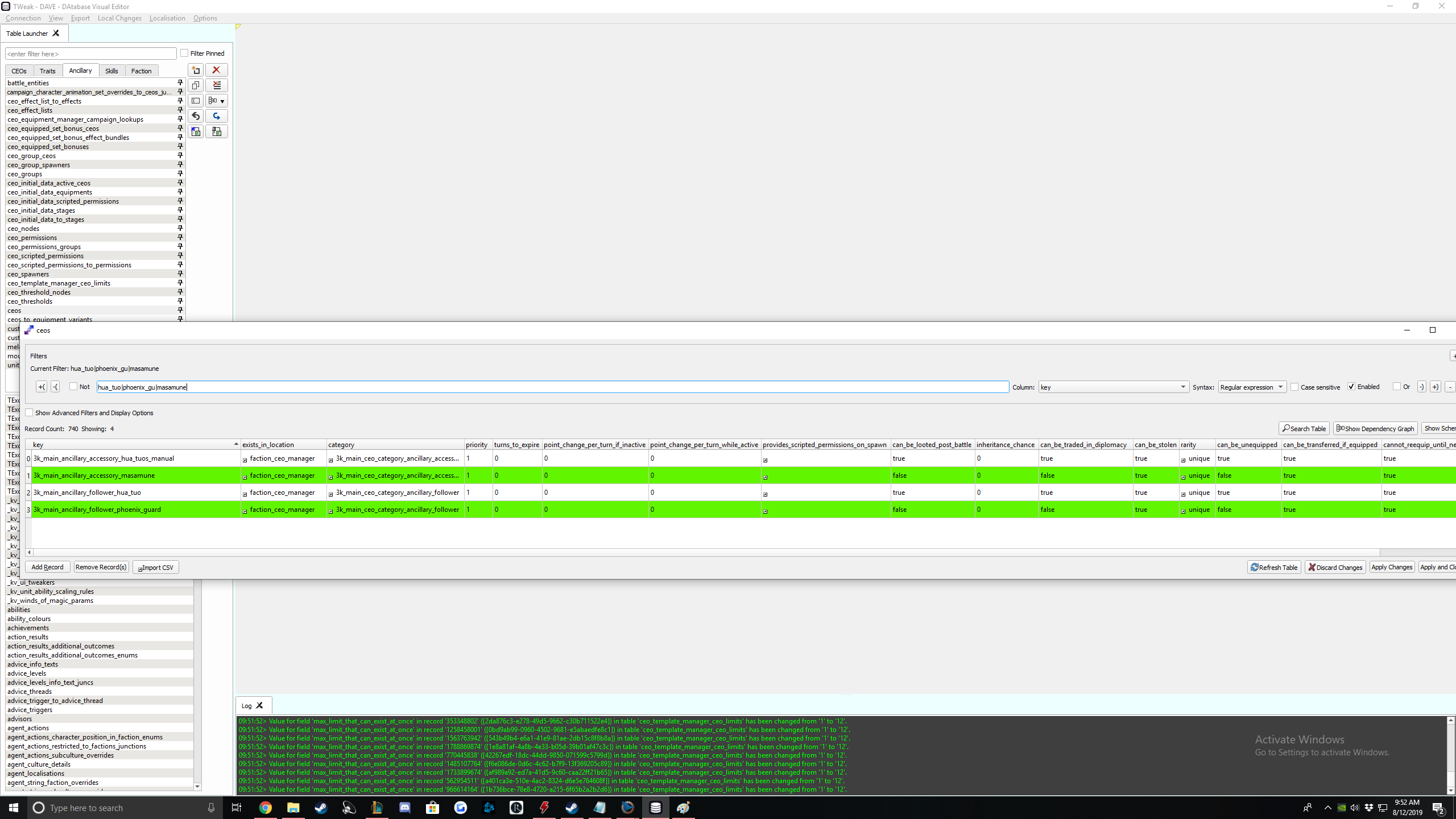
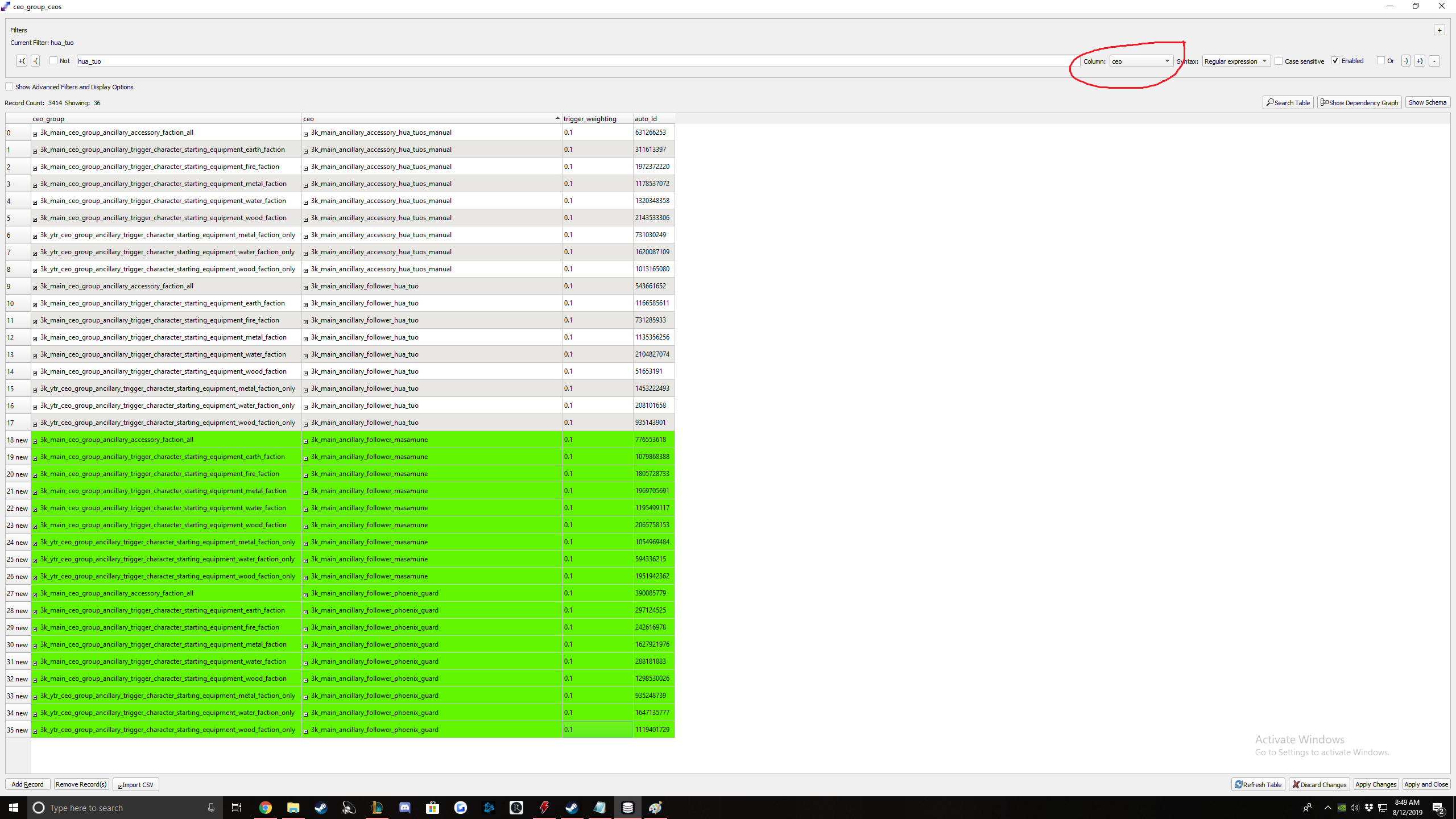
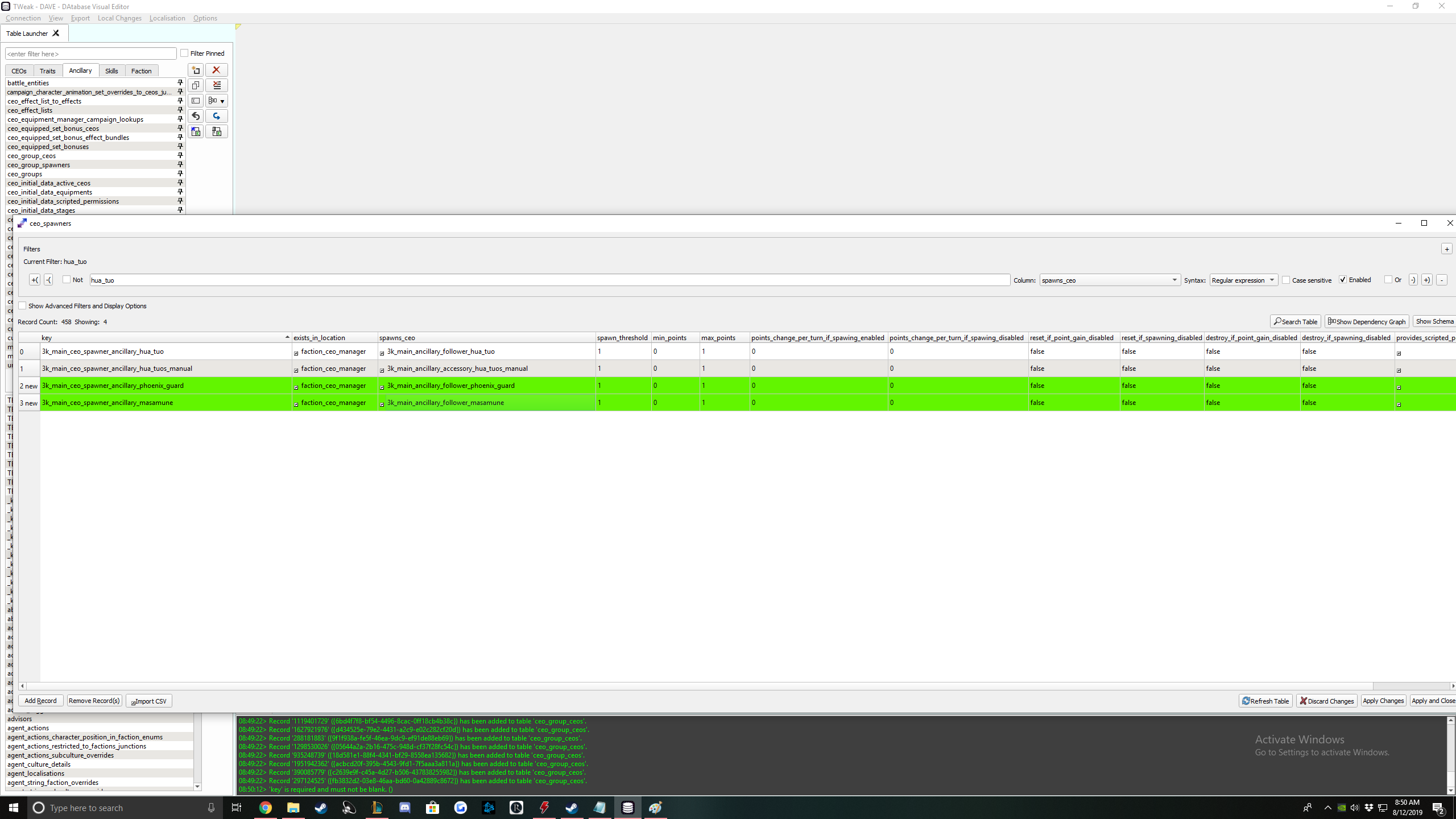
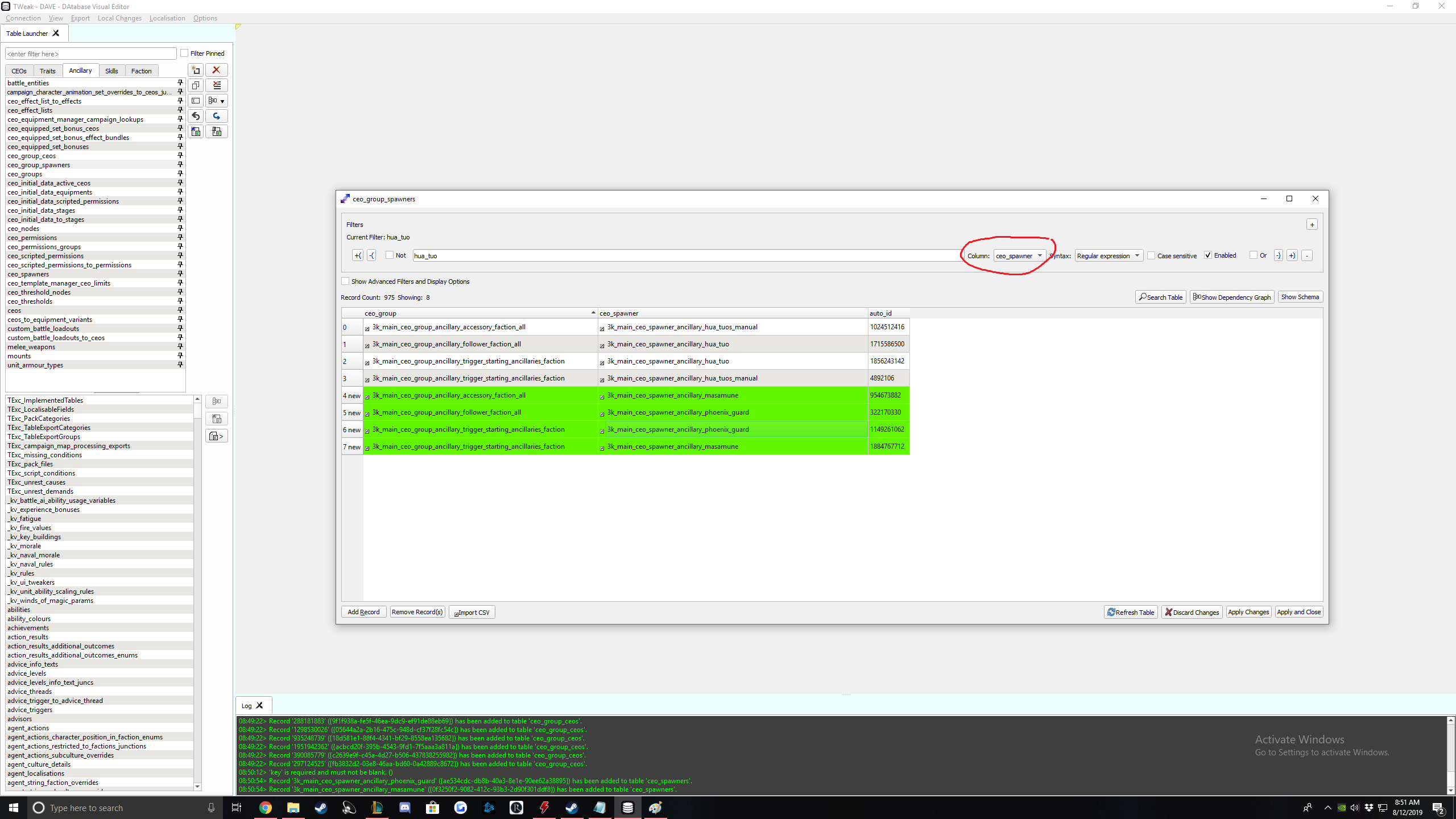
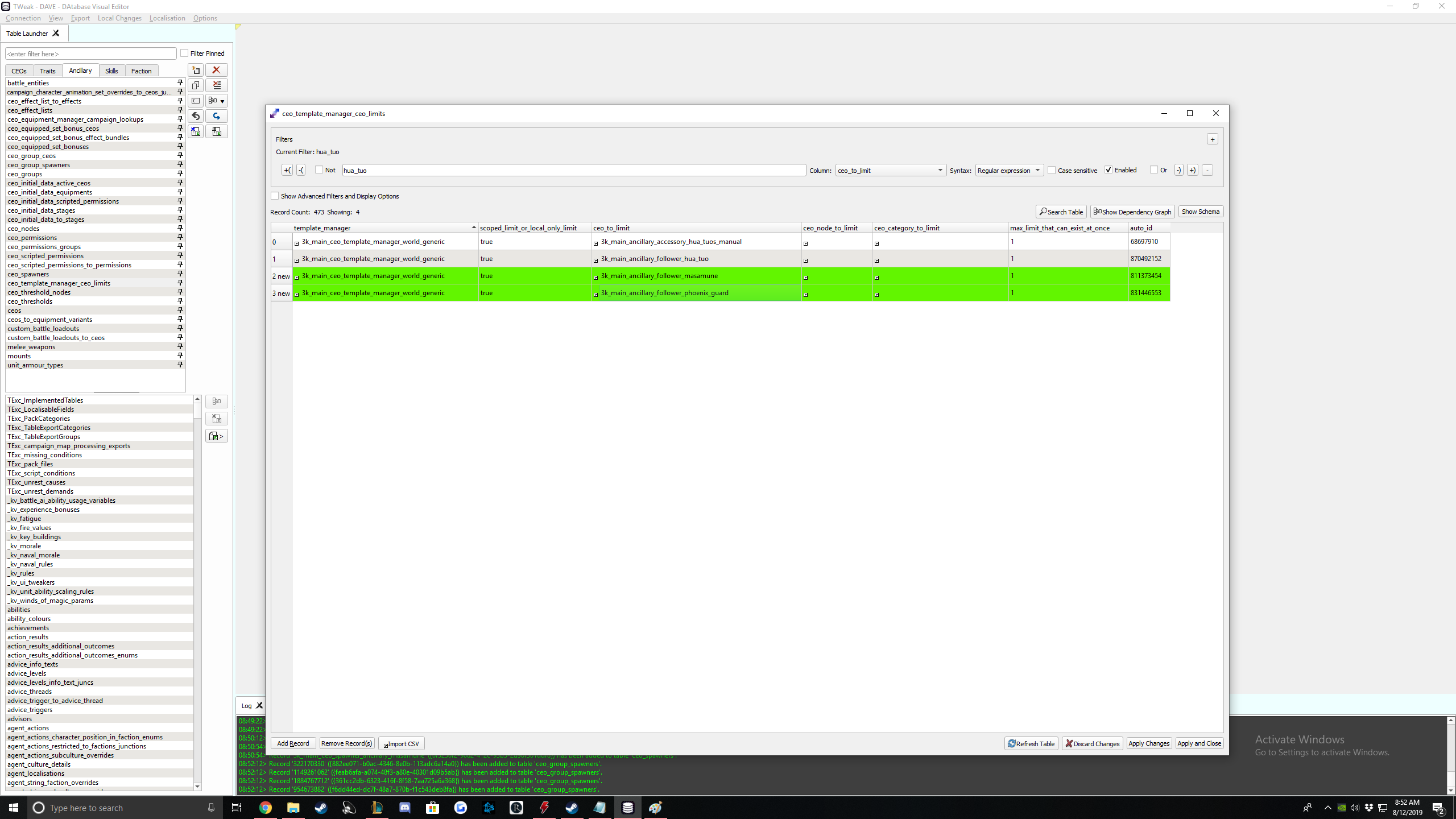
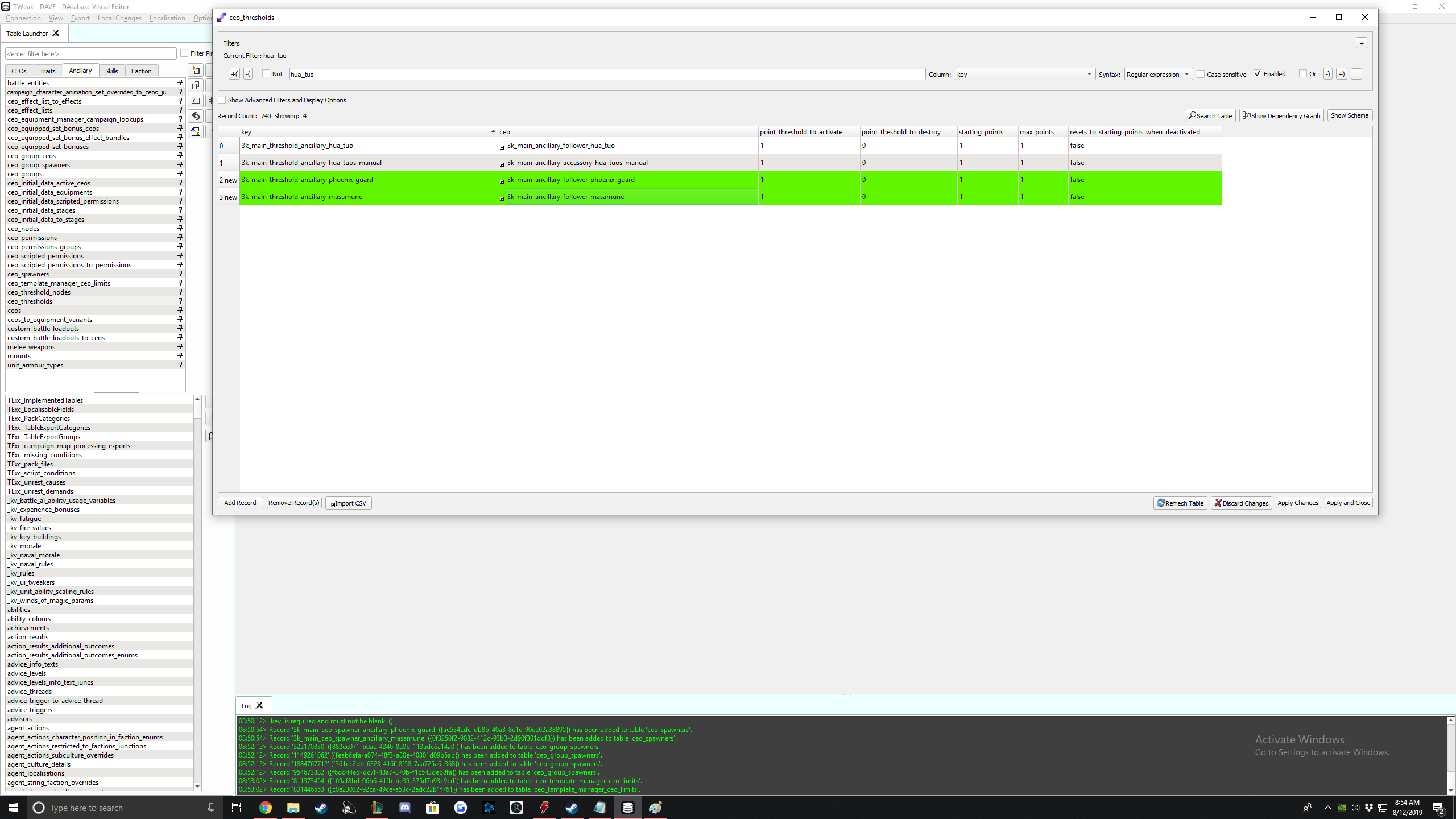
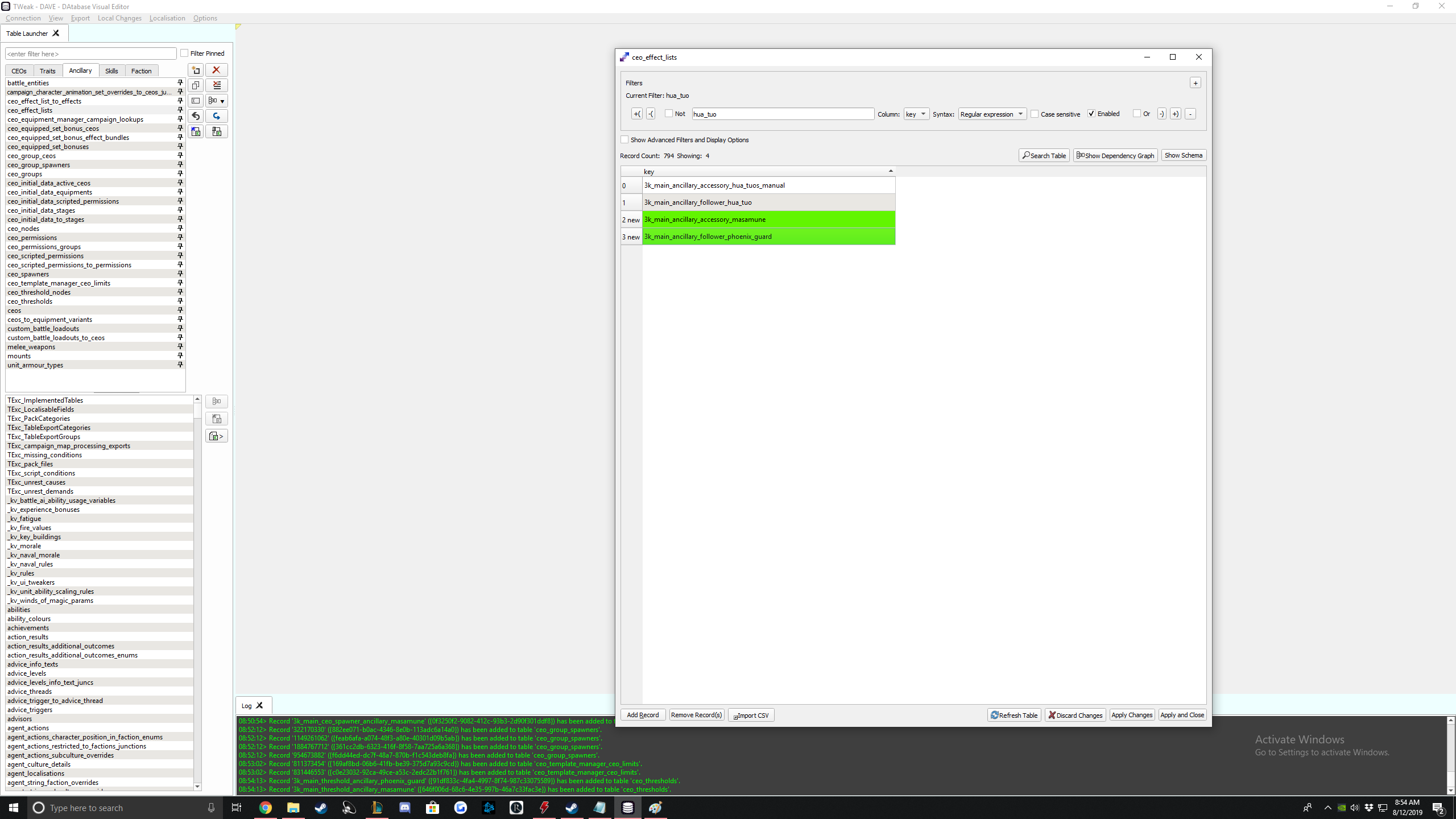
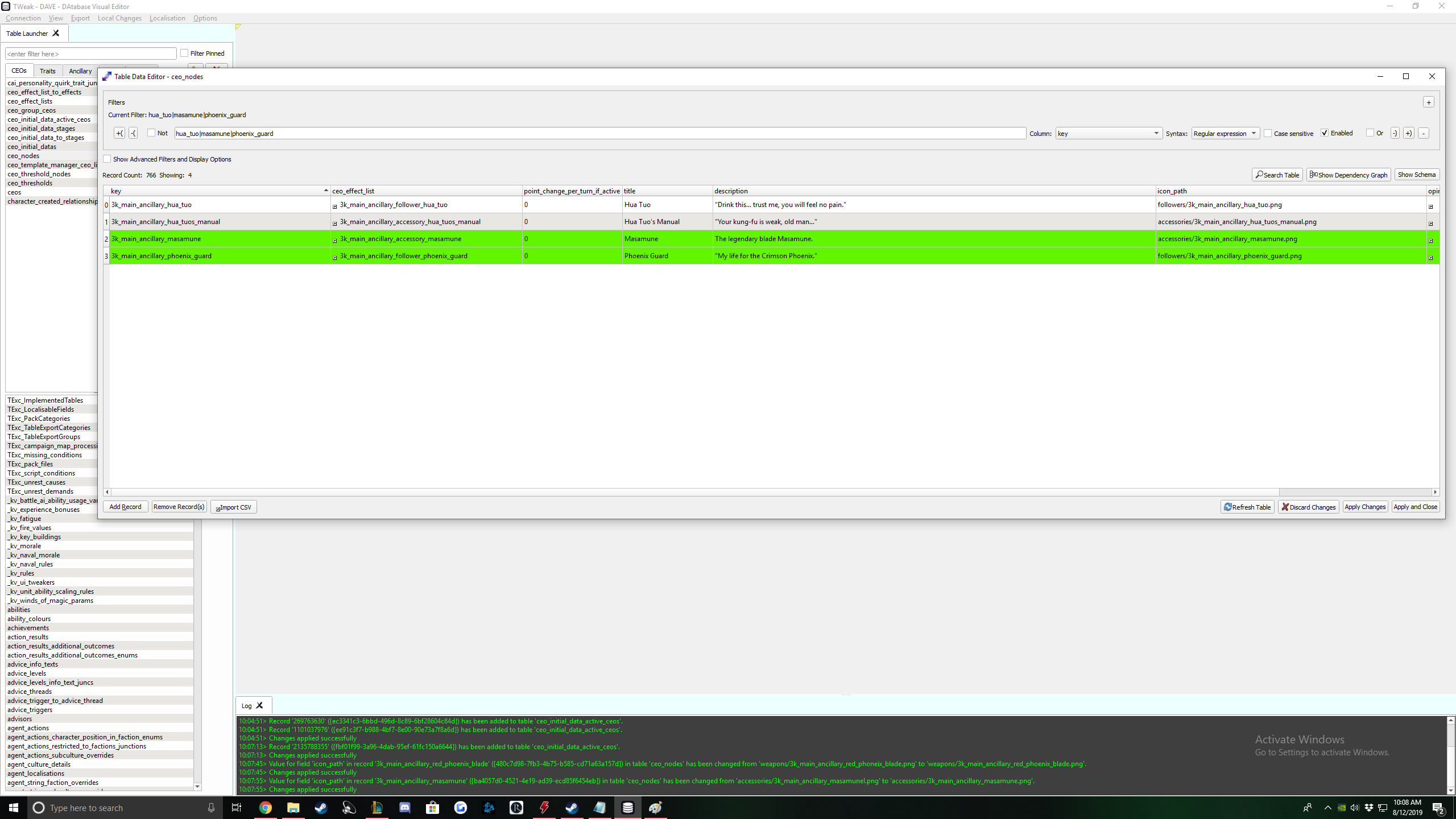
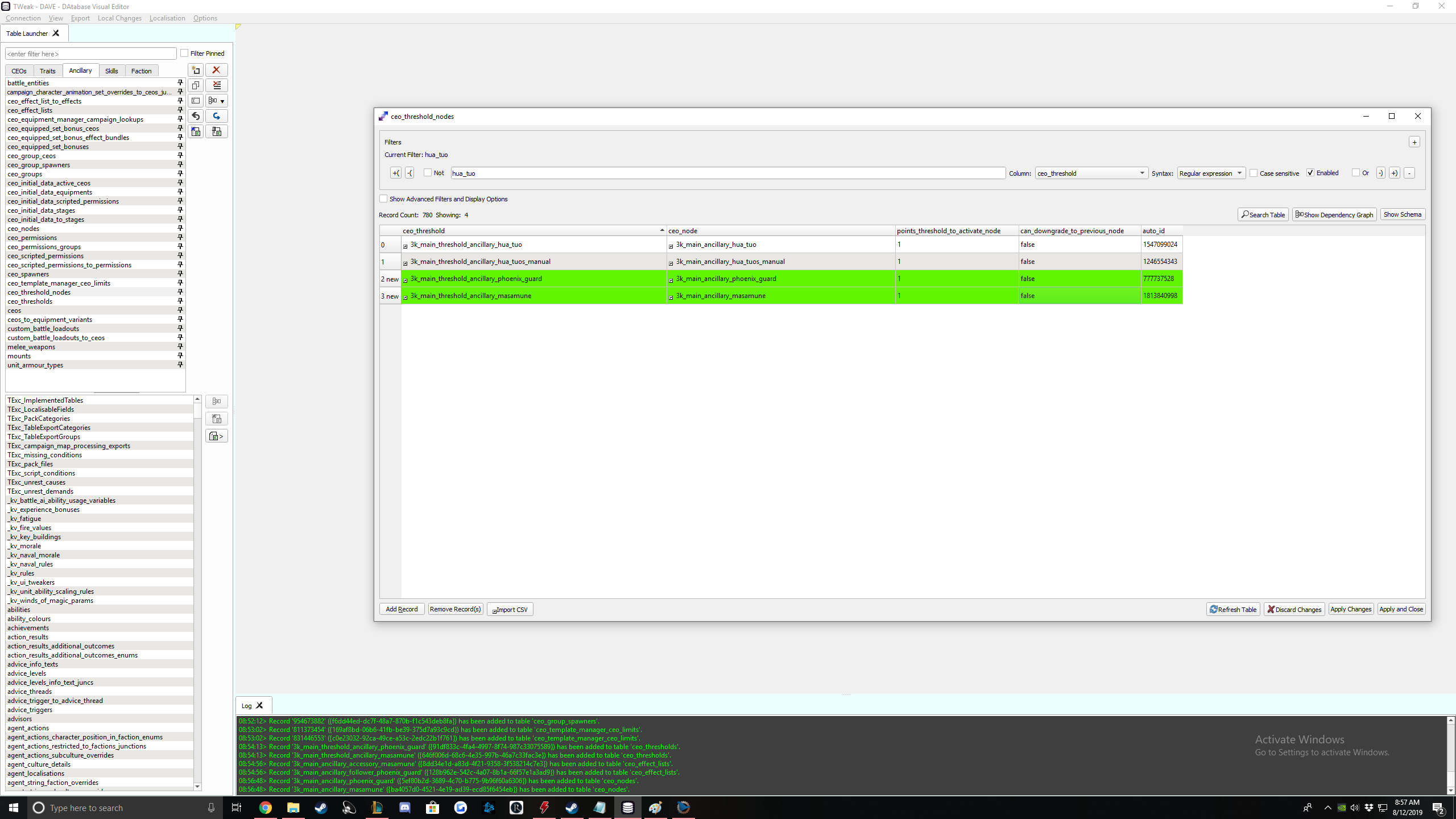
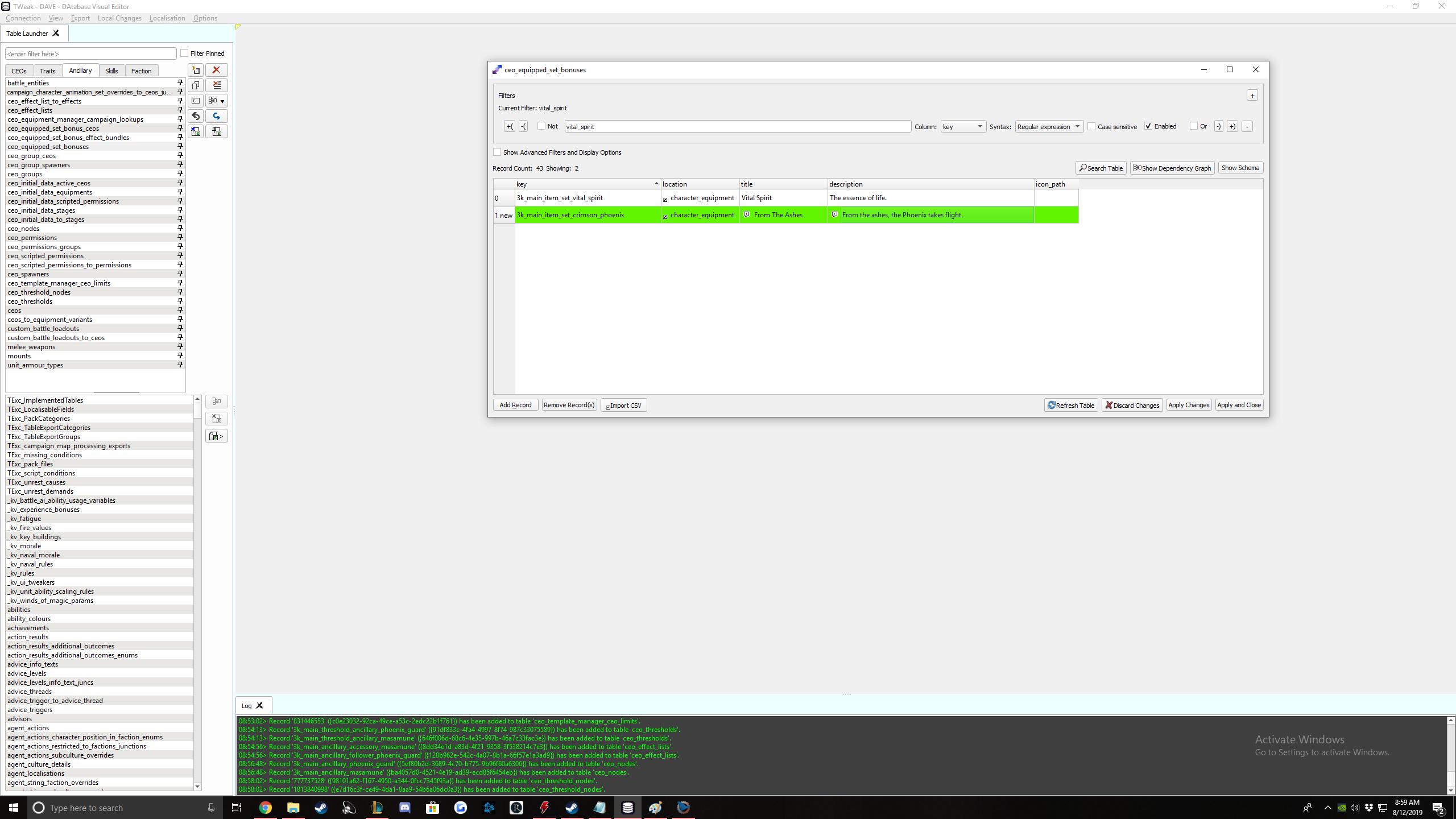
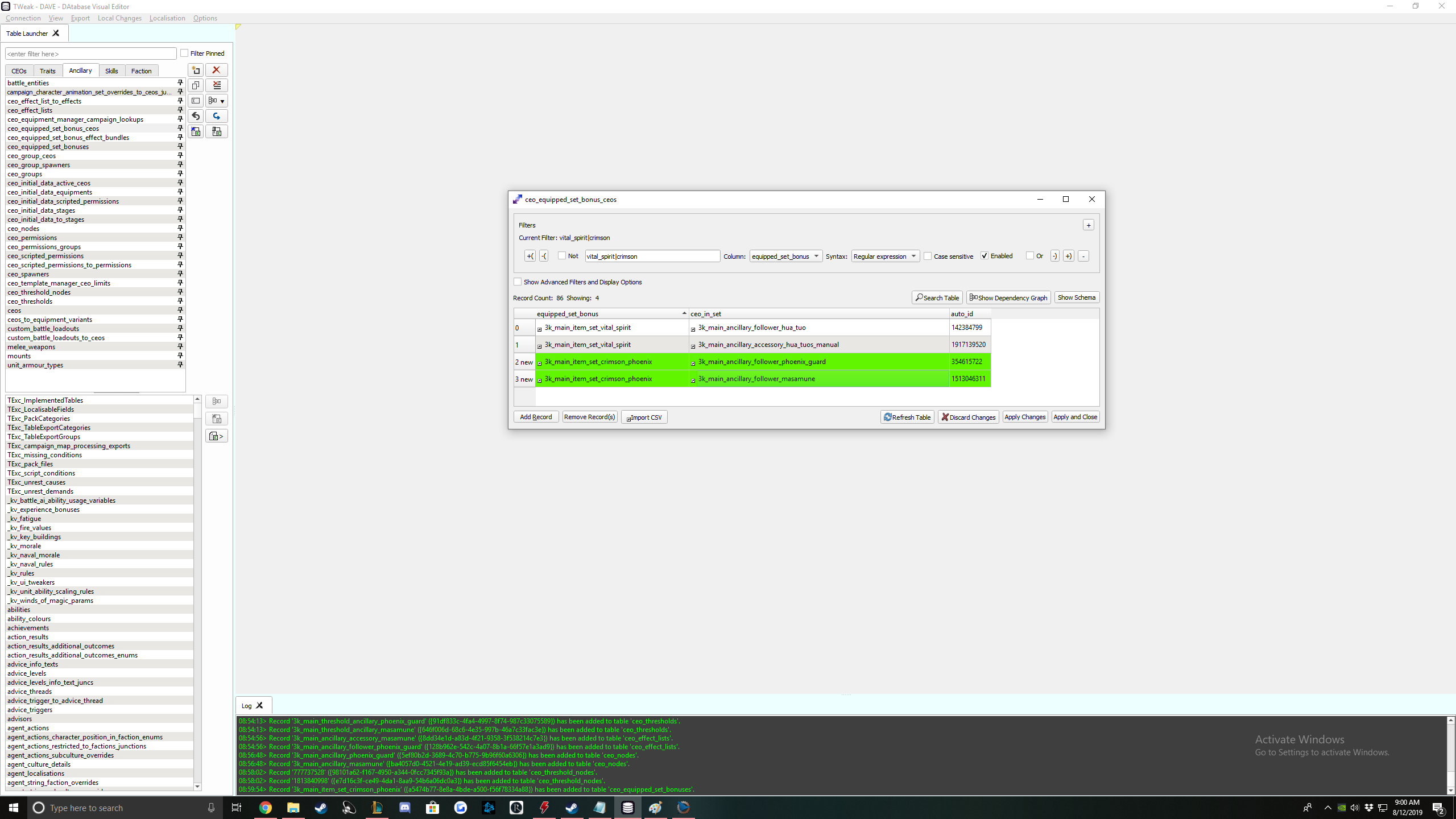
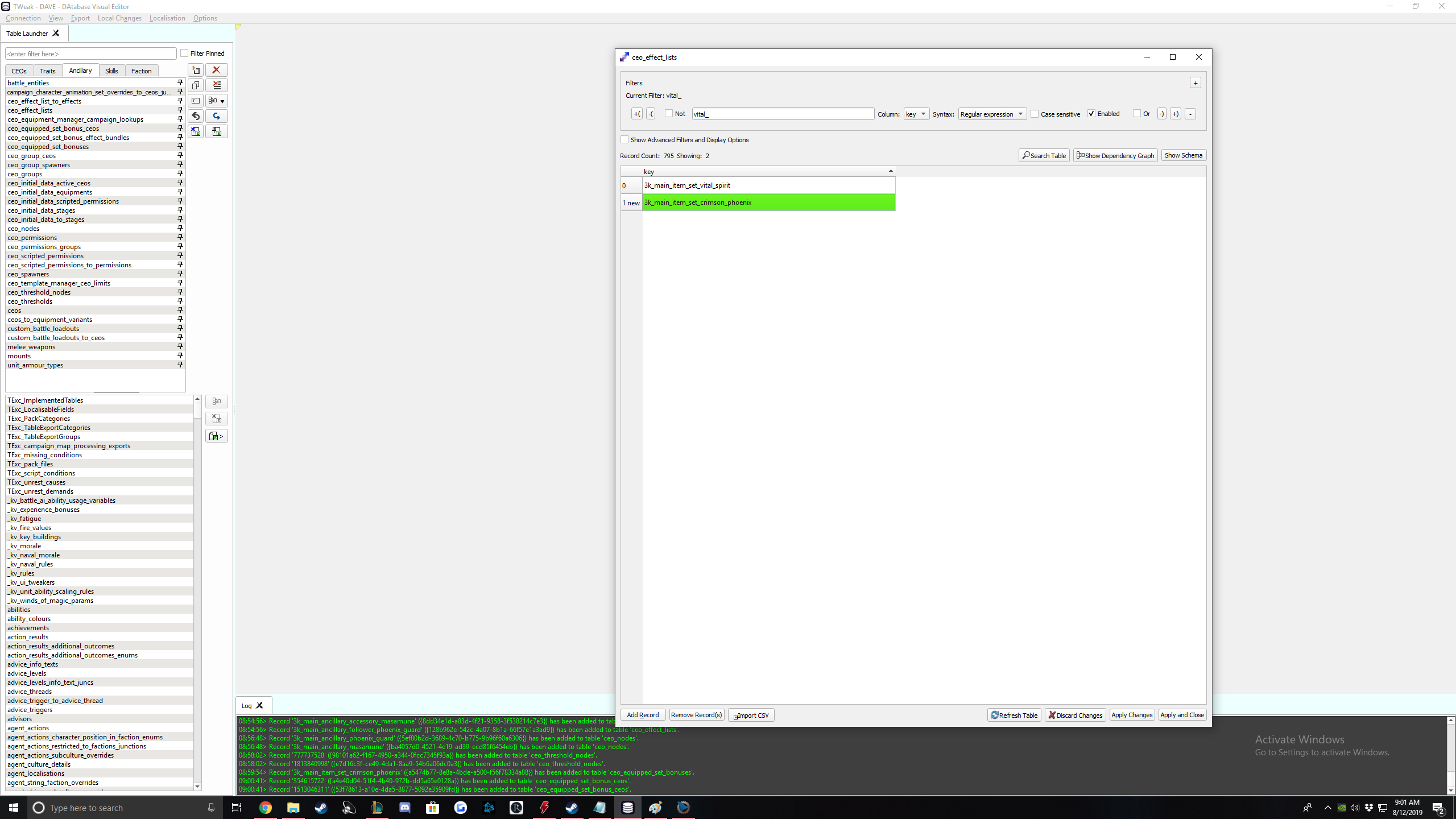
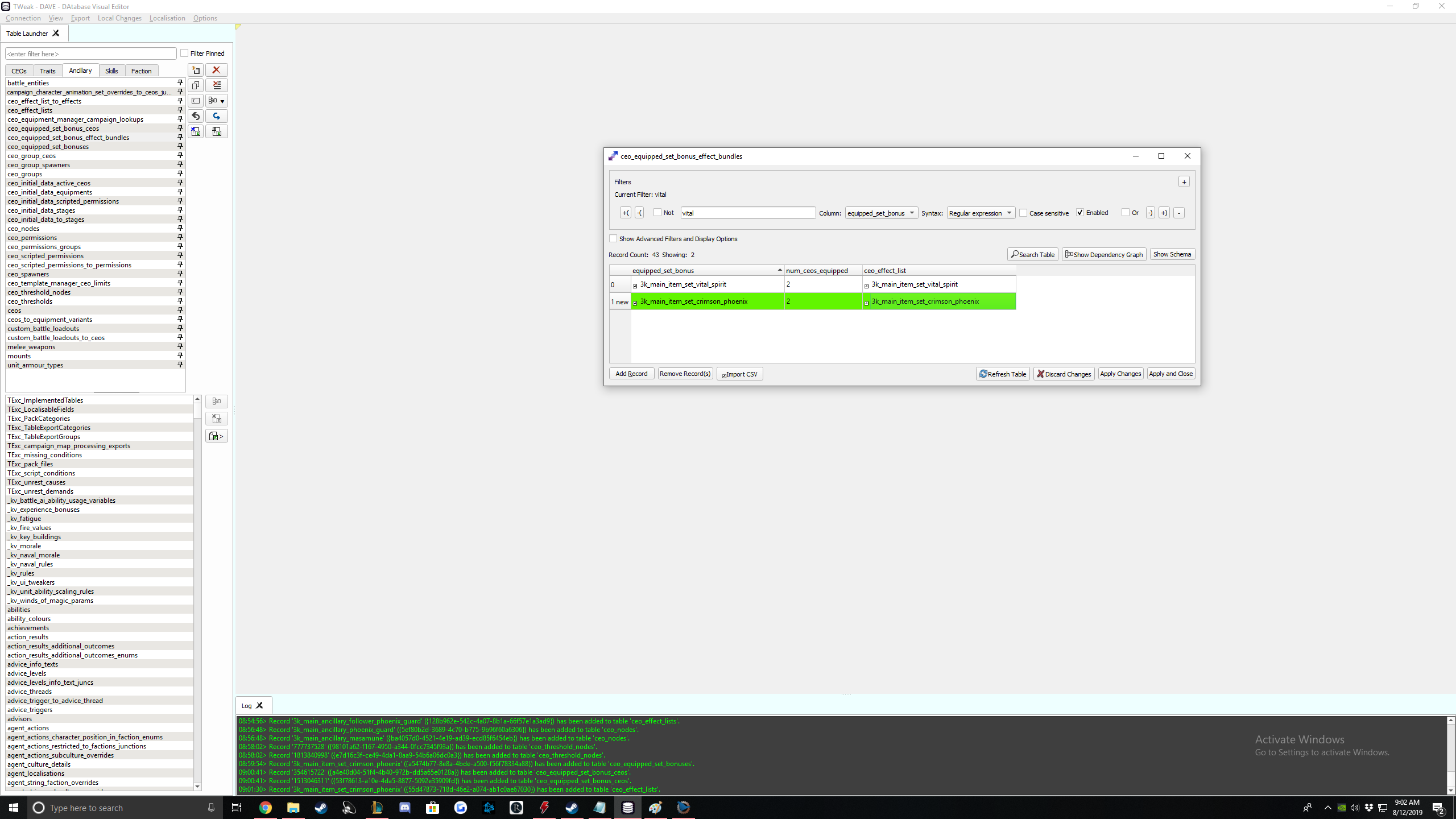
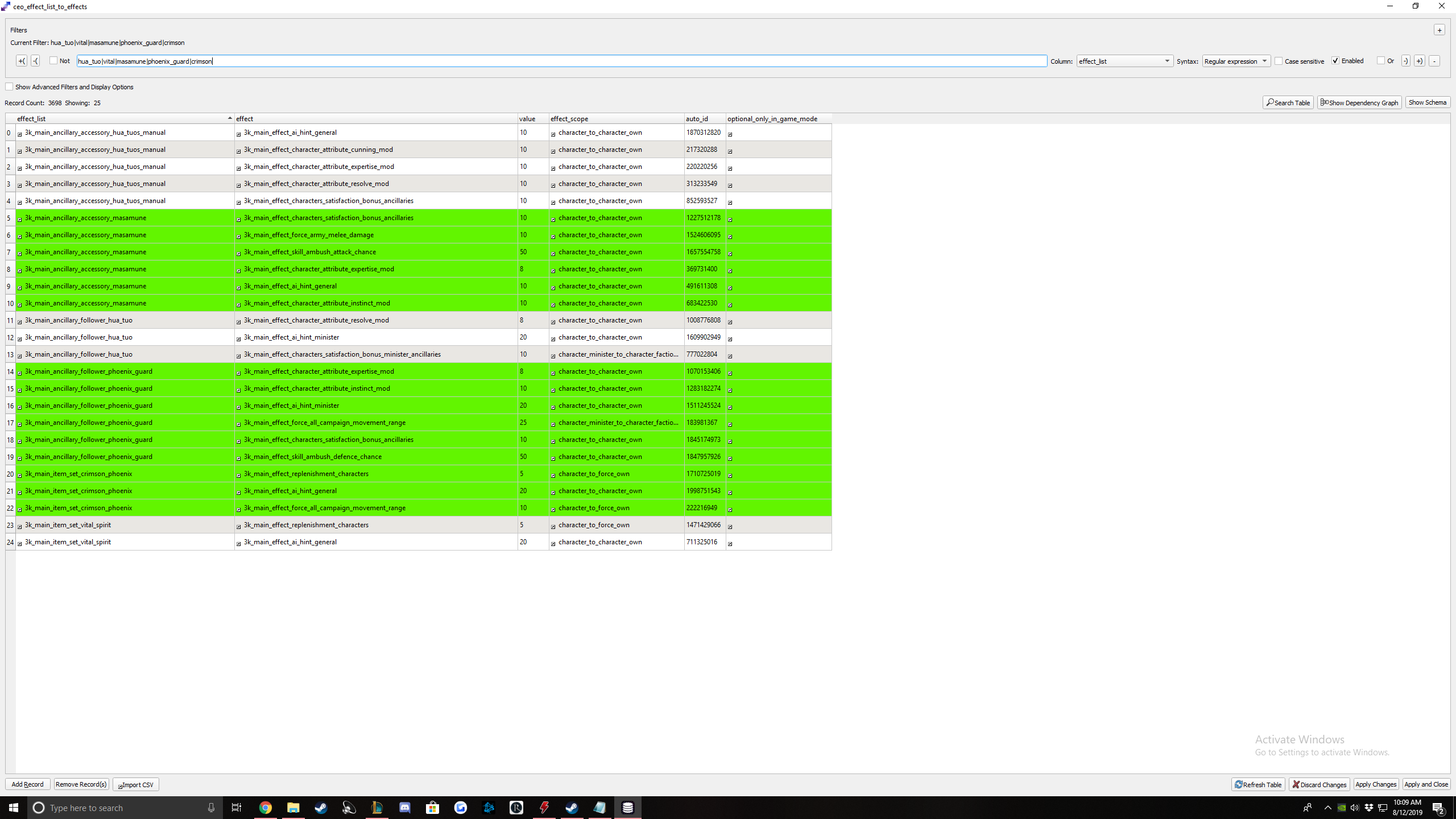
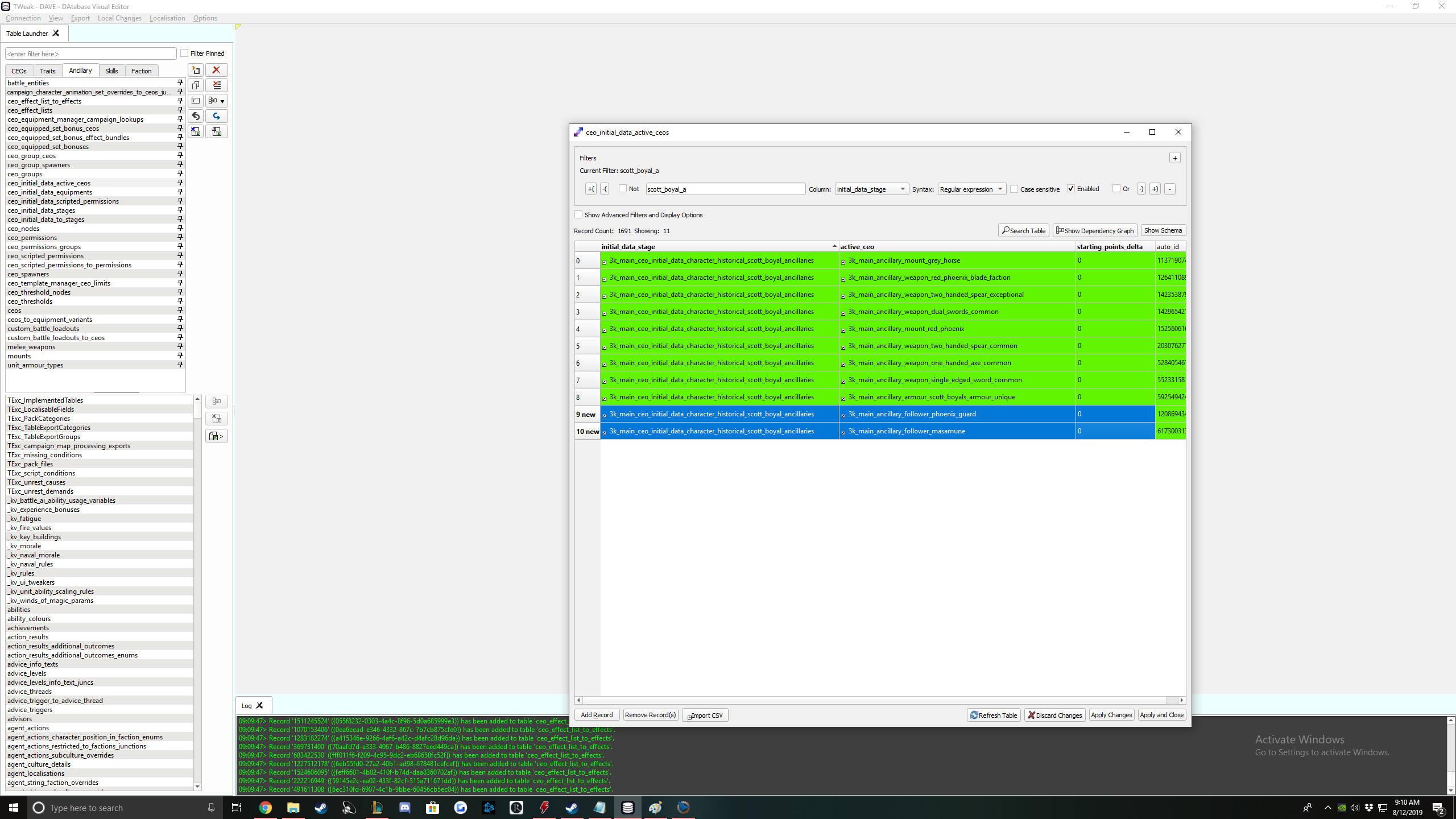
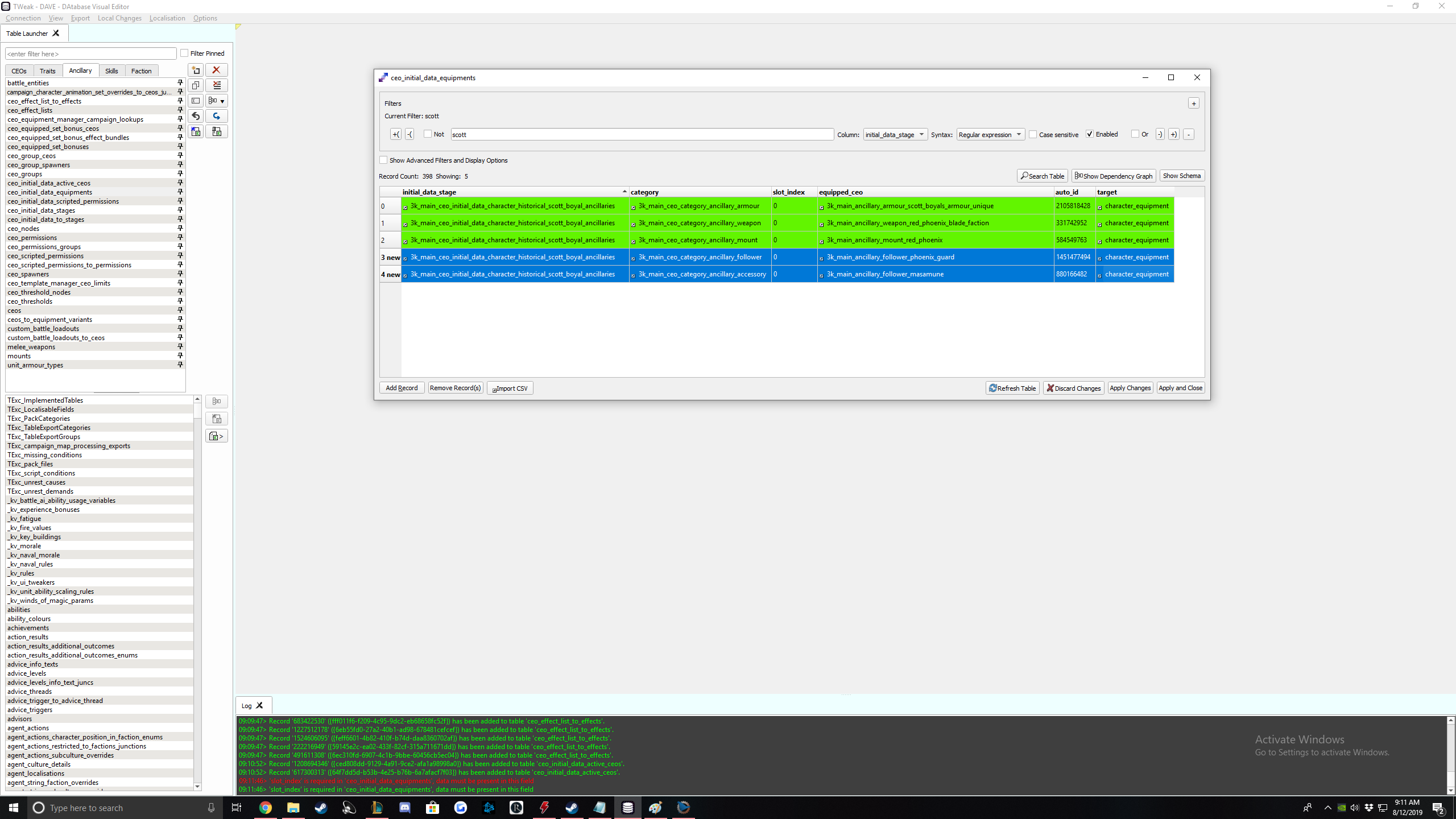
RPFM changes to accessories, followers, and item set bonuses.
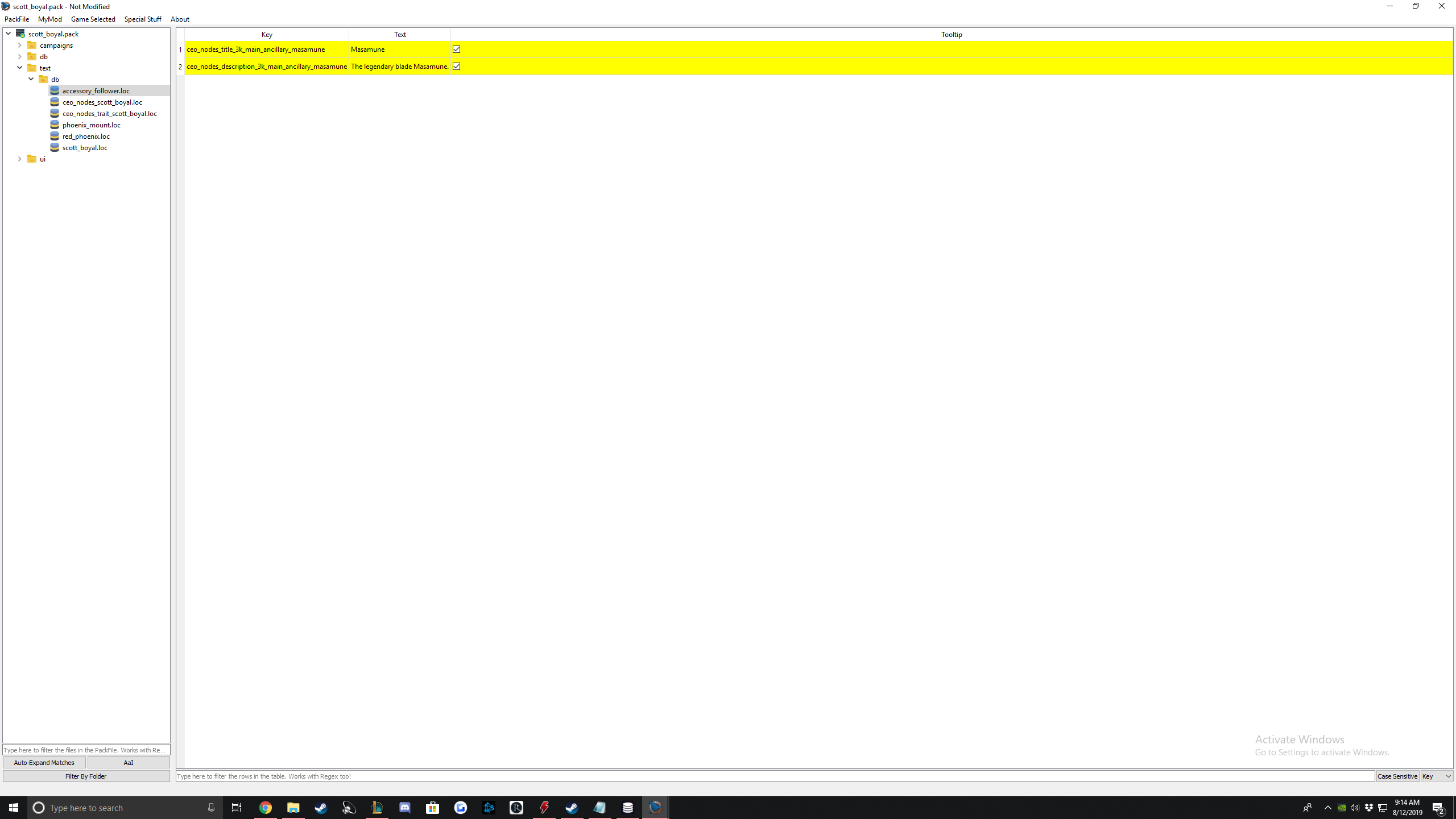
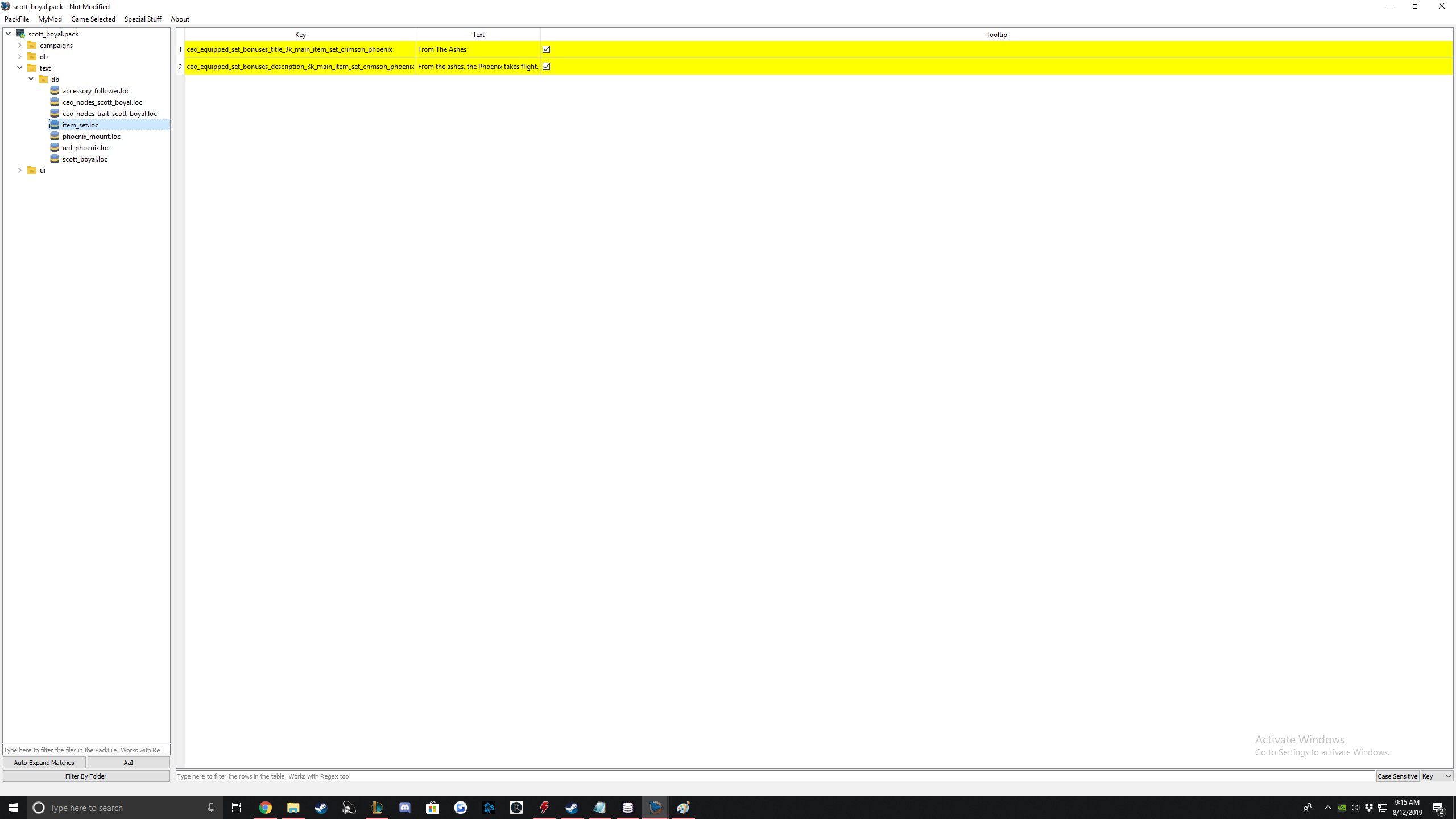
There, now your character is fully unique, with all unique items :)
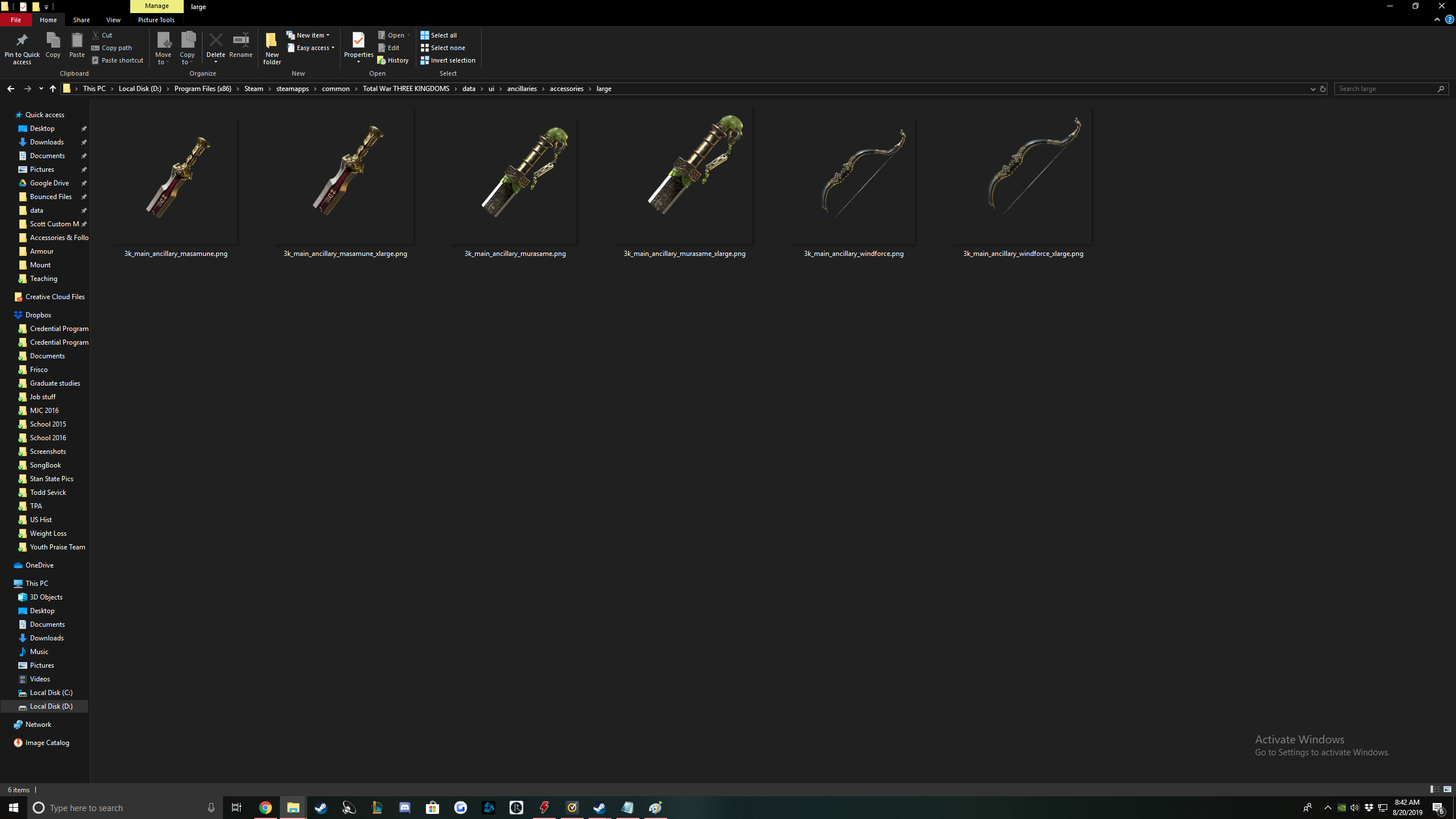
Accessory/Follower Art
Accessory:
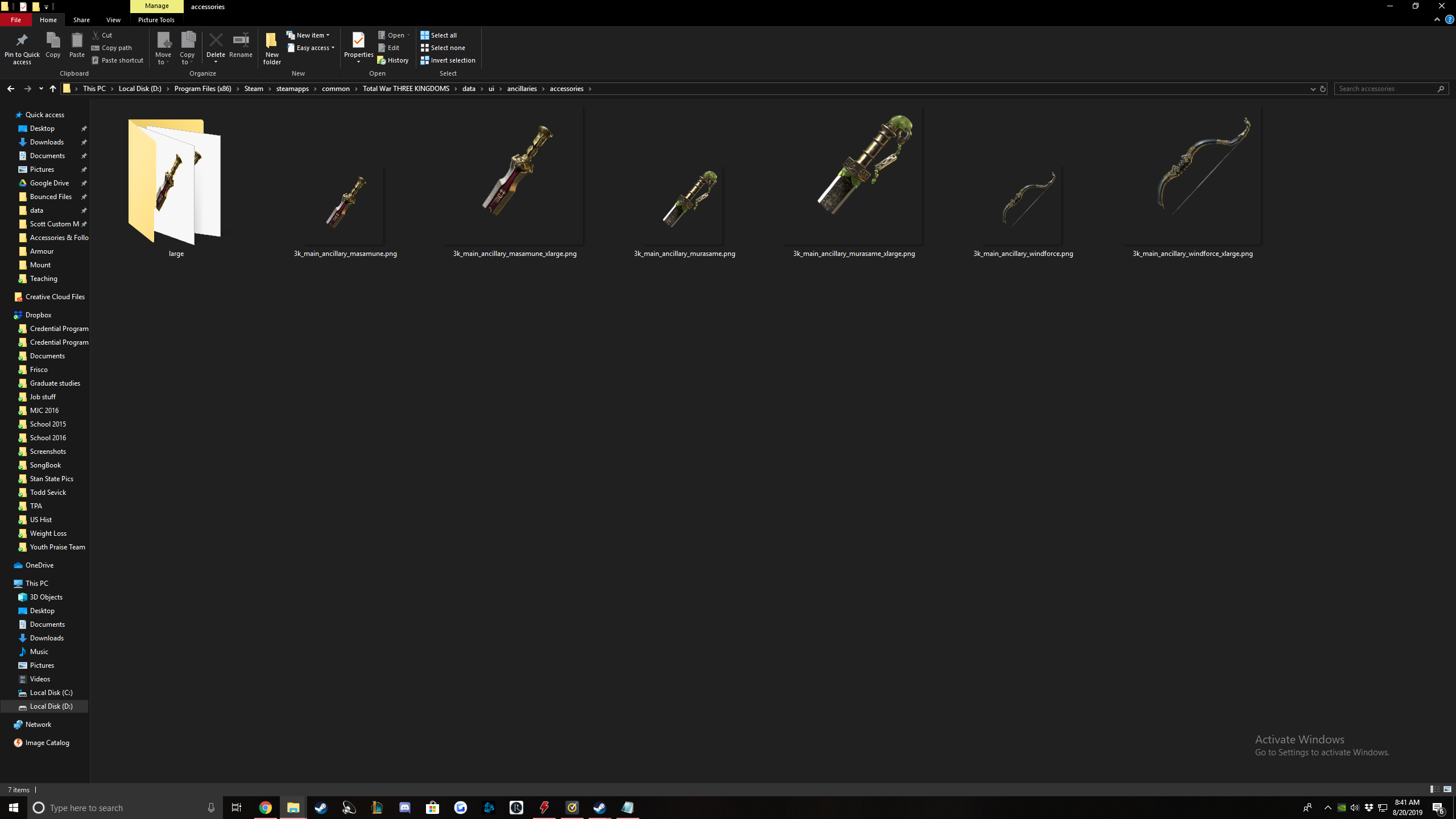
Follower:
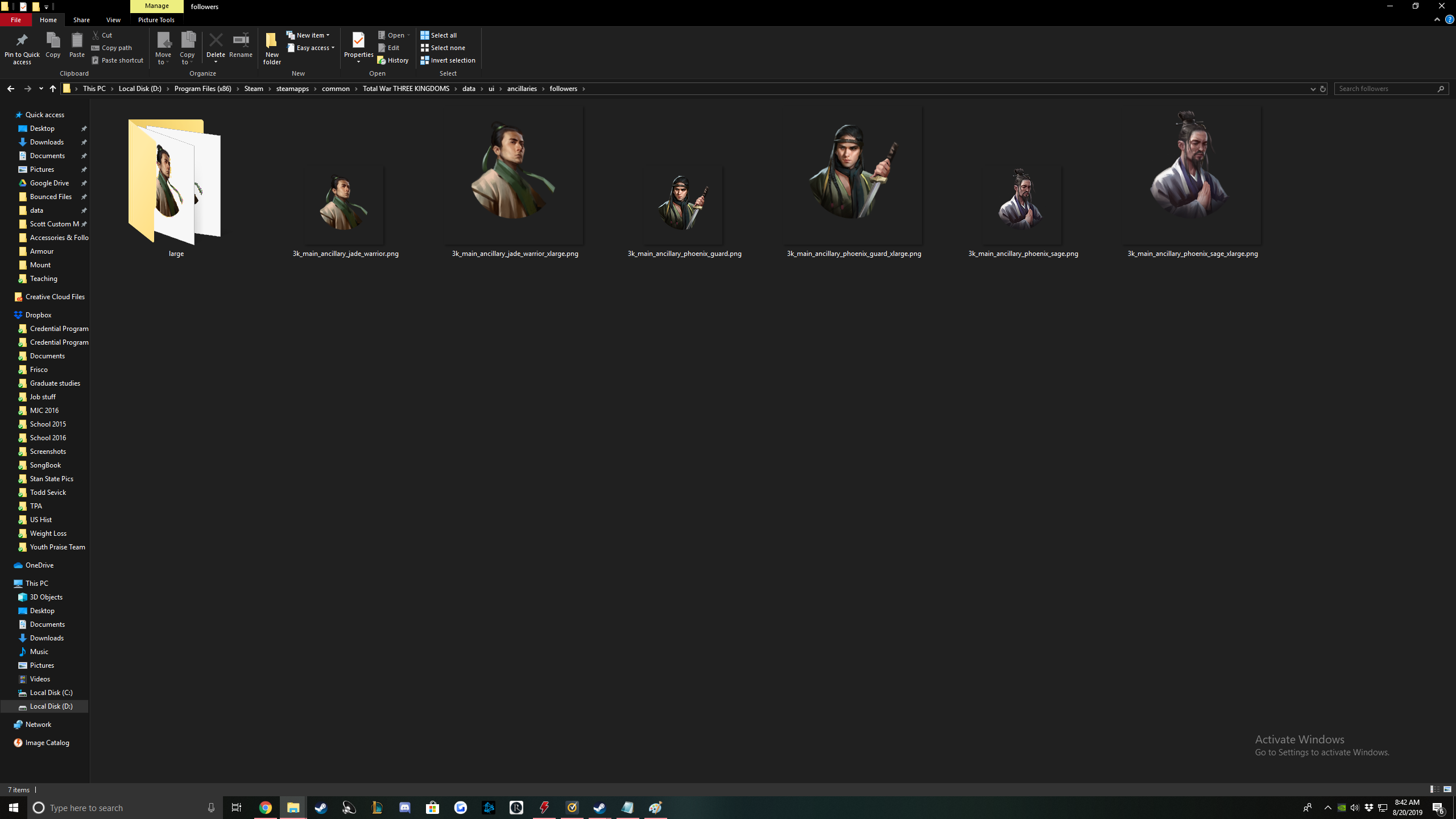
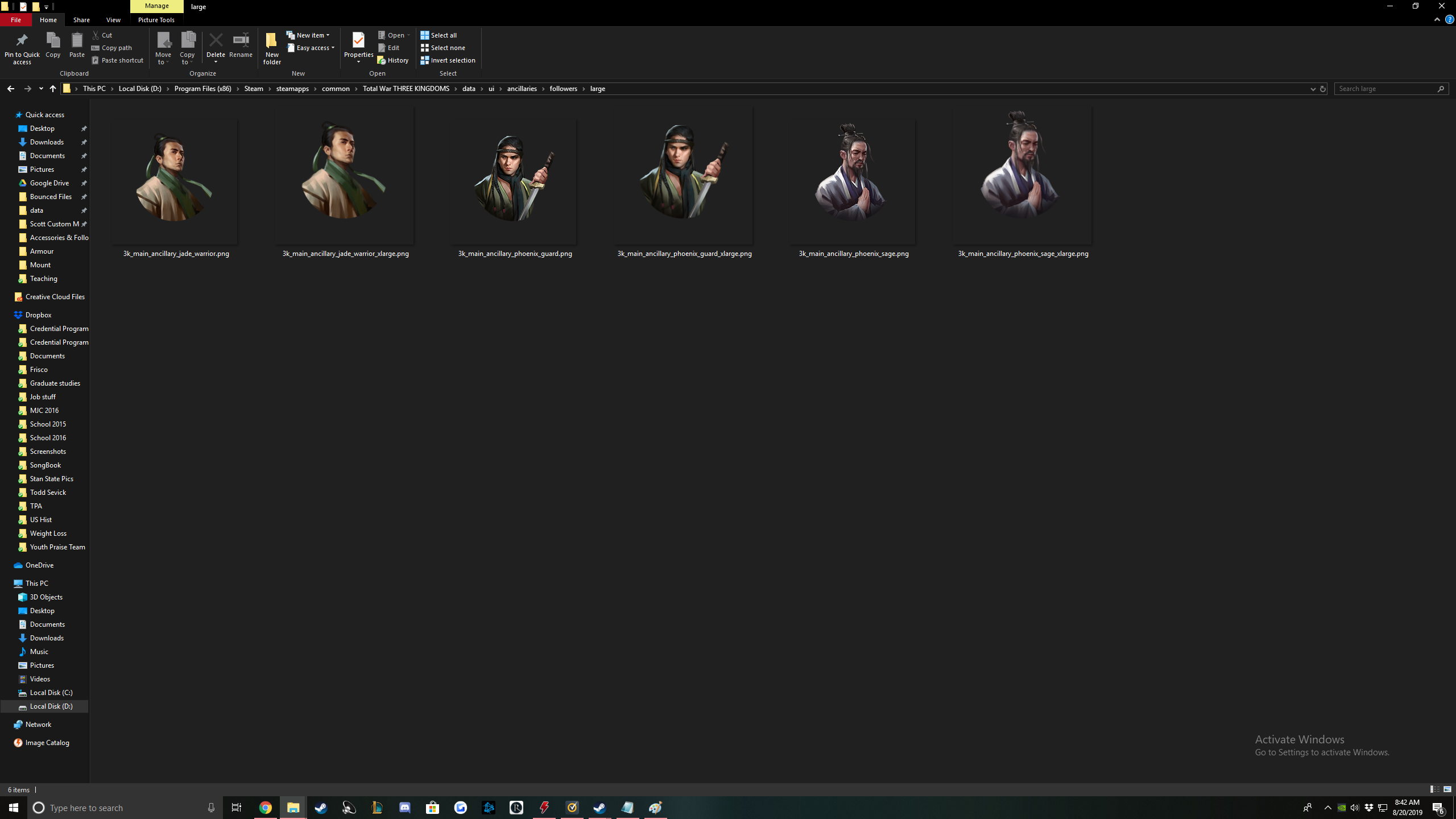
Maybe coming soon? Custom Traits

- 《全面战争:三国》全方位懒人攻略★ 5 (685)39k views962 ♥3 minSimplified ChineseUpdated Mar 26, 2021
- Total War 3K: TheGathering sandbox mod★ 5 (312)37k views729 ♥76 minUpdated Jun 2, 2021
- 【更新日志】黑熊的非官方DLC (最后更新2024/6/28)★ 5 (312)36k views387 ♥3 minSimplified ChineseUpdated Jun 28, 2024
- Guide for TROM mod★ 5 (166)36k views395 ♥20 minUpdated Aug 7, 2023
- Three Kingdoms: Income guide★ 5 (382)27k views987 ♥17 minUpdated Jun 21, 2022
- Advanced Tips and Tricks★ 5 (329)25k views639 ♥42 minUpdated Jun 14, 2019


- Upgrading to PremiumTeam Fortress 2★ 5 (20k)1441k views11k ♥6 minUpdated May 11, 2022
- No More Room in Hell Official ManualNo More Room in Hell★ 5 (2.8k)569k views2.1k ♥29 minUpdated Apr 22, 2019
- NMRiH Community Hosting GuidesNo More Room in Hell★ 5 (526)351k views653 ♥1 minUpdated Aug 10, 2022
- ULTIMATE GUIDE FOR GAME DEV TYCOONGame Dev Tycoon★ 5 (5.8k)326k views10k ♥4 minUpdated 23 Jan, 2014
- How to 'Git Gud' Soon™MORDHAU★ 5 (2k)318k views3k ♥68 minUpdated Nov 16, 2024
- Лучшие кооперативные игры SteamPAYDAY 2★ 5 (1.5k)315k views2.1k ♥56 minRussianUpdated Apr 27, 2025






This guide was created by its original author on the Steam Community. Are you the author and want it removed? Request removal.