Graphics Settings and Performance - Tested (WILL BE UPDATED WHEN PATCH 7.0 RELEASES)
------- IMPORTANT PLEASE READ -------
------- IMPORTANT PLEASE READ -------
WILL BE UPDATED WHEN PATCH 7.0 RELEASES
Hopefully by Monday 8th December! - Will now be later than this due to illness.
------- IMPORTANT PLEASE READ -------
Introduction
I have gone through all the graphical settings for Total War: Warhammer 3 and tested the performance impact of each using the two in game benchmarks.
These tests were carried out on build v7.0.1 (42073.3900369) (07/12/2025)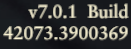 Nvidia 591.44 WHQL drivers used (104/12/2025)
 Windows 11 Version 25H2 (OS Build 26200.6899) used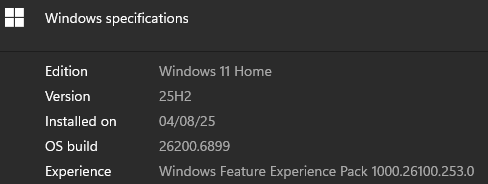
No mods were installed during testing.
How to use the guide
Results are shown as: AVERAGE (LOWEST, HIGHEST).
My Personal PC Specifications
This guide can be used for any system - I've just added my own PC specifications here for reference.
Computer
CPU - AMD Ryzen 7 9800X3D (5.425Ghz Overclock),
CPU Cooler - Arctic Liquid Freezer III 420,
GPU - Nvidia RTX 5090 Founders Edition,
RAM - G.SKILL Trident Z5 Neo RGB 48GB (8000MHz, CL38),
Motherboard - Asus ROG Crosshair X870E Hero,
PSU - Seasonic Prime TX ATX 3.0 1600W,
Case - HAVN HS 420,
Operating System - Windows 11.
Storage
- 4TB Samsung 9100 PRO NVMe PCIe 5.0 SSD (Boot/Games Drive), - GAME IS INSTALLED HERE
- 4TB Samsung 990 PRO NVMe PCIe 4.0 SSD (Games Drive),
- 4TB Samsung 990 PRO NVMe PCIe 4.0 SSD (Games/Programs Drive),
- 8TB Western Digital SN850X NVMe PCIe 4.0 External SSD (Emulation Drive).
Peripherals
Monitor - Alienware AW3423DW (Ultrawide 3440x1440, 144Hz, QD-OLED, HDR 1000, G-Sync Ultimate, 10-bit color),
Keyboard - Keychron Q3 Max,
Mouse - Hecate G5M Pro,
Headphones - Arya Stealth Magnet,
DAC/AMP - JDS Element IV.
Campaign Settings (UPDATE DONE)
IE CAMPAIGN BENCHMARK with the MAXED OUT preset (shown below) as a baseline.
(Compare each setting with the MAXED OUT preset result to see what affect on FPS each has). (The % shows the increase moving to that setting has over MAXED OUT).
Results are shown as: AVERAGE (LOWEST, HIGHEST).
LOW PRESET: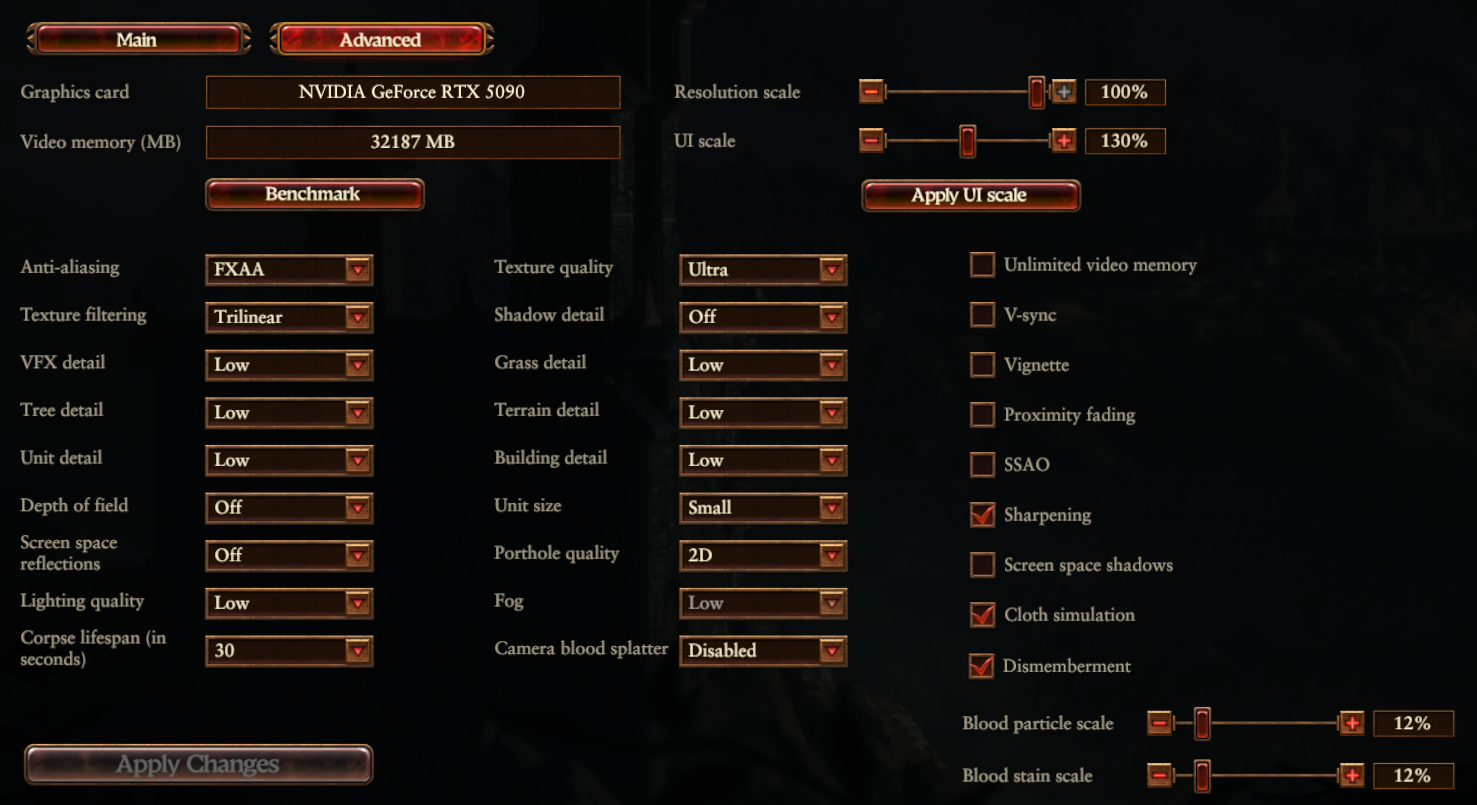
MEDIUM PRESET:
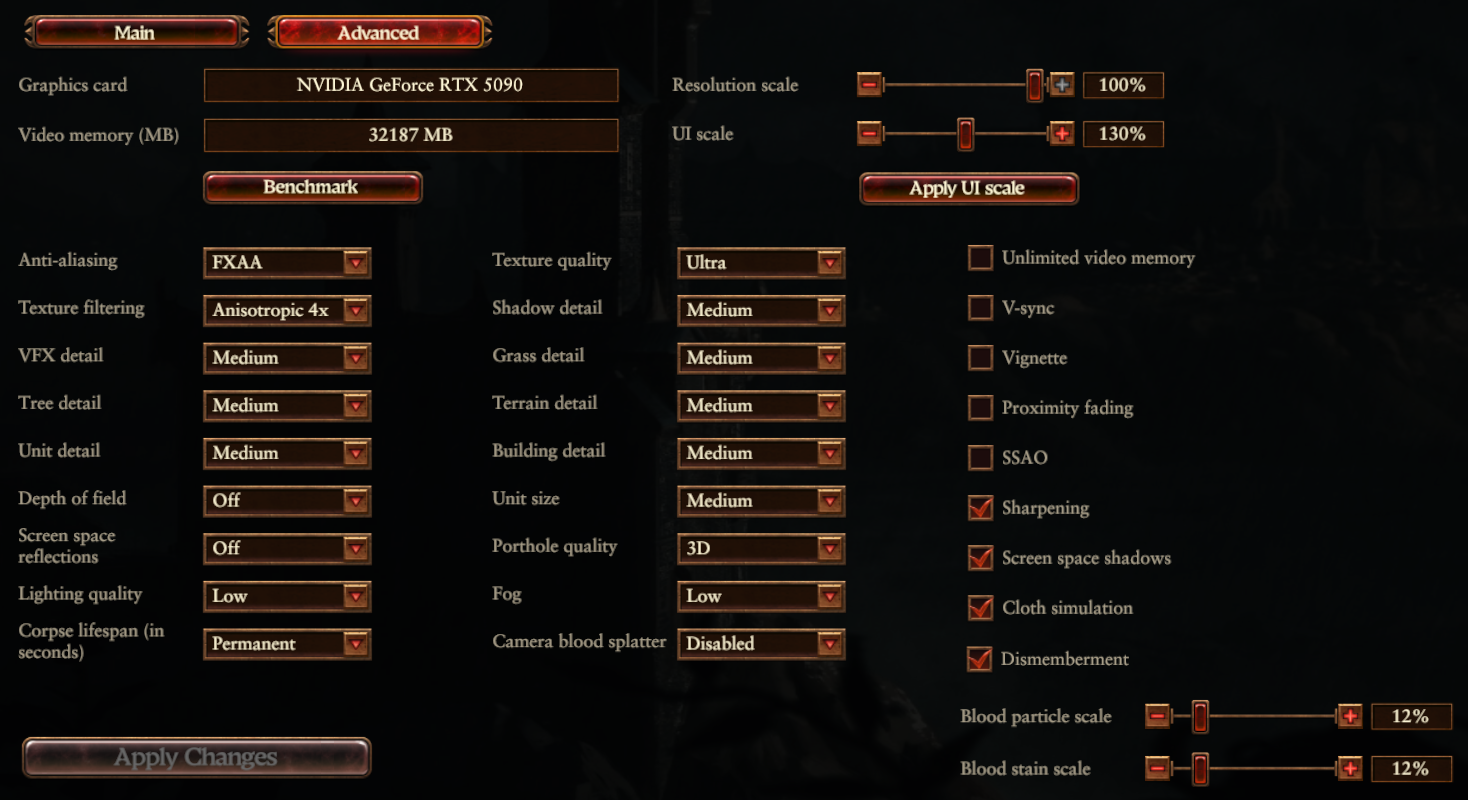
HIGH PRESET:
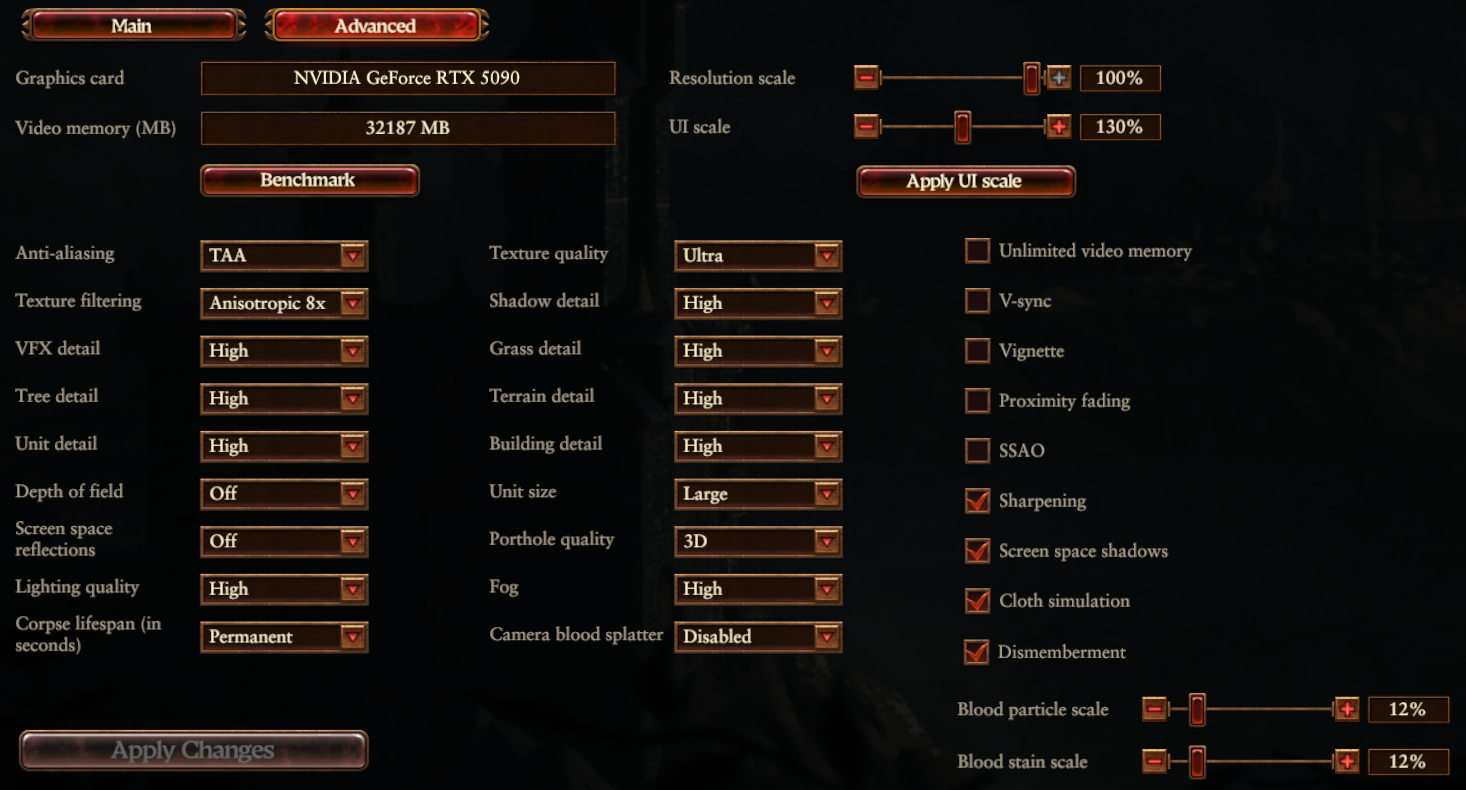
ULTRA PRESET:
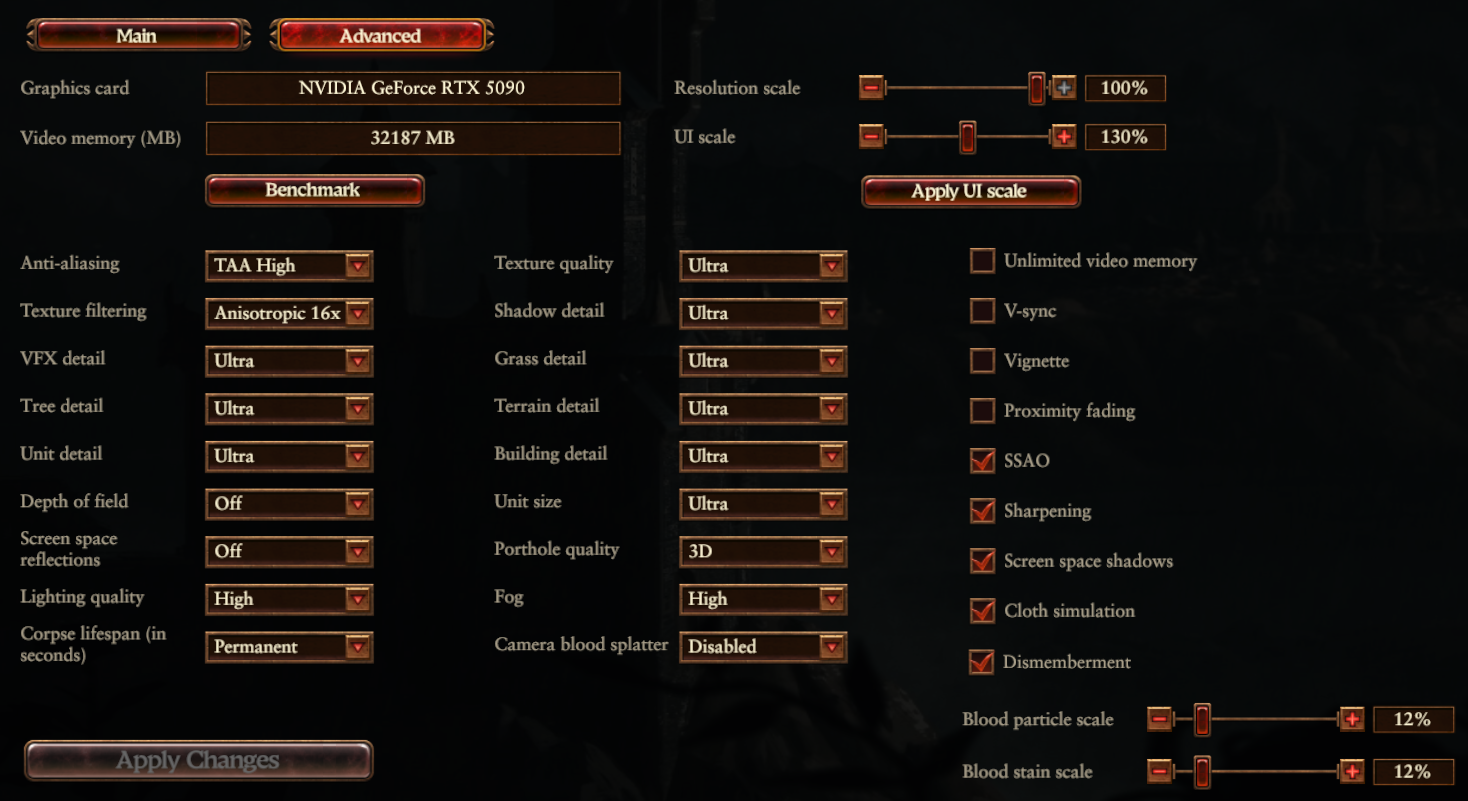
MAXED OUT:
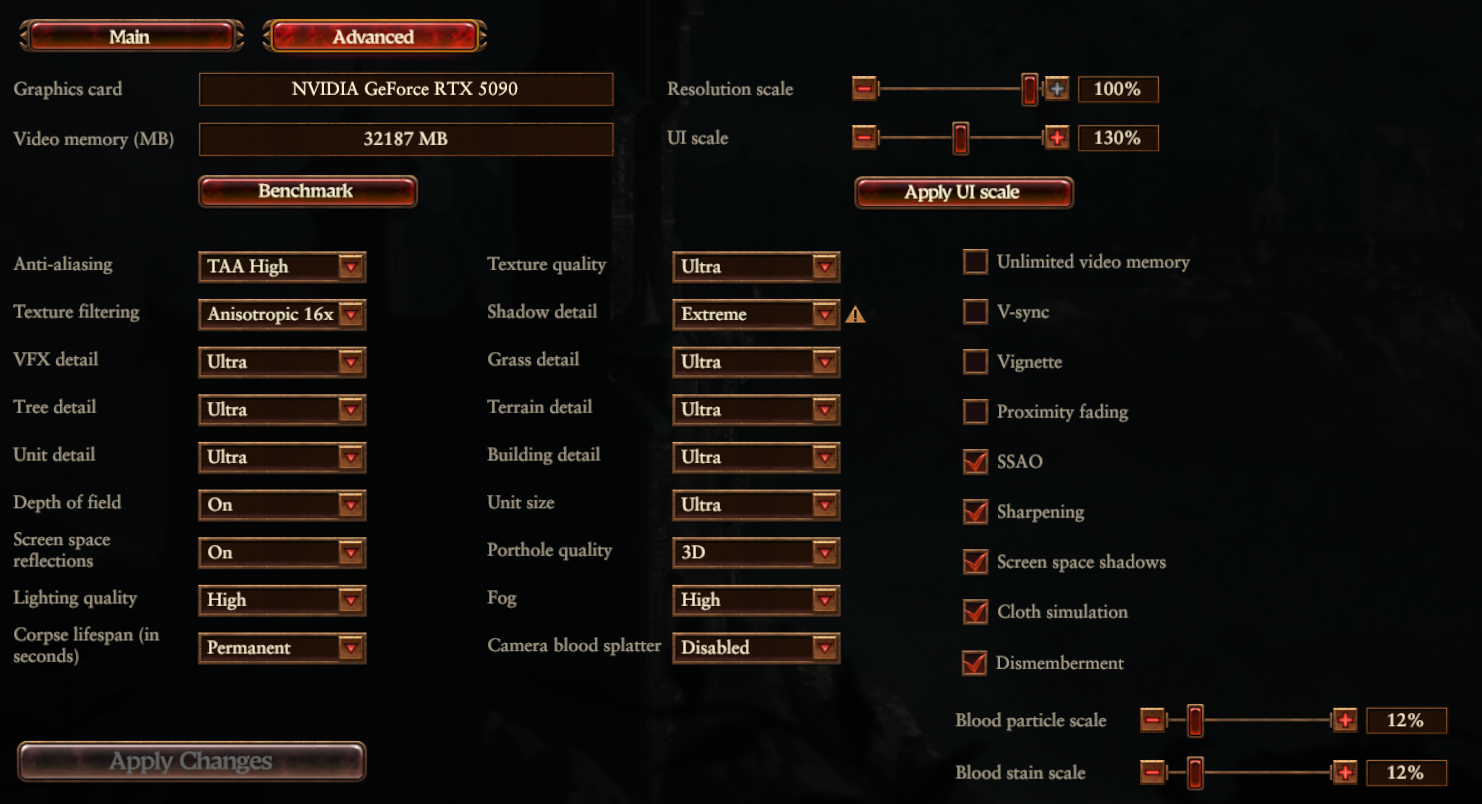
PRESETS
Low Preset - 293 (240, 356) - Average 91.5% increase over MAX
Medium Preset - 243 (161, 308) - Average 58.82% increase over MAX
High Preset - 190 (144, 227) - Average 24.18% increase over MAX
Ultra Preset - 172 (125, 204) - Average 12.42% increase over MAX
MAXED OUT - 153 (118, 181)
ANTI-ALIASING
Off - 164 (130, 194) - Average 7.19% increase over MAX
FXAA - 164 (127, 192) - Average 7.19% increase over MAX
TAA - 158 (128, 183) - Average 3.27% increase over MAX
TEXTURE FILTERING
Trilinear - 160 (122, 184) - Average 4.58% increase over MAX
2x - 158 (123, 183) - Average 3.27% increase over MAX
4x - 158 (117, 183) - Average 3.27% increase over MAX
8x - 157 (116, 182) - Average 2.61% increase over MAX
VFX DETAIL
Low - 163 (133, 186) - Average 9.80% increase over MAX
Medium - 162 (125, 186) - Average 5.88% increase over MAX
High - 157 (125, 180) - Average 2.61% increase over MAX
TREE DETAIL
Low - 163 (135, 185) - Average 6.54% increase over MAX
Medium - 160 (135, 181) - Average 4.58% increase over MAX
High - 158 (123, 180) - Average 3.27% increase over MAX
DEPTH OF FIELD
Off - 160 (131, 184) - Average 4.58% increase over MAX
SCREEN SPACE REFLECTIONS
Off - 161 (123, 189) - Average 5.23% increase over MAX
LIGHTING QUALITY
Low - 165 (135, 193) - Average 7.84% increase over MAX
TEXTURE QUALITY
(differences between settings may be drastically different depending on the amount of VRAM your graphics card has)
Low - 160 (124, 184) - Average 4.58% increase over MAX - (Used 6.4GB VRAM max)
Medium - 159 (128, 182) - Average 3.92% increase over MAX - (Used 7GB VRAM max)
High - 158 (128, 181) - Average 3.27% increase over MAX - (Used 8.6GB VRAM max)
Ultra - (Used 11GB VRAM max)
SHADOW DETAIL
Off - 178 (128, 205) (Fog setting is locked to low when off) - Average 16.34% increase over MAX
Medium - 172 (127, 198) - Average 12.42% increase over MAX
High - 168 (127, 191) - Average 9.80% increase over MAX
Ultra - 165 (134, 189) - Average 7.84% increase over MAX
GRASS DETAIL
Low - 157 (123, 180) - Average 2.61% increase over MAX
Medium - 155 (123, 181) - Average 1.31% increase over MAX
High - 155 (123, 179) - Average 1.31% increase over MAX
TERRAIN DETAIL
Low - 159 (123, 183) - Average 3.92% increase over MAX
Medium - 156 (123, 180) - Average 1.96% increase over MAX
High - 154 (119, 180) - Average 0.65% increase over MAX
BUILDING DETAIL
Low - 158 (133, 181) - Average 3.27% increase over MAX
Medium - 158 (133, 180) - Average 3.27% increase over MAX
High - 158 (133, 179) - Average 3.27% increase over MAX
FOG
Low - 157 (124, 183) - Average 2.61% increase over MAX
SSAO
Off - 162 (124, 187) - Average 5.88% increase over MAX
SHARPENING
On - 157 (127, 180) - Average 2.61% increase over MAX
SCREEN SPACE SHADOWS
Off - 157 (117, 184) - Average 2.61% increase over MAX
Battle Settings
BATTLE BENCHMARK with the MAXED OUT preset (shown below) as a baseline.
(Compare each setting with the MAXED OUT preset result to see what effect on FPS each has). (The % shows the increase moving to that setting has over MAXED OUT).
Results are shown as: AVERAGE (LOWEST, HIGHEST).
MAXED OUT:
PRESETS
Low - (, )
Medium - (, )
High - (, )
Ultra - (, )
MAXED OUT - (, )
ANTI-ALIASING
Off - (, )
FXAA - (, )
TAA - (, )
TEXTURE FILTERING
Trilinear - (, )
2x - (, )
4x - (, )
8x - (, )
VFX Detail
Low - (, )
Medium - (, )
High - (, )
TREE DETAIL
Low - (, )
Medium - (, )
High - (, )
UNIT DETAIL
Low - (, )
Medium - (, )
High - (, )
DEPTH OF FIELD
Off - (, )
SCREEN SPACE REFLECTIONS
Off - (, )
LIGHTING QUALITY
Low - (, )
TEXTURE QUALITY
(differences between settings may be drastically different depending on the amount of VRAM your graphics card has)
Low - (, )
Medium - (, )
High - (, )
SHADOW DETAIL
Off - (, ) (Fog setting is locked to low when off)
Medium - (, )
High - (, )
Ultra - (, )
GRASS DETAIL
Low - (, )
Medium - (, )
High - (, )
TERRAIN DETAIL
Low - (, )
Medium - (, )
High - (, )
BUILDING DETAIL
Low - (, )
Medium - (, )
High - (, )
UNIT SIZE
Low - (, )
Medium - (, )
Large - (, )
FOG
Low - (, )
SSAO
Off - (, )
SCREEN SPACE SHADOWS
Off - (, )
CLOTH SIMULATION
Off - (, )
Tweaks
(Don't expect to magically double your FPS with the following - it may help stuttering or do nothing at all)
- Fresh Windows 11 install,
- Disabled the Steam overlay,
- Excluding the game .exe and folder from Windows Security,
- Fresh Nvidia graphics driver install using DDU (Display Driver Uninstaller),
https://www.wagnardsoft.com/
https://www.nvidia.co.uk/Download/index.aspx?lang=en-uk - Disabled Nvidia Ansel,
- Changed 'Shader Cache Size' to 100GB in the Nvidia Control Panel,
- Disabled unnecessary services using services.msc,
- Hardware-accelerated GPU scheduling set to on,
- Windows Game Mode set to on,
- Excused the .exe from Control Flow Guard (CFG),
- Using a third party mod manager for any mod:
https://github.com/Shazbot/WH3-Mod-Manager/releases
G-Sync
https://blurbusters.com/gsync/gsync101-input-lag-tests-and-settings/
TLDR:
- Enable G-Sync,
- Enable Vsync in Nvidia Control Panel,
- Disable Vsync in game settings,
- Cap FPS to at least 3 below your monitor's refresh rate with either Nvidia Control Panel or RTTS,
- Set Low Latency Mode to on in Nvidia Control Panel.
Mods
Here is a list of my essential mods for Warhammer 3 (and other Total War/strategy games)
https://steamcommunity.com/id/DavidDaveR/myworkshopfiles/?section=collections
The mod list may change now and again with new mods or to remove old ones.
Use this mod manager instead of the Total War Launcher:
https://github.com/Shazbot/WH3-Mod-Manager/releases
WITH MY 4K MOD PACK
126 (95, 160) - Average 17.65% WORSE over MAX
- Victory Conditions Overhaul (VCO) Guide★ 5 (408)57k views981 ♥110 minUpdated Jul 11
- In-depth Definitive Guide to 24 Factions Guide★ 5 (594)43k views1.5k ♥70 minUpdated Nov 25, 2025
- All the missing / upcoming units *July 2026* [WH3]★ 5 (1k)43k views1.2k ♥51 minUpdated Jul 9
- Unlocking guide to hidden Lords and Heroes★ 5 (283)29k views490 ♥18 minUpdated Nov 29, 2024
- 100% Achievements Guide★ 5 (496)24k views1.1k ♥21 minUpdated Jul 20
- Legendary Lord Defeat Traits★ 5 (341)22k views918 ♥19 minUpdated Jun 9


- Upgrading to PremiumTeam Fortress 2★ 5 (20k)1441k views11k ♥6 minUpdated May 11, 2022
- No More Room in Hell Official ManualNo More Room in Hell★ 5 (2.8k)569k views2.1k ♥29 minUpdated Apr 22, 2019
- NMRiH Community Hosting GuidesNo More Room in Hell★ 5 (526)351k views653 ♥1 minUpdated Aug 10, 2022
- ULTIMATE GUIDE FOR GAME DEV TYCOONGame Dev Tycoon★ 5 (5.8k)326k views10k ♥4 minUpdated 23 Jan, 2014
- How to 'Git Gud' Soon™MORDHAU★ 5 (2k)318k views3k ♥68 minUpdated Nov 16, 2024
- Лучшие кооперативные игры SteamPAYDAY 2★ 5 (1.5k)315k views2.1k ♥56 minRussianUpdated Apr 27, 2025






This guide was created by its original author on the Steam Community. Are you the author and want it removed? Request removal.