how to point (move hands) +extra movements!
introduction
First, you can only use this feature if you have Jolly Co-op enabled, which requires the Downpour DLC.
There is a mod available in the workshop that allows you to aim in any campaign, with a configurable button. I talk more about it below, including the download link!
Point
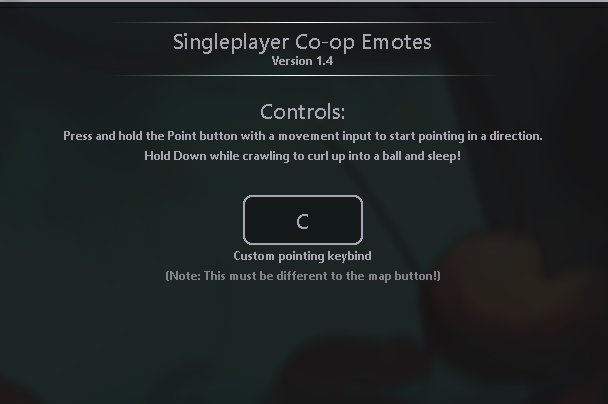
To point, double-tap the map button, hold the second tap, and move the direction. This will cause an arrow to appear over items and creatures you are pointing at. This feature is useful in multiplayer for guiding allies, directing friendly entities, or just for fun.
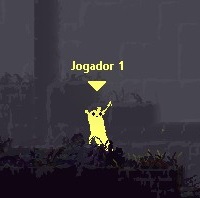
the arrow displayed
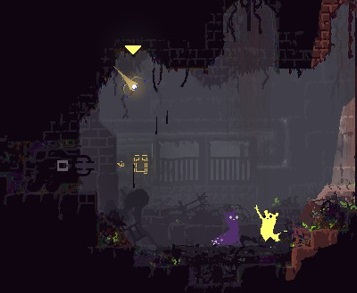
Fun fact: Scavengers will look in the direction you are pointing!
Containment
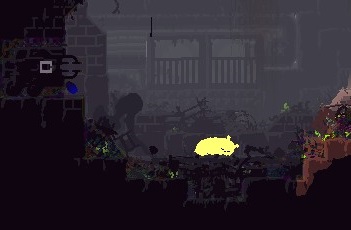
carried on the back
A crouched or dead Slugcat can be picked up by pressing the Pick button and carried by holding Pick while it is in the player's right hand. A carried Slugcat can either jump out of the ride state or be thrown by the carrying Slugcat.
Steps to carry a Slugcat:
- Crouch
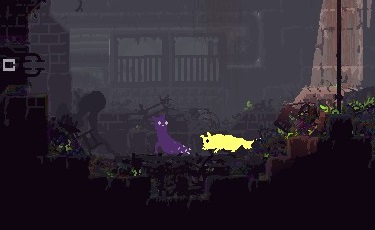
- Pick it up
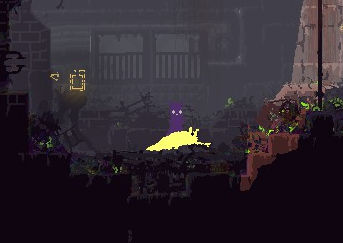
- Hold the pick up button
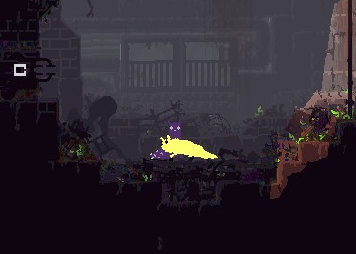
- That's it! You now have a mini Titan Slugcat!
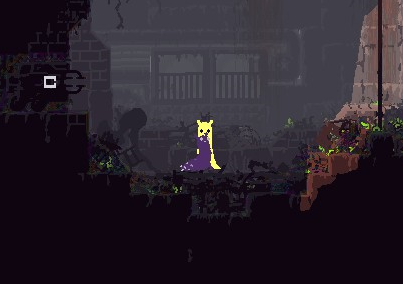
Their abilities still work, so enjoy!
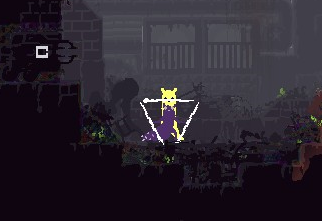
workshop item
There is an item in the workshop that makes this easier and is available in all campaigns!
https://steamcommunity.com/sharedfiles/filedetails/?id=2932680468
Once you have downloaded and activated the mod, you can set it to whatever key you prefer to use.
Note: This item only works if Jolly Co-op is turned off.
Closing Remarks
Well, I hope this guide is helpful! :3
This is my first time making a Steam guide, so if anything is wrong or incomplete, please let me know and I'll fix it.
Other useful resources include the Rain World Wiki[rainworld.miraheze.org] and the Discord server[discord.gg].
I really love this game.
- Storyline Region Routes★ 5 (592)31k views1.4k ♥2 minUpdated 20 Jun, 2017
- Dress My Slugcat: Custom Slugcat Tutorial - Basics, Setup, Workarounds (WIP!)★ 5 (335)21k views932 ♥29 minUpdated 8 Jun
- 100% Steam Achievement Guide★ 5 (887)20k views1.9k ♥37 minUpdated 17 Dec, 2025
- Detailed Region Maps★ 5 (803)19k views1.7k ♥1 minUpdated 10 Mar, 2023
- General and Advanced Movement Guide★ 5 (572)17k views1.3k ♥15 minUpdated 5 Mar, 2021
- All Slugcats Guide★ 5 (682)15k views916 ♥9 minUpdated 30 Oct, 2025



- Upgrading to PremiumTeam Fortress 2★ 5 (20k)1441k views11k ♥6 minUpdated May 11, 2022
- No More Room in Hell Official ManualNo More Room in Hell★ 5 (2.8k)569k views2.1k ♥29 minUpdated Apr 22, 2019
- NMRiH Community Hosting GuidesNo More Room in Hell★ 5 (526)351k views653 ♥1 minUpdated Aug 10, 2022
- ULTIMATE GUIDE FOR GAME DEV TYCOONGame Dev Tycoon★ 5 (5.8k)326k views10k ♥4 minUpdated 23 Jan, 2014
- How to 'Git Gud' Soon™MORDHAU★ 5 (2k)318k views3k ♥68 minUpdated Nov 16, 2024
- Лучшие кооперативные игры SteamPAYDAY 2★ 5 (1.5k)315k views2.1k ♥56 minRussianUpdated Apr 27, 2025






This guide was created by its original author on the Steam Community. Are you the author and want it removed? Request removal.