Launch DiRT Rally VR from OpenVR/OpenXR
Introduction & Preparation
Introduction.
This guide was created for those who encountered problems when launching DiRT Rally VR.
Preparation.
Clean install of DiRT Rally.
Download:
Revive 1.7.3[github.com]
DirectX End-User Runtime[www.microsoft.com]
Meta Quest Link[www.meta.com]
This guide was created for those who encountered problems when launching DiRT Rally VR.
Preparation.
Clean install of DiRT Rally.
Download:
Revive 1.7.3[github.com]
DirectX End-User Runtime[www.microsoft.com]
Meta Quest Link[www.meta.com]
Steps
- Install Meta Quest Link (no need to register an account)
- Install DirectX End-User Runtime
- Install Revive 1.7.3
- Leave Revive Dashboard running
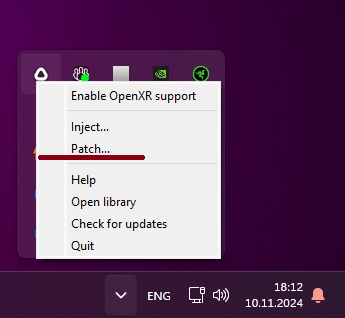 6) Click OK
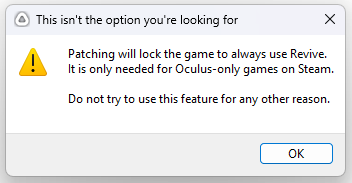 7) Specify the path to .......\Steam\steamapps\common\DiRT Rally\drt.exe and click Open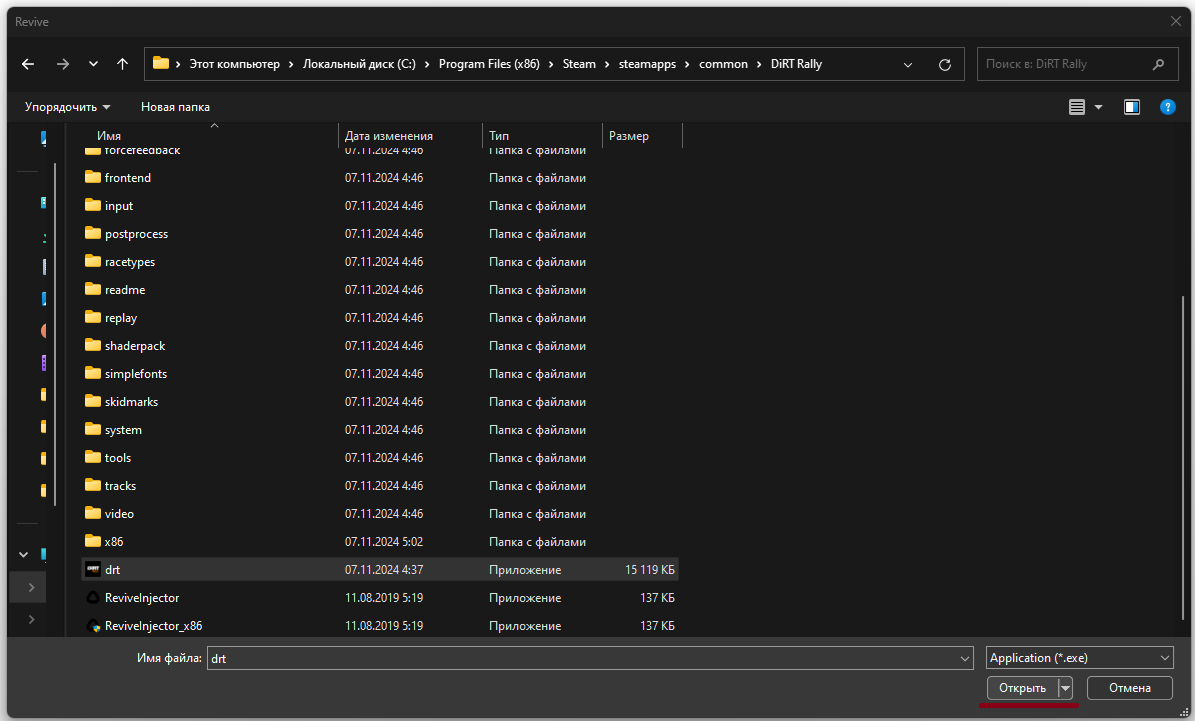
- Launch SteamVR
- Launch DiRT Rally
- Enjoy
More DiRT Rally guides
- Car Comparison Guide★ 5 (2k)32k views2.8k ♥30 minUpdated Jan 27, 2019
- DiRT Rally: Detailed Tuning Guide★ 5 (821)21k views1.5k ♥27 minUpdated Oct 20, 2015
- Dirt Rally Vehicle Tuning - Basic and Advanced Techniques v.1.09★ 5 (660)20k views1.3k ♥36 minUpdated Jan 29, 2025
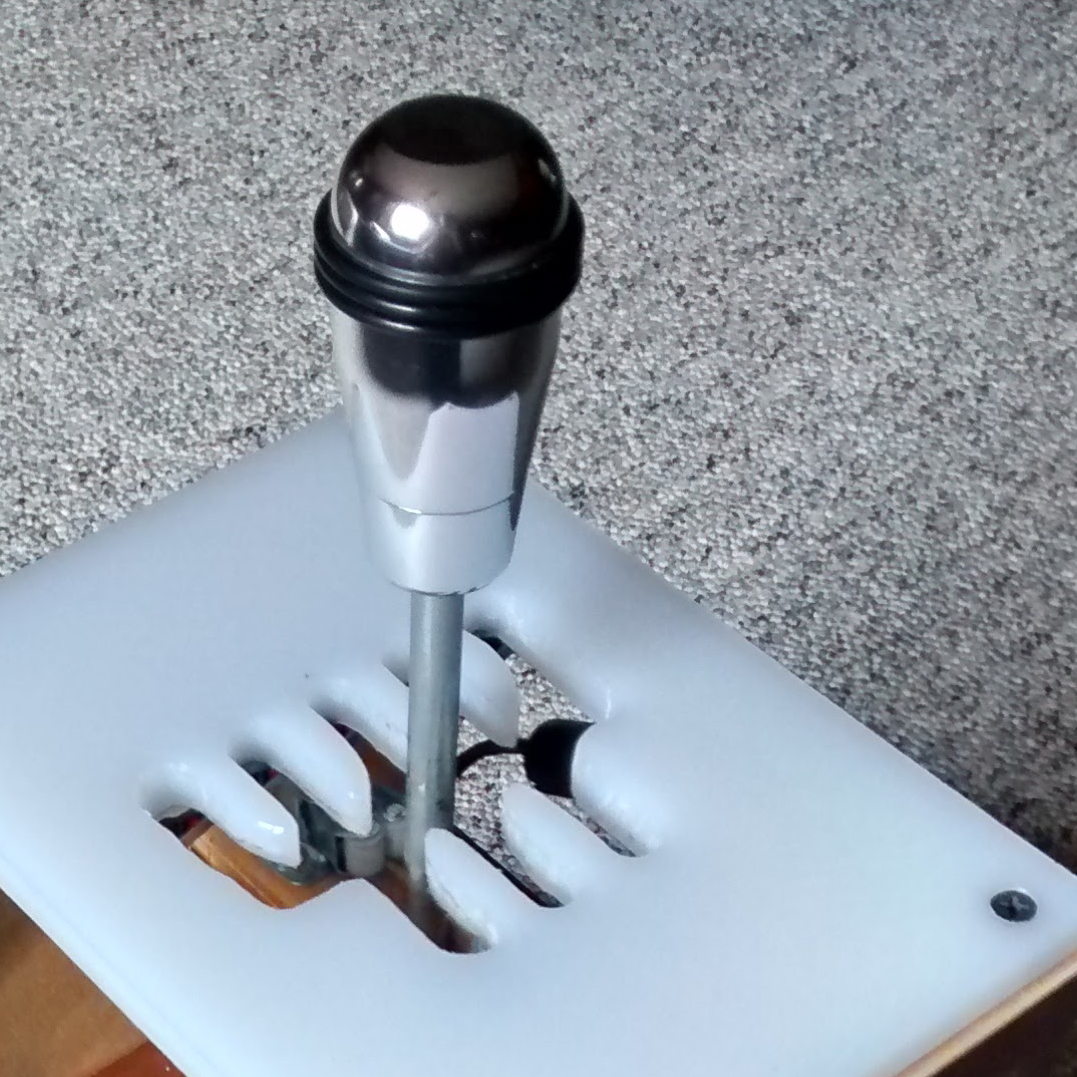
- DIY H-Shifter★ 5 (334)18k views448 ♥8 minUpdated Mar 2, 2020
- Great Mods for DiRT Rally★ 5 (208)18k views325 ♥6 minUpdated Feb 16
- Немного о настройках болида в Dirt Rally★ 5 (662)14k views956 ♥15 minRussianUpdated Jan 18, 2021




🔥 Popular guides
- Upgrading to PremiumTeam Fortress 2★ 5 (20k)1441k views11k ♥6 minUpdated May 11, 2022
- No More Room in Hell Official ManualNo More Room in Hell★ 5 (2.8k)569k views2.1k ♥29 minUpdated Apr 22, 2019
- NMRiH Community Hosting GuidesNo More Room in Hell★ 5 (526)351k views653 ♥1 minUpdated Aug 10, 2022
- ULTIMATE GUIDE FOR GAME DEV TYCOONGame Dev Tycoon★ 5 (5.8k)326k views10k ♥4 minUpdated 23 Jan, 2014
- How to 'Git Gud' Soon™MORDHAU★ 5 (2k)318k views3k ♥68 minUpdated Nov 16, 2024
- Лучшие кооперативные игры SteamPAYDAY 2★ 5 (1.5k)315k views2.1k ♥56 minRussianUpdated Apr 27, 2025






This guide was created by its original author on the Steam Community. Are you the author and want it removed? Request removal.