[All Heroes] Melee weapon cheat sheets
Introduction
This guide is there to help you get familiar with new melee weapons. It might cover topics that feel advanced, but it's written with the intent to be understandable for brand-new players, too.
To get the most out of a weapon, you need to know which attacks and attack combos are appropriate for which situation: What do I do against groups? What do I do against armored enemies? For this, the guide contains one cheat sheet for every weapon, outlining which attacks it has, what they're good at, and how they chain into each other.
It also includes info on how good the weapon's defense is, and tells you if it has any other special up- or downsides that you should be aware of. Because knowing your weapon's potentials and limits will help you make better decisions in-game, such as: Can I contribute if we aggro this patrol right now? Do I have a chance of reaching and reviving my downed teammate in the middle of that horde, or do we need to cut our losses? Should I be fighting this monster, or should I let a teammate do it, because I am better suited to creating space? Answering these questions always depends on your build, and for a large part on the strengths and weaknesses of your chosen melee weapon.
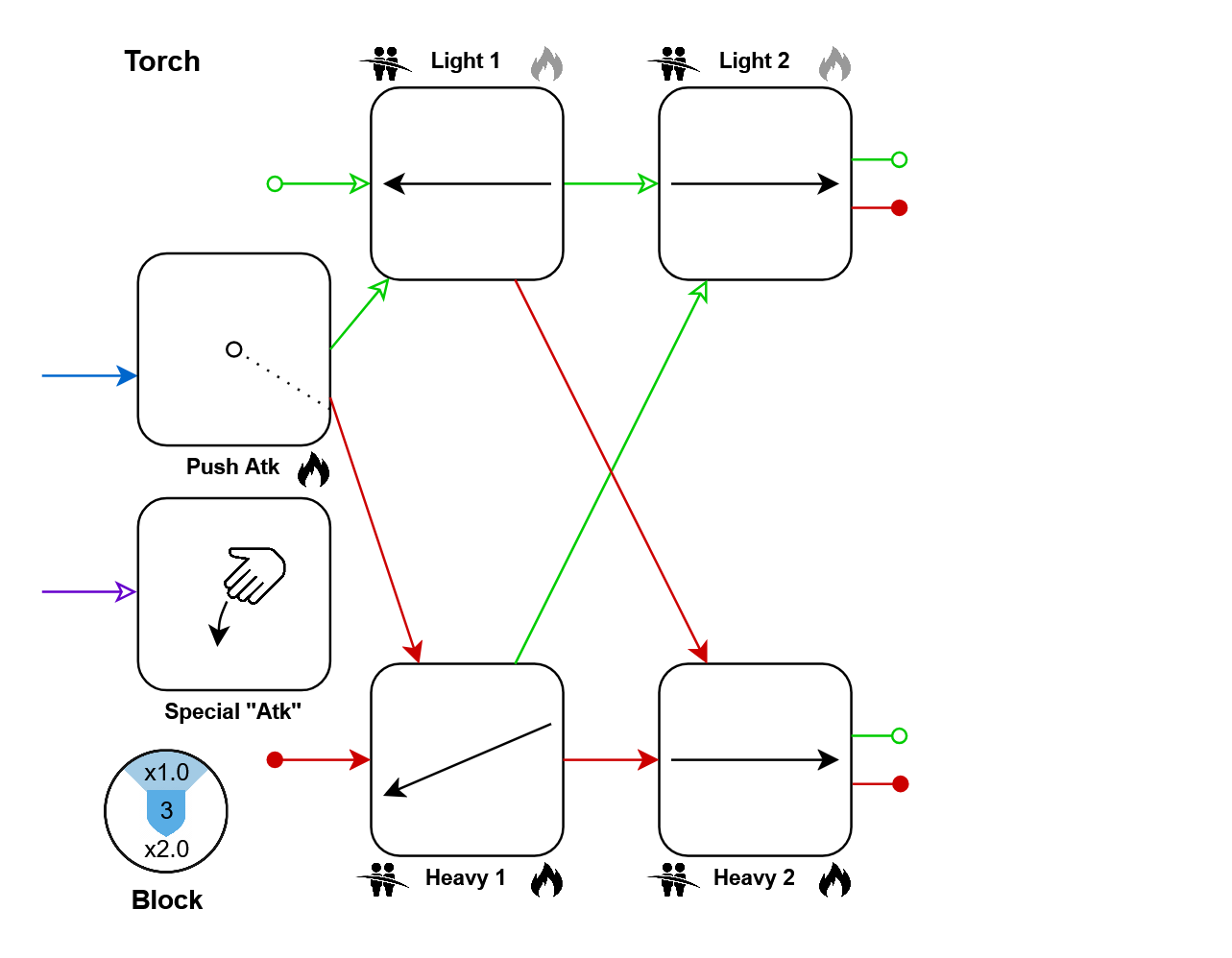
In the beginning of the guide, you will find explanations on how you read the weapon cheat sheets, and what all the attack property icons mean. As an example, you will also find the Torch's moveset here.
After that, you will find the remaining 53 melee weapons, ordered by hero.
Lastly, you will find links to related resources that I found useful.
Explanations
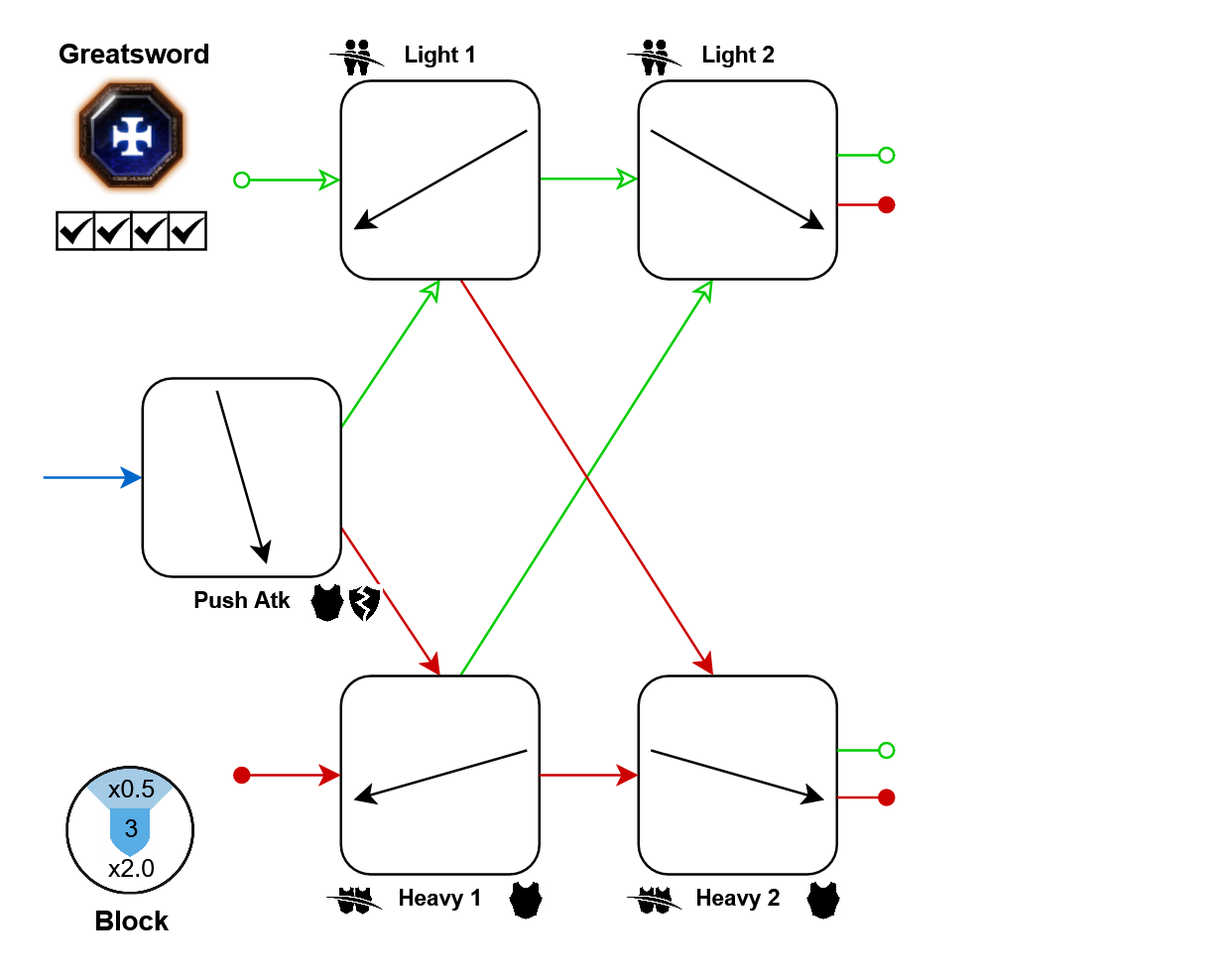
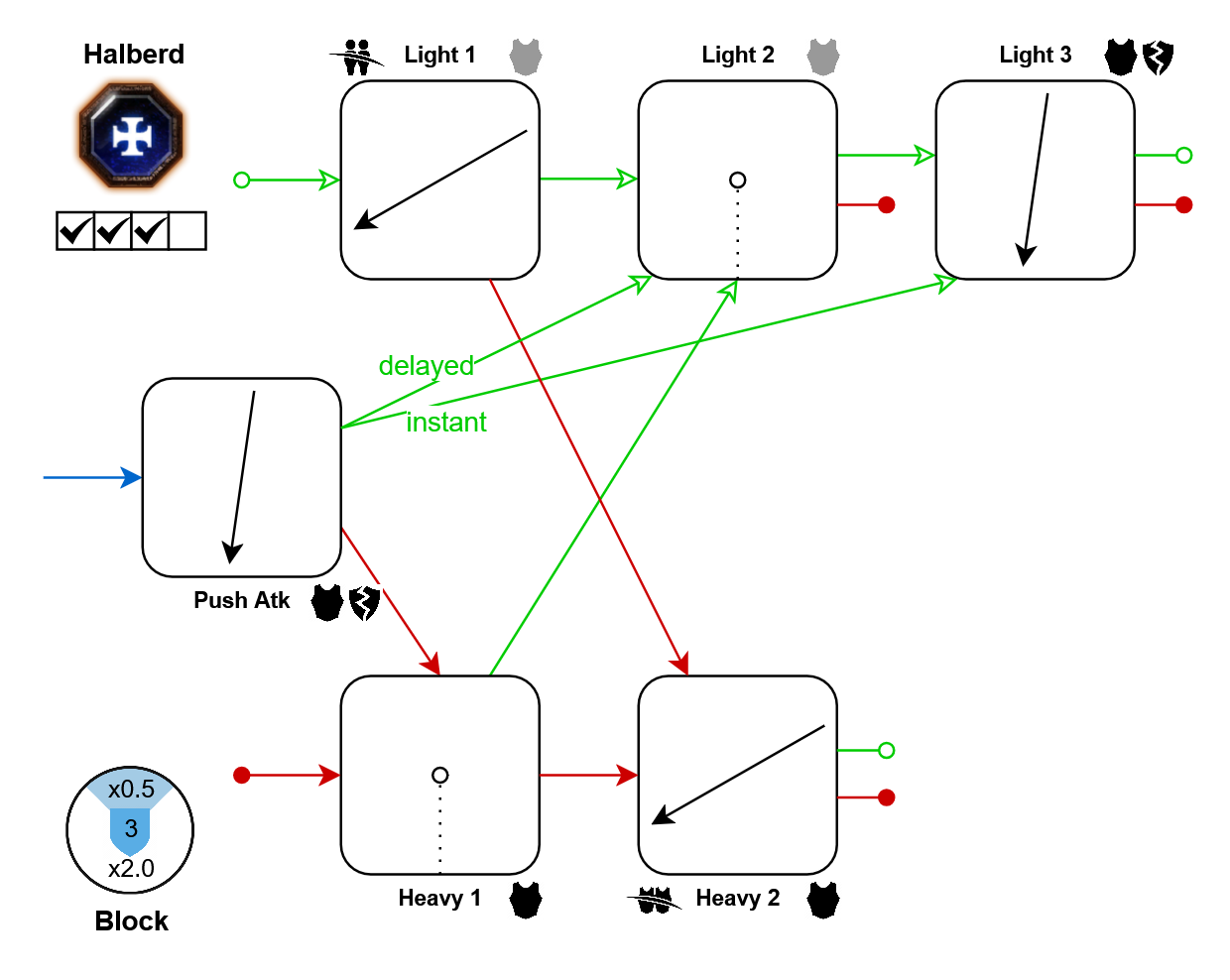
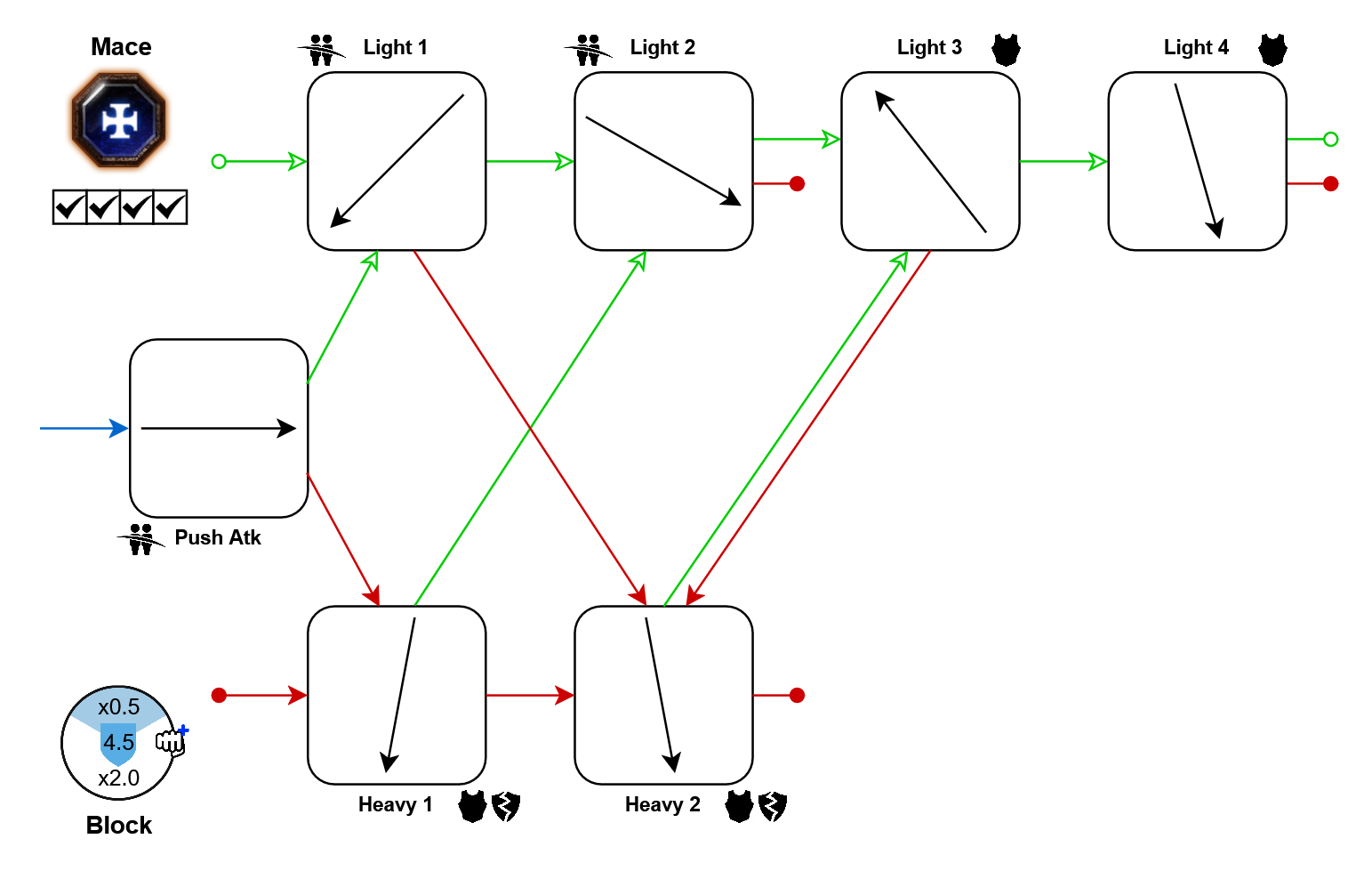
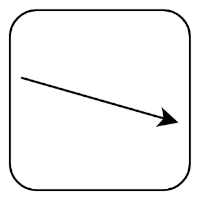 This is the most common type of attack, a slash. The arrow indicates the direction in which the weapon is swung. Naturally, downward slashes are suited for landing headshots. Horizontal slashes are useful for cleaving through multiple enemies, if the attack is able to. Upward slashes seem impractical at first, but they often have better effects to make up for it (higher damage, increased crit chance, bonus damage-over-time effects, etc). Also, with proper practice, headshots can even be landed with upward slashes. Refer to the further resources section for a tutorial that covers this.
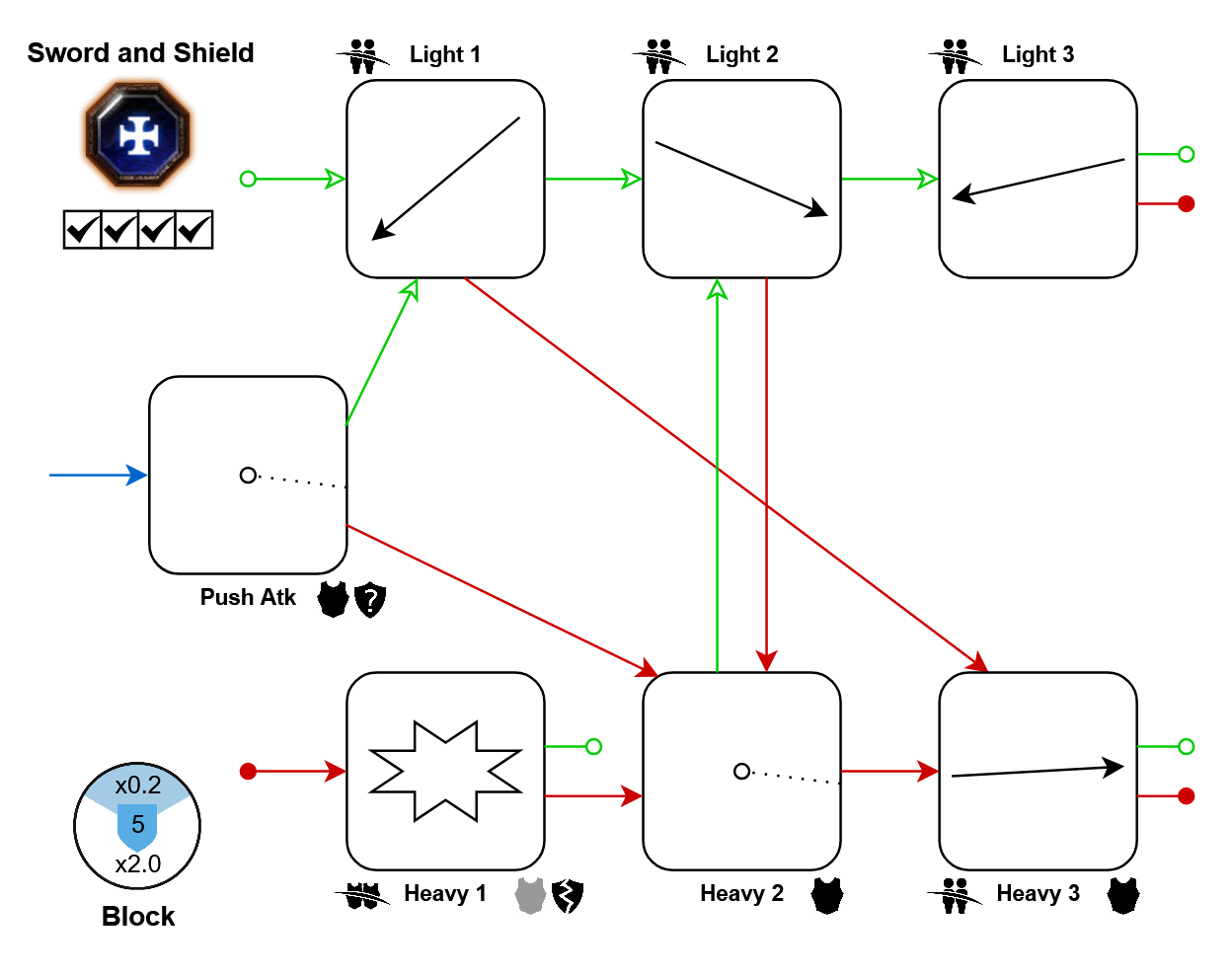
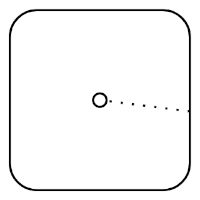 This represents a stabbing attack. Stabs are always directed towards the center of your screen. They are single-target attacks that can damage armored enemies. Most of them also deal increased headshot damage. The dotted line indicates which direction the stab comes from, but this makes no noticeable difference in combat. It is only included so that you can easily tell different stabbing attacks apart.
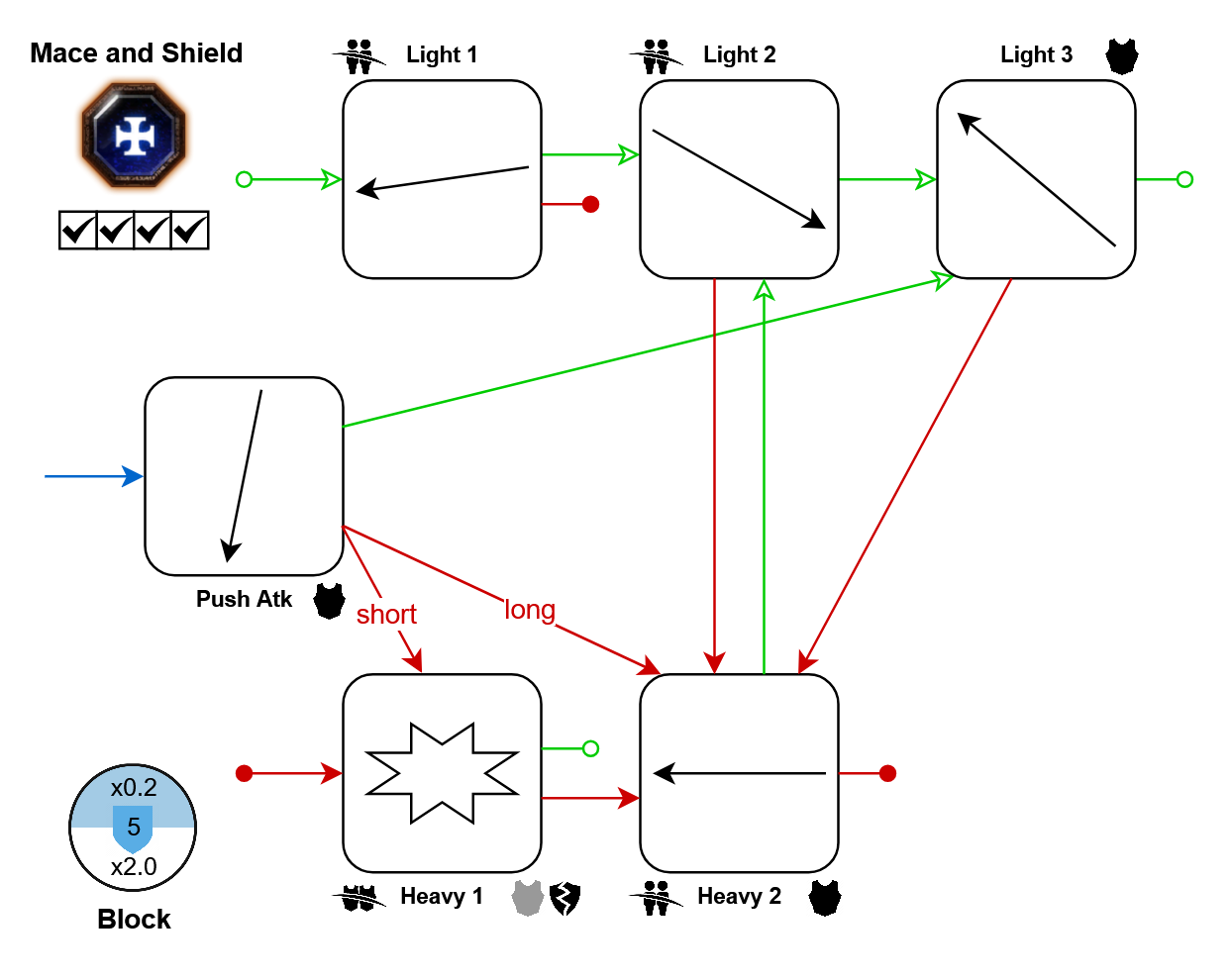
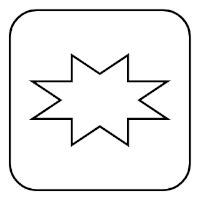 This represents a bash, which can normally only be performed with shield weapons. Since all shield bashes work the same, I will spoil their properties already: They always hit every enemy in front of you, dealing low damage but strong knockback, especially to enemies directly in front of you. A valuable self-defense tool for dense horde situations, or to try controlling dangerous elites.
Tapping left click gives you a light attack. Holding and releasing left click gives you a heavy attack (the game calls it "charged" attack). Note that holding a heavy attack for longer doesn't change its properties, it simply happens later.
Pressing right click cancels what you're doing to block, so you can even use it to abort a heavy attack, for example.
Pressing left click while blocking spends stamina to do a push, which doesn't lower your guard - you remain safe while pushing. If you keep holding left click, after the push you will follow up with the push attack. This does cancel your guard, so you may get hit! Also, remember that you are not restricted to the push attack after doing a push: If you tap left click to push, then let go of both buttons and press left click again, you will do a light or heavy attack.
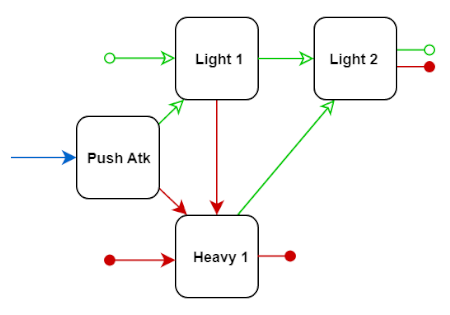
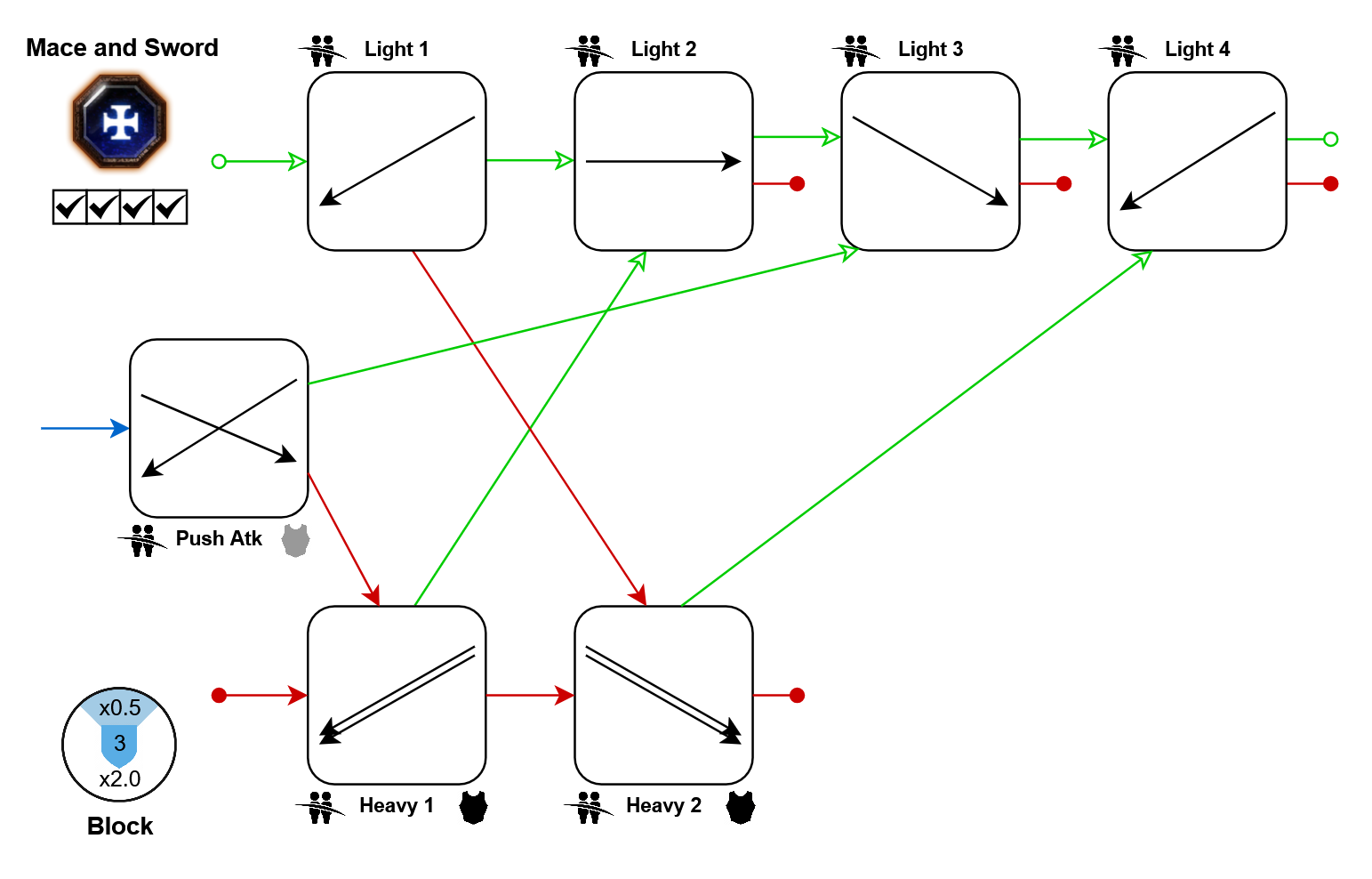
For visual clarity, arrows going back to the first light and heavy attacks are not drawn. Instead, you will see an outgoing arrow that ends in a circle. This does not mean that your combo ends, it's as fast as going to any other attack. So the weapon in this example could perform the following loop: [Heavy 1 > Light 2 > Heavy 1 > ...] forever, without stopping or slowing down.
Some weapons can perform a special attack, accessible by a different keybind (the game calls it Weapon Special). You will find its box below the push attack, indicated by a purple arrow.
Icon Glossary
Attack boxes will be accompanied by all kinds of icons, summarizing what this attack is good at. Use this information to plan your combos: If you want to fight hordes, try to find cleaving attacks that link into each other. And to fight armored elites, look for armor-piercing attacks linking into each other.
On the left side of the attack name, you will generally find icons telling you how well the attack cleaves. On the right side, you will find icons telling you what type of damage it deals. And if a heavy attack has special mechanics related to charging it, you will find icons below its name.
If only a single weapon uses a unique icon, it will be skipped here, and only explained in that weapon's details text.
 This attack is able to cleave through multiple non-armored units, but gets stuck on armored enemies (Including maulers, the elite chaos enemy with a huge axe and head armor). Note that there is still a cleave limit: If a group of enemies is too densely packed, you will only hit some of them. (If the icon is grey, the attack can just barely cleave the tiniest of enemies.)
 This attack is realistically able to cleave through at least one armored unit and continue hitting more enemies after it. This is an uncommon but amazing property. Usually these swings still get stuck on chaos warriors, monsters and lords.
 This attack itself may only hit one enemy, but it causes an explosion centered on that enemy, which hits all other enemies around it. The explosion can hit an infinite number of enemies, since it has nothing like a cleave limit.
 This attack deals damage to armored units. (If the icon is grey, the damage is so small that it is clearly overshadowed by other attacks from the same weapon, so you might want to use those instead.)
 This attack will destroy the wooden shields of enemies, if they try to block with one. Not possible against metal shields.
 This attack completely bypasses any shield held by enemies. Naturally, if the attack also happens to deal armor damage, this is great for dealing with shielded stormvermin.
 This attack applies a burn damage-over-time effect. Sienna's careers may have talents synergizing with these. Note that burn effects from melee weapons usually stack, so you can apply many of these to the same enemy simultaneously without losing any of their damage. (If the icon is grey, the burn is super short, only dealing 1 tick of damage.)
 This attack applies a bleed damage-over-time effect. There is not much synergy here. Note that unlike burns, bleed damage-over-time effects do not stack, but are simply re-applied.
 Holding this heavy attack for a specific amount of time suddenly increases its damage to an even larger value than usual. Keep in mind that any heavy attack without this icon does not do this: Normally, their damage is always the same, no matter if you release them directly or keep the button pressed for a while.
 This heavy attack can be charged forever, since your character will never let go of it automatically.
 This heavy attack can be charged forever, and while doing so your character will be in a blocking state. This block works as usual, meaning that it uses your amounts of stamina and block cost reduction, synergizes with class talents related to blocking, and the parry trait.
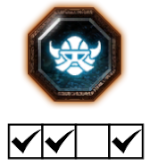 These checkboxes tell you which careers are able to use this melee weapon. For example, this weapon can be used by Bardin's 1st, 2nd, and 4th careers, but not as the Slayer.
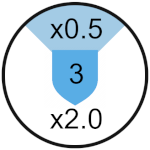 Lastly, every cheat sheet summarizes the defensive ability of the weapon: The center number is the amount of stamina shields that it has (Note: 3 stamina shields = 6.0 stamina). Every weapon has a frontal block angle, typically 90°, as displayed in light blue. Enemy attacks coming from this angle cost way less stamina to block than attacks outside of it. The numbers in the top and bottom show how the block cost is modified in- and outside of the weapon's effective blocking angle, so lower is always better. Keep in mind that you can improve the available stamina shields, the block costs, and the effective blocking angle with properties on your equipment.
 Some weapons only lose half a stamina shield when pushing, instead of a full shield like all the others. This greatly improves your defense by allowing you to dig your way out of otherwise fatal situations. These weapons will be marked with this icon.
And on the topic of blocking, here is what's special about shield weapons: Obviously, they generally have improved blocking stats as you will see in their infographics, and are the only type of weapon that may have shield bashes in their moveset. Furthermore, unlike all other weapons, they also allow you to block ratling gun bullets and the rat ogre's overhead attacks. And their push strength is also improved, being able to stagger a lot of elite enemies that otherwise wouldn't care. And lastly, the delay until your stamina recovers after pushing is halved when using a shield weapon.
Markus Kruber
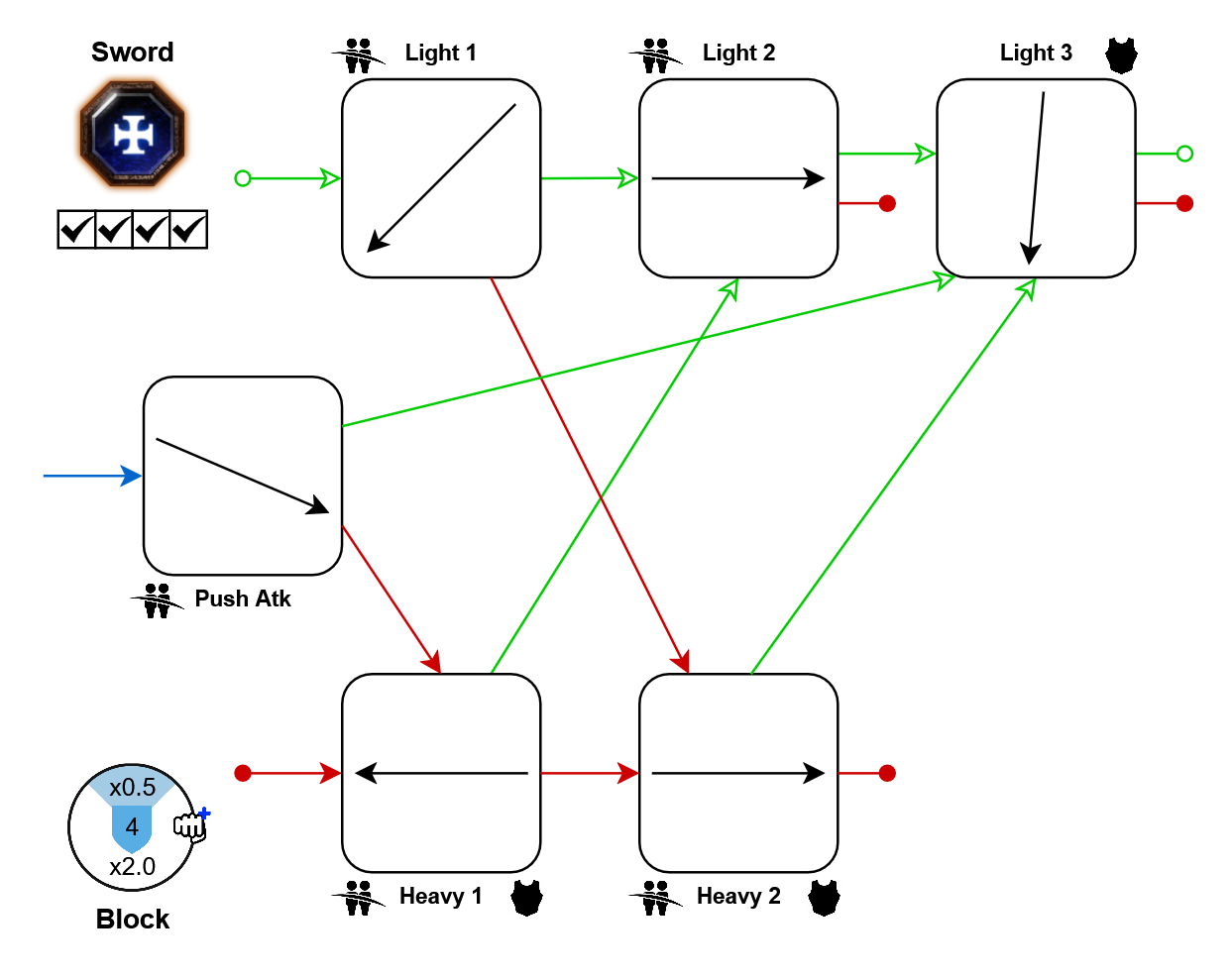
Same as: Sienna's Sword
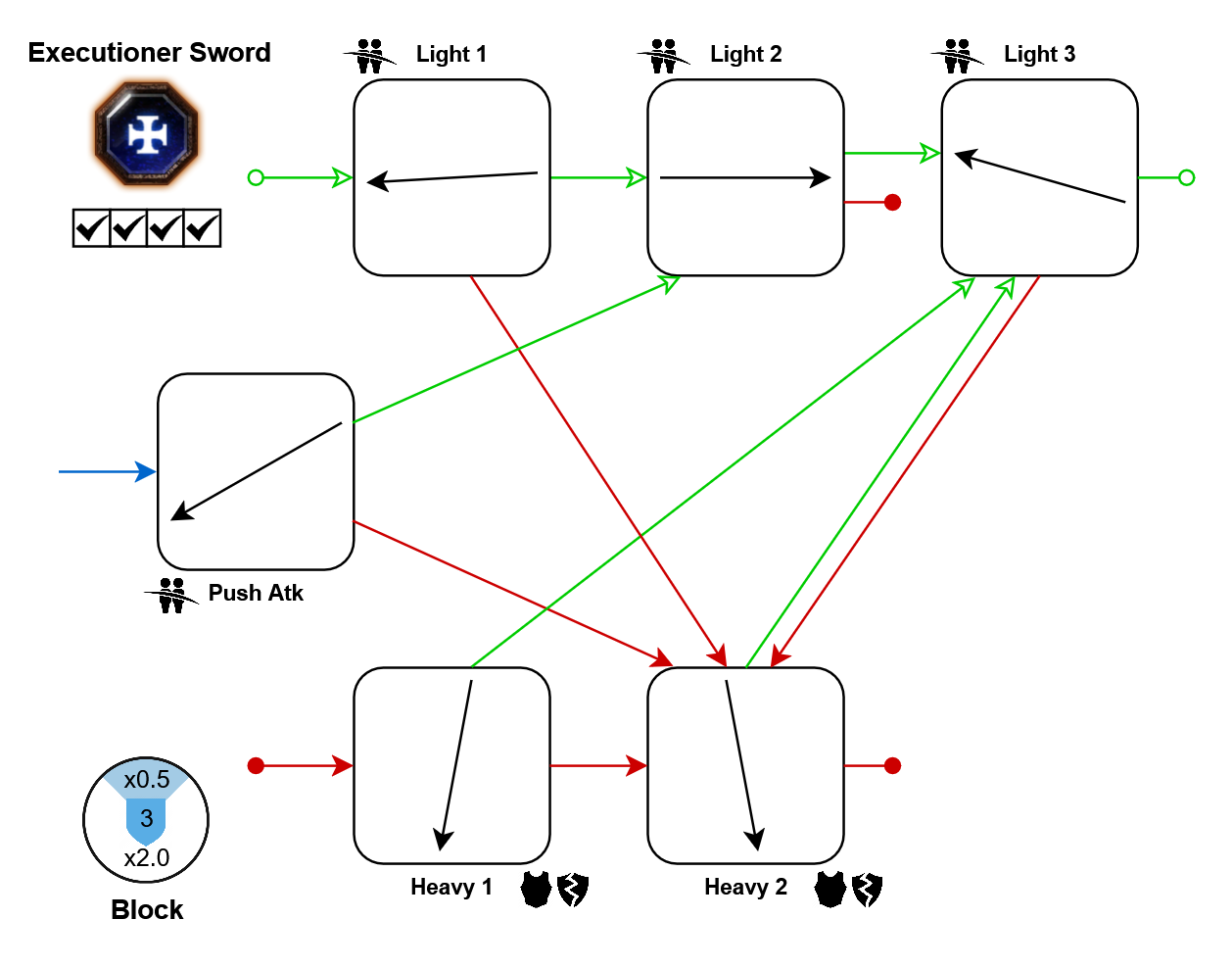
- Light 3: 10%
- Heaveis: 20%
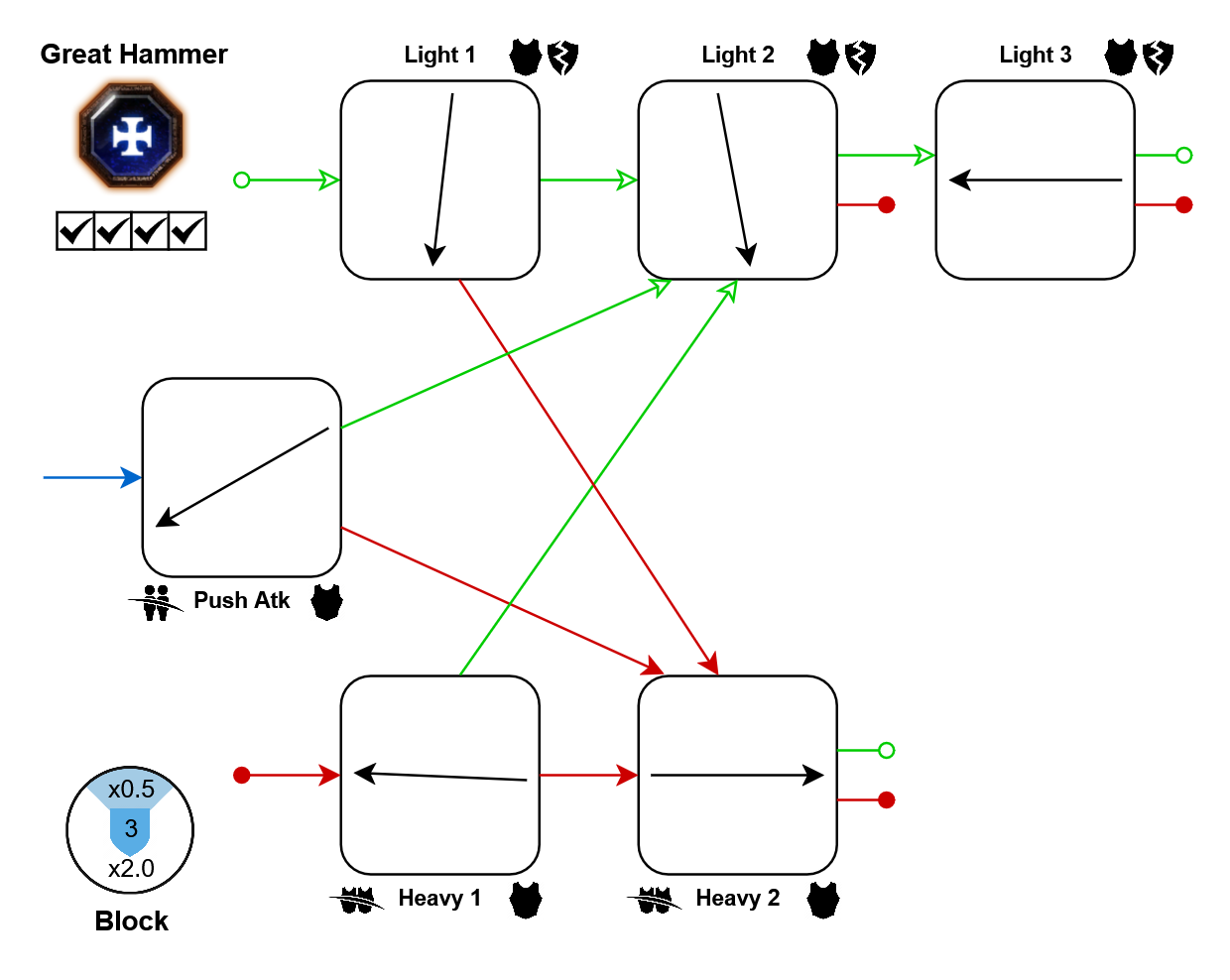
- Light 3: 10%
- Light 3: 10%
Movement tech: In further resources
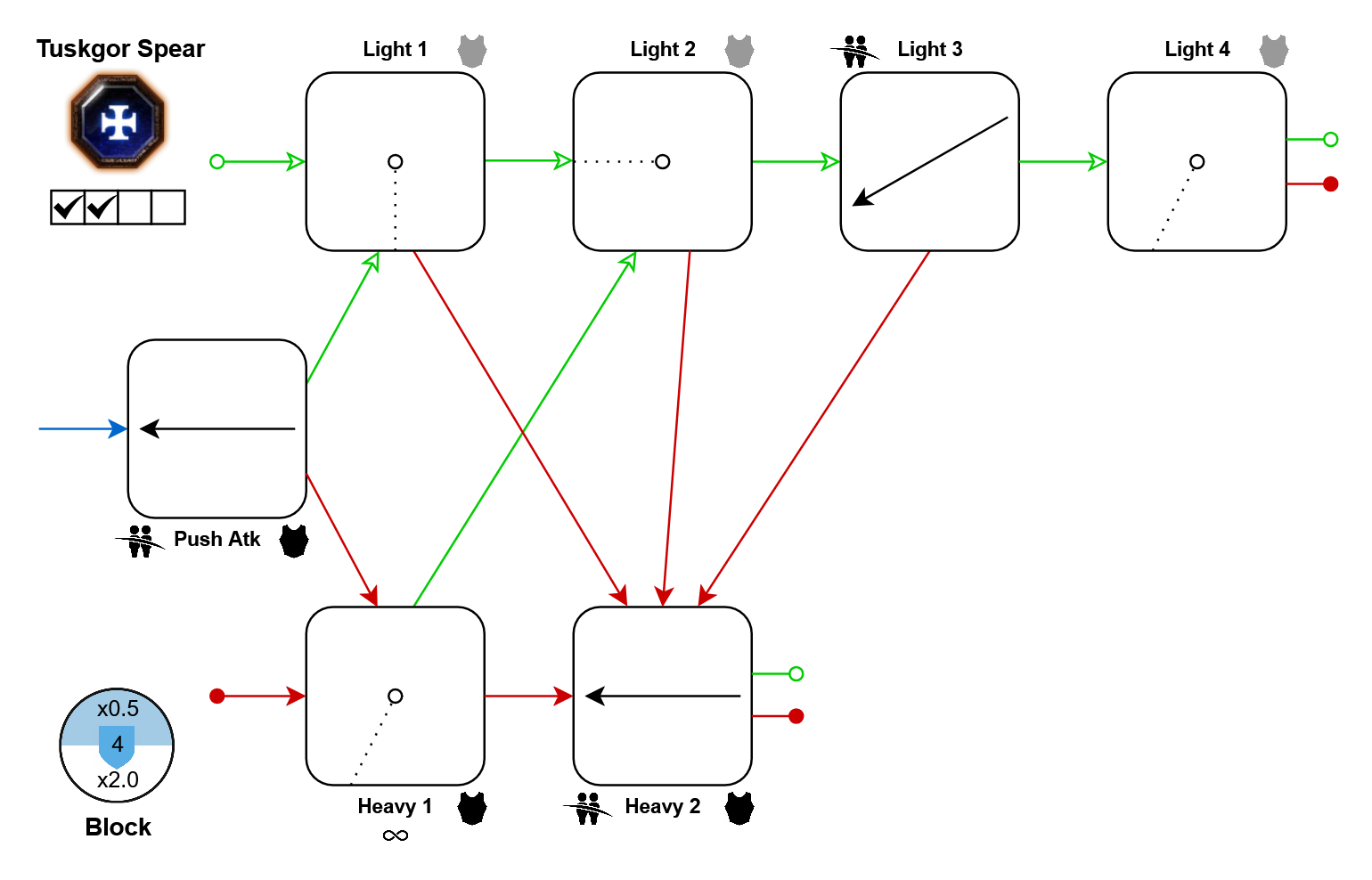
Movement tech: In further resources
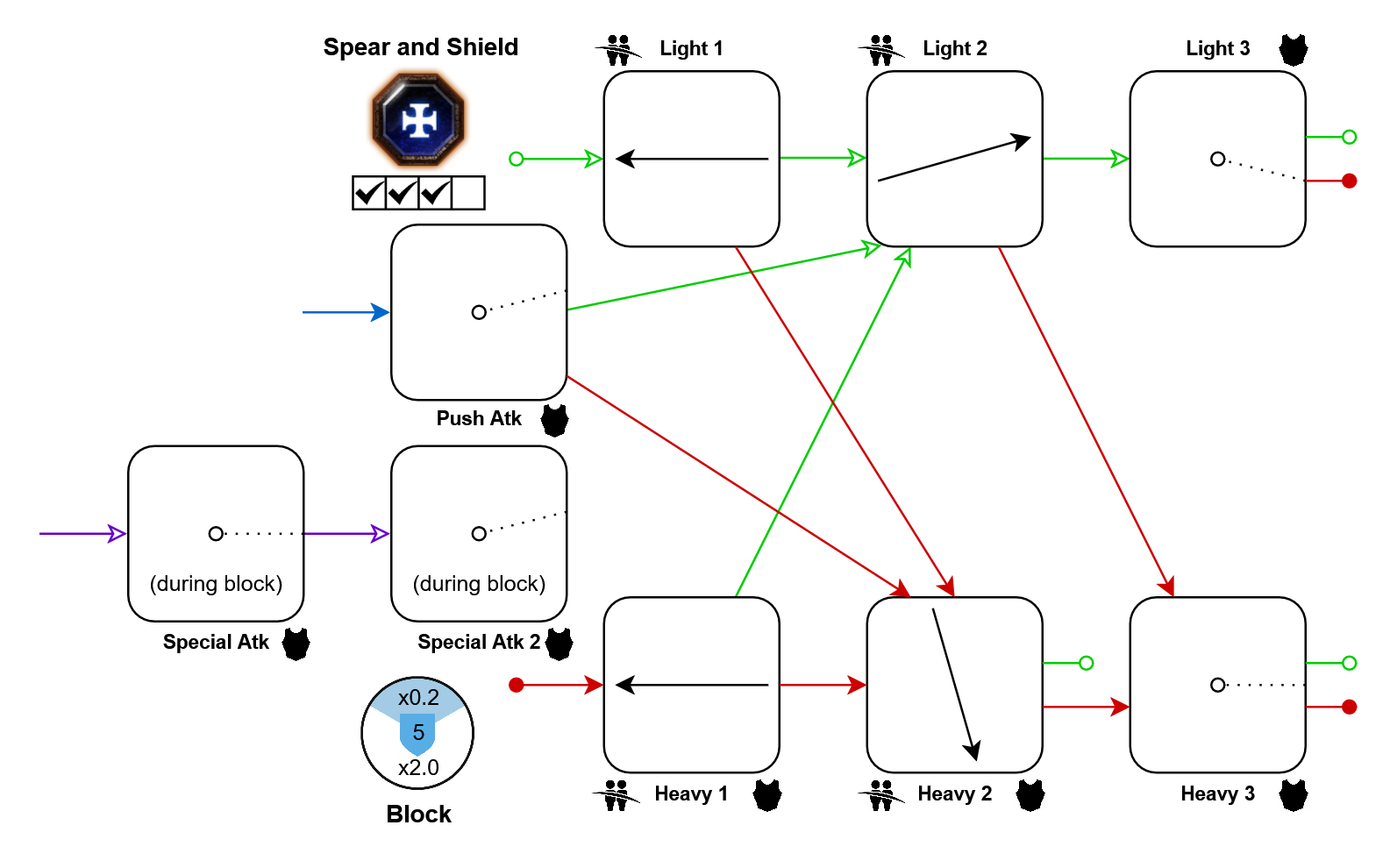
Movement tech: In further resources
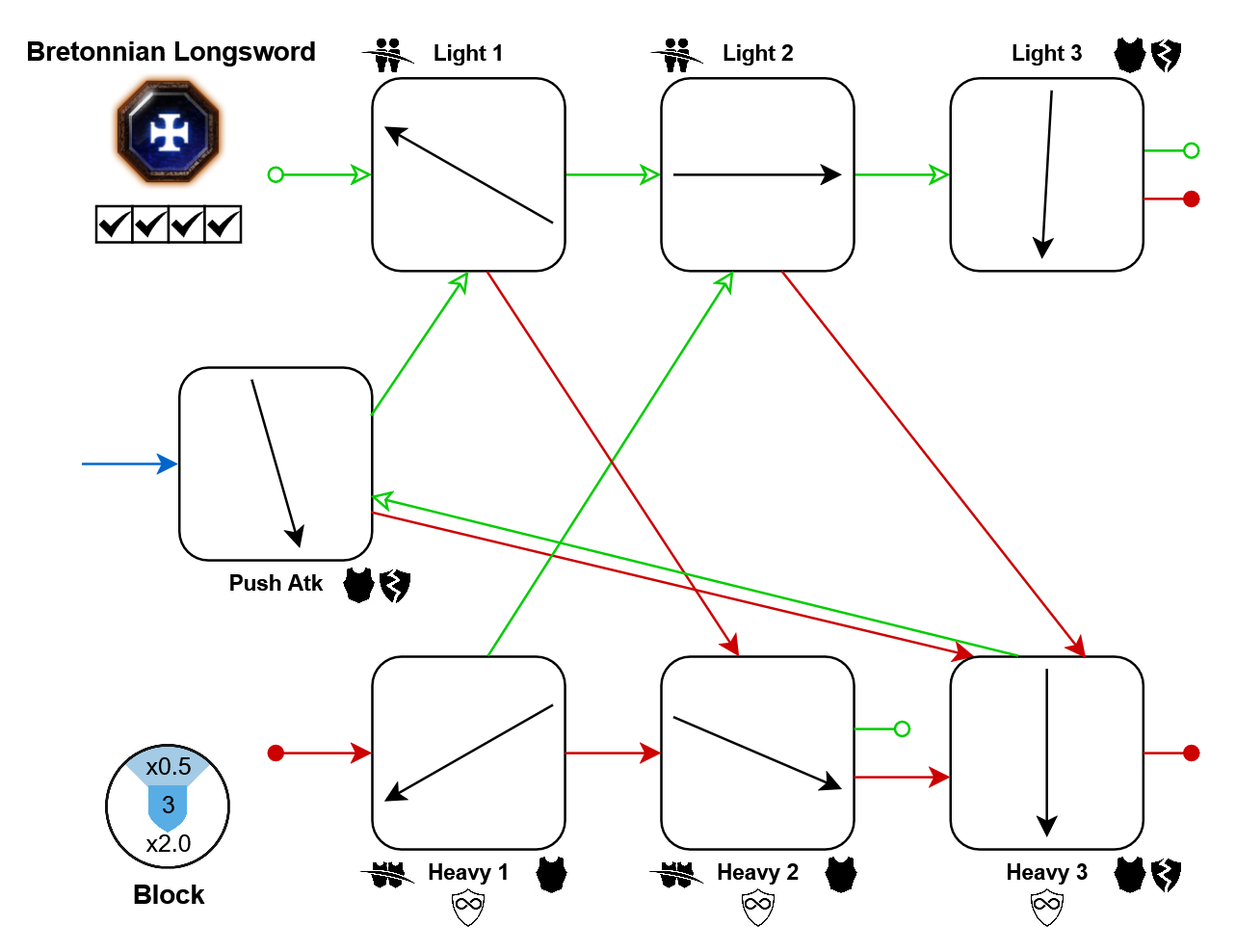
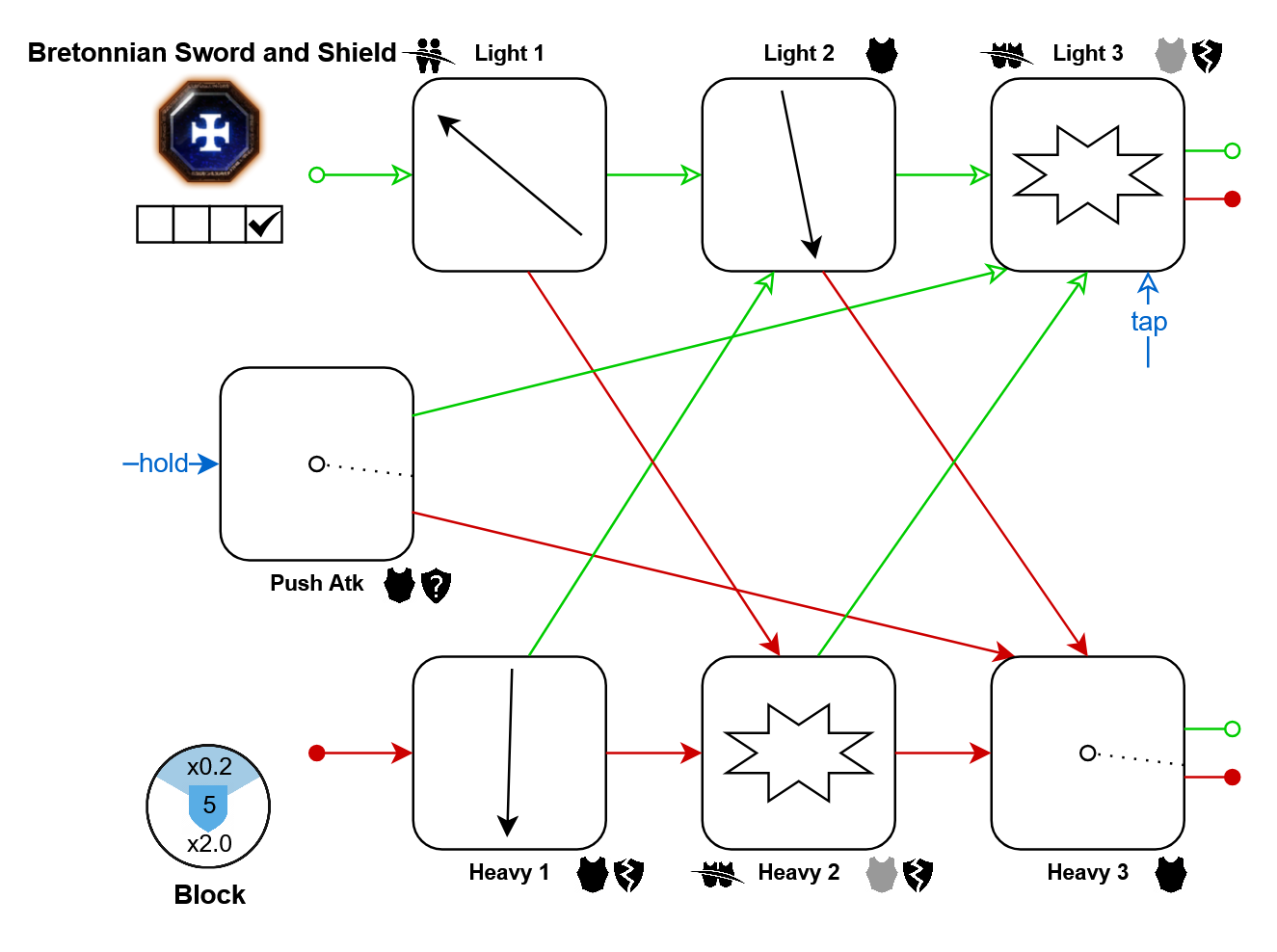
Movement tech: In further resources
Bardin Goreksson
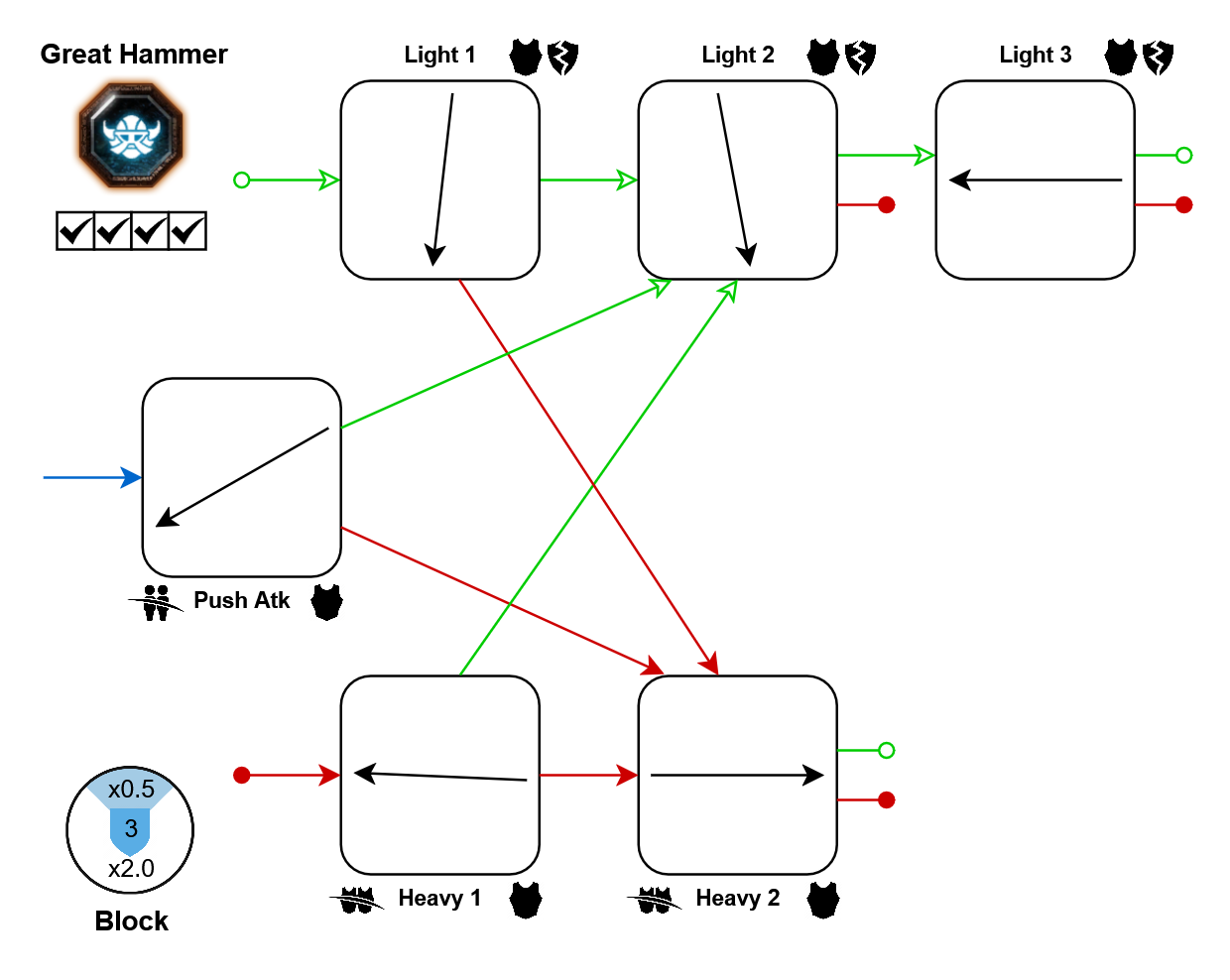
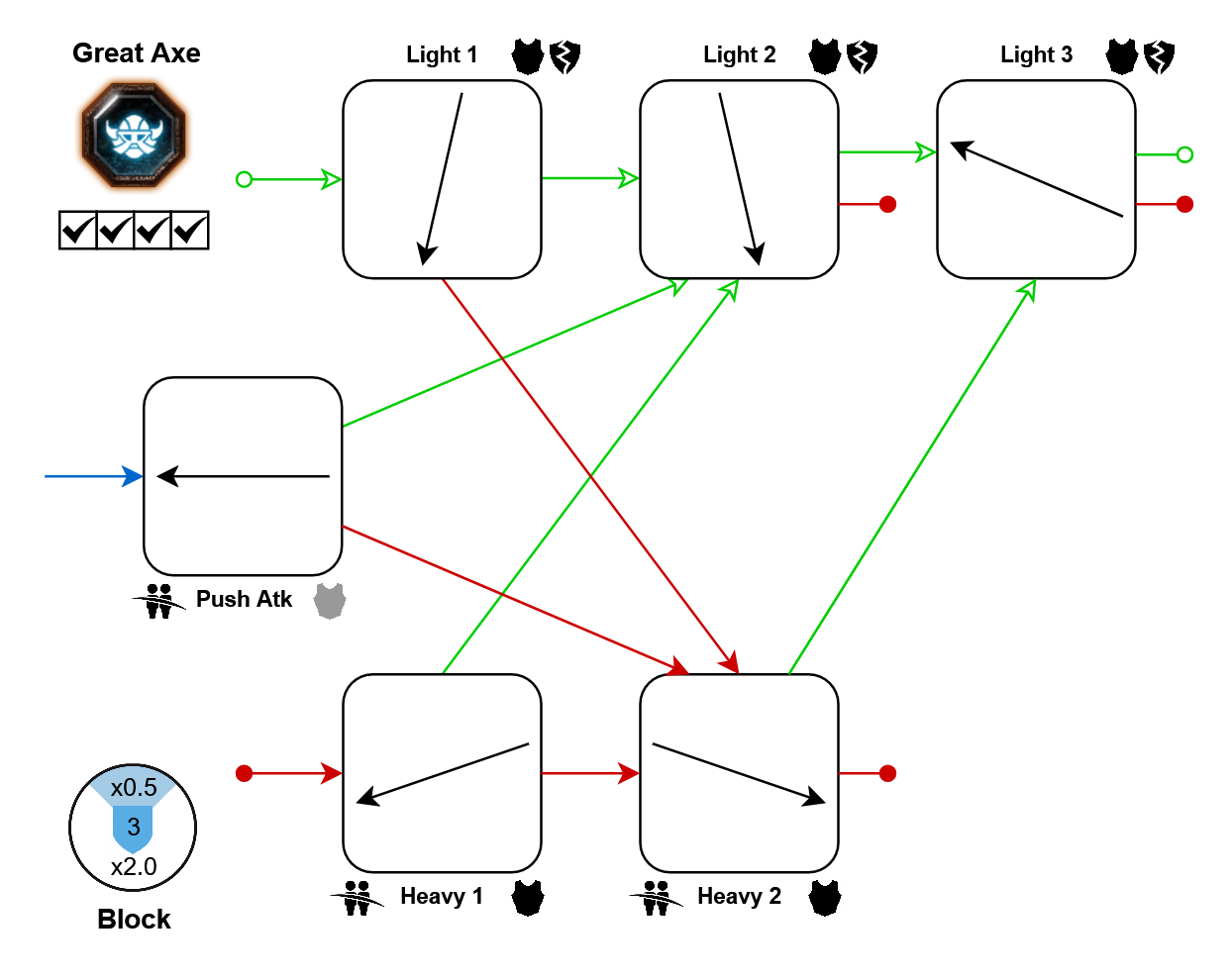
- Light 3: 10%
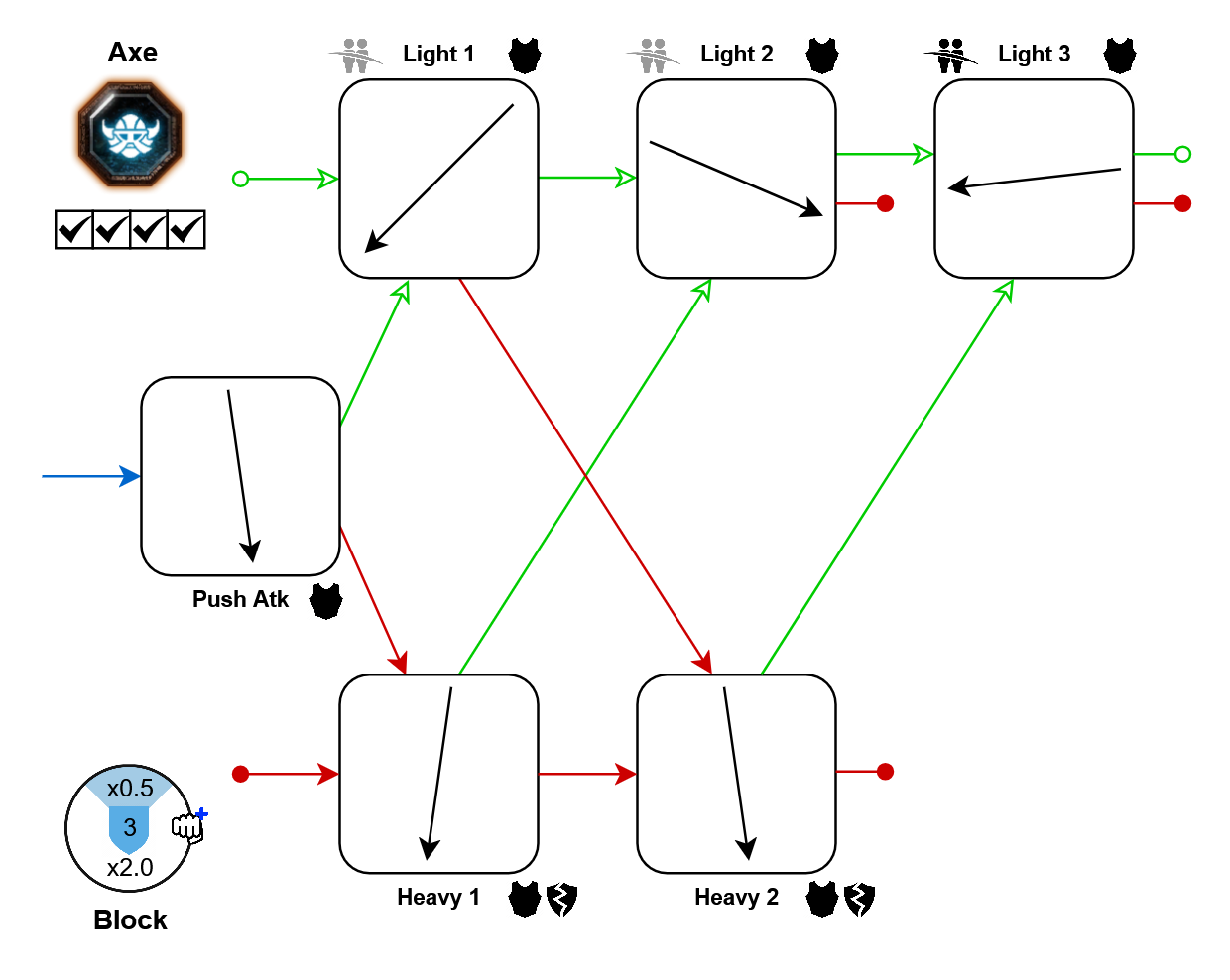
- Push-atk: 10%
- Lights: 10%
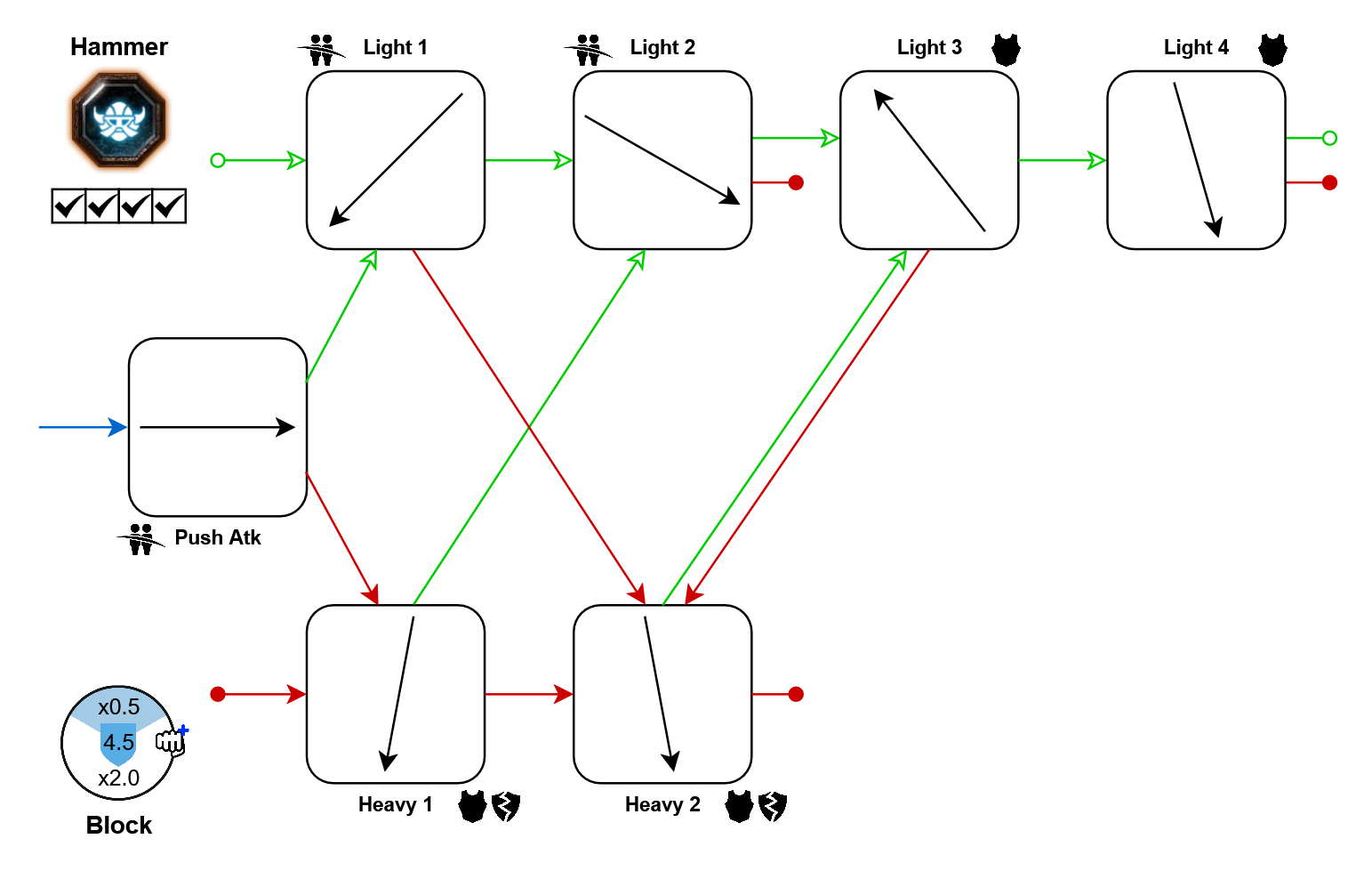
- Light 3: 10%
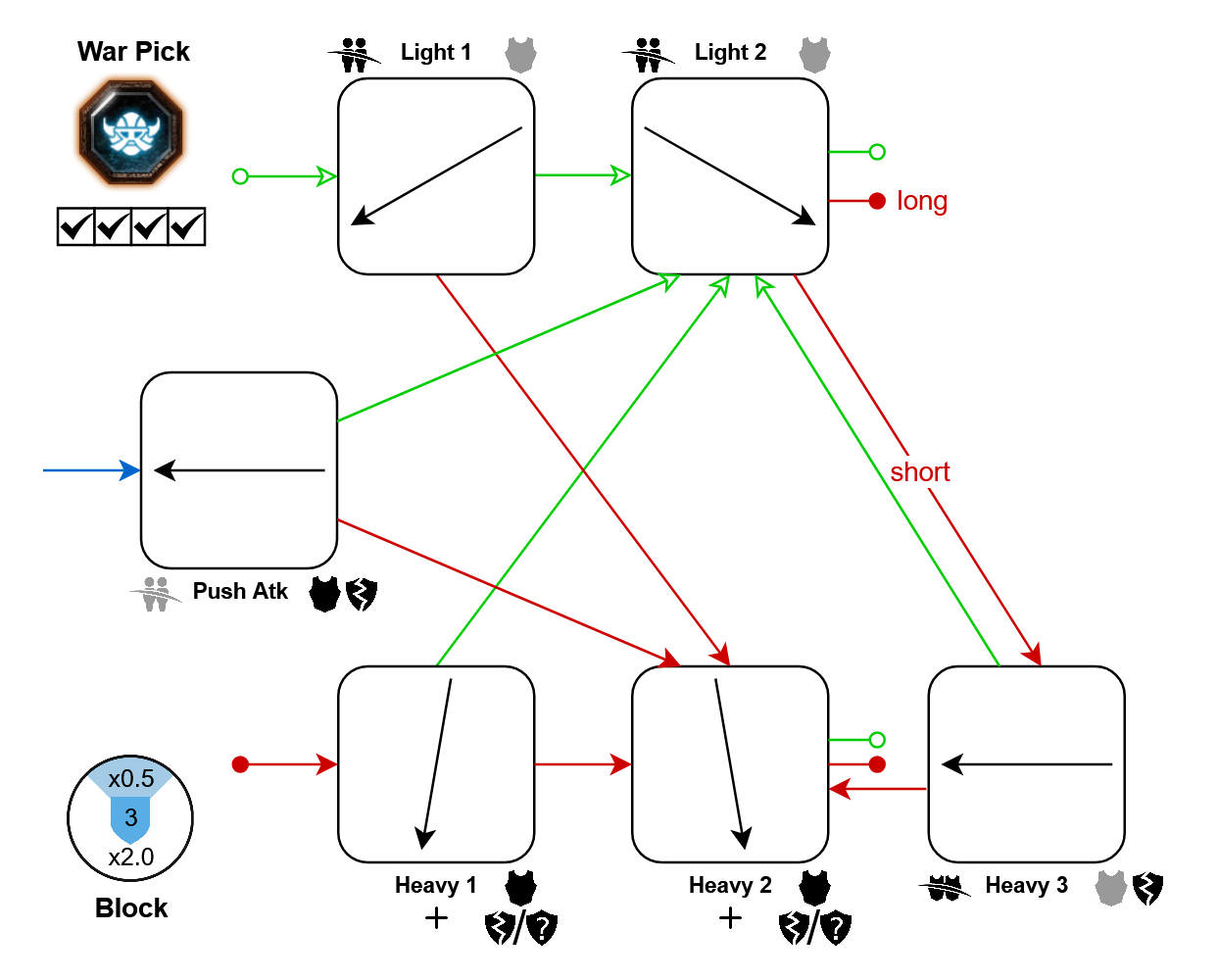
- Lights: 10%
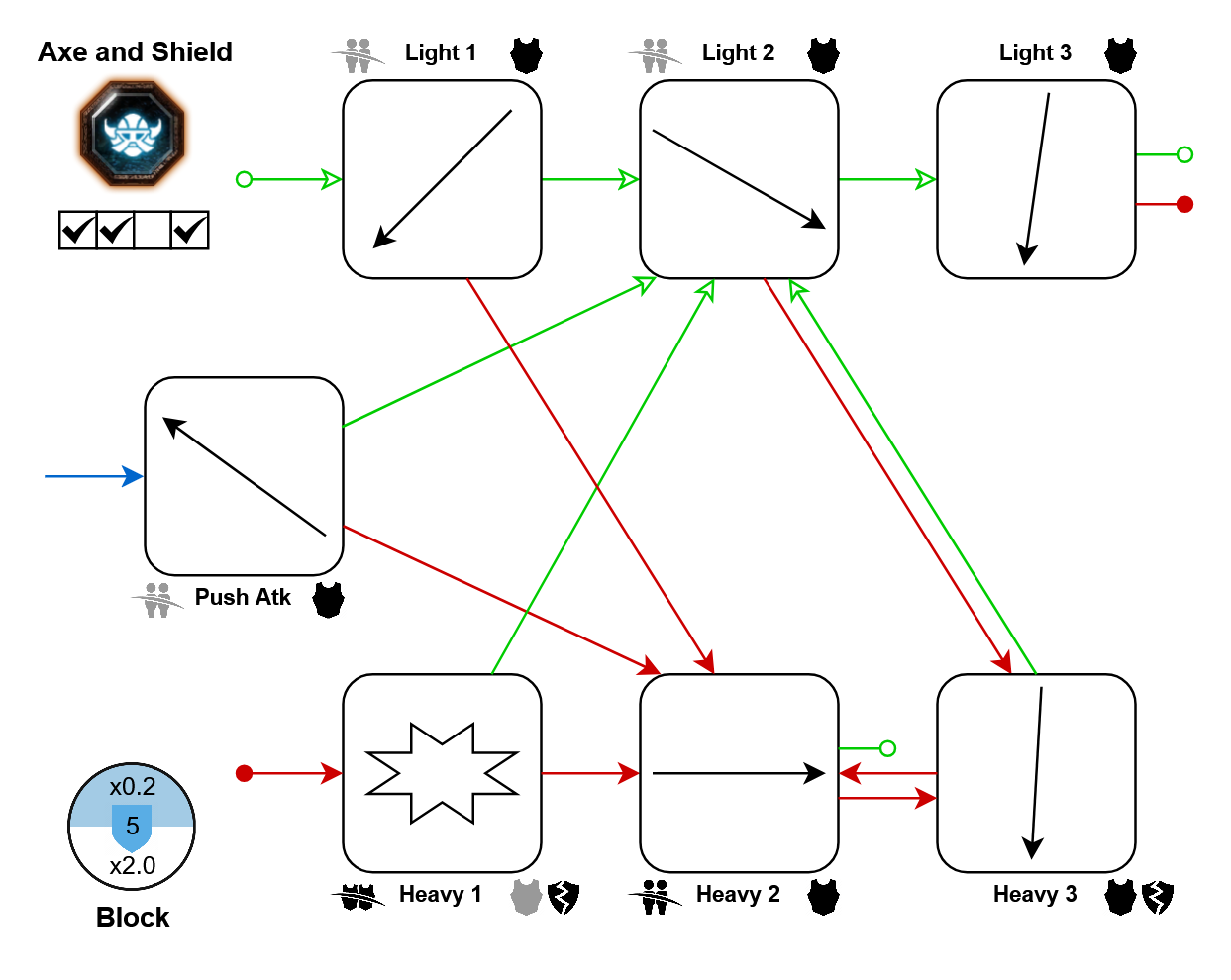
- Push-atk: 20%
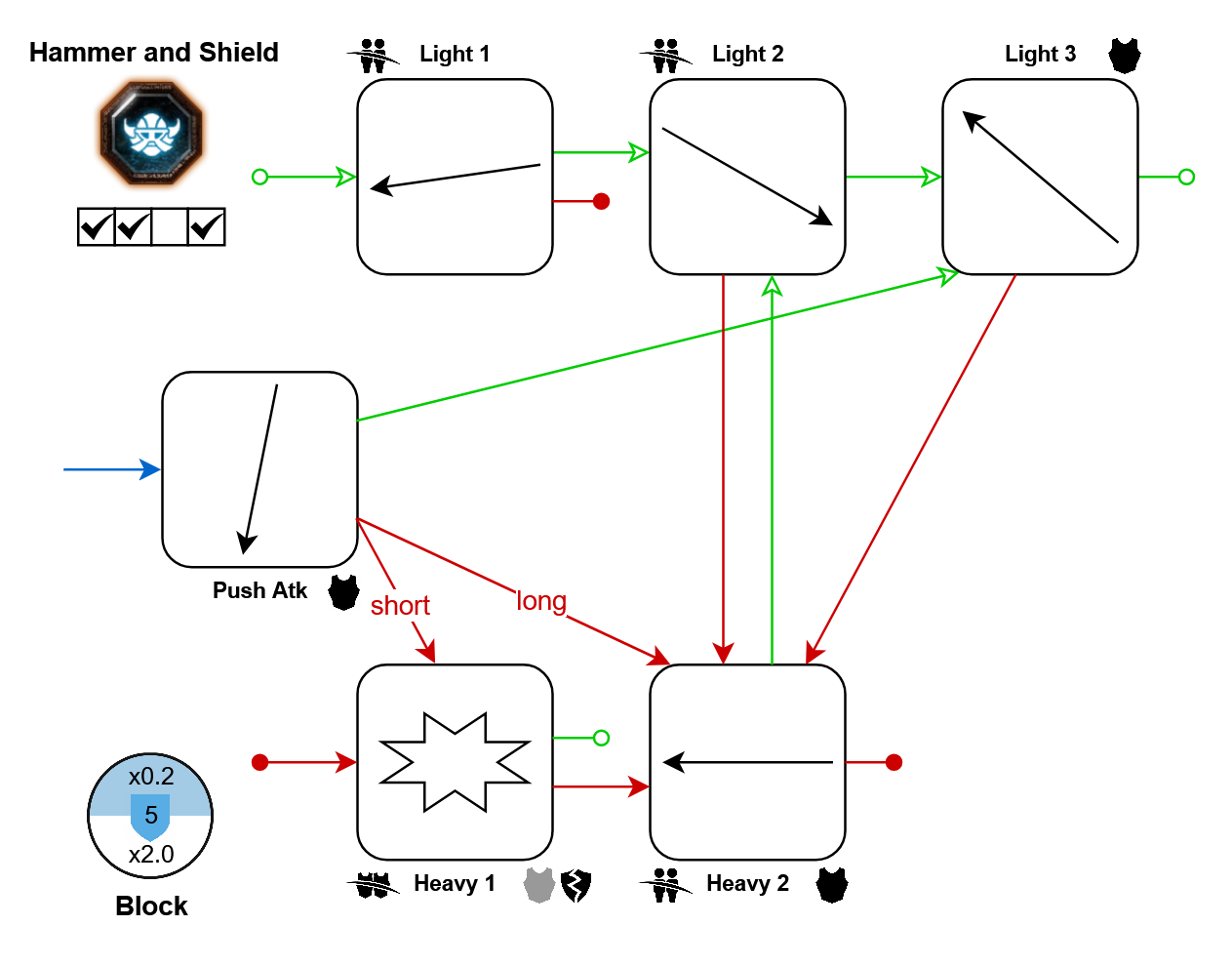
- Light 3: 10%
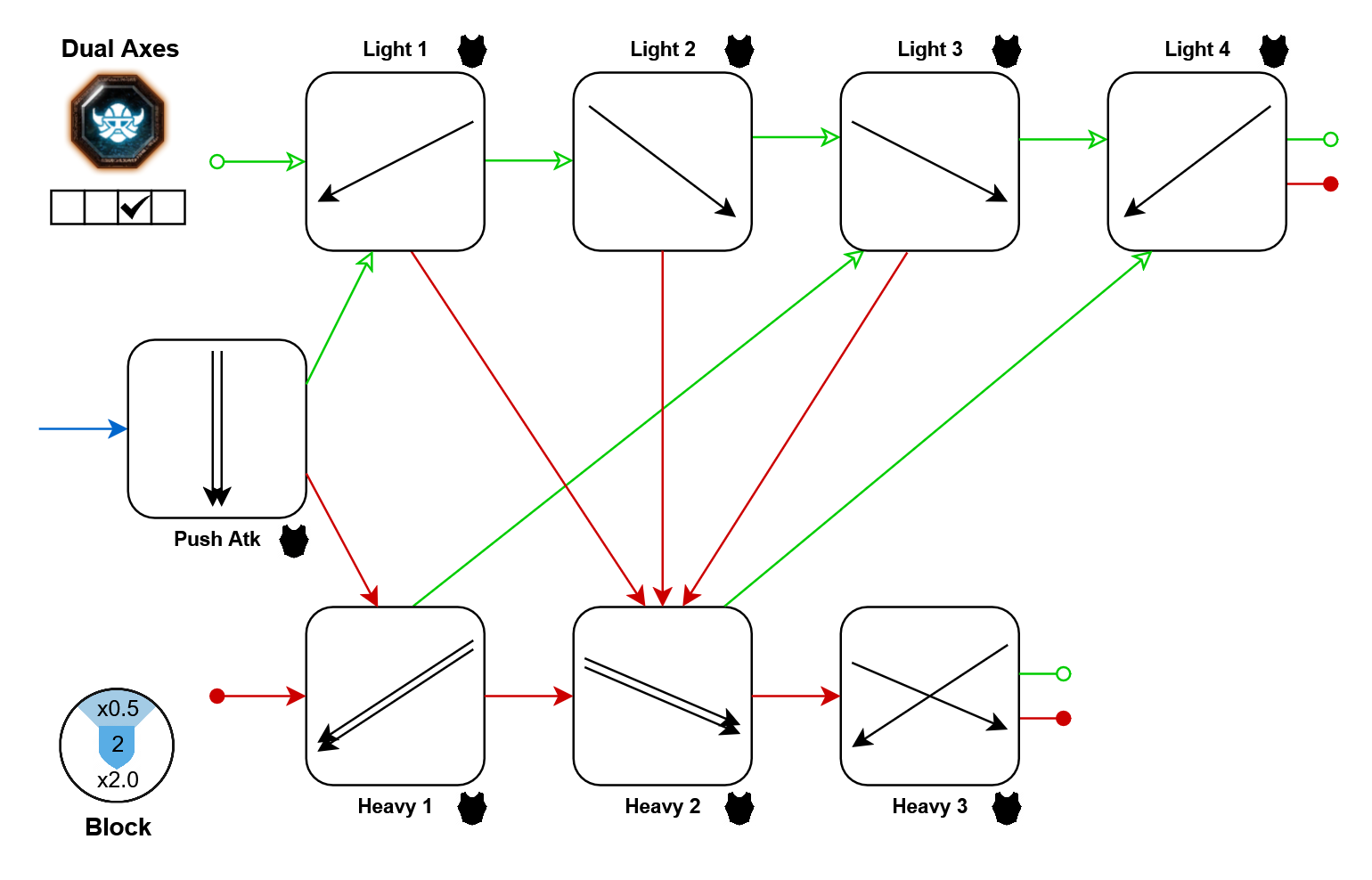
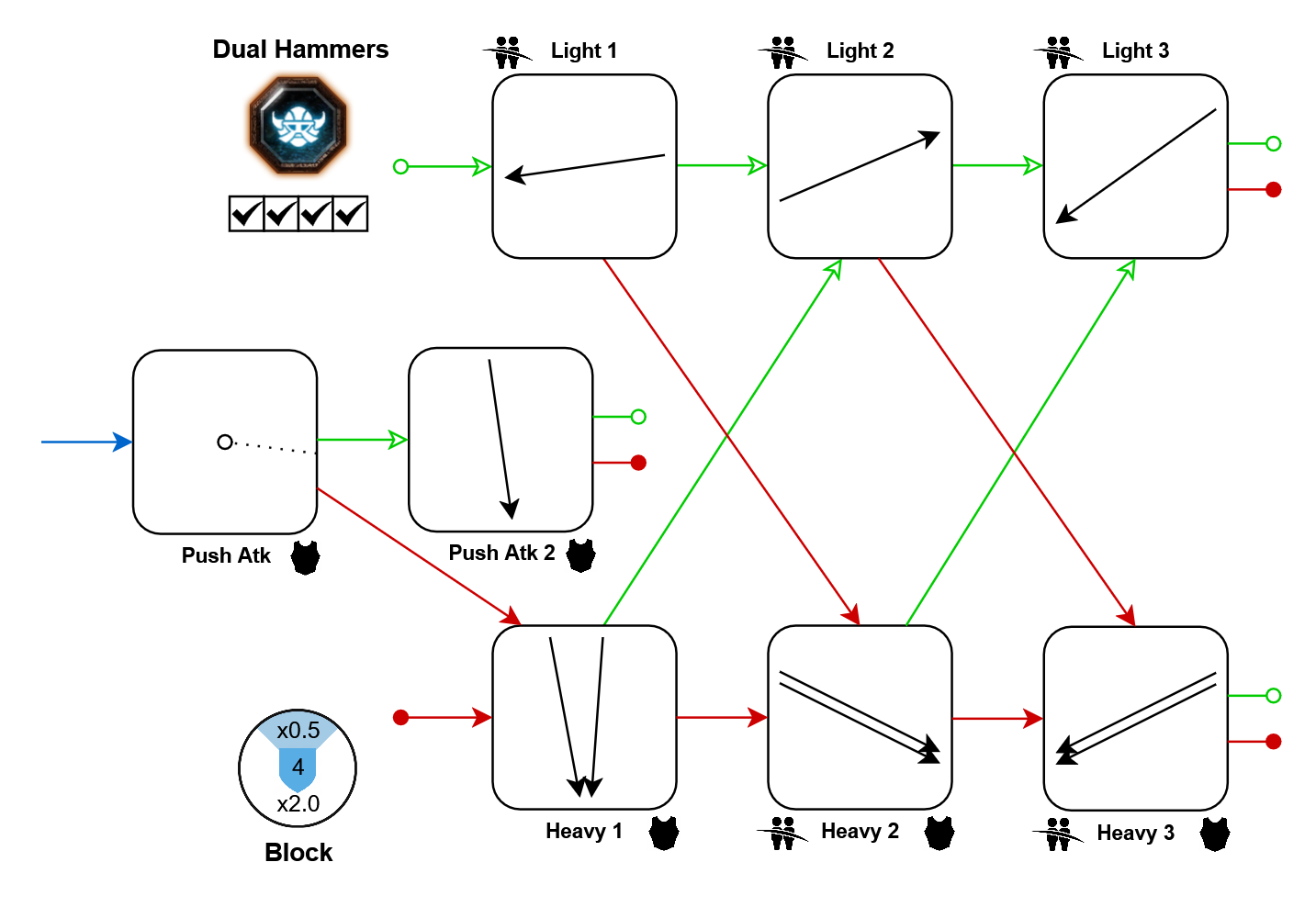
Movement tech: In further resources
Same as: Saltzpyre's Paired Skull-Splitters
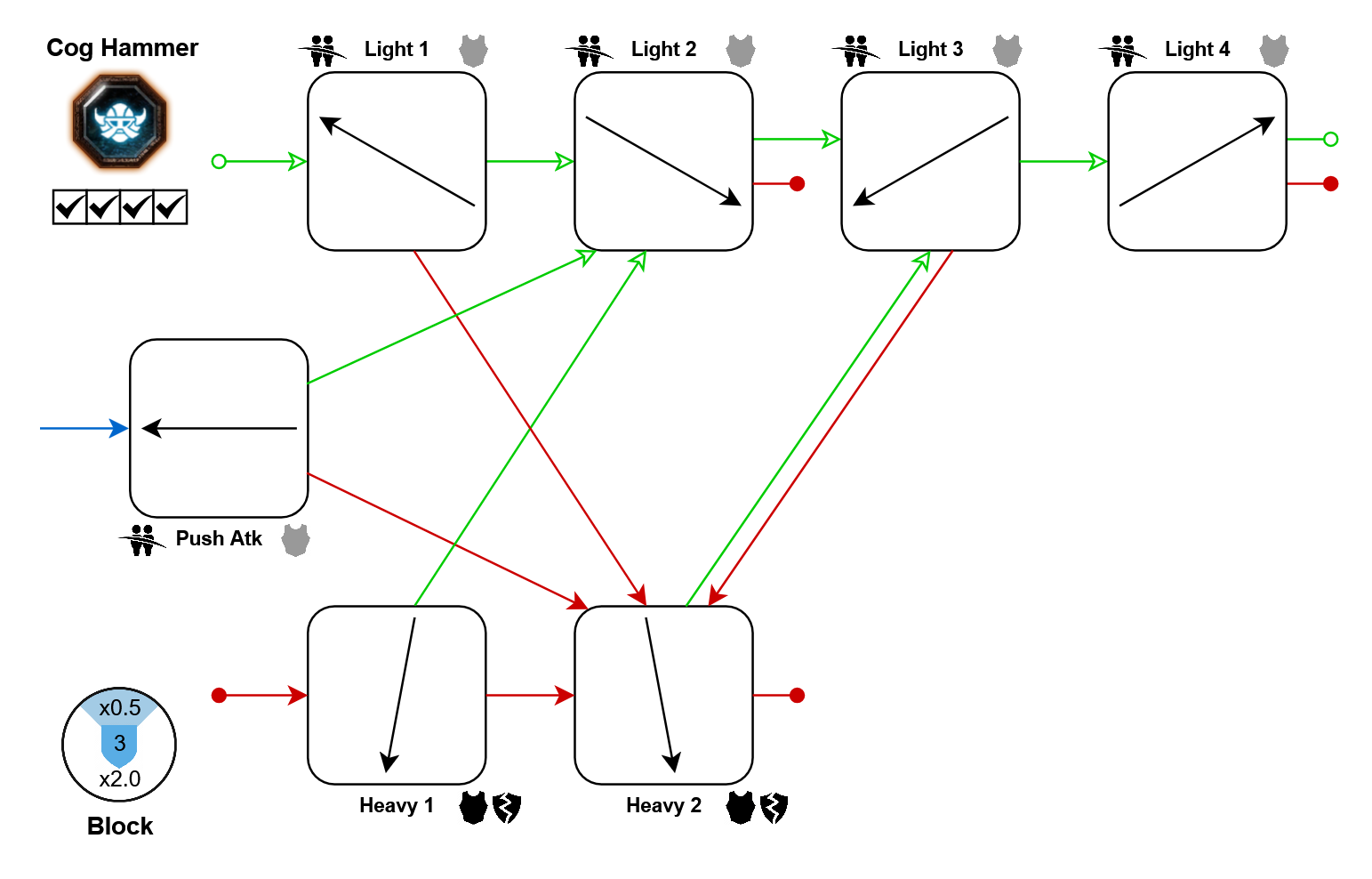
Kerillian
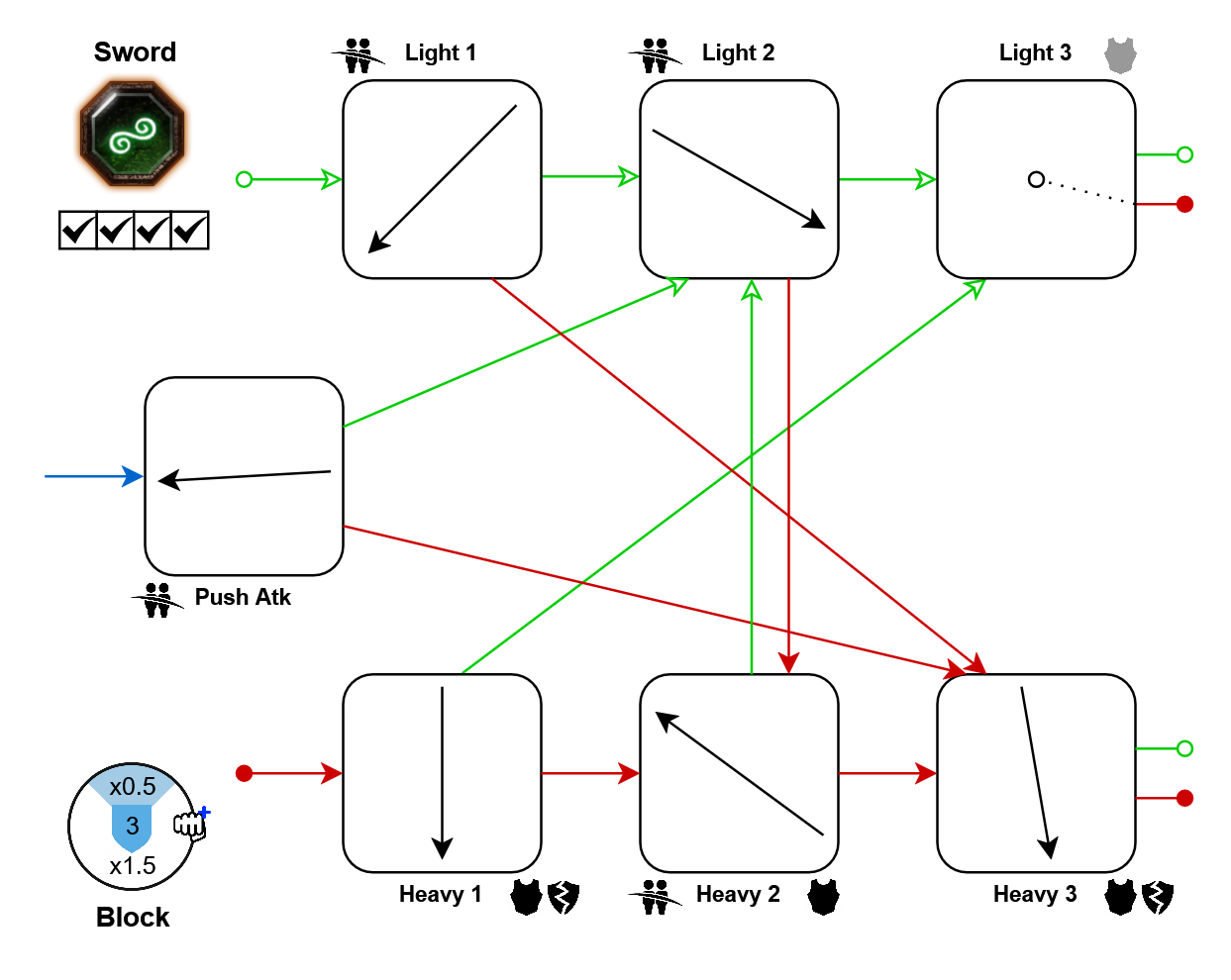
- Heavies: 10%
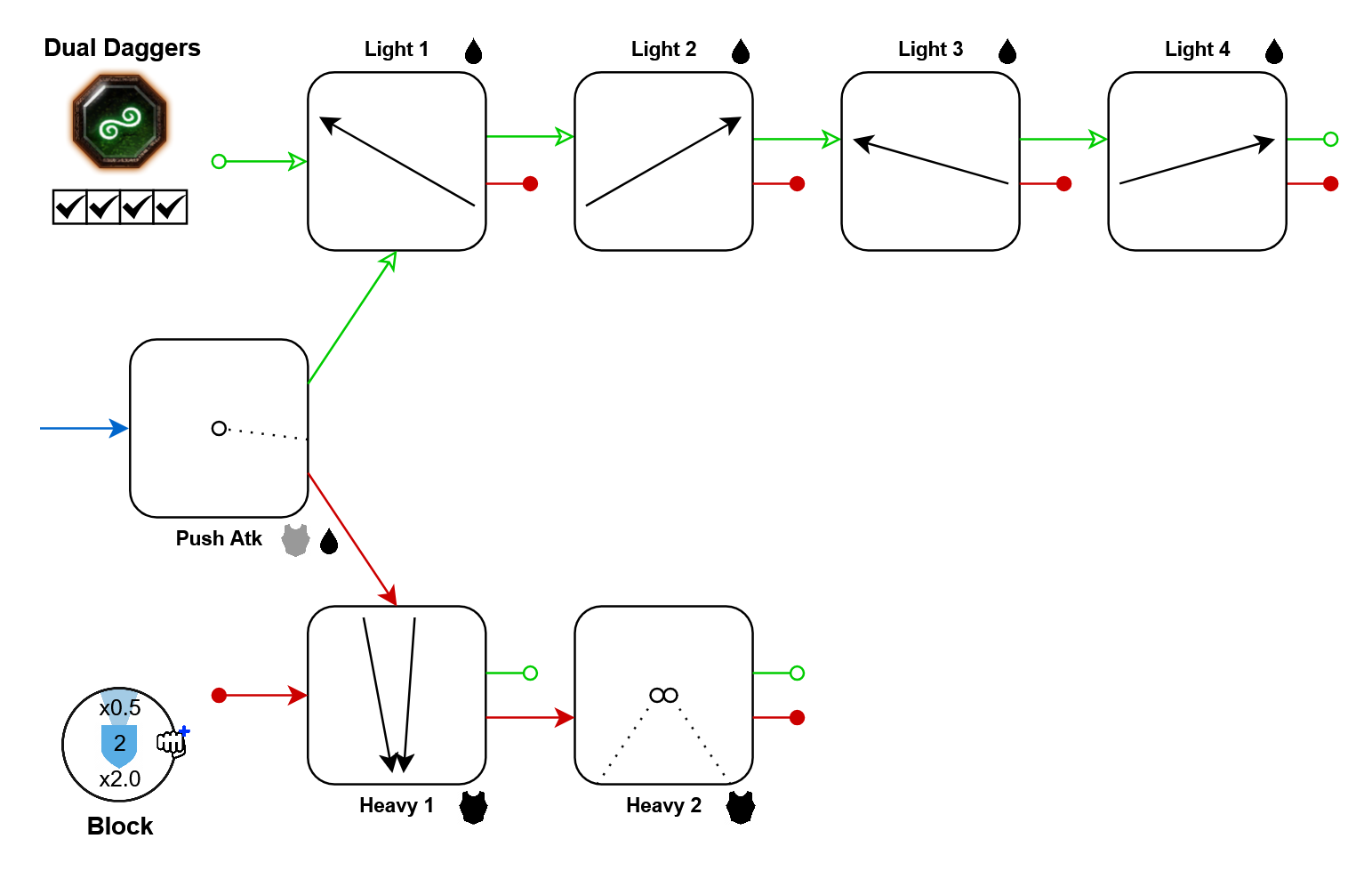
- Push-atk: 10%
- Lights 3+4: 10%
- Heavies: 10%
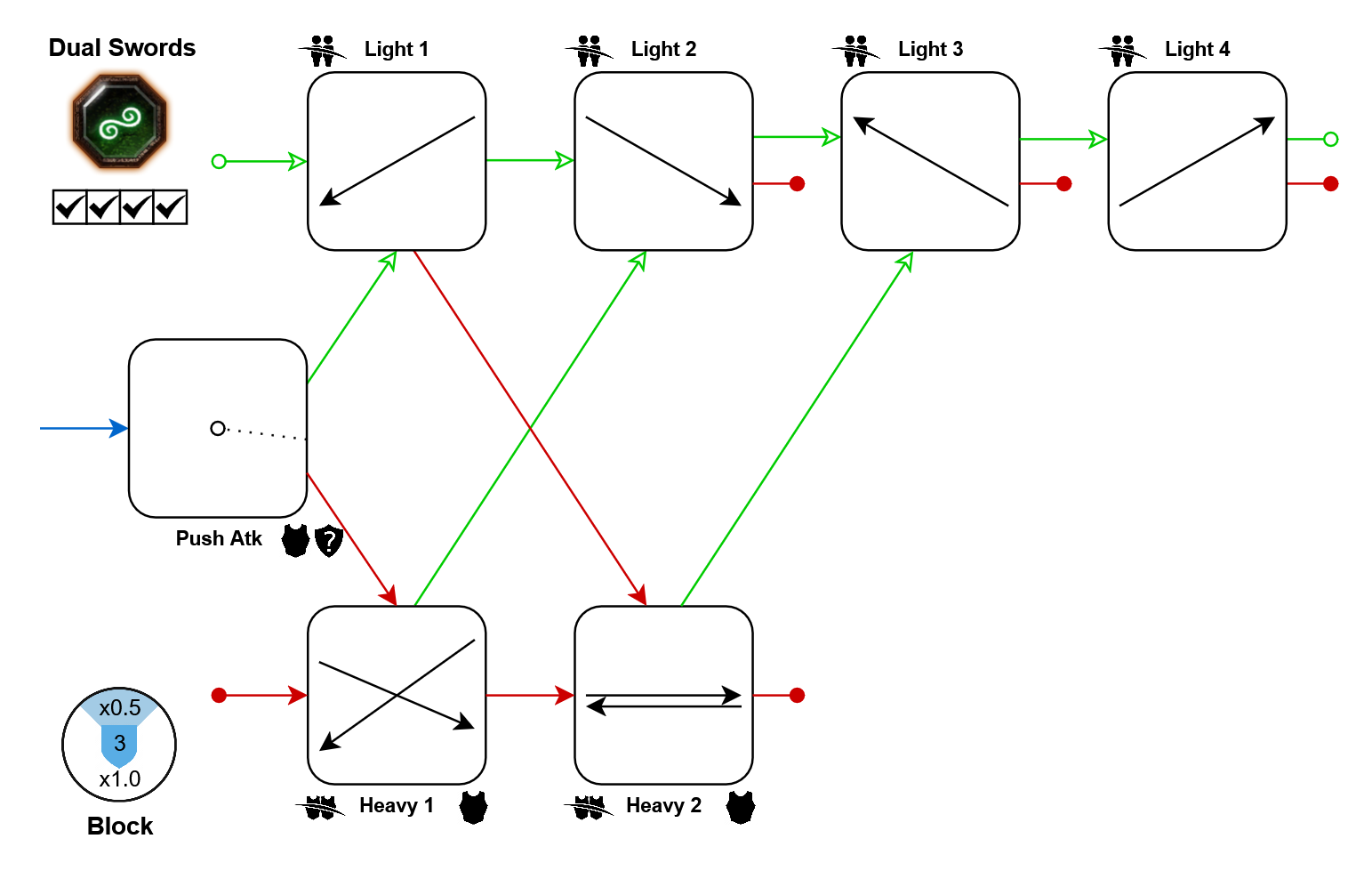
- Push-atk: 10%
- Light 3: 25%
- Light 4: 50%
Note: Even though it makes no sense, Heavy 1 hits like two cleaving swords, while Heavy 2 hits like two armor-piercing daggers, and not a mix of both.
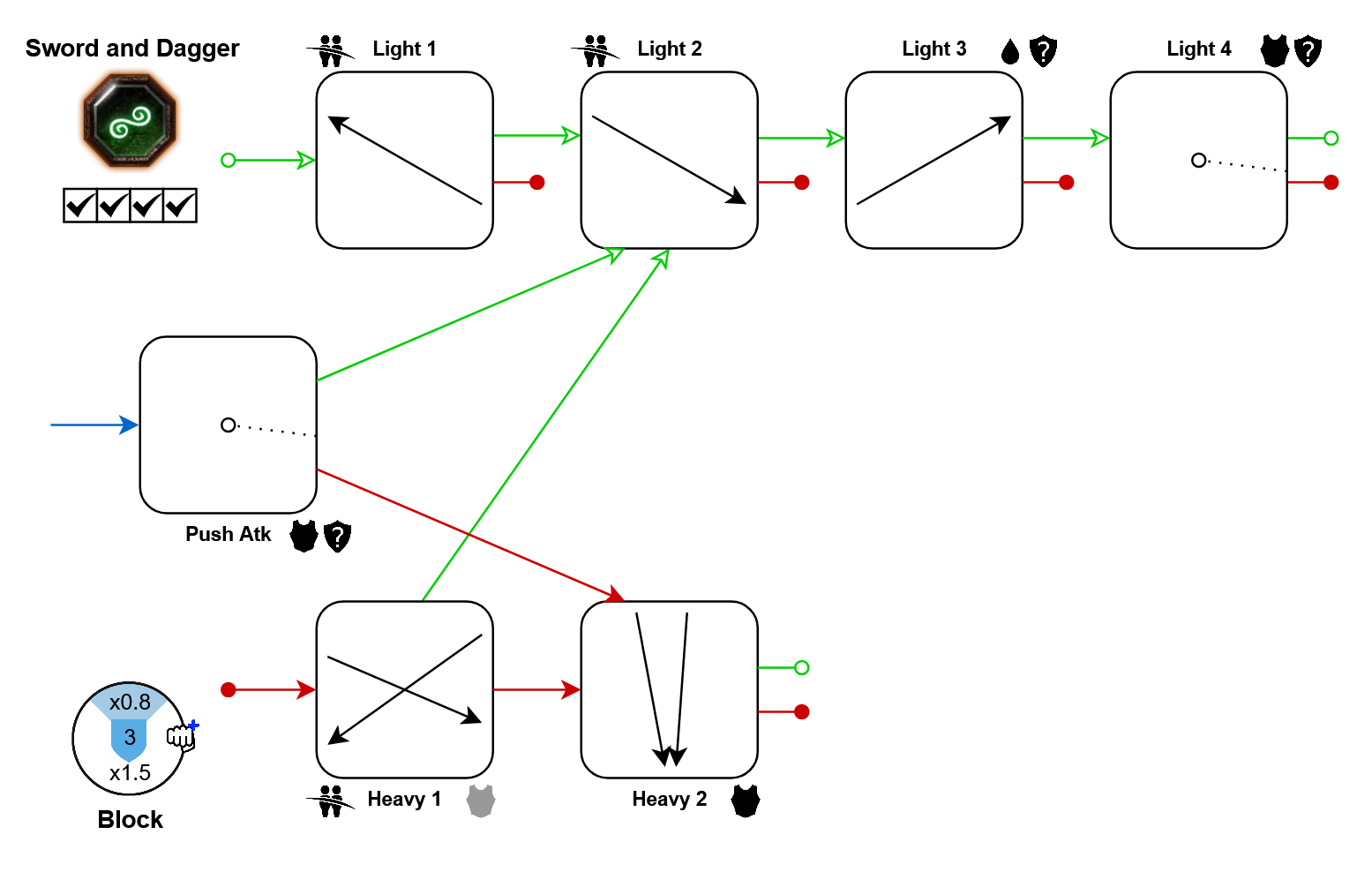
- Push-atk: 10%
- Lights 3+4: 10%
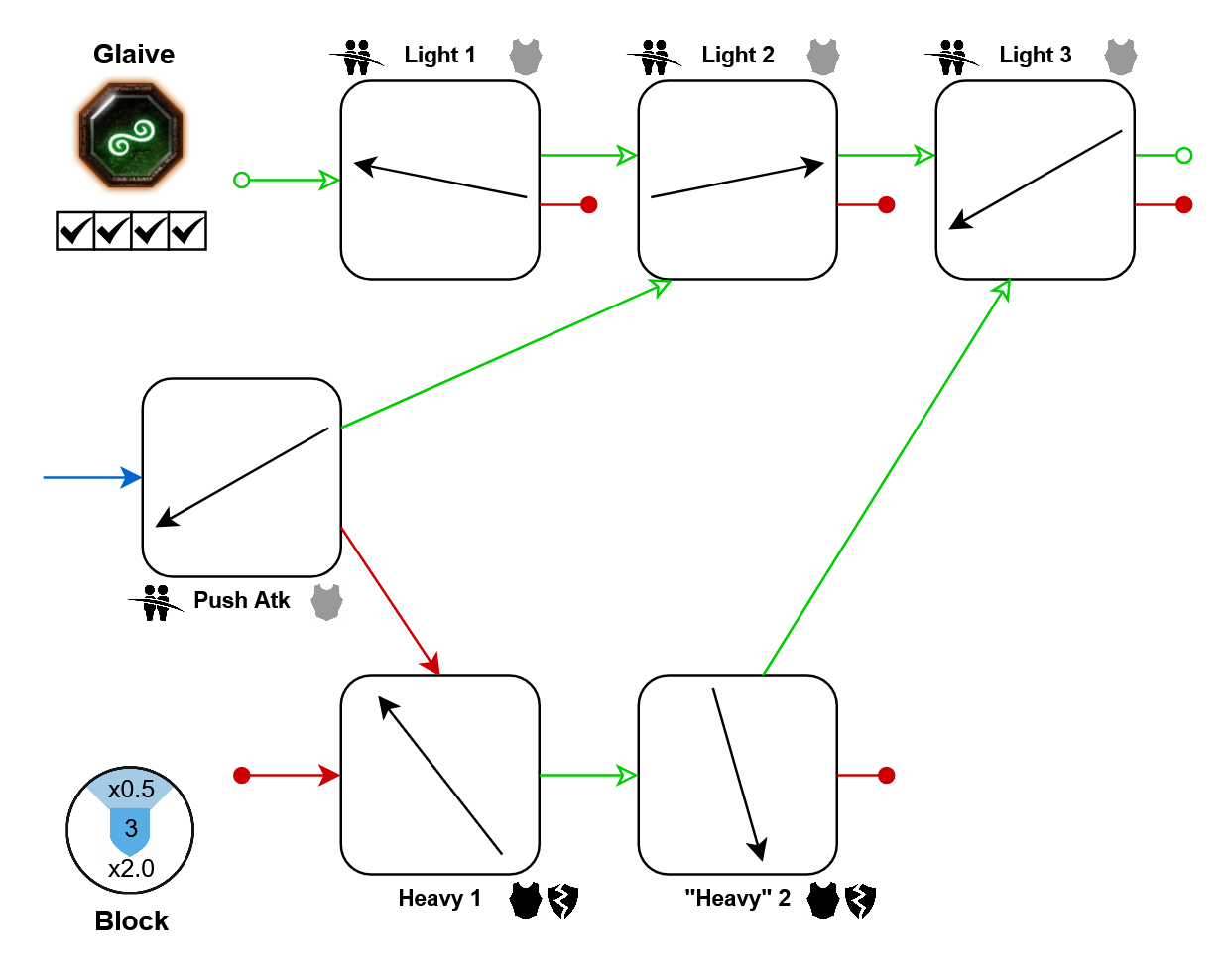
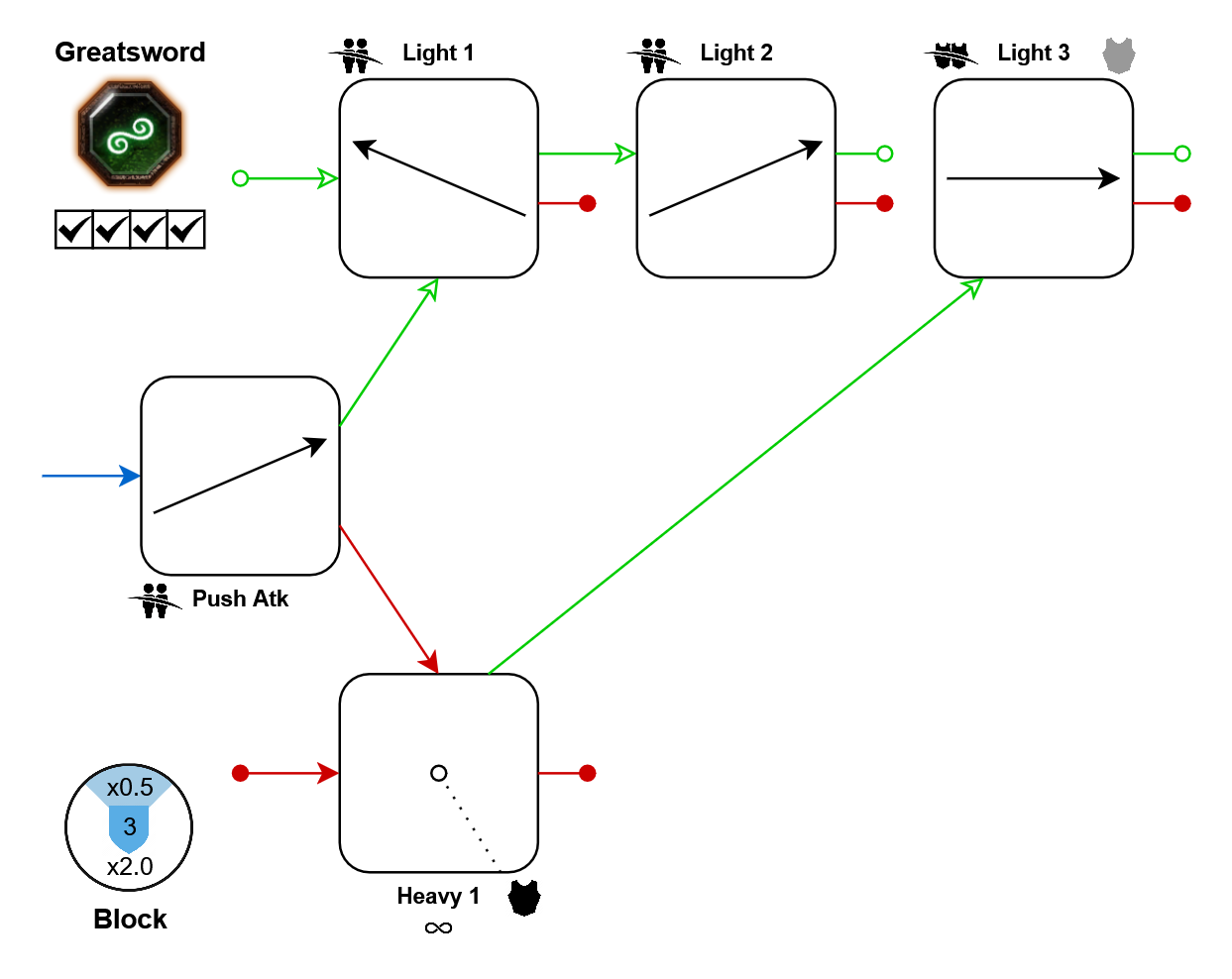
- Push-atk: 25%
- Lights: 10%
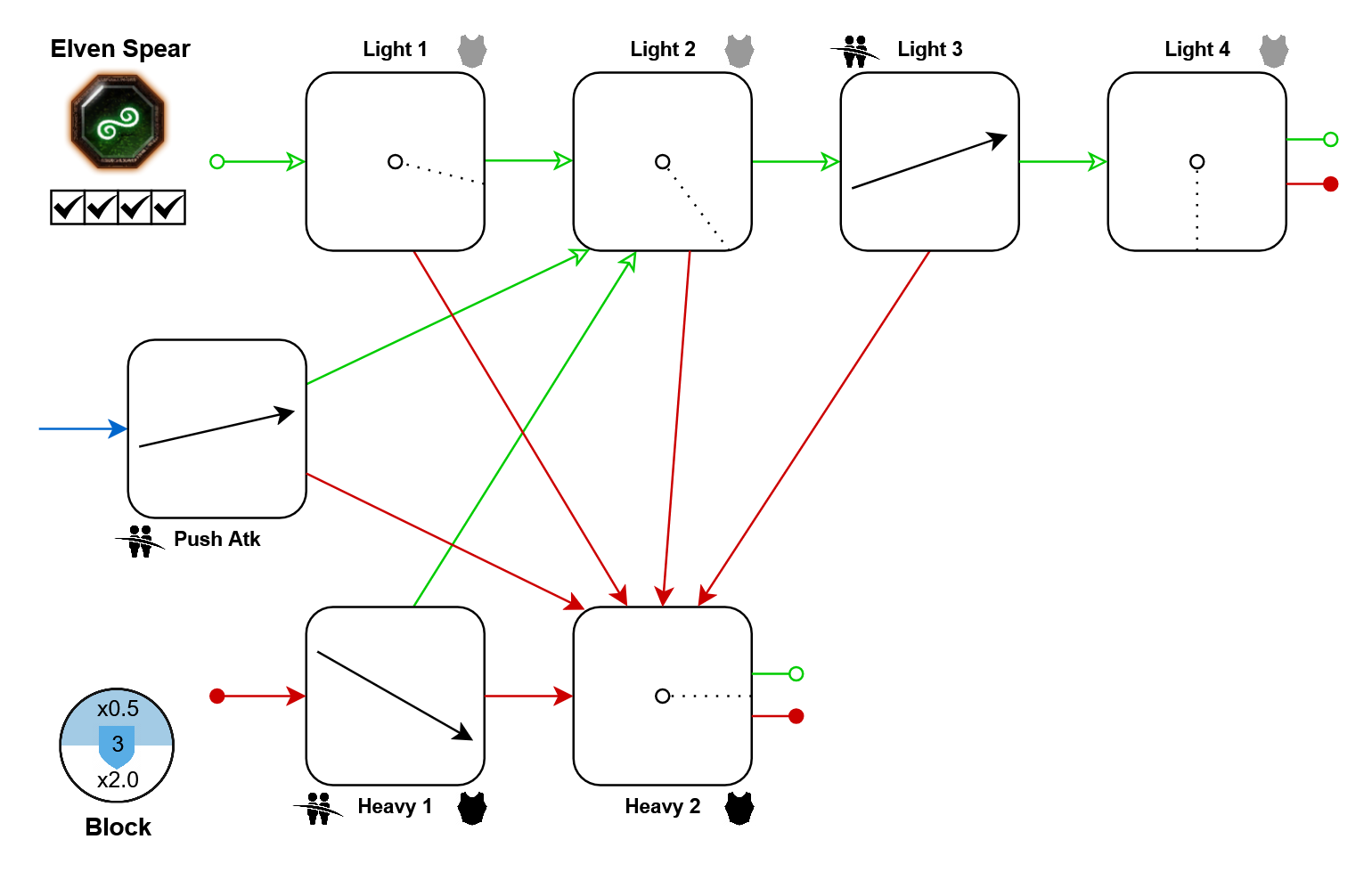
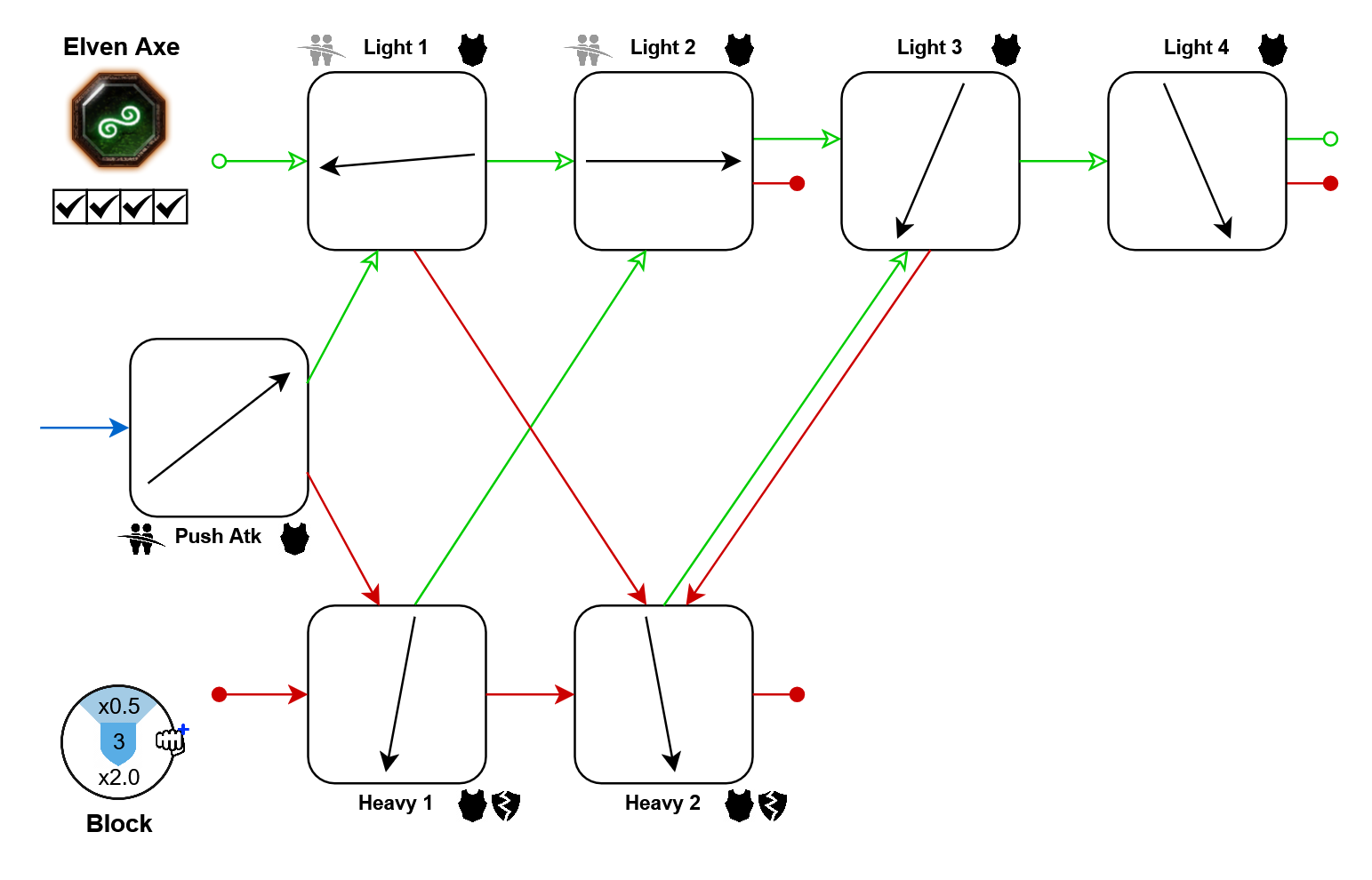
Note: Unlike the other shield weapons, this one does not improve your stamina recovery delay after pushing.
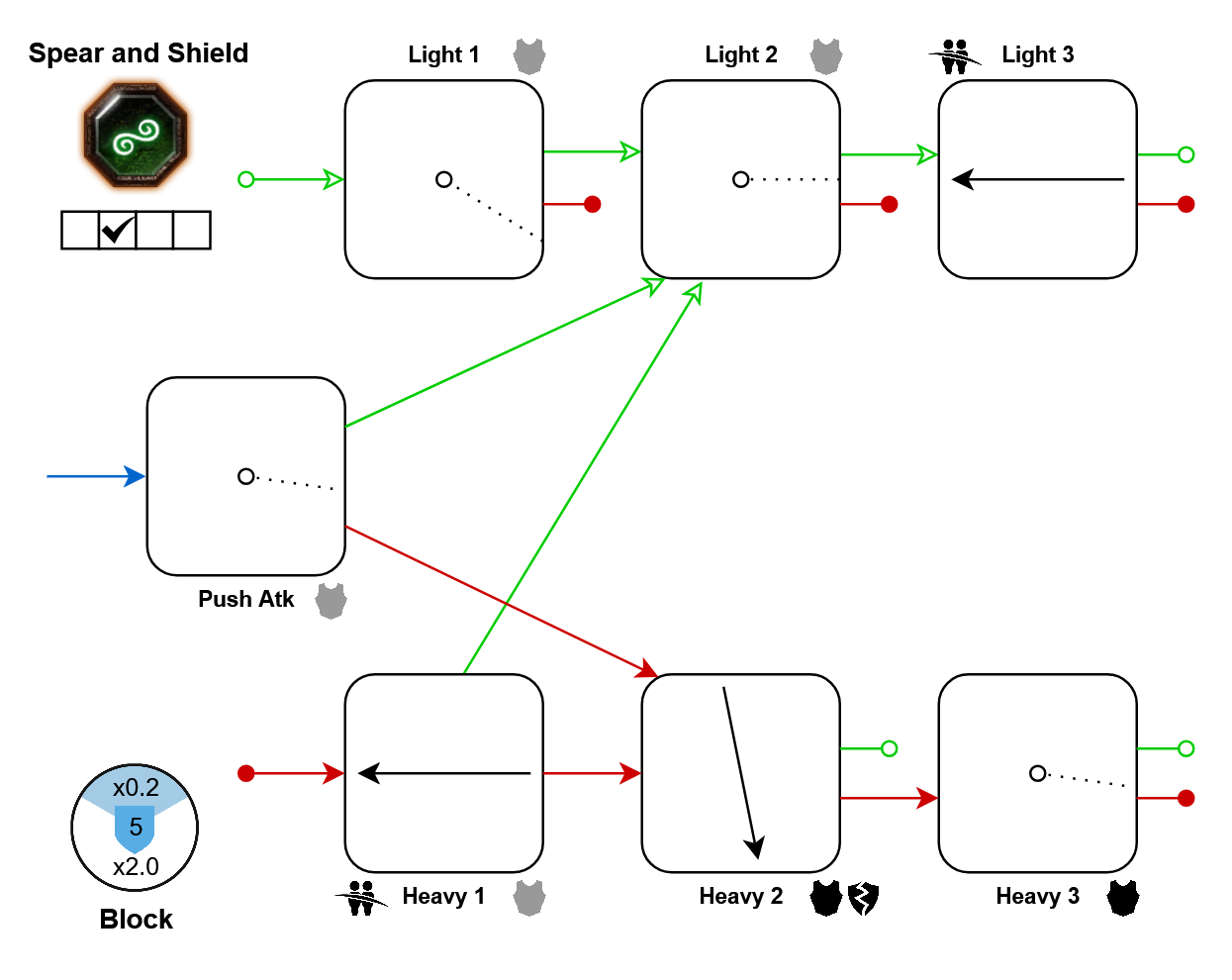
Movement tech: In further resources
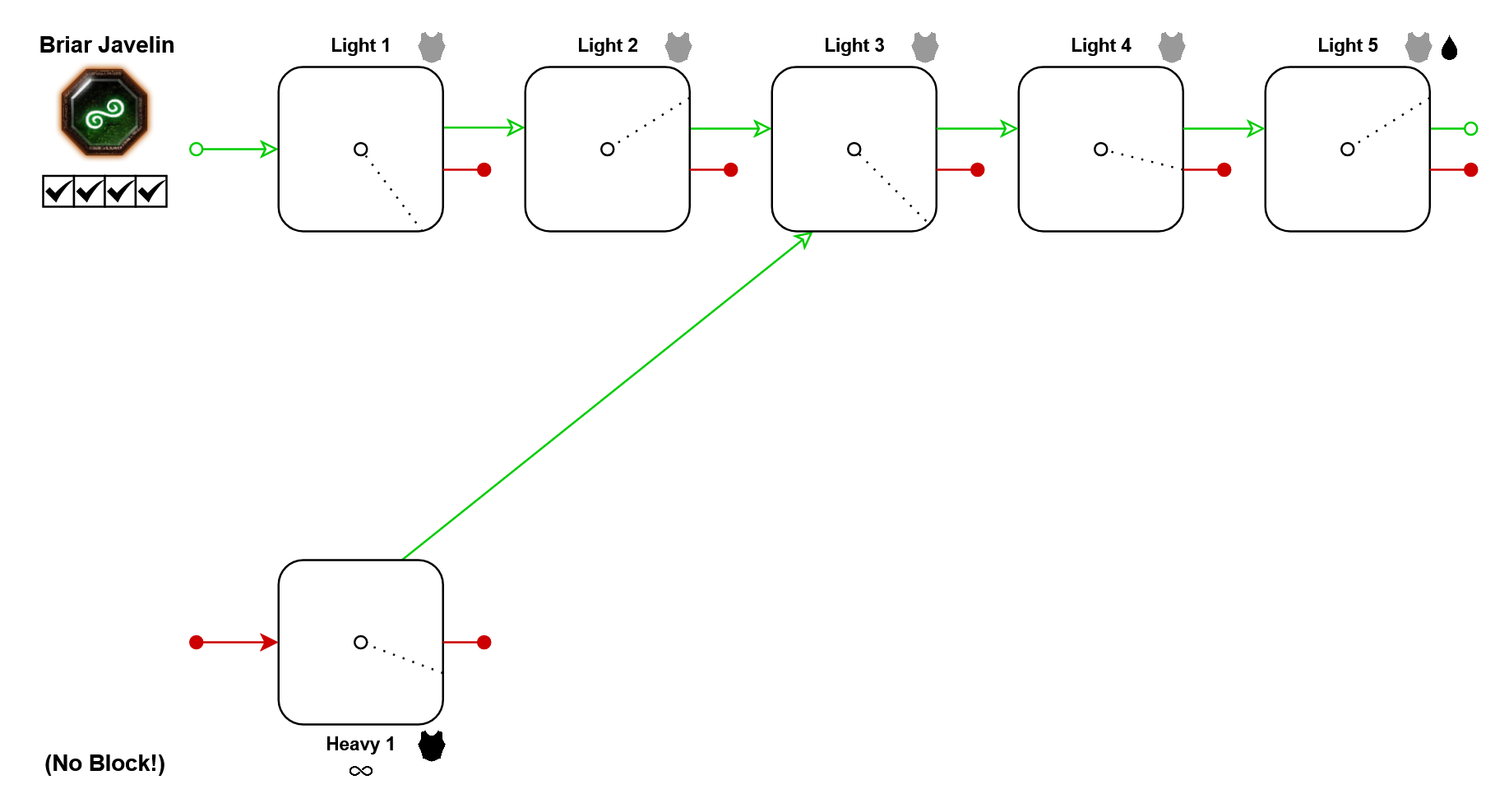
Movement tech: In further resources
Victor Saltzpyre
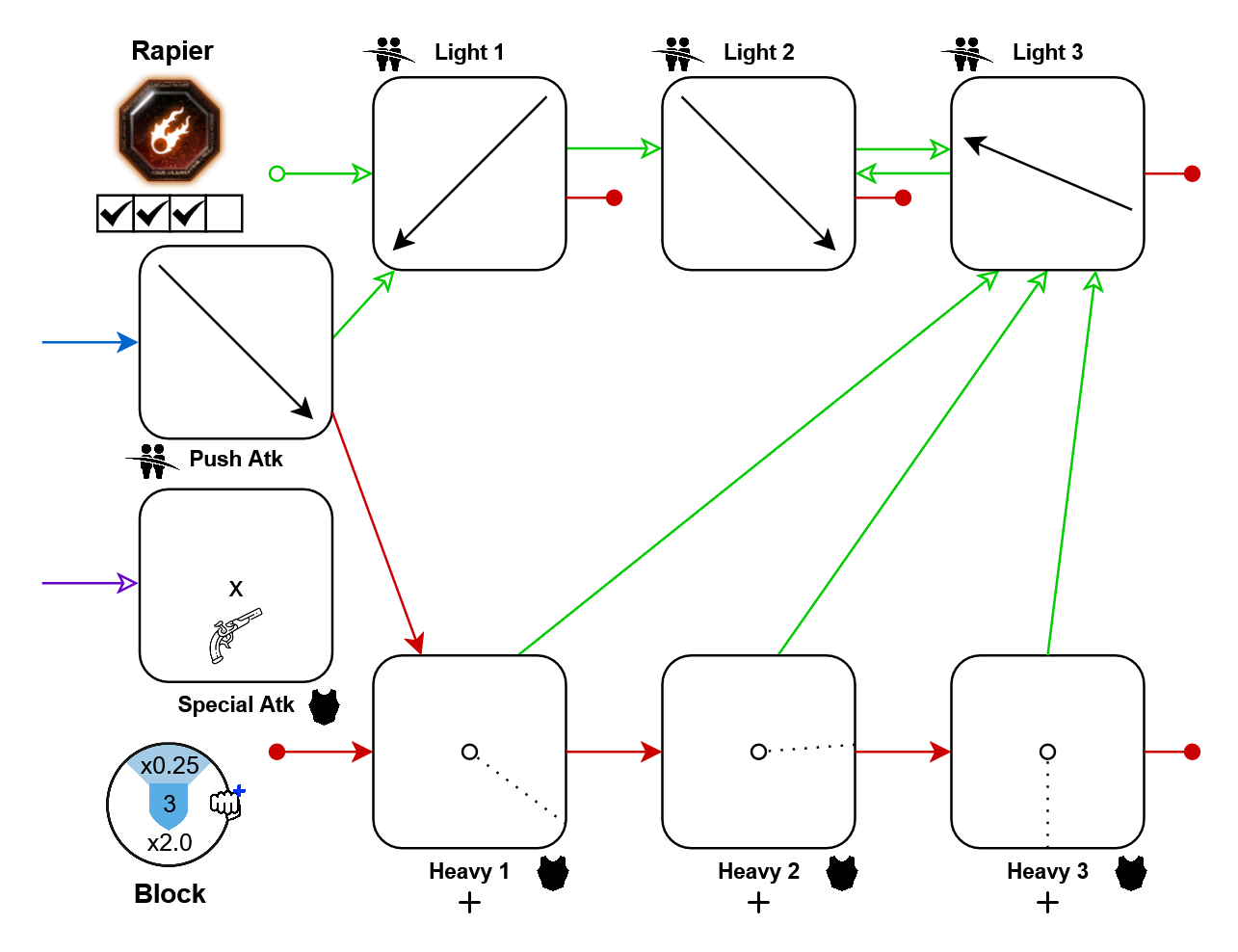
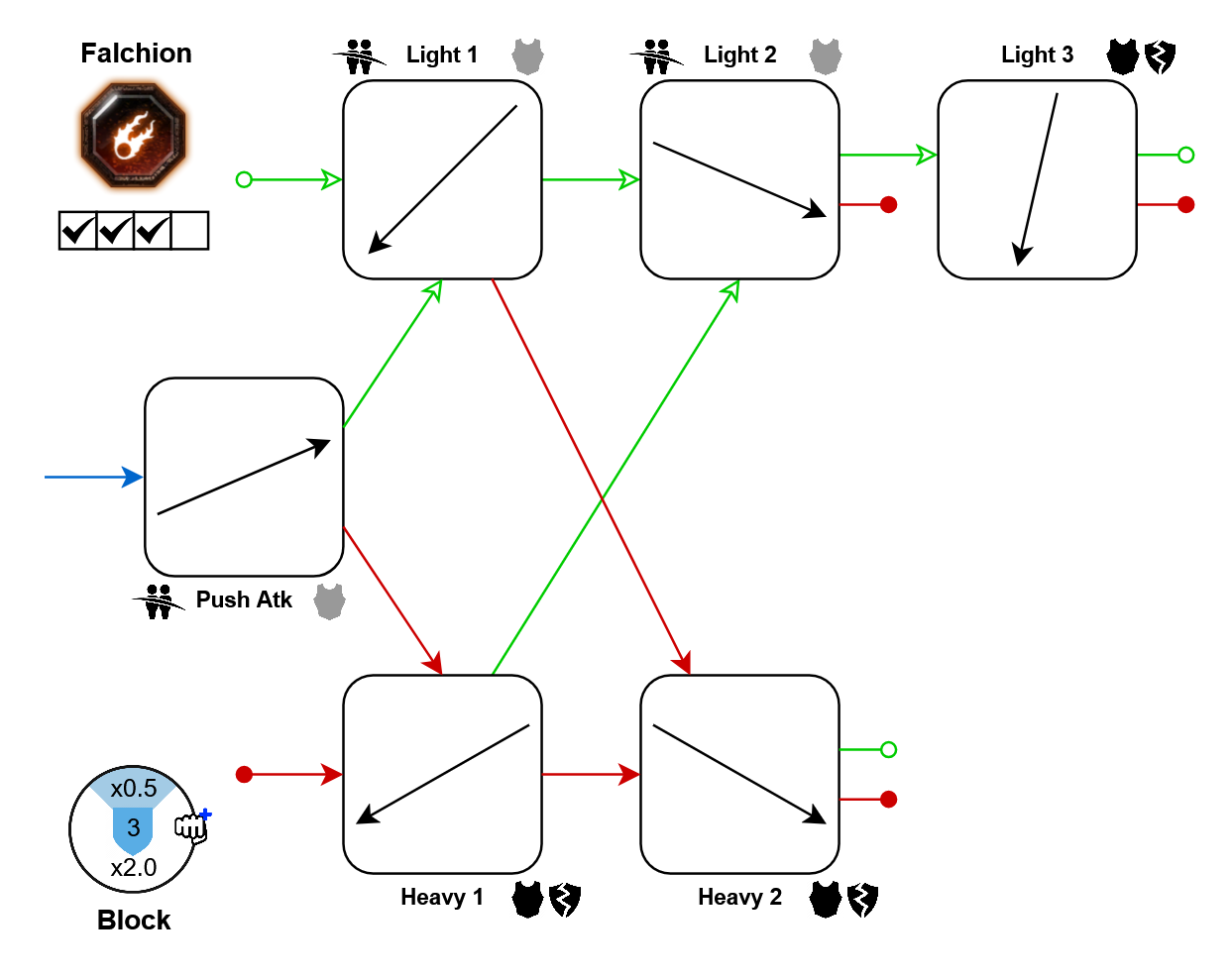
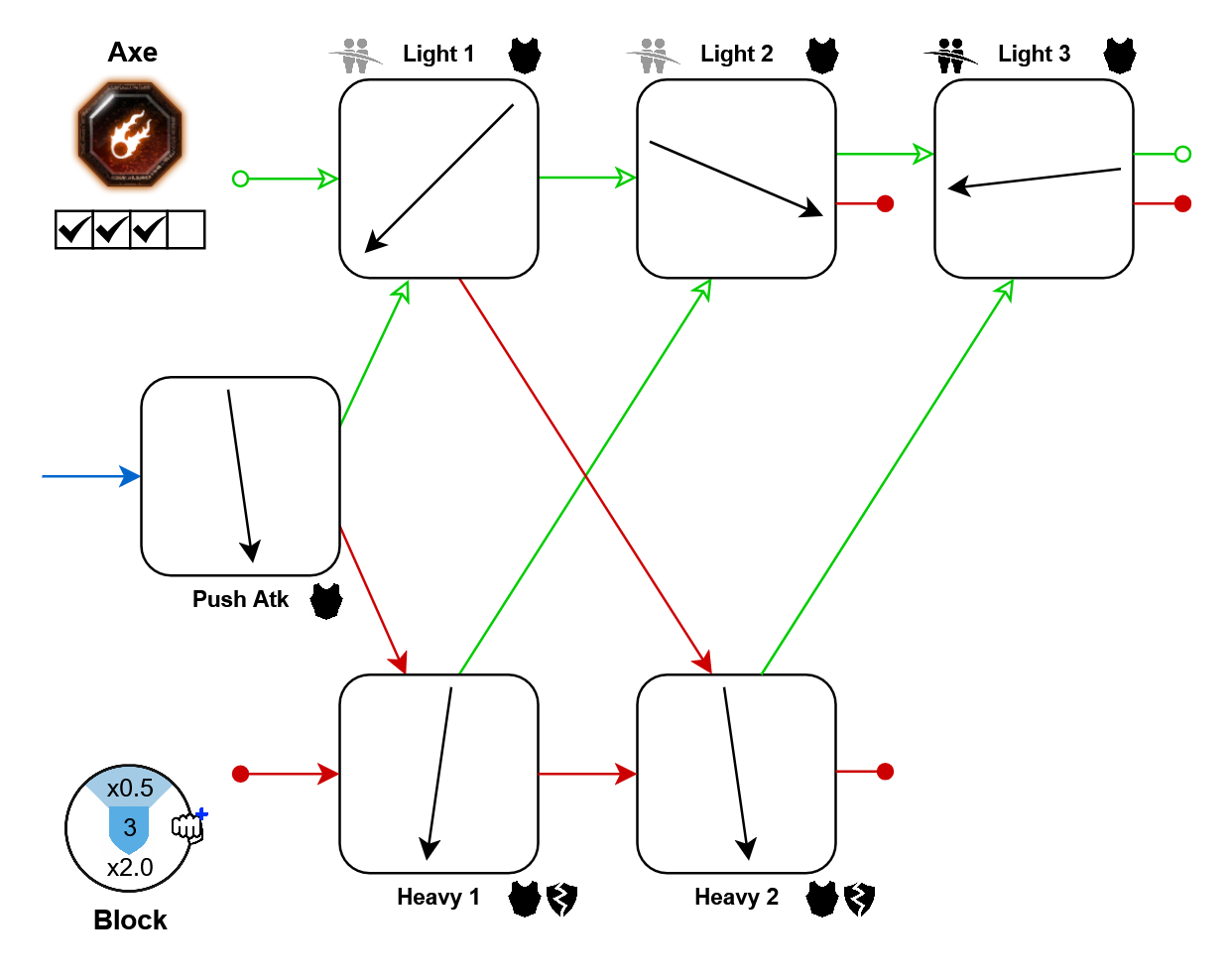
- Push-atk: 10%
- Lights: 10%
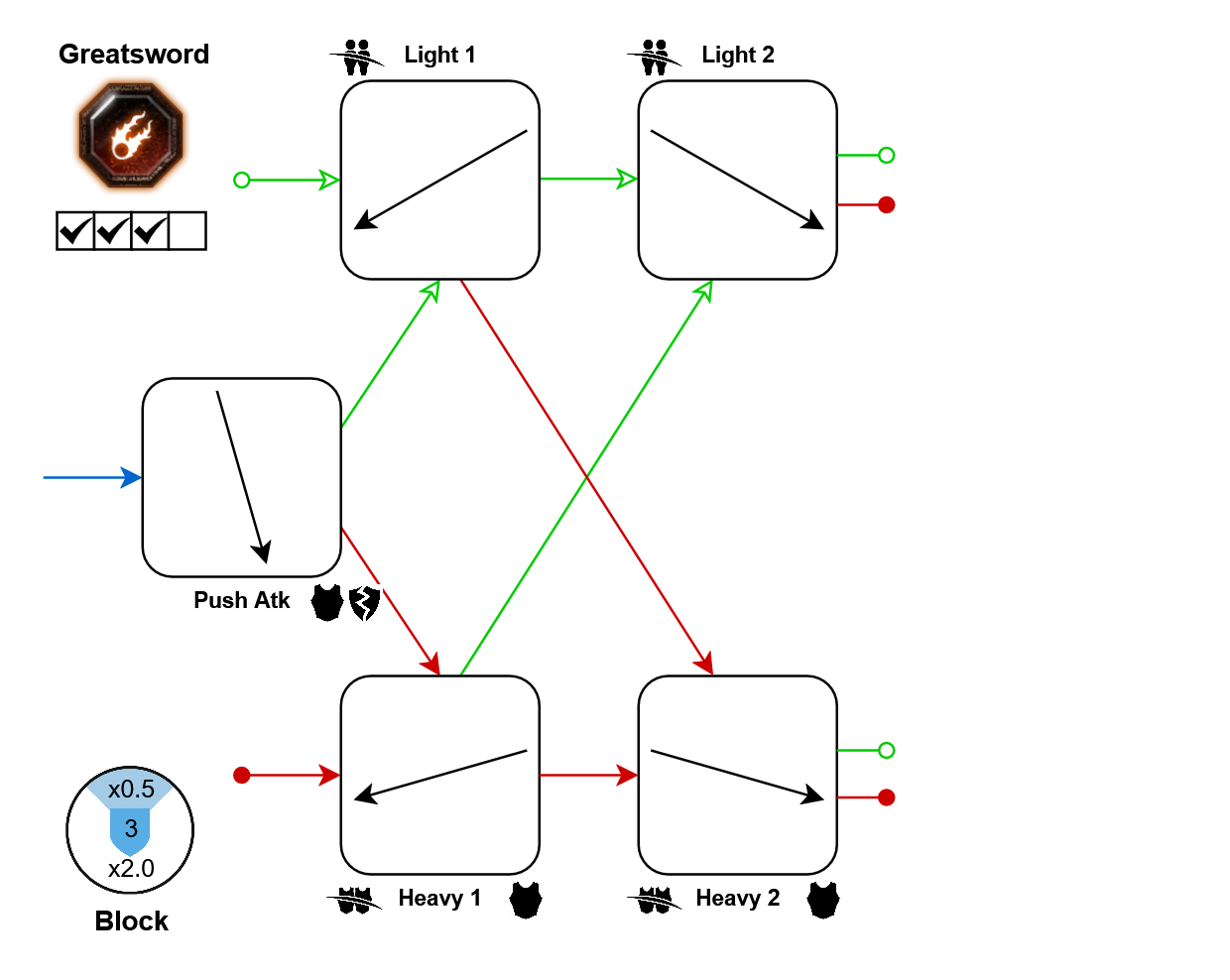
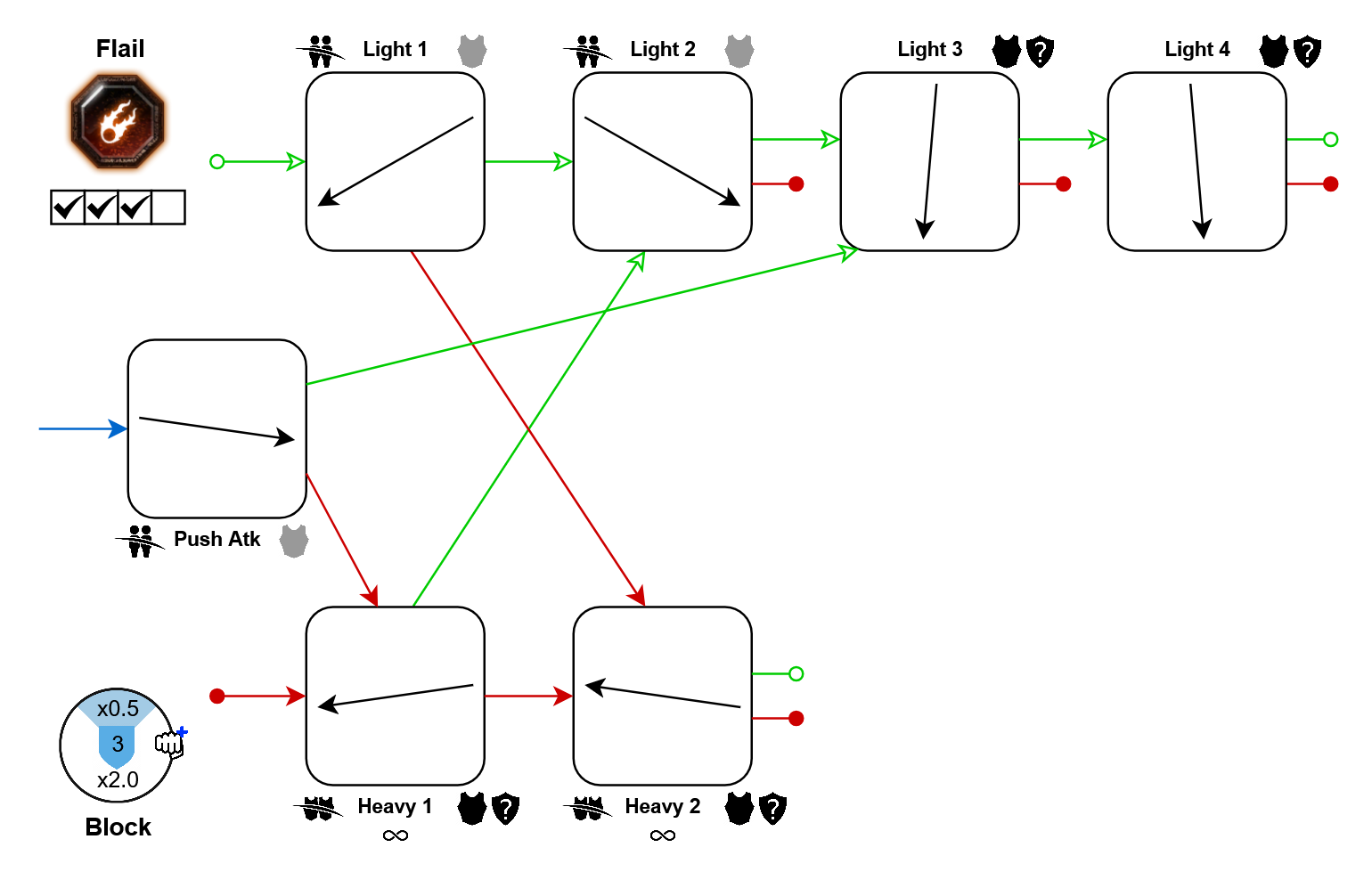
Note: Even though it makes no sense, both your weapons suddenly have the same properties when heavy attacking.
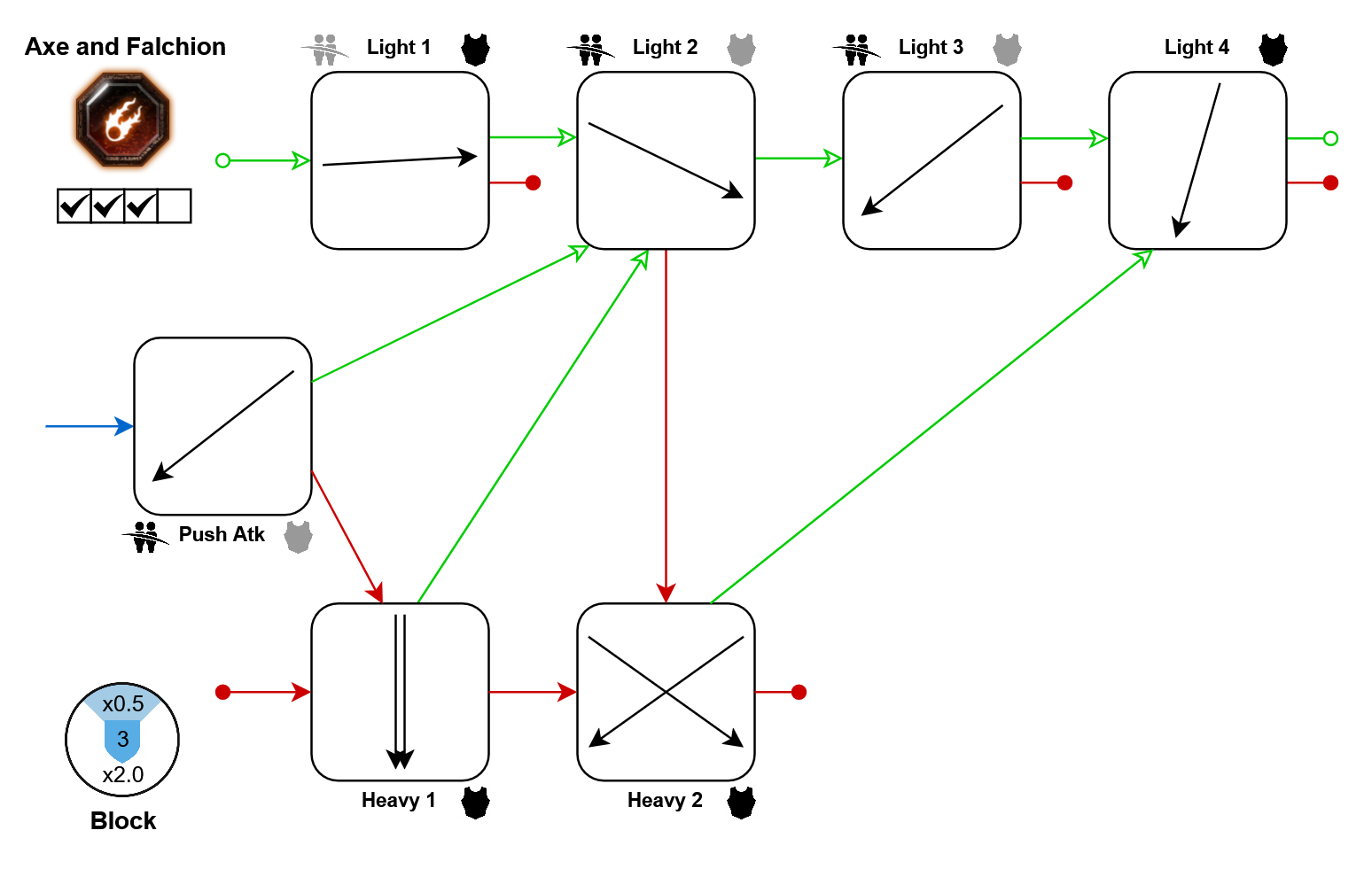
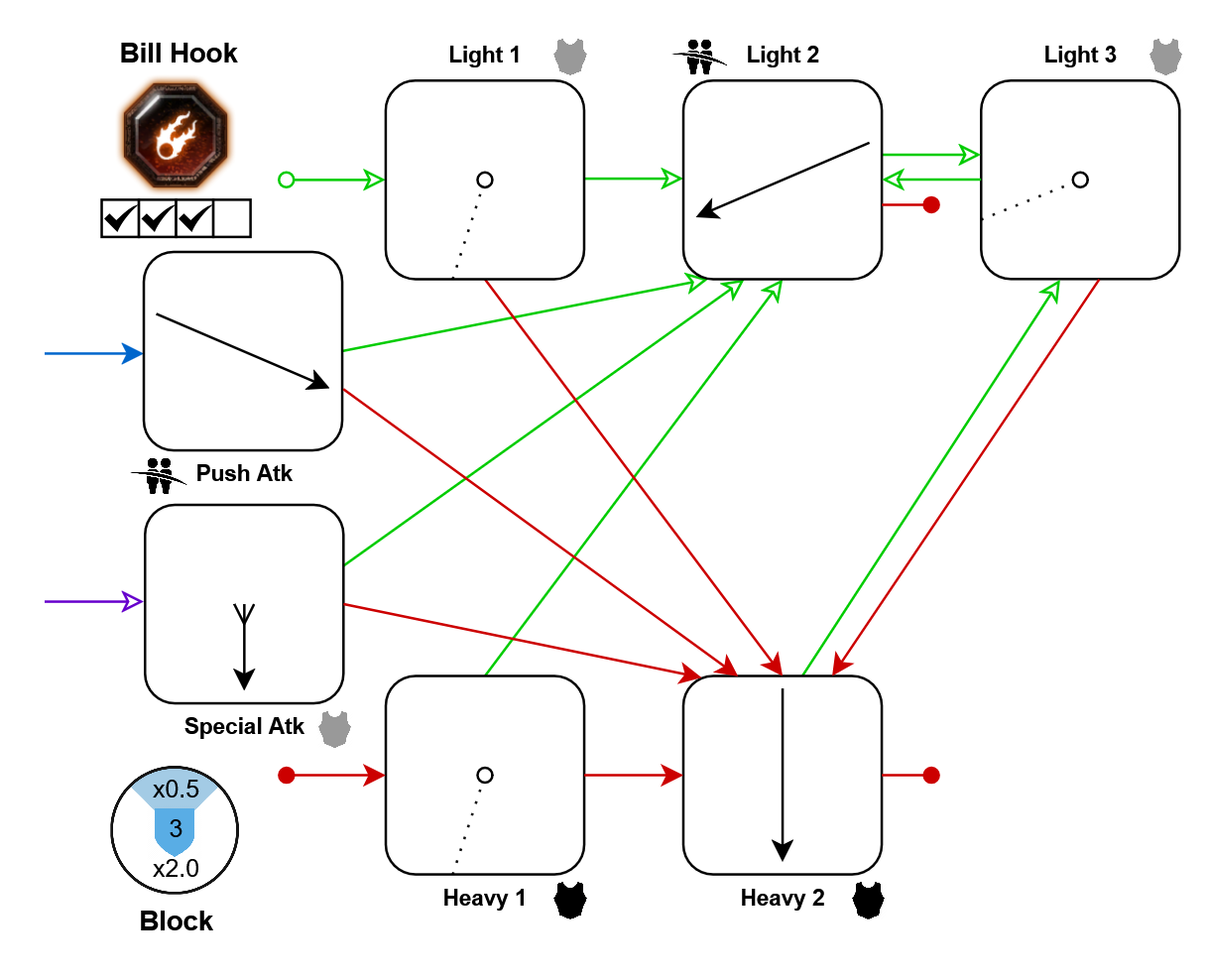
Movement tech: In further resources
Victor Saltzpyre (2)
Warrior priest comes with so many weapons, they didn't even fit in the original section!
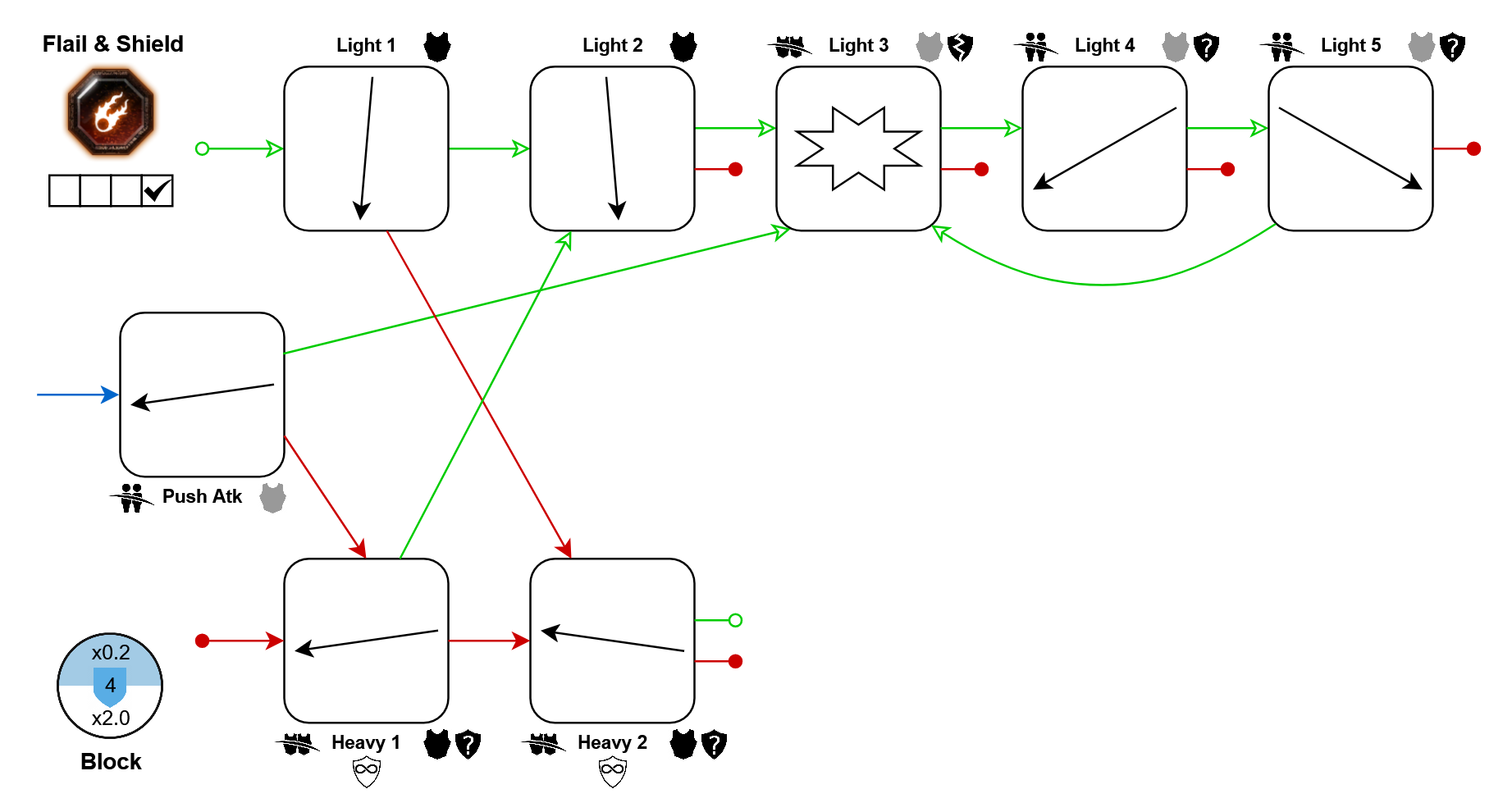
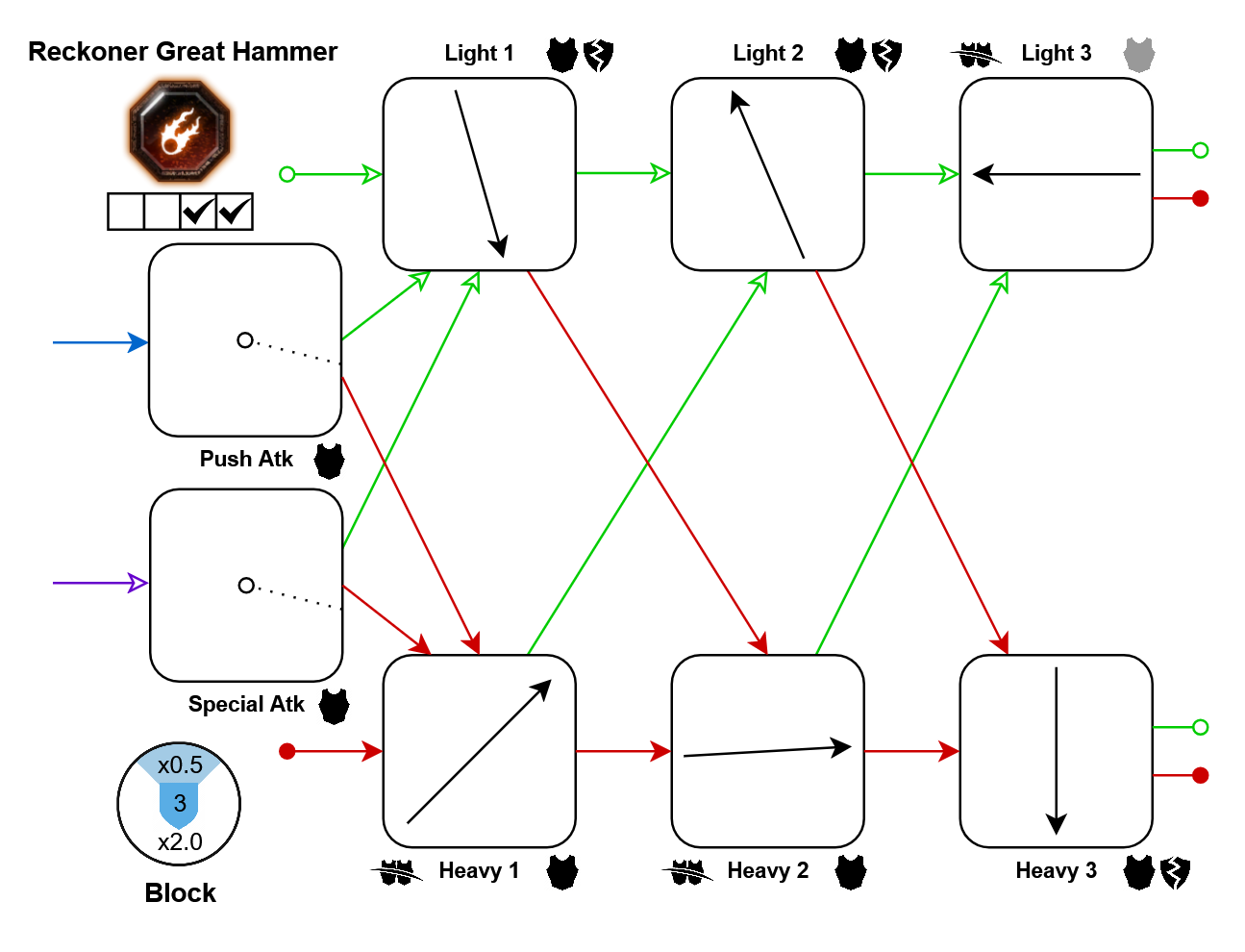
Bonus Crit:
- Light 3: 10%
- Heavy 1: 10%
Movement tech: In further resources
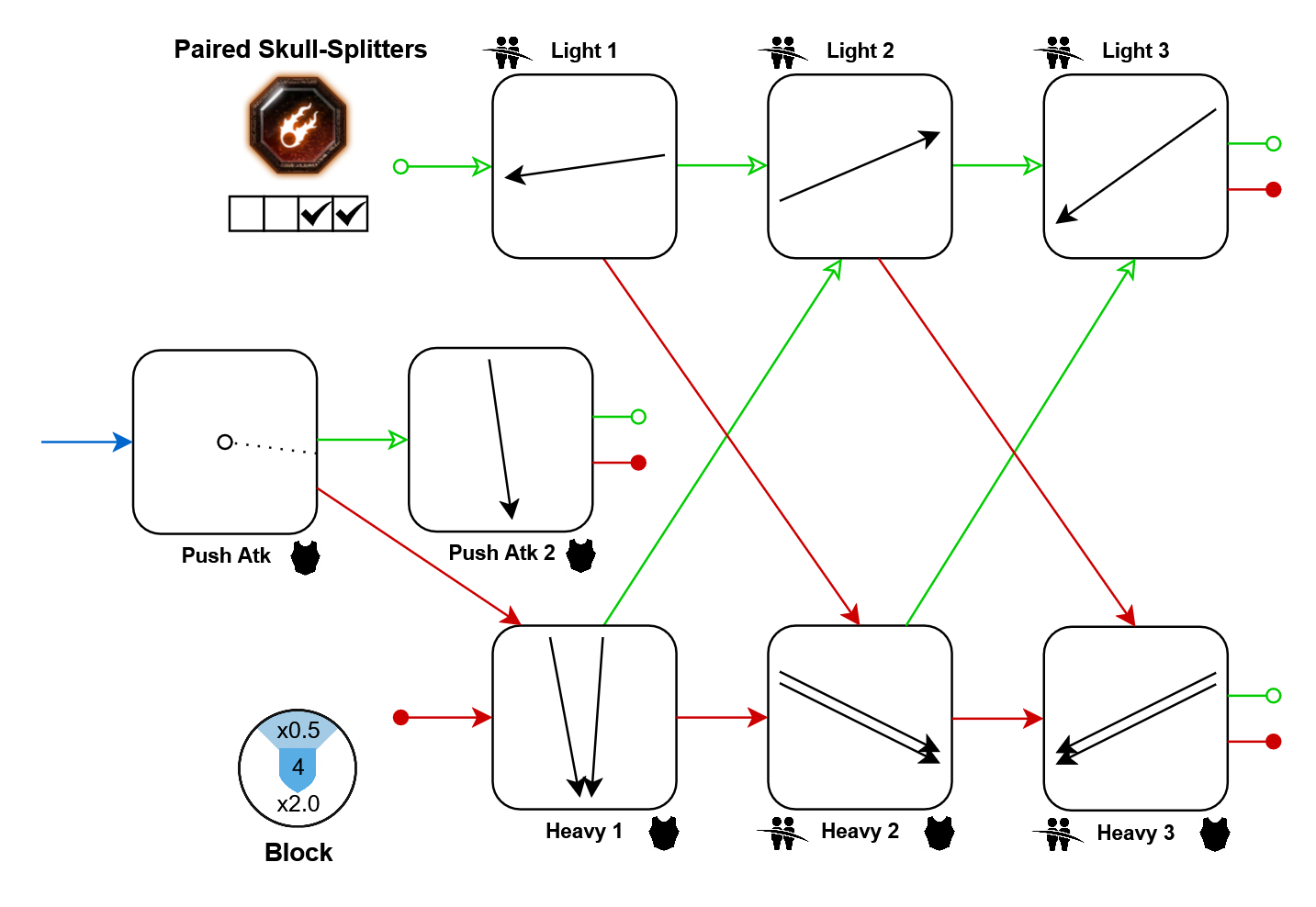
Same as: Bardin's Dual Hammers
Bonus Crit:
- Lights: 10%
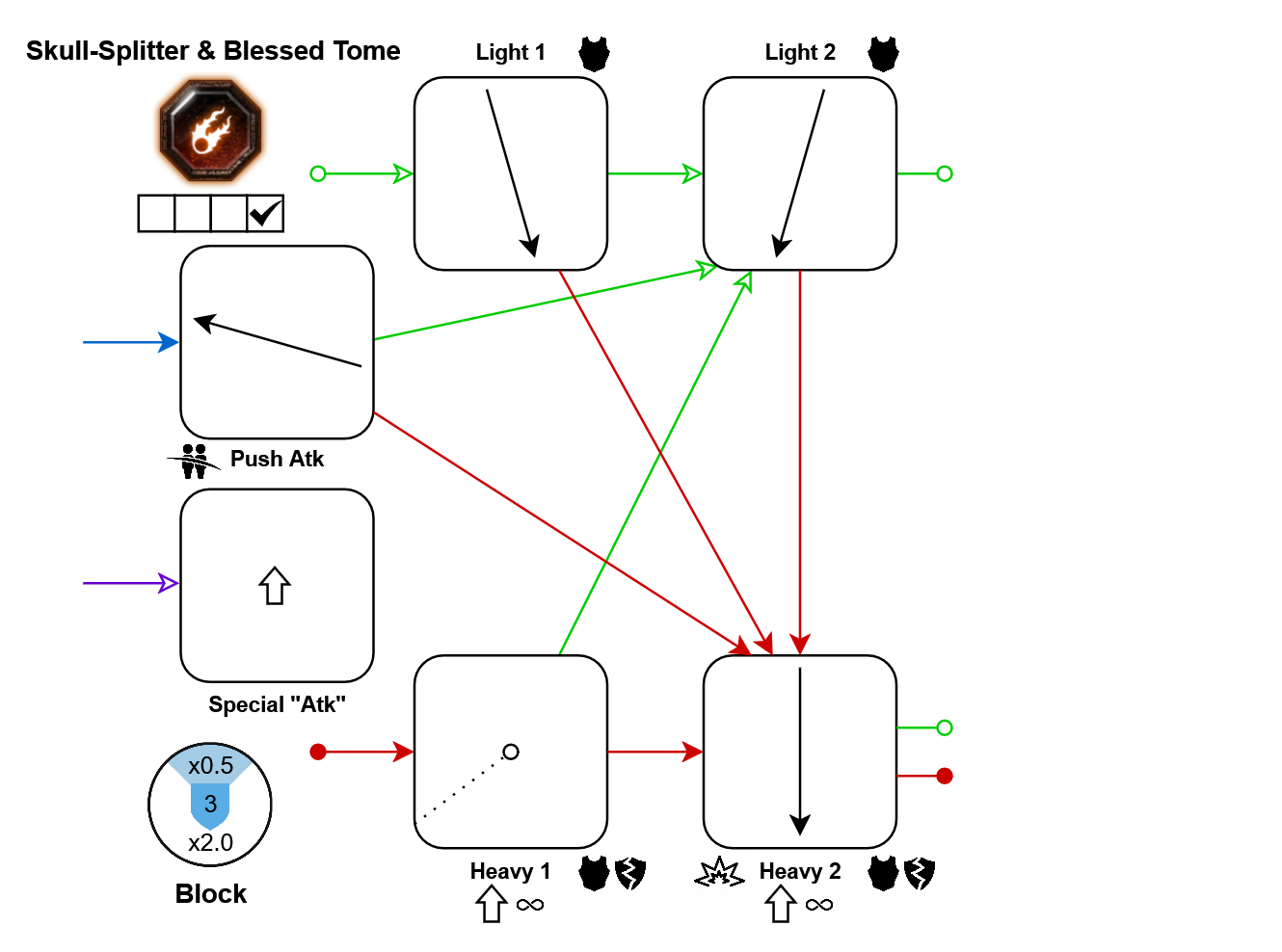
Bonus Crit:
- Light 3: 10%
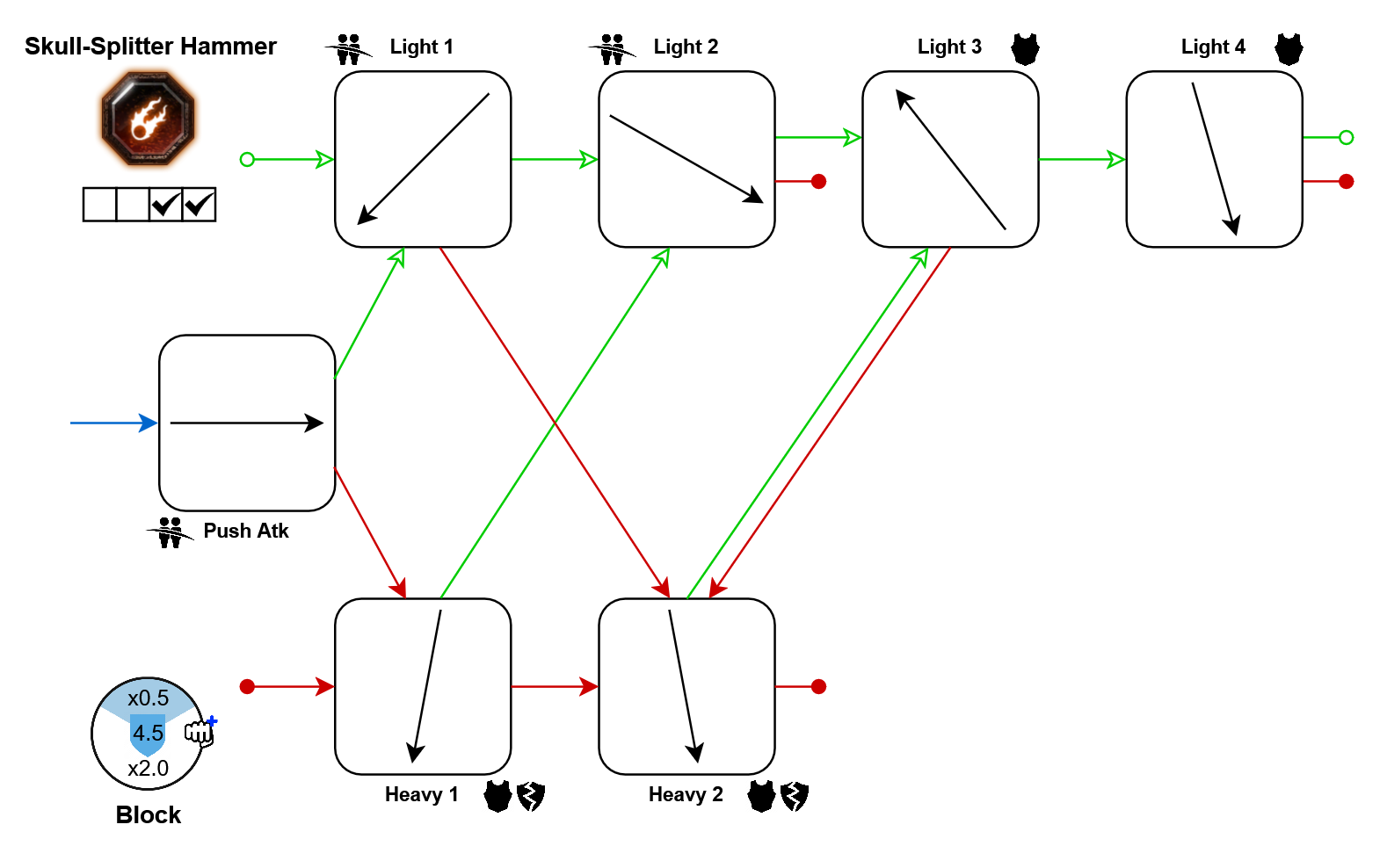
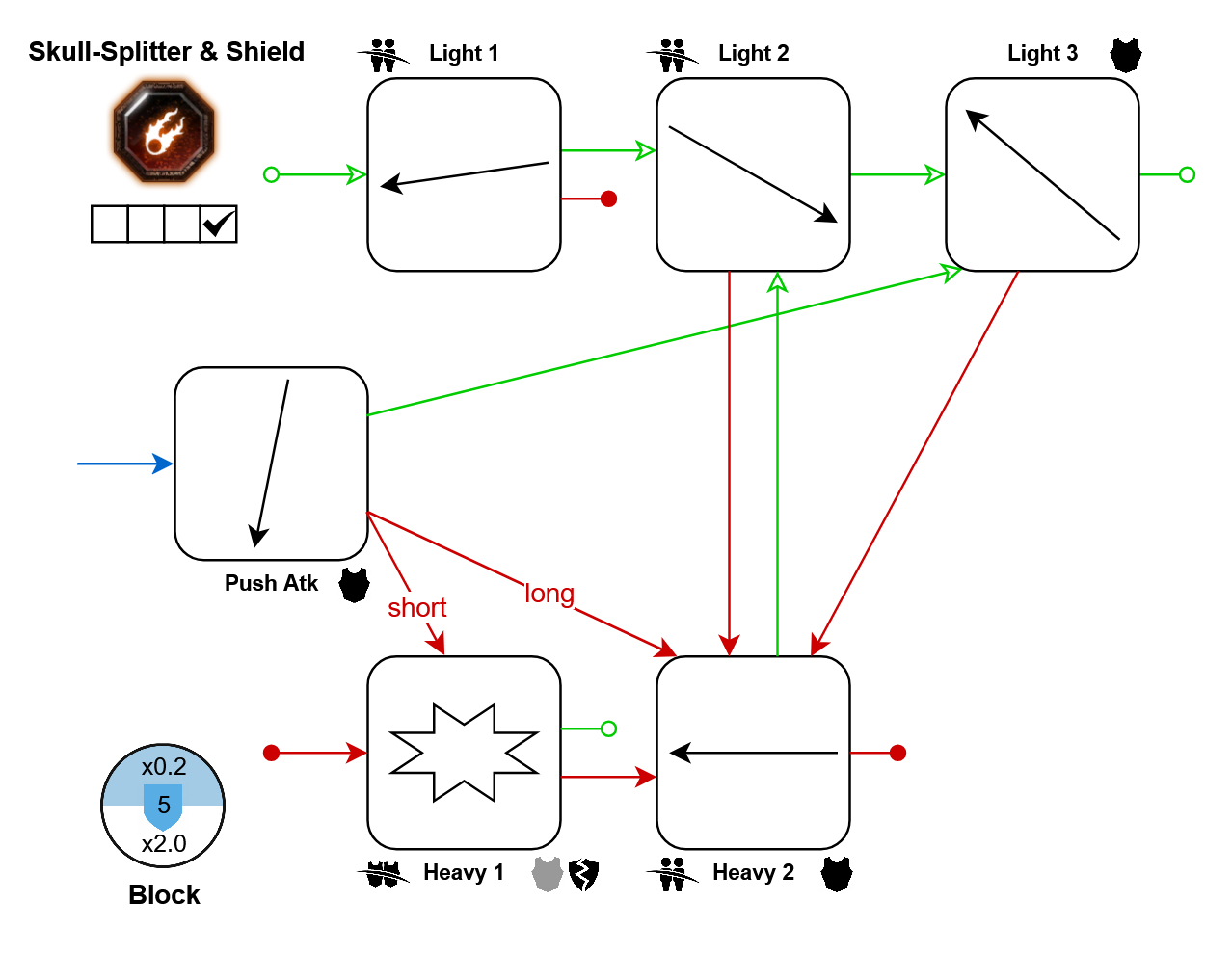
Bonus Crit:
- Light 3: 10%
Sienna Fuegonasus
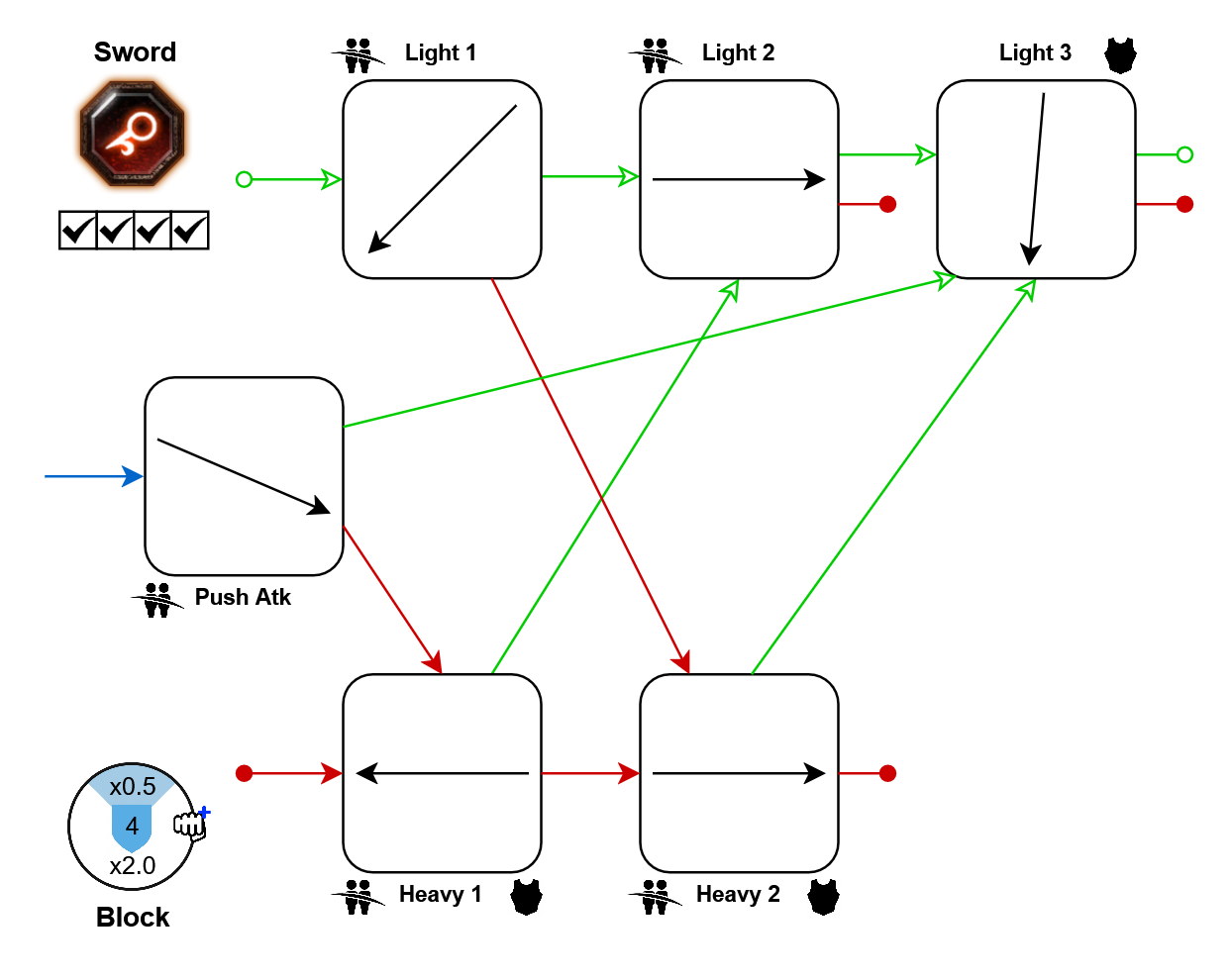
Same as: Kruber's Sword
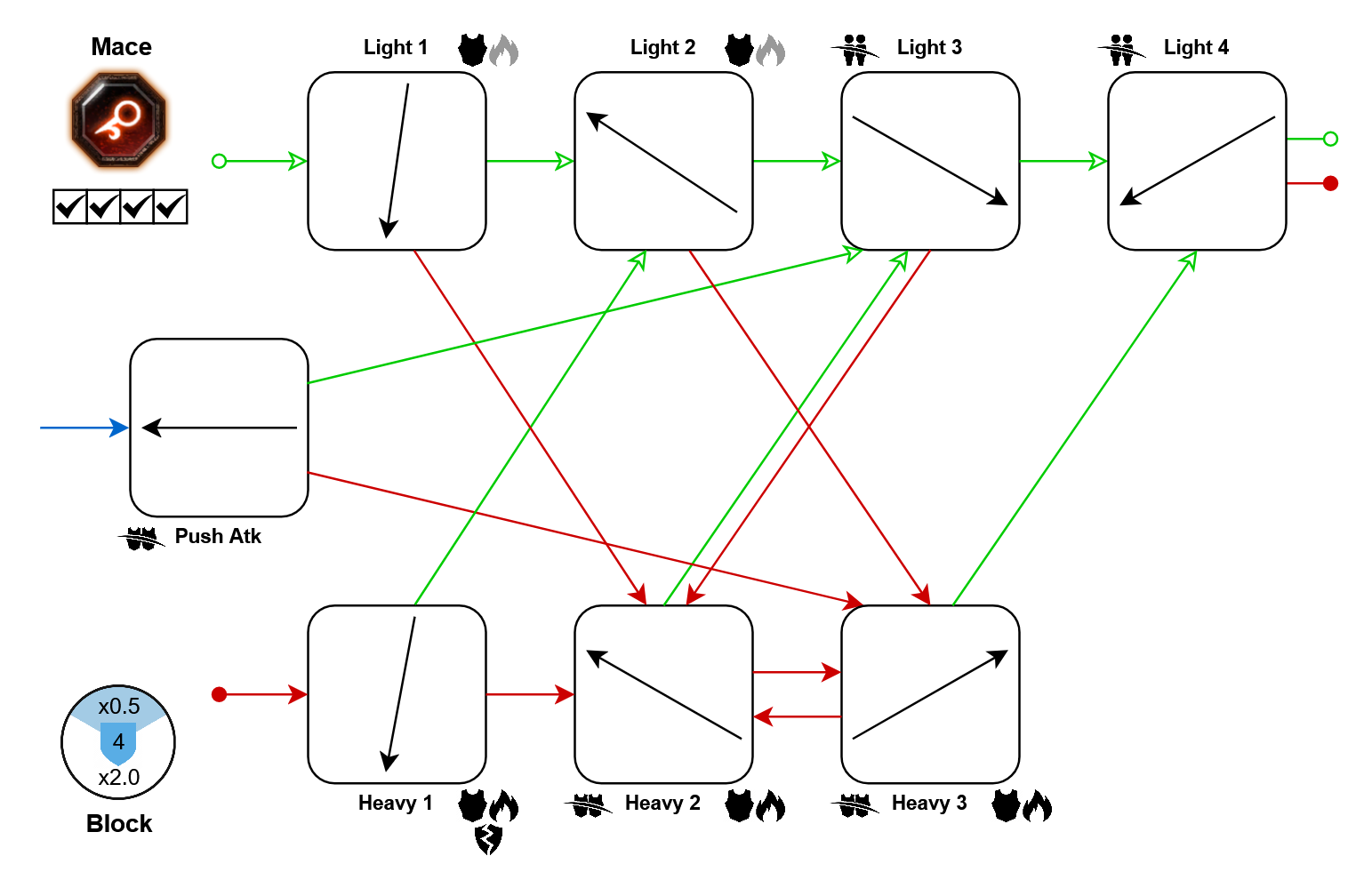
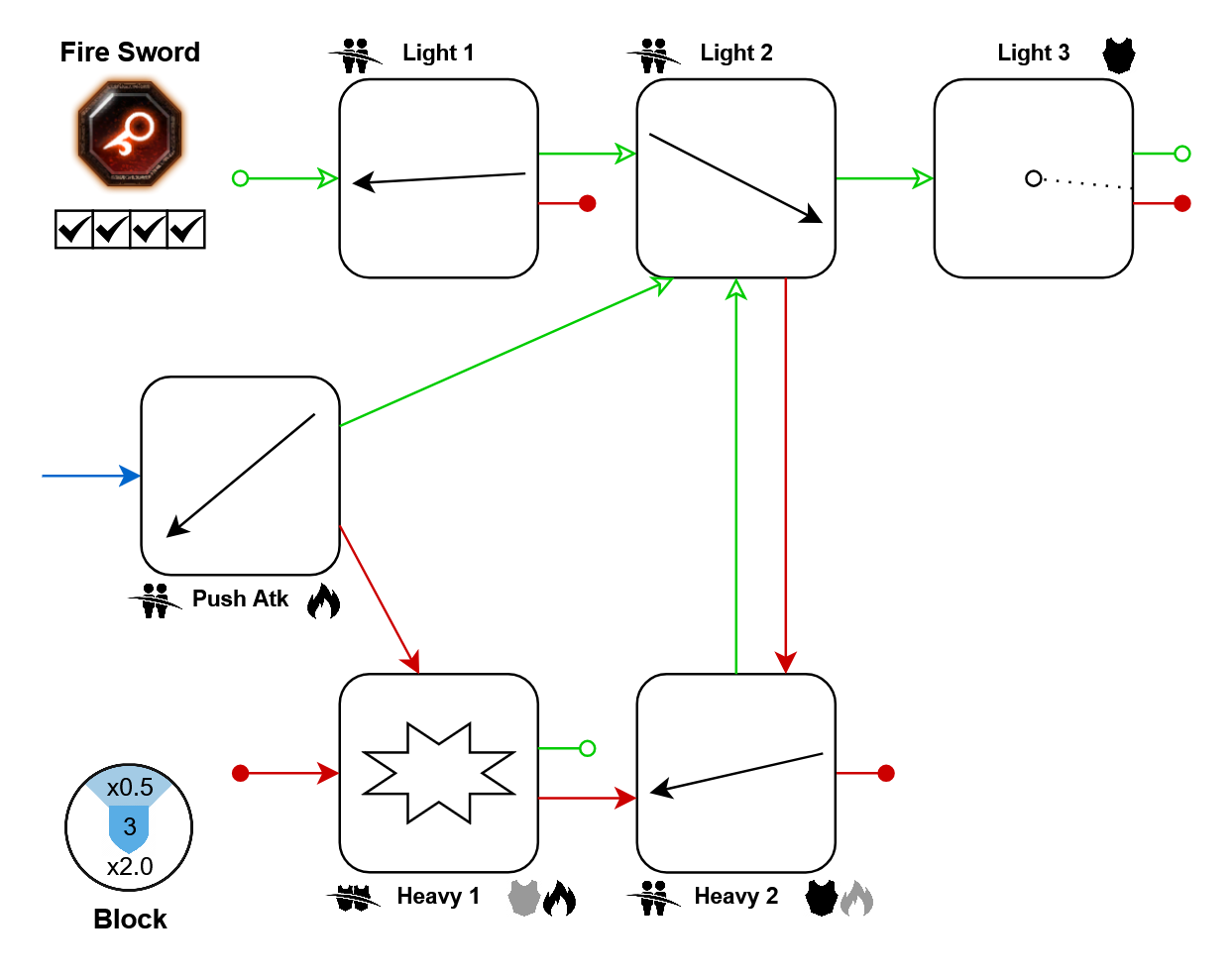
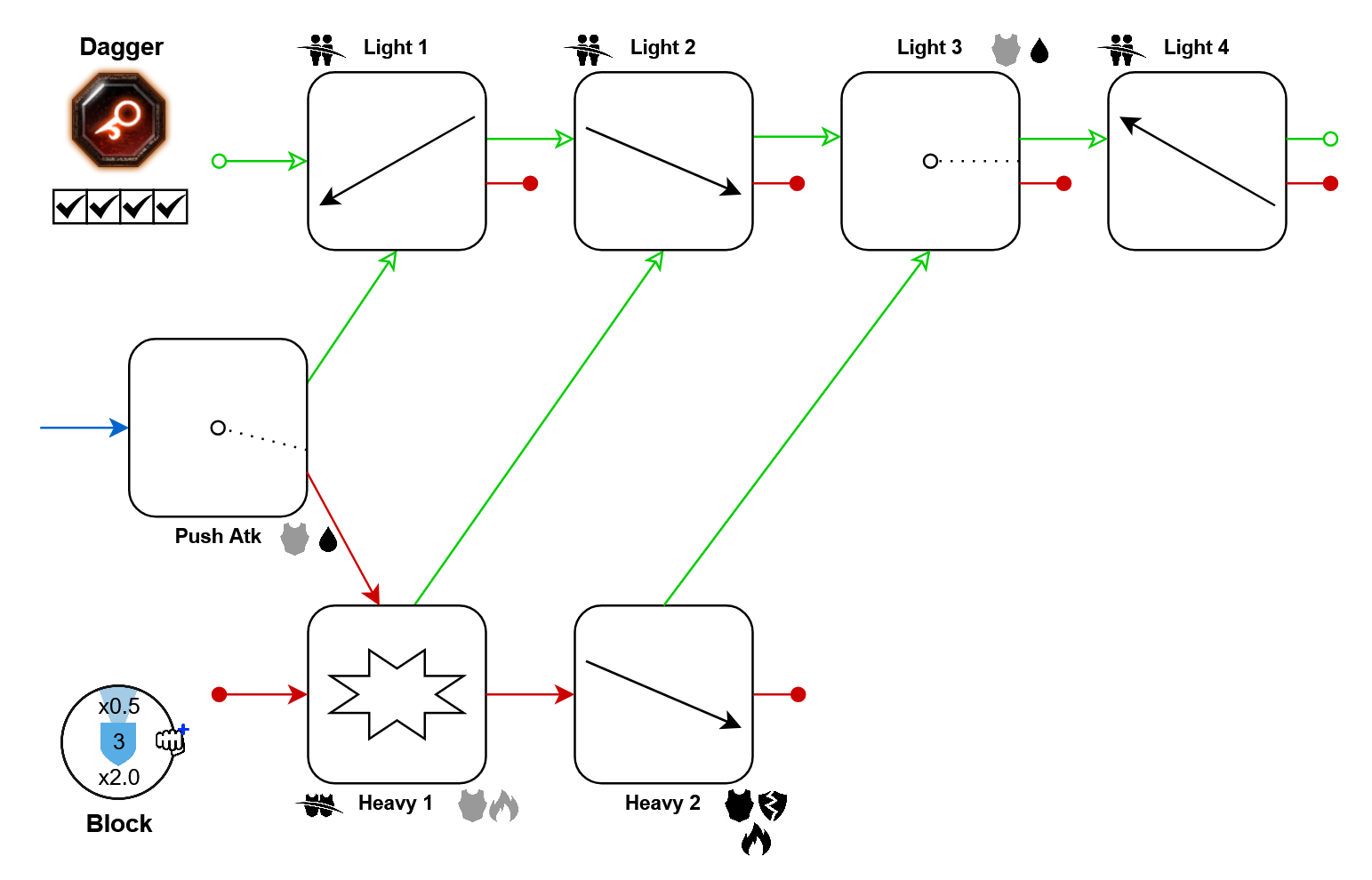
- Light 4: 10%
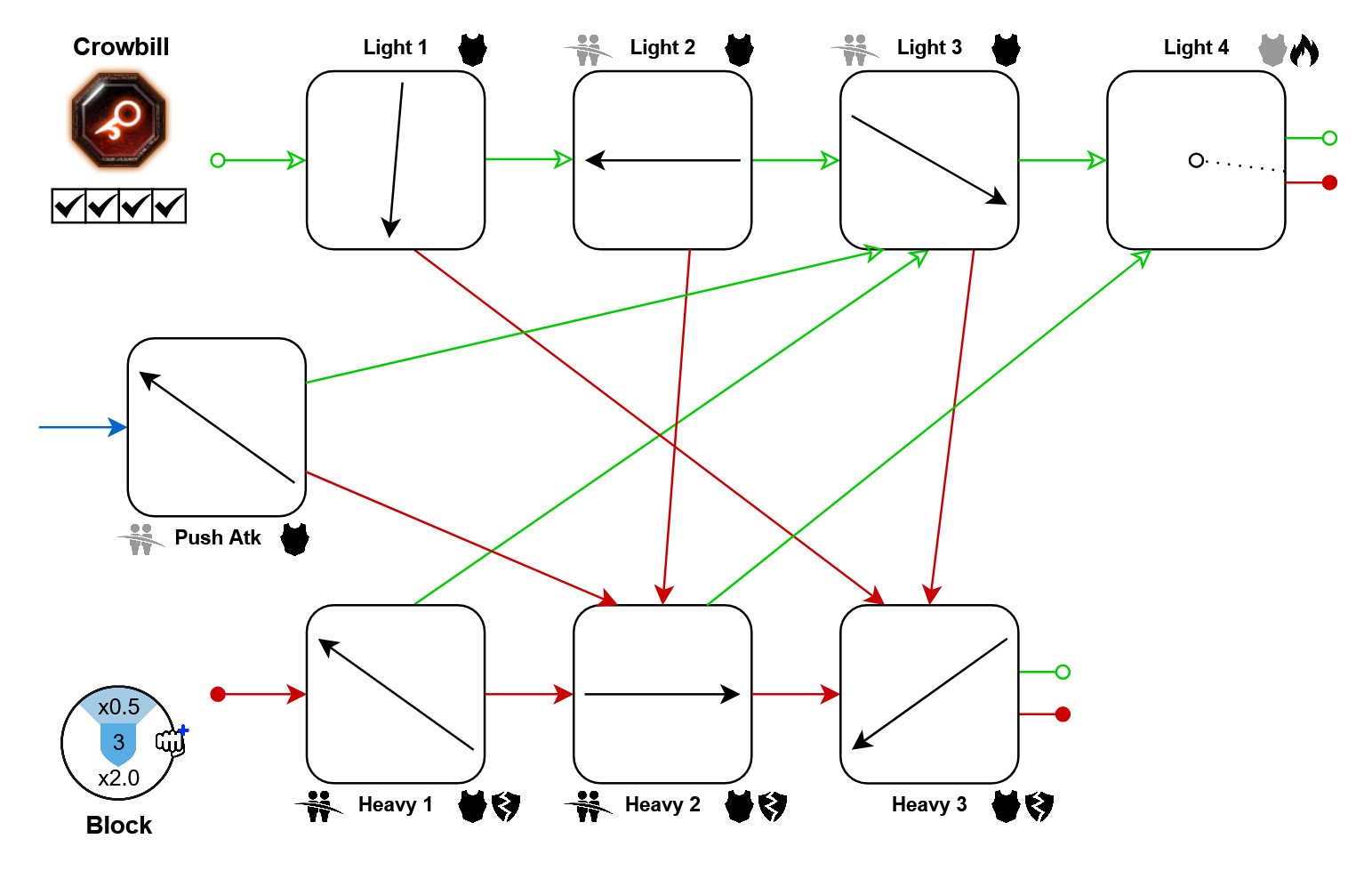
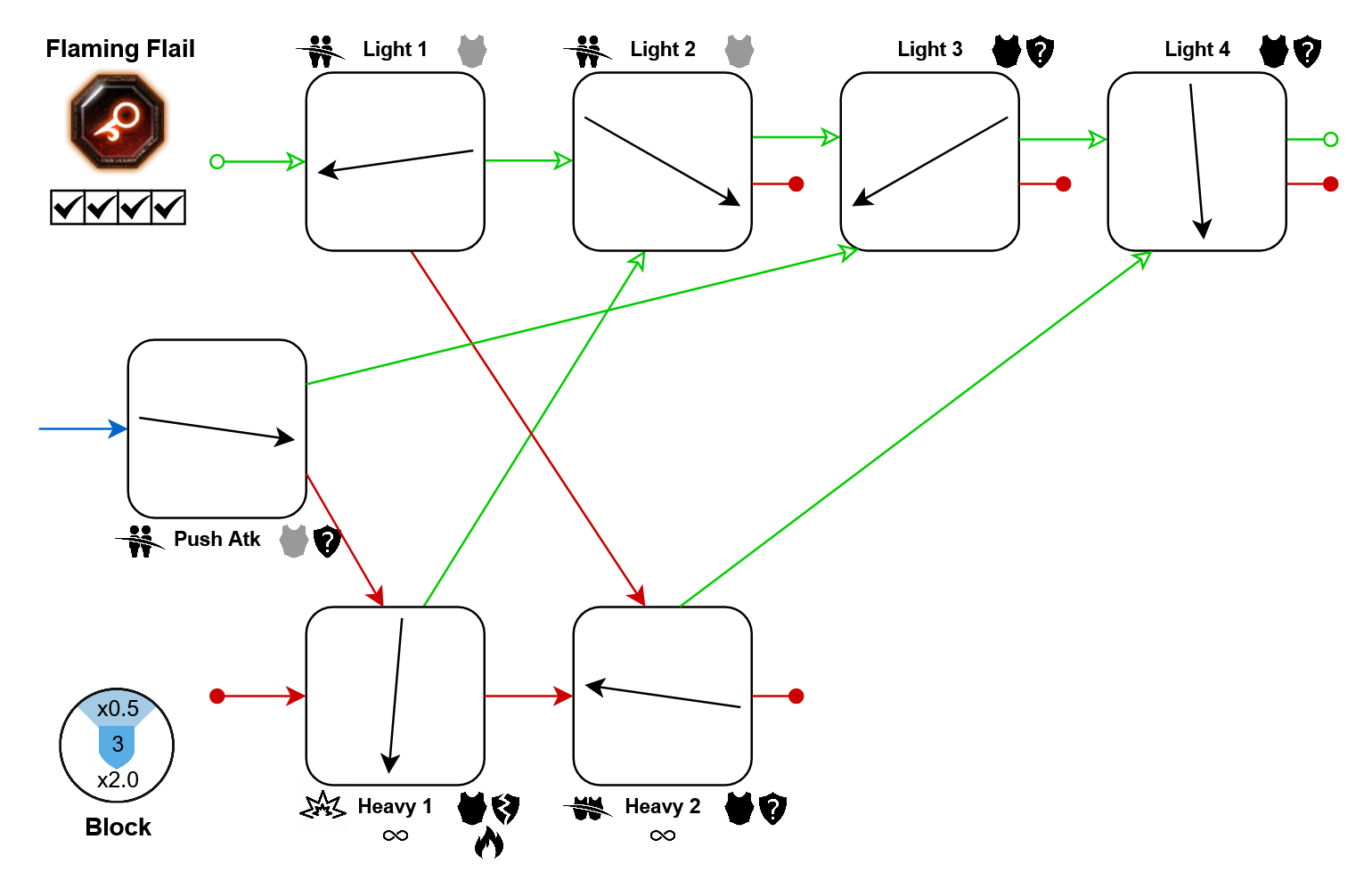
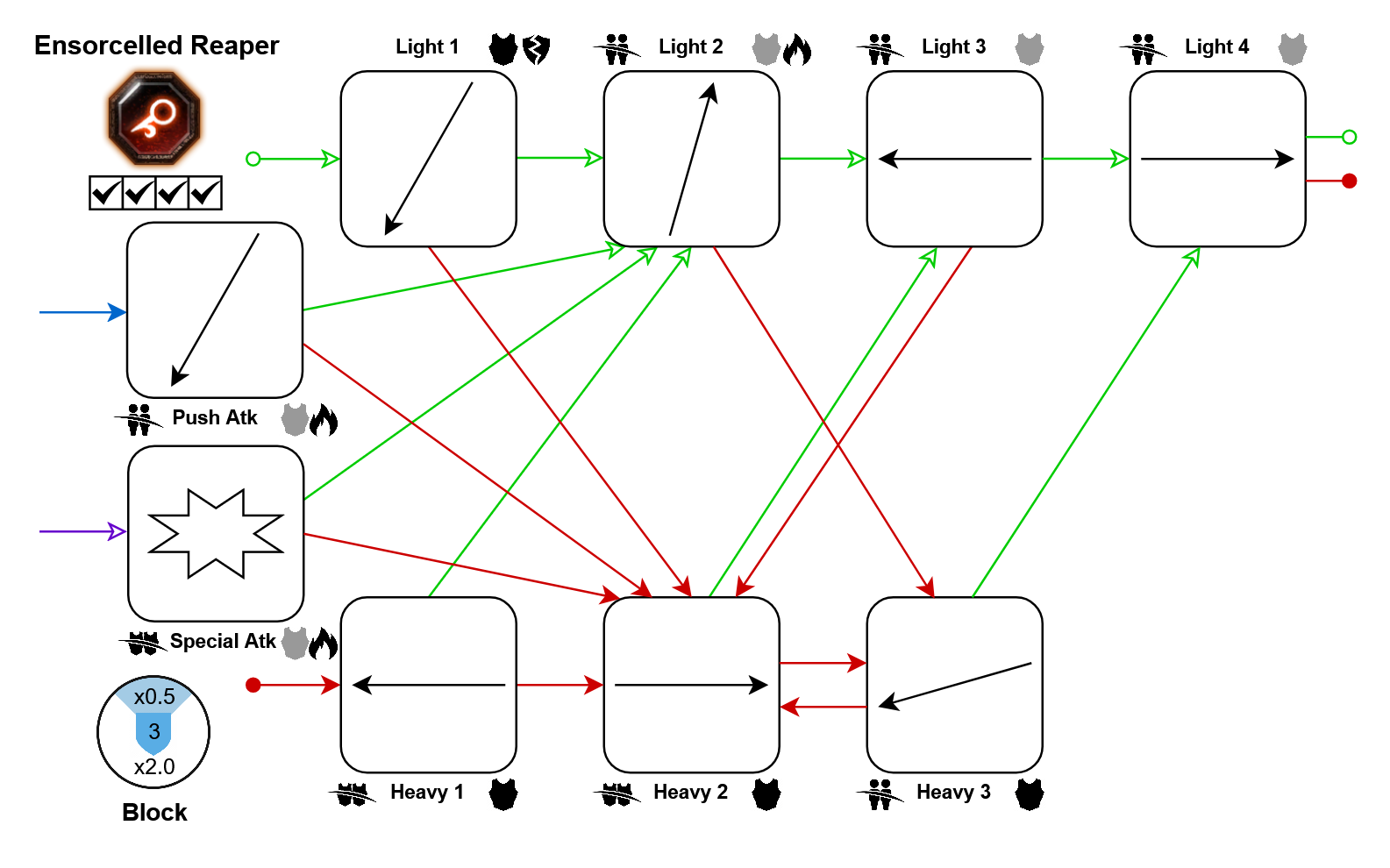
Bonus Crit:
- Light 2: 5%
Further Resources
This is a random dump of other guides and stuff on melee weapon mechanics that I found useful, and you might as well:
To do more detailed testing, you don't want to rely on dummies, as they sometimes don't behave like real enemies. For this, you will need to hop on the modded realm (no worries, your progress is constantly copied from official to modded, so no need to spend time unlocking anything over there). Use the Creature Spawner mod to spawn mobs in the Keep and test anything. To see exactly how much damage and stagger you're doing, Test Assistant helps.
If you would like to see recommended melee weapon combos for different purposes, check out Optimal Melee Weapon Combo by Royale w/ Cheese.
As your movement speed is constantly modified while attacking, some weapons have attack loops that can be used to run faster. Novality's A Comprehensive Spreadsheet about Movement Tech lists a lot of these combos, and tests their movement speed depending on your attack speed.
Note: I've indicated movement tech being available for any weapon that can reach 10% bonus movement speed with base attack speed, according to this resource.
And there's A List of Everything You Wish Fatshark Told You by OrangeChris, which covers a lot of advanced stuff, not limited to weapon mechanics.
Versions, TODOs, Feedback
You may also find errors, or maybe you've played a weapon more than me and disagree with my info text for it. Right now, I'm open to hearing all complaints. If the weapons change, or we get new ones, I'll update/add them the next time I actively play vermintide, so it might take a while. Developing the cheat sheet design and building them for all weapons has happened whenever I was bored in the keep, so it took 3 years lol
- fixed Sienna's "shield bashes"
- added the Halberd's special Push Atk > Light Atk pathing
- added the Bretonnian SnS special Push > Light 3 pathing
- use differing arrowheads for tapped/held inputs, to improve colorblind readability
- added whitespace to all small diagrams to prevent steam's misplaced display box
- update reduced push costs for many weapons
- update to current elven axe moveset
- fix class availability for kerillian's spear and shield
- update description texts for some weapons
- skull-splitter & tome: add the missing infinity symbol to heavy attacks
- fix info about bleeds (they usually don't stack)
- fixed block cost modifiers of torch and rapier
- 【Updated to Patch 6.10】【All Careers】Legend Builds Collection★ 5 (2.6k)99k views7.6k ♥87 minUpdated Mar 10
- 【Updated to Patch 6.10】【Cataclysm Builds】Kruber all careers★ 5 (1.8k)60k views5.7k ♥33 minUpdated Mar 10
- 【Updated to Patch 6.11】Optimal Melee Weapon Combo★ 5 (1.9k)58k views5.2k ♥26 minUpdated Jun 11
- 【Updated to Patch 6.10】【Cataclysm Builds】Saltzpyre all careers★ 5 (1.7k)57k views5.6k ♥36 minUpdated Mar 10
- 【Updated to Patch 6.10】【Cataclysm Builds】Bardin all careers★ 5 (1.8k)57k views5.6k ♥33 minUpdated May 12
- 【Updated to Patch 6.10】【Cataclysm Builds】Sienna all careers★ 5 (1.7k)57k views5.4k ♥37 minUpdated Mar 10



- Upgrading to PremiumTeam Fortress 2★ 5 (20k)1441k views11k ♥6 minUpdated May 11, 2022
- No More Room in Hell Official ManualNo More Room in Hell★ 5 (2.8k)569k views2.1k ♥29 minUpdated Apr 22, 2019
- NMRiH Community Hosting GuidesNo More Room in Hell★ 5 (526)351k views653 ♥1 minUpdated Aug 10, 2022
- ULTIMATE GUIDE FOR GAME DEV TYCOONGame Dev Tycoon★ 5 (5.8k)326k views10k ♥4 minUpdated 23 Jan, 2014
- How to 'Git Gud' Soon™MORDHAU★ 5 (2k)318k views3k ♥68 minUpdated Nov 16, 2024
- Лучшие кооперативные игры SteamPAYDAY 2★ 5 (1.5k)315k views2.1k ♥56 minRussianUpdated Apr 27, 2025






This guide was created by its original author on the Steam Community. Are you the author and want it removed? Request removal.