How to automate a number of routine processes in Vermintide 2
Introduction:
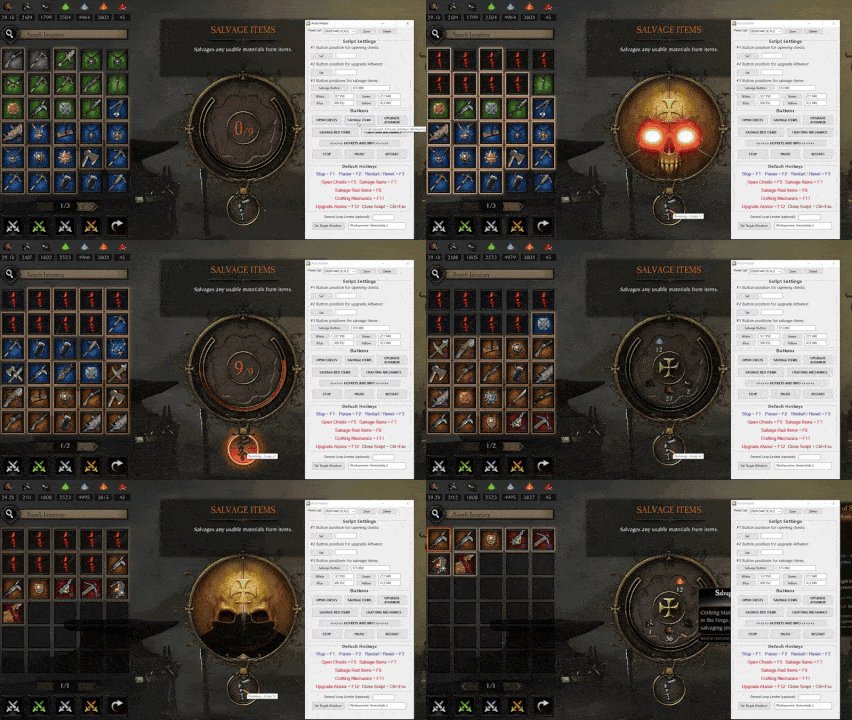
- Salvage items of any rarity.
- Opening chests.
- Upgrading weapons or amulet for essence in Athanor.
- Reroll Properties for any item.
- Other crafting functions.
Installation:
- First, go to the releases page GitHub.
- Download the zip archive from the list of assets.
- Unzip it to any location on the disk and install the AutoHotKey v1.1
- After installing the program, go to the Presets folder and select the type of game interface that you are using, for example, FOR OLD UI.
- In this folder, transfer the presets.ini file to the script directory and confirm the replacement of the contents. (This file contains pre-made presets for different screen resolutions)
How it work:
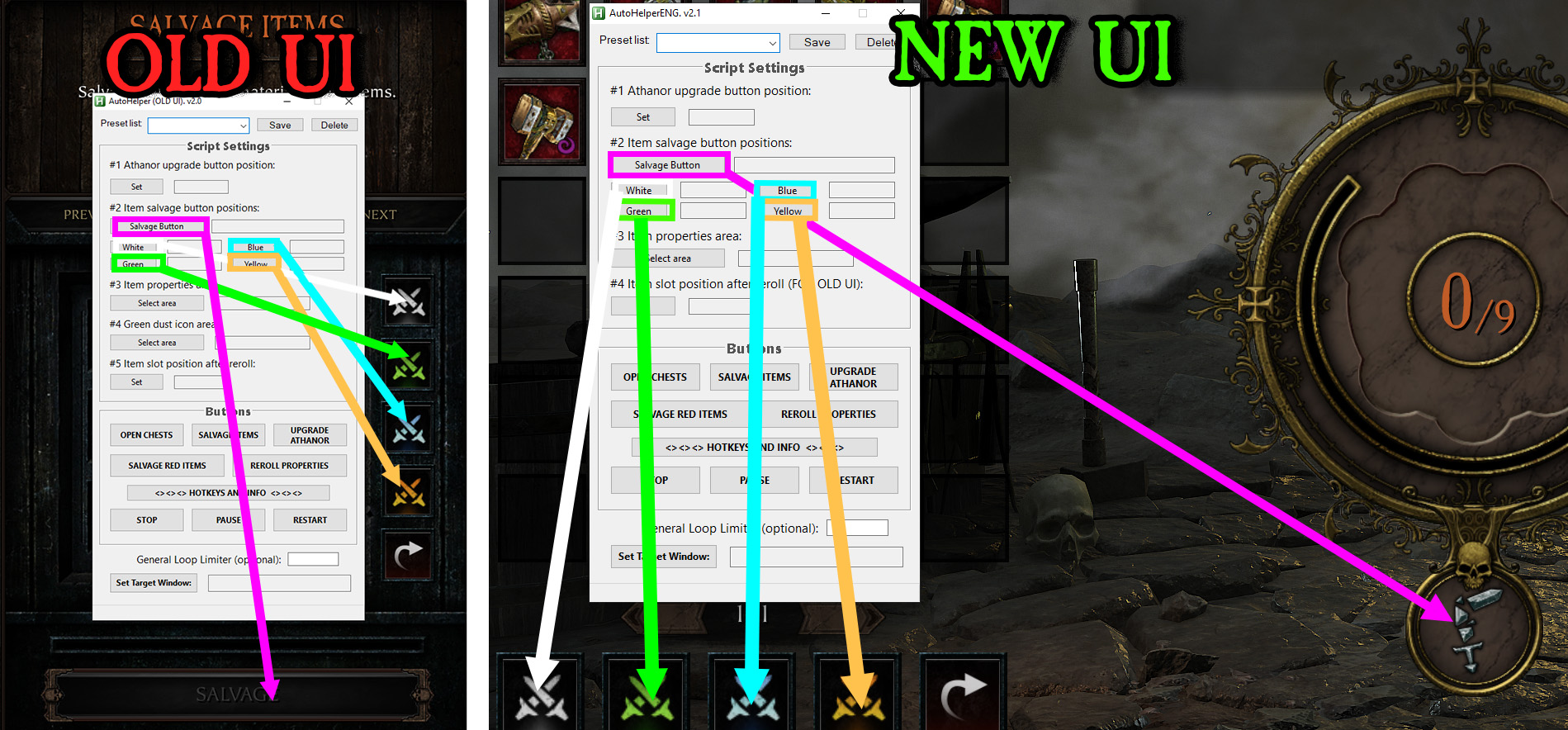
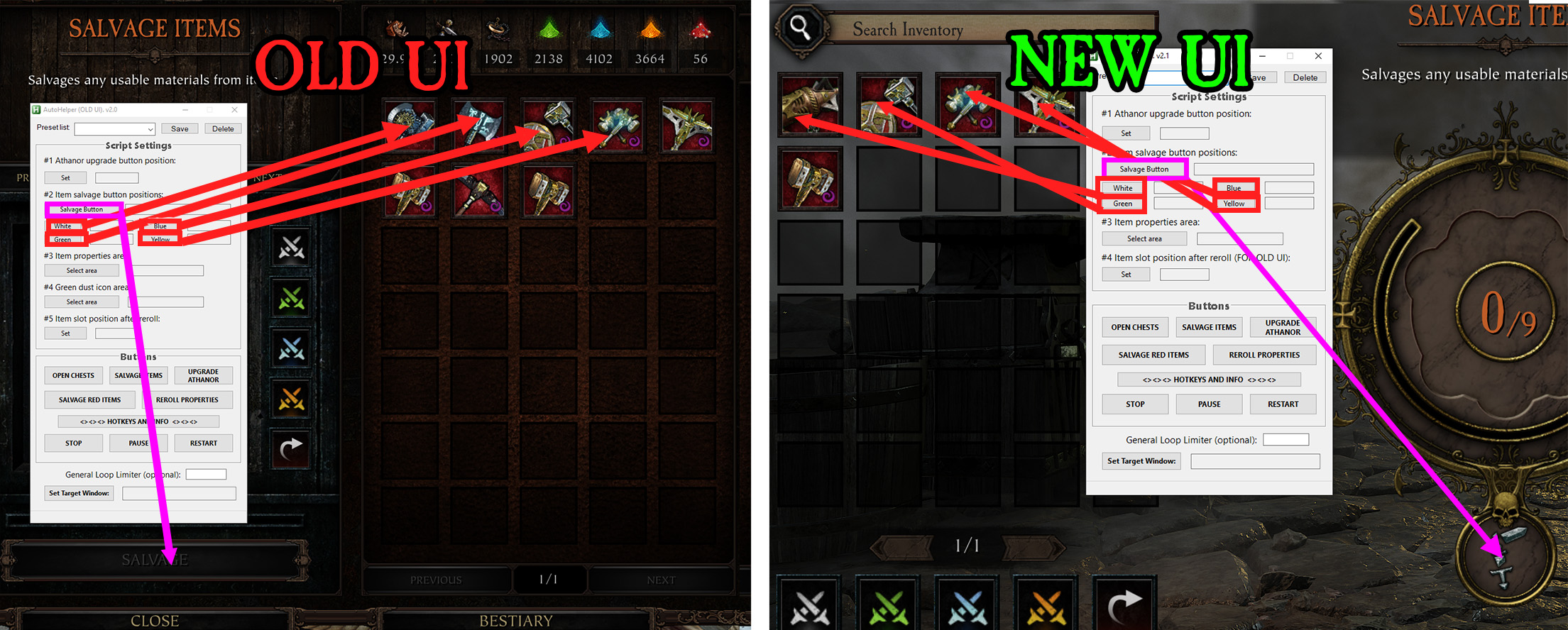
- This script works for both New and Old game interface. If you wish, you can change the interface type in the game settings.
- It is recommended to run the game in Borderless Fullscreen.
- If for the function "Reroll-Properties" the program (OCR) does not recognize text well. Try to increase the selection area or disabling scaling in the game settings, if you are using 2K resolution or higher.
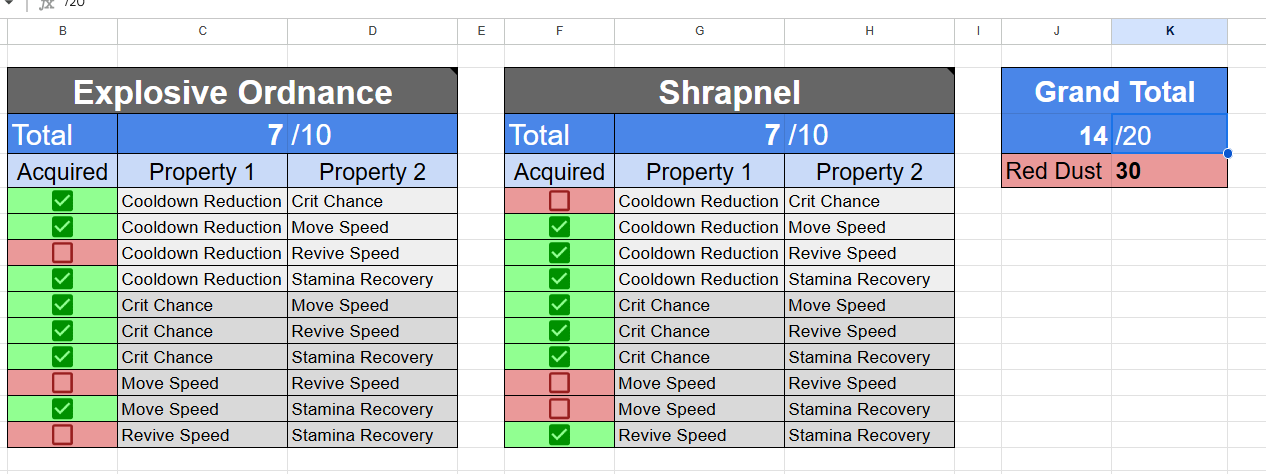
- You can use the Jewelry Checklist TEMPLATE or Items for Royale w/ Cheese Legend & Cataclysm Guides spreadsheet to check which jewelry or weapon combinations you currently have and which ones you are still missing.



Please note that localizations other than Russian and English are made using AI, so the translation may not be entirely correct, but the general meaning should be clear.
When using OCR, text may be recognized a little incorrectly (especially in the Chinese localization). This happens because the text size in the game is quite small. In this case, you can rename or shorten the name of the desired property in the menu file in the Languages folder. After changing the OCR, it should recognize the desired properties of the object.
If you have overwritten the preset file, then the list will show ready-made variants, choose the one that matches your screen resolution:
2560X1440 +SCALE (not recommended)If your screen resolution is not listed, you will need to manually adjust it. It won't take long, just read the info below.
2560X1440
1920X1080
1366X768
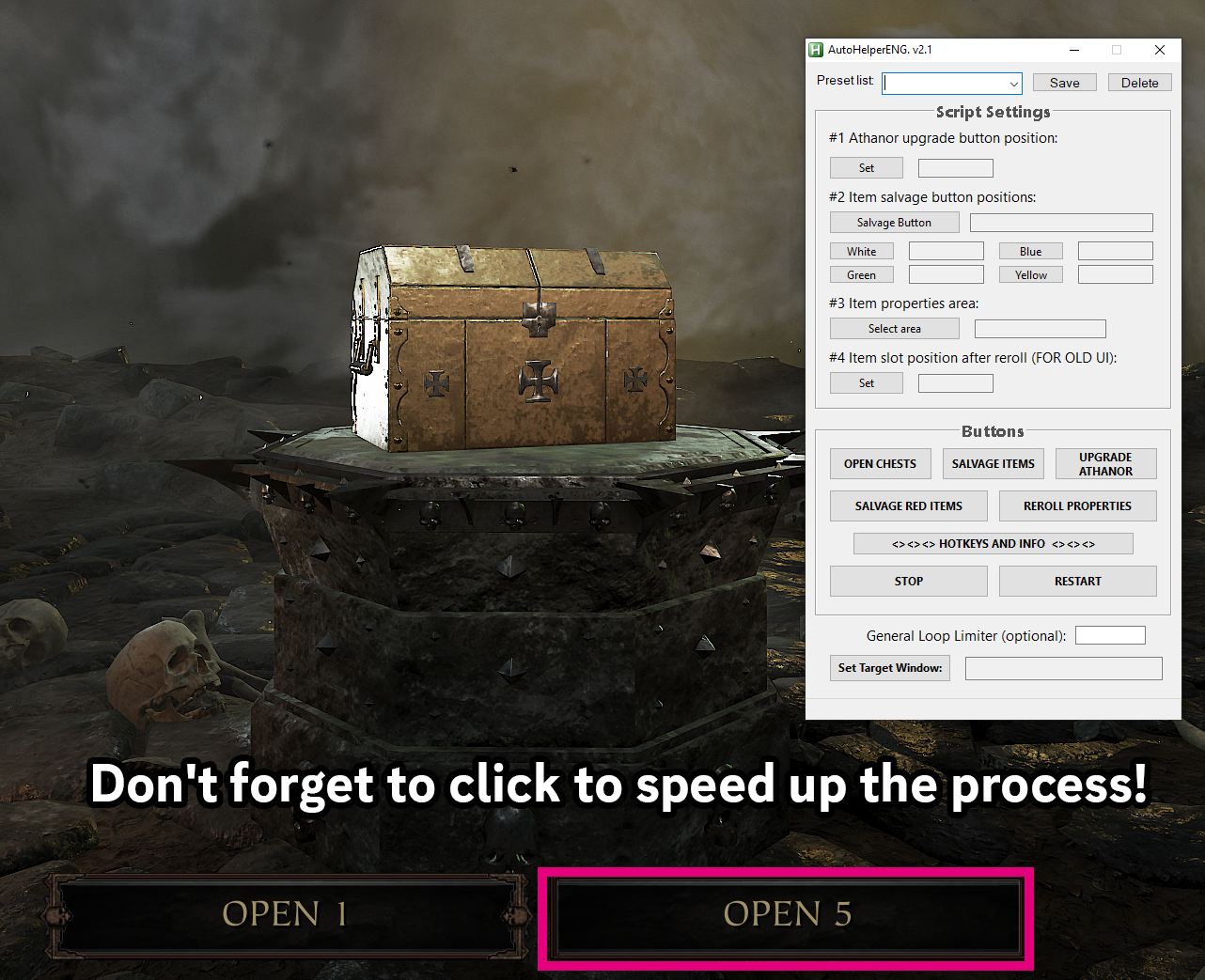
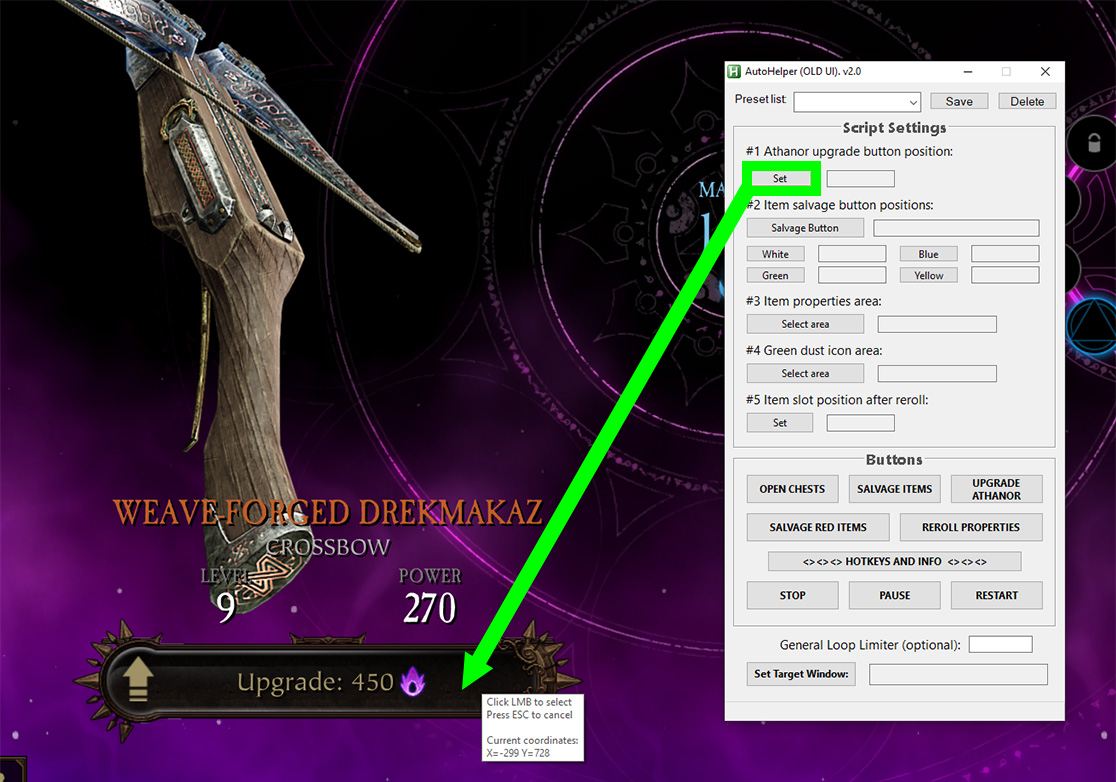
It uses OCR to cature the current properties on the item in the reroll slot and checks that agaisnt a predefined set of words that are associated with the menu item you selected. Make sure to read further for all the requirement and usage instructions.
Usage:
To start the process of rerolling an item's properties, first make sure to load the item into the reroll slot in the crafting menu, then click the reroll button once (for new interface) or hover over the item itself in the slot (for old interface) to display a window with results.
Once that's done, bring up the script menu and navigate through the different submenus to the combination that you want.
Remember that if you are rerolling a melee weapon, you'll want to choose a combination from the melee menu. Otherwise the script won't work as intended.
This also works for orange and blue items, but I wouldn't use it on anything with less than two properties because it will confuse the script and reroll until you run out of dust.
The basis for this function is the script VT2-Auto-Reroll-Properties by d-geula. This script was expanded and improved during the port.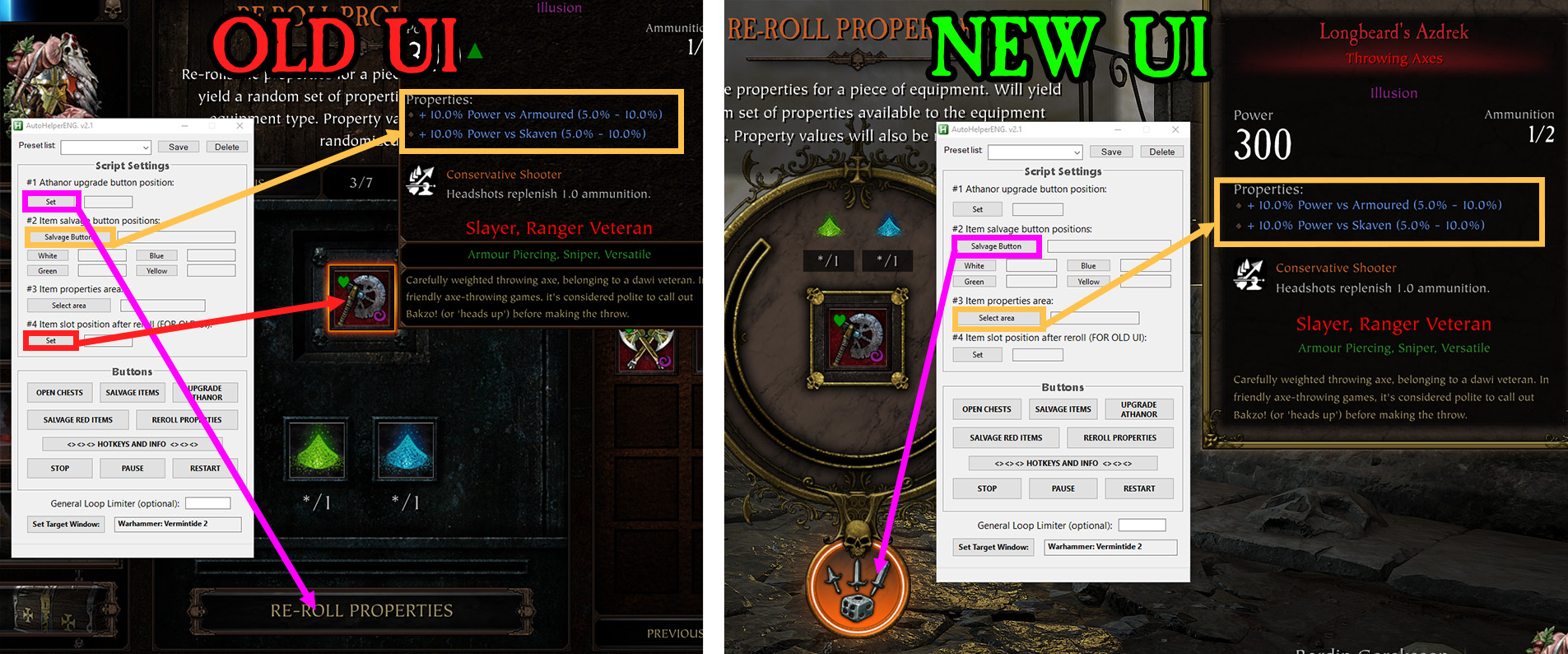
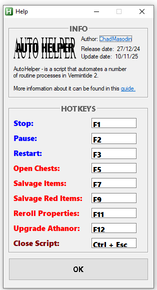
By default, pre-defined hotkeys are used. However, if you wish, you can re-bind them to others. To do this, click on the “HOTKEYS AND INFO” button. This will open a new window that contains the script info and hotkeys setup. Once the customization is complete, click on “OK”.
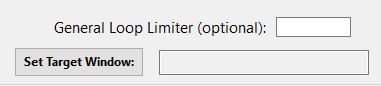
To clear all set values from the interface, click the "Restart" button.

Conclusion:
I hope you enjoyed my script, as it took quite a bit of time and effort to develop.
Remember, creating ready-made presets and feedback will help make this script even better! (To share your preset, open your preset file, copy contents and post it in the comments. I will check your preset and if everything is fine, I will add it to the archive).
- 【Updated to Patch 6.10】【All Careers】Legend Builds Collection★ 5 (2.6k)99k views7.6k ♥87 minUpdated Mar 10
- 【Updated to Patch 6.10】【Cataclysm Builds】Kruber all careers★ 5 (1.8k)60k views5.7k ♥33 minUpdated Mar 10
- 【Updated to Patch 6.11】Optimal Melee Weapon Combo★ 5 (1.9k)58k views5.2k ♥26 minUpdated Jun 11
- 【Updated to Patch 6.10】【Cataclysm Builds】Saltzpyre all careers★ 5 (1.7k)57k views5.6k ♥36 minUpdated Mar 10
- 【Updated to Patch 6.10】【Cataclysm Builds】Bardin all careers★ 5 (1.8k)57k views5.6k ♥33 minUpdated May 12
- 【Updated to Patch 6.10】【Cataclysm Builds】Sienna all careers★ 5 (1.7k)57k views5.4k ♥37 minUpdated Mar 10





- Upgrading to PremiumTeam Fortress 2★ 5 (20k)1441k views11k ♥6 minUpdated May 11, 2022
- No More Room in Hell Official ManualNo More Room in Hell★ 5 (2.8k)569k views2.1k ♥29 minUpdated Apr 22, 2019
- NMRiH Community Hosting GuidesNo More Room in Hell★ 5 (526)351k views653 ♥1 minUpdated Aug 10, 2022
- ULTIMATE GUIDE FOR GAME DEV TYCOONGame Dev Tycoon★ 5 (5.8k)326k views10k ♥4 minUpdated 23 Jan, 2014
- How to 'Git Gud' Soon™MORDHAU★ 5 (2k)318k views3k ♥68 minUpdated Nov 16, 2024
- Лучшие кооперативные игры SteamPAYDAY 2★ 5 (1.5k)315k views2.1k ♥56 minRussianUpdated Apr 27, 2025






This guide was created by its original author on the Steam Community. Are you the author and want it removed? Request removal.