American Truck Simulator - How to Teleport!
Description!
- This guide is very useful especially to complete objectives such as taking pictures or even seeing the viewpoints, and very useful to complete some sections of the map!
- This Method looks a little confusing but after using it a few times it starts to get more intuitive and easy to use!
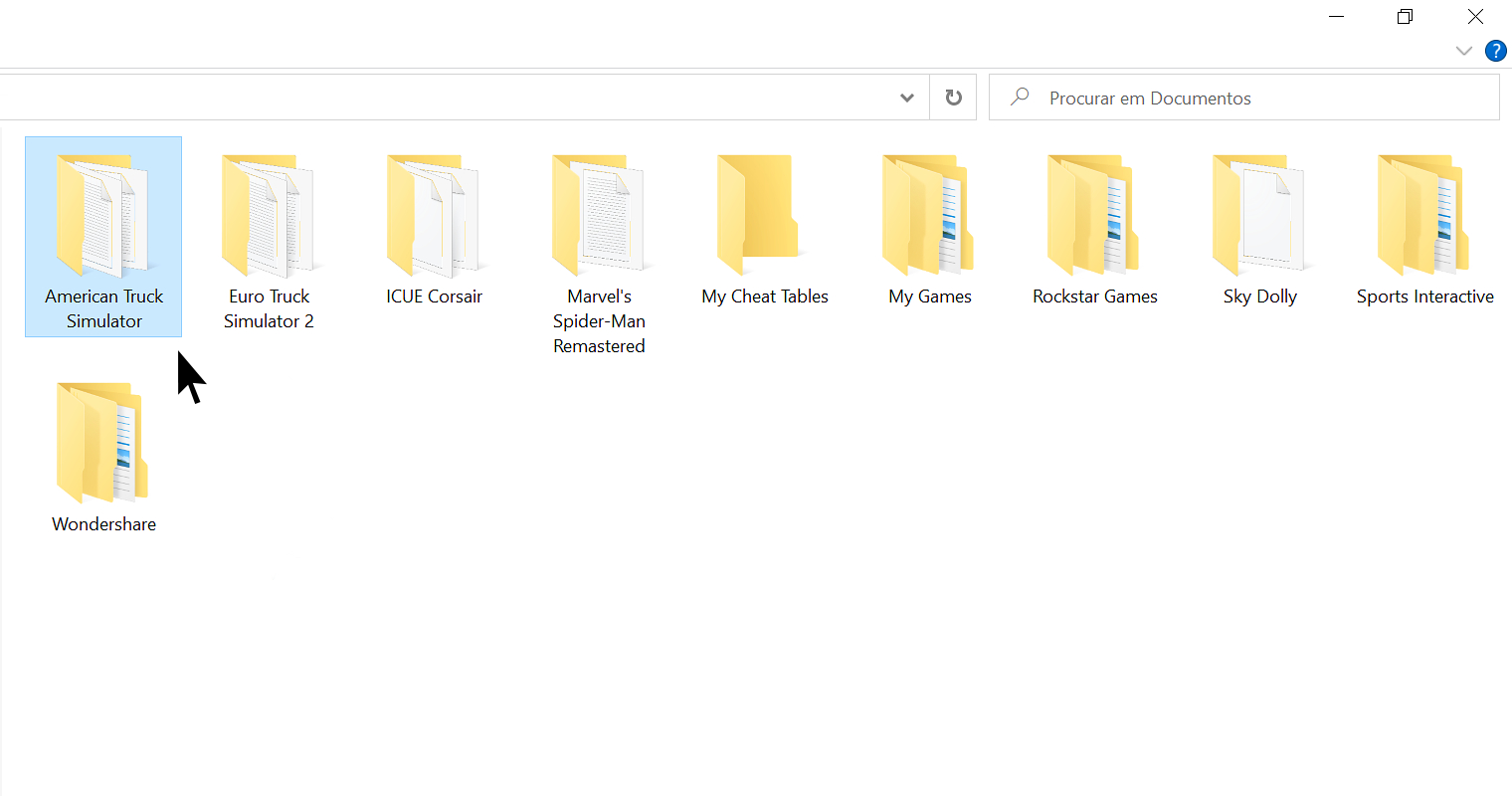
1 - American Truck Simulator Folder!
- First go to ''Documents'' then open the ''American Truck Simulator'' folder!
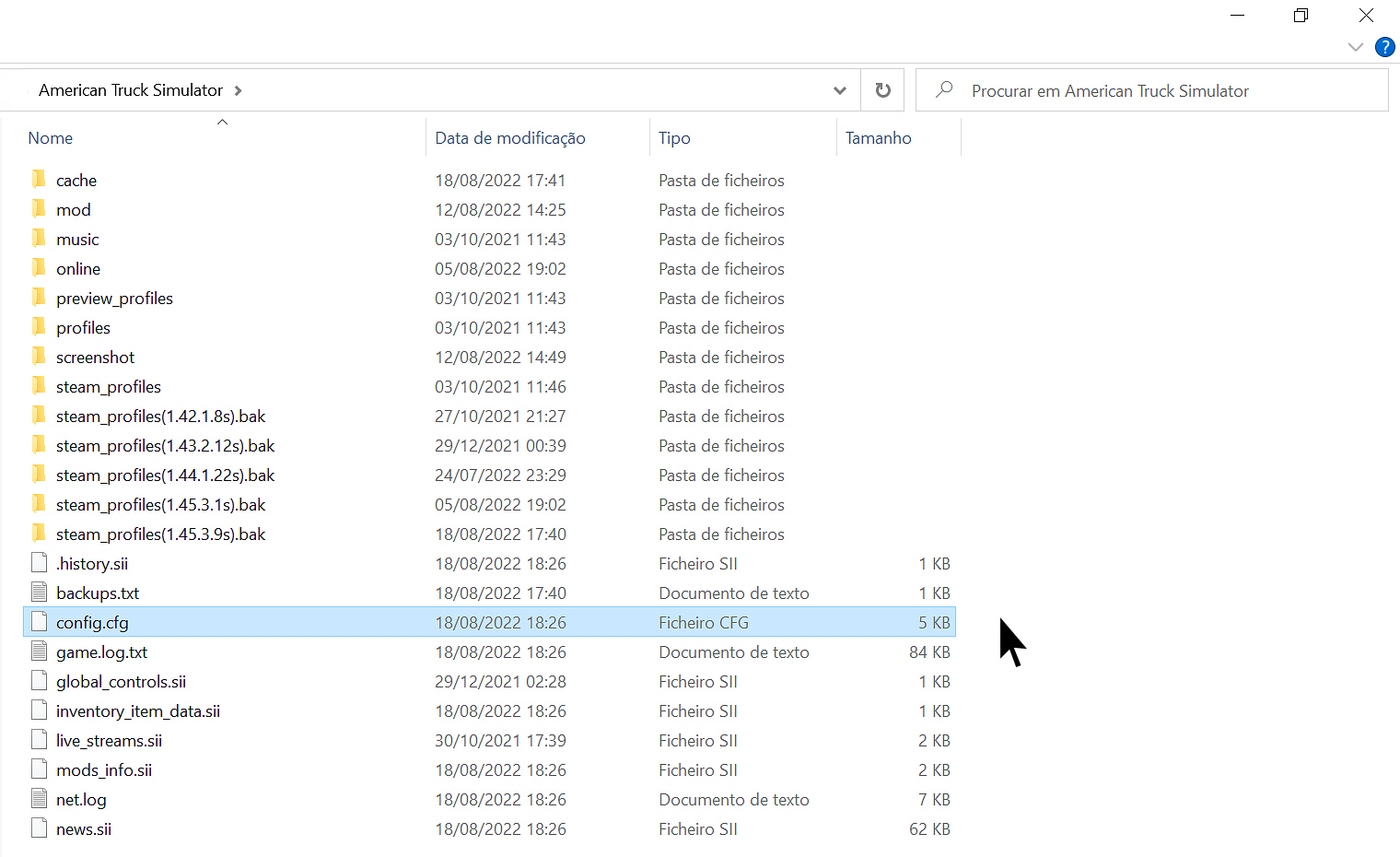
2 - Locate and Open the File!
- Find the file named ''config.cfg''
- Open with NotePad or WordPad!
3 - Edit the File!
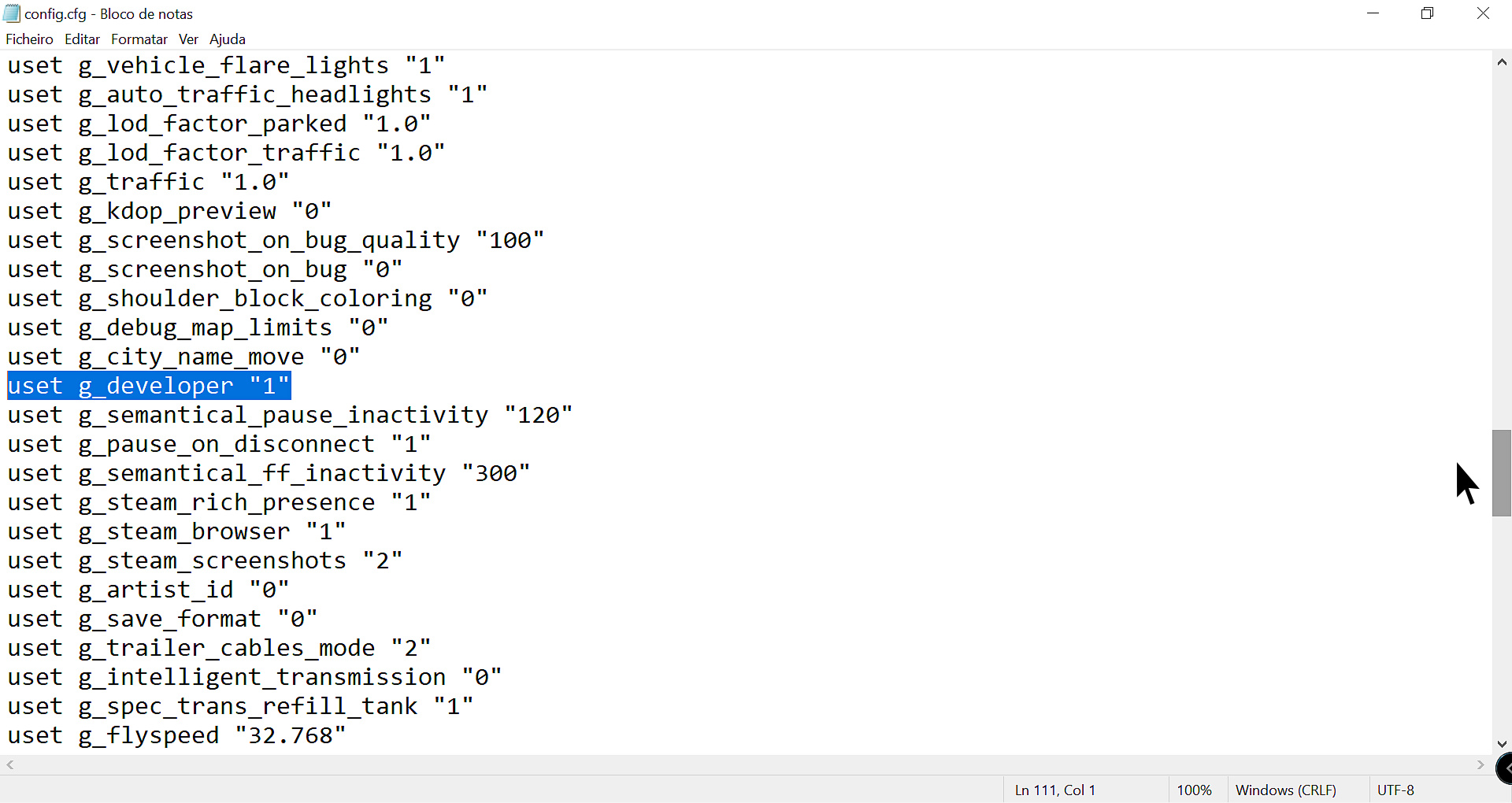
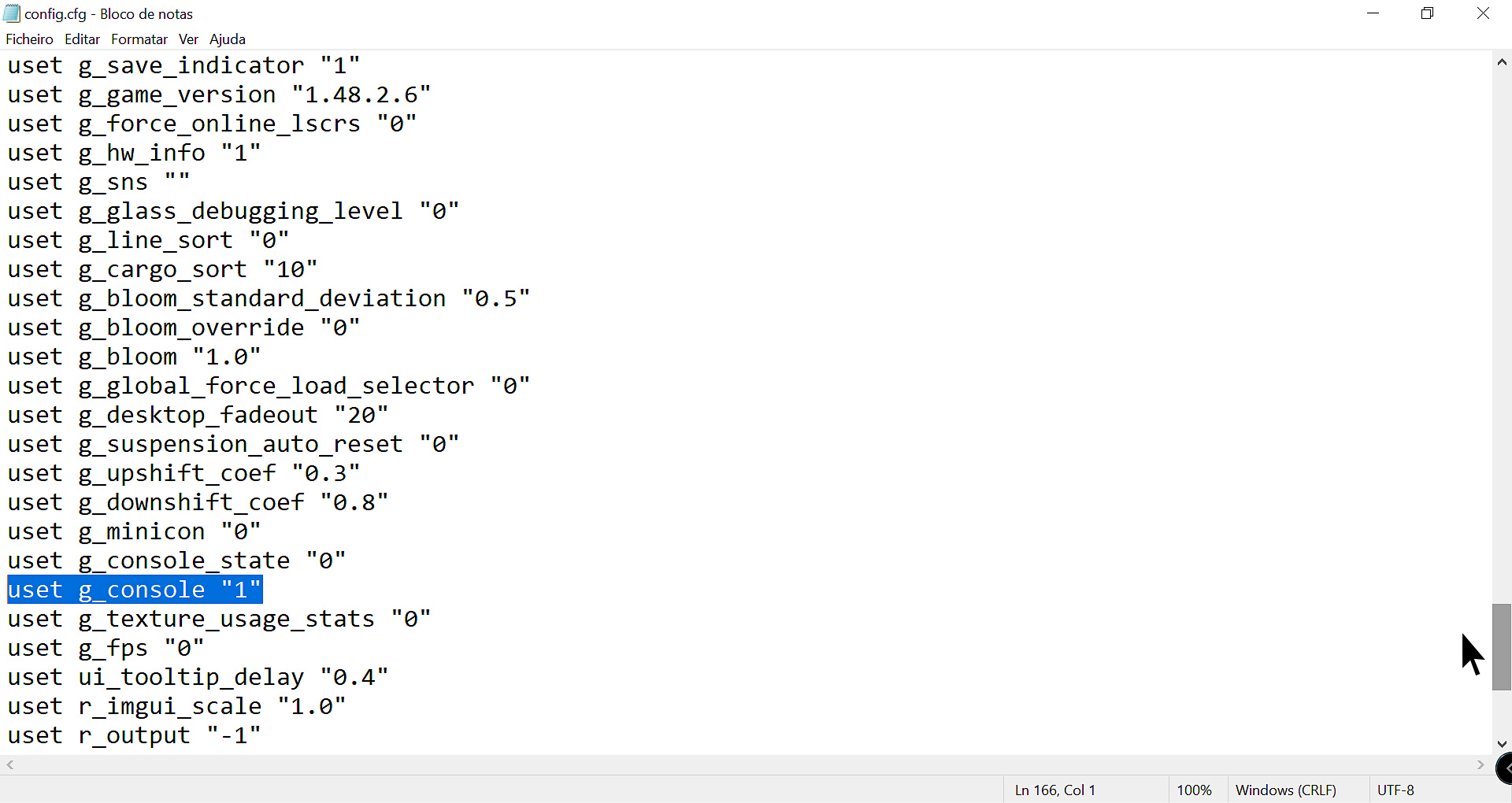
- Locate the line - uset g_developer "0" and - uset g_console "0" and change the value from "0" to "1" save and close the file!
- Line - uset g_developer "0" to "1"
- Line - uset g_console "0" to "1"
4 - Activate Free Camera Mode!
- Now in Game with Truck on the Road!
- On the keyboard Press number 0 above the letters!
- There will be a view from under the truck!
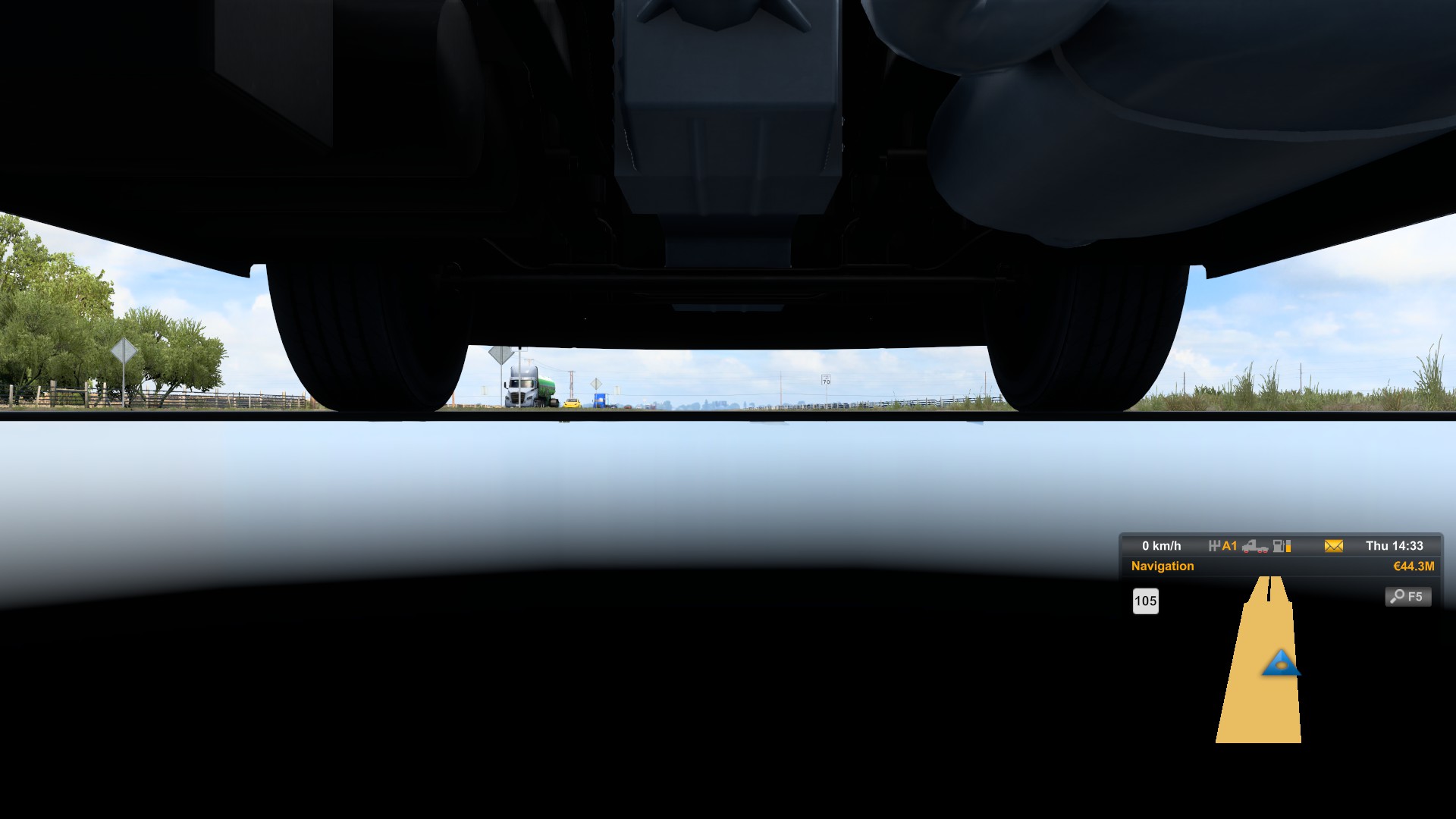
5 - Move to the location you want!
- Use the Mouse to move the camera and the Wheel to increase or decrease the speed!
- Use the Number Pad keys on the right to move where you want ex. 8 forwards and 5 backwards!
- I usually just use the Nº8 key to move forward and with the mouse i direct where i want to go!
6 - Activate new Truck Position!
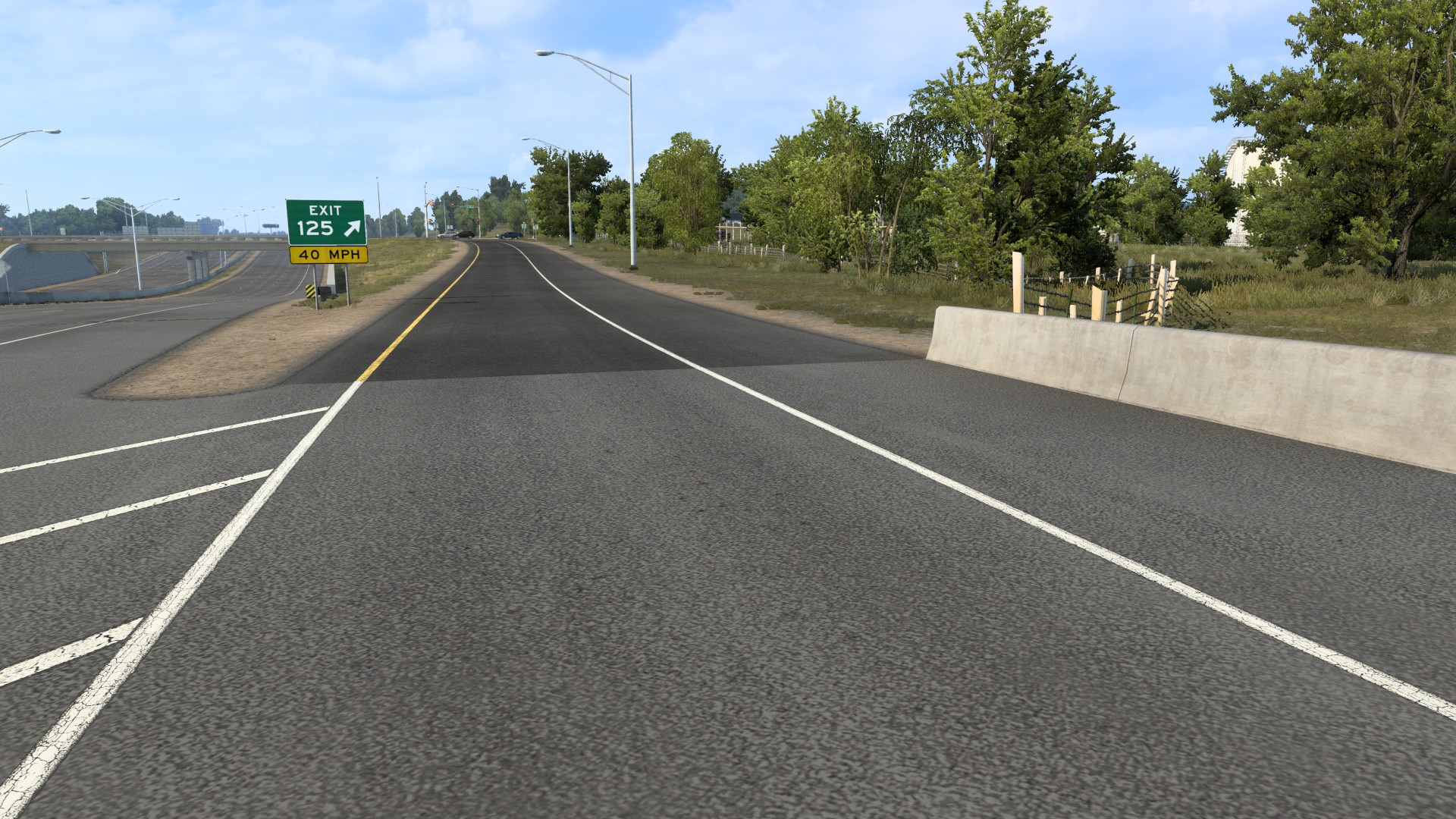
- Go where you want and bring the camera closer to the road
- Press Ctrl + F9 to complete the teleportation!
- Now press the button for your indoor or outdoor camera and you're good to go!
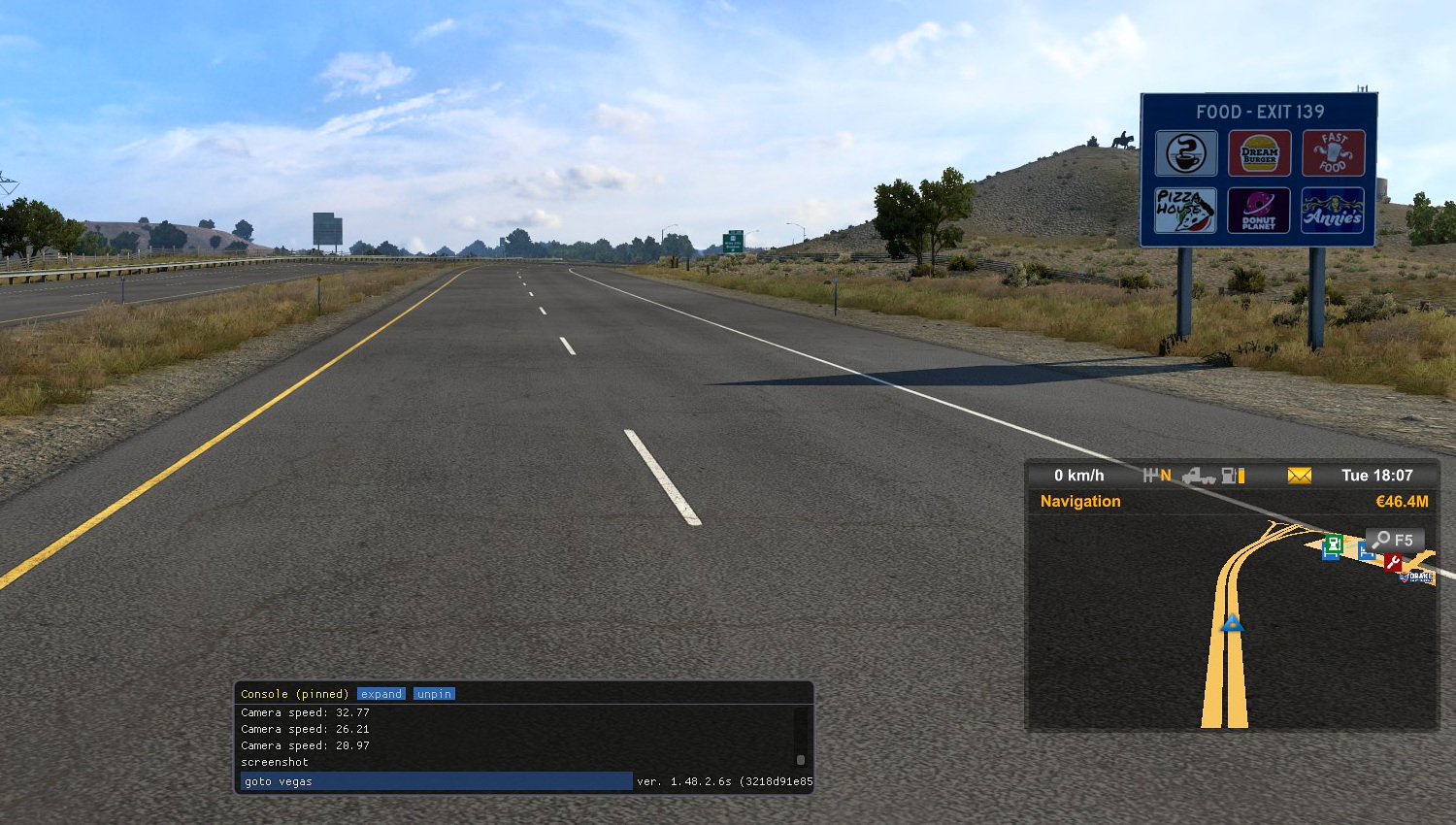
Automatic City Teleported Mode!
- Press the \ Symbol next to Nº1 above the letters!
- A Command Box will open, then write where you want to go for ex. goto vegas and press enter!
- Don't need to write the whole City name, only if there are identical names!
Tips and Suggestions!
- Try to avoid using Teleport at night until you are fully adapted!
- Use the Navigation Map to avoid getting lost!
- If get lost for some reason, just press a key with your indoor or outdoor camera!
- This method cannot be used when you have an Active External Contract, World of Trucks!
Notes!
- I know that there is a Quick Travel option in the game, but only works for cities that have already been discovered and have a Maintenance station, also if you have a slightly damaged Truck or low on fuel, you cannot use Quick Travel
- I hope this was reliable and helpful!
- Can use the same method for Euro Truck Simulator 2!
- Another American Truck Simulator Guide below!
https://steamcommunity.com/sharedfiles/filedetails/?id=2847798368
More American Truck Simulator guides
- Hidden and unmarked roads - USA - WEST - updated 2026/02/20★ 5 (1.3k)38k views1.9k ♥73 minUpdated Feb 19
- The American Truckers Guide to everything!★ 5 (960)34k views1.5k ♥53 minUpdated Aug 16, 2020
- American Truck Simulator 100% Achievement-Guide [ENG]★ 5 (704)15k views1.3k ♥8 minUpdated May 16
- Все достижения American Truck Simulator + все DLC [100% Achievement-Guide] [upd: 15.05.26]★ 5 (1.2k)14k views1.7k ♥42 minRussianUpdated Jul 12
- ATS | Cheat-codes | ENG★ 4 (106)13k views183 ♥3 minUpdated 2 Jan, 2025
- Texas 100% Achievement-Guide [ENG]★ 5 (443)12k views595 ♥7 minUpdated May 16



🔥 Popular guides
- Upgrading to PremiumTeam Fortress 2★ 5 (20k)1441k views11k ♥6 minUpdated May 11, 2022
- No More Room in Hell Official ManualNo More Room in Hell★ 5 (2.8k)569k views2.1k ♥29 minUpdated Apr 22, 2019
- NMRiH Community Hosting GuidesNo More Room in Hell★ 5 (526)351k views653 ♥1 minUpdated Aug 10, 2022
- ULTIMATE GUIDE FOR GAME DEV TYCOONGame Dev Tycoon★ 5 (5.8k)326k views10k ♥4 minUpdated 23 Jan, 2014
- How to 'Git Gud' Soon™MORDHAU★ 5 (2k)318k views3k ♥68 minUpdated Nov 16, 2024
- Лучшие кооперативные игры SteamPAYDAY 2★ 5 (1.5k)315k views2.1k ♥56 minRussianUpdated Apr 27, 2025






This guide was created by its original author on the Steam Community. Are you the author and want it removed? Request removal.