How to add KSW's Lightpack to Trucks/Trailers [1.57+]
Step 1: Opening the Folder after Download.
Once you download KSW's Light Pack, open it using WinRar or 7Zip to access the two files you'll need inside.
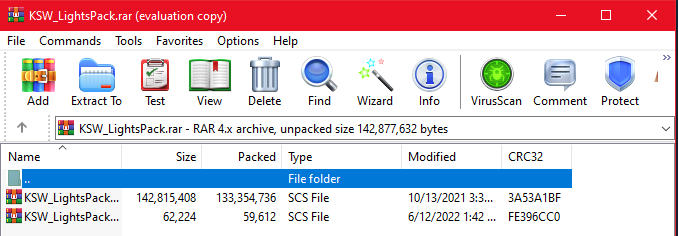
You'll want to open the file that says KSW_LightsPack_DEF.SCS to access the folder inside.
You'll want to open the file that says KSW_LightsPack_DEF.SCS to access the folder inside.
Step 2: Opening the DEF file using Notepad
So once you open the DEF file, another popup will appear as pictured.
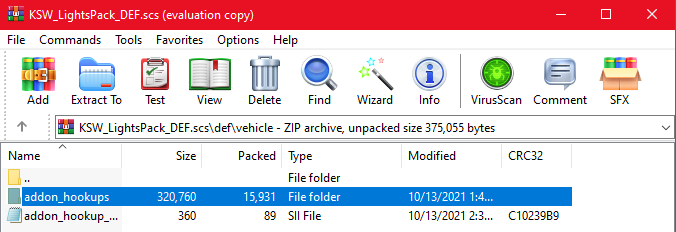
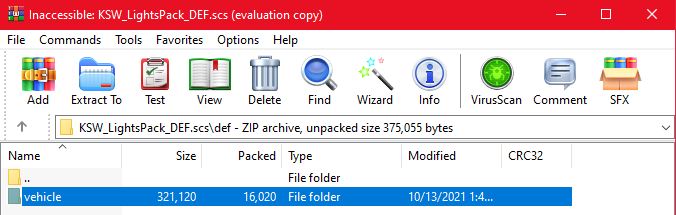 Open the addon_hookups folder.
 Now you'll see a bunch of text files, but not too worry, we only need the two which is named "kswcab_lights.sui" and "kswmkr_lights.sui".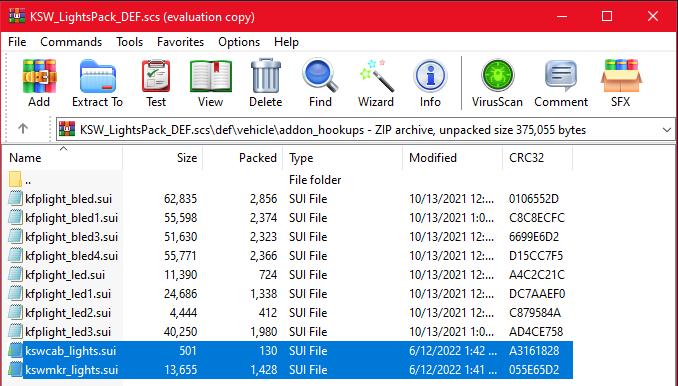
Proceed to open one of these files.
Step 3: Go into the Game and find the Accessory's Name
Fire up American Truck Simulator and head to the truck/trailer customization and find the accessory name you'd like make compatible. Here is two of Jon Ruda's Classic XL accessories.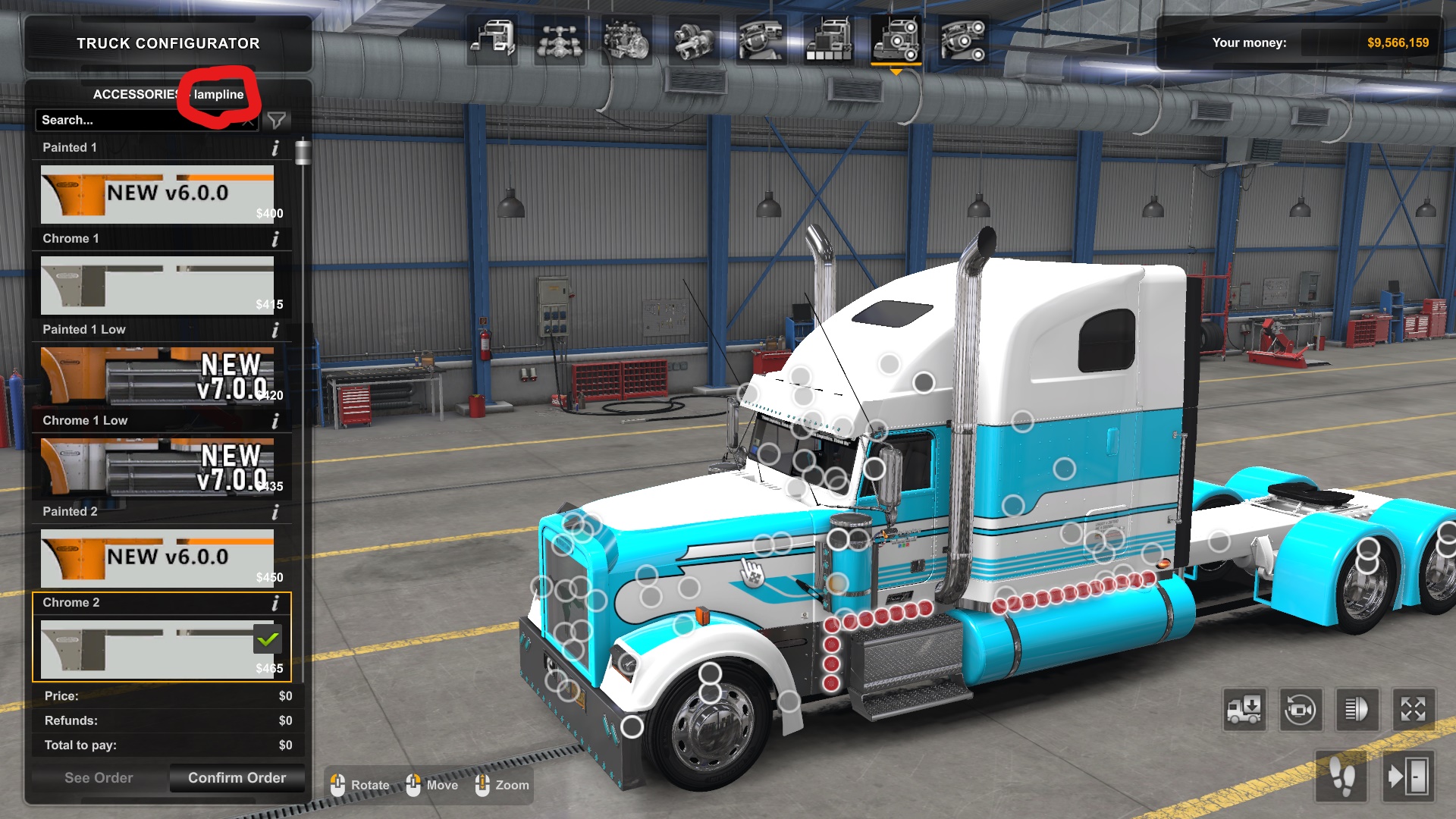
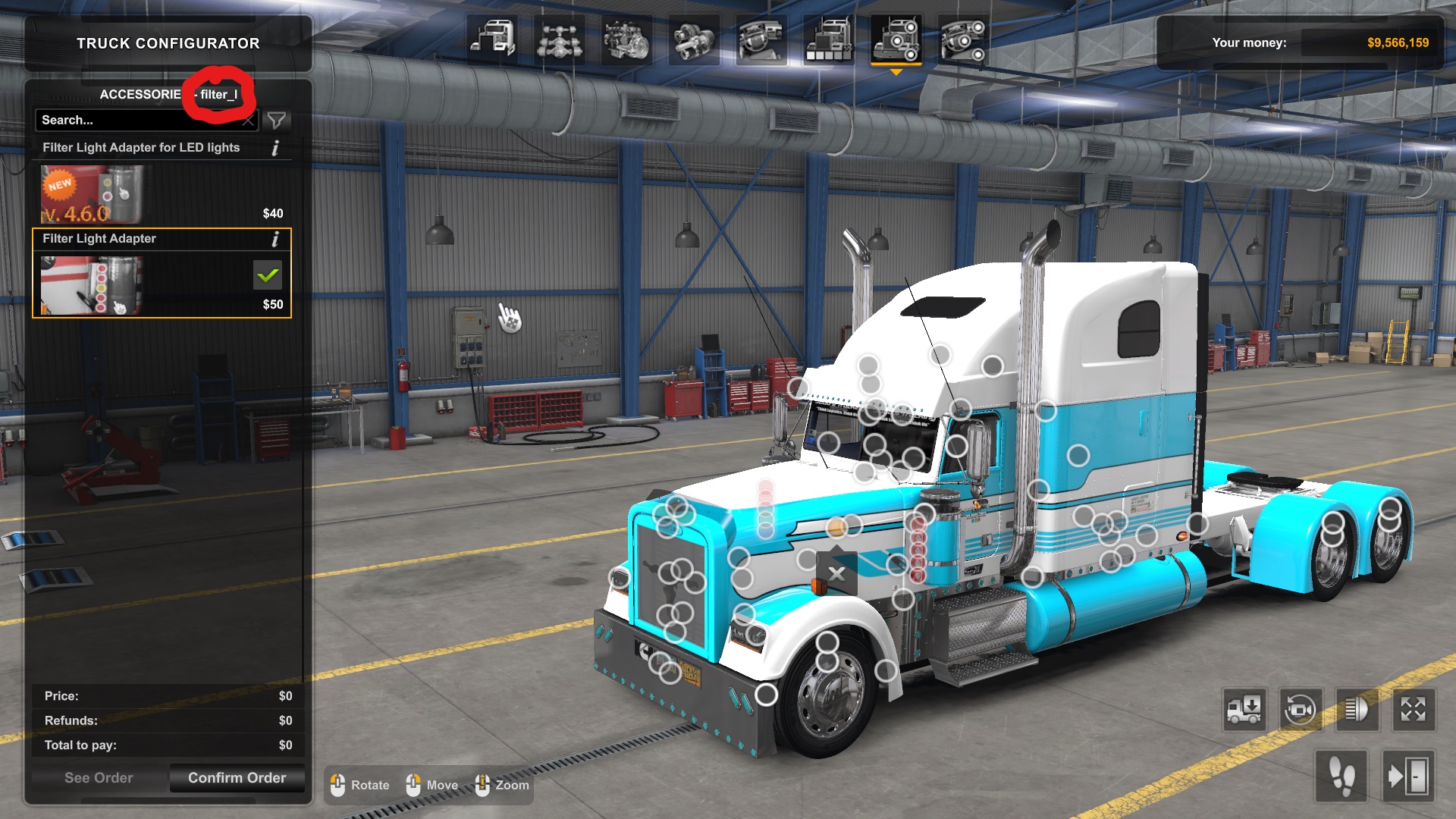
Step 4: Adding Required Lines to the DEF File
Once you found the name of the accessory, go back to notepad and open up "kswcab_lights.sui" and "kswmkr_lights.sui".
We'll start with the "kswcab_lights.sui" file.You'll then want to add the line, suitable_for[]: "NAME OF ACCESSORY"
In this case, we're using the filter lights, and the side marker lights. So I would type:
suitable_for[]: "lampline"
suitable_for[]: "filter_l"
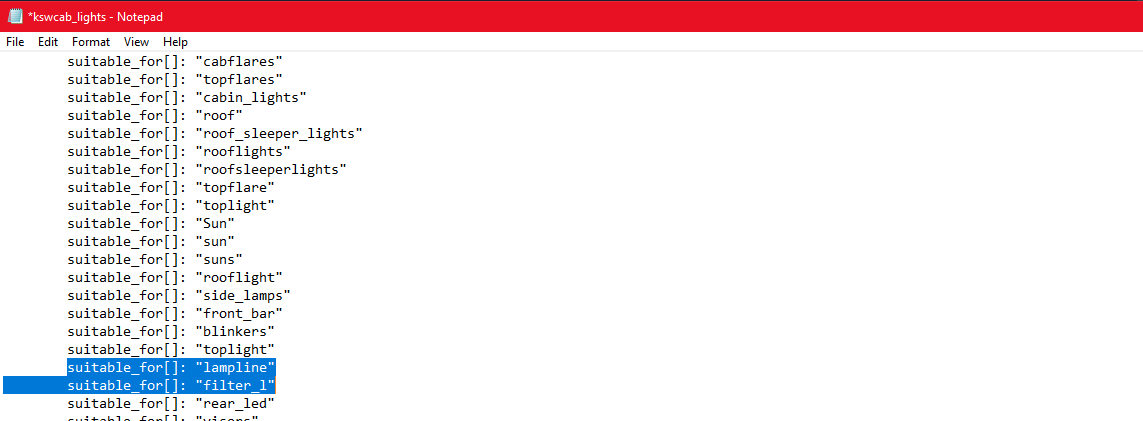 Then you'll want to copy these lines and proceed to save the file. Once you saved the file, close out and open the "kswmkr_lights.sui" file and paste the line(s) into this file.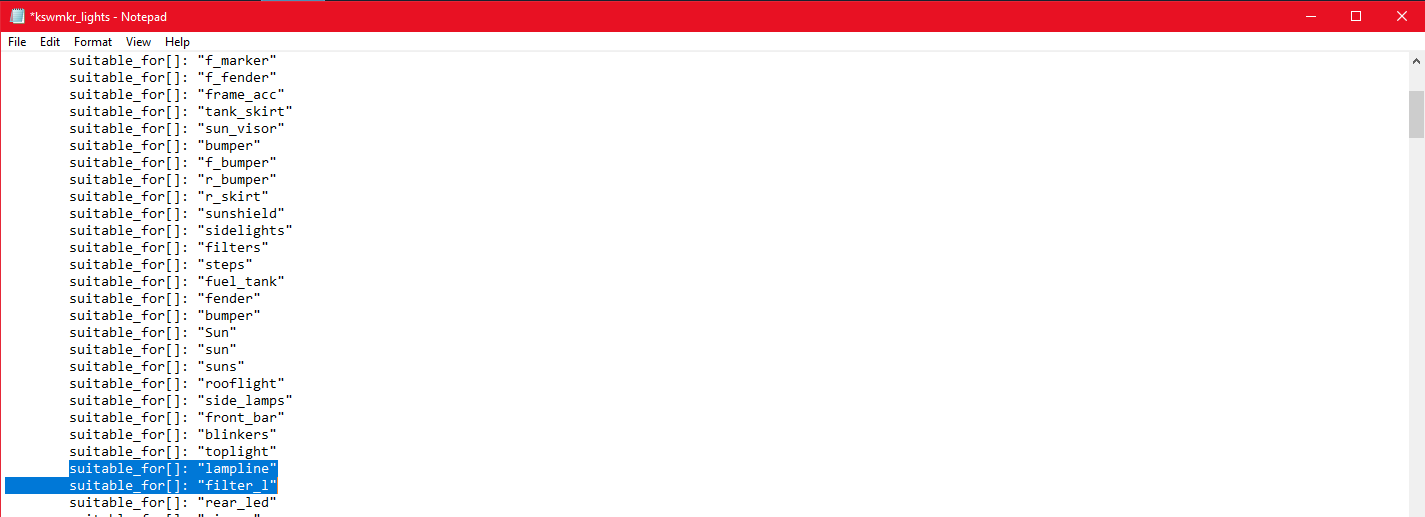
Save this file and you are complete. If you haven't already, put the KSW lightpack and the DEF scs files into your American Truck Simulator mod folder and activate them into your mod manager. It's recommended to put the light pack above all trucks/trailers you want to be compatible and the DEF has to be above the lightpack.
Additional Lines I've Put In To Make Compatible with Ruda's Trucks & B4RT's Trailers
suitable_for[]: "Sun"
suitable_for[]: "sun"
suitable_for[]: "suns"
suitable_for[]: "rooflight"
suitable_for[]: "side_lamps"
suitable_for[]: "front_bar"
suitable_for[]: "blinkers"
suitable_for[]: "toplight"
suitable_for[]: "lampline"
suitable_for[]: "filter_l"
suitable_for[]: "rear_led"
suitable_for[]: "visors"
suitable_for[]: "visor"
suitable_for[]: "bumpers"
suitable_for[]: "filterlamps"
suitable_for[]: "planki"
suitable_for[]: "Extra Light"
suitable_for[]: "Landing Gear"
suitable_for[]: "ligaxl"
suitable_for[]: "sidelch"
suitable_for[]: "sideli"
suitable_for[]: "lightbk"
suitable_for[]: "ligbke"
suitable_for[]: "blight_a"
suitable_for[]: "bsidelight"
suitable_for[]: "btoplight_a"
suitable_for[]: "Fender Mudflaps"
suitable_for[]: "fender mudflaps"
suitable_for[]: "sun"
suitable_for[]: "suns"
suitable_for[]: "rooflight"
suitable_for[]: "side_lamps"
suitable_for[]: "front_bar"
suitable_for[]: "blinkers"
suitable_for[]: "toplight"
suitable_for[]: "lampline"
suitable_for[]: "filter_l"
suitable_for[]: "rear_led"
suitable_for[]: "visors"
suitable_for[]: "visor"
suitable_for[]: "bumpers"
suitable_for[]: "filterlamps"
suitable_for[]: "planki"
suitable_for[]: "Extra Light"
suitable_for[]: "Landing Gear"
suitable_for[]: "ligaxl"
suitable_for[]: "sidelch"
suitable_for[]: "sideli"
suitable_for[]: "lightbk"
suitable_for[]: "ligbke"
suitable_for[]: "blight_a"
suitable_for[]: "bsidelight"
suitable_for[]: "btoplight_a"
suitable_for[]: "Fender Mudflaps"
suitable_for[]: "fender mudflaps"
More American Truck Simulator guides
- Hidden and unmarked roads - USA - WEST - updated 2026/02/20★ 5 (1.3k)38k views1.9k ♥73 minUpdated Feb 19
- The American Truckers Guide to everything!★ 5 (960)34k views1.5k ♥53 minUpdated Aug 16, 2020
- American Truck Simulator 100% Achievement-Guide [ENG]★ 5 (704)15k views1.3k ♥8 minUpdated May 16
- Все достижения American Truck Simulator + все DLC [100% Achievement-Guide] [upd: 15.05.26]★ 5 (1.2k)14k views1.7k ♥42 minRussianUpdated Jul 12
- ATS | Cheat-codes | ENG★ 4 (106)13k views183 ♥3 minUpdated 2 Jan, 2025
- Texas 100% Achievement-Guide [ENG]★ 5 (443)12k views595 ♥7 minUpdated May 16


🔥 Popular guides
- Upgrading to PremiumTeam Fortress 2★ 5 (20k)1441k views11k ♥6 minUpdated May 11, 2022
- No More Room in Hell Official ManualNo More Room in Hell★ 5 (2.8k)569k views2.1k ♥29 minUpdated Apr 22, 2019
- NMRiH Community Hosting GuidesNo More Room in Hell★ 5 (526)351k views653 ♥1 minUpdated Aug 10, 2022
- ULTIMATE GUIDE FOR GAME DEV TYCOONGame Dev Tycoon★ 5 (5.8k)326k views10k ♥4 minUpdated 23 Jan, 2014
- How to 'Git Gud' Soon™MORDHAU★ 5 (2k)318k views3k ♥68 minUpdated Nov 16, 2024
- Лучшие кооперативные игры SteamPAYDAY 2★ 5 (1.5k)315k views2.1k ♥56 minRussianUpdated Apr 27, 2025






This guide was created by its original author on the Steam Community. Are you the author and want it removed? Request removal.